ℹ️ Skipped - page is already crawled
| Filter | Status | Condition | Details |
|---|---|---|---|
| HTTP status | PASS | download_http_code = 200 | HTTP 200 |
| Age cutoff | PASS | download_stamp > now() - 6 MONTH | 0 months ago |
| History drop | PASS | isNull(history_drop_reason) | No drop reason |
| Spam/ban | PASS | fh_dont_index != 1 AND ml_spam_score = 0 | ml_spam_score=0 |
| Canonical | PASS | meta_canonical IS NULL OR = '' OR = src_unparsed | Not set |
| Property | Value |
|---|---|
| URL | https://zoogvpn.com/what-is-my-ip-address/ |
| Last Crawled | 2026-04-07 12:15:57 (5 hours ago) |
| First Indexed | 2022-06-02 20:56:24 (3 years ago) |
| HTTP Status Code | 200 |
| Meta Title | What Is My IP Address? Check Your Public IPv4/IPv6 Address Location |
| Meta Description | Check your real IP address to know what is your IP. We will help you hide your IP from snoopers, hackers, and data thieves. Change your IP with ZoogVPN! |
| Meta Canonical | null |
| Boilerpipe Text | Your IP address is
54.37.118.80
Your public IP is: 54.37.118.80
Your public IPv6 address is: ipv4
Is proxy used:
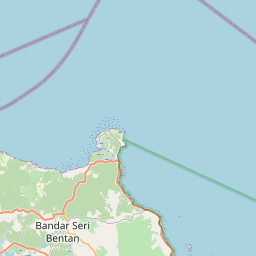
Your country: 🇸🇬 Singapore
Your city: Singapore
Your ISP: Ovh Sas
+
−
Leaflet
| ©
OpenStreetMap
contributors
Your location is visible 👀
Hide My IP ADDRESS WITH ZOOGVPN
IP Address Details
IP:
54.37.118.80
IP version:
ipv4
IP country:
Singapore
IP region:
Central Singapore
IP city:
Singapore
IP ZIP code:
247964
IP coordinates:
1.2879500389099, 103.85178375244
ISP:
Ovh Sas
Is proxy used:
Is TOR enabled:
Level of threat:
What is an IP address?
IP address is an unique identifier of the device on the internet or any local network. An IP stands for "Internet protocol", it's basically a string of characters that helps devices "talk" to each other online. So,
what is an IP address
in practice? - it's a number that links all your online activity to your computer, mobile phone, or any other device. Whenever you open a specific website, watch movies, use any apps, they get your IP address and send content back to you. An IP address can be used to track you down as well because it belongs to your ISP (Internet Service Provider). By using a VPN, you can change your IP address and nobody will be able to find out where the traffic really comes from.
Why you should change your IP address
Nobody sees what you do online
When your IP address is changed, you protect your privacy by restricting others from tracking your online activities. It boosts your online security, making it difficult for websites or hackers to identify your location or devices.
Your real IP is never leaked
When you connect to the ZoogVPN network, we give you an anonymous IP and hide your real one. The new IP is used by many other people, which creates a pool of anonymous activity. It’s impossible to link anything back to you.
WiFi hotspots are secure & safe
We use a 256-bits key length with 14 hashes which takes a very long time for a hacker to execute a dictionary attack. Currently there are no known cases of someone reading a correctly implemented AES-256 encrypted data.
Torrenting is permitted & secure
If you use your real IP and download torrents you risk to get a penalty. ZoogVPN beats the restrictions for P2P file sharing and torrenting by changing your real IP address to a new one. It makes impossible to trace anything back to you and your ISP.
Access to geo-restricted content
Many websites and streaming services restrict content based on your location. You can always
change your IP address
to circumvent these restrictions and access content from around the world.
Improve security of the static IP
A static IP address can be an easy target for cyberattacks. Regularly changing your IP provides elevated security, so it becomes harder for attackers to track you.
Avoid IP bans
Sometimes, your IP address may get banned from specific websites or services due to previous activities. Consequently, a changed IP allows you to regain access without waiting for an appeal.
What can someone do with my IP address?
An IP address (Internet Protocol address) is a unique numerical label assigned to each device connected to a computer network that uses the Internet Protocol for communication. It handles two core tasks: identifying the host or network interface and providing the host's location in the network.
IP addresses come in two versions: IPv4 and IPv6.
1. IPv4
is the older version. It uses a 32-bit address format, which limits the number of unique addresses to about 4.3 billion. An IPv4 address looks like this: 192.168.1.1.
2. IPv6
is the newer version, introduced to accommodate the growing number of devices connected to the internet. It uses a 128-bit address format, allowing for nearly unlimited unique addresses. An IPv6 address looks like this: 2001:0db8:85a3:0000:0000:8a2e:0370:7334.
IP addresses route information across the internet, ensuring data packets reach their correct destinations. They can be described as digital addresses, guiding data to where it needs to be delivered; for instance, it may be a webpage loading on your browser or an email arriving in your inbox.
How to find my IPv4 address?
As we’ve already mentioned, an IPv4 address is a 32-bit number assigned to your device for identification on the network. This is what most people refer to when they talk about an IP address. Let’s detect “what is my IP address – ipv4”:
Windows:
Press
Windows + R
, type
cmd
, and hit
Enter
to open the Command Prompt.
In the Command Prompt, type
ipconfig
and press
Enter
.
Look for the line labeled “IPv4 Address” under your active network connection. The number next to it is your IPv4 address.
Mac:
Click the Apple icon and select
System Preferences
.
Go to
Network
and select your active connection (e.g., Wi-Fi).
Your IPv4 address will be listed under the “Status” section.
Linux:
Open a terminal window.
Type
ip a
or
ifconfig
and press
Enter
.
Look for
an init followed by a string of numbers (e.g., 192.168.1.1).
This is your IPv4 address.
What can someone do with my IP address?
The IP address may become a gateway to your personal information if it falls into the wrong hands. It is not that hard to find out where you live or your name just by knowing your IP address, especially if it is static. There are multiple ways the hackers can get a hold of your IP address – using a torrent to download and seed content, clicking on shady links or advertisements on the internet can do the trick.
So what can someone do with your IP address?
Let’s just start with the least threatening category in this list – ISPs. They can track your internet activity without you ever knowing about this kind of surveillance, while some unreliable Internet service providers have a history of selling their users’ personal information to advertisers for financial gain, and they don’t even need to fool you into clicking on some alluring advertisement to reveal your IP address. Hackers can do you worse by tracking you online and revealing your physical address, hacking into your PC or mobile phone, infecting your device with malware, or even stealing your identity.
How to hide my IP address?
There are four popular ways to
hide your IP address
:
1.
Use a VPN client
. A reliable Virtual Private Network encrypts all your traffic before sending it to its destination.
2.
Use a Proxy server
. A similar method to using a VPN, with the significant difference being a complete lack of encryption of your traffic.
3.
Use the Tor
. Tor is a freeware browser that can help you avoid geoblocking and sometimes hide your presence online, however, the authorities intensely observe its use due to a lot of criminal activity on the dark web, which can be accessed with Tor.
4.
Use a public Wi-Fi network
. This method is probably the least reliable, and we strongly suggest you avoid public hotspots without a good VPN client.
Conclusion
Taking control of your IP address is a critical step in protecting your online privacy and security. Without adequate protection, your IP address leaves you exposed to external parties online, cyber threats, and unwanted tracking. ZoogVPN is a robust solution that caters to these vulnerabilities.
You can protect your IP address by simply turning on ZoogVPN, and it will conceal your online activities, take care of your data privacy, and allow you to access content from anywhere without restrictions, offering over 100 server locations. Elevate your online privacy with
strong encryption
no-logs policy
, a
kill switch
,
advanced leak protection
, and many other powerful features. With a 7-day money-back guarantee, you can try ZoogVPN risk-free. Don’t leave your digital door open; close it securely today by hiding your IP address with ZoogVPN.
Frequently Asked Questions
How do I find the IP address of my device?
To find your device’s IP address, access your network settings. On Windows, navigate to Control Panel > Network and Sharing Center, then click your network connection. On macOS, go to System Preferences > Network. For mobile devices, find it under Wi-Fi settings by selecting the connected network. Your IP address is listed as either “IPv4” or “IP Address.”
Who can use my IP address?
Your IP address can be used by various hackers and snoopers if they get access to your network. If you install malware or suspicious apps on your device, your IP can also be compromised. It’s important to avoid visiting suspicious websites and installing applications you don’t trust. If you don’t want your IP address to be compromised, it’s recommended to use a VPN on a daily basis.
Does your IP address tell where you live?
Your IP address can tell where you live approximately. Every IP address is bounded to a specific location. Although this location usually doesn’t show the street and the building where you are located, it’s possible to track you down. If you have a signed contract with your Internet Service Provider (ISP), it won’t take a lot of time for government agencies to get your physical address.
Can an IP address identify a person?
An IP address can help identify a person if necessary. All IP addresses are assigned by Internet Service Providers (ISPs). Every person has a signed contract with ISP where customers usually leave their personal information. ISPs know exactly which IP addresses are used by their customers. That is why, it is certainly possible to identify a person knowing their public IP address.
How to secure my IP address?
Your IP address, by itself, doesn’t pose a significant security risk, but it can be a starting point for potential threats. Hackers can use it to approximate your location or launch attacks if your network isn’t properly secured. To enhance security, use a firewall, regularly update your devices, and consider using a VPN to mask your IP. Remember, while your IP is publicly accessible, taking some easy steps significantly reduces the associated risks.
Do I need to check my IP address?
You probably need to check your IP address a few times a month. If you share your IP address with someone, make sure it’s not blacklisted. If your IP address becomes suspicious it might cause some problems. If you want to check your IP address,
open this page.
Why is my IP address location wrong?
There are many reasons why your IP address location can be wrong. First of all, all databases with IP addresses and their locations are different. There are different sources of IP location that may show different results. Some databases update too seldom to display accurate data. Another reason is the fact that ISPs can assign new IP addresses and remove old ones. This way, databases of IP location data can take too long to update, so the information won’t be accurate.
How do I find my IP address using the command prompt?
On Windows, open the Command Prompt by typing “cmd” in the search bar and hitting Enter. Once the window opens, type
ipconfig
and press Enter. Look for the “IPv4 Address” under your active network connection, usually labeled “Ethernet” or “Wireless LAN Adapter.” This is your device’s local IP address. With the command prompt, you can get a quick and precise way to obtain your IP without navigating through multiple settings menus.
Why do I need to know my IP address?
The question of “what is my IP address location?” is an integral part of many tasks, like configuring network settings or addressing connectivity issues. For instance, if you’re setting up a home network, sharing resources, or allowing remote access, you’ll need your IP. It’s also useful when diagnosing internet problems or securing your network. Moreover, knowing your IP helps you determine how your device interacts with other systems, both locally and online.
Can I find the IP addresses of other devices on my network?
Yes, you can discover other devices’ IP addresses on your network using network scanning tools like
Advanced IP Scanner
or the
arp-a
command in the command prompt. These tools display a list of devices connected to your network, showing their respective IP addresses. This is useful for managing your network, identifying unauthorized devices, or troubleshooting connectivity issues among connected devices.
What if I can't find my IP address using these methods?
If you’re unable to find your IP address through standard methods, try restarting your router and device. Ensure you’re connected to a network, as IP addresses are assigned when your device is online. Alternatively, use an online IP checker to answer “what is my public IP address?” or consult your router’s admin page for local IP details. Persistent issues may indicate a deeper network problem, requiring professional technical support.
Is my IP address the same as my MAC address?
No, your IP address and MAC address are different identifiers. An IP address is a numerical label assigned by your network, used for routing and identification within the internet or local networks. A MAC address, however, is a unique hardware identifier for your device’s network interface, assigned by the manufacturer. While IP addresses can change, MAC addresses are permanent and used for device-level network communications. |
| Markdown | \[rafflepress id="2"\]
[](https://zoogvpn.com/)
- [Products](https://zoogvpn.com/vpn-downloads/)
- [VPN for Windows](https://zoogvpn.com/products/vpn-for-windows/)
- [VPN for Mac](https://zoogvpn.com/products/vpn-for-mac/)
- [VPN for iOS](https://zoogvpn.com/products/vpn-for-ios/)
- [VPN for Android](https://zoogvpn.com/products/vpn-for-android/)
- [VPN for Android TV](https://zoogvpn.com/products/vpn-for-android-tv/)
- [VPN for Amazon Fire Stick](https://zoogvpn.com/products/vpn-for-amazon-fire-tv-stick/)
- [VPN for Blackberry](https://zoogvpn.com/products/vpn-for-blackberry/)
- [VPN for Linux](https://zoogvpn.com/products/vpn-for-linux/)
- [VPN for Router](https://zoogvpn.com/products/vpn-for-router/)
- [Free Trial VPN](https://zoogvpn.com/products/free-vpn/)
- [Proxy](https://zoogvpn.com/products/socks5-proxy/)
- [Google Chrome VPN](https://zoogvpn.com/chrome-vpn-extension/)
- [Firefox VPN Extension](https://zoogvpn.com/products/firefox-vpn-extension/)
- [Microsoft Edge VPN Extension](https://zoogvpn.com/edge-vpn-extension/)
- [Travel eSIM](https://www.zoogvpn.com/esim/)
- [Features](https://zoogvpn.com/features/)
- [Features](https://zoogvpn.com/features/)
- [Bank-grade encryption](https://zoogvpn.com/features/encryption/)
- [Ad Blocker](https://zoogvpn.com/features/ad-blocker/)
- [No logs policy](https://zoogvpn.com/features/no-logs-vpn/)
- [Advanced Leak Protection](https://zoogvpn.com/features/leak-protection/)
- [Kill Switch](https://zoogvpn.com/features/kill-switch/)
- [Torrent-friendly network](https://zoogvpn.com/features/p2p/)
- [Shadow Protocol](https://zoogvpn.com/features/zoog-shadowing/)
- [Split Tunneling](https://zoogvpn.com/features/split-tunneling/)
- [Use Cases](https://zoogvpn.com/use-cases/)
- [Access any website](https://zoogvpn.com/use-cases/access-any-website/)
- [Streaming VPN](https://zoogvpn.com/use-cases/streaming-vpn/)
- [VPN for gaming](https://zoogvpn.com/vpn-for-gaming/)
- [Browse anonymously](https://zoogvpn.com/use-cases/browse-anonymously/)
- [Unrestricted Internet](https://zoogvpn.com/use-cases/bypass-censorship/)
- [Avoid ISP throttling](https://zoogvpn.com/use-cases/isp-throttling/)
- [Pricing](https://zoogvpn.com/pricing/)
- [Locations](https://zoogvpn.com/network/)
- [Contact](https://zoogvpn.com/contact/)
- [My account](https://app.zoogvpn.com/sign-in)
[Get ZoogVPN](https://app.zoogvpn.com/checkout)
[](https://zoogvpn.com/)
[English (worldwide)](https://zoogvpn.com/what-is-my-ip-address/)
- [Русский](https://zoogvpn.com/ru-ru/what-is-my-ip-address/)
- [Español](https://zoogvpn.com/es/what-is-my-ip-address/)
[](https://zoogvpn.com/)
- [Products](https://zoogvpn.com/vpn-downloads/)
- [VPN for Windows](https://zoogvpn.com/products/vpn-for-windows/)
- [VPN for Mac](https://zoogvpn.com/products/vpn-for-mac/)
- [VPN for iOS](https://zoogvpn.com/products/vpn-for-ios/)
- [VPN for Android](https://zoogvpn.com/products/vpn-for-android/)
- [VPN for Android TV](https://zoogvpn.com/products/vpn-for-android-tv/)
- [VPN for Amazon Fire Stick](https://zoogvpn.com/products/vpn-for-amazon-fire-tv-stick/)
- [VPN for Blackberry](https://zoogvpn.com/products/vpn-for-blackberry/)
- [VPN for Linux](https://zoogvpn.com/products/vpn-for-linux/)
- [VPN for Router](https://zoogvpn.com/products/vpn-for-router/)
- [Free Trial VPN](https://zoogvpn.com/products/free-vpn/)
- [Proxy](https://zoogvpn.com/products/socks5-proxy/)
- [Google Chrome VPN](https://zoogvpn.com/chrome-vpn-extension/)
- [Firefox VPN Extension](https://zoogvpn.com/products/firefox-vpn-extension/)
- [Microsoft Edge VPN Extension](https://zoogvpn.com/edge-vpn-extension/)
- [Travel eSIM](https://www.zoogvpn.com/esim/)
- [Features](https://zoogvpn.com/features/)
- [Features](https://zoogvpn.com/features/)
- [Bank-grade encryption](https://zoogvpn.com/features/encryption/)
- [Ad Blocker](https://zoogvpn.com/features/ad-blocker/)
- [No logs policy](https://zoogvpn.com/features/no-logs-vpn/)
- [Advanced Leak Protection](https://zoogvpn.com/features/leak-protection/)
- [Kill Switch](https://zoogvpn.com/features/kill-switch/)
- [Torrent-friendly network](https://zoogvpn.com/features/p2p/)
- [Shadow Protocol](https://zoogvpn.com/features/zoog-shadowing/)
- [Split Tunneling](https://zoogvpn.com/features/split-tunneling/)
- [Use Cases](https://zoogvpn.com/use-cases/)
- [Access any website](https://zoogvpn.com/use-cases/access-any-website/)
- [Streaming VPN](https://zoogvpn.com/use-cases/streaming-vpn/)
- [VPN for gaming](https://zoogvpn.com/vpn-for-gaming/)
- [Browse anonymously](https://zoogvpn.com/use-cases/browse-anonymously/)
- [Unrestricted Internet](https://zoogvpn.com/use-cases/bypass-censorship/)
- [Avoid ISP throttling](https://zoogvpn.com/use-cases/isp-throttling/)
- [Pricing](https://zoogvpn.com/pricing/)
- [Locations](https://zoogvpn.com/network/)
- [Contact](https://zoogvpn.com/contact/)
- [My account](https://app.zoogvpn.com/sign-in)
[Get ZoogVPN](https://app.zoogvpn.com/checkout)
# What is my IP address?
Your IP address is **54\.37.118.80**

Your public IP is: 54.37.118.80
Your public IPv6 address is: ipv4
Is proxy used:

Your country: 🇸🇬 Singapore
Your city: Singapore
Your ISP: Ovh Sas
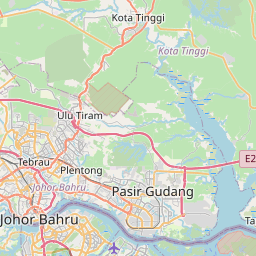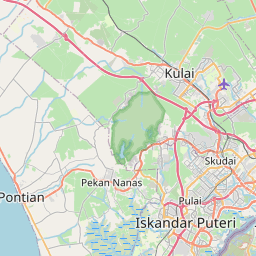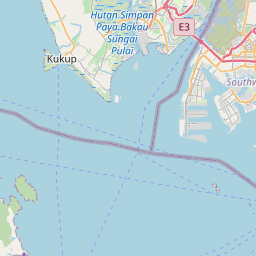


[\+](https://zoogvpn.com/what-is-my-ip-address/ "Zoom in")[−](https://zoogvpn.com/what-is-my-ip-address/ "Zoom out")
[Leaflet](https://leafletjs.com/ "A JS library for interactive maps") \| © [OpenStreetMap](https://www.openstreetmap.org/copyright) contributors
Your location is visible 👀
[Hide My IP ADDRESS WITH ZOOGVPN](https://zoogvpn.com/pricing/)
## IP Address Details
- **IP:** 54\.37.118.80
- IP version: ipv4
- IP country: Singapore
- IP region: Central Singapore
- IP city: Singapore
- IP ZIP code: 247964
- IP coordinates: 1\.2879500389099, 103.85178375244
- ISP: Ovh Sas
- Is proxy used:
- Is TOR enabled:
- Level of threat:
## What is an IP address?
IP address is an unique identifier of the device on the internet or any local network. An IP stands for "Internet protocol", it's basically a string of characters that helps devices "talk" to each other online. So, [what is an IP address](https://zoogvpn.com/what-is-ip-address/) in practice? - it's a number that links all your online activity to your computer, mobile phone, or any other device. Whenever you open a specific website, watch movies, use any apps, they get your IP address and send content back to you. An IP address can be used to track you down as well because it belongs to your ISP (Internet Service Provider). By using a VPN, you can change your IP address and nobody will be able to find out where the traffic really comes from.
## Why you should change your IP address

### Nobody sees what you do online
When your IP address is changed, you protect your privacy by restricting others from tracking your online activities. It boosts your online security, making it difficult for websites or hackers to identify your location or devices.

### Your real IP is never leaked
When you connect to the ZoogVPN network, we give you an anonymous IP and hide your real one. The new IP is used by many other people, which creates a pool of anonymous activity. It’s impossible to link anything back to you.

### WiFi hotspots are secure & safe
We use a 256-bits key length with 14 hashes which takes a very long time for a hacker to execute a dictionary attack. Currently there are no known cases of someone reading a correctly implemented AES-256 encrypted data.

### Torrenting is permitted & secure
If you use your real IP and download torrents you risk to get a penalty. ZoogVPN beats the restrictions for P2P file sharing and torrenting by changing your real IP address to a new one. It makes impossible to trace anything back to you and your ISP.

### Access to geo-restricted content
Many websites and streaming services restrict content based on your location. You can always [change your IP address](https://zoogvpn.com/how-to-change-ip-address/) to circumvent these restrictions and access content from around the world.

### Improve security of the static IP
A static IP address can be an easy target for cyberattacks. Regularly changing your IP provides elevated security, so it becomes harder for attackers to track you.

### Avoid IP bans
Sometimes, your IP address may get banned from specific websites or services due to previous activities. Consequently, a changed IP allows you to regain access without waiting for an appeal.
## What can someone do with my IP address?
An IP address (Internet Protocol address) is a unique numerical label assigned to each device connected to a computer network that uses the Internet Protocol for communication. It handles two core tasks: identifying the host or network interface and providing the host's location in the network.
**IP addresses come in two versions: IPv4 and IPv6.**
**1\. IPv4** is the older version. It uses a 32-bit address format, which limits the number of unique addresses to about 4.3 billion. An IPv4 address looks like this: 192.168.1.1.
**2\. IPv6** is the newer version, introduced to accommodate the growing number of devices connected to the internet. It uses a 128-bit address format, allowing for nearly unlimited unique addresses. An IPv6 address looks like this: 2001:0db8:85a3:0000:0000:8a2e:0370:7334.
IP addresses route information across the internet, ensuring data packets reach their correct destinations. They can be described as digital addresses, guiding data to where it needs to be delivered; for instance, it may be a webpage loading on your browser or an email arriving in your inbox.
## How to find my IPv4 address?
As we’ve already mentioned, an IPv4 address is a 32-bit number assigned to your device for identification on the network. This is what most people refer to when they talk about an IP address. Let’s detect “what is my IP address – ipv4”:
1. **Windows:**
- Press Windows + R, type cmd, and hit Enter to open the Command Prompt.
- In the Command Prompt, type ipconfig and press Enter.
- Look for the line labeled “IPv4 Address” under your active network connection. The number next to it is your IPv4 address.
2. **Mac:**
- Click the Apple icon and select System Preferences.
- Go to Network and select your active connection (e.g., Wi-Fi).
- Your IPv4 address will be listed under the “Status” section.
3. **Linux:**
- Open a terminal window.
- Type ip a or ifconfig and press Enter.
- Look for an init followed by a string of numbers (e.g., 192.168.1.1). This is your IPv4 address.

## What can someone do with my IP address?
The IP address may become a gateway to your personal information if it falls into the wrong hands. It is not that hard to find out where you live or your name just by knowing your IP address, especially if it is static. There are multiple ways the hackers can get a hold of your IP address – using a torrent to download and seed content, clicking on shady links or advertisements on the internet can do the trick.
**So what can someone do with your IP address?**
Let’s just start with the least threatening category in this list – ISPs. They can track your internet activity without you ever knowing about this kind of surveillance, while some unreliable Internet service providers have a history of selling their users’ personal information to advertisers for financial gain, and they don’t even need to fool you into clicking on some alluring advertisement to reveal your IP address. Hackers can do you worse by tracking you online and revealing your physical address, hacking into your PC or mobile phone, infecting your device with malware, or even stealing your identity.


## How to hide my IP address?
There are four popular ways to **[hide your IP address](https://zoogvpn.com/how-to-hide-ip-address/)**:
1\. **Use a VPN client**. A reliable Virtual Private Network encrypts all your traffic before sending it to its destination.
2\. **Use a Proxy server**. A similar method to using a VPN, with the significant difference being a complete lack of encryption of your traffic.
3\. **Use the Tor**. Tor is a freeware browser that can help you avoid geoblocking and sometimes hide your presence online, however, the authorities intensely observe its use due to a lot of criminal activity on the dark web, which can be accessed with Tor.
4\. **Use a public Wi-Fi network**. This method is probably the least reliable, and we strongly suggest you avoid public hotspots without a good VPN client.
### Conclusion
Taking control of your IP address is a critical step in protecting your online privacy and security. Without adequate protection, your IP address leaves you exposed to external parties online, cyber threats, and unwanted tracking. ZoogVPN is a robust solution that caters to these vulnerabilities.
You can protect your IP address by simply turning on ZoogVPN, and it will conceal your online activities, take care of your data privacy, and allow you to access content from anywhere without restrictions, offering over 100 server locations. Elevate your online privacy with **[strong encryption](https://zoogvpn.com/features/encryption/)** **[no-logs policy](https://zoogvpn.com/features/no-logs-vpn/)**, a **[kill switch](https://zoogvpn.com/features/kill-switch/)**, **[advanced leak protection](https://zoogvpn.com/features/leak-protection/)**, and many other powerful features. With a 7-day money-back guarantee, you can try ZoogVPN risk-free. Don’t leave your digital door open; close it securely today by hiding your IP address with ZoogVPN.

## Frequently Asked Questions
#### [How do I find the IP address of my device?]()
To find your device’s IP address, access your network settings. On Windows, navigate to Control Panel \> Network and Sharing Center, then click your network connection. On macOS, go to System Preferences \> Network. For mobile devices, find it under Wi-Fi settings by selecting the connected network. Your IP address is listed as either “IPv4” or “IP Address.”
#### [Who can use my IP address?]()
Your IP address can be used by various hackers and snoopers if they get access to your network. If you install malware or suspicious apps on your device, your IP can also be compromised. It’s important to avoid visiting suspicious websites and installing applications you don’t trust. If you don’t want your IP address to be compromised, it’s recommended to use a VPN on a daily basis.
#### [Does your IP address tell where you live?]()
Your IP address can tell where you live approximately. Every IP address is bounded to a specific location. Although this location usually doesn’t show the street and the building where you are located, it’s possible to track you down. If you have a signed contract with your Internet Service Provider (ISP), it won’t take a lot of time for government agencies to get your physical address.
#### [Can an IP address identify a person?]()
An IP address can help identify a person if necessary. All IP addresses are assigned by Internet Service Providers (ISPs). Every person has a signed contract with ISP where customers usually leave their personal information. ISPs know exactly which IP addresses are used by their customers. That is why, it is certainly possible to identify a person knowing their public IP address.
#### [How to secure my IP address?]()
Your IP address, by itself, doesn’t pose a significant security risk, but it can be a starting point for potential threats. Hackers can use it to approximate your location or launch attacks if your network isn’t properly secured. To enhance security, use a firewall, regularly update your devices, and consider using a VPN to mask your IP. Remember, while your IP is publicly accessible, taking some easy steps significantly reduces the associated risks.
#### [Do I need to check my IP address?]()
You probably need to check your IP address a few times a month. If you share your IP address with someone, make sure it’s not blacklisted. If your IP address becomes suspicious it might cause some problems. If you want to check your IP address, [open this page.](https://zoogvpn.com/what-is-my-ip-address/)
#### [Why is my IP address location wrong?]()
There are many reasons why your IP address location can be wrong. First of all, all databases with IP addresses and their locations are different. There are different sources of IP location that may show different results. Some databases update too seldom to display accurate data. Another reason is the fact that ISPs can assign new IP addresses and remove old ones. This way, databases of IP location data can take too long to update, so the information won’t be accurate.
#### [How do I find my IP address using the command prompt?]()
On Windows, open the Command Prompt by typing “cmd” in the search bar and hitting Enter. Once the window opens, type ipconfig and press Enter. Look for the “IPv4 Address” under your active network connection, usually labeled “Ethernet” or “Wireless LAN Adapter.” This is your device’s local IP address. With the command prompt, you can get a quick and precise way to obtain your IP without navigating through multiple settings menus.
#### [Why do I need to know my IP address?]()
The question of “what is my IP address location?” is an integral part of many tasks, like configuring network settings or addressing connectivity issues. For instance, if you’re setting up a home network, sharing resources, or allowing remote access, you’ll need your IP. It’s also useful when diagnosing internet problems or securing your network. Moreover, knowing your IP helps you determine how your device interacts with other systems, both locally and online.
#### [Can I find the IP addresses of other devices on my network?]()
Yes, you can discover other devices’ IP addresses on your network using network scanning tools like Advanced IP Scanner or the arp-a command in the command prompt. These tools display a list of devices connected to your network, showing their respective IP addresses. This is useful for managing your network, identifying unauthorized devices, or troubleshooting connectivity issues among connected devices.
#### [What if I can't find my IP address using these methods?]()
If you’re unable to find your IP address through standard methods, try restarting your router and device. Ensure you’re connected to a network, as IP addresses are assigned when your device is online. Alternatively, use an online IP checker to answer “what is my public IP address?” or consult your router’s admin page for local IP details. Persistent issues may indicate a deeper network problem, requiring professional technical support.
#### [Is my IP address the same as my MAC address?]()
No, your IP address and MAC address are different identifiers. An IP address is a numerical label assigned by your network, used for routing and identification within the internet or local networks. A MAC address, however, is a unique hardware identifier for your device’s network interface, assigned by the manufacturer. While IP addresses can change, MAC addresses are permanent and used for device-level network communications.
[](https://zoogvpn.com/)
Zoog Services IKE
130 Germanou, Patras 26224, Greece
\+1 321 396 5183
[Facebook-f](https://www.facebook.com/zoogvpn)
[Instagram](https://www.instagram.com/zoogvpn) [Telegram](https://t.me/zoogvpn_support_team_bot)
[](https://itunes.apple.com/us/app/zoogvpn/id1204851407?mt=8)[](https://play.google.com/store/apps/details?id=com.zoogvpn.android)
[Download VPN](https://zoogvpn.com/vpn-downloads/ "Download VPN for all devices")
- [Free VPN](https://zoogvpn.com/products/free-vpn/ "Free VPN")
- [VPN for Windows PC](https://zoogvpn.com/products/vpn-for-windows/ "Download VPN for Windows PC")
- [VPN for MAC](https://zoogvpn.com/products/vpn-for-mac/ "Download VPN for MAC")
- [VPN for iOS](https://zoogvpn.com/products/vpn-for-ios/ "Download VPN for iPhone, iPad")
- [Android VPN APK](https://zoogvpn.com/products/vpn-for-android/ "Download VPN for Android")
- [VPN for Android TV](https://zoogvpn.com/products/vpn-for-android/ "Download VPN for Android TV")
- [VPN for Routers](https://zoogvpn.com/products/vpn-for-router/ "Download VPN for Routers")
- [VPN for Linux](https://zoogvpn.com/products/vpn-for-linux/ "Download VPN for Linux")
- [VPN Extension for Chrome](https://zoogvpn.com/chrome-vpn-extension/ "VPN Extension for Chrome")
- [VPN for Business](https://zoogvpn.com/business-vpn/ "Business VPN Solution")
- [White Label VPN](https://zoogvpn.com/white-label-vpn/ "Business VPN Solution")
##### About ZoogVPN
- [About us](https://zoogvpn.com/about/)
- [Reviews](https://zoogvpn.com/reviews/)
- [Pricing](https://zoogvpn.com/pricing/)
- [Features](https://zoogvpn.com/features/)
- [Blog](https://zoogvpn.com/zlog/)
- [Privacy Policy](https://zoogvpn.com/privacy/)
- [Terms of Service](https://zoogvpn.com/terms/)
- [Refund Policy](https://zoogvpn.com/refund/)
##### Help and Support
- [Help Center](https://zoogvpn.com/help-center/)
- [VPN Setup Wizard](https://zoogvpn.com/vpn-setup/)
- [FAQ](https://zoogvpn.com/faq/)
- [Contact](https://zoogvpn.com/contact/)
- [What is my IP address](https://zoogvpn.com/what-is-my-ip-address/)
- [DNS Leak test](https://zoogvpn.com/dns-leak-test/)
- [WebRTC Leak Test](https://zoogvpn.com/webrtc-leak-test/)
- [Free Online Password Generator](https://zoogvpn.com/online-password-generator/)
- [Travel eSIM](https://www.zoogvpn.com/esim/)
##### Partnership
- [Affiliates](https://zoogvpn.com/affiliates/)
- [Refer a Friend](https://zoogvpn.com/refer-a-friend/)
 [English (worldwide)](https://zoogvpn.com/what-is-my-ip-address/)
Copyright © 2026 **ZoogVPN.com**
CLOSE
 |
| Readable Markdown | Your IP address is **54\.37.118.80**

Your public IP is: 54.37.118.80
Your public IPv6 address is: ipv4
Is proxy used:

Your country: 🇸🇬 Singapore
Your city: Singapore
Your ISP: Ovh Sas



[\+](https://zoogvpn.com/what-is-my-ip-address/ "Zoom in")[−](https://zoogvpn.com/what-is-my-ip-address/ "Zoom out")
[Leaflet](https://leafletjs.com/ "A JS library for interactive maps") \| © [OpenStreetMap](https://www.openstreetmap.org/copyright) contributors
Your location is visible 👀
[Hide My IP ADDRESS WITH ZOOGVPN](https://zoogvpn.com/pricing/)
IP Address Details
- **IP:** 54\.37.118.80
- IP version: ipv4
- IP country: Singapore
- IP region: Central Singapore
- IP city: Singapore
- IP ZIP code: 247964
- IP coordinates: 1\.2879500389099, 103.85178375244
- ISP: Ovh Sas
- Is proxy used:
- Is TOR enabled:
- Level of threat:
## What is an IP address?
IP address is an unique identifier of the device on the internet or any local network. An IP stands for "Internet protocol", it's basically a string of characters that helps devices "talk" to each other online. So, [what is an IP address](https://zoogvpn.com/what-is-ip-address/) in practice? - it's a number that links all your online activity to your computer, mobile phone, or any other device. Whenever you open a specific website, watch movies, use any apps, they get your IP address and send content back to you. An IP address can be used to track you down as well because it belongs to your ISP (Internet Service Provider). By using a VPN, you can change your IP address and nobody will be able to find out where the traffic really comes from.
Why you should change your IP address

Nobody sees what you do online
When your IP address is changed, you protect your privacy by restricting others from tracking your online activities. It boosts your online security, making it difficult for websites or hackers to identify your location or devices.

Your real IP is never leaked
When you connect to the ZoogVPN network, we give you an anonymous IP and hide your real one. The new IP is used by many other people, which creates a pool of anonymous activity. It’s impossible to link anything back to you.

WiFi hotspots are secure & safe
We use a 256-bits key length with 14 hashes which takes a very long time for a hacker to execute a dictionary attack. Currently there are no known cases of someone reading a correctly implemented AES-256 encrypted data.

Torrenting is permitted & secure
If you use your real IP and download torrents you risk to get a penalty. ZoogVPN beats the restrictions for P2P file sharing and torrenting by changing your real IP address to a new one. It makes impossible to trace anything back to you and your ISP.

Access to geo-restricted content
Many websites and streaming services restrict content based on your location. You can always [change your IP address](https://zoogvpn.com/how-to-change-ip-address/) to circumvent these restrictions and access content from around the world.

Improve security of the static IP
A static IP address can be an easy target for cyberattacks. Regularly changing your IP provides elevated security, so it becomes harder for attackers to track you.

Avoid IP bans
Sometimes, your IP address may get banned from specific websites or services due to previous activities. Consequently, a changed IP allows you to regain access without waiting for an appeal.
## What can someone do with my IP address?
An IP address (Internet Protocol address) is a unique numerical label assigned to each device connected to a computer network that uses the Internet Protocol for communication. It handles two core tasks: identifying the host or network interface and providing the host's location in the network.
**IP addresses come in two versions: IPv4 and IPv6.**
**1\. IPv4** is the older version. It uses a 32-bit address format, which limits the number of unique addresses to about 4.3 billion. An IPv4 address looks like this: 192.168.1.1.
**2\. IPv6** is the newer version, introduced to accommodate the growing number of devices connected to the internet. It uses a 128-bit address format, allowing for nearly unlimited unique addresses. An IPv6 address looks like this: 2001:0db8:85a3:0000:0000:8a2e:0370:7334.
IP addresses route information across the internet, ensuring data packets reach their correct destinations. They can be described as digital addresses, guiding data to where it needs to be delivered; for instance, it may be a webpage loading on your browser or an email arriving in your inbox.

How to find my IPv4 address?
As we’ve already mentioned, an IPv4 address is a 32-bit number assigned to your device for identification on the network. This is what most people refer to when they talk about an IP address. Let’s detect “what is my IP address – ipv4”:
1. **Windows:**
- Press Windows + R, type cmd, and hit Enter to open the Command Prompt.
- In the Command Prompt, type ipconfig and press Enter.
- Look for the line labeled “IPv4 Address” under your active network connection. The number next to it is your IPv4 address.
2. **Mac:**
- Click the Apple icon and select System Preferences.
- Go to Network and select your active connection (e.g., Wi-Fi).
- Your IPv4 address will be listed under the “Status” section.
3. **Linux:**
- Open a terminal window.
- Type ip a or ifconfig and press Enter.
- Look for an init followed by a string of numbers (e.g., 192.168.1.1). This is your IPv4 address.

## What can someone do with my IP address?
The IP address may become a gateway to your personal information if it falls into the wrong hands. It is not that hard to find out where you live or your name just by knowing your IP address, especially if it is static. There are multiple ways the hackers can get a hold of your IP address – using a torrent to download and seed content, clicking on shady links or advertisements on the internet can do the trick.
**So what can someone do with your IP address?**
Let’s just start with the least threatening category in this list – ISPs. They can track your internet activity without you ever knowing about this kind of surveillance, while some unreliable Internet service providers have a history of selling their users’ personal information to advertisers for financial gain, and they don’t even need to fool you into clicking on some alluring advertisement to reveal your IP address. Hackers can do you worse by tracking you online and revealing your physical address, hacking into your PC or mobile phone, infecting your device with malware, or even stealing your identity.


## How to hide my IP address?
There are four popular ways to **[hide your IP address](https://zoogvpn.com/how-to-hide-ip-address/)**:
1\. **Use a VPN client**. A reliable Virtual Private Network encrypts all your traffic before sending it to its destination.
2\. **Use a Proxy server**. A similar method to using a VPN, with the significant difference being a complete lack of encryption of your traffic.
3\. **Use the Tor**. Tor is a freeware browser that can help you avoid geoblocking and sometimes hide your presence online, however, the authorities intensely observe its use due to a lot of criminal activity on the dark web, which can be accessed with Tor.
4\. **Use a public Wi-Fi network**. This method is probably the least reliable, and we strongly suggest you avoid public hotspots without a good VPN client.
### Conclusion
Taking control of your IP address is a critical step in protecting your online privacy and security. Without adequate protection, your IP address leaves you exposed to external parties online, cyber threats, and unwanted tracking. ZoogVPN is a robust solution that caters to these vulnerabilities.
You can protect your IP address by simply turning on ZoogVPN, and it will conceal your online activities, take care of your data privacy, and allow you to access content from anywhere without restrictions, offering over 100 server locations. Elevate your online privacy with **[strong encryption](https://zoogvpn.com/features/encryption/)** **[no-logs policy](https://zoogvpn.com/features/no-logs-vpn/)**, a **[kill switch](https://zoogvpn.com/features/kill-switch/)**, **[advanced leak protection](https://zoogvpn.com/features/leak-protection/)**, and many other powerful features. With a 7-day money-back guarantee, you can try ZoogVPN risk-free. Don’t leave your digital door open; close it securely today by hiding your IP address with ZoogVPN.

Frequently Asked Questions
#### [How do I find the IP address of my device?]()
To find your device’s IP address, access your network settings. On Windows, navigate to Control Panel \> Network and Sharing Center, then click your network connection. On macOS, go to System Preferences \> Network. For mobile devices, find it under Wi-Fi settings by selecting the connected network. Your IP address is listed as either “IPv4” or “IP Address.”
#### [Who can use my IP address?]()
Your IP address can be used by various hackers and snoopers if they get access to your network. If you install malware or suspicious apps on your device, your IP can also be compromised. It’s important to avoid visiting suspicious websites and installing applications you don’t trust. If you don’t want your IP address to be compromised, it’s recommended to use a VPN on a daily basis.
#### [Does your IP address tell where you live?]()
Your IP address can tell where you live approximately. Every IP address is bounded to a specific location. Although this location usually doesn’t show the street and the building where you are located, it’s possible to track you down. If you have a signed contract with your Internet Service Provider (ISP), it won’t take a lot of time for government agencies to get your physical address.
#### [Can an IP address identify a person?]()
An IP address can help identify a person if necessary. All IP addresses are assigned by Internet Service Providers (ISPs). Every person has a signed contract with ISP where customers usually leave their personal information. ISPs know exactly which IP addresses are used by their customers. That is why, it is certainly possible to identify a person knowing their public IP address.
#### [How to secure my IP address?]()
Your IP address, by itself, doesn’t pose a significant security risk, but it can be a starting point for potential threats. Hackers can use it to approximate your location or launch attacks if your network isn’t properly secured. To enhance security, use a firewall, regularly update your devices, and consider using a VPN to mask your IP. Remember, while your IP is publicly accessible, taking some easy steps significantly reduces the associated risks.
#### [Do I need to check my IP address?]()
You probably need to check your IP address a few times a month. If you share your IP address with someone, make sure it’s not blacklisted. If your IP address becomes suspicious it might cause some problems. If you want to check your IP address, [open this page.](https://zoogvpn.com/what-is-my-ip-address/)
#### [Why is my IP address location wrong?]()
There are many reasons why your IP address location can be wrong. First of all, all databases with IP addresses and their locations are different. There are different sources of IP location that may show different results. Some databases update too seldom to display accurate data. Another reason is the fact that ISPs can assign new IP addresses and remove old ones. This way, databases of IP location data can take too long to update, so the information won’t be accurate.
#### [How do I find my IP address using the command prompt?]()
On Windows, open the Command Prompt by typing “cmd” in the search bar and hitting Enter. Once the window opens, type ipconfig and press Enter. Look for the “IPv4 Address” under your active network connection, usually labeled “Ethernet” or “Wireless LAN Adapter.” This is your device’s local IP address. With the command prompt, you can get a quick and precise way to obtain your IP without navigating through multiple settings menus.
#### [Why do I need to know my IP address?]()
The question of “what is my IP address location?” is an integral part of many tasks, like configuring network settings or addressing connectivity issues. For instance, if you’re setting up a home network, sharing resources, or allowing remote access, you’ll need your IP. It’s also useful when diagnosing internet problems or securing your network. Moreover, knowing your IP helps you determine how your device interacts with other systems, both locally and online.
#### [Can I find the IP addresses of other devices on my network?]()
Yes, you can discover other devices’ IP addresses on your network using network scanning tools like Advanced IP Scanner or the arp-a command in the command prompt. These tools display a list of devices connected to your network, showing their respective IP addresses. This is useful for managing your network, identifying unauthorized devices, or troubleshooting connectivity issues among connected devices.
#### [What if I can't find my IP address using these methods?]()
If you’re unable to find your IP address through standard methods, try restarting your router and device. Ensure you’re connected to a network, as IP addresses are assigned when your device is online. Alternatively, use an online IP checker to answer “what is my public IP address?” or consult your router’s admin page for local IP details. Persistent issues may indicate a deeper network problem, requiring professional technical support.
#### [Is my IP address the same as my MAC address?]()
No, your IP address and MAC address are different identifiers. An IP address is a numerical label assigned by your network, used for routing and identification within the internet or local networks. A MAC address, however, is a unique hardware identifier for your device’s network interface, assigned by the manufacturer. While IP addresses can change, MAC addresses are permanent and used for device-level network communications. |
| Shard | 97 (laksa) |
| Root Hash | 2183865398465855697 |
| Unparsed URL | com,zoogvpn!/what-is-my-ip-address/ s443 |