ℹ️ Skipped - page is already crawled
| Filter | Status | Condition | Details |
|---|---|---|---|
| HTTP status | PASS | download_http_code = 200 | HTTP 200 |
| Age cutoff | PASS | download_stamp > now() - 6 MONTH | 0 months ago |
| History drop | PASS | isNull(history_drop_reason) | No drop reason |
| Spam/ban | PASS | fh_dont_index != 1 AND ml_spam_score = 0 | ml_spam_score=0 |
| Canonical | PASS | meta_canonical IS NULL OR = '' OR = src_unparsed | Not set |
| Property | Value |
|---|---|
| URL | https://www.veed.io/create/meme-maker |
| Last Crawled | 2026-04-06 16:12:23 (13 hours ago) |
| First Indexed | 2021-11-26 17:35:10 (4 years ago) |
| HTTP Status Code | 200 |
| Meta Title | Online Meme Generator - Create Video Memes, Free - VEED.IO |
| Meta Description | VEED is a powerful online meme generator that lets you create video memes in just a few clicks. You can easily create fun and relatable video memes for free! |
| Meta Canonical | null |
| Boilerpipe Text | Make Video Memes Online
Create relatable video memes in a few simple steps with VEED’s online meme generator. Simply import your clip into VEED’s video meme editor, crop and resize your video to square so it’s ready for Instagram’s dimensions. You can then add text, images, and even a watermark to prevent your memes from getting stolen. VEED’s meme generator is super easy to use. It only takes a few clicks. Create multiple video memes in just minutes! You can even create memes from your YouTube videos. You can select your favorite clip from the entire video, cut out the rest, and edit the video as a meme. It is extremely easy to add text, images, and captions to make your video meme unique!
How to Create a Video Meme:
Step 1
Upload a video
Click on ‘Choose Video’ and select your video from your folders
Step 2
Edit your video meme
Add text to your video to turn it into a meme. You can put text on the top and bottom of your video to make a proper meme. You can also resize it to fit different social media platforms.
Step 3
Export
When you’re done editing, just click on ‘Export’. Download your video in the format that you prefer.
Learn More
‘Create a Video Meme’ Tutorial
Free online video meme maker
Create all the video memes you want straight from your browser using VEED’s video meme generator. No need to download any software that can eat up huge storage space in your device. Creating an account is optional but doing so will allow you to save all your meme projects and other video projects in one place. Access your videos anytime, anywhere—from any device! You can name your projects, save them, and go back to them later for editing.
Optimize your video for social media
Optimize your video for better engagement on Instagram, Facebook, Twitter, TikTok, and more. Add text titles, subtitles, progress bars, and other elements. Optimizing your videos for different social media platforms will help you get more engagement on your posts. Crop your video meme for YouTube and other video-sharing platforms in just a few clicks. We have all major social media platform dimensions saved for you. Create funny video memes that people can relate to, tell amazing stories through videos, and start conversations.
Customize your video memes
VEED is a powerful video editor that allows you to make endless customizations for your videos. You can add audio, sound effects, voice recordings, and more. Add background music to your videos as well as other sounds and voice-overs. You don’t even need to have any experience in video editing! All tools are super easy to use, and you can do them all straight from your browser!
FAQ
Loved by creators.
Loved by the Fortune 500
“
VEED has been game-changing. It's allowed us to create
gorgeous content for social promotion and ad units with ease.
Max Alter
Director of Audience Development, NBCUniversal
“
I love using VEED. The subtitles are the most accurate I've seen on the market.
It's helped take my content to the next level.
Laura Haleydt
Brand Marketing Manager, Carlsberg Importers
“
I used Loom to record, Rev for captions, Google for storing and Youtube to get a share link.
I can now do this all in one spot with VEED.
Cedric Gustavo Ravache
Enterprise Account Executive, Cloud Software Group
“
VEED is my one-stop video editing shop!
It's cut my editing time by around 60%
, freeing me to focus on my online career coaching business.
Nadeem L
Entrepreneur and Owner, TheCareerCEO.com
When it comes to amazing videos, all you need is VEED
Create a Meme!
No credit card required
More than a meme maker
VEED is super fun to use because it features so many tools that let you get creative and make your videos unique. Create and edit videos like a pro even without video editing experience. Professionals and beginners alike use VEED for their videos. You can even compress and convert your videos to different file formats. Convert to and from MP4, MOV, AVI, and more. And you can do all these straight from your browser, with just a few clicks! Download the
VEED mobile app on iOS
! |
| Markdown | Accelerate together: Build AI video skills + up to 30% off
[Tell me more](https://www.veed.io/hub/iwd-2026?locale=en&source=%2Fcreate%2Fmeme-maker)
[VEED.IO](https://www.veed.io/)
- [Product](https://www.veed.io/tools)
- ## Product
- Create
- Edit
- Publish
[What's New Kling 3.0 is live. Play with it now.](https://www.veed.io/ai-models/video/kling-3-0?cta_id=navigation)
[More Tools](https://www.veed.io/tools)
### Recorder
- [Screen Recorder](https://www.veed.io/tools/screen-recorder)
- [Teleprompter](https://www.veed.io/tools/teleprompter)
- [Voice Recorder](https://www.veed.io/tools/voice-recorder)
- [Webcam Recorder](https://www.veed.io/tools/webcam-recorder)
- [Slides to Video Converter](https://www.veed.io/tools/ppt-to-video/convert-slides-to-video)
### Video Editor
- [Add Image to Video](https://www.veed.io/tools/add-photo-to-video)
- [Add Music to Video](https://www.veed.io/tools/add-audio-to-video)
- [Add Text to Video](https://www.veed.io/tools/add-text-to-video)
- [Crop Video](https://www.veed.io/tools/crop-video)
- [Video Merger](https://www.veed.io/tools/video-joiner)
- [Video Trimmer](https://www.veed.io/tools/video-cutter)
### Captions & Translations
- [Auto Subtitle Generator](https://www.veed.io/tools/auto-subtitle-generator-online)
- [Add Subtitles to Video](https://www.veed.io/tools/add-subtitles)
- [Video Caption Generator](https://www.veed.io/tools/auto-subtitle-generator-online/video-caption-generator)
- [Audio to Text](https://www.veed.io/tools/audio-to-text)
- [Video to Text](https://www.veed.io/tools/video-to-text)
- [Video Transcription](https://www.veed.io/tools/transcription)
- [Video Translator](https://www.veed.io/tools/video-translator)
### Publish
- [Video Compressor](https://www.veed.io/tools/video-compressor)
- [Video Converter](https://www.veed.io/convert/video-converter)
- [Share Video](https://www.veed.io/tools/share-video)
### Create
- [Recorder](https://www.veed.io/tools/screen-recorder)
- [Script Generator](https://www.veed.io/tools/script-generator)
- [Video GPT](https://www.veed.io/tools/video-gpt)
- [AI Avatars](https://www.veed.io/ai/avatars)
### Edit
- [Video Editor](https://www.veed.io/tools/video-editor)
- [Translations](https://www.veed.io/use-cases/video-translations)
- [Subtitles](https://www.veed.io/use-cases/subtitles-transcription)
### Publish
- [Video Player](https://www.veed.io/tools/video-player)
- [Video Hosting](https://www.veed.io/tools/video-hosting)
- [Use Cases](https://www.veed.io/create)
- ## Use Cases
- [Marketing](https://www.veed.io/use-cases/marketing-social-media)
- [Training](https://www.veed.io/use-cases/training-e-learning)
- [Sales](https://www.veed.io/use-cases/sales-video)
- [Media & Publishing](https://www.veed.io/use-cases/media-publishing)
- [Internal Communications](https://www.veed.io/use-cases/meetings-communication)
- ## By company size
- [Enterprise](https://www.veed.io/enterprise)
[Other use cases](https://www.veed.io/create)
[Marketing](https://www.veed.io/create/video-ad-maker/marketing-video-maker)
- [App Demo Video](https://www.veed.io/create/video-ad-maker/app-demo-video-maker)
- [Facebook Video](https://www.veed.io/create/facebook-video-maker)
- [Instagram Video](https://www.veed.io/create/instagram-video-maker)
- [Product Demos](https://www.veed.io/create/promo-video/product-demo-video-maker)
- [Promo Videos](https://www.veed.io/create/promo-video)
- [Video Ads](https://www.veed.io/create/video-ad-maker)
### Training
- [Education Videos](https://www.veed.io/create/educational-video-maker)
- [Explainer Videos](https://www.veed.io/create/explainer-video-software)
- [Training Videos](https://www.veed.io/create/business-video-maker/training-videos)
[Sales](https://www.veed.io/create/video-for-sales)
- [Pitch Maker](https://www.veed.io/create/business-video-maker/pitch-maker)
- [Video Presentation](https://www.veed.io/create/video-presentation-maker)
### Communication
- [Corporate Videos](https://www.veed.io/create/business-video-maker/corporate-video-maker)
- [Slideshow Video](https://www.veed.io/create/slideshow-video-maker)
[Marketing](https://www.veed.io/create/video-ad-maker/marketing-video-maker)
- [App Demo Video](https://www.veed.io/create/video-ad-maker/app-demo-video-maker)
- [Facebook Video](https://www.veed.io/create/facebook-video-maker)
- [Instagram Video](https://www.veed.io/create/instagram-video-maker)
- [Product Demos](https://www.veed.io/create/promo-video/product-demo-video-maker)
- [Promo Videos](https://www.veed.io/create/promo-video)
- [Video Ads](https://www.veed.io/create/video-ad-maker)
### Training
- [Education Videos](https://www.veed.io/create/educational-video-maker)
- [Explainer Videos](https://www.veed.io/create/explainer-video-software)
- [Training Videos](https://www.veed.io/create/business-video-maker/training-videos)
### Sales
- [Pitch Maker](https://www.veed.io/create/business-video-maker/pitch-maker)
- [Video Presentation](https://www.veed.io/create/video-presentation-maker)
### Communication
- [Corporate Videos](https://www.veed.io/create/business-video-maker/corporate-video-maker)
- [Slideshow Video](https://www.veed.io/create/slideshow-video-maker)
- [AI](https://www.veed.io/ai)
- ## AI
- Avatars & AI Voices
- AI Editing
- AI Generation
[All AI Tools](https://www.veed.io/ai)
### Text To Video
- [AI Avatars](https://www.veed.io/tools/ai-avatar)
- [AI Reel Generator](https://www.veed.io/tools/ai-video/ai-reel-generator)
- [Text to Video AI](https://www.veed.io/tools/ai-video/text-to-video)
- [VEO3](https://www.veed.io/tools/ai-video/veo-3)
- [Seedance](https://www.veed.io/tools/ai-video/seedance)
### Voice & Dubbing
- [AI Voice Generator](https://www.veed.io/tools/text-to-speech-video/ai-voice-generator)
- [Text to Speech](https://www.veed.io/tools/text-to-speech-video)
[AI Editing](https://www.veed.io/tools/ai-video/ai-video-editor)
- [AI Clips](https://www.veed.io/tools/auto-video-editor/ai-clip-generator)
- [Eye Contact AI](https://www.veed.io/tools/eye-tracking-software/eye-contact-ai)
- [Video Enhancer](https://www.veed.io/tools/video-enhancer)
- [Remove Background Noise from Audio](https://www.veed.io/tools/remove-background-noise-from-audio)
### AI Video Models
- [Fabric 1.0](https://www.veed.io/ai/fabric-1-0)
- [Kling O1](https://www.veed.io/ai-models/video-to-video/kling-o1-vid2vid)
- [VEO 3.1](https://www.veed.io/ai-models/video/veo-3-1)
- [VEO 3.1 Fast](https://www.veed.io/ai-models/video/veo-3-1-fast)
- [Sora 2](https://www.veed.io/ai-models/video/sora-2)
- [Sora 2 Pro](https://www.veed.io/ai-models/video/sora-2-pro)
- [MiniMax 2.3](https://www.veed.io/ai-models/video/minimax-2-3)
- [VEO 3](https://www.veed.io/ai-models/video/veo-3)
- [VEO 3 Fast](https://www.veed.io/ai-models/video/veo-3-fast)
- [LTX Video](https://www.veed.io/ai-models/video/ltx-video)
- [PixVerse](https://www.veed.io/ai-models/video/pixverse-v4.5)
- [MiniMax AI](https://www.veed.io/ai-models/video/minimax-video-01)
- [Seedance 1.0](https://www.veed.io/ai-models/video/seedance-1.0)
- [Luma AI](https://www.veed.io/ai-models/video/ray)
- [Kling AI](https://www.veed.io/ai-models/video/kling-1.6-standard)
- [Hailuo 02](https://www.veed.io/ai-models/video/hailuo-2-standard)
- [Wan 2.2](https://www.veed.io/ai-models/video/wan-2.2)
### Image to Video Models
- [Image to Video Models](https://www.veed.io/ai-models/image-to-video)
- [VEO 3 Image to Video](https://www.veed.io/ai-models/image-to-video/veo-3-img2vid)
- [VEO 3 Fast Image to Video](https://www.veed.io/ai-models/image-to-video/veo-3-fast-img2vid)
- [Kling Image to Video](https://www.veed.io/ai-models/image-to-video/kling-img2vid)
- [Seedance Image to Video](https://www.veed.io/ai-models/image-to-video/seedance-img2vid)
- [MiniMax Image to Video](https://www.veed.io/ai-models/image-to-video/minimax-img2vid)
- [Luma Ray Image to Video](https://www.veed.io/ai-models/image-to-video/luma-ray-img2vid)
- [Lightricks Image to Video](https://www.veed.io/ai-models/image-to-video/lightricks-img2vid)
- [Wan 2.2 Image to Video](https://www.veed.io/ai-models/image-to-video/wan-2.2-img2vid)
### Avatars & AI Voices
- [AI Avatars](https://www.veed.io/ai/avatars)
- [Custom Avatars](https://www.veed.io/tools/text-to-speech-avatar/custom-avatar)
- [Voice Cloning](https://www.veed.io/tools/ai-voice-cloning)
- [Voice Dubbing](https://www.veed.io/tools/voice-dubber)
### AI Editing
- [Clips](https://www.veed.io/clips)
- [Edit with Script](https://www.veed.io/ai/edit-with-script)
- [AI Noise Reduction](https://www.veed.io/tools/ai-audio-enhancer/ai-noise-reduction)
- [Eye Contact Corrector](https://www.veed.io/eye-contact)
- [AI Video Background Remover](https://www.veed.io/tools/video-background-remover)
### AI Generation
- [Text to Video](https://www.veed.io/tools/ai-video/text-to-video)
- [Image to Video AI](https://www.veed.io/tools/image-to-video-ai)
- [AI Image Generator](https://www.veed.io/tools/ai-image-generator)
- [AI Video Generator](https://www.veed.io/tools/ai-video)
- [AI Ad Generator](https://www.veed.io/tools/ai-video/ai-ad-generator)
- [AI Video Models](https://www.veed.io/ai-models/video)
- [Image to Video Models](https://www.veed.io/ai-models/image-to-video)
- [Script Generator](https://www.veed.io/tools/script-generator)
- [Slides to Video](https://www.veed.io/ai/slides-to-video)
- APIs
- ## AI Video APIs
- [Fabric 1.0 API](https://www.veed.io/ai/fabric-1-0-api)
- [AI Lip Sync API](https://www.veed.io/tools/lip-sync-api)
- [Green Screen API](https://www.veed.io/tools/background-remover-api/green-screen-api)
- [Background Removal API](https://www.veed.io/tools/background-remover-api)
- [Background Removal Fast API](https://www.veed.io/tools/background-remover-api/fast)
- [Subtitle API Waitlist](https://docs.google.com/forms/d/e/1FAIpQLScPrcJJPgWElo7Fk62a53v-wb54bV22H5fs7MzO_8lkNSU-yA/viewform)
- [Live Avatar API Waitlist](https://forms.gle/9Q7hqCCxkW5ZAedo6)
- Resources
- ## Learn
- [Blog](https://www.veed.io/blog)
- [Learn Center](https://www.veed.io/learn)
- [Webinars](https://www.veed.io/webinars)
- [Video Guide](https://www.youtube.com/channel/UCuGhmBK1jZTDcsw_5ZkliTQ)
- [VEED Alternatives](https://www.veed.io/alternatives)
- [Guide to Video Marketing](https://www.veed.io/ai/video-marketing-guide)
- ## Inspiration
- [Example Videos](https://www.veed.io/hub/videos)
- More
- [Pricing](https://www.veed.io/pricing)
- [Contact Sales](https://www.veed.io/contact-sales?ref=Landing+Pages+Top+Navbar%2C+URL+Path%3A+%2Fcreate%2Fmeme-maker)
- [Pricing](https://www.veed.io/pricing?locale=en&source=%2Fcreate%2Fmeme-maker)
[Contact Sales](https://www.veed.io/contact-sales?ref=Landing+Pages+Top+Navbar%2C+URL+Path%3A+%2Fcreate%2Fmeme-maker)[Login](https://www.veed.io/login?locale=en&source=%2Fcreate%2Fmeme-maker)[Sign Up](https://www.veed.io/signup?locale=en&source=%2Fcreate%2Fmeme-maker)
1. Home
2. [VEED Create](https://www.veed.io/create)
3. Meme Maker
# Meme Maker
Online video meme maker to help you create shareable content. Online, free
[Create a Meme\!](https://www.veed.io/templates/meme-generator?locale=en&source=%2Fcreate%2Fmeme-maker)
4\.6
319 reviews




























































#### Make Video Memes Online
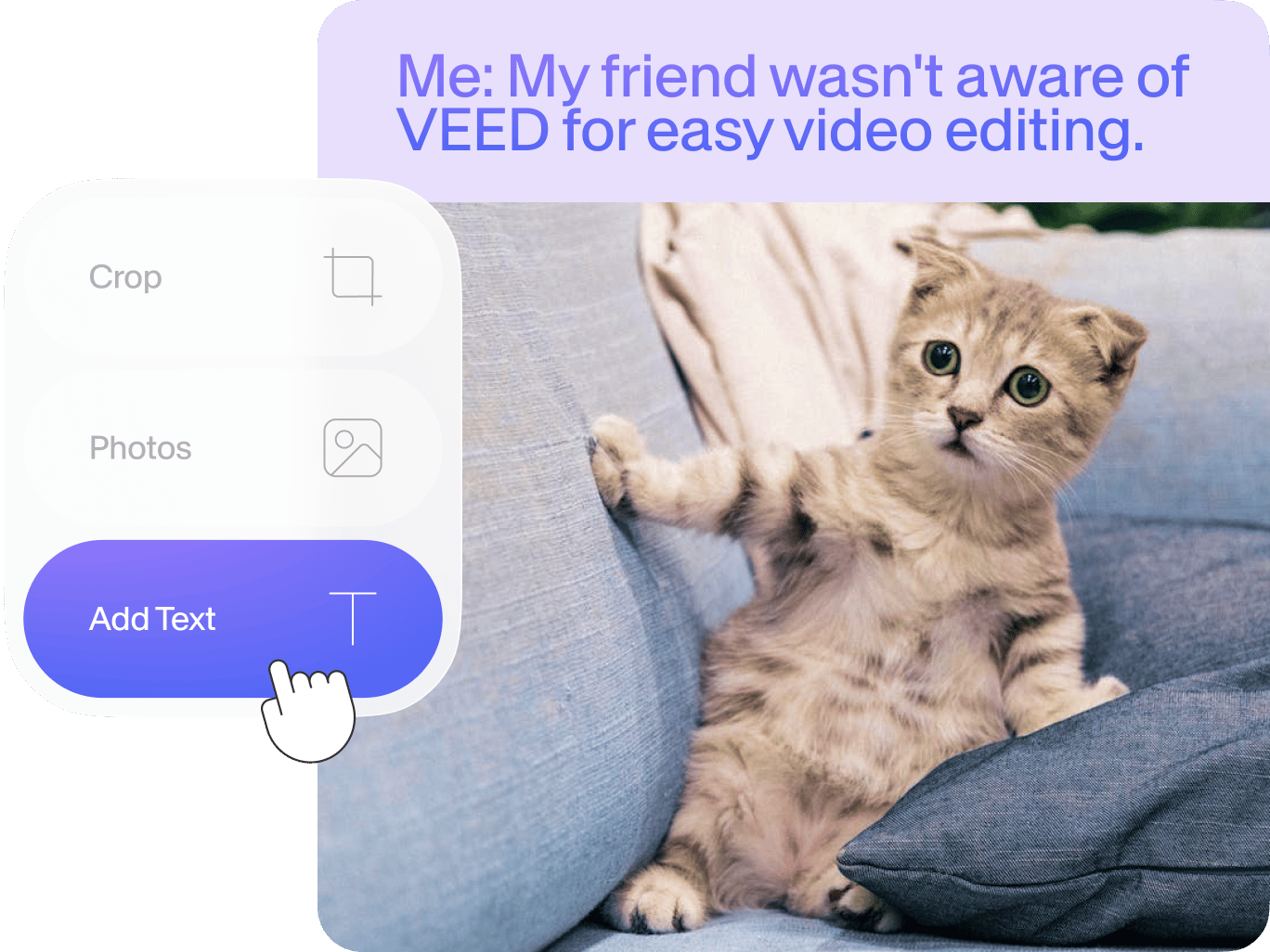
Create relatable video memes in a few simple steps with VEED’s online meme generator. Simply import your clip into VEED’s video meme editor, crop and resize your video to square so it’s ready for Instagram’s dimensions. You can then add text, images, and even a watermark to prevent your memes from getting stolen. VEED’s meme generator is super easy to use. It only takes a few clicks. Create multiple video memes in just minutes! You can even create memes from your YouTube videos. You can select your favorite clip from the entire video, cut out the rest, and edit the video as a meme. It is extremely easy to add text, images, and captions to make your video meme unique\!
How to Create a Video Meme:

Step 1
### Upload a video
Click on ‘Choose Video’ and select your video from your folders

Step 2
### Edit your video meme
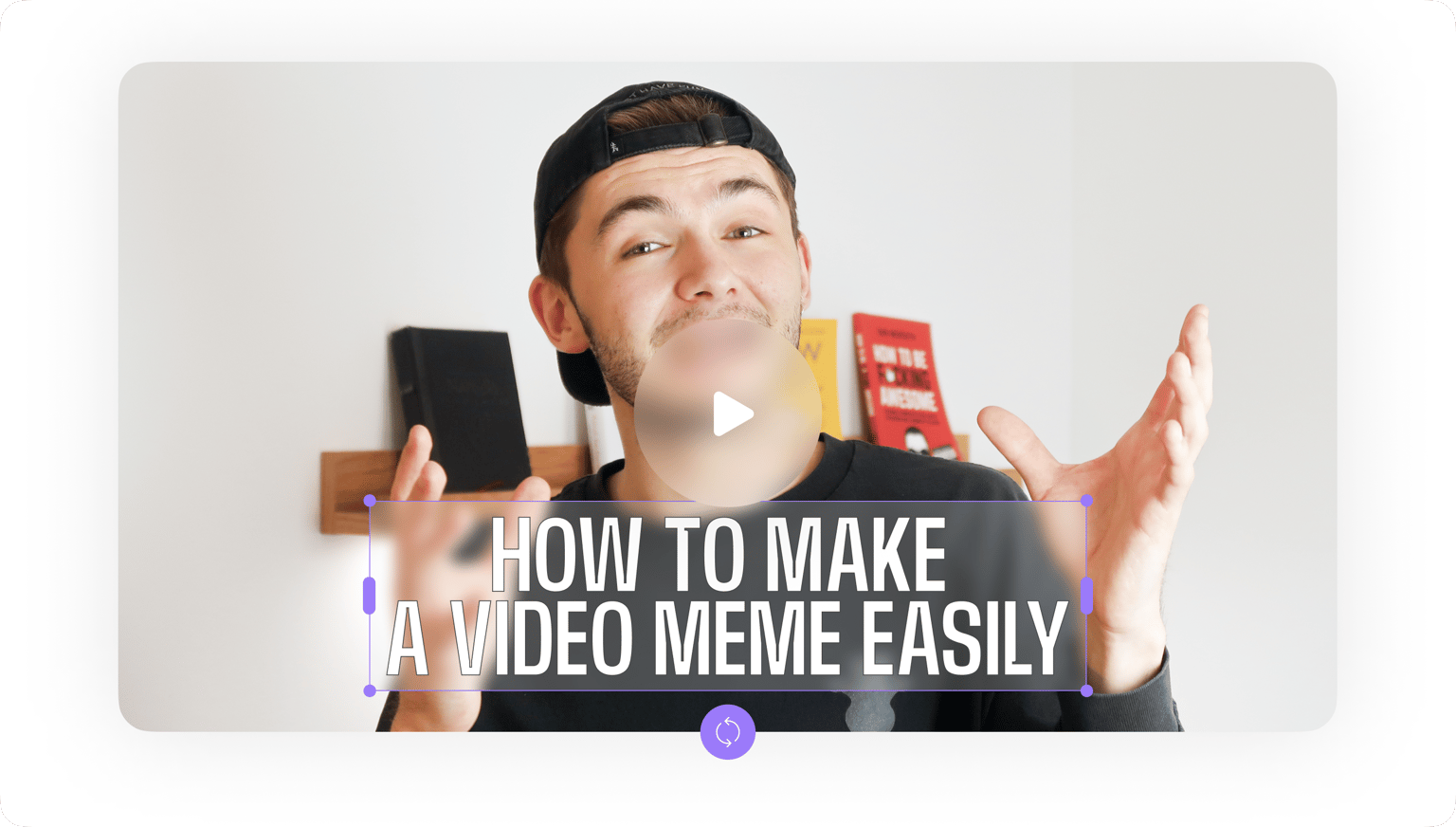
Add text to your video to turn it into a meme. You can put text on the top and bottom of your video to make a proper meme. You can also resize it to fit different social media platforms.

Step 3
### Export
When you’re done editing, just click on ‘Export’. Download your video in the format that you prefer.
Learn More
‘Create a Video Meme’ Tutorial
Free online video meme maker
Create all the video memes you want straight from your browser using VEED’s video meme generator. No need to download any software that can eat up huge storage space in your device. Creating an account is optional but doing so will allow you to save all your meme projects and other video projects in one place. Access your videos anytime, anywhere—from any device! You can name your projects, save them, and go back to them later for editing.

Optimize your video for social media
Optimize your video for better engagement on Instagram, Facebook, Twitter, TikTok, and more. Add text titles, subtitles, progress bars, and other elements. Optimizing your videos for different social media platforms will help you get more engagement on your posts. Crop your video meme for YouTube and other video-sharing platforms in just a few clicks. We have all major social media platform dimensions saved for you. Create funny video memes that people can relate to, tell amazing stories through videos, and start conversations.

Customize your video memes
VEED is a powerful video editor that allows you to make endless customizations for your videos. You can add audio, sound effects, voice recordings, and more. Add background music to your videos as well as other sounds and voice-overs. You don’t even need to have any experience in video editing! All tools are super easy to use, and you can do them all straight from your browser\!

[Create a Meme\!](https://www.veed.io/templates/meme-generator?locale=en&source=%2Fcreate%2Fmeme-maker)
FAQ
How can I create my own meme?
VEED makes it incredibly simple for you to create your own video memes. Just upload your video, edit and customize it to turn it into a meme (it only takes a few clicks), and download your video to your device\!
What is the best meme Maker?
While there are many apps out there that let you create video memes, VEED stands out because it is super easy to use and free! You can easily add text to your video memes, add images, audio, drawings, and more. You don’t even need to create an account and it works straight from your browser.
How do I caption a video meme?
To add captions to your video meme, just click on the Text tool from the left menu and start typing! You can place your text on the top, bottom, sides, and anywhere on the video.
What is meme short for?
Memes have become increasingly popular over the years. The term comes from the Greek word “minema” which means imitated. It is not an abbreviation of any sort.
How do you pronounce 'meme'?
Meme is usually pronounced as “meem”.
What format is a meme?
Memes can be in the form of photos, videos, or text. If you want to create video memes, VEED’s meme generator is the best tool to use.
Discover more
- [GIF Meme Maker](https://www.veed.io/create/meme-maker/gif-meme-maker?locale=en&source=%2Fcreate%2Fmeme-maker)
- [Meme Maker for Instagram](https://www.veed.io/create/meme-maker/meme-maker-for-instagram?locale=en&source=%2Fcreate%2Fmeme-maker)
- [Top Text Bottom Text](https://www.veed.io/create/meme-maker/top-text-bottom-text?locale=en&source=%2Fcreate%2Fmeme-maker)
Explore related tools
- [Add Emojis to Videos](https://www.veed.io/tools/add-emojis-to-videos?locale=en&source=%2Fcreate%2Fmeme-maker)
- [Add Photo to Video](https://www.veed.io/tools/add-photo-to-video?locale=en&source=%2Fcreate%2Fmeme-maker)
- [Add Stickers to Video](https://www.veed.io/tools/add-stickers-to-video?locale=en&source=%2Fcreate%2Fmeme-maker)
- [Add Text to Video](https://www.veed.io/tools/add-text-to-video?locale=en&source=%2Fcreate%2Fmeme-maker)
- [Crop Video](https://www.veed.io/tools/crop-video?locale=en&source=%2Fcreate%2Fmeme-maker)
- [Photo Video Maker](https://www.veed.io/create/photo-video-maker?locale=en&source=%2Fcreate%2Fmeme-maker)
- [Social Media Video Maker](https://www.veed.io/create/social-media-video-maker?locale=en&source=%2Fcreate%2Fmeme-maker)
## Loved by creators.
Loved by the Fortune 500
“
VEED has been game-changing. It's allowed us to create gorgeous content for social promotion and ad units with ease.

Max Alter
Director of Audience Development, NBCUniversal

“
I love using VEED. The subtitles are the most accurate I've seen on the market. It's helped take my content to the next level.

Laura Haleydt
Brand Marketing Manager, Carlsberg Importers

“
I used Loom to record, Rev for captions, Google for storing and Youtube to get a share link. I can now do this all in one spot with VEED.

Cedric Gustavo Ravache
Enterprise Account Executive, Cloud Software Group

“
VEED is my one-stop video editing shop! It's cut my editing time by around 60%, freeing me to focus on my online career coaching business.

Nadeem L
Entrepreneur and Owner, TheCareerCEO.com

When it comes to amazing videos, all you need is VEED
[Create a Meme\!](https://www.veed.io/templates/meme-generator?locale=en&source=%2Fcreate%2Fmeme-maker)
[Create a Meme\!](https://www.veed.io/templates/meme-generator?locale=en&source=%2Fcreate%2Fmeme-maker)
No credit card required
More than a meme maker
VEED is super fun to use because it features so many tools that let you get creative and make your videos unique. Create and edit videos like a pro even without video editing experience. Professionals and beginners alike use VEED for their videos. You can even compress and convert your videos to different file formats. Convert to and from MP4, MOV, AVI, and more. And you can do all these straight from your browser, with just a few clicks! Download the [VEED mobile app on iOS](https://apps.apple.com/us/app/veed-shorts-ai-videos/id1634439688)\!

English
- [Chinese (Singapore)](https://www.veed.io/zh-SG/create/meme-maker)
- [Dansk (Danmark)](https://www.veed.io/da-DK/skab/memeskaber)
- [Deutsch (Deutschland)](https://www.veed.io/de-DE/erstellen/meme-macher)
- [Deutsch (Österreich)](https://www.veed.io/de-AT/erstellen/meme-macher)
- [Español (Argentina)](https://www.veed.io/es-AR/crear/creador-de-memes)
- [Español (Colombia)](https://www.veed.io/es-CO/crear/creador-de-memes)
- [Español (España)](https://www.veed.io/es-ES/crear/creador-de-memes)
- [Español (Mexico)](https://www.veed.io/es-MX/crear/creador-memes)
- [Français (Belgique)](https://www.veed.io/fr-BE/creer/createur-de-memes)
- [Français (Canada)](https://www.veed.io/fr-CA/creer/createur-memes)
- [Français (Suisse)](https://www.veed.io/fr-CH/creer/createur-de-memes)
- [Francaise (France)](https://www.veed.io/fr-FR/creer/createur-meme)
- [Indonesian (Indonesia)](https://www.veed.io/id-ID/membuat/pembuat-meme)
- [Italiano (Italia)](https://www.veed.io/it-IT/crea/creatore-di-meme)
- [Italiano (Svizzera)](https://www.veed.io/it-CH/crea/creatore-di-meme)
- [Melayu (Malaysia)](https://www.veed.io/ms-MY/cipta/pembuat-meme)
- [Nederlands (België)](https://www.veed.io/nl-BE/creeren/meme-maker)
- [Nederlands (Nederland)](https://www.veed.io/nl-NL/creeren/meme-maker)
- [Norsk bokmål (Norge)](https://www.veed.io/nb-NO/lag/lag-memes)
- [Polski (Polska)](https://www.veed.io/pl-PL/utworz/kreator-memow)
- [Português (Brasil)](https://www.veed.io/pt-BR/criar/criador-de-memes)
- [Português (Portugal)](https://www.veed.io/pt-PT/criar/criador-de-memes)
- [Română (România)](https://www.veed.io/ro-RO/creeaza/creator-de-meme-uri)
- [Svenska (Sverige)](https://www.veed.io/sv-SE/skapa/meme-skapare)
- [Tiếng việt (việt nam)](https://www.veed.io/vi-VN/tao/tao-meme)
- [Türkçe (Türkiye)](https://www.veed.io/tr-TR/olustur/meme-olusturucu)
- [Ελληνικά (Ελλάδα)](https://www.veed.io/el-GR/create/meme-maker)
- [Русский (Россия)](https://www.veed.io/ru-RU/c%D0%BE%D0%B7%D0%B4%D0%B0%D0%B2%D0%B0%D1%82%D1%8C/%D1%81%D0%BE%D0%B7%D0%B4%D0%B0%D1%82%D0%B5%D0%BB%D1%8C-%D0%BC%D0%B5%D0%BC%D0%BE%D0%B2)
- [עברית (ישראל)](https://www.veed.io/he-IL/create/meme-maker)
- [العربية (مصر)](https://www.veed.io/ar-EG/create/meme-maker)
- [हिंदी (भारत)](https://www.veed.io/hi-IN/%E0%A4%B8%E0%A5%83%E0%A4%9C%E0%A4%A8%E0%A4%BE/%E0%A4%AE%E0%A5%80%E0%A4%AE-%E0%A4%AE%E0%A5%87%E0%A4%95%E0%A4%B0)
- [বাংলা (বাংলাদেশ)](https://www.veed.io/bn-BD/create/meme-maker)
- [ภาษาไทย (ประเทศไทย)](https://www.veed.io/th-TH/create/meme-maker)
- [한국어 (한국)](https://www.veed.io/ko-KR/create/meme-maker)
- [中国人 (中国)](https://www.veed.io/zh-CN/create/meme-maker)
- [日本語 (日本)](https://www.veed.io/ja-JP/create/meme-maker)
- [繁體中文 (台灣)](https://www.veed.io/zh-TW/create/meme-maker)
\* Cookie Settings
[Twitter](https://twitter.com/veedstudio)
[YouTube](https://www.youtube.com/veedstudio)
[Twitter](https://www.instagram.com/veedstudio/)
[TikTok](https://www.tiktok.com/@veedstudio)
[Email](mailto:hello@veed.io)
The easy way to create stunning videos, add subtitles and grow your audience.
© Copyright 2026 VEED
***
Video Editor
[Add Music to Video](https://www.veed.io/tools/add-audio-to-video)
[Add Subtitles to Video](https://www.veed.io/tools/add-subtitles)
[Add Text to Video](https://www.veed.io/tools/add-text-to-video)
[Audio to Text](https://www.veed.io/tools/audio-to-text)
[Auto Subtitle Generator](https://www.veed.io/tools/auto-subtitle-generator-online)
[Video Caption Generator](https://www.veed.io/tools/auto-subtitle-generator-online/video-caption-generator)
[Video Compressor](https://www.veed.io/tools/video-compressor)
[Video Converter](https://www.veed.io/convert/video-converter)
[Video to Text](https://www.veed.io/tools/video-to-text)
[Video Translator](https://www.veed.io/tools/video-translator)
***
AI Tools
[AI Video](https://www.veed.io/tools/ai-video)
[Fabric 1.0 API](https://www.veed.io/ai/fabric-1-0-api)
[AI Avatars](https://www.veed.io/tools/ai-avatar)
[AI Image Generator](https://www.veed.io/tools/ai-image-generator)
[Video Background Remover](https://www.veed.io/tools/video-background-remover)
[Remove Background Noise from Video](https://www.veed.io/tools/remove-background-noise-from-video)
[Remove Background Noise from Audio](https://www.veed.io/tools/remove-background-noise-from-audio)
[Voice Dubber](https://www.veed.io/tools/voice-dubber)
[AI Voice Generator](https://www.veed.io/tools/text-to-speech-video/ai-voice-generator)
[Eye Contact AI](https://www.veed.io/tools/eye-tracking-software/eye-contact-ai)
[Text to Speech Video](https://www.veed.io/tools/text-to-speech-video)
***
AI Playground
[Fabric 1.0](https://www.veed.io/ai-models/video/fabric-1.0)
[Kling O1](https://www.veed.io/ai-models/video-to-video/kling-o1-vid2vid)
[Sora 2](https://www.veed.io/ai-models/video/sora-2)
[Sora 2 Pro](https://www.veed.io/ai-models/video/sora-2-pro)
[VEO 3.1](https://www.veed.io/ai-models/video/veo-3-1)
[VEO 3.1 Fast](https://www.veed.io/ai-models/video/veo-3-1-fast)
[VEO 3](https://www.veed.io/ai-models/video/veo-3)
[VEO 3 Fast](https://www.veed.io/ai-models/video/veo-3-fast)
[Seedance 1.0](https://www.veed.io/ai-models/video/seedance-1.0)
[VEO 2](https://www.veed.io/ai-models/video/veo-2)
[PixVerse AI](https://www.veed.io/ai-models/video/pixverse-v4.5)
[MiniMax Video 01](https://www.veed.io/ai-models/video/minimax-video-01)
[LTX Video](https://www.veed.io/ai-models/video/ltx-video)
[Kling AI](https://www.veed.io/ai-models/video/kling-1.6-standard)
***
Product
[Pricing](https://www.veed.io/pricing)
[Enterprise](https://www.veed.io/enterprise)
***
Resources
[VEED Blog](https://www.veed.io/blog)
[Articles](https://www.veed.io/learn)
[Webinars](https://www.veed.io/webinars)
[Video Guides](https://www.youtube.com/channel/UCuGhmBK1jZTDcsw_5ZkliTQ)
[VEED Alternatives](https://www.veed.io/alternatives)
[CapCut Alternatives](https://www.veed.io/learn/capcut-alternative)
[Kling O1 AI Video Guide](https://www.veed.io/learn/how-to-use-kling-o1)
[Science of Great Video Report](https://www.veed.io/hub/the-science-of-great-video)
[The Ultimate Guide to Video Marketing](https://www.veed.io/ai/video-marketing-guide)
***
Company
[Jobs](https://www.veed.io/careers)
[Privacy](https://www.veed.io/privacy)
[Terms](https://www.veed.io/terms-of-use)
[Cookies](https://www.veed.io/cookie-policy)
[Contact Support](https://help.veed.io/)
[Affiliate Program](https://www.veed.io/affiliate)
[Media Enquiries](mailto:press@veed.io)
***
\* Cookie Settings
© Copyright 2026 VEED
 |
| Readable Markdown | Make Video Memes Online
Create relatable video memes in a few simple steps with VEED’s online meme generator. Simply import your clip into VEED’s video meme editor, crop and resize your video to square so it’s ready for Instagram’s dimensions. You can then add text, images, and even a watermark to prevent your memes from getting stolen. VEED’s meme generator is super easy to use. It only takes a few clicks. Create multiple video memes in just minutes! You can even create memes from your YouTube videos. You can select your favorite clip from the entire video, cut out the rest, and edit the video as a meme. It is extremely easy to add text, images, and captions to make your video meme unique\!
How to Create a Video Meme:

Step 1
### Upload a video
Click on ‘Choose Video’ and select your video from your folders

Step 2
### Edit your video meme
Add text to your video to turn it into a meme. You can put text on the top and bottom of your video to make a proper meme. You can also resize it to fit different social media platforms.

Step 3
### Export
When you’re done editing, just click on ‘Export’. Download your video in the format that you prefer.
Learn More
‘Create a Video Meme’ Tutorial
Free online video meme maker
Create all the video memes you want straight from your browser using VEED’s video meme generator. No need to download any software that can eat up huge storage space in your device. Creating an account is optional but doing so will allow you to save all your meme projects and other video projects in one place. Access your videos anytime, anywhere—from any device! You can name your projects, save them, and go back to them later for editing.

Optimize your video for social media
Optimize your video for better engagement on Instagram, Facebook, Twitter, TikTok, and more. Add text titles, subtitles, progress bars, and other elements. Optimizing your videos for different social media platforms will help you get more engagement on your posts. Crop your video meme for YouTube and other video-sharing platforms in just a few clicks. We have all major social media platform dimensions saved for you. Create funny video memes that people can relate to, tell amazing stories through videos, and start conversations.

Customize your video memes
VEED is a powerful video editor that allows you to make endless customizations for your videos. You can add audio, sound effects, voice recordings, and more. Add background music to your videos as well as other sounds and voice-overs. You don’t even need to have any experience in video editing! All tools are super easy to use, and you can do them all straight from your browser\!

FAQ
## Loved by creators.
Loved by the Fortune 500
“
VEED has been game-changing. It's allowed us to create gorgeous content for social promotion and ad units with ease.

Max Alter
Director of Audience Development, NBCUniversal

“
I love using VEED. The subtitles are the most accurate I've seen on the market. It's helped take my content to the next level.

Laura Haleydt
Brand Marketing Manager, Carlsberg Importers

“
I used Loom to record, Rev for captions, Google for storing and Youtube to get a share link. I can now do this all in one spot with VEED.

Cedric Gustavo Ravache
Enterprise Account Executive, Cloud Software Group

“
VEED is my one-stop video editing shop! It's cut my editing time by around 60%, freeing me to focus on my online career coaching business.

Nadeem L
Entrepreneur and Owner, TheCareerCEO.com

When it comes to amazing videos, all you need is VEED
[Create a Meme\!](https://www.veed.io/templates/meme-generator?locale=en&source=%2Fcreate%2Fmeme-maker)
No credit card required
More than a meme maker
VEED is super fun to use because it features so many tools that let you get creative and make your videos unique. Create and edit videos like a pro even without video editing experience. Professionals and beginners alike use VEED for their videos. You can even compress and convert your videos to different file formats. Convert to and from MP4, MOV, AVI, and more. And you can do all these straight from your browser, with just a few clicks! Download the [VEED mobile app on iOS](https://apps.apple.com/us/app/veed-shorts-ai-videos/id1634439688)\!
 |
| Shard | 13 (laksa) |
| Root Hash | 5861301346482936213 |
| Unparsed URL | io,veed!www,/create/meme-maker s443 |