ℹ️ Skipped - page is already crawled
| Filter | Status | Condition | Details |
|---|---|---|---|
| HTTP status | PASS | download_http_code = 200 | HTTP 200 |
| Age cutoff | PASS | download_stamp > now() - 6 MONTH | 0.4 months ago |
| History drop | PASS | isNull(history_drop_reason) | No drop reason |
| Spam/ban | PASS | fh_dont_index != 1 AND ml_spam_score = 0 | ml_spam_score=0 |
| Canonical | PASS | meta_canonical IS NULL OR = '' OR = src_unparsed | Not set |
| Property | Value | ||||||||||||||||||
|---|---|---|---|---|---|---|---|---|---|---|---|---|---|---|---|---|---|---|---|
| URL | https://www.superblocks.com/blog/free-app-maker | ||||||||||||||||||
| Last Crawled | 2026-04-09 05:53:16 (13 days ago) | ||||||||||||||||||
| First Indexed | 2025-08-22 07:24:58 (8 months ago) | ||||||||||||||||||
| HTTP Status Code | 200 | ||||||||||||||||||
| Content | |||||||||||||||||||
| Meta Title | 8 Best Free App Builders in 2026: Make Apps Without Paying | ||||||||||||||||||
| Meta Description | Want to build an app without spending money? I compared 8 free app makers on features, pros, and cons to help you pick the right one. | ||||||||||||||||||
| Meta Canonical | null | ||||||||||||||||||
| Boilerpipe Text | Free app builders let you build web and mobile apps without paying upfront, but they often come with limited publishing options, platform branding, and caps on users or apps. I tested several, and these are the 8 top tools you can use for free in 2026.
The 8 best free app builders: TL;DR
Free app builders let you build for free, either on a free forever plan or via a trial. We’ll look at 8 of the top builders in detail, but if you’re in a rush,
here’s a quick rundown of what they’re best for:
Adalo
:
Build native iOS and Android apps with a visual drag-and-drop editor
Glide
:
Turn spreadsheets into mobile-friendly web apps for internal and external use
SAP Build Apps
:
Create complex, logic-heavy apps with full cross-platform support
Thunkable
:
Design mobile apps using block-based logic and native components
Appy Pie
:
Build templated mobile apps quickly, with AI tools and publishing support
Jotform Apps
:
Convert multiple forms into a simple, installable app
AppMachine
:
Build branded client apps using pre-made content blocks
Buildfire
:
Assemble feature-rich apps with plugins and app store support
1. Adalo
What it does:
Adalo
is a popular no-code app builder for full-stack app development. In the free plan, you get the built-in databases, unlimited screens, and test apps. You can publish apps as PWAs or to app stores with a paid plan.
Who it's for:
Individuals, startups, and small businesses who want to prototype or publish a native app without hiring a dev team.
Features
Screen-based visual editor:
You can build app screens by dragging and positioning UI components directly onto a mobile layout.
Built-in database:
You can create custom collections with relationships, validations, and role-based data filtering.
User authentication:
You can add sign-up, login, logout, and password reset workflows with pre-configured components.
Stripe integration:
Adalo supports single payments, subscriptions, and user-specific billing logic.
Custom actions and workflows:
You can trigger logic based on user input or data conditions, including multi-step flows.
Progressive Web App (PWA) and native output:
Adalo builds your apps to run as installable web apps by default.
Pros
Native mobile publishing (iOS/Android)
Internal database and user auth built-in
Easy to learn for
non-technical users
Real-time preview and live testing
Active template library and help resources
Cons
Free plan is limited to 500 records per app and no app store publishing
No multi-user collaboration on the free tier
Pricing
Adalo’s
free tier
allows unlimited draft apps and full use of the builder. However, it caps data storage at 500 records and limits publishing. Paid plans start at $36/month.
2. Glide
What it does:
Glide
is a no-code app builder that turns structured data typically from Google Sheets, Excel, or Airtable, into responsive web apps. Apps run as PWAs and can be installed on mobile devices via a shareable link.
Who it's for:
Teams that already manage processes in spreadsheets and want a faster way to build internal tools, dashboards, or directories.
Key features
Live spreadsheet sync:
Connects directly to Google Sheets, Excel, or Airtable. Data edits in the sheet are reflected instantly in the app, and app inputs can write back to the sheet.
Template-based UI:
Choose from list, card, map, calendar, and chart layouts. Each screen is tied to a data table and automatically renders views based on the schema.
Computed columns and logic:
Use Glide’s visual logic editor to create calculated fields (e.g., formulas, if-then branches, relations, rollups) without touching your original sheet.
Basic workflows and actions:
Add buttons or form submissions that trigger actions like writing to a table, navigating to a screen, or sending an email.
User profiles and role-based access:
Configure user authentication, set data visibility by user role, and personalize content using built-in filters.
Pros
Fast path from spreadsheet to usable app
Real-time two-way sync with connected data
Built-in user access control for internal tools
Cons
Layout and design options are limited to fixed templates.
Users can install PWAs on their phones like native apps, but they remain web-based.
Not ideal for unstructured content or file-heavy apps.
Pricing
Glide’s
free plan
allows one published app with up to 25k rows of data and 10 personal users. Paid plans start at $19/month.
3. SAP Build Apps
What it does:
SAP Build Apps
(formerly AppGyver) is a no-code platform for building web and native mobile apps. You can deploy apps to iOS, Android, web, and desktop from the same codebase.
Who it’s for:
Best suited for business professionals who want to build apps that integrate with the SAP ecosystem.
Key features
Cross-platform builds:
One app project can be compiled for Android, iOS, web, and desktop.
Responsive layout engine:
Use containers and flexbox-style layout controls to build responsive interfaces.
Logic canvas:
Connect flow functions to build full application logic visually.
REST API integration:
Connect to any REST API with support for dynamic endpoints and response handling.
Local and client-side storage:
Store data on-device or connect to cloud services for real-time sync.
Variable system:
Manage state using page, app, and data variables with clear scoping.
Pros
Customizable logic and workflows
Full control over data, layout, and state
No platform branding or usage caps
Cons
Steep learning curve compared to other tools on this roundup
No team collaboration
Pricing
SAP Build Apps has a
free community edition
and a
free tier for testing
and evaluations for the paid version. The free tier supports 2 builds, 1 tenant, a cloud function, and up to 64MB of storage.
4. Thunkable
What it does:
Thunkable
is a no-code platform for building mobile apps that can access native device features like GPS, camera, notifications, and sensors.
Who it’s for:
Thunkable is a good option for prototypes, MVPs, or utility apps where access to mobile hardware features is important.
Key features
Native iOS and Android builds:
Compile one project for both platforms using React Native under the hood.
Block-based logic:
Build logic flows using visual code blocks.
Device integrations:
Access native capabilities like camera, location, accelerometer, and push notifications.
Live preview:
Test apps instantly on real devices using the Thunkable Live companion app.
Cloud variables and storage:
Store and sync data in the cloud or use local storage for offline apps.
Built-in authentication:
Use Firebase Auth to enable login/logout functionality.
Pros
Easy to learn for beginners and non-coders
Full access to native mobile hardware
Cross-platform output without extra setup
Real-time testing shortens build-feedback cycles
Cons
Logic becomes harder to manage as apps grow
Precise alignment and responsiveness across different devices feel rigid
Pricing
Thunkable’s
free plan
supports up to 3 public projects with core functionality but doesn’t include publishing options. Paid plans start at $19/month.
5. Appy Pie
What it does:
Appy Pie
is an AI-powered no-code platform. You can describe your app idea, and the platform auto-generates a functional app using templates and AI logic.
Who it's for:
Designed for small business owners, entrepreneurs, and non-technical users who want an app store presence without worrying about design or custom logic.
Key features
Template-driven editor:
Start from a business category (e.g., salon, fitness, food delivery) and configure modules for common features like bookings, forms, and galleries.
Multi-platform support:
Generate Android, iOS, and PWA versions of the app from a single build.
Built-in backend:
Appy Pie stores form submissions, bookings, and user activity in a web dashboard.
AI-generated app structure:
Automatically suggests layouts and content blocks based on a short text prompt.
App store publishing service:
Appy Pie handles the submission process for you if you’re on a paid plan.
Push notifications:
Send announcements and updates to users from within the Appy Pie dashboard.
App analytics: Track installs, sessions, and engagement through built-in reports.
Pros
Easy to use for non-technical users
Fast setup with AI and templates
End-to-end service including app store publishing
Cons
Template-driven designs limit customization
Limited extensibility, as there’s no access to the source code
Pricing
Appy Pie doesn’t offer a permanent free plan, but it has a
free trial
. Paid plans start around $16/month per app (Android only) and go up to $60/month for both Android and iOS.
6. Jotform Apps
What it does:
Jotform Apps
lets you bundle multiple Jotform forms into a mobile-friendly app experience. You can create a simple portal with pages, buttons, and forms that users can access via a link or install on their mobile device.
Who it's for:
A great fit for teams that already use Jotform and want to unify multiple forms into a single, lightweight app without building from scratch or managing code.
Key features
Form bundling:
Combine multiple Jotform forms into one mobile-accessible app with a homepage.
Custom branding:
Add your logo, app name, and custom text. Paid plans remove Jotform branding.
Built-in form features:
Use all Jotform’s capabilities like conditional logic, approval flows, calculations, and file uploads within the app.
User access control:
Set apps to public, private, or company-only. Optional login required.
Analytics and response tracking:
View submission data, user activity, and app usage from the Jotform dashboard.
Pros
Built on Jotform's mature forms engine
Great for data collection and internal use cases
Forms update in real-time without republishing
Cons
Limited layout and navigation options
No native publishing. It's web-only via an installable PWA
Apps are single-purpose and form-centric. Unsuitable for broader mobile app needs
Pricing
Jotform’s
free plan
supports unlimited apps, up to 5 forms and 100 monthly submissions, and 100MB of storage. Paid plans start at $34/month.
7. AppMachine
What it does:
AppMachine
is a no-code app builder for designing mobile apps using a block-based system. It supports publishing to iOS and Android and includes tools for white-labeling and client management.
Who it’s for:
Best suited for marketing agencies, freelancers, and businesses that build and maintain mobile apps for clients.
Key features
Block-based app structure:
Add features by stacking modular blocks like lists, forms, videos, and e-commerce.
White-labeling support
: Customize branding and remove AppMachine references for client-facing apps.
Multi-app management:
Manage multiple projects from a single dashboard with team or client access.
Publishing tools:
Includes submission assistance and version control for pushing updates to app stores.
Basic design customization:
Edit themes, icons, colors, and layouts with limited design freedom.
Website scanner:
Auto-generates app content from an existing website URL.
Pros
Easy to build content-based apps with standard features
White-label options are included on higher plans
App store publishing support
Simple learning curve for non-developers
Cons
Limited layout flexibility and visual control
Templates feel dated and generic
No access to underlying code
Pricing
AppMachine offers a
30-day free trial
. Paid plans start at $15/month and go up to $159/month for full white-labeling and agency support.
8. Buildfire
What it does:
Buildfire
is a no-code app development platform that offers a mix of visual editing and an extensible plugin architecture.
Who it’s for:
Buildfire is built for teams that want more flexibility than template-based builders but don’t want to code from scratch.
Key features
Plugin-based system:
Extend apps by selecting from 9+ plugins.
Custom plugin SDK:
Developers can build and add custom features using JavaScript and Buildfire’s SDK.
Advanced push notifications:
Segment users and schedule messages based on behavior or timing.
User management and login:
Support for account creation, profiles, and role-based access.
White-labeling and branding:
Replace Buildfire branding and use your own domain or app store presence on higher tiers.
In-app purchases and monetization:
Sell access to content, subscriptions, or products directly inside the app.
Pros
Scalable platform with enterprise-grade plugin options
Supports in-app monetization and membership models
White-label and branding tools available
Cons
Has one of the most expensive paid plans in the round up starting at $165/month.
Custom plugins require developer resources
More complex than
no-code builders
Plugin limitations tied to plan level
Pricing
Buildfire offers a
14-day free trial
, after which pricing starts at $165/month.
Top free app builders: At a glance
To see how the leading platforms stack up, here’s a
quick comparison of their focus, free-tier limits, publishing options, and ease of use:
Platform
Best for
Free plan limits
Publishing options (Free vs paid)
Ease of use
Adalo
General-purpose apps for individuals, SMBs (native mobile + web).
Unlimited draft apps. 200 database records; Limited Zapier integration; No app store publish; Adalo branding.
Free: Web app (PWA) preview only. Paid: iOS & Android.
Beginner-friendly drag-and-drop UI; low learning curve, though advanced integrations require some learning.
Glide
Internal tools and spreadsheet-based apps (live data dashboards).
500 rows of data, 100 MB storage; Glide branding on free apps.No custom domain on free.
Progressive Web App (share via link or QR).Paid: Custom domain PWA; need third-party wrapping for native app stores.
Intuitive for spreadsheet users.
SAP Build Apps
Complex, multi-platform apps (enterprise prototypes or hobby projects).
Web and mobile apps and REST API integration.No cloud-hosted logic, auth, and governance.
Free: Export to iOS/Android and deploy web apps.No paid plan needed for individual use.
Visual editor with pre-built components.
Thunkable
Cross-platform mobile apps with native device features.
Unlimited projects/ Thunkable watermark on all free apps. 25 installs/mo.
Free: Build and live-test on the device or download the APK with a watermark.Paid: iOS or Android.
Drag-and-drop UI plus block coding for logic is easier than raw code.
Appy Pie
Branded business apps with templates .
No permanent free tier. Free trial only.
Free: Preview as PWA.Paid: iOS or Android.
Templates, AI suggestions, and wizards make it simple to get started.
Jotform apps
Bundling multiple forms into installable apps.
5 forms, 100 submissions, 100MB storage.
PWA via share link or QR code.
Form-based with fast setup.
AppMachine
Agencies building branded apps for clients.
Free trial, AppMachine branding.
No publishing on freePaid: iOS/Android
Easy, but the interface feels dated.
Buildfire
Feature-rich apps with plugin flexibility.
14-day trial only, no free tier.
No publishing on freePaid: iOS/Android.
Has more setup requirements.
How I tested the best free app builders
To fairly compare the top free app builders, I created similar simple apps in each platform and walked through the full journey from first login to sharing the finished app.
I evaluated:
How quickly a brand‑new user can go from a blank screen to a working app.
Whether the free plan includes the core features needed to build something “real” (data, logic, basic integrations).
If you can share the app for free, at least as a PWA or installable link, without upgrading.
The quality of help available when you’re stuck, including docs, tutorials, and community support.
What do free app builders do?
Free app makers allow you to design and launch apps without incurring any costs.
Most of them combine three tools in one platform:
A visual interface for building screens.
Some kind of data handling for storing and managing information.
Logic and workflows using visual rules or code blocks.
Current users of free app makers range from students and hobbyists to small business owners prototyping an idea or making a simple app for their customers.
Do I need to upgrade beyond free app makers?
Yes, you’ll eventually need to upgrade from free app makers. Free builders are great for prototypes and simple apps, but as you add more users, more data, and more complex logic, you’ll almost always need to move to a more powerful platform or a paid tier.
Here are a few signs it’s time to upgrade:
You're hitting scale limits
: Free tiers usually cap users, storage, or API calls. Performance can dip as usage climbs.
You need custom integrations:
Connecting to CRMs, ERPs, or internal systems usually requires full API access and more advanced integration features.
Branding starts to matter:
Free plans typically force platform logos or splash screens, which isn’t acceptable for serious customer-facing or client apps.
Security is non-negotiable:
Free tools typically don’t offer
enterprise-grade security
features like SSO, RBAC, SCIM, or audit logs.
In short, you’ll know it’s time to upgrade when your app outgrows the sandbox that free app makers provide. If you’re hitting any of the above limits, those are clear signals. Fortunately, there are several options you can choose from
Upgrade to Superblocks for enterprise-grade internal tools
Superblocks
lets you vibe code production-grade internal apps with Clark, the AI agent, directly on top of your company’s databases, warehouses, SaaS tools, and APIs without having to write code if you don’t want to.
IT and security teams still stay firmly in control, with centralized integrations, SSO, RBAC, audit logs, and hybrid/Cloud-Prem deployment.
This is possible thanks to our extensive set of features:
Accessible to semi‑technical and non‑technical users:
You don’t need to be a professional software engineer. Just describe it in plain English and watch Clark build it.
Secure by default:
Clark operates within each builder’s existing permissions. AI-generated queries and actions can’t reach systems or data that the user isn’t allowed to access.
Centralized permissions:
Admins centrally configure integrations, access controls, app-level permissions, and audit logs. All your apps and builders stay aligned with IT and compliance policies.
Databricks-native hosting:
Superblocks can deploy production-grade apps directly within Databricks as a Databricks app.
Fits your existing engineering workflow:
Superblocks apps plug into your Git provider (GitHub, GitLab, Bitbucket, Azure DevOps). You can keep using code review, automated tests, and security scanners before production deploys.
Enterprise-ready deployment options:
You can run Superblocks in Cloud, Hybrid, or Cloud-Prem modes. With hybrid deployments, your production data remains in your VPC. With Cloud-Prem, the full Superblocks platform runs inside your VPC, so your data and AI processing stay in your infrastructure.
Book a demo
with one of our product experts
to see Superblocks’ AI-native builder and Cloud-Prem deployment (runs inside your cloud/VPC) in action.
Frequently asked questions
What is the best free app maker for beginners?
The best free app maker for beginners is
Adalo
. It offers an intuitive visual builder, a built-in database, and supports native mobile publishing. If you're working with spreadsheets,
Glide
is another beginner-friendly option with a smooth learning curve.
Can I really make an app for free without hidden costs?
Yes
, you can build a functional app for free on most platforms. However, for most, publishing it almost always requires a paid plan.
How long does it take to build an app with a free app maker?
It can take just a few hours to build a simple app with a free app maker. If your data and forms are ready, platforms like Glide or Jotform let you launch something functional in under a day. More complex apps take longer.
Can I publish my free app to app stores?
Yes
, some platforms let you publish apps for free. Glide allows one published PWA on its free plan, while Thunkable allows restricted APK/AAB downloads with watermarks on its free tier. Most platforms require a paid plan to submit to app stores. | ||||||||||||||||||
| Markdown | Resources
- [Blog](https://www.superblocks.com/blog)
- [Docs](https://docs.superblocks.com/)
[Pricing](https://www.superblocks.com/pricing)
[Careers](https://www.superblocks.com/careers)
[Login](https://app.superblocks.com/)
Book a demo
Try for free
[Blog](https://www.superblocks.com/blog)
/
[Resources](https://www.superblocks.com/blog-category/resources)
# 8 Best Free App Builders in 2026: Make Apps Without Paying

\+2
Multiple authors
August 18, 2025
11 min read
Copied

0:00
Free app builders let you build web and mobile apps without paying upfront, but they often come with limited publishing options, platform branding, and caps on users or apps. I tested several, and these are the 8 top tools you can use for free in 2026.
## The 8 best free app builders: TL;DR
Free app builders let you build for free, either on a free forever plan or via a trial. We’ll look at 8 of the top builders in detail, but if you’re in a rush, **here’s a quick rundown of what they’re best for:**
1. [**Adalo**](https://www.adalo.com/)**:** Build native iOS and Android apps with a visual drag-and-drop editor
2. [**Glide**](https://www.glideapps.com/)**:** Turn spreadsheets into mobile-friendly web apps for internal and external use
3. [**SAP Build Apps**](https://www.sap.com/products/technology-platform/low-code-app-builder.html)**:** Create complex, logic-heavy apps with full cross-platform support
4. [**Thunkable**](https://thunkable.com/)**:** Design mobile apps using block-based logic and native components
5. [**Appy Pie**](https://www.appypie.com/)**:** Build templated mobile apps quickly, with AI tools and publishing support
6. [**Jotform Apps**](https://www.jotform.com/products/apps/)**:** Convert multiple forms into a simple, installable app
7. [**AppMachine**](https://www.appmachine.com/)**:** Build branded client apps using pre-made content blocks
8. [**Buildfire**](https://buildfire.com/)**:** Assemble feature-rich apps with plugins and app store support
## 1\. Adalo
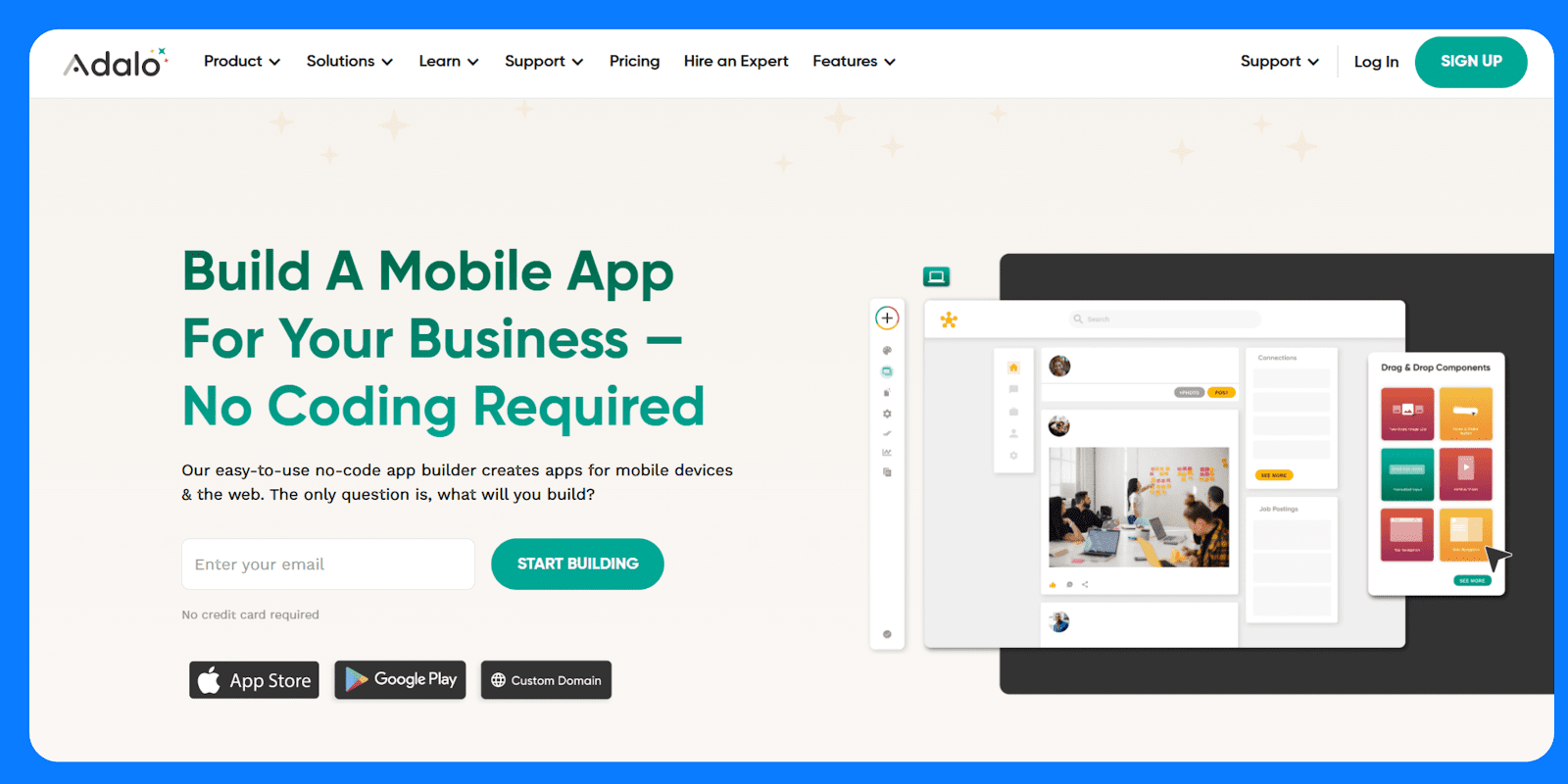
**What it does:** [Adalo](https://www.adalo.com/) is a popular no-code app builder for full-stack app development. In the free plan, you get the built-in databases, unlimited screens, and test apps. You can publish apps as PWAs or to app stores with a paid plan.
**Who it's for:** Individuals, startups, and small businesses who want to prototype or publish a native app without hiring a dev team.
### Features
- **Screen-based visual editor:** You can build app screens by dragging and positioning UI components directly onto a mobile layout.
- **Built-in database:** You can create custom collections with relationships, validations, and role-based data filtering.
- **User authentication:** You can add sign-up, login, logout, and password reset workflows with pre-configured components.
- **Stripe integration:** Adalo supports single payments, subscriptions, and user-specific billing logic.
- **Custom actions and workflows:** You can trigger logic based on user input or data conditions, including multi-step flows.
- **Progressive Web App (PWA) and native output:** Adalo builds your apps to run as installable web apps by default.
### Pros
- Native mobile publishing (iOS/Android)
- Internal database and user auth built-in
- Easy to learn for [non-technical users](https://www.superblocks.com/blog/what-is-a-citizen-developer-best-practices-benefits-in-2025)
- Real-time preview and live testing
- Active template library and help resources
### Cons
- Free plan is limited to 500 records per app and no app store publishing
- No multi-user collaboration on the free tier
### Pricing
Adalo’s [free tier](https://www.adalo.com/pricing) allows unlimited draft apps and full use of the builder. However, it caps data storage at 500 records and limits publishing. Paid plans start at \$36/month.
## 2\. Glide
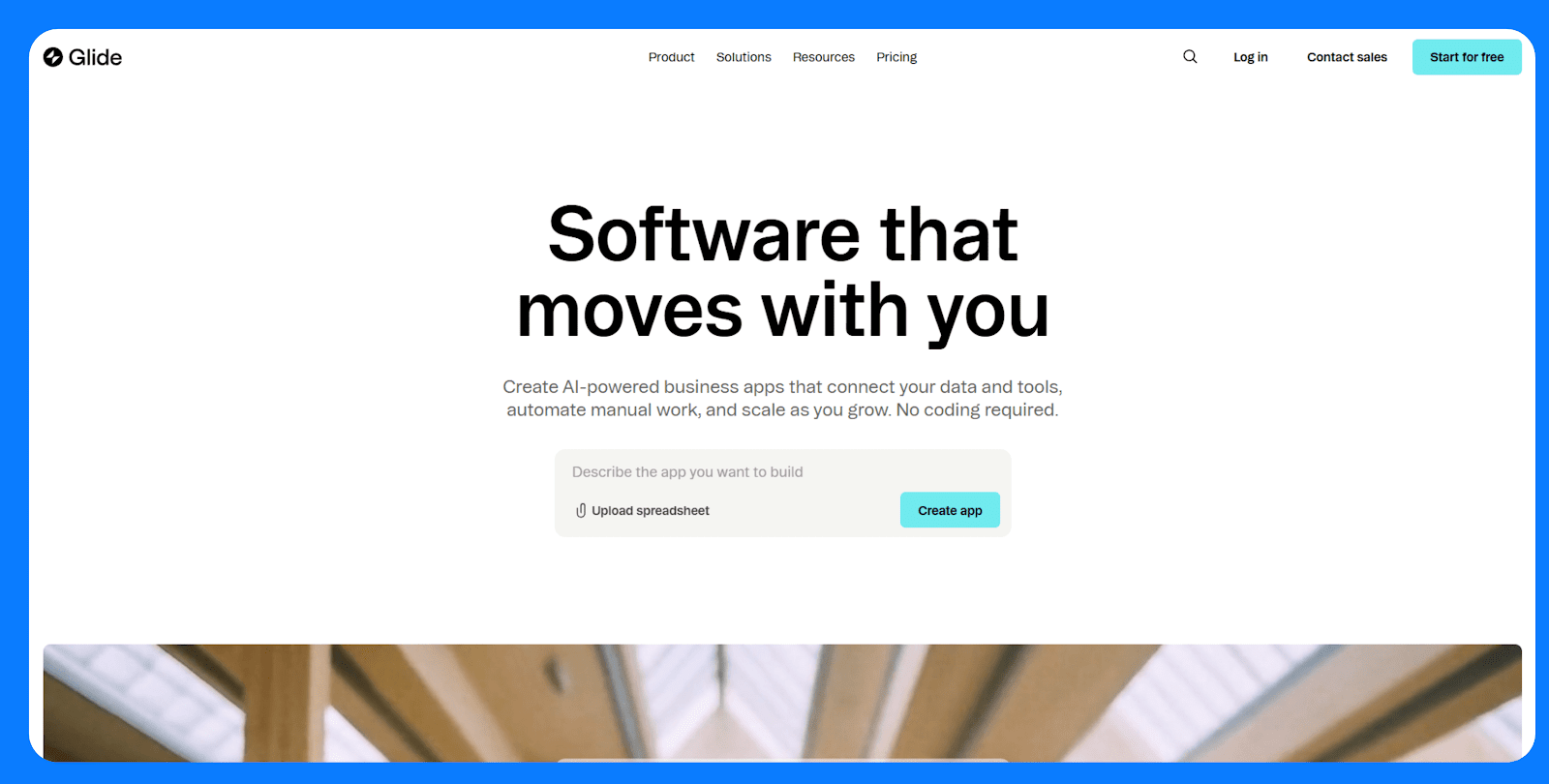
**What it does:** [Glide](https://www.glideapps.com/) is a no-code app builder that turns structured data typically from Google Sheets, Excel, or Airtable, into responsive web apps. Apps run as PWAs and can be installed on mobile devices via a shareable link.
**Who it's for:** Teams that already manage processes in spreadsheets and want a faster way to build internal tools, dashboards, or directories.
### Key features
- **Live spreadsheet sync:** Connects directly to Google Sheets, Excel, or Airtable. Data edits in the sheet are reflected instantly in the app, and app inputs can write back to the sheet.
- **Template-based UI:** Choose from list, card, map, calendar, and chart layouts. Each screen is tied to a data table and automatically renders views based on the schema.
- **Computed columns and logic:** Use Glide’s visual logic editor to create calculated fields (e.g., formulas, if-then branches, relations, rollups) without touching your original sheet.
- **Basic workflows and actions:** Add buttons or form submissions that trigger actions like writing to a table, navigating to a screen, or sending an email.
- **User profiles and role-based access:** Configure user authentication, set data visibility by user role, and personalize content using built-in filters.
### Pros
- Fast path from spreadsheet to usable app
- Real-time two-way sync with connected data
- Built-in user access control for internal tools
### Cons
- Layout and design options are limited to fixed templates.
- Users can install PWAs on their phones like native apps, but they remain web-based.
- Not ideal for unstructured content or file-heavy apps.
### Pricing
Glide’s [free plan](https://www.glideapps.com/pricing) allows one published app with up to 25k rows of data and 10 personal users. Paid plans start at \$19/month.
## 3\. SAP Build Apps
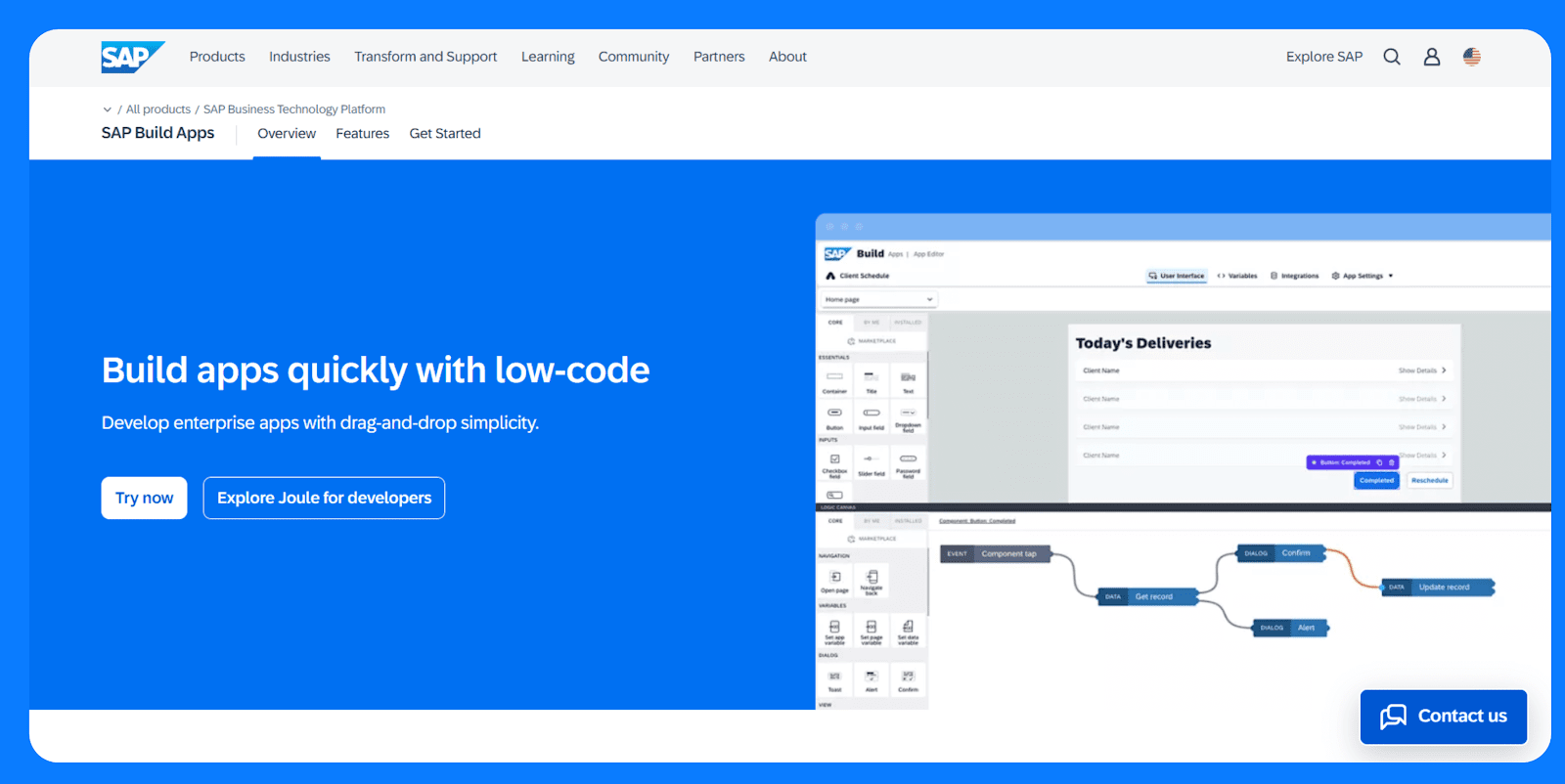
**What it does:** [SAP Build Apps](https://www.sap.com/africa/products/technology-platform/low-code-app-builder.html) (formerly AppGyver) is a no-code platform for building web and native mobile apps. You can deploy apps to iOS, Android, web, and desktop from the same codebase.
**Who it’s for:** Best suited for business professionals who want to build apps that integrate with the SAP ecosystem.
### Key features
- **Cross-platform builds:** One app project can be compiled for Android, iOS, web, and desktop.
- **Responsive layout engine:** Use containers and flexbox-style layout controls to build responsive interfaces.
- **Logic canvas:** Connect flow functions to build full application logic visually.
- **REST API integration:** Connect to any REST API with support for dynamic endpoints and response handling.
- **Local and client-side storage:** Store data on-device or connect to cloud services for real-time sync.
- **Variable system:** Manage state using page, app, and data variables with clear scoping.
### Pros
- Customizable logic and workflows
- Full control over data, layout, and state
- No platform branding or usage caps
### Cons
- Steep learning curve compared to other tools on this roundup
- No team collaboration
### Pricing
SAP Build Apps has a [free community edition](https://www.appgyver.com/community) and a [free tier for testing](https://discovery-center.cloud.sap/serviceCatalog/sap-build-apps?region=all&tab=service_plan) and evaluations for the paid version. The free tier supports 2 builds, 1 tenant, a cloud function, and up to 64MB of storage.
## 4\. Thunkable
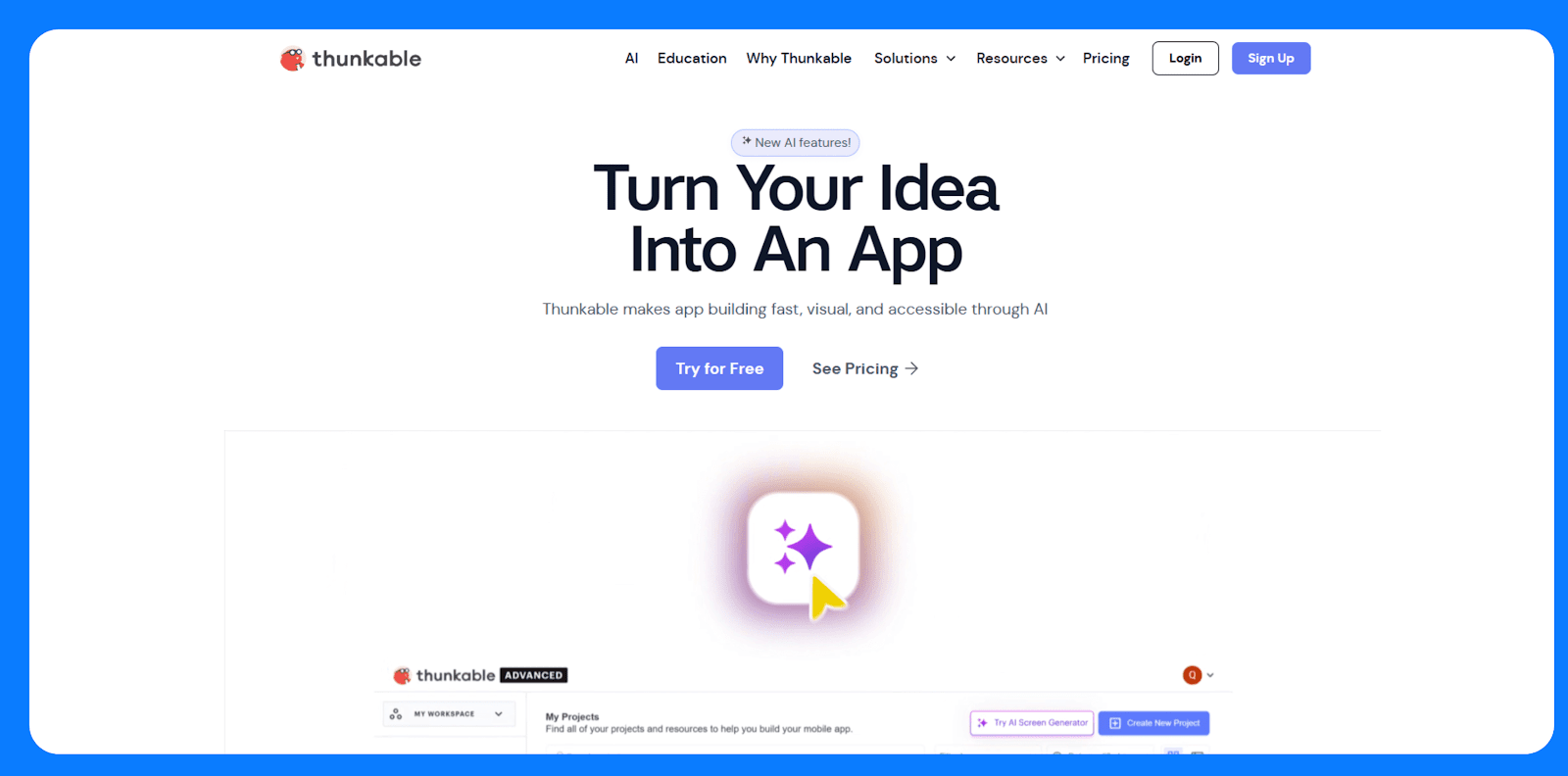
**What it does:** [Thunkable](https://thunkable.com/) is a no-code platform for building mobile apps that can access native device features like GPS, camera, notifications, and sensors.
**Who it’s for:** Thunkable is a good option for prototypes, MVPs, or utility apps where access to mobile hardware features is important.
### Key features
- **Native iOS and Android builds:** Compile one project for both platforms using React Native under the hood.
- **Block-based logic:** Build logic flows using visual code blocks.
- **Device integrations:** Access native capabilities like camera, location, accelerometer, and push notifications.
- **Live preview:** Test apps instantly on real devices using the Thunkable Live companion app.
- **Cloud variables and storage:** Store and sync data in the cloud or use local storage for offline apps.
- **Built-in authentication:** Use Firebase Auth to enable login/logout functionality.
### Pros
- Easy to learn for beginners and non-coders
- Full access to native mobile hardware
- Cross-platform output without extra setup
- Real-time testing shortens build-feedback cycles
### Cons
- Logic becomes harder to manage as apps grow
- Precise alignment and responsiveness across different devices feel rigid
### Pricing
Thunkable’s [free plan](https://thunkable.com/pricing) supports up to 3 public projects with core functionality but doesn’t include publishing options. Paid plans start at \$19/month.
## 5\. Appy Pie
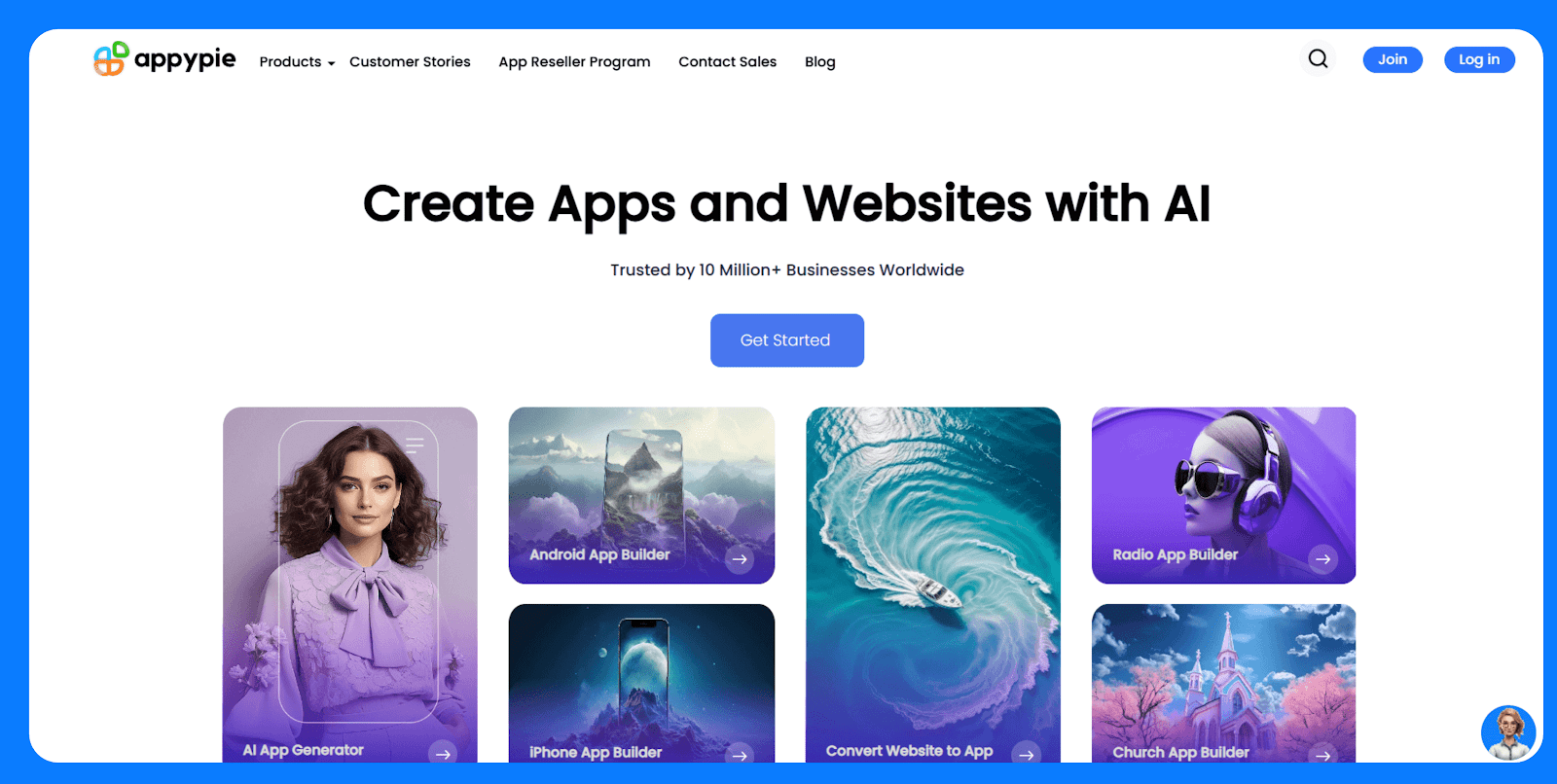
**What it does:** [Appy Pie](https://www.appypie.com/) is an AI-powered no-code platform. You can describe your app idea, and the platform auto-generates a functional app using templates and AI logic.****
**Who it's for:** Designed for small business owners, entrepreneurs, and non-technical users who want an app store presence without worrying about design or custom logic.
### Key features
- **Template-driven editor:** Start from a business category (e.g., salon, fitness, food delivery) and configure modules for common features like bookings, forms, and galleries.
- **Multi-platform support:** Generate Android, iOS, and PWA versions of the app from a single build.
- **Built-in backend:** Appy Pie stores form submissions, bookings, and user activity in a web dashboard.
- **AI-generated app structure:** Automatically suggests layouts and content blocks based on a short text prompt.
- **App store publishing service:** Appy Pie handles the submission process for you if you’re on a paid plan.
- **Push notifications:** Send announcements and updates to users from within the Appy Pie dashboard.
- App analytics: Track installs, sessions, and engagement through built-in reports.
### Pros
- Easy to use for non-technical users
- Fast setup with AI and templates
- End-to-end service including app store publishing
### Cons
- Template-driven designs limit customization
- Limited extensibility, as there’s no access to the source code
### Pricing
Appy Pie doesn’t offer a permanent free plan, but it has a [free trial](https://www.appypie.com/app-builder/pricing-plan). Paid plans start around \$16/month per app (Android only) and go up to \$60/month for both Android and iOS.
## 6\. Jotform Apps
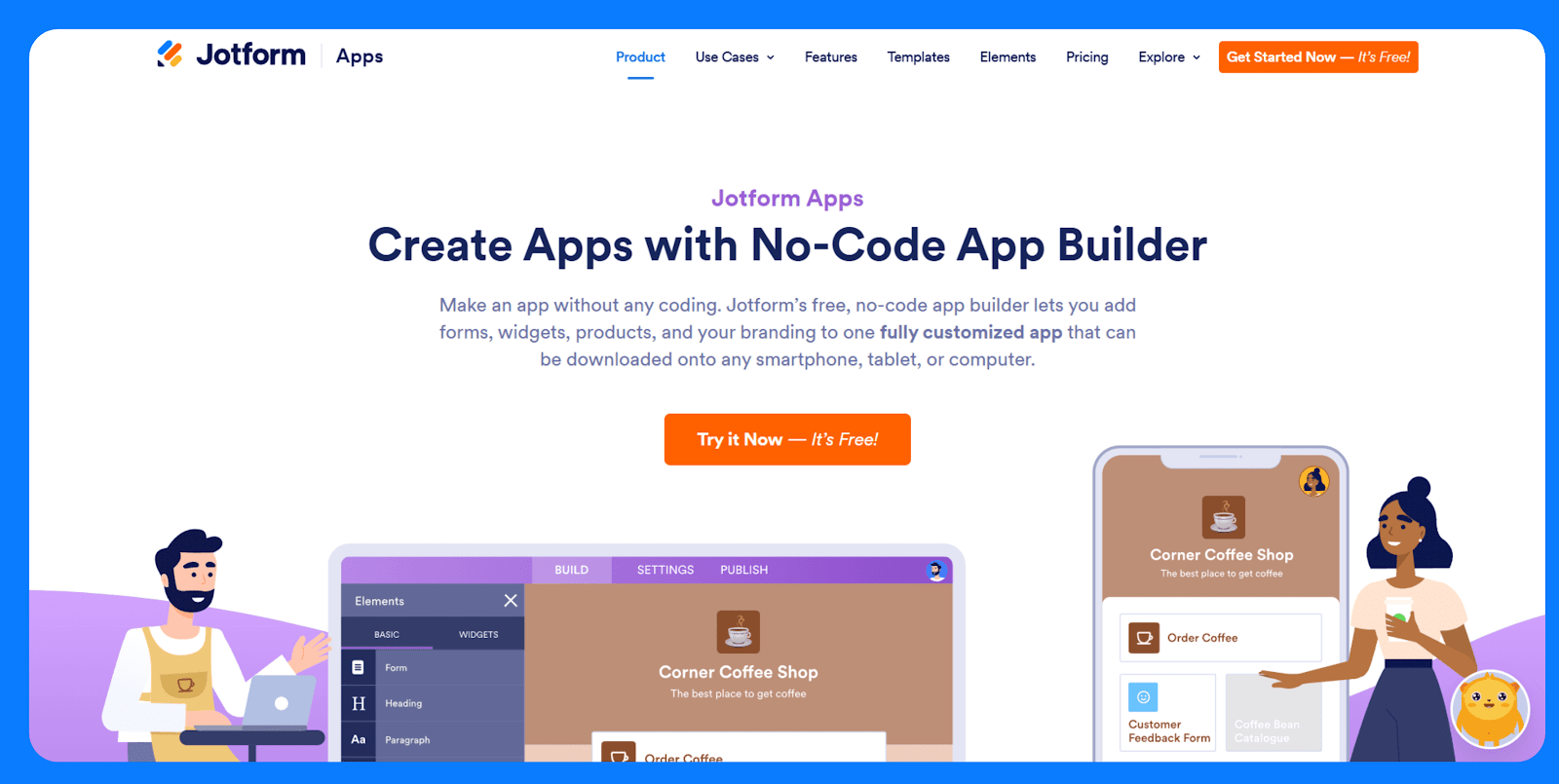
**What it does:** [Jotform Apps](https://www.jotform.com/products/apps/) lets you bundle multiple Jotform forms into a mobile-friendly app experience. You can create a simple portal with pages, buttons, and forms that users can access via a link or install on their mobile device.
**Who it's for:** A great fit for teams that already use Jotform and want to unify multiple forms into a single, lightweight app without building from scratch or managing code.
### Key features
- **Form bundling:** Combine multiple Jotform forms into one mobile-accessible app with a homepage.
- **Custom branding:** Add your logo, app name, and custom text. Paid plans remove Jotform branding.
- **Built-in form features:** Use all Jotform’s capabilities like conditional logic, approval flows, calculations, and file uploads within the app.
- **User access control:** Set apps to public, private, or company-only. Optional login required.
- **Analytics and response tracking:** View submission data, user activity, and app usage from the Jotform dashboard.
### Pros
- Built on Jotform's mature forms engine
- Great for data collection and internal use cases
- Forms update in real-time without republishing
### Cons
- Limited layout and navigation options
- No native publishing. It's web-only via an installable PWA
- Apps are single-purpose and form-centric. Unsuitable for broader mobile app needs
### Pricing
Jotform’s [free plan](https://www.jotform.com/products/apps/pricing) supports unlimited apps, up to 5 forms and 100 monthly submissions, and 100MB of storage. Paid plans start at \$34/month.
## 7\. AppMachine
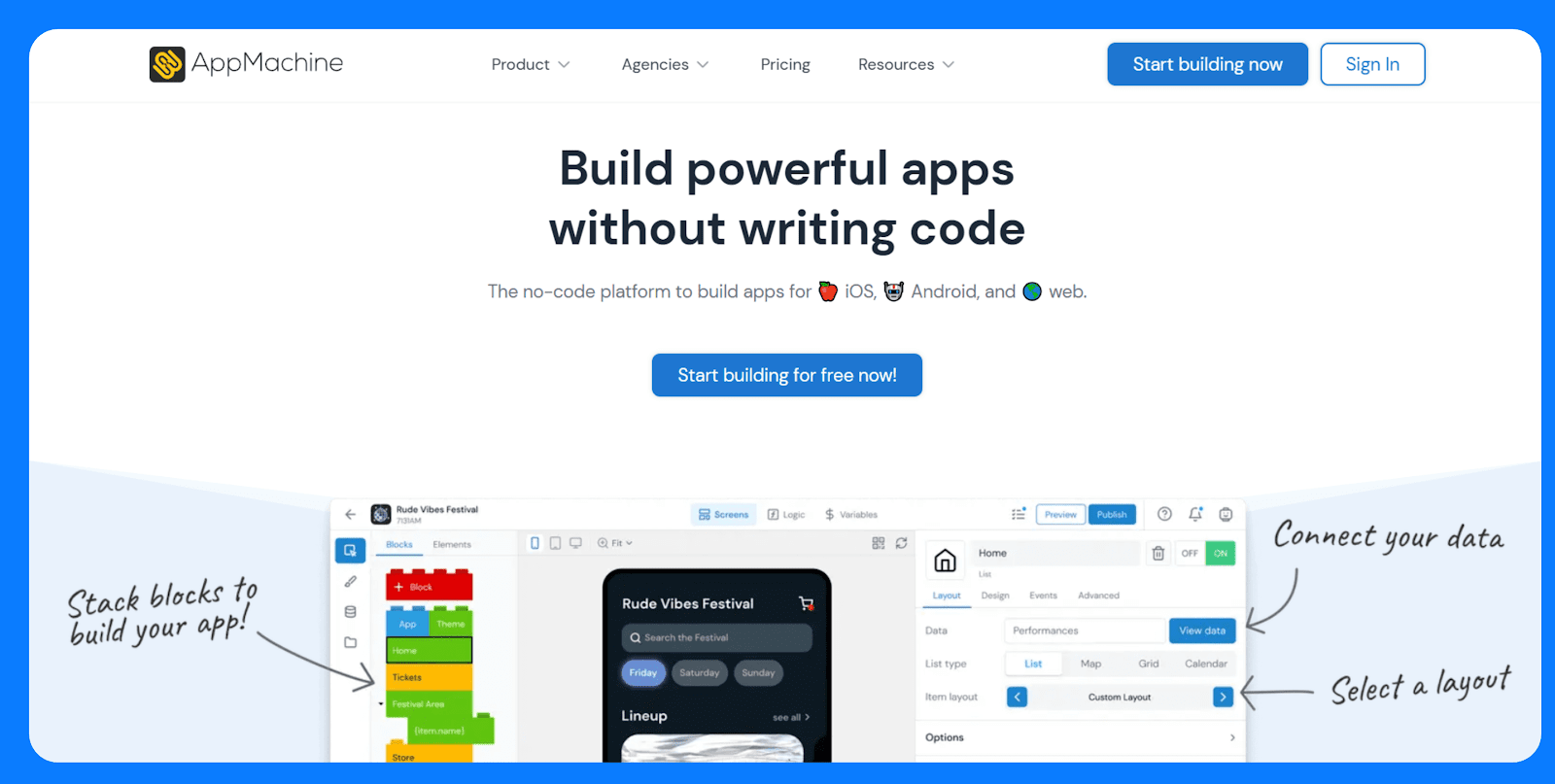
**What it does:** [AppMachine](https://www.appmachine.com/) is a no-code app builder for designing mobile apps using a block-based system. It supports publishing to iOS and Android and includes tools for white-labeling and client management.
**Who it’s for:** Best suited for marketing agencies, freelancers, and businesses that build and maintain mobile apps for clients.
### Key features
- **Block-based app structure:** Add features by stacking modular blocks like lists, forms, videos, and e-commerce.
- **White-labeling support**: Customize branding and remove AppMachine references for client-facing apps.
- **Multi-app management:** Manage multiple projects from a single dashboard with team or client access.
- **Publishing tools:** Includes submission assistance and version control for pushing updates to app stores.
- **Basic design customization:** Edit themes, icons, colors, and layouts with limited design freedom.
- **Website scanner:** Auto-generates app content from an existing website URL.
### Pros
- Easy to build content-based apps with standard features
- White-label options are included on higher plans
- App store publishing support
- Simple learning curve for non-developers
### Cons
- Limited layout flexibility and visual control
- Templates feel dated and generic
- No access to underlying code
### Pricing
AppMachine offers a [30-day free trial](https://www.appmachine.com/pricing?currency=USD). Paid plans start at \$15/month and go up to \$159/month for full white-labeling and agency support.
## 8\. Buildfire
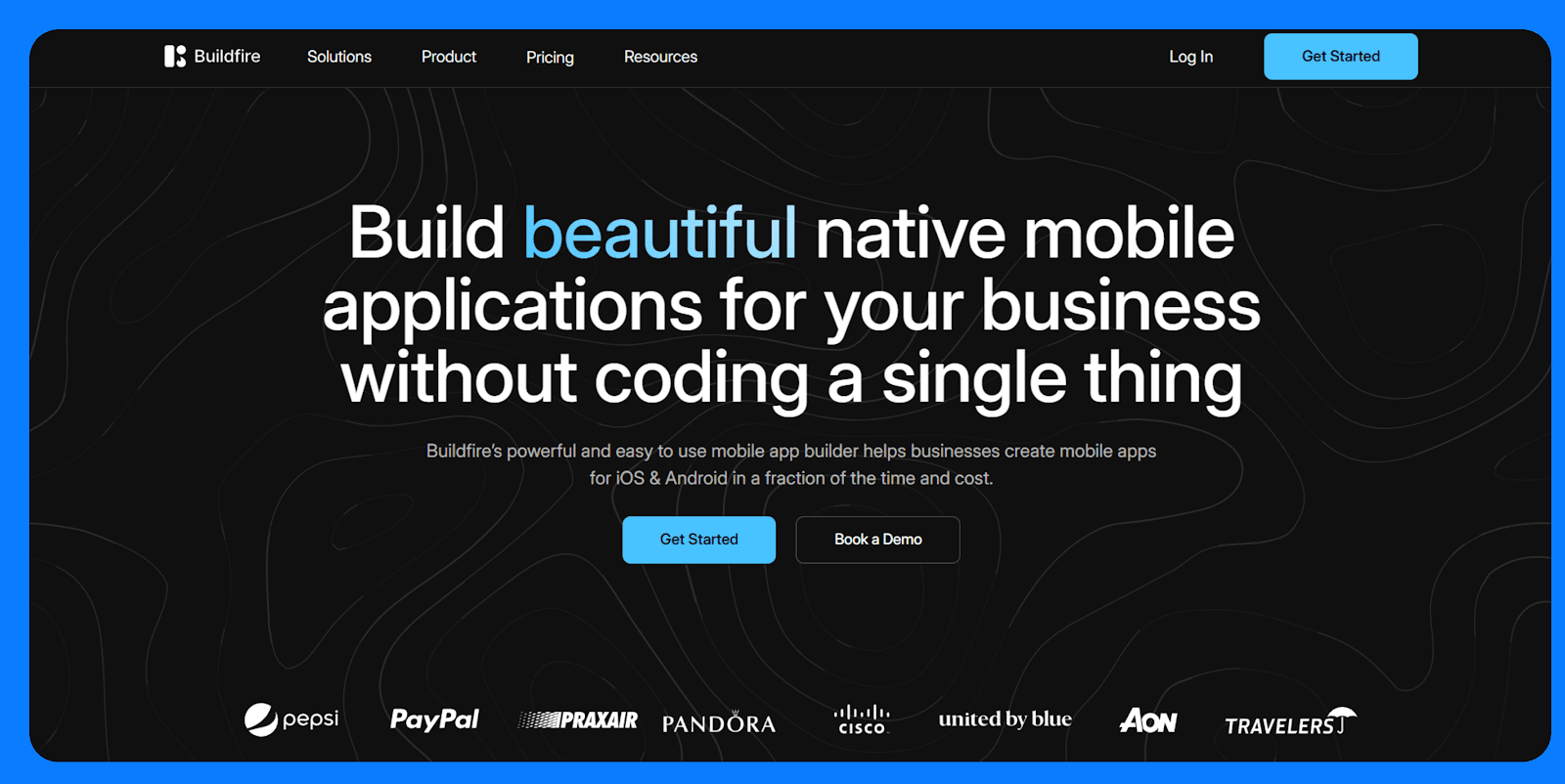
**What it does:** [Buildfire](https://buildfire.com/) is a no-code app development platform that offers a mix of visual editing and an extensible plugin architecture.
**Who it’s for:** Buildfire is built for teams that want more flexibility than template-based builders but don’t want to code from scratch.
### Key features
- **Plugin-based system:** Extend apps by selecting from 9+ plugins.
- **Custom plugin SDK:** Developers can build and add custom features using JavaScript and Buildfire’s SDK.
- **Advanced push notifications:** Segment users and schedule messages based on behavior or timing.
- **User management and login:** Support for account creation, profiles, and role-based access.
- **White-labeling and branding:** Replace Buildfire branding and use your own domain or app store presence on higher tiers.
- **In-app purchases and monetization:** Sell access to content, subscriptions, or products directly inside the app.
### Pros
- Scalable platform with enterprise-grade plugin options
- Supports in-app monetization and membership models
- White-label and branding tools available
### Cons
- Has one of the most expensive paid plans in the round up starting at \$165/month.
- Custom plugins require developer resources
- More complex than [no-code builders](https://www.superblocks.com/blog/low-code-vs-no-code)
- Plugin limitations tied to plan level
### Pricing
Buildfire offers a [14-day free trial](https://buildfire.com/pricing/), after which pricing starts at \$165/month.
## Top free app builders: At a glance
To see how the leading platforms stack up, here’s a **quick comparison of their focus, free-tier limits, publishing options, and ease of use:**
| Platform | Best for | Free plan limits | Publishing options (Free vs paid) | Ease of use |
|---|---|---|---|---|
| [Adalo](https://www.adalo.com/) | General-purpose apps for individuals, SMBs (native mobile + web). | Unlimited draft apps. 200 database records; Limited Zapier integration; No app store publish; Adalo branding. | Free: Web app (PWA) preview only. Paid: iOS & Android. | Beginner-friendly drag-and-drop UI; low learning curve, though advanced integrations require some learning. |
| [Glide](https://www.glideapps.com/) | Internal tools and spreadsheet-based apps (live data dashboards). | 500 rows of data, 100 MB storage; Glide branding on free apps.No custom domain on free. | Progressive Web App (share via link or QR).Paid: Custom domain PWA; need third-party wrapping for native app stores. | Intuitive for spreadsheet users. |
| [SAP Build Apps](https://www.sap.com/products/technology-platform/low-code-app-builder.html) | Complex, multi-platform apps (enterprise prototypes or hobby projects). | Web and mobile apps and REST API integration.No cloud-hosted logic, auth, and governance. | Free: Export to iOS/Android and deploy web apps.No paid plan needed for individual use. | Visual editor with pre-built components. |
| [Thunkable](https://thunkable.com/) | Cross-platform mobile apps with native device features. | Unlimited projects/ Thunkable watermark on all free apps. 25 installs/mo. | Free: Build and live-test on the device or download the APK with a watermark.Paid: iOS or Android. | Drag-and-drop UI plus block coding for logic is easier than raw code. |
| [Appy Pie](https://www.appypie.com/) | Branded business apps with templates . | No permanent free tier. Free trial only. | Free: Preview as PWA.Paid: iOS or Android. | Templates, AI suggestions, and wizards make it simple to get started. |
| [Jotform apps](https://www.jotform.com/products/apps/) | Bundling multiple forms into installable apps. | 5 forms, 100 submissions, 100MB storage. | PWA via share link or QR code. | Form-based with fast setup. |
| [AppMachine](https://www.appmachine.com/) | Agencies building branded apps for clients. | Free trial, AppMachine branding. | No publishing on freePaid: iOS/Android | Easy, but the interface feels dated. |
| [Buildfire](https://buildfire.com/) | Feature-rich apps with plugin flexibility. | 14-day trial only, no free tier. | No publishing on freePaid: iOS/Android. | Has more setup requirements. |
## How I tested the best free app builders
To fairly compare the top free app builders, I created similar simple apps in each platform and walked through the full journey from first login to sharing the finished app. **I evaluated:**
- How quickly a brand‑new user can go from a blank screen to a working app.
- Whether the free plan includes the core features needed to build something “real” (data, logic, basic integrations).
- If you can share the app for free, at least as a PWA or installable link, without upgrading.
- The quality of help available when you’re stuck, including docs, tutorials, and community support.
## What do free app builders do?
Free app makers allow you to design and launch apps without incurring any costs. **Most of them combine three tools in one platform:**
- A visual interface for building screens.
- Some kind of data handling for storing and managing information.
- Logic and workflows using visual rules or code blocks.
Current users of free app makers range from students and hobbyists to small business owners prototyping an idea or making a simple app for their customers.
## Do I need to upgrade beyond free app makers?
Yes, you’ll eventually need to upgrade from free app makers. Free builders are great for prototypes and simple apps, but as you add more users, more data, and more complex logic, you’ll almost always need to move to a more powerful platform or a paid tier.
**Here are a few signs it’s time to upgrade:**
- **You're hitting scale limits**: Free tiers usually cap users, storage, or API calls. Performance can dip as usage climbs.
- **You need custom integrations:** Connecting to CRMs, ERPs, or internal systems usually requires full API access and more advanced integration features.
- **Branding starts to matter:** Free plans typically force platform logos or splash screens, which isn’t acceptable for serious customer-facing or client apps.
- **Security is non-negotiable:** Free tools typically don’t offer [enterprise-grade security](https://www.superblocks.com/blog/enterprise-low-code) features like SSO, RBAC, SCIM, or audit logs.
In short, you’ll know it’s time to upgrade when your app outgrows the sandbox that free app makers provide. If you’re hitting any of the above limits, those are clear signals. Fortunately, there are several options you can choose from
## Upgrade to Superblocks for enterprise-grade internal tools
[Superblocks](https://www.superblocks.com/) lets you vibe code production-grade internal apps with Clark, the AI agent, directly on top of your company’s databases, warehouses, SaaS tools, and APIs without having to write code if you don’t want to.
IT and security teams still stay firmly in control, with centralized integrations, SSO, RBAC, audit logs, and hybrid/Cloud-Prem deployment.
**This is possible thanks to our extensive set of features:**
- **Accessible to semi‑technical and non‑technical users:** You don’t need to be a professional software engineer. Just describe it in plain English and watch Clark build it.
- **Secure by default:** Clark operates within each builder’s existing permissions. AI-generated queries and actions can’t reach systems or data that the user isn’t allowed to access.
- **Centralized permissions:** Admins centrally configure integrations, access controls, app-level permissions, and audit logs. All your apps and builders stay aligned with IT and compliance policies.
- **Databricks-native hosting:** Superblocks can deploy production-grade apps directly within Databricks as a Databricks app.
- **Fits your existing engineering workflow:** Superblocks apps plug into your Git provider (GitHub, GitLab, Bitbucket, Azure DevOps). You can keep using code review, automated tests, and security scanners before production deploys.
- **Enterprise-ready deployment options:** You can run Superblocks in Cloud, Hybrid, or Cloud-Prem modes. With hybrid deployments, your production data remains in your VPC. With Cloud-Prem, the full Superblocks platform runs inside your VPC, so your data and AI processing stay in your infrastructure.
[**Book a demo**](https://www.superblocks.com/book-a-demo) **with one of our product experts** to see Superblocks’ AI-native builder and Cloud-Prem deployment (runs inside your cloud/VPC) in action.
## Frequently asked questions
### What is the best free app maker for beginners?
The best free app maker for beginners is **Adalo**. It offers an intuitive visual builder, a built-in database, and supports native mobile publishing. If you're working with spreadsheets, **Glide** is another beginner-friendly option with a smooth learning curve.
### Can I really make an app for free without hidden costs?
**Yes**, you can build a functional app for free on most platforms. However, for most, publishing it almost always requires a paid plan.
### How long does it take to build an app with a free app maker?
It can take just a few hours to build a simple app with a free app maker. If your data and forms are ready, platforms like Glide or Jotform let you launch something functional in under a day. More complex apps take longer.
### Can I publish my free app to app stores?
**Yes**, some platforms let you publish apps for free. Glide allows one published PWA on its free plan, while Thunkable allows restricted APK/AAB downloads with watermarks on its free tier. Most platforms require a paid plan to submit to app stores.

## Stay tuned for updates
Get the latest Superblocks news and internal tooling market insights.
You've successfully signed up
Request early access
Step 1 of 2
Request early access
Step 2 of 2

You’ve been added to the waitlist\!
Book a demo to skip the waitlist
Thank you for your interest\!
A member of our team will be in touch soon to schedule a demo.
[Read the Clark blog](https://www.superblocks.com/blog/announcing-clark-ai)
![]()
![]()
![]()
![]()
![]()
![]()
![]()
![]()
8
production apps built
30
days to build them
10
semi-technical builders
0
traditional developers
8+
high-impact solutions shipped
2 days
training to get builders productive
0
SQL experience required
[See full story →](https://www.superblocks.com/blog/free-app-maker)
See the full Virgin Voyages customer story, including the apps they built and how their teams use them.

Why not Replit, Lovable, or Base44?
"Those tools are great for proof of concept. But they don't connect well to existing enterprise data sources, and they don't have the governance guardrails that IT requires for production use."
Table of Contents
- [The first heading](https://www.superblocks.com/blog/free-app-maker)
[The first heading](https://www.superblocks.com/blog/free-app-maker)
## Explore more
[All posts](https://www.superblocks.com/blog)


\+2
Multiple authors
April 7, 2026
### The AI App Flood Is Here. This Is How Enterprises Are Governing It.
In 1865, William Stanley Jevons noticed something strange.

\+2
Multiple authors
April 1, 2026
### Your Data Is Governed. Your App Layer Isn't. Here's How Enterprises Are Fixing It.
A senior executive at one of the world’s largest enterprise data platforms recently shared a stat that should get every CIO’s attention.

\+2
Multiple authors
March 17, 2026
### The AI-Native Enterprise Tooling Stack: How Claude Code, Cowork, and Superblocks Work Together
Your engineers are faster than they've ever been. Claude Code, Cursor, Copilot — they're genuinely useful.
No items found.

## What do you want to build today?
Thank you! Your submission has been received\!
Oops! Something went wrong while submitting the form.
Build internal tools, workflows, and scheduled jobs on a platform your whole team can trust.
Book a demo
Resources
- [Pricing](https://www.superblocks.com/pricing)
- [Blog](https://www.superblocks.com/blog)
- [Docs](https://docs.superblocks.com/)
- [Integrations](https://www.superblocks.com/integrations)
- [Careers](https://www.superblocks.com/careers)
Connect
- [X](https://x.com/superblocks?lang=cs)
- [LinkedIn](https://www.linkedin.com/company/superblockshq/)
- [YouTube](https://www.youtube.com/@Superblockshq)
© 20?? Superblocks. All rights reserved
- [Privacy Policy](https://www.superblocks.com/legal/privacy)
- [Terms of Use](https://www.superblocks.com/legal/terms)

\+2
Multiple authors
Aug 18, 2025
 | ||||||||||||||||||
| Readable Markdown | Free app builders let you build web and mobile apps without paying upfront, but they often come with limited publishing options, platform branding, and caps on users or apps. I tested several, and these are the 8 top tools you can use for free in 2026.
## The 8 best free app builders: TL;DR
Free app builders let you build for free, either on a free forever plan or via a trial. We’ll look at 8 of the top builders in detail, but if you’re in a rush, **here’s a quick rundown of what they’re best for:**
1. [**Adalo**](https://www.adalo.com/)**:** Build native iOS and Android apps with a visual drag-and-drop editor
2. [**Glide**](https://www.glideapps.com/)**:** Turn spreadsheets into mobile-friendly web apps for internal and external use
3. [**SAP Build Apps**](https://www.sap.com/products/technology-platform/low-code-app-builder.html)**:** Create complex, logic-heavy apps with full cross-platform support
4. [**Thunkable**](https://thunkable.com/)**:** Design mobile apps using block-based logic and native components
5. [**Appy Pie**](https://www.appypie.com/)**:** Build templated mobile apps quickly, with AI tools and publishing support
6. [**Jotform Apps**](https://www.jotform.com/products/apps/)**:** Convert multiple forms into a simple, installable app
7. [**AppMachine**](https://www.appmachine.com/)**:** Build branded client apps using pre-made content blocks
8. [**Buildfire**](https://buildfire.com/)**:** Assemble feature-rich apps with plugins and app store support
## 1\. Adalo

**What it does:** [Adalo](https://www.adalo.com/) is a popular no-code app builder for full-stack app development. In the free plan, you get the built-in databases, unlimited screens, and test apps. You can publish apps as PWAs or to app stores with a paid plan.
**Who it's for:** Individuals, startups, and small businesses who want to prototype or publish a native app without hiring a dev team.
### Features
- **Screen-based visual editor:** You can build app screens by dragging and positioning UI components directly onto a mobile layout.
- **Built-in database:** You can create custom collections with relationships, validations, and role-based data filtering.
- **User authentication:** You can add sign-up, login, logout, and password reset workflows with pre-configured components.
- **Stripe integration:** Adalo supports single payments, subscriptions, and user-specific billing logic.
- **Custom actions and workflows:** You can trigger logic based on user input or data conditions, including multi-step flows.
- **Progressive Web App (PWA) and native output:** Adalo builds your apps to run as installable web apps by default.
### Pros
- Native mobile publishing (iOS/Android)
- Internal database and user auth built-in
- Easy to learn for [non-technical users](https://www.superblocks.com/blog/what-is-a-citizen-developer-best-practices-benefits-in-2025)
- Real-time preview and live testing
- Active template library and help resources
### Cons
- Free plan is limited to 500 records per app and no app store publishing
- No multi-user collaboration on the free tier
### Pricing
Adalo’s [free tier](https://www.adalo.com/pricing) allows unlimited draft apps and full use of the builder. However, it caps data storage at 500 records and limits publishing. Paid plans start at \$36/month.
## 2\. Glide

**What it does:** [Glide](https://www.glideapps.com/) is a no-code app builder that turns structured data typically from Google Sheets, Excel, or Airtable, into responsive web apps. Apps run as PWAs and can be installed on mobile devices via a shareable link.
**Who it's for:** Teams that already manage processes in spreadsheets and want a faster way to build internal tools, dashboards, or directories.
### Key features
- **Live spreadsheet sync:** Connects directly to Google Sheets, Excel, or Airtable. Data edits in the sheet are reflected instantly in the app, and app inputs can write back to the sheet.
- **Template-based UI:** Choose from list, card, map, calendar, and chart layouts. Each screen is tied to a data table and automatically renders views based on the schema.
- **Computed columns and logic:** Use Glide’s visual logic editor to create calculated fields (e.g., formulas, if-then branches, relations, rollups) without touching your original sheet.
- **Basic workflows and actions:** Add buttons or form submissions that trigger actions like writing to a table, navigating to a screen, or sending an email.
- **User profiles and role-based access:** Configure user authentication, set data visibility by user role, and personalize content using built-in filters.
### Pros
- Fast path from spreadsheet to usable app
- Real-time two-way sync with connected data
- Built-in user access control for internal tools
### Cons
- Layout and design options are limited to fixed templates.
- Users can install PWAs on their phones like native apps, but they remain web-based.
- Not ideal for unstructured content or file-heavy apps.
### Pricing
Glide’s [free plan](https://www.glideapps.com/pricing) allows one published app with up to 25k rows of data and 10 personal users. Paid plans start at \$19/month.
## 3\. SAP Build Apps

**What it does:** [SAP Build Apps](https://www.sap.com/africa/products/technology-platform/low-code-app-builder.html) (formerly AppGyver) is a no-code platform for building web and native mobile apps. You can deploy apps to iOS, Android, web, and desktop from the same codebase.
**Who it’s for:** Best suited for business professionals who want to build apps that integrate with the SAP ecosystem.
### Key features
- **Cross-platform builds:** One app project can be compiled for Android, iOS, web, and desktop.
- **Responsive layout engine:** Use containers and flexbox-style layout controls to build responsive interfaces.
- **Logic canvas:** Connect flow functions to build full application logic visually.
- **REST API integration:** Connect to any REST API with support for dynamic endpoints and response handling.
- **Local and client-side storage:** Store data on-device or connect to cloud services for real-time sync.
- **Variable system:** Manage state using page, app, and data variables with clear scoping.
### Pros
- Customizable logic and workflows
- Full control over data, layout, and state
- No platform branding or usage caps
### Cons
- Steep learning curve compared to other tools on this roundup
- No team collaboration
### Pricing
SAP Build Apps has a [free community edition](https://www.appgyver.com/community) and a [free tier for testing](https://discovery-center.cloud.sap/serviceCatalog/sap-build-apps?region=all&tab=service_plan) and evaluations for the paid version. The free tier supports 2 builds, 1 tenant, a cloud function, and up to 64MB of storage.
## 4\. Thunkable

**What it does:** [Thunkable](https://thunkable.com/) is a no-code platform for building mobile apps that can access native device features like GPS, camera, notifications, and sensors.
**Who it’s for:** Thunkable is a good option for prototypes, MVPs, or utility apps where access to mobile hardware features is important.
### Key features
- **Native iOS and Android builds:** Compile one project for both platforms using React Native under the hood.
- **Block-based logic:** Build logic flows using visual code blocks.
- **Device integrations:** Access native capabilities like camera, location, accelerometer, and push notifications.
- **Live preview:** Test apps instantly on real devices using the Thunkable Live companion app.
- **Cloud variables and storage:** Store and sync data in the cloud or use local storage for offline apps.
- **Built-in authentication:** Use Firebase Auth to enable login/logout functionality.
### Pros
- Easy to learn for beginners and non-coders
- Full access to native mobile hardware
- Cross-platform output without extra setup
- Real-time testing shortens build-feedback cycles
### Cons
- Logic becomes harder to manage as apps grow
- Precise alignment and responsiveness across different devices feel rigid
### Pricing
Thunkable’s [free plan](https://thunkable.com/pricing) supports up to 3 public projects with core functionality but doesn’t include publishing options. Paid plans start at \$19/month.
## 5\. Appy Pie

**What it does:** [Appy Pie](https://www.appypie.com/) is an AI-powered no-code platform. You can describe your app idea, and the platform auto-generates a functional app using templates and AI logic.****
**Who it's for:** Designed for small business owners, entrepreneurs, and non-technical users who want an app store presence without worrying about design or custom logic.
### Key features
- **Template-driven editor:** Start from a business category (e.g., salon, fitness, food delivery) and configure modules for common features like bookings, forms, and galleries.
- **Multi-platform support:** Generate Android, iOS, and PWA versions of the app from a single build.
- **Built-in backend:** Appy Pie stores form submissions, bookings, and user activity in a web dashboard.
- **AI-generated app structure:** Automatically suggests layouts and content blocks based on a short text prompt.
- **App store publishing service:** Appy Pie handles the submission process for you if you’re on a paid plan.
- **Push notifications:** Send announcements and updates to users from within the Appy Pie dashboard.
- App analytics: Track installs, sessions, and engagement through built-in reports.
### Pros
- Easy to use for non-technical users
- Fast setup with AI and templates
- End-to-end service including app store publishing
### Cons
- Template-driven designs limit customization
- Limited extensibility, as there’s no access to the source code
### Pricing
Appy Pie doesn’t offer a permanent free plan, but it has a [free trial](https://www.appypie.com/app-builder/pricing-plan). Paid plans start around \$16/month per app (Android only) and go up to \$60/month for both Android and iOS.
## 6\. Jotform Apps

**What it does:** [Jotform Apps](https://www.jotform.com/products/apps/) lets you bundle multiple Jotform forms into a mobile-friendly app experience. You can create a simple portal with pages, buttons, and forms that users can access via a link or install on their mobile device.
**Who it's for:** A great fit for teams that already use Jotform and want to unify multiple forms into a single, lightweight app without building from scratch or managing code.
### Key features
- **Form bundling:** Combine multiple Jotform forms into one mobile-accessible app with a homepage.
- **Custom branding:** Add your logo, app name, and custom text. Paid plans remove Jotform branding.
- **Built-in form features:** Use all Jotform’s capabilities like conditional logic, approval flows, calculations, and file uploads within the app.
- **User access control:** Set apps to public, private, or company-only. Optional login required.
- **Analytics and response tracking:** View submission data, user activity, and app usage from the Jotform dashboard.
### Pros
- Built on Jotform's mature forms engine
- Great for data collection and internal use cases
- Forms update in real-time without republishing
### Cons
- Limited layout and navigation options
- No native publishing. It's web-only via an installable PWA
- Apps are single-purpose and form-centric. Unsuitable for broader mobile app needs
### Pricing
Jotform’s [free plan](https://www.jotform.com/products/apps/pricing) supports unlimited apps, up to 5 forms and 100 monthly submissions, and 100MB of storage. Paid plans start at \$34/month.
## 7\. AppMachine

**What it does:** [AppMachine](https://www.appmachine.com/) is a no-code app builder for designing mobile apps using a block-based system. It supports publishing to iOS and Android and includes tools for white-labeling and client management.
**Who it’s for:** Best suited for marketing agencies, freelancers, and businesses that build and maintain mobile apps for clients.
### Key features
- **Block-based app structure:** Add features by stacking modular blocks like lists, forms, videos, and e-commerce.
- **White-labeling support**: Customize branding and remove AppMachine references for client-facing apps.
- **Multi-app management:** Manage multiple projects from a single dashboard with team or client access.
- **Publishing tools:** Includes submission assistance and version control for pushing updates to app stores.
- **Basic design customization:** Edit themes, icons, colors, and layouts with limited design freedom.
- **Website scanner:** Auto-generates app content from an existing website URL.
### Pros
- Easy to build content-based apps with standard features
- White-label options are included on higher plans
- App store publishing support
- Simple learning curve for non-developers
### Cons
- Limited layout flexibility and visual control
- Templates feel dated and generic
- No access to underlying code
### Pricing
AppMachine offers a [30-day free trial](https://www.appmachine.com/pricing?currency=USD). Paid plans start at \$15/month and go up to \$159/month for full white-labeling and agency support.
## 8\. Buildfire

**What it does:** [Buildfire](https://buildfire.com/) is a no-code app development platform that offers a mix of visual editing and an extensible plugin architecture.
**Who it’s for:** Buildfire is built for teams that want more flexibility than template-based builders but don’t want to code from scratch.
### Key features
- **Plugin-based system:** Extend apps by selecting from 9+ plugins.
- **Custom plugin SDK:** Developers can build and add custom features using JavaScript and Buildfire’s SDK.
- **Advanced push notifications:** Segment users and schedule messages based on behavior or timing.
- **User management and login:** Support for account creation, profiles, and role-based access.
- **White-labeling and branding:** Replace Buildfire branding and use your own domain or app store presence on higher tiers.
- **In-app purchases and monetization:** Sell access to content, subscriptions, or products directly inside the app.
### Pros
- Scalable platform with enterprise-grade plugin options
- Supports in-app monetization and membership models
- White-label and branding tools available
### Cons
- Has one of the most expensive paid plans in the round up starting at \$165/month.
- Custom plugins require developer resources
- More complex than [no-code builders](https://www.superblocks.com/blog/low-code-vs-no-code)
- Plugin limitations tied to plan level
### Pricing
Buildfire offers a [14-day free trial](https://buildfire.com/pricing/), after which pricing starts at \$165/month.
## Top free app builders: At a glance
To see how the leading platforms stack up, here’s a **quick comparison of their focus, free-tier limits, publishing options, and ease of use:**
| Platform | Best for | Free plan limits | Publishing options (Free vs paid) | Ease of use |
|---|---|---|---|---|
| [Adalo](https://www.adalo.com/) | General-purpose apps for individuals, SMBs (native mobile + web). | Unlimited draft apps. 200 database records; Limited Zapier integration; No app store publish; Adalo branding. | Free: Web app (PWA) preview only. Paid: iOS & Android. | Beginner-friendly drag-and-drop UI; low learning curve, though advanced integrations require some learning. |
| [Glide](https://www.glideapps.com/) | Internal tools and spreadsheet-based apps (live data dashboards). | 500 rows of data, 100 MB storage; Glide branding on free apps.No custom domain on free. | Progressive Web App (share via link or QR).Paid: Custom domain PWA; need third-party wrapping for native app stores. | Intuitive for spreadsheet users. |
| [SAP Build Apps](https://www.sap.com/products/technology-platform/low-code-app-builder.html) | Complex, multi-platform apps (enterprise prototypes or hobby projects). | Web and mobile apps and REST API integration.No cloud-hosted logic, auth, and governance. | Free: Export to iOS/Android and deploy web apps.No paid plan needed for individual use. | Visual editor with pre-built components. |
| [Thunkable](https://thunkable.com/) | Cross-platform mobile apps with native device features. | Unlimited projects/ Thunkable watermark on all free apps. 25 installs/mo. | Free: Build and live-test on the device or download the APK with a watermark.Paid: iOS or Android. | Drag-and-drop UI plus block coding for logic is easier than raw code. |
| [Appy Pie](https://www.appypie.com/) | Branded business apps with templates . | No permanent free tier. Free trial only. | Free: Preview as PWA.Paid: iOS or Android. | Templates, AI suggestions, and wizards make it simple to get started. |
| [Jotform apps](https://www.jotform.com/products/apps/) | Bundling multiple forms into installable apps. | 5 forms, 100 submissions, 100MB storage. | PWA via share link or QR code. | Form-based with fast setup. |
| [AppMachine](https://www.appmachine.com/) | Agencies building branded apps for clients. | Free trial, AppMachine branding. | No publishing on freePaid: iOS/Android | Easy, but the interface feels dated. |
| [Buildfire](https://buildfire.com/) | Feature-rich apps with plugin flexibility. | 14-day trial only, no free tier. | No publishing on freePaid: iOS/Android. | Has more setup requirements. |
## How I tested the best free app builders
To fairly compare the top free app builders, I created similar simple apps in each platform and walked through the full journey from first login to sharing the finished app. **I evaluated:**
- How quickly a brand‑new user can go from a blank screen to a working app.
- Whether the free plan includes the core features needed to build something “real” (data, logic, basic integrations).
- If you can share the app for free, at least as a PWA or installable link, without upgrading.
- The quality of help available when you’re stuck, including docs, tutorials, and community support.
## What do free app builders do?
Free app makers allow you to design and launch apps without incurring any costs. **Most of them combine three tools in one platform:**
- A visual interface for building screens.
- Some kind of data handling for storing and managing information.
- Logic and workflows using visual rules or code blocks.
Current users of free app makers range from students and hobbyists to small business owners prototyping an idea or making a simple app for their customers.
## Do I need to upgrade beyond free app makers?
Yes, you’ll eventually need to upgrade from free app makers. Free builders are great for prototypes and simple apps, but as you add more users, more data, and more complex logic, you’ll almost always need to move to a more powerful platform or a paid tier.
**Here are a few signs it’s time to upgrade:**
- **You're hitting scale limits**: Free tiers usually cap users, storage, or API calls. Performance can dip as usage climbs.
- **You need custom integrations:** Connecting to CRMs, ERPs, or internal systems usually requires full API access and more advanced integration features.
- **Branding starts to matter:** Free plans typically force platform logos or splash screens, which isn’t acceptable for serious customer-facing or client apps.
- **Security is non-negotiable:** Free tools typically don’t offer [enterprise-grade security](https://www.superblocks.com/blog/enterprise-low-code) features like SSO, RBAC, SCIM, or audit logs.
In short, you’ll know it’s time to upgrade when your app outgrows the sandbox that free app makers provide. If you’re hitting any of the above limits, those are clear signals. Fortunately, there are several options you can choose from
## Upgrade to Superblocks for enterprise-grade internal tools
[Superblocks](https://www.superblocks.com/) lets you vibe code production-grade internal apps with Clark, the AI agent, directly on top of your company’s databases, warehouses, SaaS tools, and APIs without having to write code if you don’t want to.
IT and security teams still stay firmly in control, with centralized integrations, SSO, RBAC, audit logs, and hybrid/Cloud-Prem deployment.
**This is possible thanks to our extensive set of features:**
- **Accessible to semi‑technical and non‑technical users:** You don’t need to be a professional software engineer. Just describe it in plain English and watch Clark build it.
- **Secure by default:** Clark operates within each builder’s existing permissions. AI-generated queries and actions can’t reach systems or data that the user isn’t allowed to access.
- **Centralized permissions:** Admins centrally configure integrations, access controls, app-level permissions, and audit logs. All your apps and builders stay aligned with IT and compliance policies.
- **Databricks-native hosting:** Superblocks can deploy production-grade apps directly within Databricks as a Databricks app.
- **Fits your existing engineering workflow:** Superblocks apps plug into your Git provider (GitHub, GitLab, Bitbucket, Azure DevOps). You can keep using code review, automated tests, and security scanners before production deploys.
- **Enterprise-ready deployment options:** You can run Superblocks in Cloud, Hybrid, or Cloud-Prem modes. With hybrid deployments, your production data remains in your VPC. With Cloud-Prem, the full Superblocks platform runs inside your VPC, so your data and AI processing stay in your infrastructure.
[**Book a demo**](https://www.superblocks.com/book-a-demo) **with one of our product experts** to see Superblocks’ AI-native builder and Cloud-Prem deployment (runs inside your cloud/VPC) in action.
## Frequently asked questions
### What is the best free app maker for beginners?
The best free app maker for beginners is **Adalo**. It offers an intuitive visual builder, a built-in database, and supports native mobile publishing. If you're working with spreadsheets, **Glide** is another beginner-friendly option with a smooth learning curve.
### Can I really make an app for free without hidden costs?
**Yes**, you can build a functional app for free on most platforms. However, for most, publishing it almost always requires a paid plan.
### How long does it take to build an app with a free app maker?
It can take just a few hours to build a simple app with a free app maker. If your data and forms are ready, platforms like Glide or Jotform let you launch something functional in under a day. More complex apps take longer.
### Can I publish my free app to app stores?
**Yes**, some platforms let you publish apps for free. Glide allows one published PWA on its free plan, while Thunkable allows restricted APK/AAB downloads with watermarks on its free tier. Most platforms require a paid plan to submit to app stores. | ||||||||||||||||||
| ML Classification | |||||||||||||||||||
| ML Categories |
Raw JSON{
"/Computers_and_Electronics": 767,
"/Computers_and_Electronics/Software": 761,
"/Internet_and_Telecom": 537,
"/Internet_and_Telecom/Web_Services": 490,
"/Internet_and_Telecom/Web_Services/Web_Design_and_Development": 474,
"/Computers_and_Electronics/Software/Business_and_Productivity_Software": 379
} | ||||||||||||||||||
| ML Page Types |
Raw JSON{
"/Article": 971,
"/Article/Roundup": 375
} | ||||||||||||||||||
| ML Intent Types |
Raw JSON{
"Informational": 677,
"Commercial": 515
} | ||||||||||||||||||
| Content Metadata | |||||||||||||||||||
| Language | en | ||||||||||||||||||
| Author | null | ||||||||||||||||||
| Publish Time | not set | ||||||||||||||||||
| Original Publish Time | 2025-08-22 07:24:58 (8 months ago) | ||||||||||||||||||
| Republished | No | ||||||||||||||||||
| Word Count (Total) | 3,514 | ||||||||||||||||||
| Word Count (Content) | 3,122 | ||||||||||||||||||
| Links | |||||||||||||||||||
| External Links | 23 | ||||||||||||||||||
| Internal Links | 23 | ||||||||||||||||||
| Technical SEO | |||||||||||||||||||
| Meta Nofollow | No | ||||||||||||||||||
| Meta Noarchive | No | ||||||||||||||||||
| JS Rendered | No | ||||||||||||||||||
| Redirect Target | null | ||||||||||||||||||
| Performance | |||||||||||||||||||
| Download Time (ms) | 138 | ||||||||||||||||||
| TTFB (ms) | 134 | ||||||||||||||||||
| Download Size (bytes) | 56,786 | ||||||||||||||||||
| Shard | 2 (laksa) | ||||||||||||||||||
| Root Hash | 9959414239651811602 | ||||||||||||||||||
| Unparsed URL | com,superblocks!www,/blog/free-app-maker s443 | ||||||||||||||||||