ℹ️ Skipped - page is already crawled
| Filter | Status | Condition | Details |
|---|---|---|---|
| HTTP status | PASS | download_http_code = 200 | HTTP 200 |
| Age cutoff | PASS | download_stamp > now() - 6 MONTH | 0.1 months ago |
| History drop | PASS | isNull(history_drop_reason) | No drop reason |
| Spam/ban | PASS | fh_dont_index != 1 AND ml_spam_score = 0 | ml_spam_score=0 |
| Canonical | PASS | meta_canonical IS NULL OR = '' OR = src_unparsed | Not set |
| Property | Value | |||||||||
|---|---|---|---|---|---|---|---|---|---|---|
| URL | https://www.redsharknews.com/m1-macbook-pro-review-its-insanely-fast | |||||||||
| Last Crawled | 2026-04-23 07:43:44 (1 day ago) | |||||||||
| First Indexed | 2020-12-22 09:41:21 (5 years ago) | |||||||||
| HTTP Status Code | 200 | |||||||||
| Content | ||||||||||
| Meta Title | M1 MacBook Pro review: It's insanely fast | |||||||||
| Meta Description | Heath McKnight takes a good look at the new M1 powered 13" MacBook Pro. I think it's safe to say he was impressed! | |||||||||
| Meta Canonical | null | |||||||||
| Boilerpipe Text | Heath McKnight takes a good look at the new M1 powered 13" MacBook Pro. I think it's safe to say he was impressed! Find out how it performed in his review.
When it comes to
Apple’s new M1 processor
, much has been talked about regarding the amazing speed of these systems on a chip (SoS). And I’m here to say, they’re all true, based on my tests and general use with a MacBook Pro running an M1 8-core processor (and 8-core GPU) with 8 GB of RAM and a 256 GB SSD, which is the entry-level model.
Before I dive in, I’d like to briefly explain why I chose a model with 8GB of RAM vs. 16. It comes down to timing: I tried to pre-order a 16GB model 2 days after Apple’s M1 presentation, and ship times slipped 4-6 weeks. That’s how hot these new Mac’s are.
And as long-time Mac user, since 1994, it’s been common knowledge the more memory you add, the better the performance. Of course this is true with the M1 processors, but with new technology and how the fast SSD plays a part in this, some have said 8 GB of RAM is closer to 16 GB in performance, and 16 is closer to 32GB.
Image: Apple.
MacBook Pro M1 General Use
Powering the MacBook Pro on and logging in are faster than my old 2017 MacBook Air with 8 GB of fused RAM, a 256 GB SSD, and an Intel 1.8 GHz Intel i5 processor with built-in graphics. Waking up the MBP from sleep is instantaneous, and I can start working immediately.
Everything just feels faster with the M1 processor, from opening basic apps like Safari and Pages to Final Cut Pro X projects with multiple layers of video, audio, and graphics. I do most of my work in the cloud, and just opening multiple tabs in Safari and Chrome doesn't seem to slow the system down.
Battery life is great, and even with battery draining apps like Chrome or logging into LinkedIn (seriously, it seems to drain my battery), I can get a solid 8 to 10 hours of battery life when multiple apps are open. Apple says up to 20 hours. My poor MacBook Air is lucky to get 3-4 hours, but that may also be due to the age of the computer and battery (over 3 years).
M1 MacBook Pro. Image: Apple.
M1 MacBook Pro GeekBench and Cinebench Tests
I wanted to run the same GeekBench and Cinebench tests I’ve seen others perform with their M1 Macs, but I also wanted to do the same with my 2019 iMac:
1 GHz 6-core Intel i5 processor.
Radeon Pro 575X 4GB GPU
32GB of RAM
1TB Fusion Drive
Both the MacBook Pro and iMac are running Big Sur macOS 11.1. How will these two compare, especially considering the iMac is a powerhouse, at least on paper and likely vs. a MBP with an Intel chip?
Here are the GeekBench results:
MacBook Pro M1:
Multi-Core Test: 7527
Single-Core Test: 1723
Metal Score Test: 21734
OpenCL Test: 19122
iMac 2019 Intel:
Multi-Core Test: 4681
Single-Core Test: 999
Metal Score Test: 31595
OpenCL Test: 35112
To me, that's simply amazing, and my wife, a long-time graphic designer, kept thinking the 8GB of RAM would be a hinderance, much like I would. But again, with the new technology of Apple's SoS, it's stunning how the M1 performs.
Apple M1 processor. Image: Apple.
And the Cinebench results for both computers:
MacBook Pro M1: 10 minutes, 31 seconds, CPU (multi-core): 7757 points
iMac Intel: 10 minutes, 59 seconds, CPU (multi-core): 5823 points
Again, this is quite surprising, and I wasn't surprised the iMac's fans kicked on during the test. The heat generated by Intel's processors is such that Apple has had to ensure there are plenty of fans to keep things from overheating. The MacBook Pro stayed silent; the fans never kicked on.
Exporting RED MONSTRO 8K Vista Vision and RED ONE 4K Clips
This test was very basic, and performed in Final Cut Pro X 10.5.1 and Compressor 4.5.1. RED makes amazing cameras, and a great benchmark test for me is to see how a computer handles and exports some clips.
I downloaded a short 8K clip of RED MONSTRO Vista Vision footage at 47.95 fps (8192 x 4320) and a longer RED ONE MYSTERIUM 4K clip at 29.97 fps (4096 x 2304).
I was surprised how smooth scrubbing and playback was with the MacBook Pro and the 8K VV footage. I dropped a basic warm filter on the 8K footage and it took the MacBook Pro:
24.78 seconds to render the 8K VV RED MONSTRO six second clip.
31.07 seconds to render the 4K RED ONE 18.5 second clip.
Exporting the 8K VV RED MONSTRO clip via Compressor took 1:19 (1 minute, 19 seconds). I'm very impressed, and starting to wonder what a rumored 16-inch MacBook Pro with a heftier M series chip (16 cores, etc.) would do with 8K footage and other CPU and GPU tests.
My iMac truly struggled prior to Big Sur when I was comparing it to the
Puget Systems workstation
this past summer. The good news is Big Sur and updates to FCP X made scrubbing and playback much better on the iMac, which is great news considering what's powering the system.
I performed the same basic warm filter test on the iMac:
22.03 seconds to render the 8K VV RED MONSTRO 6 second clip.
38.1 seconds to render the 4K RED ONE 18.5 second clip.
Overall, the iMac was 3 seconds faster than the MacBook Pro rendering 8K footage, and 7 seconds slower with the 4K footage. That's insane!
Exporting the 8K clip took 53 seconds, about 26 seconds faster than the MacBook Pro. That's still very impressive for the MBP!
Conclusion
Everything is faster with the MacBook Pro M1 with 8 GB RAM and a 256 GB SSD, from hard numbers via benchmarking and just overall use.
If you're in the market for a system that can handle daily tasks with 'basic apps,' like a mail app and browser, but also 'intense apps' like Final Cut Pro or Adobe Photoshop (via Rosetta), the MacBook Pro is a terrific option. These computers are red-hot, so if you're not in a rush, I recommend getting a 16 GB RAM option if you're doing very intense video editing and graphics.
Quick note: It appears that Apple throttles the speed of the fan-less MacBook Air M1, so speeds are about 20-30% slower compared to the MacBook Pro. That's to keep the system from overheating.
Tags:
Technology
Editor
Review | |||||||||
| Markdown | \<img src="https://certify.alexametrics.com/atrk.gif?account=43vOv1Y1Mn20Io" style="display:none" height="1" width="1" alt=""\>
[](https://www.redsharknews.com/)
- [Production](https://www.redsharknews.com/tag/production)
- [Post & VFX](https://www.redsharknews.com/tag/post-vfx)
- [Action Cameras](https://www.redsharknews.com/tag/action-cameras)
- [NAB 2026](https://www.redsharknews.com/tag/nab-2026)
- [Technology](https://www.redsharknews.com/tag/technology)
- [Audio](https://www.redsharknews.com/tag/audio)
- [More]()
- [IBC2025](https://www.redsharknews.com/tag/ibc2025)
- [Adobe MAX](https://www.redsharknews.com/tag/adobe-max)
- [AI](https://www.redsharknews.com/tag/ai)
- [Featured](https://www.redsharknews.com/tag/featured)
- [NAB 2025](https://www.redsharknews.com/tag/nab-2025)
- [Sponsored](https://www.redsharknews.com/tag/sponsored)
- [Business](https://www.redsharknews.com/tag/business)
- [Tutorials](https://www.redsharknews.com/tag/tutorials)
- [Jobs](https://www.redsharknews.com/Jobs)
- [Live](https://www.redsharknews.com/tag/live)
- [Storage](https://www.redsharknews.com/tag/storage)
- [Cinematography](https://www.redsharknews.com/tag/cinematography)
- [Virtual Production](https://www.redsharknews.com/tag/virtual-production)
- [Cloud Production](https://www.redsharknews.com/tag/cloud)
- [Subscribe](https://www.redsharknews.com/m1-macbook-pro-review-its-insanely-fast#open-modal)
- [Production Digital video, photography, television and film, we have it covered](https://www.redsharknews.com/tag/production)
- [Post & VFX Cutting and assembling raw footage, adding music, dubbing colour correction, sound effects and more](https://www.redsharknews.com/tag/post-vfx)
- [Audio Sound design, mixing, recording, microphones, audio correction](https://www.redsharknews.com/tag/audio)
- [Technology Keep informed on the latest apps, tools, software, devices and latest tech news](https://www.redsharknews.com/tag/technology)
- [Tutorials Easy to follow tutorials for all levels across all topics](https://www.redsharknews.com/tag/tutorials)
Advertisement
# M1 MacBook Pro review: It's insanely fast
4 minute read
M1 powered MacBook Pro
**Heath McKnight takes a good look at the new M1 powered 13" MacBook Pro. I think it's safe to say he was impressed! Find out how it performed in his review.**
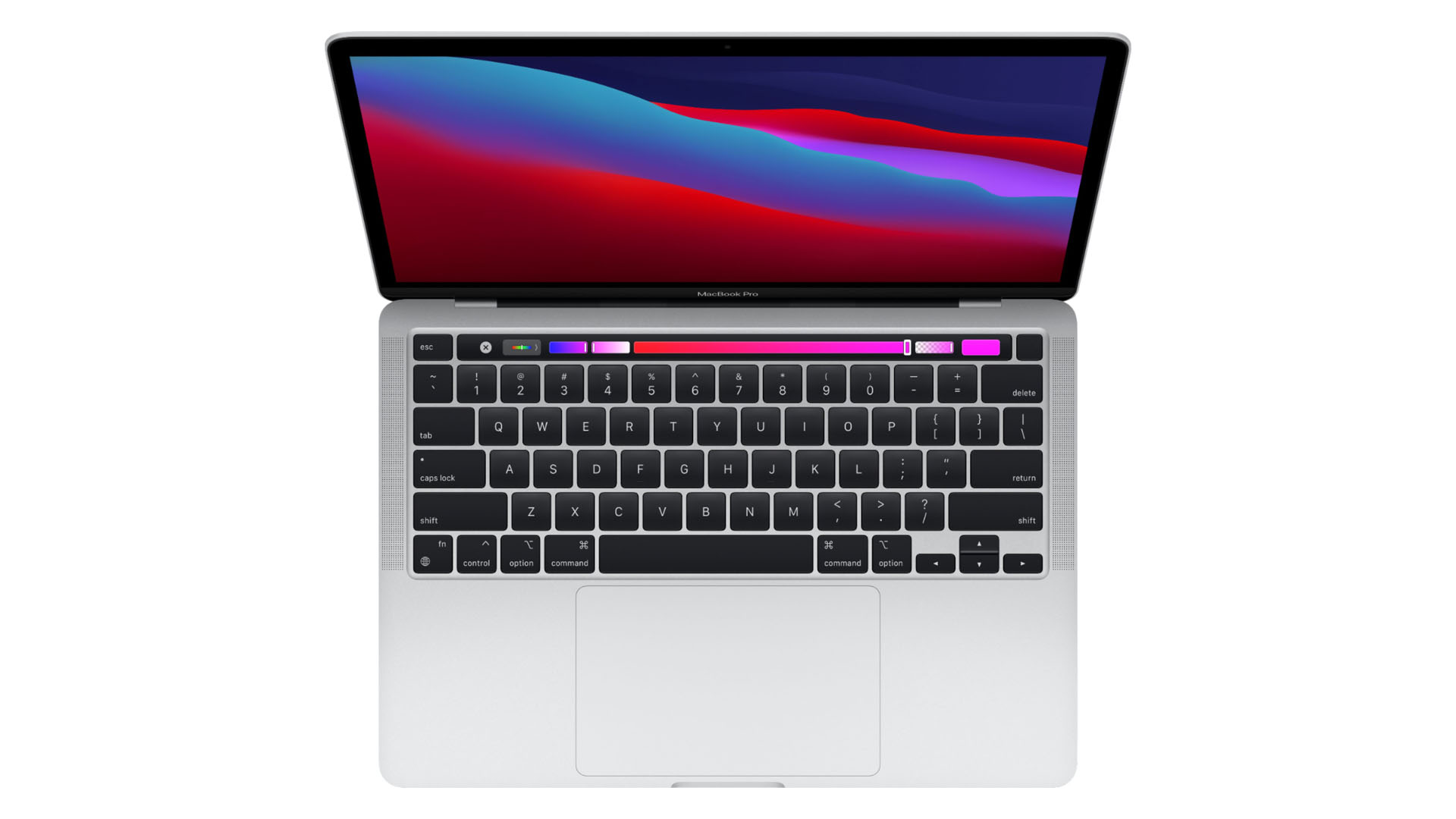
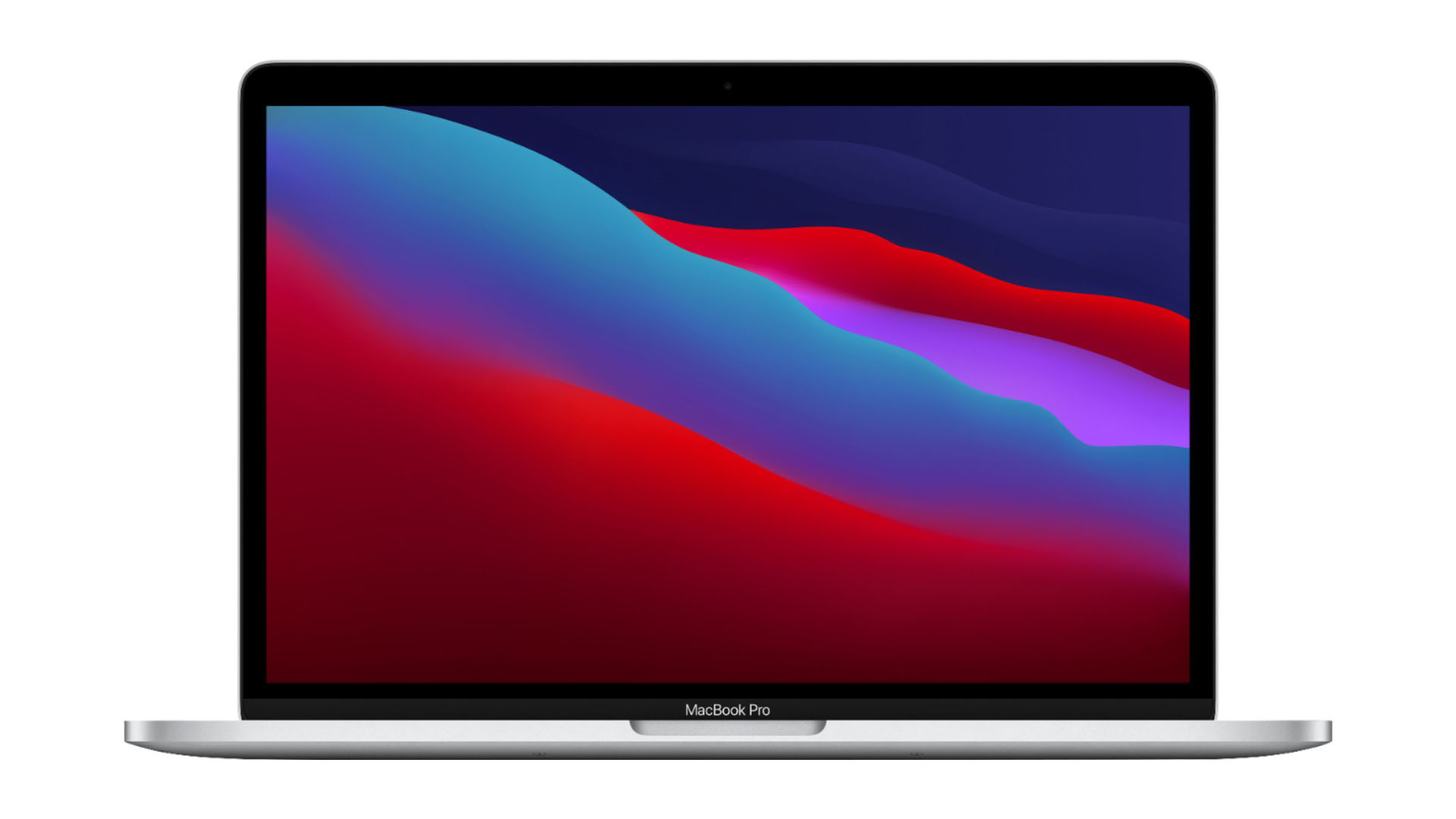
When it comes to [Apple’s new M1 processor](https://www.redsharknews.com/arm-m1-powered-macs-offer-some-staggering-performance-increases), much has been talked about regarding the amazing speed of these systems on a chip (SoS). And I’m here to say, they’re all true, based on my tests and general use with a MacBook Pro running an M1 8-core processor (and 8-core GPU) with 8 GB of RAM and a 256 GB SSD, which is the entry-level model.
Before I dive in, I’d like to briefly explain why I chose a model with 8GB of RAM vs. 16. It comes down to timing: I tried to pre-order a 16GB model 2 days after Apple’s M1 presentation, and ship times slipped 4-6 weeks. That’s how hot these new Mac’s are.
And as long-time Mac user, since 1994, it’s been common knowledge the more memory you add, the better the performance. Of course this is true with the M1 processors, but with new technology and how the fast SSD plays a part in this, some have said 8 GB of RAM is closer to 16 GB in performance, and 16 is closer to 32GB.
######  Image: Apple.
## MacBook Pro M1 General Use
Powering the MacBook Pro on and logging in are faster than my old 2017 MacBook Air with 8 GB of fused RAM, a 256 GB SSD, and an Intel 1.8 GHz Intel i5 processor with built-in graphics. Waking up the MBP from sleep is instantaneous, and I can start working immediately.
Everything just feels faster with the M1 processor, from opening basic apps like Safari and Pages to Final Cut Pro X projects with multiple layers of video, audio, and graphics. I do most of my work in the cloud, and just opening multiple tabs in Safari and Chrome doesn't seem to slow the system down.
Battery life is great, and even with battery draining apps like Chrome or logging into LinkedIn (seriously, it seems to drain my battery), I can get a solid 8 to 10 hours of battery life when multiple apps are open. Apple says up to 20 hours. My poor MacBook Air is lucky to get 3-4 hours, but that may also be due to the age of the computer and battery (over 3 years).
######  M1 MacBook Pro. Image: Apple.
## M1 MacBook Pro GeekBench and Cinebench Tests
I wanted to run the same GeekBench and Cinebench tests I’ve seen others perform with their M1 Macs, but I also wanted to do the same with my 2019 iMac:
- 1 GHz 6-core Intel i5 processor.
- Radeon Pro 575X 4GB GPU
- 32GB of RAM
- 1TB Fusion Drive
Both the MacBook Pro and iMac are running Big Sur macOS 11.1. How will these two compare, especially considering the iMac is a powerhouse, at least on paper and likely vs. a MBP with an Intel chip?
Here are the GeekBench results:
### MacBook Pro M1:
- Multi-Core Test: 7527
- Single-Core Test: 1723
- Metal Score Test: 21734
- OpenCL Test: 19122
### iMac 2019 Intel:
- Multi-Core Test: 4681
- Single-Core Test: 999
- Metal Score Test: 31595
- OpenCL Test: 35112
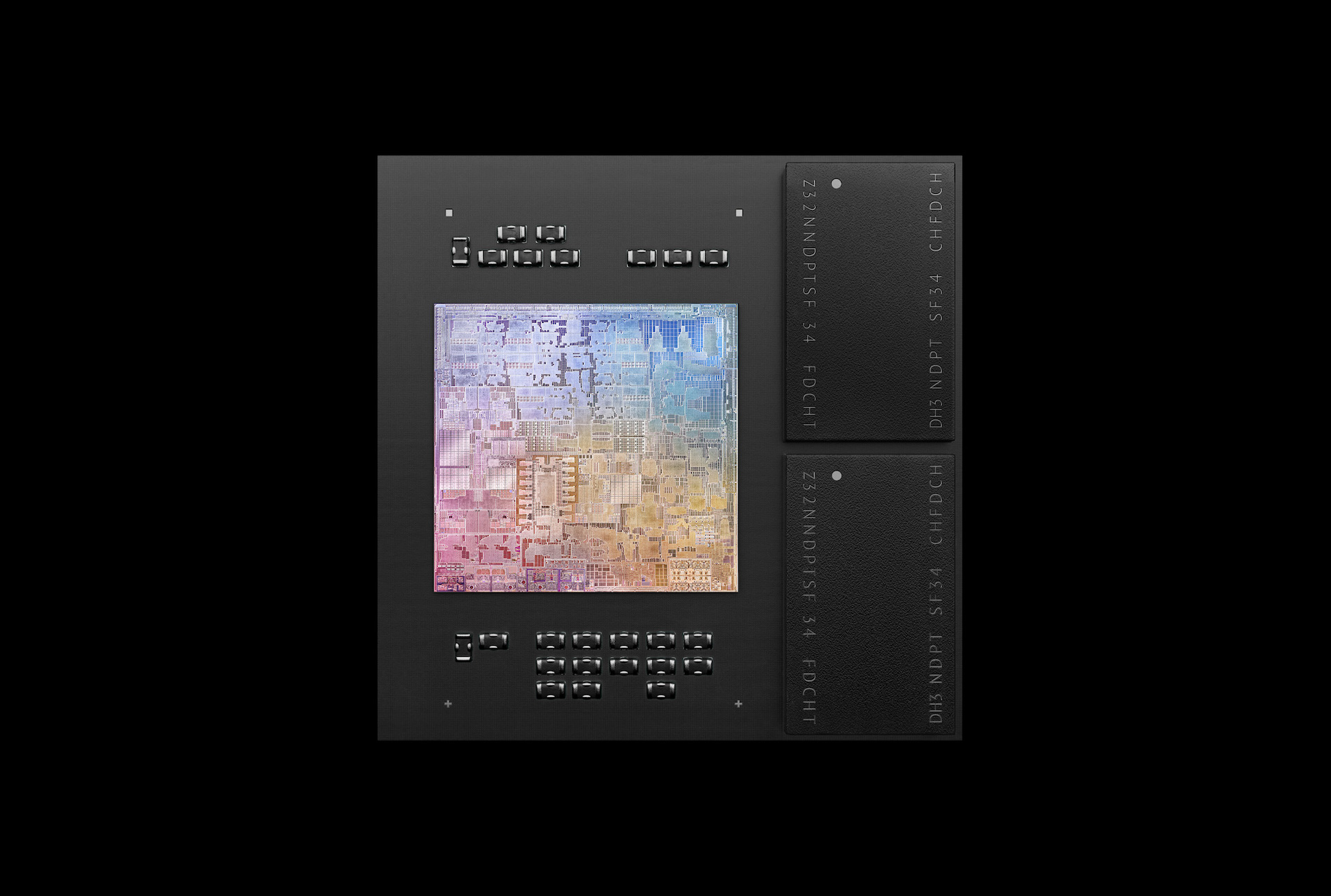
To me, that's simply amazing, and my wife, a long-time graphic designer, kept thinking the 8GB of RAM would be a hinderance, much like I would. But again, with the new technology of Apple's SoS, it's stunning how the M1 performs.
###### Apple M1 processor. Image: Apple.
### And the Cinebench results for both computers:
- MacBook Pro M1: 10 minutes, 31 seconds, CPU (multi-core): 7757 points
- iMac Intel: 10 minutes, 59 seconds, CPU (multi-core): 5823 points
Again, this is quite surprising, and I wasn't surprised the iMac's fans kicked on during the test. The heat generated by Intel's processors is such that Apple has had to ensure there are plenty of fans to keep things from overheating. The MacBook Pro stayed silent; the fans never kicked on.
## Exporting RED MONSTRO 8K Vista Vision and RED ONE 4K Clips
This test was very basic, and performed in Final Cut Pro X 10.5.1 and Compressor 4.5.1. RED makes amazing cameras, and a great benchmark test for me is to see how a computer handles and exports some clips.
I downloaded a short 8K clip of RED MONSTRO Vista Vision footage at 47.95 fps (8192 x 4320) and a longer RED ONE MYSTERIUM 4K clip at 29.97 fps (4096 x 2304).
I was surprised how smooth scrubbing and playback was with the MacBook Pro and the 8K VV footage. I dropped a basic warm filter on the 8K footage and it took the MacBook Pro:
- 24\.78 seconds to render the 8K VV RED MONSTRO six second clip.
- 31\.07 seconds to render the 4K RED ONE 18.5 second clip.
Exporting the 8K VV RED MONSTRO clip via Compressor took 1:19 (1 minute, 19 seconds). I'm very impressed, and starting to wonder what a rumored 16-inch MacBook Pro with a heftier M series chip (16 cores, etc.) would do with 8K footage and other CPU and GPU tests.
My iMac truly struggled prior to Big Sur when I was comparing it to the [Puget Systems workstation](https://www.redsharknews.com/https/www.redsharknews.com/review-the-customized-genesis-workstation-from-puget-systems) this past summer. The good news is Big Sur and updates to FCP X made scrubbing and playback much better on the iMac, which is great news considering what's powering the system.
I performed the same basic warm filter test on the iMac:
- 22\.03 seconds to render the 8K VV RED MONSTRO 6 second clip.
- 38\.1 seconds to render the 4K RED ONE 18.5 second clip.
Overall, the iMac was 3 seconds faster than the MacBook Pro rendering 8K footage, and 7 seconds slower with the 4K footage. That's insane\!
Exporting the 8K clip took 53 seconds, about 26 seconds faster than the MacBook Pro. That's still very impressive for the MBP\!
## Conclusion
Everything is faster with the MacBook Pro M1 with 8 GB RAM and a 256 GB SSD, from hard numbers via benchmarking and just overall use.
If you're in the market for a system that can handle daily tasks with 'basic apps,' like a mail app and browser, but also 'intense apps' like Final Cut Pro or Adobe Photoshop (via Rosetta), the MacBook Pro is a terrific option. These computers are red-hot, so if you're not in a rush, I recommend getting a 16 GB RAM option if you're doing very intense video editing and graphics.
Quick note: It appears that Apple throttles the speed of the fan-less MacBook Air M1, so speeds are about 20-30% slower compared to the MacBook Pro. That's to keep the system from overheating.
Tags: [Technology](https://www.redsharknews.com/tag/technology) [Editor](https://www.redsharknews.com/tag/editor) [Review](https://www.redsharknews.com/tag/review)
[](https://share.flipboard.com/bookmarklet/popout?v=2&title=M1%20MacBook%20Pro%20review%3A%20It's%20insanely%20fast&url=https%3A%2F%2Fwww.redsharknews.com%2Fm1-macbook-pro-review-its-insanely-fast&t=1776930225524&utm_campaign=tools&utm_medium=article-share&utm_source=www.redsharknews.com)
- [Tweet](https://twitter.com/share)
### Comments

Written by [Heath McKnight](https://www.redsharknews.com/author/heath-mcknight)
TECHNOLOGY Dec 22, 2020
Advertisement
### Related Articles
[It turns out a Nikon Z9 made it onto NASA's Artemis II after all](https://www.redsharknews.com/nikon-z9-artemis-ii-deep-space-test)
[News roundup: Apple Maps ads, FCC bans foreign routers, Antigravity A1 firmware, and more](https://www.redsharknews.com/news-roundup-apple-maps-ads-fcc-bans-foreign-routers-antigravity-a1-firmware-and-more)
[NVIDIA's DLSS 5 arrives to controversy: AI neural rendering or AI slop?](https://www.redsharknews.com/nvidia-dlss-5-neural-rendering-backlash)
[ASUS ProArt GoPro Edition PX13 review: a compact powerhouse for creators on the move](https://www.redsharknews.com/asus-proart-gopro-edition-px13-review)
[How George Lucas Pioneered the Use of Digital Video in Movies with the Sony HDW F900](https://www.redsharknews.com/technology-computing/item/2990-how-george-lucas-pioneered-the-use-of-digital-video-in-feature-films-with-the-sony-hdw-f900)
Advertisement
### Popular
[George Lucas to reshoot Star Wars Episode IV: A New Hope in a single take](https://www.redsharknews.com/george-lucas-to-reshoot-star-wars-episode-iv-a-new-hope-in-a-single-take)
[Sonos Era 100 Stereo Pair Review: Can They Compete With Two Sonos Era...](https://www.redsharknews.com/sonos-era-100-stereo-pair-review-how-do-they-compare-to-two-sonos-era-300s)
[AI Tools for Video Editing That Are Actually Useful In 2025](https://www.redsharknews.com/ai-tools-for-video-editing-that-are-actually-useful-in-2025)
[The Best Action Cameras of 2025 Compared: DJI Osmo Action 6, Insta360 Ace...](https://www.redsharknews.com/the-best-action-cameras-of-2025-compared-gopro-hero13-dji-osmo-action-5-pro-insta360-ace-pro-2)
[Blackmagic Adds Monthly License Option for DaVinci Resolve Studio](https://www.redsharknews.com/davinci-resolve-studio-monthly-rental-blackmagic-cloud)
Advertisement
Advertisement
Advertisement
[Close](https://www.redsharknews.com/m1-macbook-pro-review-its-insanely-fast "Close")
### About Redshark
RedShark is a multiplatform online publication for anyone with an interest in moving image technology and craft. With over 50 contributors worldwide, full-time developers, editorial, sales and marketing staff, it is the go-to site for informed opinion and know-how for the quickly changing video, film and content creation industries.
### links
- [Privacy Policy](https://www.redsharknews.com/privacy-policy)
- [Terms of Use](https://www.redsharknews.com/terms-and-conditions)
- [Editorial](https://www.redsharknews.com/editorial)
- [Advertising](https://www.redsharknews.com/advertising)
- [Contact](https://www.redsharknews.com/contact)
- [Team Redshark](https://www.redsharknews.com/team-redshark)
### categories
- [Production](https://www.redsharknews.com/tag/production)
- [Post & VFX](https://www.redsharknews.com/tag/post-vfx)
- [Action Cameras](https://www.redsharknews.com/tag/action-cameras)
- [NAB 2026](https://www.redsharknews.com/tag/nab-2026)
- [Technology](https://www.redsharknews.com/tag/technology)
- [Audio](https://www.redsharknews.com/tag/audio)
- [More]()
- [IBC2025](https://www.redsharknews.com/tag/ibc2025)
- [Adobe MAX](https://www.redsharknews.com/tag/adobe-max)
- [AI](https://www.redsharknews.com/tag/ai)
- [Featured](https://www.redsharknews.com/tag/featured)
- [NAB 2025](https://www.redsharknews.com/tag/nab-2025)
- [Sponsored](https://www.redsharknews.com/tag/sponsored)
- [Business](https://www.redsharknews.com/tag/business)
- [Tutorials](https://www.redsharknews.com/tag/tutorials)
- [Jobs](https://www.redsharknews.com/Jobs)
- [Live](https://www.redsharknews.com/tag/live)
- [Storage](https://www.redsharknews.com/tag/storage)
- [Cinematography](https://www.redsharknews.com/tag/cinematography)
- [Virtual Production](https://www.redsharknews.com/tag/virtual-production)
- [Cloud Production](https://www.redsharknews.com/tag/cloud)
- [Subscribe](https://www.redsharknews.com/m1-macbook-pro-review-its-insanely-fast#open-modal)
### Signup on Social
[Subscribe to RedShark](https://www.redsharknews.com/m1-macbook-pro-review-its-insanely-fast#open-modal)

RedShark 2020 @ All rights reserved. | |||||||||
| Readable Markdown | **Heath McKnight takes a good look at the new M1 powered 13" MacBook Pro. I think it's safe to say he was impressed! Find out how it performed in his review.** When it comes to [Apple’s new M1 processor](https://www.redsharknews.com/arm-m1-powered-macs-offer-some-staggering-performance-increases), much has been talked about regarding the amazing speed of these systems on a chip (SoS). And I’m here to say, they’re all true, based on my tests and general use with a MacBook Pro running an M1 8-core processor (and 8-core GPU) with 8 GB of RAM and a 256 GB SSD, which is the entry-level model. Before I dive in, I’d like to briefly explain why I chose a model with 8GB of RAM vs. 16. It comes down to timing: I tried to pre-order a 16GB model 2 days after Apple’s M1 presentation, and ship times slipped 4-6 weeks. That’s how hot these new Mac’s are. And as long-time Mac user, since 1994, it’s been common knowledge the more memory you add, the better the performance. Of course this is true with the M1 processors, but with new technology and how the fast SSD plays a part in this, some have said 8 GB of RAM is closer to 16 GB in performance, and 16 is closer to 32GB.  Image: Apple. MacBook Pro M1 General Use Powering the MacBook Pro on and logging in are faster than my old 2017 MacBook Air with 8 GB of fused RAM, a 256 GB SSD, and an Intel 1.8 GHz Intel i5 processor with built-in graphics. Waking up the MBP from sleep is instantaneous, and I can start working immediately. Everything just feels faster with the M1 processor, from opening basic apps like Safari and Pages to Final Cut Pro X projects with multiple layers of video, audio, and graphics. I do most of my work in the cloud, and just opening multiple tabs in Safari and Chrome doesn't seem to slow the system down. Battery life is great, and even with battery draining apps like Chrome or logging into LinkedIn (seriously, it seems to drain my battery), I can get a solid 8 to 10 hours of battery life when multiple apps are open. Apple says up to 20 hours. My poor MacBook Air is lucky to get 3-4 hours, but that may also be due to the age of the computer and battery (over 3 years).  M1 MacBook Pro. Image: Apple. M1 MacBook Pro GeekBench and Cinebench Tests I wanted to run the same GeekBench and Cinebench tests I’ve seen others perform with their M1 Macs, but I also wanted to do the same with my 2019 iMac: 1 GHz 6-core Intel i5 processor. Radeon Pro 575X 4GB GPU 32GB of RAM 1TB Fusion Drive Both the MacBook Pro and iMac are running Big Sur macOS 11.1. How will these two compare, especially considering the iMac is a powerhouse, at least on paper and likely vs. a MBP with an Intel chip? Here are the GeekBench results: MacBook Pro M1: Multi-Core Test: 7527 Single-Core Test: 1723 Metal Score Test: 21734 OpenCL Test: 19122 iMac 2019 Intel: Multi-Core Test: 4681 Single-Core Test: 999 Metal Score Test: 31595 OpenCL Test: 35112 To me, that's simply amazing, and my wife, a long-time graphic designer, kept thinking the 8GB of RAM would be a hinderance, much like I would. But again, with the new technology of Apple's SoS, it's stunning how the M1 performs. Apple M1 processor. Image: Apple. And the Cinebench results for both computers: MacBook Pro M1: 10 minutes, 31 seconds, CPU (multi-core): 7757 points iMac Intel: 10 minutes, 59 seconds, CPU (multi-core): 5823 points Again, this is quite surprising, and I wasn't surprised the iMac's fans kicked on during the test. The heat generated by Intel's processors is such that Apple has had to ensure there are plenty of fans to keep things from overheating. The MacBook Pro stayed silent; the fans never kicked on. Exporting RED MONSTRO 8K Vista Vision and RED ONE 4K Clips This test was very basic, and performed in Final Cut Pro X 10.5.1 and Compressor 4.5.1. RED makes amazing cameras, and a great benchmark test for me is to see how a computer handles and exports some clips. I downloaded a short 8K clip of RED MONSTRO Vista Vision footage at 47.95 fps (8192 x 4320) and a longer RED ONE MYSTERIUM 4K clip at 29.97 fps (4096 x 2304). I was surprised how smooth scrubbing and playback was with the MacBook Pro and the 8K VV footage. I dropped a basic warm filter on the 8K footage and it took the MacBook Pro: 24\.78 seconds to render the 8K VV RED MONSTRO six second clip. 31\.07 seconds to render the 4K RED ONE 18.5 second clip. Exporting the 8K VV RED MONSTRO clip via Compressor took 1:19 (1 minute, 19 seconds). I'm very impressed, and starting to wonder what a rumored 16-inch MacBook Pro with a heftier M series chip (16 cores, etc.) would do with 8K footage and other CPU and GPU tests. My iMac truly struggled prior to Big Sur when I was comparing it to the [Puget Systems workstation](https://www.redsharknews.com/https/www.redsharknews.com/review-the-customized-genesis-workstation-from-puget-systems) this past summer. The good news is Big Sur and updates to FCP X made scrubbing and playback much better on the iMac, which is great news considering what's powering the system. I performed the same basic warm filter test on the iMac: 22\.03 seconds to render the 8K VV RED MONSTRO 6 second clip. 38\.1 seconds to render the 4K RED ONE 18.5 second clip. Overall, the iMac was 3 seconds faster than the MacBook Pro rendering 8K footage, and 7 seconds slower with the 4K footage. That's insane\! Exporting the 8K clip took 53 seconds, about 26 seconds faster than the MacBook Pro. That's still very impressive for the MBP\! Conclusion Everything is faster with the MacBook Pro M1 with 8 GB RAM and a 256 GB SSD, from hard numbers via benchmarking and just overall use. If you're in the market for a system that can handle daily tasks with 'basic apps,' like a mail app and browser, but also 'intense apps' like Final Cut Pro or Adobe Photoshop (via Rosetta), the MacBook Pro is a terrific option. These computers are red-hot, so if you're not in a rush, I recommend getting a 16 GB RAM option if you're doing very intense video editing and graphics. Quick note: It appears that Apple throttles the speed of the fan-less MacBook Air M1, so speeds are about 20-30% slower compared to the MacBook Pro. That's to keep the system from overheating.
Tags: [Technology](https://www.redsharknews.com/tag/technology) [Editor](https://www.redsharknews.com/tag/editor) [Review](https://www.redsharknews.com/tag/review)
[](https://share.flipboard.com/bookmarklet/popout?v=2&title=M1%20MacBook%20Pro%20review%3A%20It's%20insanely%20fast&url=https%3A%2F%2Fwww.redsharknews.com%2Fm1-macbook-pro-review-its-insanely-fast&t=1776930225524&utm_campaign=tools&utm_medium=article-share&utm_source=www.redsharknews.com) | |||||||||
| ML Classification | ||||||||||
| ML Categories |
Raw JSON{
"/Computers_and_Electronics": 997,
"/Computers_and_Electronics/Computer_Hardware": 994,
"/Computers_and_Electronics/Computer_Hardware/Laptops_and_Notebooks": 991
} | |||||||||
| ML Page Types |
Raw JSON{
"/Article": 998,
"/Article/Product_or_Brand_Review": 995
} | |||||||||
| ML Intent Types |
Raw JSON{
"Informational": 907,
"Commercial": 170
} | |||||||||
| Content Metadata | ||||||||||
| Language | en | |||||||||
| Author | Heath McKnight | |||||||||
| Publish Time | not set | |||||||||
| Original Publish Time | 2020-12-22 09:41:21 (5 years ago) | |||||||||
| Republished | No | |||||||||
| Word Count (Total) | 1,523 | |||||||||
| Word Count (Content) | 1,106 | |||||||||
| Links | ||||||||||
| External Links | 10 | |||||||||
| Internal Links | 45 | |||||||||
| Technical SEO | ||||||||||
| Meta Nofollow | No | |||||||||
| Meta Noarchive | No | |||||||||
| JS Rendered | Yes | |||||||||
| Redirect Target | null | |||||||||
| Performance | ||||||||||
| Download Time (ms) | 111 | |||||||||
| TTFB (ms) | 106 | |||||||||
| Download Size (bytes) | 18,051 | |||||||||
| Shard | 9 (laksa) | |||||||||
| Root Hash | 4912843047949700209 | |||||||||
| Unparsed URL | com,redsharknews!www,/m1-macbook-pro-review-its-insanely-fast s443 | |||||||||