ℹ️ Skipped - page is already crawled
| Filter | Status | Condition | Details |
|---|---|---|---|
| HTTP status | PASS | download_http_code = 200 | HTTP 200 |
| Age cutoff | FAIL | download_stamp > now() - 6 MONTH | 8.1 months ago |
| History drop | PASS | isNull(history_drop_reason) | No drop reason |
| Spam/ban | PASS | fh_dont_index != 1 AND ml_spam_score = 0 | ml_spam_score=0 |
| Canonical | PASS | meta_canonical IS NULL OR = '' OR = src_unparsed | Not set |
| Property | Value | |||||||||
|---|---|---|---|---|---|---|---|---|---|---|
| URL | https://www.pocket-lint.com/laptops/reviews/apple/155111-apple-macbook-air-review-m1-2020/ | |||||||||
| Last Crawled | 2025-08-24 01:05:27 (8 months ago) | |||||||||
| First Indexed | 2023-03-02 22:57:17 (3 years ago) | |||||||||
| HTTP Status Code | 200 | |||||||||
| Content | ||||||||||
| Meta Title | Apple MacBook Air review (M1) | |||||||||
| Meta Description | The MacBook Air (M1, 2020) runs the Apple Silicon M1 chip and sits alongside the newer Apple MacBook Air (M2, 2022). Should you still consider it? | |||||||||
| Meta Canonical | null | |||||||||
| Boilerpipe Text | The MacBook Air (M1, 2020) launched only a few months after the previous MacBook Air hit the streets. But while the end-of-2020 model looked and felt the same as the one from earlier that year, what was inside was quite different. That's because the MacBook Air (M1, 2020) runs exclusively on Apple's own processors, dubbed Apple Silicon. The Apple M1 chip inside shares more in common – actually a lot in common – with Apple's A-Series iPhone and iPad chips than any Intel processor. It's the same M1 that's also available in the Mac mini range , and until June 2022, it was in the 13-inch MacBook Pro too, though this has now seen an update to the M2 chip, along with the new MacBook Air 2022 model . The transition to Apple Silicon followed on from 15 years of Macs using Intel processors, but what difference does it make and is this model worth buying even though there's a newer MacBook Air with a new design above it?
Our quick take
Apple seriously powered up the Air with its move to Apple Silicon when this M1 model launched. So much so that it was hard to suggest you should plump for the MacBook Pro 13-inch over it – you had to really need the fan for sustained high performance over a longer time. Things have changed a little now, with the M2 MacBook Air having arrived and the M2 MacBook Pro 13-inch, but the M1 MacBook Air is still an excellent device. If you're looking for an excuse to upgrade and you can't quite justify the extra cost for the newer Air with its new design and M2 chip, the M1 MacBook Air still offers excellent performance and a great battery life. It is a great laptop in many ways – the screen is super, the design robust, and the keyboard actually works well. In the ultraportable market there's little to compete at this price point. Of course, there are cheaper PCs, but they all have a compromise versus the Air, either in terms of performance or portability. There's also the M2 MacBook Air to consider for the performance and design upgrades, but the M1 MacBook Air remains an excellent choice, despite no longer being the latest.
Apple MacBook Air (M1, 2020) - 4.5 / 5
FOR AGAINST
Crisp display
Performance is super-fast
Fanless design
Brilliant keyboard
Not a bank-breaker
Apple Silicon transition is going well
256GB minimum storage welcome
Maximum memory of 16GB
Large bezels beginning to look dated
No Face ID login
Some key apps don't run on Apple Silicon natively yet
Design
Dimensions: 304 x 212mm / 41-161mm thick / Weight: 1.29kg
Ports: 2x USB-C (USB 4) / Thunderbolt 3, 1x 3.5mm jack
Finish options: Gold, Space Grey, Silver
As with the 2019 and early 2020 models, the external design of the first M1 Macbook Air is the same. At the time, we remarked elsewhere how surprised we are that Apple didn't take the opportunity to create a radical new Mac with the change to its own processor design. After all, we could have had a replacement for the old MacBook , which was sort of like a sub-MacBook Air. We now have that with the new MacBook Air M2 model, but we didn't get it with the M1 MacBook Air and so we move on. Apple is perfectly capable of pushing the envelope on design – just look at the AirPods Max – but for the 2020 MacBook Air, clearly it felt that its distinguished and hardy aluminium unibody was something to stick with. And why not? This is a hugely successful design that remains modern-looking, even though we're over a decade on from Steve Jobs pulling the original from an envelope. Once again there are two USB-C/Thunderbolt 3 ports – which can sometimes limit you a little, but in reality it's increasingly a rarity. The notable thing here is that they support the USB 4 standard. The 3.5mm headphone jack remains, as it does on the M2 MacBook Air too. The keyboard is the same again as the early 2020 MacBook Air, but that keyboard brought serious improvement over earlier generations, with the introduction of the Magic Keyboard with an older-style scissor mechanism. It's very comfortable to type on for long periods and has much better travel than older 'butterfly' MacBook Pro keyboards. While many lauded the Magic Keyboard as a revelation, the fact is you should expect a fantastic keyboard to be part of a laptop like this. It's a minimum requirement. Touch ID is in the top right corner of the keyboard, meaning quick and easy login with a fingerprint, but we really hope that Face ID will come to the Mac at some point. You've been able to use your face to log into Windows 10 since 2016, so Apple is trailing behind here – in particular as the technology already exists in its phones.
Display
13.3-inch Retina Display, 2650 x 1600 resolution
Can drive up to one 6K external display
True Tone support, P3 wide colour
Again you get the well-known 13.3-inch Retina display, giving you the same resolution of 2560 x 1600 pixels as the 2019 and early 2020 versions. True Tone ensures the display adapts to your environment, while there's also support for the P3 wide colour gamut – which was new for the Air with this model. The Air's display no longer has a huge bezel, but it does feel like Apple needs to match some of the PC designs coming out with near-borderless displays, which aren't even that new – the Dell XPS 13 has had a super-thin bezel for half a decade now. We've said that bezel design needs to be refined for other Macs, too, particularly the iMac, and thankfully we have seen some movement with that on the M2 MacBook Air model, though sadly not the M1 model we're talking about here. We found there was no problem driving our external 4K display via USB-C, but you can only connect a single 4K, 5K or 6K display at 60Hz (yes, you can drive Apple's Pro Display XDR if you really want to – wouldn't that be a dream?). The recent Intel version was capable of driving two 4K displays, or a single 5K display or a single 6K display over Thunderbolt, so the M1 is a rare and slight downgrade in that regard which will be noticed by some. When we talked about the changes we wanted to see from Apple Silicon Macs, one of them was the hope that the Mac would support touch. Apple seems very set against touch for the Mac – and is persisting with the Touch Bar on the MacBook Pro – yet tells us that an iPad is a computer and that it can do anything. As a differentiator between product lines, it makes sense. But there's now (more than) a generation of kids who are totally used to touch and are pretty bemused they can't touch a laptop's screen, especially if they've done it with Windows 10, iPads and smartphones. Every time we're using a Mac, someone in our family tries to touch the screen to flick through pictures or webpages – and that has to say something about what should happen with the Mac. Of course, Apple will have been thinking about this, but our opinion is that a change needs to happen sooner rather than later.
Performance and battery life
Apple M1 processor (3GHz; 8-core - 4 performance and 4 efficiency cores)
7 or 8-core GPU, 16-core Neural Engine
256/512GB storage (up to 1TB, 2TB)
8GB RAM (upgradeable to 16GB)
Battery cited at 15 hours
There were initially two versions of the Air available: one with seven-core graphics (more on that shortly) and a 256GB SSD; another with eight-core graphics and 512GB of storage. You could upgrade the storage in either version to a maximum of 2TB (an eye-watering upgrade in terms of cost though). The M1 MacBook Air is now only available in the 7-core model through Apple so that's worth remembering, though you might find the 8-core model elsewhere. Both versions of the Air have 8GB of RAM as standard (upgradeable to 16GB, which was the limit of what Apple Silicon could support at the time). The two options also house identical CPUs – the eight-core Apple M1 with CPU cores based on the latest ARM design. And they don't use fans either – so are silent in operation. The M1 shares a huge amount with Apple's A-Series processors and, more specifically, the A14 Bionic found in the iPhone 12 and 2020 iPad Air. Like that chip, the M1 is based on TSMC's 5nm manufacturing process – which means it's super-efficient. At the time of the M1 MacBook Air arriving, no non-Apple computer yet had a chip based on that process. Intel was still floundering with getting to 7nm , while Qualcomm hadn't yet announced PC silicon based on 5nm. Like the A14 Bionic, there are four performance cores and four cores designed for power efficiency. This results in serious performance, which is still the case two years on. Like others, we have been blown away by the raw capability on show here, because everything you expect to take time – like an installation or processing of video – happens so quickly. One negative, however, is that unlike the MacBook Pro with the M1 chip, performance will throttle over time to keep things cool and that's why pros will still want to go with the Pro. We don't normally do benchmarks on Pocket-lint (unless it's for a gaming laptop or rig), but as this was the first time a chip had made its way into the wild it made sense for a quick comparison. Our Geekbench 5 benchmark results showed simply steaming performance (1731 single-core, 7475 multi-core score). A simple look at the Mac charts for Geekbench 5 shows you that on single-core performance the M1 was faster than any Mac Pro. And on multi-core performance the M1 systems only fell behind the Intel Xeon Macs (Mac Pro and iMac Pro) and the 2019/2020 iMacs with Intel's high-end Core Core i7-10700K and i9-9900K (check out our 2020 iMac review ). Raw performance is certainly not an issue then. And the efficiency of the ARM-based design has another benefit we had expected – longer battery life. Apple cites up to 18 hours video playback and 15 hours using the web. We found you could eke the battery out to last around 11 hours, but 10 is more common for serious use with video calls and lots of apps open and working in the background – which is still a great innings when many Windows machines will score around seven hours. A note about the graphics. As we mentioned, the 256GB version of the Air has seven-core graphics, while the 512GB version has eight-core. There's a pretty simple reason for this: with the manufacturing of any silicon, a certain percentage of product won't come up to snuff, probably through defective cores. Those 'bad cores' can then be shut off and the product sold as a different version, hence the seven-core variant. There's support for the latest Bluetooth 5.0 and Wi-Fi 6 standards, while the 720p FaceTime HD camera was enhanced with some smarts from the image signal processor (ISP) on the M1 platform – it's clearly better than in previous generations, as skin tones are better, colours are generally improved and the room looks brighter – but we still felt that Apple should upgrade the camera to a Full HD one, which it has now done in the MacBook Air 2022.
Apple Silicon app support and macOS Big Sur
Support for non-native Apple Silicon apps via Rosetta 2 translator
All Apple apps are Apple Silicon-ready
Affinity, Google Chrome, Microsoft Office and other key apps have support
Others on the way, including full Adobe Creative Cloud compatibility
The key question with the move to Apple Silicon processors is if Apple could avoid the issues it had when it moved from Power PC to Intel processors around 2005. Could apps really work seamlessly on a completely new processor this time? The short answer is yes, Apple avoided the major issues. That's thanks to Rosetta 2, a code translator, helping non-native apps run on Apple Silicon systems. Bizarrely it isn't installed as default – presumably if you just use Apple's own apps you won't need it. But if you open an app that isn't ready for Apple Silicon, you're prompted to install. For an ever-increasing number of apps from the Mac App Store and Apple's native apps, everything works fine. But for stuff from other vendors, more work was needed. That work is happening, of course, and continues to but if you rely on even a couple of lesser-known apps you may want to check there is native M1 support. At the time of review in 2020, Zoom, for example, worked absolutely fine on Rosetta 2. Yet the company was quick to announce an Apple Silicon version. Native Apple Silicon support doesn't guarantee any problems, however – Google had to work to fix Chrome after the ARM version crashed repeatedly, which was a major pain for us the first few days we used this Mac. Generally though, apps are stable using Rosetta 2. Apple Silicon-enabled Affinity apps, including Affinity Photo, run brilliantly, as does Microsoft Office (also now updated for Apple Silicon). But other big-vendor apps were lagging behind initially. Adobe Creative Cloud had yet to fully move across, but this changed in 2021, when full support was then offered. Now, if you compare apples with oranges and look at Microsoft's rambling attempts to cater for ARM-based Windows PCs, the Apple Silicon transition was already a dream. The Windows Store is a car crash in comparison to the Mac App Store and, while you can easily live off apps from the Mac App Store, the same can't be said of its Windows equivalent. macOS Big Sur - which was the latest build at the time of review - was generally very stable providing you were using at least the 11.1 version – the 11.0 version wasn't so hot, with some apps quite slow, a couple of issues with USB-C docks and so on. While the Apple Silicon support was the big story with Big Sur, the design was overhauled. It wasn't the radical change that Apple first billed, but the design was more like iPadOS than ever. That wasn't a bad thing, because the new design elements were largely familiar, while the OS does feel genuinely fresh to use. The latest software build is macOS Monterey, though this will be updated to macOS Ventura in fall 2022.
To recap
There's the M2 MacBook Air to consider for the performance and design upgrades, but the M1 MacBook Air remains an excellent choice, despite no longer being the latest. | |||||||||
| Markdown | Menu
[](https://www.pocket-lint.com/)
Sign in now
Close
- Latest Submenu
- [News](https://www.pocket-lint.com/news/)
- [Lists](https://www.pocket-lint.com/lists/)
- [Features](https://www.pocket-lint.com/features/)
- [Editorials](https://www.pocket-lint.com/editorials/)
- [Guides](https://www.pocket-lint.com/guides/)
- [Reviews](https://www.pocket-lint.com/reviews/)
- [Comparisons](https://www.pocket-lint.com/comparisons/)
- [Buyer's Guides](https://www.pocket-lint.com/buyers-guides/)
- [Deals](https://www.pocket-lint.com/deals/)
- [Devices](https://www.pocket-lint.com/devices-segment/)
Submenu
- [Phones](https://www.pocket-lint.com/phones/)
- [Tablets](https://www.pocket-lint.com/tablets/)
- [Laptops](https://www.pocket-lint.com/laptops/)
- [Entertainment](https://www.pocket-lint.com/entertainment-segment/)
Submenu
- [Apps](https://www.pocket-lint.com/apps/)
- [TV](https://www.pocket-lint.com/tv/)
- Automotive Submenu
- [Car Tech](https://www.pocket-lint.com/cars/)
- More Submenu
- [AR & VR](https://www.pocket-lint.com/ar-vr/)
- [Cameras](https://www.pocket-lint.com/cameras/)
- [Fitness Trackers](https://www.pocket-lint.com/fitness-trackers/)
- [Gadgets](https://www.pocket-lint.com/gadgets/)
- [Games](https://www.pocket-lint.com/games/)
- [Headphones](https://www.pocket-lint.com/headphones/)
- [Movies & TV](https://www.pocket-lint.com/movies-tv/)
- [Smart Home](https://www.pocket-lint.com/smart-home/)
- [Smartwatches](https://www.pocket-lint.com/smartwatches/)
- [Speakers](https://www.pocket-lint.com/speakers/)
- Tech Trends Submenu
- [🕹️ Retro Tech](https://www.pocket-lint.com/retro-tech/)
- [📈 Viral Tech](https://www.pocket-lint.com/viral-tech/)
- [Reviews](https://www.pocket-lint.com/reviews/)
- [Video](https://www.pocket-lint.com/video/)
- [Threads](https://www.pocket-lint.com/latest-threads/)
- - About Submenu
- [Our Experts](https://www.pocket-lint.com/page/about/)
- [Our Review Methodology](https://www.pocket-lint.com/review-methodology/)
- [Join Our Team](https://www.pocket-lint.com/work-with-us/)
- [Sign in](https://www.pocket-lint.com/laptops/reviews/apple/155111-apple-macbook-air-review-m1-2020/)
- [Newsletter](https://www.pocket-lint.com/page/newsletter/)
[Google One is about more than just storage 👀](https://www.pocket-lint.com/google-one-benefits-you-should-be-using/)
[A new accessibility feature has hit the Kindle 📱](https://www.pocket-lint.com/amazon-kindle-update-assistive-reader/)
[Battery-powered projectors have a few issues 🔋](https://www.pocket-lint.com/outdoor-projector-battery/)
[The PS5 is now more expensive in the US 💸](https://www.pocket-lint.com/sony-ps5-us-price-hike/)
Close
# Apple MacBook Air review (M1)

By [Dan Grabham](https://www.pocket-lint.com/author/dan-grabham/)
Updated
Jul 14, 2022
Follow
Followed
Like
Link copied to clipboard
### Related
[](https://www.pocket-lint.com/does-aluminum-foil-boost-wi-fi/)
##### [I put tin foil behind my router to boost the signal (here's how it went)](https://www.pocket-lint.com/does-aluminum-foil-boost-wi-fi/ "I put tin foil behind my router to boost the signal (here's how it went)")
[](https://www.pocket-lint.com/ps3-blu-ray-player/)
##### [I keep my PS3 plugged in for one very important reason](https://www.pocket-lint.com/ps3-blu-ray-player/ "I keep my PS3 plugged in for one very important reason")
[](https://www.pocket-lint.com/why-its-fine-to-buy-a-cheap-ipad/)
##### [5 reasons why it's totally fine to buy a cheap iPad](https://www.pocket-lint.com/why-its-fine-to-buy-a-cheap-ipad/ "5 reasons why it's totally fine to buy a cheap iPad")
[Sign in to your Pocket-lint account]()
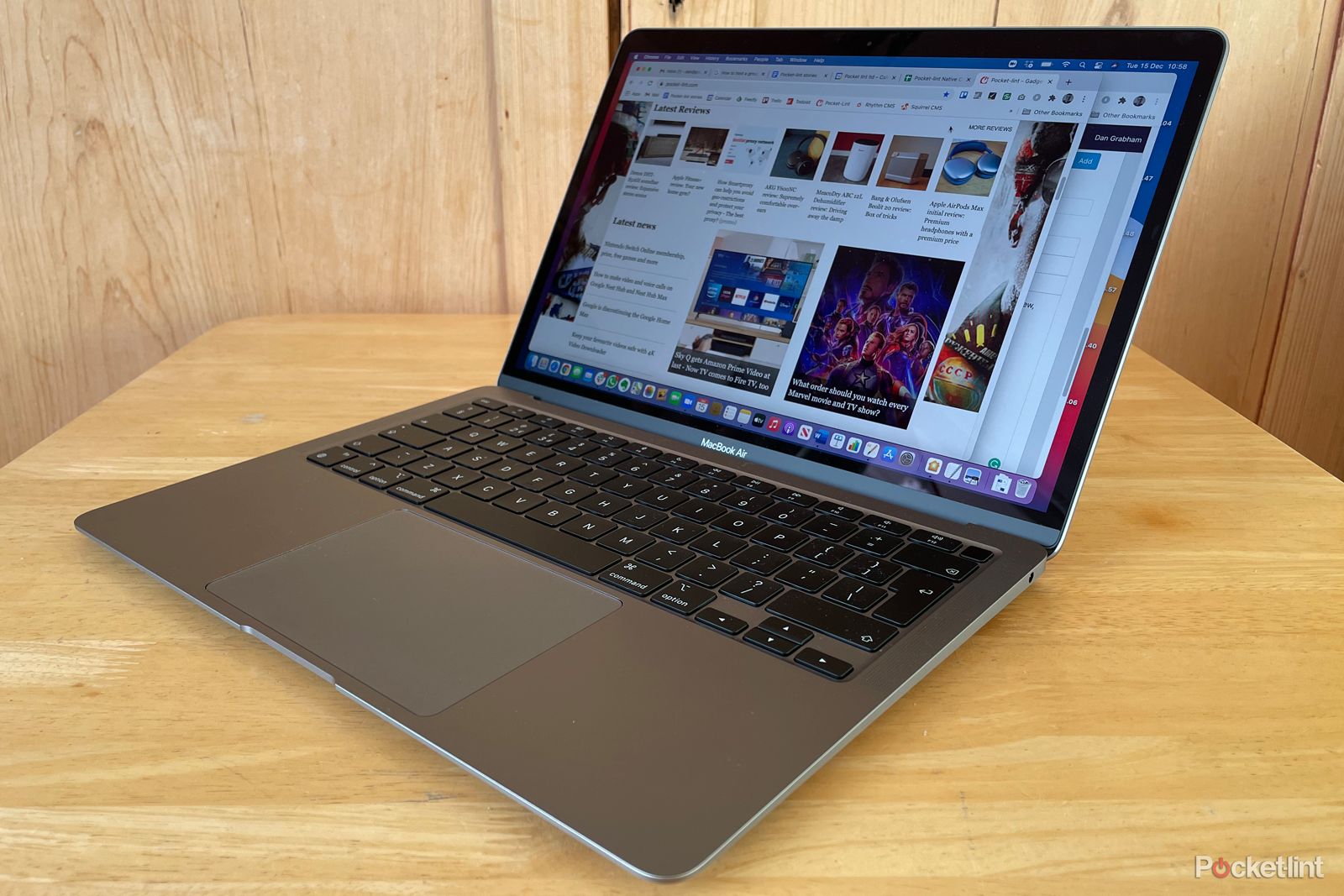
The MacBook Air (M1, 2020) launched only a few months after the [previous MacBook Air](https://www.pocket-lint.com/laptops/reviews/apple/151520-apple-macbook-air-2020-review/) hit the streets. But while the end-of-2020 model looked and felt the same as the one from earlier that year, what was inside was quite different.
That's because the MacBook Air (M1, 2020) runs exclusively on Apple's own processors, dubbed Apple Silicon. The [Apple M1 chip](https://www.pocket-lint.com/laptops/news/apple/152659-apple-silicon-what-does-it-mean-for-your-existing-mac-and-your-next-one/) inside shares more in common – actually a lot in common – with Apple's A-Series iPhone and iPad chips than any Intel processor. It's the same M1 that's [also available in the Mac mini range](https://www.pocket-lint.com/laptops/news/apple/154573-mac-mini-m1-processor/), and until June 2022, it was in the [13-inch MacBook Pro](https://www.pocket-lint.com/laptops/reviews/apple/154650-apple-macbook-pro-m1-processor-review/) too, though this has now seen an update to the M2 chip, along with the [new MacBook Air 2022 model](https://www.pocket-lint.com/laptops/reviews/apple/161396-macbook-air-review/).
The transition to Apple Silicon followed on from 15 years of Macs using Intel processors, but what difference does it make and is this model worth buying even though there's a newer MacBook Air with a new design above it?
## Our quick take
Apple seriously powered up the Air with its move to Apple Silicon when this M1 model launched. So much so that it was hard to suggest you should plump for the MacBook Pro 13-inch over it – you had to really need the fan for sustained high performance over a longer time. Things have changed a little now, with the M2 MacBook Air having arrived and the M2 MacBook Pro 13-inch, but the M1 MacBook Air is still an excellent device.
If you're looking for an excuse to upgrade and you can't quite justify the extra cost for the newer Air with its new design and M2 chip, the M1 MacBook Air still offers excellent performance and a great battery life. It is a great laptop in many ways – the screen is super, the design robust, and the keyboard actually works well.
In the ultraportable market there's little to compete at this price point. Of course, there are cheaper PCs, but they all have a compromise versus the Air, either in terms of performance or portability. There's also the M2 MacBook Air to consider for the performance and design upgrades, but the M1 MacBook Air remains an excellent choice, despite no longer being the latest.

Pocket-lint
Close
## Apple MacBook Air (M1, 2020) - 4.5 / 5
| FOR | AGAINST |
|---|---|
| Crisp display Performance is super-fast Fanless design Brilliant keyboard Not a bank-breaker Apple Silicon transition is going well 256GB minimum storage welcome | Maximum memory of 16GB Large bezels beginning to look dated No Face ID login Some key apps don't run on Apple Silicon natively yet |
##### Apple MacBook Air (M1, 2020)
**CPU**
Apple M1 chip
**Storage**
256GB, 512GB, 1TB, 2TB
**Battery**
49\.9WH, Up to 18 hours use, 30W charging supported
**Display (Size, Resolution)**
13\.3in IPS, 2560 x 1600, 227ppi, 400nits
**Memory**
8GB, 16GB
**Ports**
2 x Thunderbolt, 3.5mm
[\$799.99 at Amazon](https://www.amazon.com/dp/B08N5LNQCX?tag=pl-v2-2j31bj0-20&linkCode=ogi&th=1&psc=1&ascsubtag=UUplUeUpU42844&asc_refurl=https%3A%2F%2Fwww.pocket-lint.com%2Flaptops%2Freviews%2Fapple%2F155111-apple-macbook-air-review-m1-2020%2F&asc_campaign=Affiliate) [\$799.99 at Best Buy](https://shop-links.co/link/?exclusive=1&publisher_slug=pocketlint&url=https%3A%2F%2Fapi.bestbuy.com%2Fclick%2F-%2F5721600%2Fpdp&u1=squirrel-narrativ&article_name=Apple%20MacBook%20Air%20-%20M1%20\(2020\)) [\$799.99 at Best Buy](https://shop-links.co/link/?exclusive=1&publisher_slug=pocketlint&url=https%3A%2F%2Fapi.bestbuy.com%2Fclick%2F-%2F5721600%2Fpdp%3FIPID%3D11111&u1=squirrel-narrativ&article_name=Apple%20MacBook%20Air%20-%20M1%20\(2020\))
Expand Collapse
## Design
- Dimensions: 304 x 212mm / 41-161mm thick / Weight: 1.29kg
- Ports: 2x USB-C (USB 4) / Thunderbolt 3, 1x 3.5mm jack
- Finish options: Gold, Space Grey, Silver
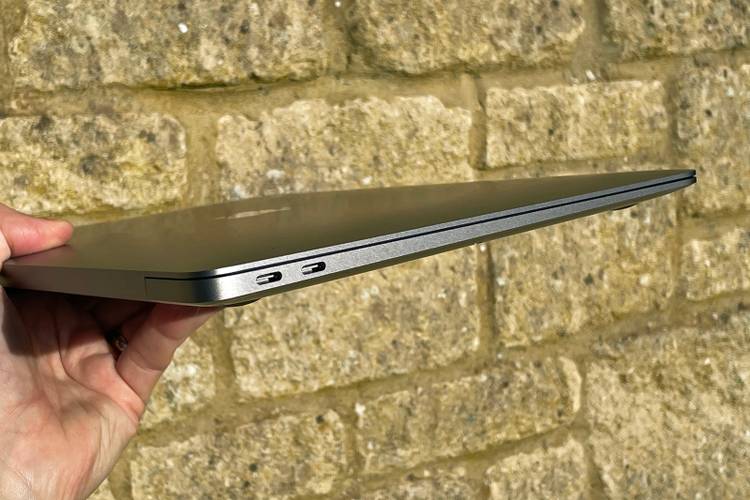
As with the 2019 and early 2020 models, the external design of the first M1 Macbook Air is the same. At the time, we remarked elsewhere how surprised we are that Apple [didn't take the opportunity to create a radical new Mac](https://www.pocket-lint.com/laptops/news/apple/154578-apple-s-apple-silicon-event-radical-chip-so-why-no-radical-macs/) with the change to its own processor design. After all, we could have had a replacement for the [old MacBook](https://www.pocket-lint.com/laptops/reviews/apple/142253-apple-macbook-review-laptop-specs-price/), which was sort of like a sub-MacBook Air.
Pocket-lint
We now have that with the new MacBook Air M2 model, but we didn't get it with the M1 MacBook Air and so we move on. Apple is perfectly capable of pushing the envelope on design – just look at the [AirPods Max](https://www.pocket-lint.com/headphones/reviews/apple/154992-apple-airpods-max-review/) – but for the 2020 MacBook Air, clearly it felt that its distinguished and hardy aluminium unibody was something to stick with. And why not? This is a hugely successful design that remains modern-looking, even though we're over a decade on from Steve Jobs pulling the original from an envelope.
Once again there are two USB-C/Thunderbolt 3 ports – which can sometimes limit you a little, but in reality it's increasingly a rarity. The notable thing here is that they support the USB 4 standard. The 3.5mm headphone jack remains, as it does on the M2 MacBook Air too.
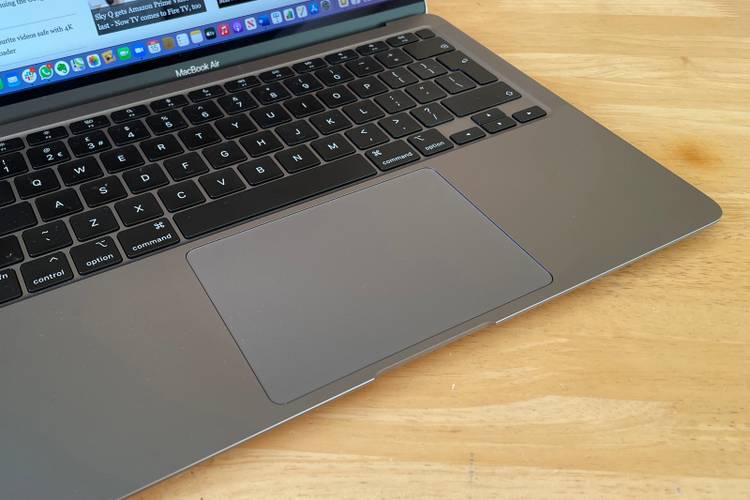
The keyboard is the same again as the early 2020 MacBook Air, but that keyboard brought serious improvement over earlier generations, with the introduction of the Magic Keyboard with an older-style scissor mechanism. It's very comfortable to type on for long periods and has much better travel than older 'butterfly' MacBook Pro keyboards. While many lauded the Magic Keyboard as a revelation, the fact is you should expect a fantastic keyboard to be part of a laptop like this. It's a minimum requirement.
Pocket-lint
Touch ID is in the top right corner of the keyboard, meaning quick and easy login with a fingerprint, but we really hope that Face ID will come to the Mac at some point. You've been able to use your face to log into Windows 10 since 2016, so Apple is trailing behind here – in particular as the technology already exists in its phones.
## Display
- 13\.3-inch Retina Display, 2650 x 1600 resolution
- Can drive up to one 6K external display
- True Tone support, P3 wide colour
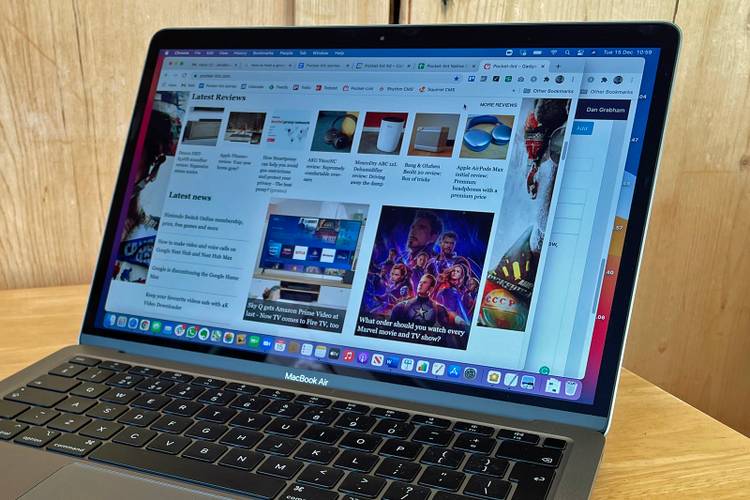
Again you get the well-known 13.3-inch Retina display, giving you the same resolution of 2560 x 1600 pixels as the 2019 and early 2020 versions. [True Tone](https://www.pocket-lint.com/tablets/news/apple/137264-what-is-apple-true-tone-display/) ensures the display adapts to your environment, while there's also support for the P3 wide colour gamut – which was new for the Air with this model.
The Air's display no longer has a huge bezel, but it does feel like Apple needs to match some of the PC designs coming out with near-borderless displays, which aren't even that new – the [Dell XPS 13](https://www.pocket-lint.com/laptops/reviews/dell/150662-dell-xps-13-review-2020/) has had a super-thin bezel for half a decade now. We've said that bezel design needs to be refined for other Macs, too, particularly the iMac, and thankfully we have seen some movement with that on the M2 MacBook Air model, though sadly not the M1 model we're talking about here.
Pocket-lint
We found there was no problem driving our external 4K display via USB-C, but you can only connect a single 4K, 5K or 6K display at 60Hz (yes, you can drive [Apple's Pro Display XDR](https://www.pocket-lint.com/laptops/news/apple/150076-apple-s-all-new-mac-pro-and-pro-display-xdr-will-be-available-in-december/) if you really want to – wouldn't that be a dream?). The recent Intel version was capable of driving two 4K displays, or a single 5K display or a single 6K display over Thunderbolt, so the M1 is a rare and slight downgrade in that regard which will be noticed by some.
When we talked about the changes we wanted to see from Apple Silicon Macs, one of them was the hope that the Mac would support touch. Apple seems very set against touch for the Mac – and is persisting with the Touch Bar on the MacBook Pro – yet tells us that an iPad is a computer and that it can do anything. As a differentiator between product lines, it makes sense.
But there's now (more than) a generation of kids who are totally used to touch and are pretty bemused they can't touch a laptop's screen, especially if they've done it with Windows 10, iPads and smartphones. Every time we're using a Mac, someone in our family tries to touch the screen to flick through pictures or webpages – and that has to say something about what should happen with the Mac. Of course, Apple will have been thinking about this, but our opinion is that a change needs to happen sooner rather than later.
## Performance and battery life
- Apple M1 processor (3GHz; 8-core - 4 performance and 4 efficiency cores)
- 7 or 8-core GPU, 16-core Neural Engine
- 256/512GB storage (up to 1TB, 2TB)
- 8GB RAM (upgradeable to 16GB)
- Battery cited at 15 hours
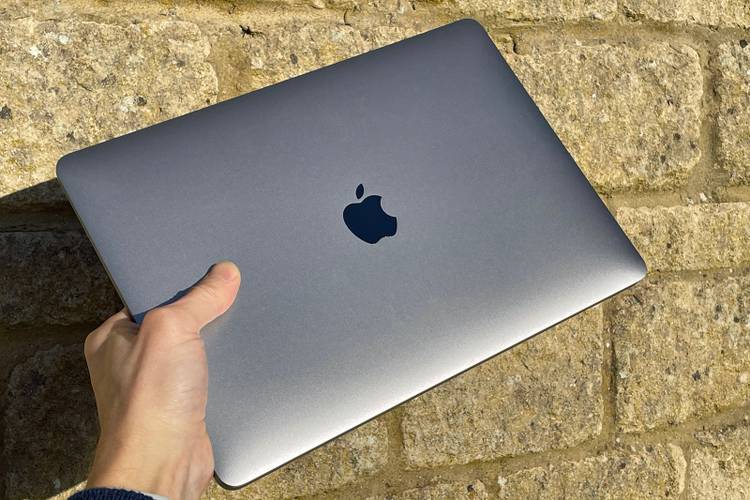
There were initially two versions of the Air available: one with seven-core graphics (more on that shortly) and a 256GB SSD; another with eight-core graphics and 512GB of storage. You could upgrade the storage in either version to a maximum of 2TB (an eye-watering upgrade in terms of cost though). The M1 MacBook Air is now only available in the 7-core model through Apple so that's worth remembering, though you might find the 8-core model elsewhere.
Pocket-lint
Both versions of the Air have 8GB of RAM as standard (upgradeable to 16GB, which was the limit of what Apple Silicon could support at the time). The two options also house identical CPUs – the eight-core Apple M1 with CPU cores based on the latest ARM design. And they don't use fans either – so are silent in operation.
The M1 shares a huge amount with Apple's A-Series processors and, more specifically, the A14 Bionic found in the iPhone 12 and 2020 iPad Air. Like that chip, the M1 is based on TSMC's 5nm manufacturing process – which means it's super-efficient. At the time of the M1 MacBook Air arriving, no non-Apple computer yet had a chip based on that process. [Intel was still floundering with getting to 7nm](https://www.pocket-lint.com/laptops/news/intel/153094-intel-s-true-next-gen-processors-slip-further-away-now-due-2022/), while Qualcomm hadn't yet announced PC silicon based on 5nm.
Like the A14 Bionic, there are four performance cores and four cores designed for power efficiency. This results in serious performance, which is still the case two years on. Like others, we have been blown away by the raw capability on show here, because everything you expect to take time – like an installation or processing of video – happens so quickly. One negative, however, is that unlike the MacBook Pro with the M1 chip, performance will throttle over time to keep things cool and that's why pros will still want to go with the Pro.
Pocket-lint
We don't normally do benchmarks on Pocket-lint (unless it's for a gaming laptop or rig), but as this was the first time a chip had made its way into the wild it made sense for a quick comparison. [Our Geekbench 5 benchmark results](https://browser.geekbench.com/v5/cpu/5343959) showed simply steaming performance (1731 single-core, 7475 multi-core score). [A simple look at the Mac charts](https://browser.geekbench.com/mac-benchmarks) for Geekbench 5 shows you that on single-core performance the M1 was faster than any Mac Pro. And on multi-core performance the M1 systems only fell behind the Intel Xeon Macs (Mac Pro and iMac Pro) and the 2019/2020 iMacs with Intel's high-end Core Core i7-10700K and i9-9900K (check out our [2020 iMac review](https://www.pocket-lint.com/laptops/reviews/apple/153252-apple-imac-2020-review/)).
Raw performance is certainly not an issue then. And the efficiency of the ARM-based design has another benefit we had expected – longer battery life. Apple cites up to 18 hours video playback and 15 hours using the web. We found you could eke the battery out to last around 11 hours, but 10 is more common for serious use with video calls and lots of apps open and working in the background – which is still a great innings when many Windows machines will score around seven hours.
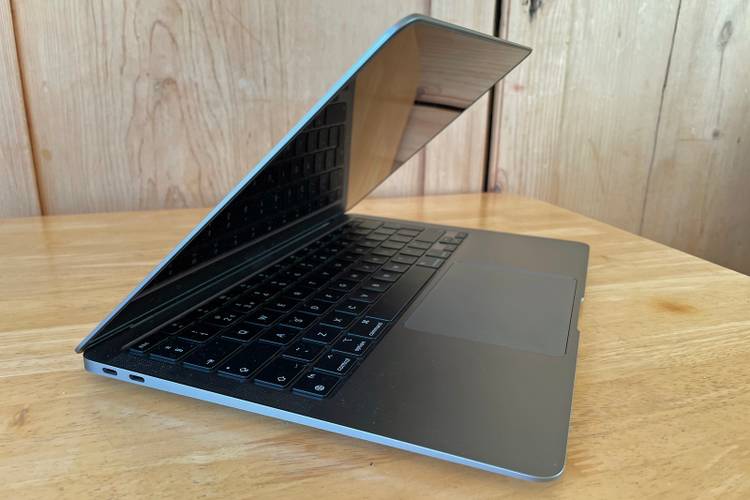
A note about the graphics. As we mentioned, the 256GB version of the Air has seven-core graphics, while the 512GB version has eight-core. There's a pretty simple reason for this: with the manufacturing of any silicon, a certain percentage of product won't come up to snuff, probably through defective cores. Those 'bad cores' can then be shut off and the product sold as a different version, hence the seven-core variant.
Pocket-lint
There's support for the latest Bluetooth 5.0 and Wi-Fi 6 standards, while the 720p FaceTime HD camera was enhanced with some smarts from the image signal processor (ISP) on the M1 platform – it's clearly better than in previous generations, as skin tones are better, colours are generally improved and the room looks brighter – but we still felt that Apple should upgrade the camera to a Full HD one, which it has now done in the MacBook Air 2022.
## Apple Silicon app support and macOS Big Sur
- Support for non-native Apple Silicon apps via Rosetta 2 translator
- All Apple apps are Apple Silicon-ready
- Affinity, Google Chrome, Microsoft Office and other key apps have support
- Others on the way, including full Adobe Creative Cloud compatibility
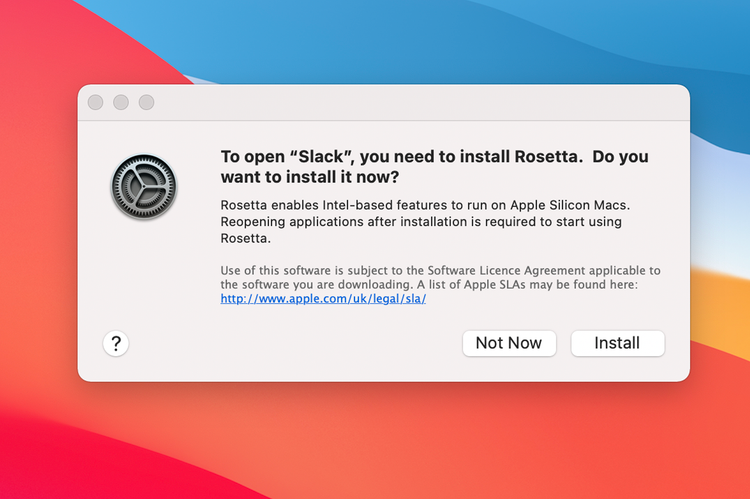
The key question with the move to Apple Silicon processors is if Apple could avoid the issues it had when it moved from Power PC to Intel processors around 2005. Could apps really work seamlessly on a completely new processor this time? The short answer is yes, Apple avoided the major issues.
Pocket-lint
That's thanks to Rosetta 2, a code translator, helping non-native apps run on Apple Silicon systems. Bizarrely it isn't installed as default – presumably if you just use Apple's own apps you won't need it. But if you open an app that isn't ready for Apple Silicon, you're prompted to install.
For an ever-increasing number of apps from the Mac App Store and Apple's native apps, everything works fine. But for stuff from other vendors, more work was needed. That work is happening, of course, and continues to but if you rely on even a couple of lesser-known apps you may want to check there is native M1 support.
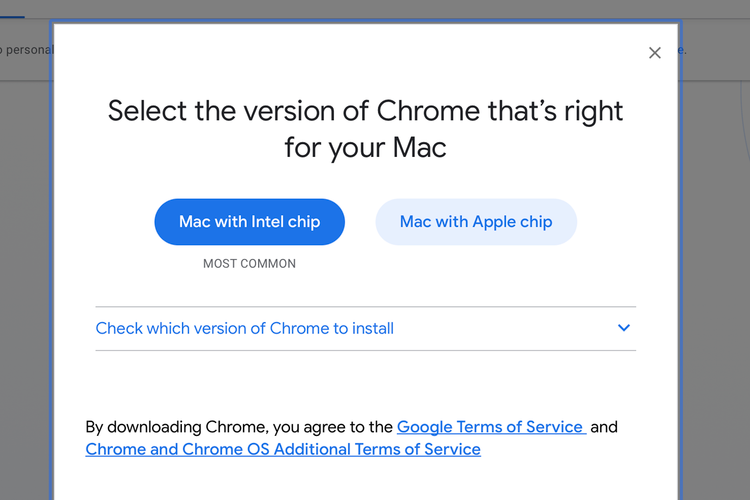
At the time of review in 2020, Zoom, for example, worked absolutely fine on Rosetta 2. Yet the company was quick to announce an Apple Silicon version. Native Apple Silicon support doesn't guarantee any problems, however – Google had to work to fix Chrome after the ARM version crashed repeatedly, which was a major pain for us the first few days we used this Mac. Generally though, apps are stable using Rosetta 2.
Pocket-lint
Apple Silicon-enabled Affinity apps, including Affinity Photo, run brilliantly, as does Microsoft Office (also now updated for Apple Silicon). But other big-vendor apps were lagging behind initially. Adobe Creative Cloud had yet to fully move across, but this changed in 2021, when full support was then offered.
Now, if you compare apples with oranges and look at Microsoft's rambling attempts to cater for ARM-based Windows PCs, the Apple Silicon transition was already a dream. The Windows Store is a car crash in comparison to the Mac App Store and, while you can easily live off apps from the Mac App Store, the same can't be said of its Windows equivalent.
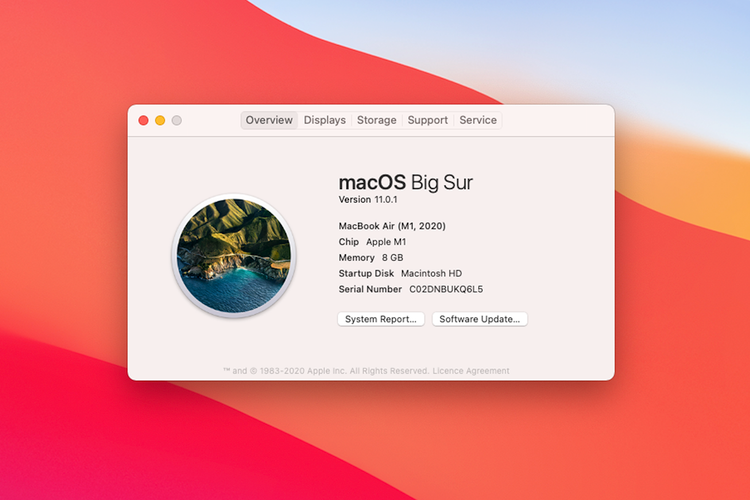
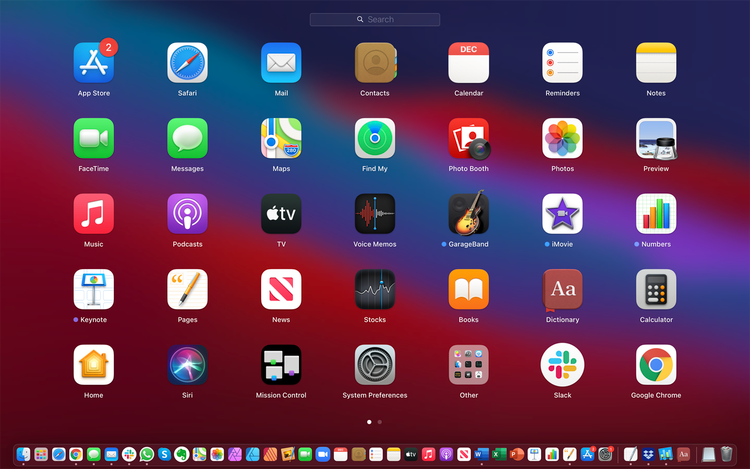
macOS Big Sur - which was the latest build at the time of review - was generally very stable providing you were using at least the 11.1 version – the 11.0 version wasn't so hot, with some apps quite slow, a couple of issues with USB-C docks and so on. While the Apple Silicon support was the big story with Big Sur, the design was overhauled. It wasn't the radical change that Apple first billed, but the design was more like iPadOS than ever.
Pocket-lint
That wasn't a bad thing, because the new design elements were largely familiar, while the OS does feel genuinely fresh to use. The latest software build is macOS Monterey, though this will be updated to [macOS Ventura](https://www.pocket-lint.com/laptops/news/apple/161606-macos-13-ventura-release-date-features/) in fall 2022.
##### Apple MacBook Air (M1, 2020)
**CPU**
Apple M1 chip
**Storage**
256GB, 512GB, 1TB, 2TB
**Battery**
49\.9WH, Up to 18 hours use, 30W charging supported
**Display (Size, Resolution)**
13\.3in IPS, 2560 x 1600, 227ppi, 400nits
**Memory**
8GB, 16GB
**Ports**
2 x Thunderbolt, 3.5mm
[\$799.99 at Amazon](https://www.amazon.com/dp/B08N5LNQCX?tag=pl-v2-2j31bj0-20&linkCode=ogi&th=1&psc=1&ascsubtag=UUplUeUpU42844&asc_refurl=https%3A%2F%2Fwww.pocket-lint.com%2Flaptops%2Freviews%2Fapple%2F155111-apple-macbook-air-review-m1-2020%2F&asc_campaign=Affiliate) [\$799.99 at Best Buy](https://shop-links.co/link/?exclusive=1&publisher_slug=pocketlint&url=https%3A%2F%2Fapi.bestbuy.com%2Fclick%2F-%2F5721600%2Fpdp&u1=squirrel-narrativ&article_name=Apple%20MacBook%20Air%20-%20M1%20\(2020\)) [\$799.99 at Best Buy](https://shop-links.co/link/?exclusive=1&publisher_slug=pocketlint&url=https%3A%2F%2Fapi.bestbuy.com%2Fclick%2F-%2F5721600%2Fpdp%3FIPID%3D11111&u1=squirrel-narrativ&article_name=Apple%20MacBook%20Air%20-%20M1%20\(2020\))
Expand Collapse
## To recap
There's the M2 MacBook Air to consider for the performance and design upgrades, but the M1 MacBook Air remains an excellent choice, despite no longer being the latest.
- [Laptops](https://www.pocket-lint.com/laptops/ "Laptops")
- [Apple](https://www.pocket-lint.com/apple/ "Apple")
Follow
Followed
Like
Share
[Facebook](https://www.facebook.com/sharer/sharer.php?u=https%3A%2F%2Fwww.pocket-lint.com%2Flaptops%2Freviews%2Fapple%2F155111-apple-macbook-air-review-m1-2020%2F%2F&src=sdkpreparse) [X](https://twitter.com/intent/tweet?text=Apple%20MacBook%20Air%20%28M1%2C%202020%29%20review%3A%20Still%20worth%20considering%3F&url=https%3A%2F%2Fwww.pocket-lint.com%2Flaptops%2Freviews%2Fapple%2F155111-apple-macbook-air-review-m1-2020%2F) [LinkedIn](https://www.linkedin.com/shareArticle?mini=true&url=https%3A%2F%2Fwww.pocket-lint.com%2Flaptops%2Freviews%2Fapple%2F155111-apple-macbook-air-review-m1-2020%2F&title=Apple%20MacBook%20Air%20%28M1%2C%202020%29%20review%3A%20Still%20worth%20considering%3F&source=www.pocket-lint.com&summary=The%20MacBook%20Air%20%28M1%2C%202020%29%20runs%20the%20Apple%20Silicon%20M1%20chip%20and%20sits%20alongside%20the%20newer%20Apple%20MacBook%20Air%20%28M2%2C%202022%29.%20Should%20you%20still%20consider%20it%3F) [Reddit](https://www.reddit.com/submit?url=https%3A%2F%2Fwww.pocket-lint.com%2Flaptops%2Freviews%2Fapple%2F155111-apple-macbook-air-review-m1-2020%2F) [Flipboard](http://share.flipboard.com/bookmarklet/popout?v=2&title=Apple%20MacBook%20Air%20%28M1%2C%202020%29%20review%3A%20Still%20worth%20considering%3F&url=https%3A%2F%2Fwww.pocket-lint.com%2Flaptops%2Freviews%2Fapple%2F155111-apple-macbook-air-review-m1-2020%2F&utm_campaign=tools&utm_medium=article-share&utm_source=www.pocket-lint.com) [Copy link]() [Email](<mailto:?Subject=Apple MacBook Air (M1, 2020) review: Still worth considering?&Body=Check%20this%20out%21%0Ahttps://www.pocket-lint.com/laptops/reviews/apple/155111-apple-macbook-air-review-m1-2020/>)
Close
Recommended
[](https://www.pocket-lint.com/camera-control-other-uses/)
##### [The problem with Apple's Camera Control is that it's only a photography tool](https://www.pocket-lint.com/camera-control-other-uses/ "The problem with Apple's Camera Control is that it's only a photography tool")
[Phones](https://www.pocket-lint.com/phones/ "Phones")
The iPhone 16's new button hasn't made a big impact, but that's not because of how it works.
Posts
2 days ago
[](https://www.pocket-lint.com/apple-expands-self-repair-part-distributor-programs-canada/)
##### [Apple expands its self-repair and part distributor programs to Canada](https://www.pocket-lint.com/apple-expands-self-repair-part-distributor-programs-canada/ "Apple expands its self-repair and part distributor programs to Canada")
[Apple](https://www.pocket-lint.com/apple/ "Apple")
Like with its US program, Apple's Canadian Self Service Repair features comprehensive repair manuals, genuine Apple parts, and rental toolkits.
Posts
5 days ago
[](https://www.pocket-lint.com/why-im-not-buying-a-2025-apple-tv/)
##### [Why I'm not buying a 2025 Apple TV](https://www.pocket-lint.com/why-im-not-buying-a-2025-apple-tv/ "Why I'm not buying a 2025 Apple TV")
[TVs](https://www.pocket-lint.com/tv/ "TVs")
It's not that Apple's doing anything wrong - it's just the nature of modern streaming.
Posts
6 hours ago
[](https://www.pocket-lint.com/tactics-to-boost-wi-fi-signal/)
##### [4 tricks I use to boost my Wi-Fi signal for fast internet throughout my home](https://www.pocket-lint.com/tactics-to-boost-wi-fi-signal/ " 4 tricks I use to boost my Wi-Fi signal for fast internet throughout my home")
[Smart Home](https://www.pocket-lint.com/smart-home/ "Smart Home")
In most circumstances, there's no need to get very technical.
Posts
1 day ago
[](https://www.pocket-lint.com/outdoor-projector-battery/)
##### [4 things I wish I knew about battery-powered projectors before buying one](https://www.pocket-lint.com/outdoor-projector-battery/ "4 things I wish I knew about battery-powered projectors before buying one")
[TVs](https://www.pocket-lint.com/tv/ "TVs")
Limited options and features requires careful prep for outdoor movie nights.
Posts
3 days ago
[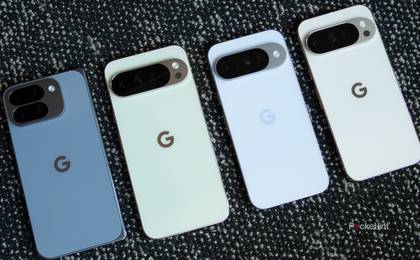](https://www.pocket-lint.com/pixel-10-amazon-deals/)
##### [I tracked down the top Pixel 10 deals, and they include free Amazon gift cards worth up to \$300](https://www.pocket-lint.com/pixel-10-amazon-deals/ "I tracked down the top Pixel 10 deals, and they include free Amazon gift cards worth up to $300")
[Phones](https://www.pocket-lint.com/phones/ "Phones")
The Pixel 10 series is now available for pre-order, and you can score a free Amazon gift card when you buy one for a limited time.
Posts
3 days ago
- ### Reviews
- ### Editorials
[](https://www.pocket-lint.com/valerion-fresnel-projector-screen-review/)
##### [I finally found the projector screen of my cinematic dreams](https://www.pocket-lint.com/valerion-fresnel-projector-screen-review/ "I finally found the projector screen of my cinematic dreams")
2 days ago
[](https://www.pocket-lint.com/howdy-streaming-service-review/)
##### [Howdy is cheap - and that's the best thing I can say about it](https://www.pocket-lint.com/howdy-streaming-service-review/ "Howdy is cheap - and that's the best thing I can say about it")
3 days ago
[](https://www.pocket-lint.com/satechi-mac-mini-ssd-base-review/)
##### [This Mac Mini SSD base overhauled my photography workflow](https://www.pocket-lint.com/satechi-mac-mini-ssd-base-review/ "This Mac Mini SSD base overhauled my photography workflow")
5 days ago
[](https://www.pocket-lint.com/boox-note-max-review/)
##### [I wish I had this high-tech study sidekick during my school days](https://www.pocket-lint.com/boox-note-max-review/ "I wish I had this high-tech study sidekick during my school days")
Aug 15, 2025
[](https://www.pocket-lint.com/belkin-switch-2-charging-case-review/)
##### [This Switch 2 case actually fixes a major problem](https://www.pocket-lint.com/belkin-switch-2-charging-case-review/ "This Switch 2 case actually fixes a major problem ")
Aug 4, 2025
[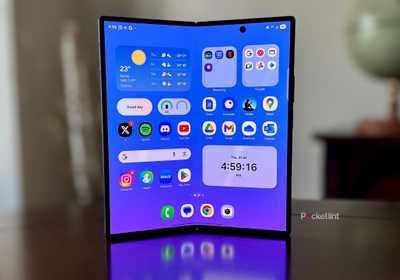](https://www.pocket-lint.com/samsung-galaxy-z-fold-7-review/)
##### [The Galaxy Z Fold 7 brings foldables to the brink of greatness](https://www.pocket-lint.com/samsung-galaxy-z-fold-7-review/ "The Galaxy Z Fold 7 brings foldables to the brink of greatness")
Aug 1, 2025
[See More](https://www.pocket-lint.com/reviews/)
[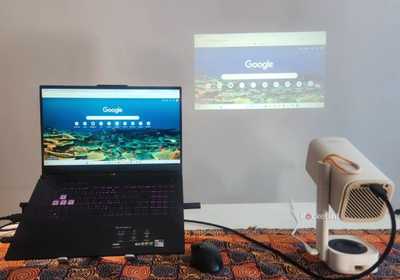](https://www.pocket-lint.com/i-tried-using-a-projector-as-a-monitor/)
##### [I replaced my monitor with a projector and it leveled up my workday](https://www.pocket-lint.com/i-tried-using-a-projector-as-a-monitor/ "I replaced my monitor with a projector and it leveled up my workday")
7 hours ago
[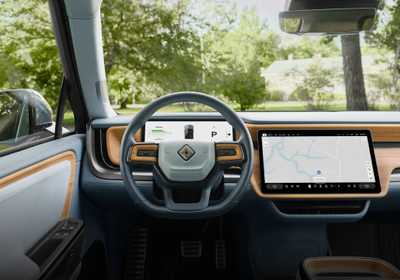](https://www.pocket-lint.com/software-defined-vehicles/)
##### [Why my next EV will be a 'software-defined' vehicle - and what that means for you](https://www.pocket-lint.com/software-defined-vehicles/ "Why my next EV will be a 'software-defined' vehicle - and what that means for you")
8 hours ago
[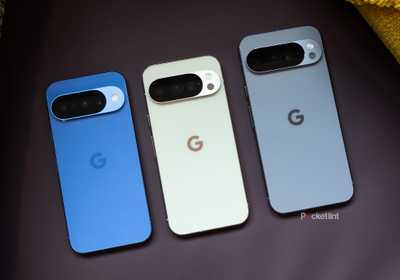](https://www.pocket-lint.com/google-pixel-10-pixel-10-pro-hands-on-preview/)
##### [Google's Pixel 10 series doesn't reinvent the wheel and that's a good thing](https://www.pocket-lint.com/google-pixel-10-pixel-10-pro-hands-on-preview/ "Google's Pixel 10 series doesn't reinvent the wheel and that's a good thing")
3 days ago
[](https://www.pocket-lint.com/google-pixel-10-pro-fold-hands-on-preview/)
##### [The Pixel 10 Pro Fold proves Google is finally ready to challenge Samsung](https://www.pocket-lint.com/google-pixel-10-pro-fold-hands-on-preview/ "The Pixel 10 Pro Fold proves Google is finally ready to challenge Samsung ")
3 days ago
[](https://www.pocket-lint.com/make-your-own-music-streaming-service/)
##### [How to get rid of Spotify and make your own music streaming service](https://www.pocket-lint.com/make-your-own-music-streaming-service/ "How to get rid of Spotify and make your own music streaming service")
4 days ago
[](https://www.pocket-lint.com/google-pixel-buds-2a-reveal/)
##### [Google introduces \$130 Pixel Buds 2a, now with noise-canceling power](https://www.pocket-lint.com/google-pixel-buds-2a-reveal/ "Google introduces $130 Pixel Buds 2a, now with noise-canceling power")
3 days ago
[See More](https://www.pocket-lint.com/editorials/)
Trending Now
[](https://www.pocket-lint.com/directv-sports-mix-channels/)
##### [DirecTV just copied my favorite YouTube TV feature for a fraction of the price](https://www.pocket-lint.com/directv-sports-mix-channels/ "DirecTV just copied my favorite YouTube TV feature for a fraction of the price")
[](https://www.pocket-lint.com/harman-automotive-infotainment-vs-apple-car-play/)
##### [Car makers are getting tired of CarPlay, and this company has a solution](https://www.pocket-lint.com/harman-automotive-infotainment-vs-apple-car-play/ "Car makers are getting tired of CarPlay, and this company has a solution")
[](https://www.pocket-lint.com/google-tv-64-bit-apps/)
##### [Google TV finally getting an upgrade that Apple TV got 6 years ago](https://www.pocket-lint.com/google-tv-64-bit-apps/ "Google TV finally getting an upgrade that Apple TV got 6 years ago ")
[](https://www.pocket-lint.com/)
- [Join Our Team](https://www.pocket-lint.com/work-with-us/)
- [Our Audience](https://www.pocket-lint.com/page/advertise/)
- [About Us](https://www.pocket-lint.com/page/about/)
- [Press & Events](https://www.pocket-lint.com/page/press-events/)
- [Contact Us](https://www.pocket-lint.com/contact/)
- Follow Us
[](https://www.valnetinc.com/en/)
- [Advertising](https://www.valnetinc.com/en/advertising)
- [Careers](https://www.valnetinc.com/en/careers)
- [Terms](https://www.valnetinc.com/en/terms-of-use)
- [Privacy](https://www.valnetinc.com/en/privacy-policy)
- [Policies](https://www.valnetinc.com/en/editorial-integrity)
[Pocket-lint](https://www.pocket-lint.com/) is part of the [Valnet Publishing Group](https://www.valnetinc.com/en/)
Copyright © 2025 Valnet Inc. | |||||||||
| Readable Markdown | null | |||||||||
| ML Classification | ||||||||||
| ML Categories |
Raw JSON{
"/Computers_and_Electronics": 997,
"/Computers_and_Electronics/Computer_Hardware": 992,
"/Computers_and_Electronics/Computer_Hardware/Laptops_and_Notebooks": 992
} | |||||||||
| ML Page Types |
Raw JSON{
"/Article": 998,
"/Article/Product_or_Brand_Review": 996
} | |||||||||
| ML Intent Types |
Raw JSON{
"Informational": 831,
"Commercial": 325
} | |||||||||
| Content Metadata | ||||||||||
| Language | en | |||||||||
| Author | Dan Grabham | |||||||||
| Publish Time | 2020-12-30 10:00:00 (5 years ago) | |||||||||
| Original Publish Time | 2020-12-30 10:00:00 (5 years ago) | |||||||||
| Republished | No | |||||||||
| Word Count (Total) | 3,272 | |||||||||
| Word Count (Content) | 2,491 | |||||||||
| Links | ||||||||||
| External Links | 25 | |||||||||
| Internal Links | 87 | |||||||||
| Technical SEO | ||||||||||
| Meta Nofollow | No | |||||||||
| Meta Noarchive | No | |||||||||
| JS Rendered | No | |||||||||
| Redirect Target | null | |||||||||
| Performance | ||||||||||
| Download Time (ms) | 148 | |||||||||
| TTFB (ms) | 133 | |||||||||
| Download Size (bytes) | 35,801 | |||||||||
| Shard | 168 (laksa) | |||||||||
| Root Hash | 6978951516395359168 | |||||||||
| Unparsed URL | com,pocket-lint!www,/laptops/reviews/apple/155111-apple-macbook-air-review-m1-2020/ s443 | |||||||||