ℹ️ Skipped - page is already crawled
| Filter | Status | Condition | Details |
|---|---|---|---|
| HTTP status | PASS | download_http_code = 200 | HTTP 200 |
| Age cutoff | PASS | download_stamp > now() - 6 MONTH | 0.2 months ago |
| History drop | PASS | isNull(history_drop_reason) | No drop reason |
| Spam/ban | PASS | fh_dont_index != 1 AND ml_spam_score = 0 | ml_spam_score=0 |
| Canonical | PASS | meta_canonical IS NULL OR = '' OR = src_unparsed | Not set |
| Property | Value |
|---|---|
| URL | https://www.laptopmag.com/reviews/macbook-air-m1-2020 |
| Last Crawled | 2026-04-14 18:14:42 (5 days ago) |
| First Indexed | 2020-11-17 18:40:37 (5 years ago) |
| HTTP Status Code | 200 |
| Meta Title | MacBook Air with M1 review: A near-perfect laptop | Laptop Mag |
| Meta Description | A groundbreaking transformation; the M1 chip takes the MacBook Air to new heights with better performance and battery life than ever before. Put simply, the new MacBook Air with Apple Silicon is the best laptop for most people. |
| Meta Canonical | null |
| Boilerpipe Text | Laptop Mag Verdict
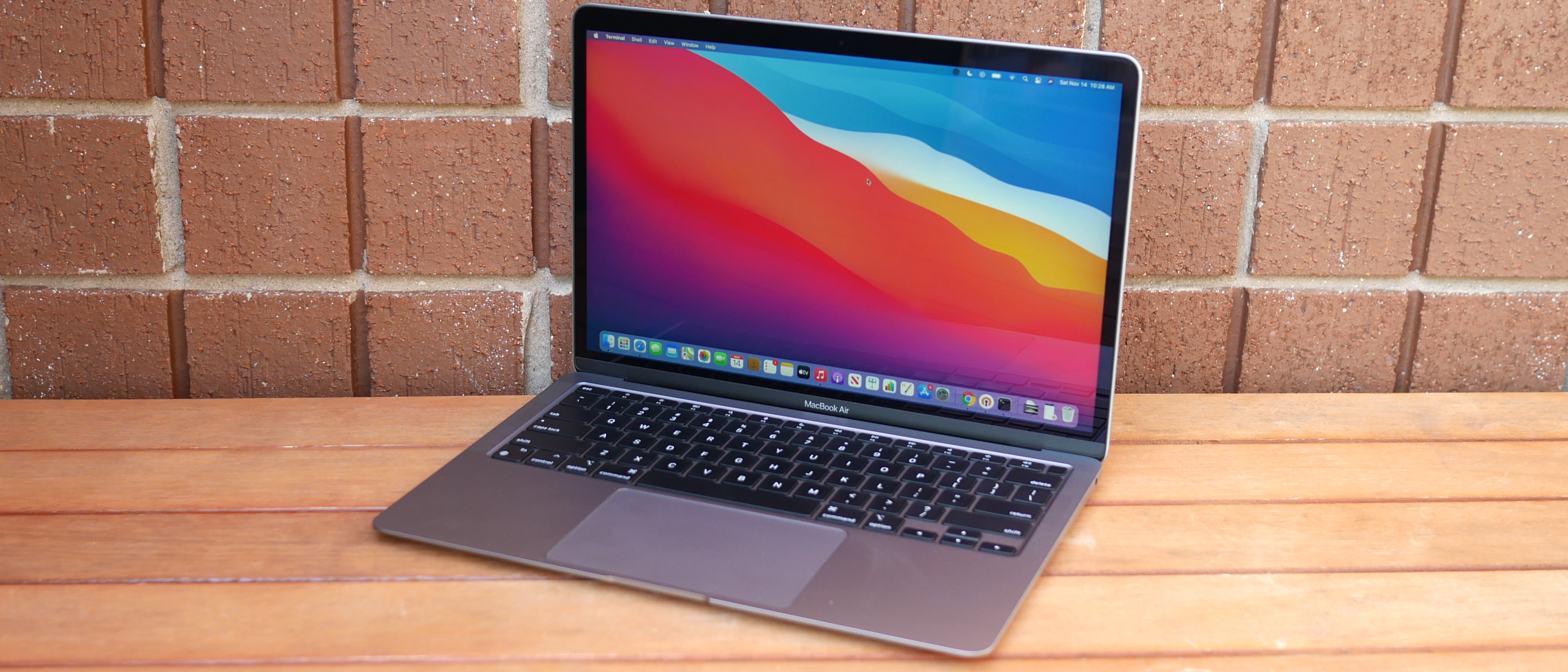
A groundbreaking transformation; the M1 chip takes the MacBook Air to new heights with better performance and battery life than ever before. Put simply, the new MacBook Air is the best laptop for most people.
Pros
+
Breathtaking performance
+
Outstanding battery life
+
Slim unibody aluminum chassis
+
iPhone and iPad app support
+
Great speakers and Magic keyboard
+
macOS Big Sur is a nice update
Cons
-
Few ports
-
Design could use an update
Why you can trust Laptop Mag
Our expert reviewers spend hours testing and comparing products and services so you can choose the best for you.
Find out more about how we test
.
Macbook Air (M1, 2020): Specs
Price
: $999 (starting); $1,649 (reviewed at)
CPU
: Apple M1
RAM
: 16GB
Storage
: 1TB
Display
: 13.3-inch, 2560 x 1660-pixel
Battery
: 14:41
Size
: 12 x 8.4 x 0.6 inches
Weight
: 2.8 pounds
It's amazing what a new heart can do for a laptop. The latest
MacBook Air
ushers in a new era for
Apple
with its custom-made M1 chip. Yes, Apple's long-awaited transition away from
Intel
and into the ARMs of custom silicon has arrived, and the new chip blows us away.
I'll start by saying the new MacBook Air is an improvement over the previous model in every way, bringing monumental performance and battery life enhancements. Those bold claims Apple made about the M1? They weren't exaggerations. This MacBook Air out-muscles every laptop in its class while lasting a full day on a charge. And it does so with a fanless design, meaning the Air is pin-drop silent.
Along with record-setting performance,
Apple Silicon
adds
iOS
and
iPadOS
apps to the Mac App Store. You also get better webcam quality, and macOS Big Sur is a gorgeous redesign of Apple's desktop OS. The new MacBook Air may have a few faults, but it's the closest Apple has ever been to crafting the perfect laptop.
MacBook Air: Price and configuration options
Apple sells two configurable versions of the new MacBook Air, both powered by the new M1 chip.
For $999, you can buy the base model with an M1 SoC, 8GB of RAM and a 256GB SSD. Look at the fine print and you'll notice this version has a 7-core GPU.
Upgrading RAM from 8GB to 16GB costs an additional $200 as does upgrading from 256GB of storage to 512GB. The 1TB SSD option raises the base price by $400 while 2TB of storage is $800 extra.
For $1,249, you get the 8-core GPU model with an M1 SoC, 8GB of RAM and a 512GB SSD. Upgrades cost the same for this version: $200 for 16GB of RAM, another $200 for 1TB of storage, or an additional $600 for a 2TB SSD. Our review unit, with an 8-core M1 GPU, 16GB of RAM and a 1TB SSD, goes for $1,649.
Get The Snapshot, our free newsletter on the future of computing
Sign up to receive The Snapshot, a free special dispatch from Laptop Mag, in your inbox.
MacBook Air: Design
The MacBook Air got a new heart but kept the old body.
This is the same design we've seen on past models, and I have mixed feelings about it. On one hand, the MacBook Air is a handsome notebook with a sleek unibody aluminum design. However, the chassis lacks some modern fixings and doesn't dazzle like some of its competitors.
(Image credit: Laptop Mag)
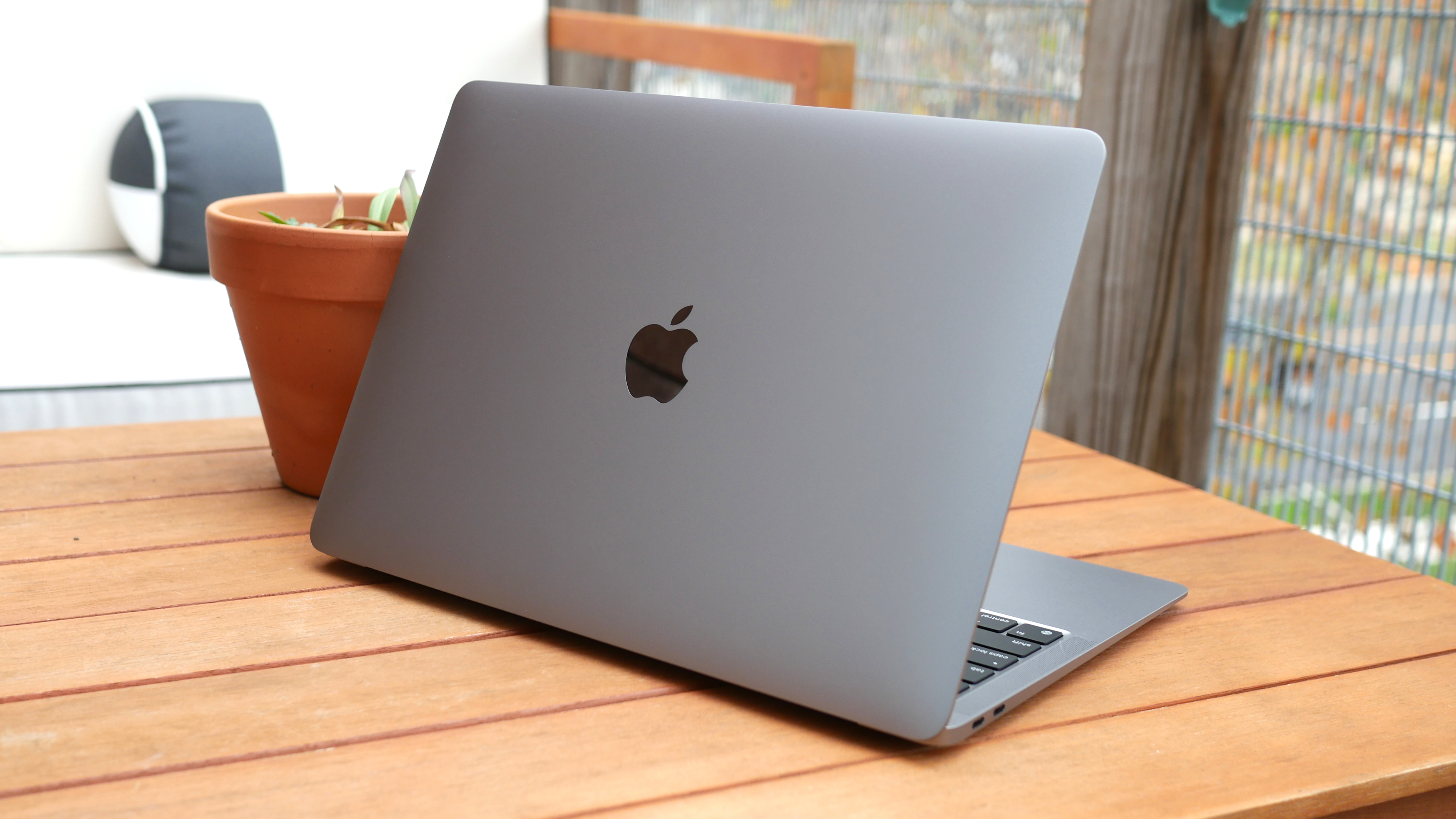
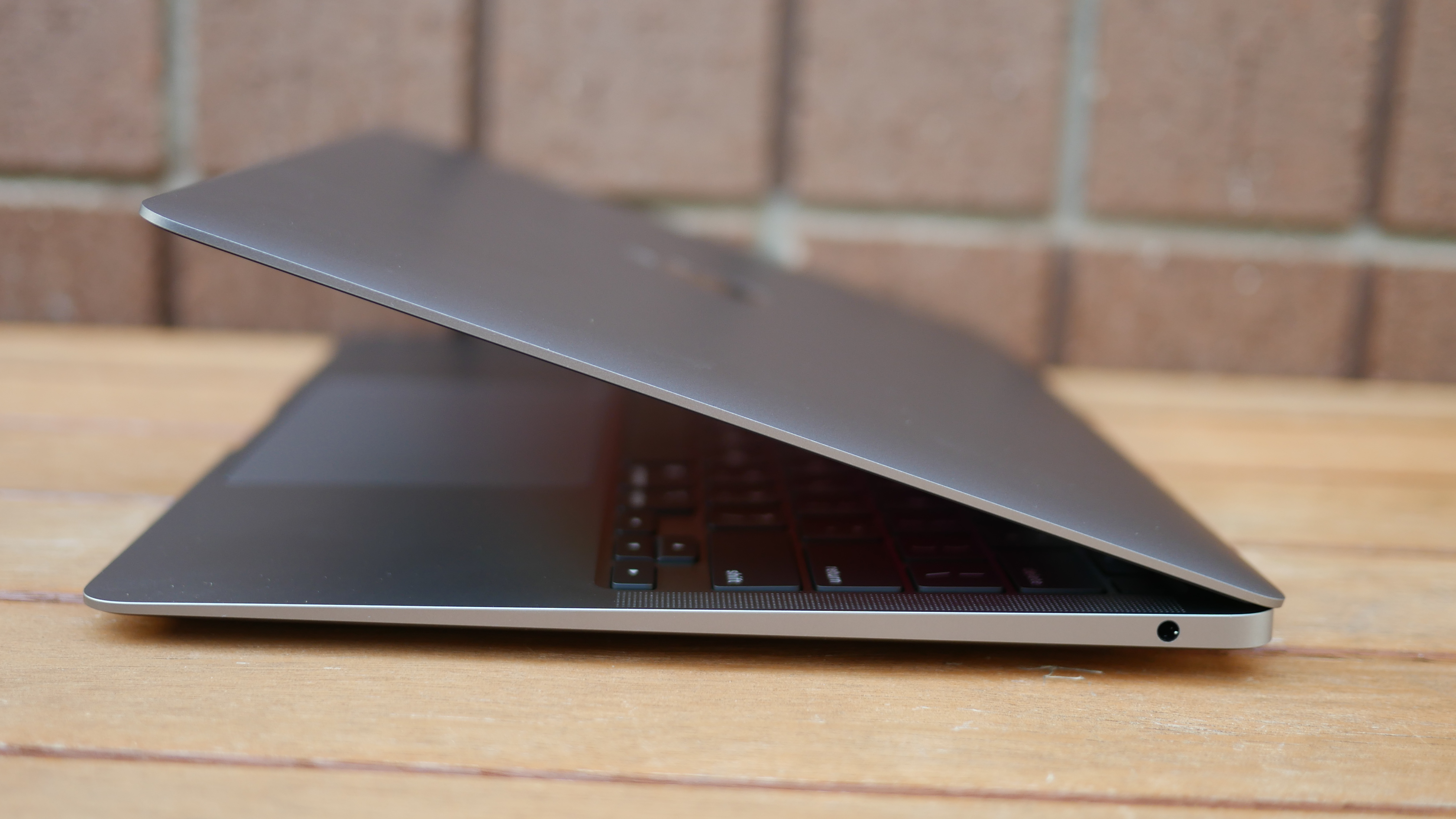
Starting with the positives, the Air's familiar design has held up over the years in large part because of the premium materials and precision craftsmanship. You'll feel much better about spending $1,000+ on this laptop once you get it in your hands. With a wedge-shaped design that is thicker at the back and thinner up front, the MacBook Air has a stylish stance, and while 0.6 inches is thin for a laptop, the Air feels even thinner.
Centered on the lid of the MacBook Air is the iconic bitten-fruit logo in reflective
chrome
, surrounded by blank spaces of undisturbed metal. It's a minimalist design Apple has used to great effect, and I'm all about it. Open the laptop, and you'll spot a clean deck with a large trackpad below black keyboard keys. Flanking each end of the keyboard are speaker grills while nearly invisible hinges attach the deck to the lid.
(Image credit: Laptop Mag)
I reviewed the Space Gray variant — my personal preference — but the MacBook Air also comes in an understated silver or a flashier rose gold finish. I wish Apple color-matched the keys with the exterior (see Surface Laptop 3), instead, the keyboard is black regardless of which color you choose.
The MacBook Air doesn't just look great, but its design is also practical. It might only be a problem for nit-pickers but slim laptops can be difficult to open. That isn't true of the MacBook Air thanks to the notch on the deck which lets you pry the lid up with one finger. Better yet, the base stays grounded on a flat surface when you open the lid — a magic trick more vendors should learn.
While the design is great, there is room for improvement. I hope the next version takes after the
Dell XPS 13
and trims the bezels down further to allow for an even smaller footprint. As it stands, the MacBook Air, at 12 x 8.4 x 0.6 inches and 2.8 pounds, is larger than the
Dell XPS
13 (11.6 x 7.8 x 0.6 inches, 2.8 pounds), but more compact than the
13.5-inch Microsoft Surface Laptop 3
(12.1 x 8.8 x 0.6 inches, 2.9 pounds).
MacBook Air: Security
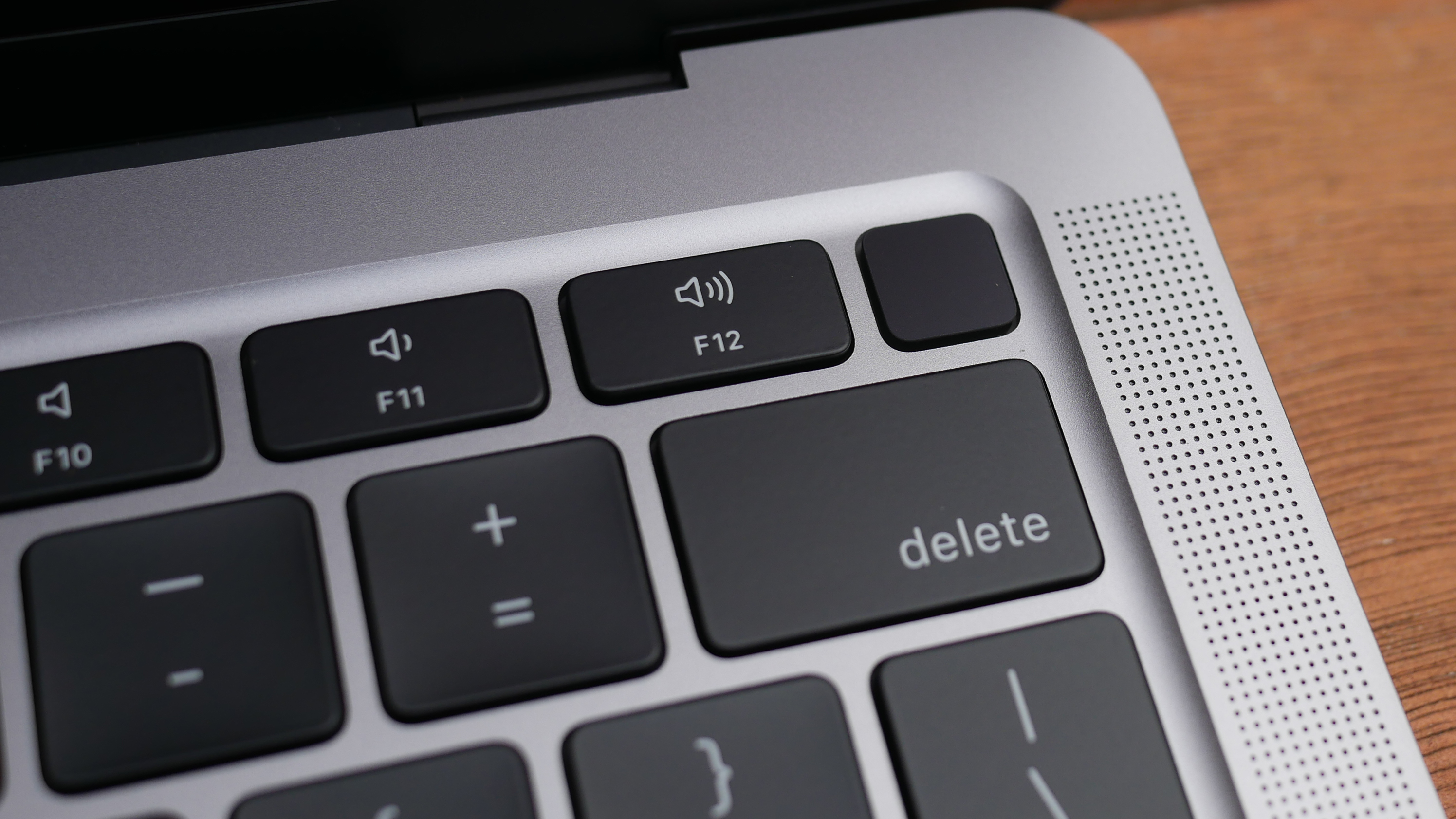
Returning to the MacBook Air is Touch ID, located on the top-right corner of the keyboard, above Delete and next to the volume-up key. The small squircle-shaped key acts as a power button.
(Image credit: Laptop Mag)
While the
fingerprint sensor
works quickly and reliably, I wish Apple put an IR camera on the top display bezel. The laptop wakes from sleep instantly now, so I want the login process to be just as immediate. Touch ID is a better option than typing in a password, but it isn't as instantaneous as facial recognition.
The M1 chip also provides data encryption, hardware-verified secure boot, automatic high-performance encryption and advanced runtime protections as part of its Secure Enclave software.
MacBook Air: Ports
Bring your dongles because the new MacBook Air shares the same few
ports
as the previous model.
(Image credit: Laptop Mag)
On the left side are two
Thunderbolt 3
inputs with USB-C connectivity. I wish these were split among each side of the laptop so you could charge from either end, especially because the power cord is rather short.
(Image credit: Laptop Mag)
On the right side of the laptop is a lone headphone jack.
The latest PCs support
Thunderbolt 4
; this might seem like a disadvantage for the Air but most people won't notice the difference between the two standards.
Wondering how the MacBook Air supports Thunderbolt 3 despite the standard being an Intel technology? It goes back to over a decade ago when Intel and Apple collaborated to create Thunderbolt.
MacBook Air: Display
An important, but overlooked change made to the MacBook Air with Apple Silicon is the addition of P3 color gamut support. What does that mean? The 13.3-inch, 2560 x 1600-pixel Retina display on the MacBook Air with M1 is more vivid this time around.
(Image credit: Laptop Mag)
I enjoyed watching the No Time to Die trailer on the MacBook Air; the screen gets bright and the colors are punchy. As much as I want to see the next 007 in theaters, I would be fine watching it on the MacBook Air if streaming were my only option. The screen was so detailed that I could see each crevasse in Rami Malick's scarred face and the small dots of orange whizz across the screen as Bond lazily evaded a barrage of bullets. Daniel Craig's eyes were a brilliant aquamarine throughout the trailer and an amber explosion in a night scene popped against inky black tones.
(Image credit: Laptop Mag)
We measured the display with a colorimeter and found that the panel covers 80.9% of the
DCI-P3 color gamut
, a standard used for film and TV. The older model was slightly less colorful, at 80%, while the XPS 13 (69.4%) wasn't nearly as vivid. The new MacBook Air would have squeaked out a win if not for the gorgeous panel on the Surface Laptop 3 (85.9%), which topped the category average (80.8%).
Reaching 366 nits of
brightness
, the MacBook Air is visible outdoors on a bright day. That said, the previous model was even more luminous, hitting 386 nits, while the XPS 13 (469 nits) was blinding in comparison. While the most colorful, the Surface Laptop 3 (348 nits) was the dimmest of the bunch, and, like the new MacBook Air, fell short of the premium laptop average (386 nits).
MacBook Air: Keyboard and trackpad
Magic made the
Butterfly
extinct and the world of MacBooks is better for it. The
Magic Keyboard
on the MacBook Air is comfortable to type on. Although shallow, the keys are clicky and require just the right amount of force to actuate.
The keys are a good size, even for those with larger hands, and the appropriate spacing meant there was no learning curve to getting started — I was tapping out words from the moment I booted the laptop.
(Image credit: Laptop Mag)
I like the layout of the keyboard as well. The inverted-T arrow keys are separated from the rest of the numbers and letters, making them easier to find by feel. Apple also swapped out some of the function keys on this new model. Gone are the keyboard backlighting brightness (backlighting can be adjusted via a slider in the Control Center) and Launchpad keys and in their place are keys for Dictation (voice-to-text dictation), Do not disturb (turns off notifications) and Spotlight (system-wide desktop search).
I typed at 113 words per minute with a 96% accuracy on the 10fastfingers.com typing test, which is faster and more accurate than my 109-wpm average and 5% error rate.
(Image credit: Laptop Mag)
The 4.7 x 3.2-inch trackpad is massive, taking up a good portion of the deck below the keyboard. You can easily fit four fingers on the surface to execute certain
macOS gestures
, like switching between full-screen apps (four-finger swipes left or right) or opening the "Mission Control" interface with a four-finger swipe up.
As we've come to expect, the touchpad did a fantastic job of executing these gestures; I never needed a retake to pull them off. Finally, Force Touch returns, and though I've never been a fan of how it feels, I appreciate the added functionality it brings.
MacBook Air: Audio
Thin size usually means thin sound, but not with the MacBook Air.
The top-firing stereo speakers flanking the keyboard sound great and get plenty loud. Joy Crookes' "Hurt" filled my large(ish) living room with lively, toe-tapping grooves. The pared-down percussion accompanying the gentle vocals were detailed, adding a crisp hi-hat "chick" to this funky jam.
(Image credit: Laptop Mag)
Jay-Z and Kanye West's "No Church in the Wild" was driven by a weighty "thud" and although there were some funky drum kicks forming the rhythm in LEISURE's "Eye 2 Eye," the instruments were separated enough for me to hear simple guitar strumming between each hit. You don't get chest-thudding low-end on the MacBook Air, but there's more depth than I expected from such a thin laptop.
MacBook Air: Performance with M1 and Rosetta 2
Apple's new M1 chip is a revelation. Delivering unrivaled performance, the M1 transforms the MacBook Air from an underpowered entry-level Mac recommended for running lightweight day-to-day tasks to the fastest ultrathin laptop ever. With the ARM-based chip, the Air is now capable of powering demanding apps needed by professional users.
(Image credit: Laptop Mag)
My experience using the MacBook Air for my rigorous day-to-day workload was generally positive. The M1 chip scoffed when I loaded 25 tabs on
Google Chrome
(running on Rosetta 2), four of which played
YouTube
videos while another pair streamed on
Twitch
. I did notice some sluggishness with certain tabs that I don't usually encounter on my
Dell XPS 15
. When I tried the same workload on
Safari
, which runs natively, everything loaded instantly — photos, graphics and text blinked onto the screen the moment I pressed Return.
Before I get into the benchmark numbers, let's talk about the new chip. The M1, Apple's first SoC for laptops, is an eight-core chip divided into four performance and four efficiency cores. The former is used for computationally intensive apps whereas the latter uses one-tenth as much power to preserve battery life while running lightweight tasks. The chip uses a unified memory architecture (UMA), meaning (non-expandable) RAM is shared between the GPU and CPU.
(Image credit: Future)
As you'll see below, shifting to an ARM-based chip paid off in a big way for Apple. However, there is some fine print. Because the M1 uses a different architecture (arm64) from Intel (x86-64), apps need to be optimized by developers for ARM. You can still run non-native Intel apps but they are fed through a translator called Rosetta 2.
The upside? This process is automatic, meaning all the apps you've been using still work on the new MacBook Air. The downside? Emulation generally results in a hit to performance. As it stands, the vast majority of apps require the Rosetta 2 emulator. It's something early M1 adopters should consider as Apple says the transition from Intel to ARM will take two years to complete.
Does any of this really matter? Well, it depends. Rosetta 2 is a very capable translator, and the incredible performance of the M1 chip means you probably won't notice when an app is being translated. That said,
Google Chrome
(via Rosetta 2) seemed to run a bit slower than normal, while Safari, a native app, is blink-and-you-miss-it fast.
(Image credit: Apple)
There are also cases when emulated apps actually run faster than they did on the previous MacBook Air. So there is some variation for how each app acts, but in general, everything I tested was speedy, and as developers port from Intel to ARM, things will only get quicker. We're early in that process, but there is reason to be hopeful: Adobe Lightroom for ARM will arrive next month while a native Photoshop app is expected in early 2021; native versions of Microsoft Office apps are also in development.
If you're waiting for proof of the bold claims I made about the M1, take a seat, because here they come. Our MacBook Air with 16GB of
RAM
scored a resounding 5,962 on the Geekbench 5.2 overall performance test, crushing the XPS 13 (5,319, Core i7-1165G7) with an
11th Gen (Tiger lake) Intel Core
. The Surface Laptop 3 (4,791) with 10th Gen Intel chips dropped further behind, but still topped the category average (4,178).
It took the MacBook Air only 9 minutes and 15 seconds to convert a 4K video to 1080p using the Handbrake beta, which runs natively on M1 (14:56 for Handbrake on Rosetta 2). The XPS 13 needed 18:22 to complete the task while the pedestrian results from the previous MacBook Air (27:10) and Surface Laptop 3 (24:55) didn't get near the 17:18 category average.
With a score of 653 on the Photoshop benchmark, the MacBook Air squeezed out the win against the XPS 13 (588) while topping the category average (613) and demolishing the previous model (459).
I'm having trouble wrapping my head around the speed of the MacBook Air's
512GB
SSD. Apple wasn't joking when it said the SSD is twice as fast as before, but let me remind you, it was
already
faster than any storage drive in its class by a large margin. The SSD was lightning quick on the BlackMagic benchmark, reaching 2,897.8 megabytes per second. I'll let you do the math, but that is many times faster than the XPS 13 (806.2 MBps), the Surface Laptop 3 (541.4 MBps) and the category average (780.9 MBps). Credit where credit is due, the previous MacBook Air (1,301.9 MBps) was, as Apple said, about half as fast.
MacBook Air: iPhone and iPad apps
With the M1 chip arriving in MacBooks, all of Apple's products: phones, laptops and tablets, use the same architecture. It gives Apple more control over the hardware and software of its laptops, and just as importantly, makes the company's walled garden more integrated than ever. One immediate benefit is the introduction of
iOS
and
iPadOS
apps on Mac.
Yes, you can now run iPhone and iPad apps natively on a MacBook Air or
MacBook Pro
with M1. But similar to how not all Intel programs have been ported to ARM, not all iOS and iPadOS apps have been optimized for Mac. And some, like Snapchat,
Amazon Prime Video
, and certain Google apps, are outright missing (developers can opt-out of having iOS apps brought over to macOS).
(Image credit: Laptop Mag)
When I searched for Duolingo, my go-to language-learning app, in the Mac App Store, I didn't get any results. At least, not until I chose the "iPhone and iPad Apps" option. As I expected, the app window took up a tiny section of the screen, a stark reminder that the app hasn't adjusted to its new home. Fortunately, there are plenty of apps optimized for Mac — the Microsoft Office suite, Grammarly, and Facebook Messenger, to name a few — and I suspect more will arrive as iOS developers port their apps over to Mac.
It's worth reiterating that iOS and iPadOS apps are isolated from apps made for Mac. Apple knows the experience of using unoptimized apps is...less than ideal. You generally don't want to run iOS apps on your MacBook Air until they are ported to Mac, unless you really need to.
MacBook Air: Graphics
Apple talked a big game about the graphics capabilities of its M1 chip, and it wasn't messing around. While it won't replace a discrete graphics card for gaming, the M1 (with eight GPU cores) outperforms
Iris Xe
, Intel's long-hyped
integrated graphics
accompanying 11th Gen processors.
The MacBook Air ran Rise of the Tomb Raider (1440 x 900) on Very High graphics settings at 29 frames per second. That is playable, but just below our 30-fps threshold for smooth, lag-free gaming. Cranking up the resolution to 2880 x 1800 was too much for the MacBook Air, which ran the game at a sluggish 8 fps.
Sid Meier's Civilization VI: Gathering Storm ran at a smooth 37 fps at 1440 x 900-resolution with the graphics set to Medium. The XPS 13 played the same game at 1080p at only 16 fps while the previous MacBook Air puttered at 7 fps, well short of the 28-fps average.
MacBook Air: Battery life
Usually, laptop chips act like teeter-totters. On one end is performance, on the other is
battery life
. The M1 chip shakes its head at that metaphor, lifting
both
performance and endurance over the Intel CPU in the previous model.
The MacBook Air lasted
14 hours and 41 minutes
on our battery test, which involves continuous web surfing over Wi-Fi at 150 nits of brightness.
That isn't the very best runtime we've seen, but it's among the top performers. For comparison, the XPS 13 ran for 11 hours and 7 minutes while the Surface Laptop 3 endured for 9 hours and 17 minutes. The previous MacBook Air powered down after 9 hours and 31 minutes. The new MacBook Air and XPS 13 are the only laptops in this group to outlast the category average (10:01). So, which laptop lasts longer than the MacBook Air? Asus' marathon-running
ExpertBook B9450
lasted for 16 hours and 42 minutes.
(Image credit: Laptop Mag)
The MacBook Air's battery also held out well in real-world testing. I watched the second half of a Nation's League soccer game between Germany and Ukraine with about a dozen apps open in both Chrome and Safari. When the final whistle blew after the second 45-minute period, the MacBook Air was at 95% battery life. I chuckled when I ran some quick math to determine that, at this rate, the laptop would last 15 hours on a charge, matching Apple's own rating.
And when my power went out with the MacBook Air at a 55% charge, the laptop lasted several more hours so I could knock out sections of this review that didn't require me to be connected to Wi-Fi.
MacBook Air: Webcam
The same 720p webcam returns to the MacBook Air but with a smarter brain. The M1 chip has its own image signal processor that improves noise reduction, dynamic range and highlights. My hopes that Apple would set a new standard for the historically awful laptop webcams were dashed when I snapped a selfie in my office.
(Image credit: Laptop Mag)
Don't get me wrong, the video and photo quality are superior to the vast majority of webcams we have the misfortune of testing. But it falls well short of the smartphone camera quality I was optimistically anticipating. This picture I snapped is a tad fuzzy, but the colors are great and the image is bright. You can see the plush complexion of my cheeks and the burnt orange in my hat would make any UT Austin grad proud.
(Image credit: Laptop Mag)
I took another photo outside to give the camera a fair shake, but it did something strange to the sky behind me. This photo is more detailed, you can see individual hairs in my unkempt beard, but the sky is blown out. On a positive note, the mics do an excellent job of capturing crisp, clean audio, according to my colleagues on a
Google Hangouts
video chat.
MacBook Air: Heat
No fans? No problem.
The MacBook Air kept its cool in our heat test, warming to only 84 degrees Fahrenheit after playing a 15-minute, 1080p video in full-screen. For reference, we start getting concerned when temps top 95-degrees, so the MacBook Air is well within the comfort zone. Even better, the parts your skin touches, the touchpad and keyboard, reached only 78 degrees and 81 degrees, respectively.
What makes this so impressive is that the MacBook Air — like the
12-inch MacBook
before it — is fanless, relying solely on an aluminum heat spreader to keep cool. It's more proof of how efficient the M1 chip is.
These are great results for the Air, but keep in mind that a major difference between the MacBook Air and MacBook Pro is that the pricier model has a fan to allow for sustained performance. Run taxing programs for long enough and the MacBook Air will eventually get uncomfortably hot (although it never did during my testing).
MacBook Air: macOS Big Sur
With a new chip comes a new operating system. The MacBook Air now runs macOS Big Sur, the latest version of Apple's desktop OS. You can expect a full review of Big Sur soon, but for now, I'll give you a rundown of some of the top features and major changes.
Embracing the lead of iOS and iPadOS, macOS Big Sur represents the biggest design change since OS X was released nearly 20 years ago. The new interface emphasizes bold colors that contrast against transparent elements, creating a visually pleasing effect that works great with the beautiful stock backgrounds available on Big Sur. App icons also have a new squircle shape, matching the rounded squares of iPhone apps.
(Image credit: Apple)
Also adopted from iOS is the Control Center, which puts important system settings (Bluetooth, Wi-Fi, AirDrop, keyboard brightness) in a single pane on the top-right of your screen. It is similar to the UI that appears when you swipe down from the top-right of an iPad, except on macOS, you access it by pressing a slider icon next to
Siri
.
Other updates are found in Apple Maps, which gains a Guides feature, and a new Messages app that lets you pin conversation to the top of the list, reply inline to messages or type someone's name to message them directly. You can now add new widgets to the Notification Center (two-finger swipe on the left side of the trackpad) where you'll find redesigned widgets.
The biggest beneficiary of all the changes debuting in Big Sur is Safari. You can now customize the browser's start page and preview pages by holding your pointer over a tab. Apple's web browser is both faster and more power-efficient, making it a more compelling alternative to Chrome. Speaking of which, you can now import your passwords and settings from Chrome should you want to make the switch. Other cool features arriving on Safari are a language translator (in beta) and password monitoring, which alerts you when one of your passwords is compromised.
MacBook Air: Warranty
The Apple MacBook Pro ships with a 1-year limited warranty with 90-day phone support. See how Apple fared on
Best and Worst Brands
and
Tech Support Showdown
, our annual special reports.
Bottom line
(Image credit: Laptop Mag)
Talk about breathing new life into a laptop. The Midas of processors, everything Apple's M1 SoC touches turns to gold. With its new engine, the MacBook Air goes from an underpowered laptop that barely makes the cut to one of the fastest notebooks around — not just in its portable segment but compared to everything else on the market. And with 14+ hours of battery life, you can easily get through a day, if not two, one a single charge.
The MacBook Air with M1 is the best combination of power and endurance — and it achieved this with a fanless design. Add a gorgeous new OS, webcam improvements, and better integration with iPadOS and iOS (including mobile app support) to the mix, and the laptop earns my wholehearted recommendation. You'd think all these improvements would come at a hefty cost, and yet, the new MacBook Air maintains a $999 starting price.
While no other laptop can match the speed of the MacBook Air, I wish Apple had made a few tweaks to modernize the design of this laptop. Rivals like the Dell XPS 13 flaunt bezel-less displays, resulting in them having a smaller footprint than the Air. And having only two Thunderbolt 3 ports — both on the same side — is an annoying limitation, one worth considering if your hatred of dongles runs as deep as mine.
But if you want the fastest, longest-lasting ultrathin laptop, the MacBook Air sets a new standard — and the competition is far behind.
Phillip Tracy
Phillip Tracy is the assistant managing editor at Laptop Mag where he reviews laptops, phones and other gadgets while covering the latest industry news. After graduating with a journalism degree from the University of Texas at Austin, Phillip became a tech reporter at the Daily Dot. There, he wrote reviews for a range of gadgets and covered everything from social media trends to cybersecurity. Prior to that, he wrote for RCR Wireless News covering 5G and IoT. When he's not tinkering with devices, you can find Phillip playing video games, reading, traveling or watching soccer. |
| Markdown |  [Skip to main content](https://www.laptopmag.com/reviews/macbook-air-m1-2020#main)
Open menu
Close main menu
[ Laptop Mag](https://www.laptopmag.com/uk)
UK Edition 
[US](https://www.laptopmag.com/reviews/macbook-air-m1-2020)
[Canada](https://www.laptopmag.com/reviews/macbook-air-m1-2020)
[UK](https://www.laptopmag.com/reviews/macbook-air-m1-2020)
[Australia](https://www.laptopmag.com/reviews/macbook-air-m1-2020)
[RSS](https://www.laptopmag.com/uk/feeds/all)
Sign in
- View Profile
- Sign out
Search
- [News](https://www.laptopmag.com/uk/news)
- [Ultimate Laptop Guide](https://www.laptopmag.com/uk/laptops)
- [Windows 11](https://www.laptopmag.com/uk/tag/windows-11)
- [Apple](https://www.laptopmag.com/uk/tag/apple)
- [Switch 2](https://www.laptopmag.com/uk/tag/switch-2)
- [AI PCs](https://www.laptopmag.com/uk/ai)
- [Business Laptops](https://www.laptopmag.com/uk/laptops/business-laptops)
- More
- [Gaming Laptops](https://www.laptopmag.com/uk/laptops/gaming-laptops-pcs)
- [Chromebooks](https://www.laptopmag.com/uk/laptops/chromebooks)
- [2-in-1 Laptops](https://www.laptopmag.com/uk/laptops/2-in-1-laptops)
- [News](https://www.laptopmag.com/uk/news)
- [Reviews](https://www.laptopmag.com/uk/reviews)
- [Deals](https://www.laptopmag.com/uk/deals)
- [Best Picks](https://www.laptopmag.com/uk/best-picks)
- [About us](https://www.laptopmag.com/articles/about-us)
Trending
- [Nintendo Switch 2 review](https://www.laptopmag.com/gaming/nintendo/nintendo-switch-2-review)
- [AI PC](https://www.laptopmag.com/laptops/best-ai-pc)
- [Best business laptops](https://www.laptopmag.com/articles/best-business-laptop)
- [Best laptop deals](https://www.laptopmag.com/deals/best-laptop-deals-sales)
- [Best laptops](https://www.laptopmag.com/reviews/best-laptop)
1. [Laptops](https://www.laptopmag.com/uk/laptops)
2. [Macbooks](https://www.laptopmag.com/uk/laptops/macbooks)
# MacBook Air with M1 review: A near-perfect laptop
## The MacBook Air with Apple Silicon ushers in a new era for Apple
[Reviews](https://www.laptopmag.com/uk/reviews)
By [Phillip Tracy](https://www.laptopmag.com/uk/author/phillip-tracy)
last updated
9 August 2022
When you purchase through links on our site, we may earn an affiliate commission. [Here’s how it works](https://www.laptopmag.com/articles/about-us#section-affiliate-advertising-disclosure).
Editor's Choice
(Image credit: © Laptop Mag)
### Laptop Mag Verdict
A groundbreaking transformation; the M1 chip takes the MacBook Air to new heights with better performance and battery life than ever before. Put simply, the new MacBook Air is the best laptop for most people.
[£375 at Back Market UK](https://www.awin1.com/pclick.php?clickref=laptopmag-gb-5157402154783433892&p=38852156865&a=103504&m=25205)
[£519.97 at Laptops Direct](https://www.awin1.com/pclick.php?clickref=laptopmag-gb-9347674568254993586&p=37169335761&a=103504&m=74730)
[£889 at very.co.uk](https://www.awin1.com/awclick.php?awinmid=3090&awinaffid=103504&clickref=laptopmag-gb-6330759118843288001&p=https%3A%2F%2Fwww.very.co.uk%2Fapple-macbook-air-m1-2020-13-inch-with-8-core-cpu-and-7-core-gpu-256gb-storage-with-optionalnbspmicrosoft-365-personalnbsp12-months-or-microsoft-365-family-15-months%2F1600533403.prd)
[Check Amazon](https://target.georiot.com/Proxy.ashx?tsid=45727&GR_URL=https%3A%2F%2Fwww.amazon.co.uk%2Fs%2Fref%3Dnb_sb_noss%3Fa%3Db%26field-keywords%3DApple+Macbook+Air+%28M1+2020%29%26tag%3Dhawk-future-21%26ascsubtag%3Dlaptopmag-gb-6934101478454815273-21)
#### Pros
- \+
Breathtaking performance
- \+
Outstanding battery life
- \+
Slim unibody aluminum chassis
- \+
iPhone and iPad app support
- \+
Great speakers and Magic keyboard
- \+
macOS Big Sur is a nice update
#### Cons
- \-
Few ports
- \-
Design could use an update
Best picks for you
- [Best AI PCs in 2025: 6 outstanding AI laptops I recommend](https://www.laptopmag.com/laptops/best-ai-pc)
- [My 10 best laptop picks for 2025: Tested, reviewed, and ready to buy](https://www.laptopmag.com/reviews/best-laptop)
- [Laptop buying guide: 8 essential tips to know before you buy](https://www.laptopmag.com/articles/laptop-buying-guide)
Why you can trust Laptop Mag Our expert reviewers spend hours testing and comparing products and services so you can choose the best for you. [Find out more about how we test](https://www.laptopmag.com/articles/laptop-benchmark-tests).
Macbook Air (M1, 2020): Specs
**Price**: \$999 (starting); \$1,649 (reviewed at)
**CPU**: Apple M1
**RAM**: 16GB
**Storage**: 1TB
**Display**: 13.3-inch, 2560 x 1660-pixel
**Battery**: 14:41
**Size**: 12 x 8.4 x 0.6 inches
**Weight**: 2.8 pounds
It's amazing what a new heart can do for a laptop. The latest [MacBook Air](https://www.laptopmag.com/uk/tag/macbook-air) ushers in a new era for [Apple](https://www.laptopmag.com/uk/tag/apple) with its custom-made M1 chip. Yes, Apple's long-awaited transition away from [Intel](https://www.laptopmag.com/uk/tag/intel) and into the ARMs of custom silicon has arrived, and the new chip blows us away.
I'll start by saying the new MacBook Air is an improvement over the previous model in every way, bringing monumental performance and battery life enhancements. Those bold claims Apple made about the M1? They weren't exaggerations. This MacBook Air out-muscles every laptop in its class while lasting a full day on a charge. And it does so with a fanless design, meaning the Air is pin-drop silent.
Along with record-setting performance, [Apple Silicon](https://www.laptopmag.com/uk/tag/apple-silicon) adds [iOS](https://www.laptopmag.com/uk/tag/ios) and [iPadOS](https://www.laptopmag.com/uk/tag/ipados) apps to the Mac App Store. You also get better webcam quality, and macOS Big Sur is a gorgeous redesign of Apple's desktop OS. The new MacBook Air may have a few faults, but it's the closest Apple has ever been to crafting the perfect laptop.
- [Apple Macbook Air (M1 2020) (128GB 8GB RAM) at Back Market UK for £375](https://www.awin1.com/pclick.php?clickref=laptopmag-gb-1281959647000533958&p=38852156865&a=103504&m=25205)
## MacBook Air: Price and configuration options
Apple sells two configurable versions of the new MacBook Air, both powered by the new M1 chip.
For \$999, you can buy the base model with an M1 SoC, 8GB of RAM and a 256GB SSD. Look at the fine print and you'll notice this version has a 7-core GPU.
Upgrading RAM from 8GB to 16GB costs an additional \$200 as does upgrading from 256GB of storage to 512GB. The 1TB SSD option raises the base price by \$400 while 2TB of storage is \$800 extra.
For \$1,249, you get the 8-core GPU model with an M1 SoC, 8GB of RAM and a 512GB SSD. Upgrades cost the same for this version: \$200 for 16GB of RAM, another \$200 for 1TB of storage, or an additional \$600 for a 2TB SSD. Our review unit, with an 8-core M1 GPU, 16GB of RAM and a 1TB SSD, goes for \$1,649.
Get The Snapshot, our free newsletter on the future of computing
Sign up to receive The Snapshot, a free special dispatch from Laptop Mag, in your inbox.
By signing up, you agree to our [Terms of services](https://futureplc.com/terms-conditions/) and acknowledge that you have read our [Privacy Notice](https://futureplc.com/privacy-policy). You also agree to receive marketing emails from us that may include promotions from our trusted partners and sponsors, which you can unsubscribe from at any time.
## MacBook Air: Design
The MacBook Air got a new heart but kept the old body.
This is the same design we've seen on past models, and I have mixed feelings about it. On one hand, the MacBook Air is a handsome notebook with a sleek unibody aluminum design. However, the chassis lacks some modern fixings and doesn't dazzle like some of its competitors.
(Image credit: Laptop Mag)
Starting with the positives, the Air's familiar design has held up over the years in large part because of the premium materials and precision craftsmanship. You'll feel much better about spending \$1,000+ on this laptop once you get it in your hands. With a wedge-shaped design that is thicker at the back and thinner up front, the MacBook Air has a stylish stance, and while 0.6 inches is thin for a laptop, the Air feels even thinner.
Centered on the lid of the MacBook Air is the iconic bitten-fruit logo in reflective [chrome](https://www.laptopmag.com/uk/tag/google-chrome), surrounded by blank spaces of undisturbed metal. It's a minimalist design Apple has used to great effect, and I'm all about it. Open the laptop, and you'll spot a clean deck with a large trackpad below black keyboard keys. Flanking each end of the keyboard are speaker grills while nearly invisible hinges attach the deck to the lid.
(Image credit: Laptop Mag)
I reviewed the Space Gray variant — my personal preference — but the MacBook Air also comes in an understated silver or a flashier rose gold finish. I wish Apple color-matched the keys with the exterior (see Surface Laptop 3), instead, the keyboard is black regardless of which color you choose.
The MacBook Air doesn't just look great, but its design is also practical. It might only be a problem for nit-pickers but slim laptops can be difficult to open. That isn't true of the MacBook Air thanks to the notch on the deck which lets you pry the lid up with one finger. Better yet, the base stays grounded on a flat surface when you open the lid — a magic trick more vendors should learn.
While the design is great, there is room for improvement. I hope the next version takes after the [Dell XPS 13](https://www.laptopmag.com/reviews/dell-xps-13-late-2020) and trims the bezels down further to allow for an even smaller footprint. As it stands, the MacBook Air, at 12 x 8.4 x 0.6 inches and 2.8 pounds, is larger than the [Dell XPS](https://www.laptopmag.com/uk/tag/dell-xps) 13 (11.6 x 7.8 x 0.6 inches, 2.8 pounds), but more compact than the [13\.5-inch Microsoft Surface Laptop 3](https://www.laptopmag.com/reviews/microsoft-surface-laptop-3-13-inch) (12.1 x 8.8 x 0.6 inches, 2.9 pounds).
## MacBook Air: Security
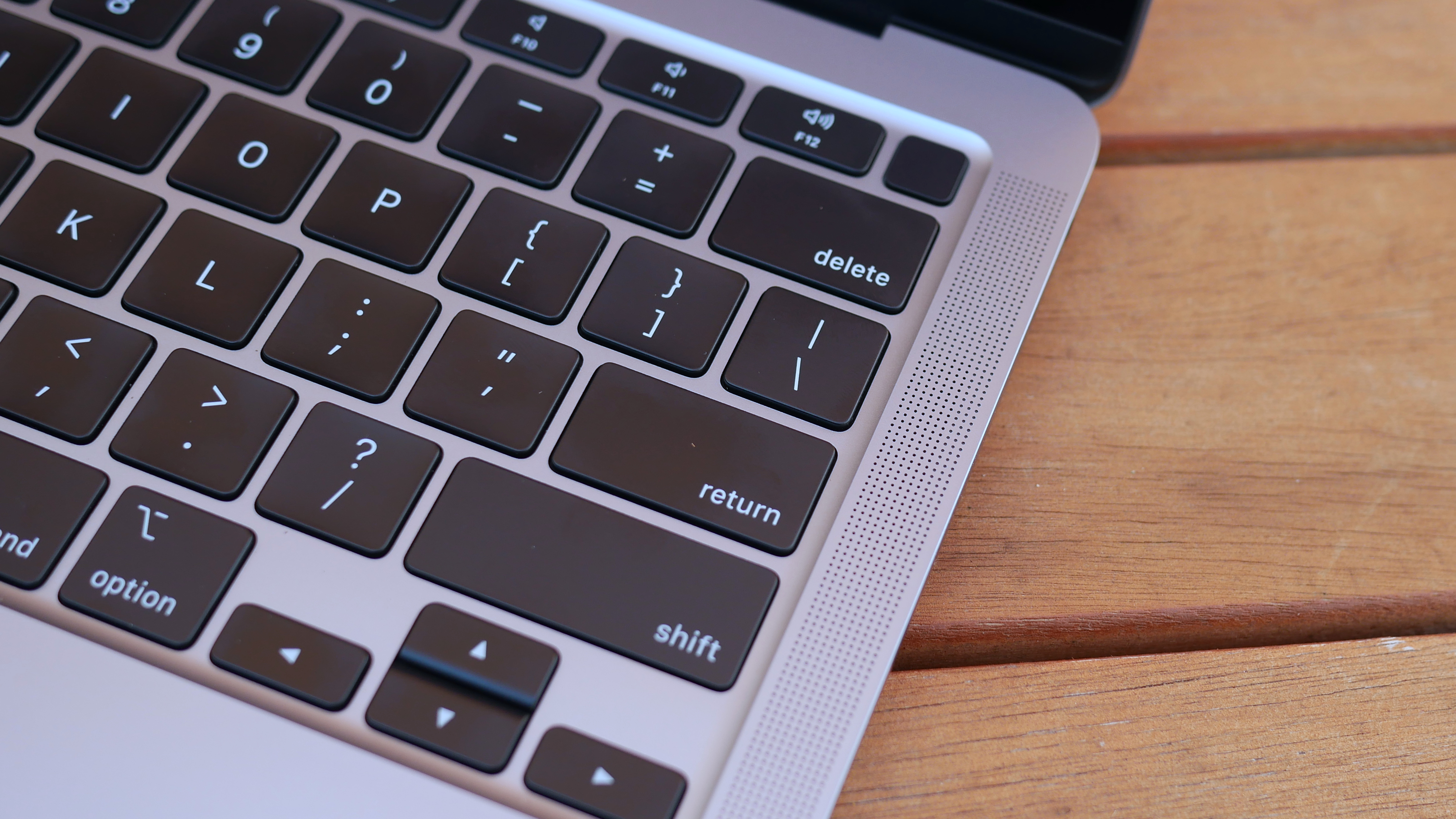
Returning to the MacBook Air is Touch ID, located on the top-right corner of the keyboard, above Delete and next to the volume-up key. The small squircle-shaped key acts as a power button.
(Image credit: Laptop Mag)
While the [fingerprint sensor](https://www.laptopmag.com/articles/how-to-use-your-fingerprint-reader) works quickly and reliably, I wish Apple put an IR camera on the top display bezel. The laptop wakes from sleep instantly now, so I want the login process to be just as immediate. Touch ID is a better option than typing in a password, but it isn't as instantaneous as facial recognition.
The M1 chip also provides data encryption, hardware-verified secure boot, automatic high-performance encryption and advanced runtime protections as part of its Secure Enclave software.
## MacBook Air: Ports
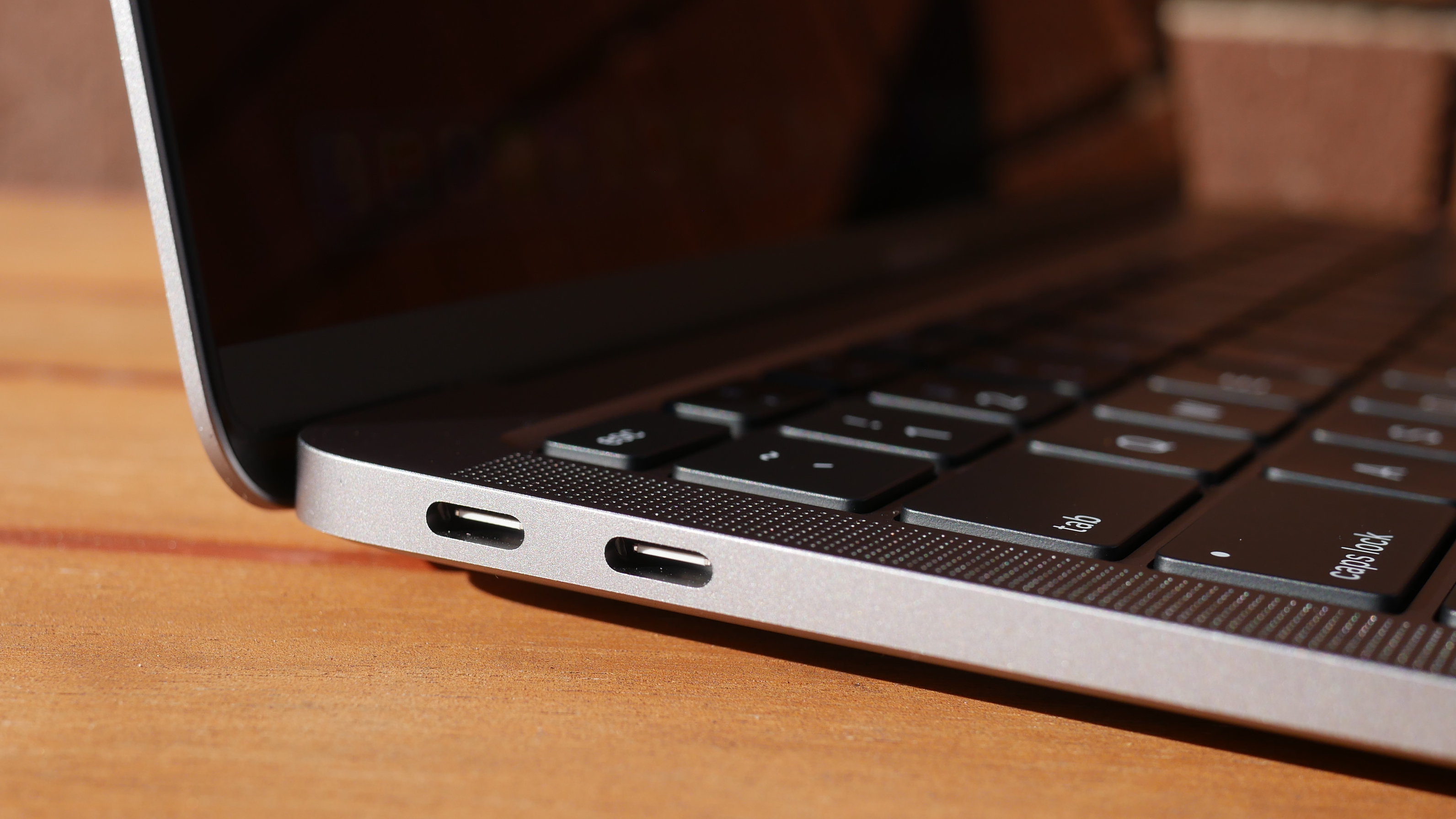
Bring your dongles because the new MacBook Air shares the same few [ports](https://www.laptopmag.com/articles/port-and-adapter-guide) as the previous model.
(Image credit: Laptop Mag)
On the left side are two [Thunderbolt 3](https://www.laptopmag.com/articles/best-docking-station) inputs with USB-C connectivity. I wish these were split among each side of the laptop so you could charge from either end, especially because the power cord is rather short.
(Image credit: Laptop Mag)
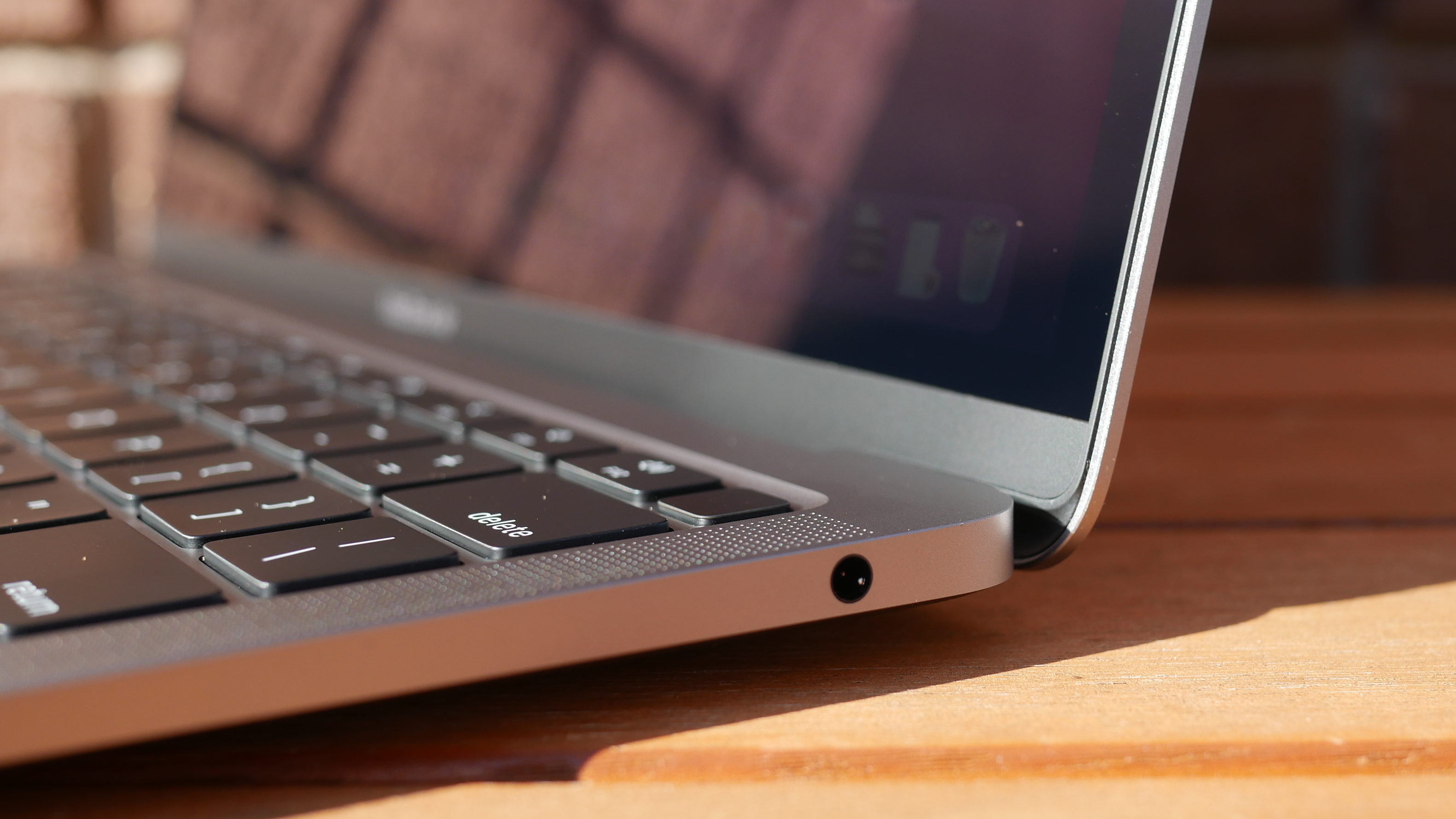
On the right side of the laptop is a lone headphone jack.
The latest PCs support [Thunderbolt 4](https://www.laptopmag.com/news/thunderbolt-4-specs-revealed-what-it-means-for-upcoming-laptops); this might seem like a disadvantage for the Air but most people won't notice the difference between the two standards.
Wondering how the MacBook Air supports Thunderbolt 3 despite the standard being an Intel technology? It goes back to over a decade ago when Intel and Apple collaborated to create Thunderbolt.
## MacBook Air: Display
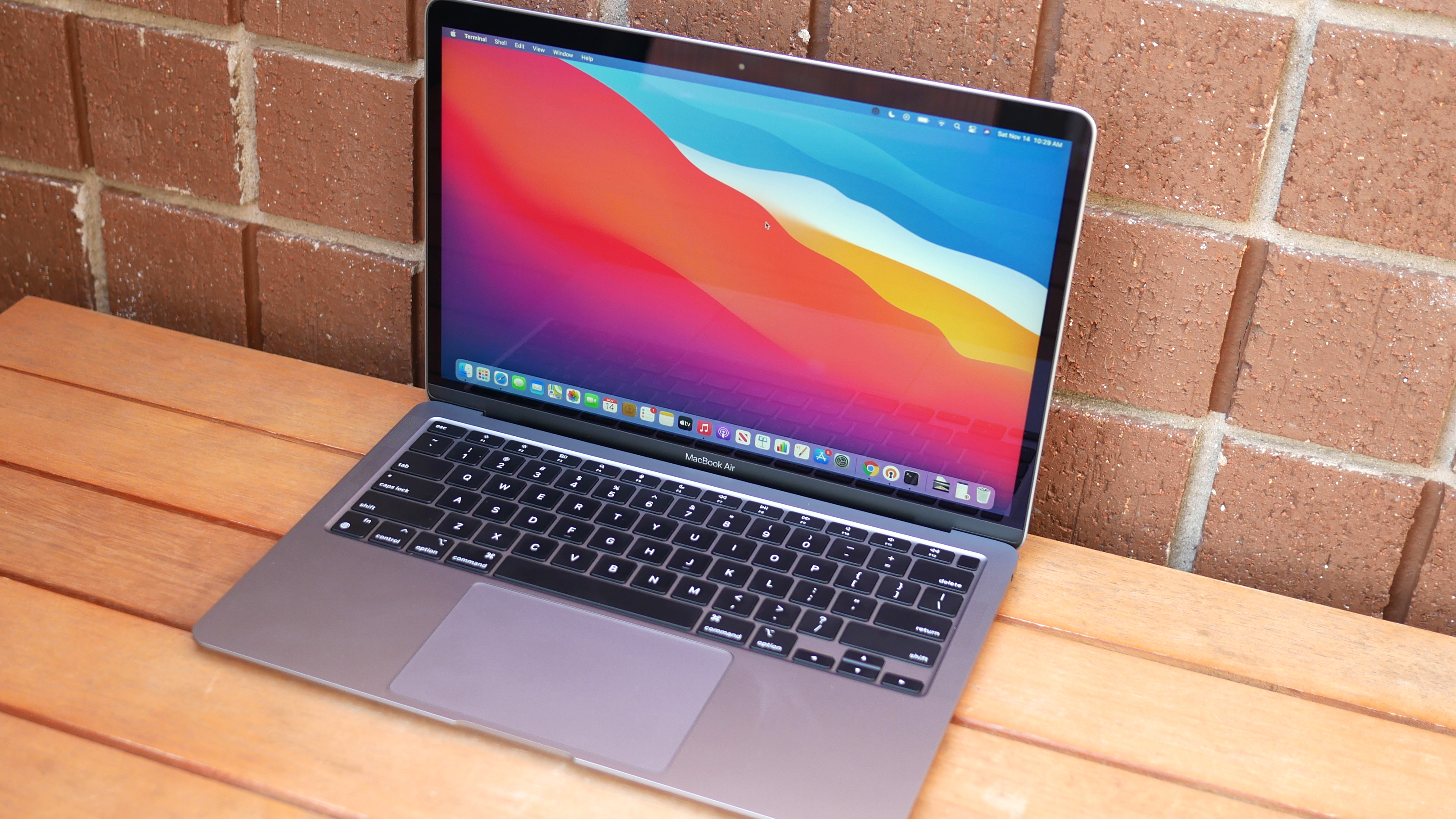
An important, but overlooked change made to the MacBook Air with Apple Silicon is the addition of P3 color gamut support. What does that mean? The 13.3-inch, 2560 x 1600-pixel Retina display on the MacBook Air with M1 is more vivid this time around.

(Image credit: Laptop Mag)
I enjoyed watching the No Time to Die trailer on the MacBook Air; the screen gets bright and the colors are punchy. As much as I want to see the next 007 in theaters, I would be fine watching it on the MacBook Air if streaming were my only option. The screen was so detailed that I could see each crevasse in Rami Malick's scarred face and the small dots of orange whizz across the screen as Bond lazily evaded a barrage of bullets. Daniel Craig's eyes were a brilliant aquamarine throughout the trailer and an amber explosion in a night scene popped against inky black tones.
(Image credit: Laptop Mag)
We measured the display with a colorimeter and found that the panel covers 80.9% of the [DCI-P3 color gamut](https://www.laptopmag.com/benchmarks/best-laptop-screen), a standard used for film and TV. The older model was slightly less colorful, at 80%, while the XPS 13 (69.4%) wasn't nearly as vivid. The new MacBook Air would have squeaked out a win if not for the gorgeous panel on the Surface Laptop 3 (85.9%), which topped the category average (80.8%).
Reaching 366 nits of [brightness](https://www.laptopmag.com/reviews/best-laptop), the MacBook Air is visible outdoors on a bright day. That said, the previous model was even more luminous, hitting 386 nits, while the XPS 13 (469 nits) was blinding in comparison. While the most colorful, the Surface Laptop 3 (348 nits) was the dimmest of the bunch, and, like the new MacBook Air, fell short of the premium laptop average (386 nits).
## MacBook Air: Keyboard and trackpad
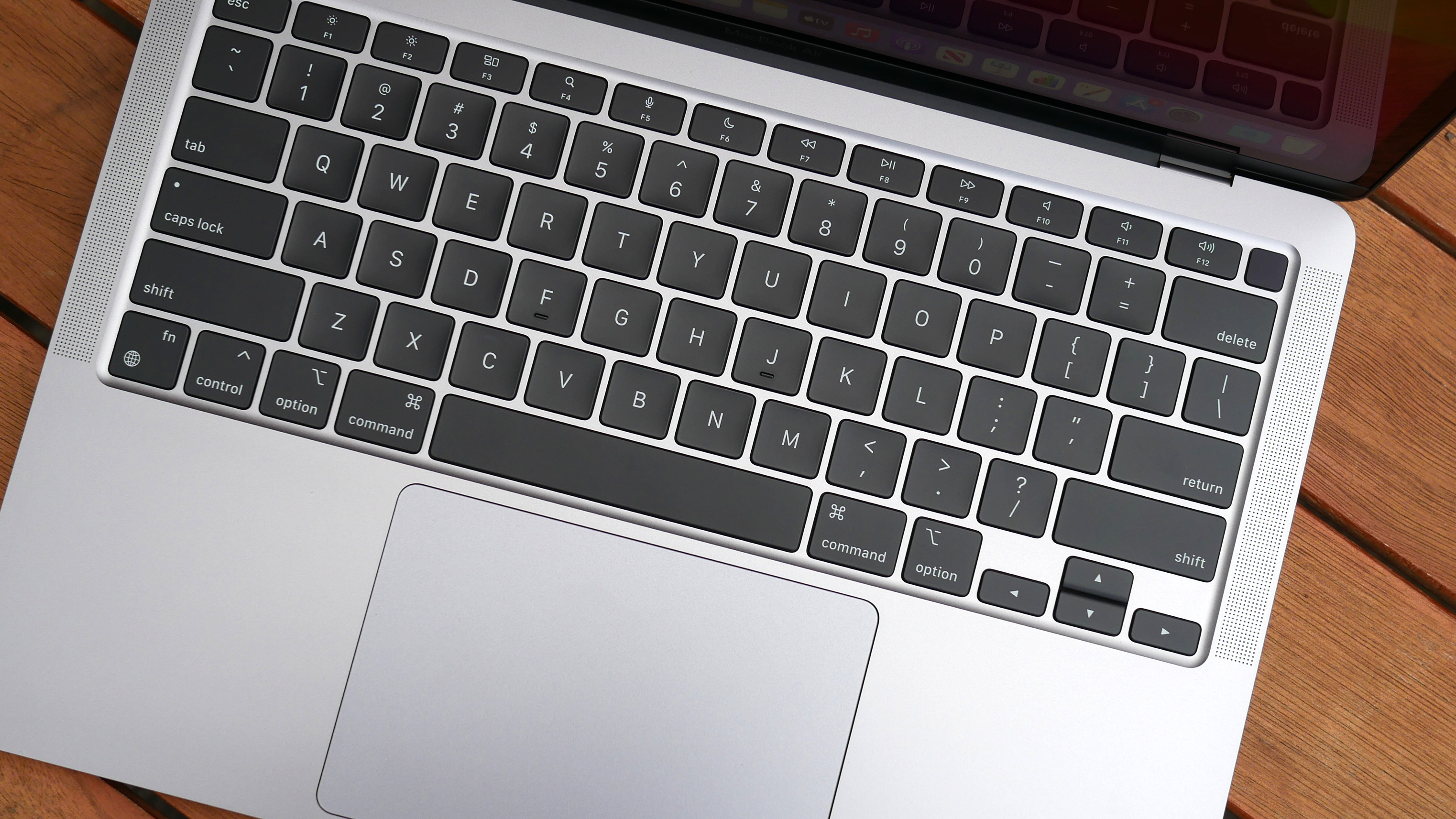
Magic made the [Butterfly](https://www.laptopmag.com/features/apple-scissor-vs-butterfly-keyboard-macbook-pro) extinct and the world of MacBooks is better for it. The [Magic Keyboard](https://www.laptopmag.com/features/apple-scissor-vs-butterfly-keyboard-macbook-pro) on the MacBook Air is comfortable to type on. Although shallow, the keys are clicky and require just the right amount of force to actuate.
The keys are a good size, even for those with larger hands, and the appropriate spacing meant there was no learning curve to getting started — I was tapping out words from the moment I booted the laptop.
(Image credit: Laptop Mag)
I like the layout of the keyboard as well. The inverted-T arrow keys are separated from the rest of the numbers and letters, making them easier to find by feel. Apple also swapped out some of the function keys on this new model. Gone are the keyboard backlighting brightness (backlighting can be adjusted via a slider in the Control Center) and Launchpad keys and in their place are keys for Dictation (voice-to-text dictation), Do not disturb (turns off notifications) and Spotlight (system-wide desktop search).
I typed at 113 words per minute with a 96% accuracy on the 10fastfingers.com typing test, which is faster and more accurate than my 109-wpm average and 5% error rate.
(Image credit: Laptop Mag)
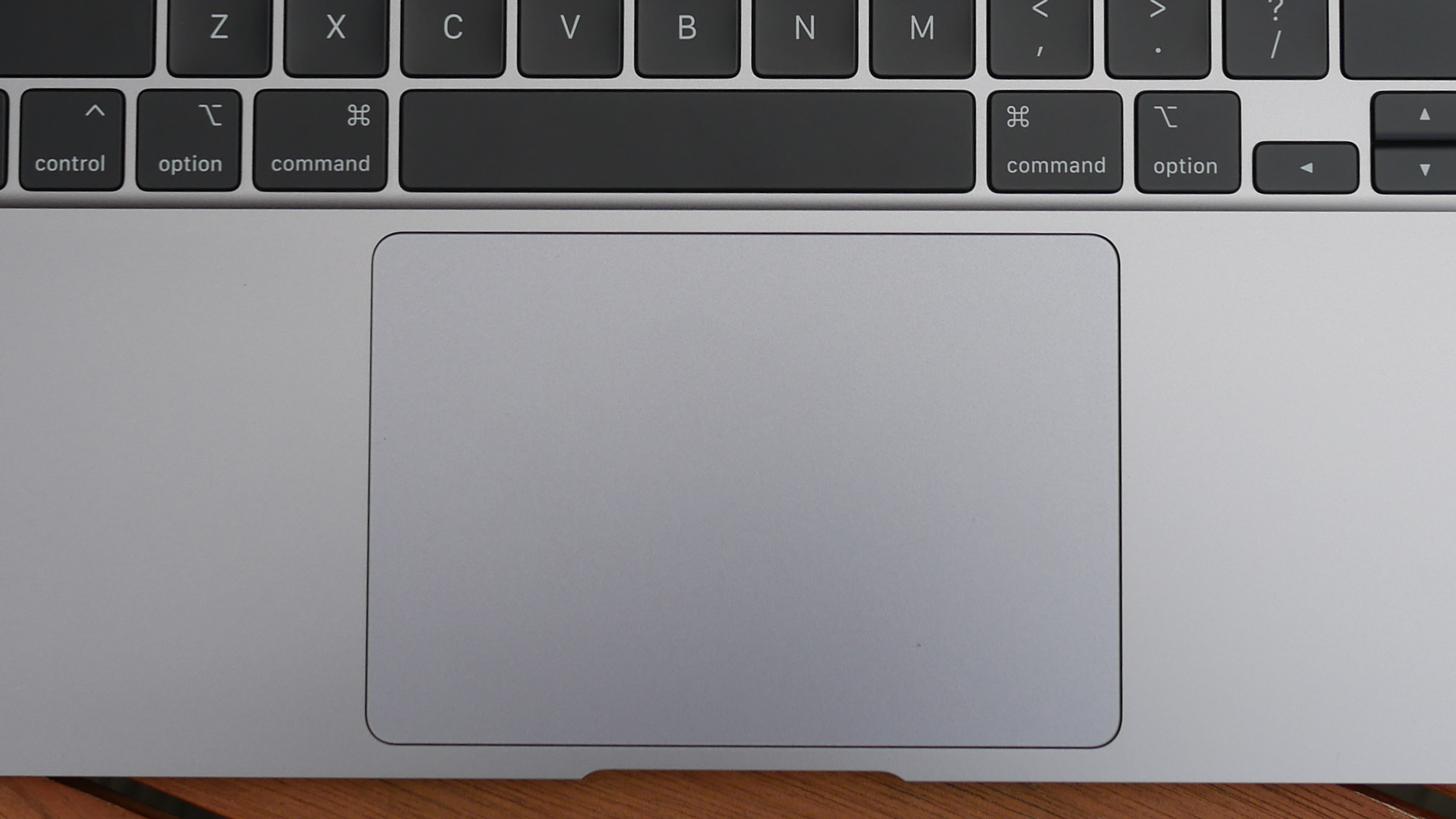
The 4.7 x 3.2-inch trackpad is massive, taking up a good portion of the deck below the keyboard. You can easily fit four fingers on the surface to execute certain [macOS gestures](https://www.laptopmag.com/articles/gestures-navigate-macos), like switching between full-screen apps (four-finger swipes left or right) or opening the "Mission Control" interface with a four-finger swipe up.
As we've come to expect, the touchpad did a fantastic job of executing these gestures; I never needed a retake to pull them off. Finally, Force Touch returns, and though I've never been a fan of how it feels, I appreciate the added functionality it brings.
## MacBook Air: Audio
Thin size usually means thin sound, but not with the MacBook Air.
The top-firing stereo speakers flanking the keyboard sound great and get plenty loud. Joy Crookes' "Hurt" filled my large(ish) living room with lively, toe-tapping grooves. The pared-down percussion accompanying the gentle vocals were detailed, adding a crisp hi-hat "chick" to this funky jam.
(Image credit: Laptop Mag)
Jay-Z and Kanye West's "No Church in the Wild" was driven by a weighty "thud" and although there were some funky drum kicks forming the rhythm in LEISURE's "Eye 2 Eye," the instruments were separated enough for me to hear simple guitar strumming between each hit. You don't get chest-thudding low-end on the MacBook Air, but there's more depth than I expected from such a thin laptop.
## MacBook Air: Performance with M1 and Rosetta 2
Apple's new M1 chip is a revelation. Delivering unrivaled performance, the M1 transforms the MacBook Air from an underpowered entry-level Mac recommended for running lightweight day-to-day tasks to the fastest ultrathin laptop ever. With the ARM-based chip, the Air is now capable of powering demanding apps needed by professional users.
(Image credit: Laptop Mag)
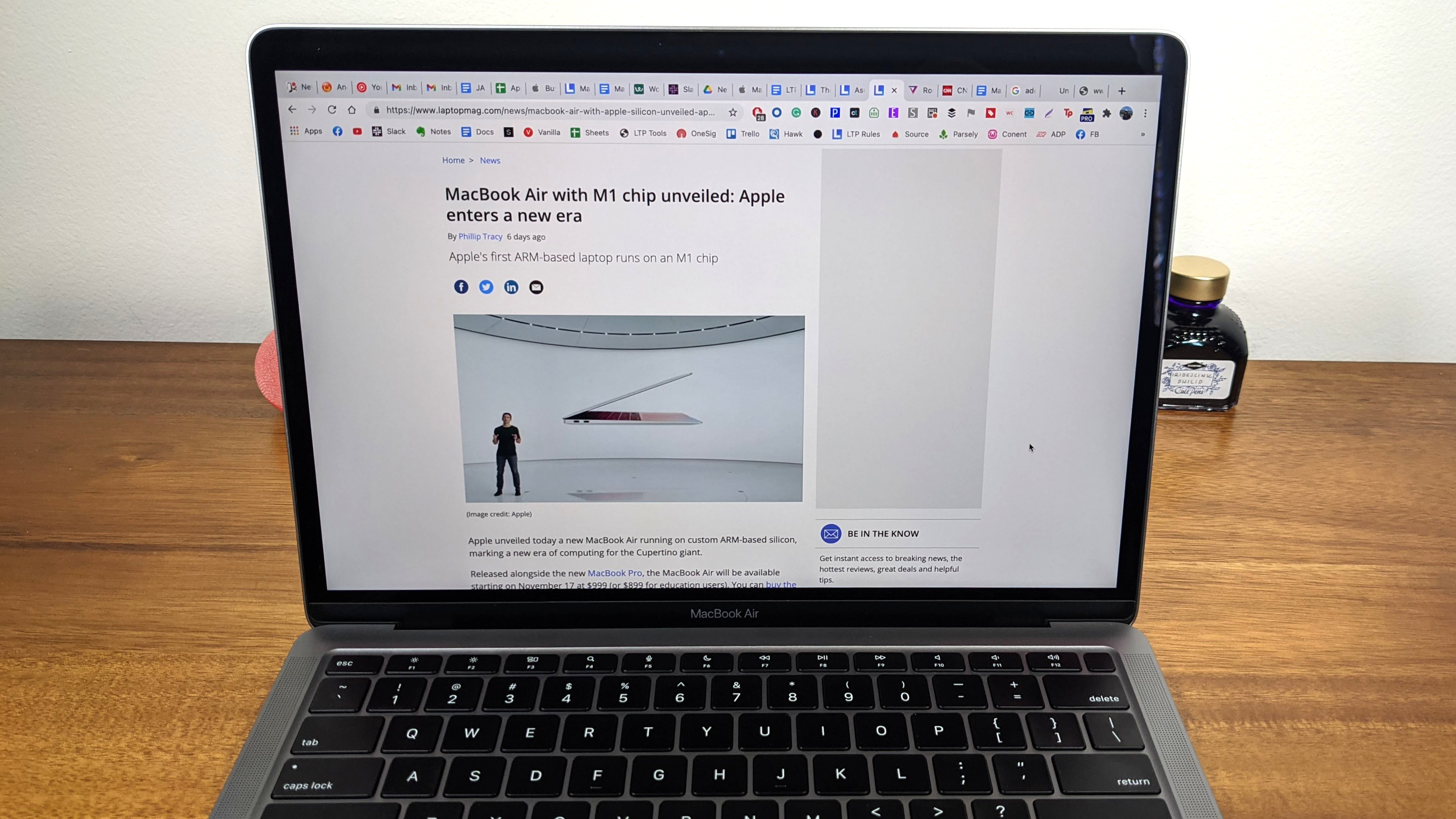
My experience using the MacBook Air for my rigorous day-to-day workload was generally positive. The M1 chip scoffed when I loaded 25 tabs on [Google Chrome](https://www.laptopmag.com/articles/chrome-browser-guide) (running on Rosetta 2), four of which played [YouTube](https://www.laptopmag.com/articles/enable-youtube-dark-mode-chrome) videos while another pair streamed on [Twitch](https://www.laptopmag.com/articles/stream-twitch-laptop). I did notice some sluggishness with certain tabs that I don't usually encounter on my [Dell XPS 15](https://www.laptopmag.com/reviews/dell-xps-15-2020). When I tried the same workload on [Safari](https://www.laptopmag.com/articles/safari-browser-guide), which runs natively, everything loaded instantly — photos, graphics and text blinked onto the screen the moment I pressed Return.
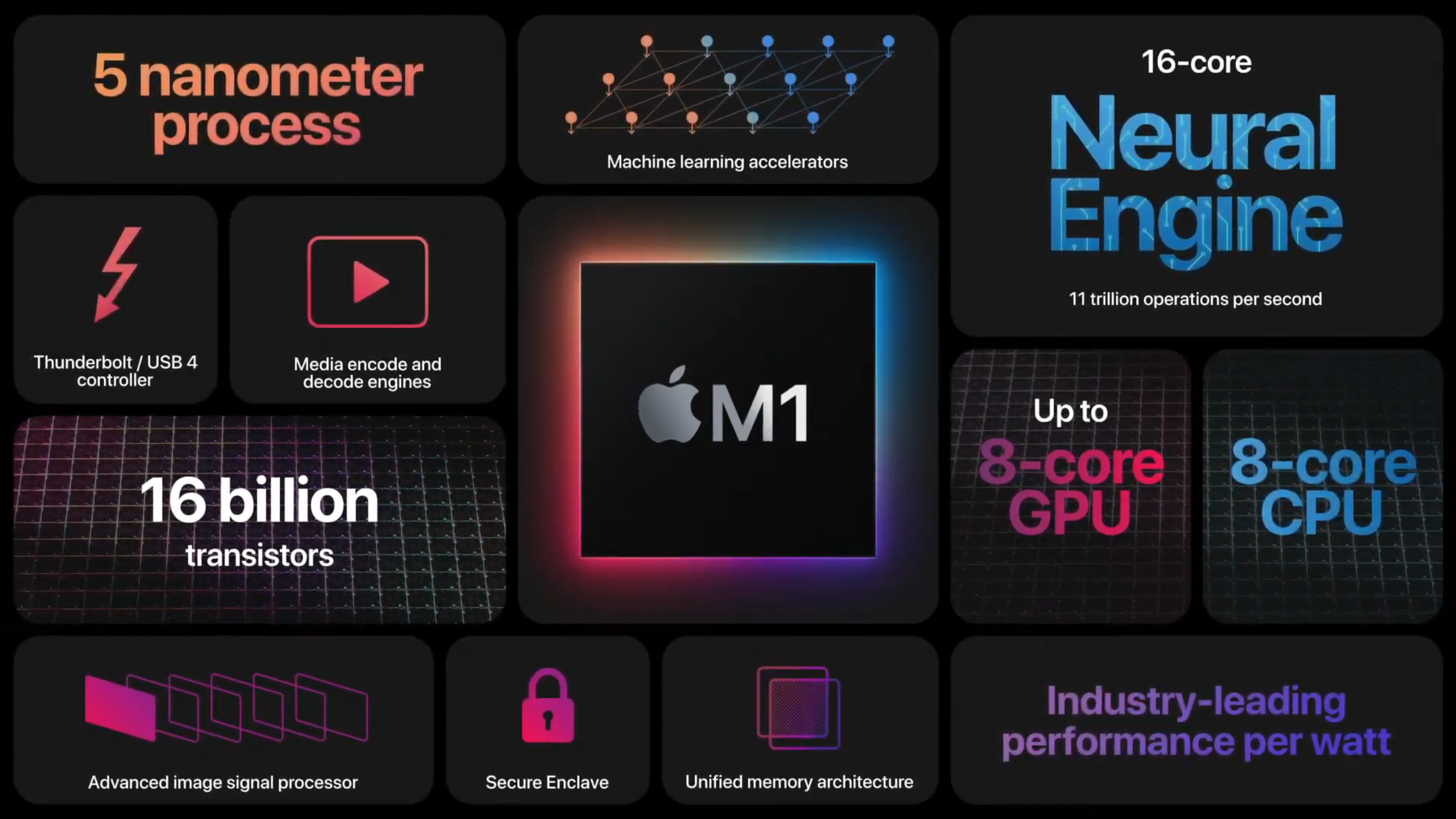
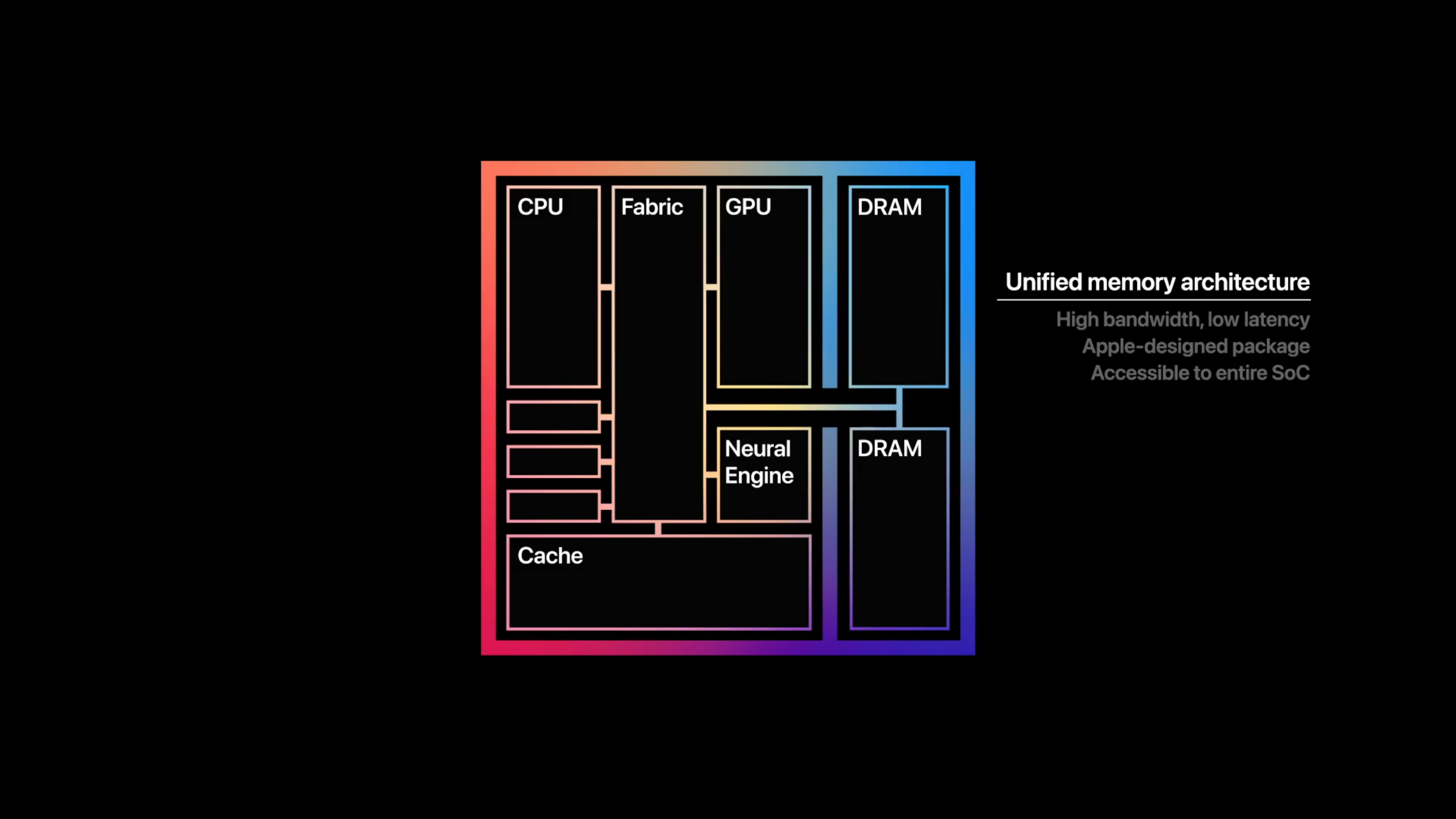
Before I get into the benchmark numbers, let's talk about the new chip. The M1, Apple's first SoC for laptops, is an eight-core chip divided into four performance and four efficiency cores. The former is used for computationally intensive apps whereas the latter uses one-tenth as much power to preserve battery life while running lightweight tasks. The chip uses a unified memory architecture (UMA), meaning (non-expandable) RAM is shared between the GPU and CPU.
(Image credit: Future)
As you'll see below, shifting to an ARM-based chip paid off in a big way for Apple. However, there is some fine print. Because the M1 uses a different architecture (arm64) from Intel (x86-64), apps need to be optimized by developers for ARM. You can still run non-native Intel apps but they are fed through a translator called Rosetta 2.
The upside? This process is automatic, meaning all the apps you've been using still work on the new MacBook Air. The downside? Emulation generally results in a hit to performance. As it stands, the vast majority of apps require the Rosetta 2 emulator. It's something early M1 adopters should consider as Apple says the transition from Intel to ARM will take two years to complete.
Does any of this really matter? Well, it depends. Rosetta 2 is a very capable translator, and the incredible performance of the M1 chip means you probably won't notice when an app is being translated. That said, [Google Chrome](https://www.laptopmag.com/articles/chrome-browser-guide) (via Rosetta 2) seemed to run a bit slower than normal, while Safari, a native app, is blink-and-you-miss-it fast.
(Image credit: Apple)
There are also cases when emulated apps actually run faster than they did on the previous MacBook Air. So there is some variation for how each app acts, but in general, everything I tested was speedy, and as developers port from Intel to ARM, things will only get quicker. We're early in that process, but there is reason to be hopeful: Adobe Lightroom for ARM will arrive next month while a native Photoshop app is expected in early 2021; native versions of Microsoft Office apps are also in development.
If you're waiting for proof of the bold claims I made about the M1, take a seat, because here they come. Our MacBook Air with 16GB of [RAM](https://www.laptopmag.com/articles/how-much-ram) scored a resounding 5,962 on the Geekbench 5.2 overall performance test, crushing the XPS 13 (5,319, Core i7-1165G7) with an [11th Gen (Tiger lake) Intel Core](https://www.laptopmag.com/news/intel-11th-gen-tiger-lake-cpus-unveiled-with-xe-graphics-evo-brand-and-48ghz-speeds). The Surface Laptop 3 (4,791) with 10th Gen Intel chips dropped further behind, but still topped the category average (4,178).
It took the MacBook Air only 9 minutes and 15 seconds to convert a 4K video to 1080p using the Handbrake beta, which runs natively on M1 (14:56 for Handbrake on Rosetta 2). The XPS 13 needed 18:22 to complete the task while the pedestrian results from the previous MacBook Air (27:10) and Surface Laptop 3 (24:55) didn't get near the 17:18 category average.
With a score of 653 on the Photoshop benchmark, the MacBook Air squeezed out the win against the XPS 13 (588) while topping the category average (613) and demolishing the previous model (459).
I'm having trouble wrapping my head around the speed of the MacBook Air's [512GB](https://www.laptopmag.com/articles/ssds-are-worth-it) SSD. Apple wasn't joking when it said the SSD is twice as fast as before, but let me remind you, it was *already* faster than any storage drive in its class by a large margin. The SSD was lightning quick on the BlackMagic benchmark, reaching 2,897.8 megabytes per second. I'll let you do the math, but that is many times faster than the XPS 13 (806.2 MBps), the Surface Laptop 3 (541.4 MBps) and the category average (780.9 MBps). Credit where credit is due, the previous MacBook Air (1,301.9 MBps) was, as Apple said, about half as fast.
## MacBook Air: iPhone and iPad apps
With the M1 chip arriving in MacBooks, all of Apple's products: phones, laptops and tablets, use the same architecture. It gives Apple more control over the hardware and software of its laptops, and just as importantly, makes the company's walled garden more integrated than ever. One immediate benefit is the introduction of [iOS](https://www.laptopmag.com/how-to/ios-14-tips-and-tricks-to-customize-your-iphone) and [iPadOS](https://www.laptopmag.com/articles/ipados-review) apps on Mac.
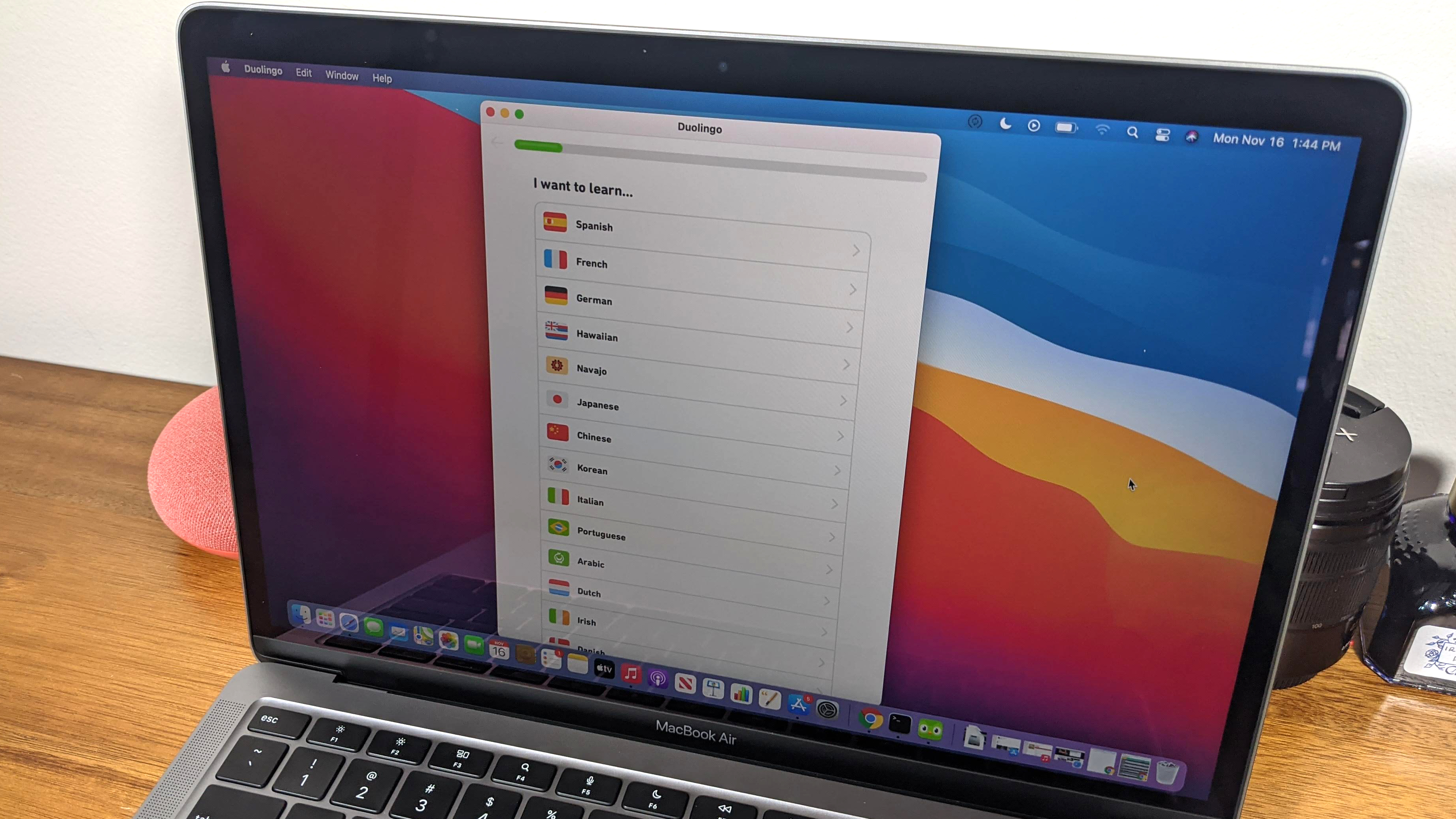
Yes, you can now run iPhone and iPad apps natively on a MacBook Air or [MacBook Pro](https://www.laptopmag.com/uk/tag/macbook-pro) with M1. But similar to how not all Intel programs have been ported to ARM, not all iOS and iPadOS apps have been optimized for Mac. And some, like Snapchat, [Amazon Prime Video](https://www.laptopmag.com/news/amazon-prime-video-goes-live-on-windows-10-but-there-is-a-serious-limitation), and certain Google apps, are outright missing (developers can opt-out of having iOS apps brought over to macOS).
(Image credit: Laptop Mag)
When I searched for Duolingo, my go-to language-learning app, in the Mac App Store, I didn't get any results. At least, not until I chose the "iPhone and iPad Apps" option. As I expected, the app window took up a tiny section of the screen, a stark reminder that the app hasn't adjusted to its new home. Fortunately, there are plenty of apps optimized for Mac — the Microsoft Office suite, Grammarly, and Facebook Messenger, to name a few — and I suspect more will arrive as iOS developers port their apps over to Mac.
It's worth reiterating that iOS and iPadOS apps are isolated from apps made for Mac. Apple knows the experience of using unoptimized apps is...less than ideal. You generally don't want to run iOS apps on your MacBook Air until they are ported to Mac, unless you really need to.
## MacBook Air: Graphics
Apple talked a big game about the graphics capabilities of its M1 chip, and it wasn't messing around. While it won't replace a discrete graphics card for gaming, the M1 (with eight GPU cores) outperforms [Iris Xe](https://www.laptopmag.com/news/intel-iris-xe-max-graphics-unveiled-everything-you-need-to-know), Intel's long-hyped [integrated graphics](https://www.laptopmag.com/articles/intel-hd-graphics-comparison) accompanying 11th Gen processors.
The MacBook Air ran Rise of the Tomb Raider (1440 x 900) on Very High graphics settings at 29 frames per second. That is playable, but just below our 30-fps threshold for smooth, lag-free gaming. Cranking up the resolution to 2880 x 1800 was too much for the MacBook Air, which ran the game at a sluggish 8 fps.
Sid Meier's Civilization VI: Gathering Storm ran at a smooth 37 fps at 1440 x 900-resolution with the graphics set to Medium. The XPS 13 played the same game at 1080p at only 16 fps while the previous MacBook Air puttered at 7 fps, well short of the 28-fps average.
## MacBook Air: Battery life
Usually, laptop chips act like teeter-totters. On one end is performance, on the other is [battery life](https://www.laptopmag.com/articles/longest-lasting-notebook). The M1 chip shakes its head at that metaphor, lifting *both* performance and endurance over the Intel CPU in the previous model.
The MacBook Air lasted **14 hours and 41 minutes** on our battery test, which involves continuous web surfing over Wi-Fi at 150 nits of brightness.
That isn't the very best runtime we've seen, but it's among the top performers. For comparison, the XPS 13 ran for 11 hours and 7 minutes while the Surface Laptop 3 endured for 9 hours and 17 minutes. The previous MacBook Air powered down after 9 hours and 31 minutes. The new MacBook Air and XPS 13 are the only laptops in this group to outlast the category average (10:01). So, which laptop lasts longer than the MacBook Air? Asus' marathon-running [ExpertBook B9450](https://www.laptopmag.com/reviews/asus-expertbook-b9450) lasted for 16 hours and 42 minutes.
(Image credit: Laptop Mag)
The MacBook Air's battery also held out well in real-world testing. I watched the second half of a Nation's League soccer game between Germany and Ukraine with about a dozen apps open in both Chrome and Safari. When the final whistle blew after the second 45-minute period, the MacBook Air was at 95% battery life. I chuckled when I ran some quick math to determine that, at this rate, the laptop would last 15 hours on a charge, matching Apple's own rating.
And when my power went out with the MacBook Air at a 55% charge, the laptop lasted several more hours so I could knock out sections of this review that didn't require me to be connected to Wi-Fi.
## MacBook Air: Webcam
The same 720p webcam returns to the MacBook Air but with a smarter brain. The M1 chip has its own image signal processor that improves noise reduction, dynamic range and highlights. My hopes that Apple would set a new standard for the historically awful laptop webcams were dashed when I snapped a selfie in my office.

(Image credit: Laptop Mag)
Don't get me wrong, the video and photo quality are superior to the vast majority of webcams we have the misfortune of testing. But it falls well short of the smartphone camera quality I was optimistically anticipating. This picture I snapped is a tad fuzzy, but the colors are great and the image is bright. You can see the plush complexion of my cheeks and the burnt orange in my hat would make any UT Austin grad proud.

(Image credit: Laptop Mag)
I took another photo outside to give the camera a fair shake, but it did something strange to the sky behind me. This photo is more detailed, you can see individual hairs in my unkempt beard, but the sky is blown out. On a positive note, the mics do an excellent job of capturing crisp, clean audio, according to my colleagues on a [Google Hangouts](https://www.laptopmag.com/how-to/how-to-use-google-meet-for-online-teaching-and-distance-learning) video chat.
## MacBook Air: Heat
No fans? No problem.
The MacBook Air kept its cool in our heat test, warming to only 84 degrees Fahrenheit after playing a 15-minute, 1080p video in full-screen. For reference, we start getting concerned when temps top 95-degrees, so the MacBook Air is well within the comfort zone. Even better, the parts your skin touches, the touchpad and keyboard, reached only 78 degrees and 81 degrees, respectively.
What makes this so impressive is that the MacBook Air — like the [12-inch MacBook](https://www.laptopmag.com/reviews/laptops/apple-macbook-12-inch-retina-display-2015) before it — is fanless, relying solely on an aluminum heat spreader to keep cool. It's more proof of how efficient the M1 chip is.
These are great results for the Air, but keep in mind that a major difference between the MacBook Air and MacBook Pro is that the pricier model has a fan to allow for sustained performance. Run taxing programs for long enough and the MacBook Air will eventually get uncomfortably hot (although it never did during my testing).
## MacBook Air: macOS Big Sur
With a new chip comes a new operating system. The MacBook Air now runs macOS Big Sur, the latest version of Apple's desktop OS. You can expect a full review of Big Sur soon, but for now, I'll give you a rundown of some of the top features and major changes.
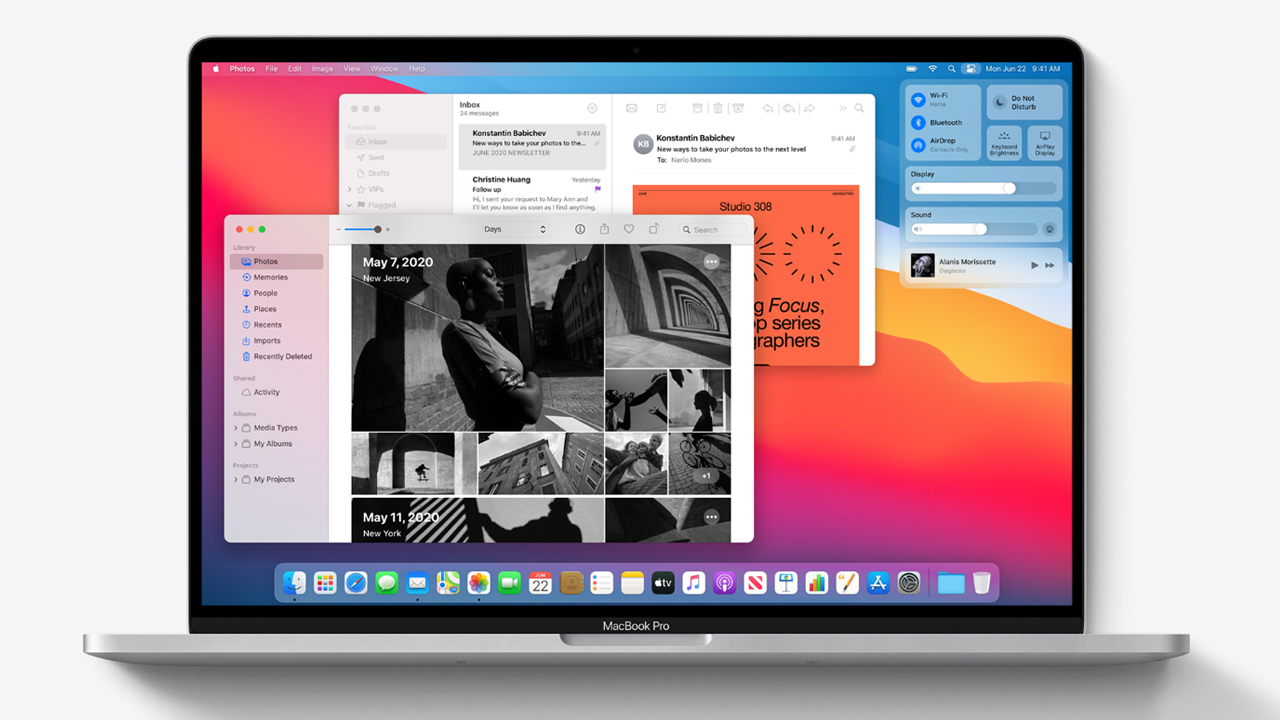
Embracing the lead of iOS and iPadOS, macOS Big Sur represents the biggest design change since OS X was released nearly 20 years ago. The new interface emphasizes bold colors that contrast against transparent elements, creating a visually pleasing effect that works great with the beautiful stock backgrounds available on Big Sur. App icons also have a new squircle shape, matching the rounded squares of iPhone apps.
(Image credit: Apple)
Also adopted from iOS is the Control Center, which puts important system settings (Bluetooth, Wi-Fi, AirDrop, keyboard brightness) in a single pane on the top-right of your screen. It is similar to the UI that appears when you swipe down from the top-right of an iPad, except on macOS, you access it by pressing a slider icon next to [Siri](https://www.laptopmag.com/articles/8-ways-to-make-siri-smarter).
Other updates are found in Apple Maps, which gains a Guides feature, and a new Messages app that lets you pin conversation to the top of the list, reply inline to messages or type someone's name to message them directly. You can now add new widgets to the Notification Center (two-finger swipe on the left side of the trackpad) where you'll find redesigned widgets.
The biggest beneficiary of all the changes debuting in Big Sur is Safari. You can now customize the browser's start page and preview pages by holding your pointer over a tab. Apple's web browser is both faster and more power-efficient, making it a more compelling alternative to Chrome. Speaking of which, you can now import your passwords and settings from Chrome should you want to make the switch. Other cool features arriving on Safari are a language translator (in beta) and password monitoring, which alerts you when one of your passwords is compromised.
## MacBook Air: Warranty
The Apple MacBook Pro ships with a 1-year limited warranty with 90-day phone support. See how Apple fared on [Best and Worst Brands](https://www.laptopmag.com/features/laptop-brand-ratings) and [Tech Support Showdown](https://www.laptopmag.com/news/tech-support-showdown), our annual special reports.
## Bottom line
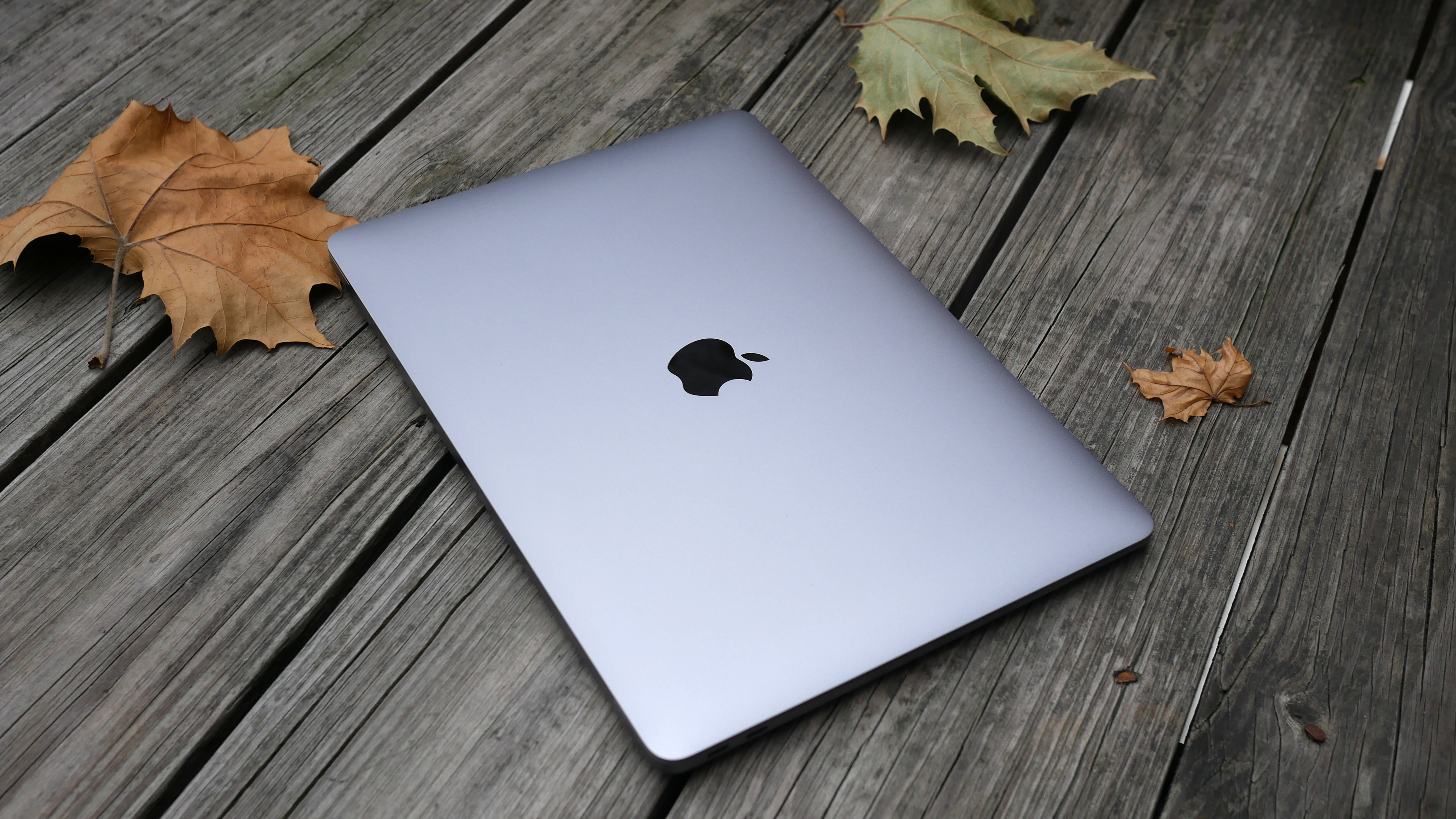
(Image credit: Laptop Mag)
Talk about breathing new life into a laptop. The Midas of processors, everything Apple's M1 SoC touches turns to gold. With its new engine, the MacBook Air goes from an underpowered laptop that barely makes the cut to one of the fastest notebooks around — not just in its portable segment but compared to everything else on the market. And with 14+ hours of battery life, you can easily get through a day, if not two, one a single charge.
The MacBook Air with M1 is the best combination of power and endurance — and it achieved this with a fanless design. Add a gorgeous new OS, webcam improvements, and better integration with iPadOS and iOS (including mobile app support) to the mix, and the laptop earns my wholehearted recommendation. You'd think all these improvements would come at a hefty cost, and yet, the new MacBook Air maintains a \$999 starting price.
While no other laptop can match the speed of the MacBook Air, I wish Apple had made a few tweaks to modernize the design of this laptop. Rivals like the Dell XPS 13 flaunt bezel-less displays, resulting in them having a smaller footprint than the Air. And having only two Thunderbolt 3 ports — both on the same side — is an annoying limitation, one worth considering if your hatred of dongles runs as deep as mine.
But if you want the fastest, longest-lasting ultrathin laptop, the MacBook Air sets a new standard — and the competition is far behind.
Apple Macbook Air (M1 2020): Price Comparison
[3 Amazon customer reviews](https://target.georiot.com/Proxy.ashx?tsid=8428&GR_URL=https%3A%2F%2Fwww.amazon.co.uk%2Freviews%2FB08N5NMHM3%3Ftag%3Dhawk-future-21%26ascsubtag%3Dlaptopmag-gb-8139562204851033236-21)
☆☆☆☆☆
[](https://www.awin1.com/pclick.php?clickref=laptopmag-gb-1418229296826574060&p=38852156865&a=103504&m=25205)
[](https://www.awin1.com/pclick.php?clickref=laptopmag-gb-1418229296826574060&p=38852156865&a=103504&m=25205)
[£1,199](https://www.awin1.com/pclick.php?clickref=laptopmag-gb-1418229296826574060&p=38852156865&a=103504&m=25205)
[£375](https://www.awin1.com/pclick.php?clickref=laptopmag-gb-1418229296826574060&p=38852156865&a=103504&m=25205)
[View](https://www.awin1.com/pclick.php?clickref=laptopmag-gb-1418229296826574060&p=38852156865&a=103504&m=25205)
[](https://www.awin1.com/pclick.php?clickref=laptopmag-gb-6676329447461132495&p=38852156865&a=103504&m=25205)
[](https://www.awin1.com/pclick.php?clickref=laptopmag-gb-6676329447461132495&p=38852156865&a=103504&m=25205)
[£1,199](https://www.awin1.com/pclick.php?clickref=laptopmag-gb-6676329447461132495&p=38852156865&a=103504&m=25205)
[£378](https://www.awin1.com/pclick.php?clickref=laptopmag-gb-6676329447461132495&p=38852156865&a=103504&m=25205)
[View](https://www.awin1.com/pclick.php?clickref=laptopmag-gb-6676329447461132495&p=38852156865&a=103504&m=25205)
[](https://www.awin1.com/pclick.php?clickref=laptopmag-gb-5497602465065503907&p=37169335761&a=103504&m=74730)
[](https://www.awin1.com/pclick.php?clickref=laptopmag-gb-5497602465065503907&p=37169335761&a=103504&m=74730)
[£612.49](https://www.awin1.com/pclick.php?clickref=laptopmag-gb-5497602465065503907&p=37169335761&a=103504&m=74730)
[£519.97](https://www.awin1.com/pclick.php?clickref=laptopmag-gb-5497602465065503907&p=37169335761&a=103504&m=74730)
[View](https://www.awin1.com/pclick.php?clickref=laptopmag-gb-5497602465065503907&p=37169335761&a=103504&m=74730)
[](https://www.awin1.com/awclick.php?awinmid=3090&awinaffid=103504&clickref=laptopmag-gb-3086227408478365054&p=https%3A%2F%2Fwww.very.co.uk%2Fapple-macbook-air-m1-2020-13-inch-with-8-core-cpu-and-7-core-gpu-256gb-storage-with-optionalnbspmicrosoft-365-personalnbsp12-months-or-microsoft-365-family-15-months%2F1600533403.prd)
[](https://www.awin1.com/awclick.php?awinmid=3090&awinaffid=103504&clickref=laptopmag-gb-3086227408478365054&p=https%3A%2F%2Fwww.very.co.uk%2Fapple-macbook-air-m1-2020-13-inch-with-8-core-cpu-and-7-core-gpu-256gb-storage-with-optionalnbspmicrosoft-365-personalnbsp12-months-or-microsoft-365-family-15-months%2F1600533403.prd)
[£889](https://www.awin1.com/awclick.php?awinmid=3090&awinaffid=103504&clickref=laptopmag-gb-3086227408478365054&p=https%3A%2F%2Fwww.very.co.uk%2Fapple-macbook-air-m1-2020-13-inch-with-8-core-cpu-and-7-core-gpu-256gb-storage-with-optionalnbspmicrosoft-365-personalnbsp12-months-or-microsoft-365-family-15-months%2F1600533403.prd)
[View](https://www.awin1.com/awclick.php?awinmid=3090&awinaffid=103504&clickref=laptopmag-gb-3086227408478365054&p=https%3A%2F%2Fwww.very.co.uk%2Fapple-macbook-air-m1-2020-13-inch-with-8-core-cpu-and-7-core-gpu-256gb-storage-with-optionalnbspmicrosoft-365-personalnbsp12-months-or-microsoft-365-family-15-months%2F1600533403.prd)
[](https://target.georiot.com/Proxy.ashx?tsid=45727&GR_URL=https%3A%2F%2Fwww.amazon.co.uk%2Fs%2Fref%3Dnb_sb_noss%3Fa%3Db%26field-keywords%3DApple+Macbook+Air+%28M1+2020%29%26tag%3Dhawk-future-21%26ascsubtag%3Dlaptopmag-gb-6934101478454815273-21)
[](https://target.georiot.com/Proxy.ashx?tsid=45727&GR_URL=https%3A%2F%2Fwww.amazon.co.uk%2Fs%2Fref%3Dnb_sb_noss%3Fa%3Db%26field-keywords%3DApple+Macbook+Air+%28M1+2020%29%26tag%3Dhawk-future-21%26ascsubtag%3Dlaptopmag-gb-6934101478454815273-21)
[No price information](https://target.georiot.com/Proxy.ashx?tsid=45727&GR_URL=https%3A%2F%2Fwww.amazon.co.uk%2Fs%2Fref%3Dnb_sb_noss%3Fa%3Db%26field-keywords%3DApple+Macbook+Air+%28M1+2020%29%26tag%3Dhawk-future-21%26ascsubtag%3Dlaptopmag-gb-6934101478454815273-21)
[Check Amazon](https://target.georiot.com/Proxy.ashx?tsid=45727&GR_URL=https%3A%2F%2Fwww.amazon.co.uk%2Fs%2Fref%3Dnb_sb_noss%3Fa%3Db%26field-keywords%3DApple+Macbook+Air+%28M1+2020%29%26tag%3Dhawk-future-21%26ascsubtag%3Dlaptopmag-gb-6934101478454815273-21)
Show more
We check over 250 million products every day for the best prices
powered by


[Phillip Tracy](https://www.laptopmag.com/uk/author/phillip-tracy)
Social Links Navigation
Phillip Tracy is the assistant managing editor at Laptop Mag where he reviews laptops, phones and other gadgets while covering the latest industry news. After graduating with a journalism degree from the University of Texas at Austin, Phillip became a tech reporter at the Daily Dot. There, he wrote reviews for a range of gadgets and covered everything from social media trends to cybersecurity. Prior to that, he wrote for RCR Wireless News covering 5G and IoT. When he's not tinkering with devices, you can find Phillip playing video games, reading, traveling or watching soccer.
Latest in Macbooks
[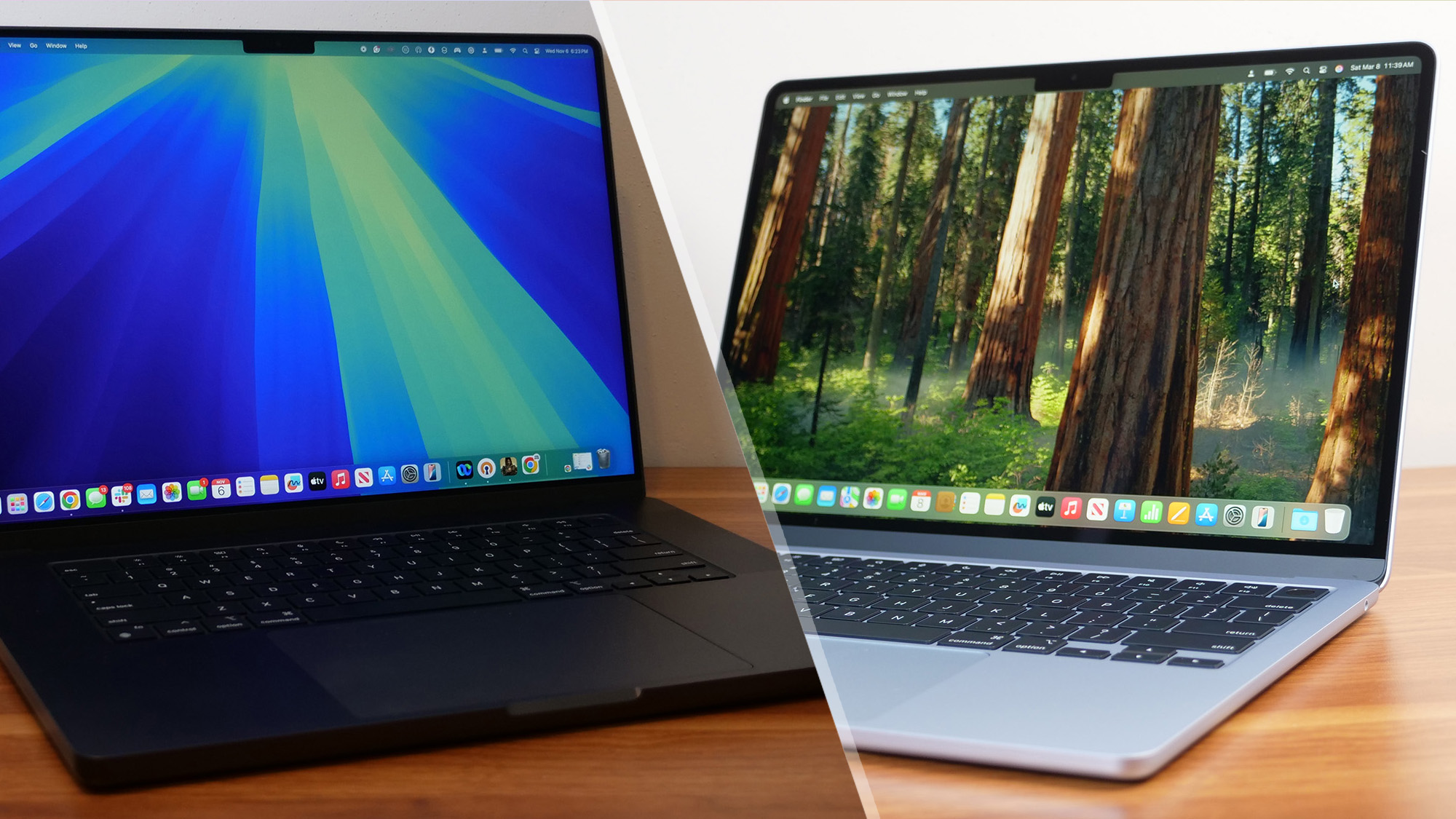 Macbooks MacBook Air vs. MacBook Pro 2025: Which Mac should you buy?](https://www.laptopmag.com/laptops/macbooks/macbook-air-vs-macbook-pro-2025 "MacBook Air vs. MacBook Pro 2025: Which Mac should you buy?")
[ Macbooks Apple's all-new MacBook may snub the M5 chip for a surprising alternative](https://www.laptopmag.com/laptops/macbooks/affordable-macbook-a18-pro-rumor "Apple's all-new MacBook may snub the M5 chip for a surprising alternative")
[ Macbooks Apple doesn't want you to see its latest MacBook ad — or several others just like it](https://www.laptopmag.com/laptops/macbooks/apple-recalls-new-macbook-ad "Apple doesn't want you to see its latest MacBook ad — or several others just like it")
[ Macbooks 7 best early Prime Day 2025 MacBook deals to shop now](https://www.laptopmag.com/laptops/macbooks/7-best-early-prime-day-2025-macbook-deals-to-shop-now "7 best early Prime Day 2025 MacBook deals to shop now")
[ Macbooks B\&H is selling this \$2,000 M3 MacBook Pro for \$1,399, and it's never been cheaper](https://www.laptopmag.com/deals/laptops/macbooks/b-and-h-is-selling-this-usd2-000-m3-macbook-pro-for-usd1-399-and-its-never-been-cheaper "B&H is selling this $2,000 M3 MacBook Pro for $1,399, and it's never been cheaper")
[ Macbooks 25+ best early Prime Day Apple deals 2025: MacBooks, iPads, AirPods](https://www.laptopmag.com/deals/best-prime-day-apple-deals "25+ best early Prime Day Apple deals 2025: MacBooks, iPads, AirPods")
Latest in Reviews
[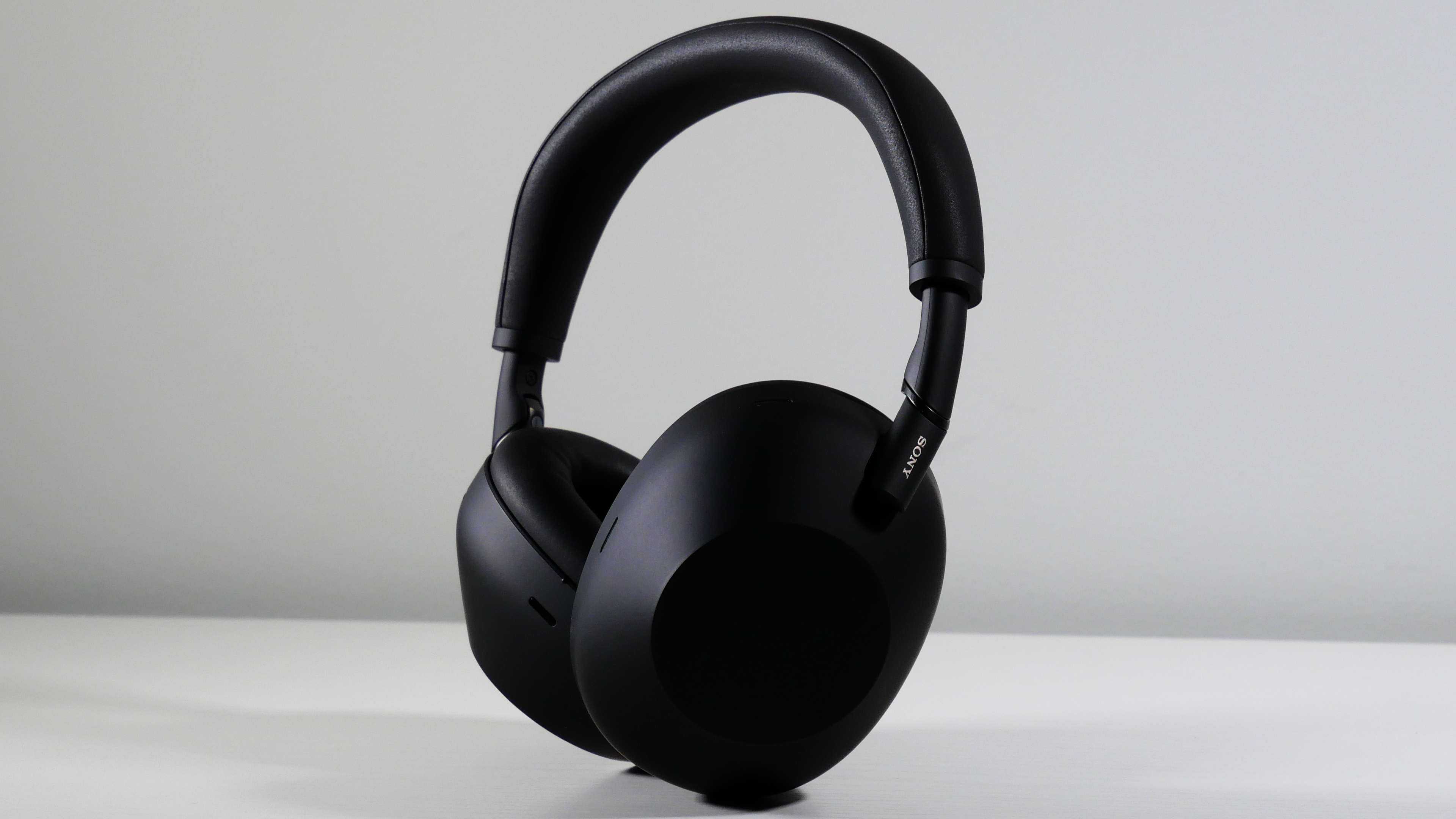 Noise Cancelling Headphones I never thought I'd spend \$450 on a pair of headphones, but Sony proved me wrong.](https://www.laptopmag.com/headphones/noise-cancelling-headphones/sony-wh-1000xm6-review "I never thought I'd spend $450 on a pair of headphones, but Sony proved me wrong.")
[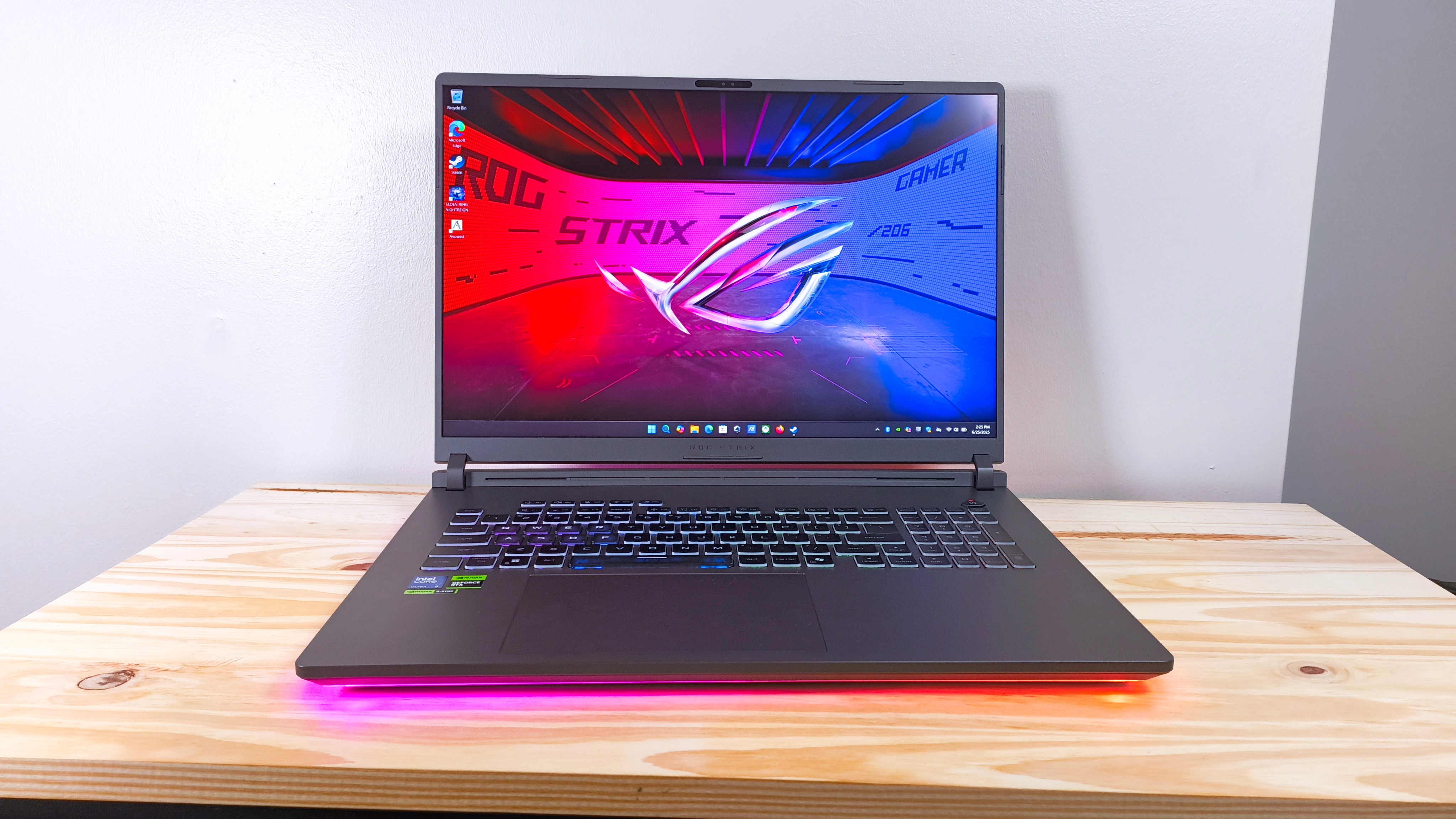 Gaming Laptops & PCs The Asus ROG Strix G18 is proof that paying more for an RTX 5090 is a waste of money](https://www.laptopmag.com/laptops/gaming-laptops-pcs/asus-rog-strix-g18-g815-review "The Asus ROG Strix G18 is proof that paying more for an RTX 5090 is a waste of money")
[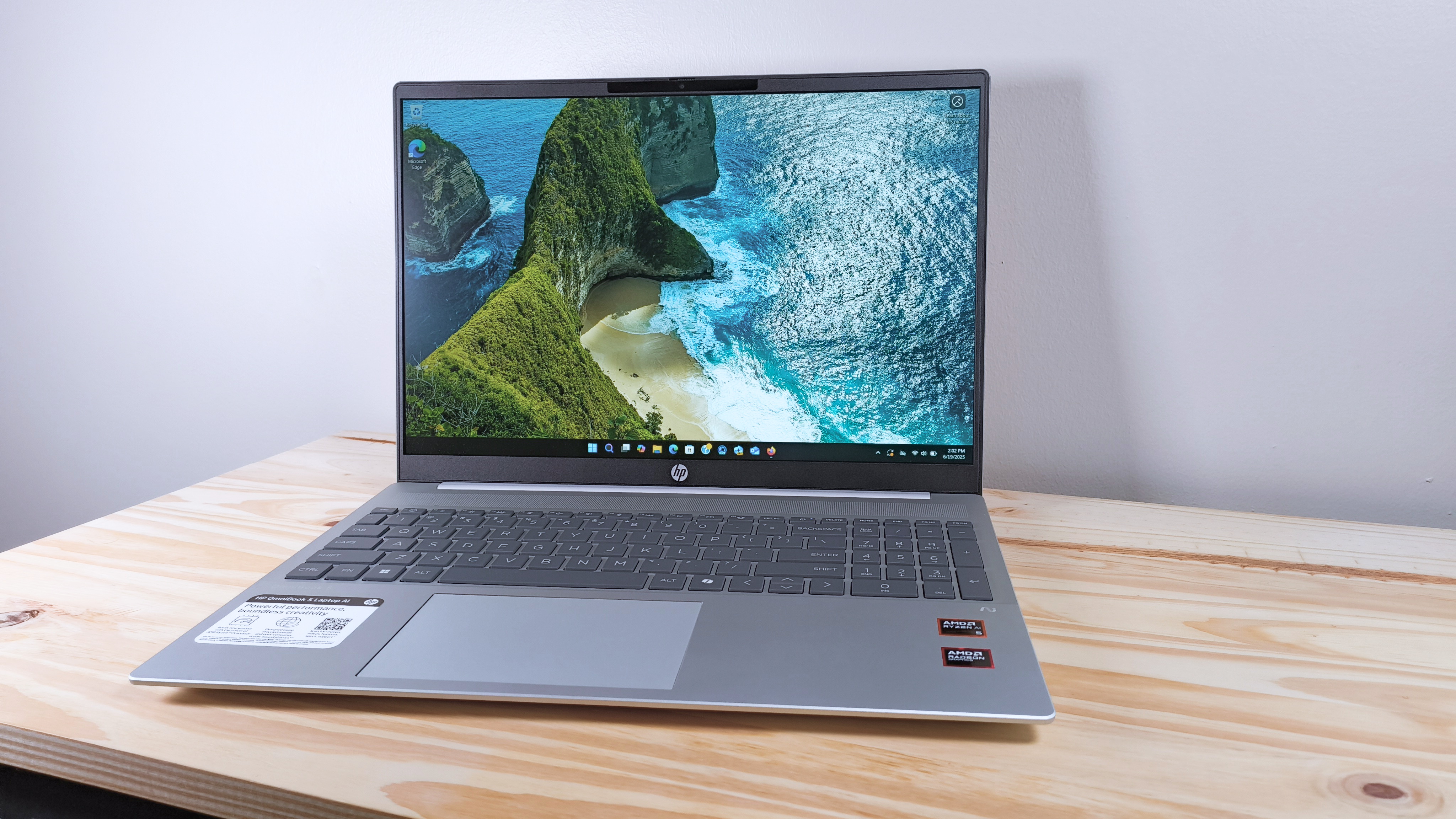 Laptops The HP OmniBook 5 Laptop AI lures you in with an affordable big screen, but it may be a trap.](https://www.laptopmag.com/laptops/hp-omnibook-5-laptop-review "The HP OmniBook 5 Laptop AI lures you in with an affordable big screen, but it may be a trap.")
[ Nintendo I played the Nintendo Switch 2 for one week and I desperately want it, but not all of it](https://www.laptopmag.com/gaming/nintendo/nintendo-switch-2-review "I played the Nintendo Switch 2 for one week and I desperately want it, but not all of it")
[ Gaming Laptops & PCs I used the Asus ROG Strix G16 for a week, and it may be the best value in gaming laptops right now](https://www.laptopmag.com/laptops/gaming-laptops-pcs/asus-rog-strix-g16-g614fr-review "I used the Asus ROG Strix G16 for a week, and it may be the best value in gaming laptops right now")
[ Webcams Insta360 Link 2 review: A near-perfect webcam with a twist](https://www.laptopmag.com/laptops/webcams/insta360-link-2-4k-webcam-review "Insta360 Link 2 review: A near-perfect webcam with a twist")
MORE FROM LAPTOP MAG...
1. [](https://www.laptopmag.com/articles/best-laptop-under-500 "A great laptop under $500 is hard to find — here are the 4 best budget laptops I recommend in 2025")
1
[A great laptop under \$500 is hard to find — here are the 4 best budget laptops I recommend in 2025](https://www.laptopmag.com/articles/best-laptop-under-500)
2. 2
[Nearly 40 years of history — here are the 5 best Dell laptops you can buy today](https://www.laptopmag.com/best-picks/best-dell-laptop)
3. 3
[The best webcams in 2025: The top picks, based on our real-world testing](https://www.laptopmag.com/articles/best-webcam)
4. 4
[I've reviewed 90+ gaming laptops, these are my top 6 picks for 2025](https://www.laptopmag.com/laptops/gaming-laptops-pcs/best-gaming-laptop)
5. 5
[Best laptops with CD-DVD drives in 2025](https://www.laptopmag.com/articles/laptop-with-cd-dvd-drives)
Laptop Mag is part of Future plc, an international media group and leading digital publisher. [Visit our corporate site](https://futureplc.com/).
[ Add as a preferred source on Google](https://google.com/preferences/source?q=laptopmag.com)
- [Terms and conditions](https://futureplc.com/terms-conditions/)
- [Contact Future's experts](https://futureplc.com/contact/)
- [Privacy policy](https://futureplc.com/privacy-policy/)
- [Cookies policy](https://futureplc.com/cookies-policy/)
- [Accessibility Statement](https://futureplc.com/accessibility-statement/)
- [About us](https://www.laptopmag.com/articles/about-us)
- [Archive](https://www.laptopmag.com/uk/archive)
- [Careers](https://futureplc.com/careers/)
- [Do not sell or share my personal information](https://www.laptopmag.com/uk/privacy-portal)
© Future Publishing Limited Quay House, The Ambury, Bath BA1 1UA. All rights reserved. England and Wales company registration number 2008885. |
| Readable Markdown | ### Laptop Mag Verdict
A groundbreaking transformation; the M1 chip takes the MacBook Air to new heights with better performance and battery life than ever before. Put simply, the new MacBook Air is the best laptop for most people.
#### Pros
- \+
Breathtaking performance
- \+
Outstanding battery life
- \+
Slim unibody aluminum chassis
- \+
iPhone and iPad app support
- \+
Great speakers and Magic keyboard
- \+
macOS Big Sur is a nice update
#### Cons
- \-
Few ports
- \-
Design could use an update
Why you can trust Laptop Mag Our expert reviewers spend hours testing and comparing products and services so you can choose the best for you. [Find out more about how we test](https://www.laptopmag.com/articles/laptop-benchmark-tests).
Macbook Air (M1, 2020): Specs
**Price**: \$999 (starting); \$1,649 (reviewed at)
**CPU**: Apple M1
**RAM**: 16GB
**Storage**: 1TB
**Display**: 13.3-inch, 2560 x 1660-pixel
**Battery**: 14:41
**Size**: 12 x 8.4 x 0.6 inches
**Weight**: 2.8 pounds
It's amazing what a new heart can do for a laptop. The latest [MacBook Air](https://www.laptopmag.com/uk/tag/macbook-air) ushers in a new era for [Apple](https://www.laptopmag.com/uk/tag/apple) with its custom-made M1 chip. Yes, Apple's long-awaited transition away from [Intel](https://www.laptopmag.com/uk/tag/intel) and into the ARMs of custom silicon has arrived, and the new chip blows us away.
I'll start by saying the new MacBook Air is an improvement over the previous model in every way, bringing monumental performance and battery life enhancements. Those bold claims Apple made about the M1? They weren't exaggerations. This MacBook Air out-muscles every laptop in its class while lasting a full day on a charge. And it does so with a fanless design, meaning the Air is pin-drop silent.
Along with record-setting performance, [Apple Silicon](https://www.laptopmag.com/uk/tag/apple-silicon) adds [iOS](https://www.laptopmag.com/uk/tag/ios) and [iPadOS](https://www.laptopmag.com/uk/tag/ipados) apps to the Mac App Store. You also get better webcam quality, and macOS Big Sur is a gorgeous redesign of Apple's desktop OS. The new MacBook Air may have a few faults, but it's the closest Apple has ever been to crafting the perfect laptop.
## MacBook Air: Price and configuration options
Apple sells two configurable versions of the new MacBook Air, both powered by the new M1 chip.
For \$999, you can buy the base model with an M1 SoC, 8GB of RAM and a 256GB SSD. Look at the fine print and you'll notice this version has a 7-core GPU.
Upgrading RAM from 8GB to 16GB costs an additional \$200 as does upgrading from 256GB of storage to 512GB. The 1TB SSD option raises the base price by \$400 while 2TB of storage is \$800 extra.
For \$1,249, you get the 8-core GPU model with an M1 SoC, 8GB of RAM and a 512GB SSD. Upgrades cost the same for this version: \$200 for 16GB of RAM, another \$200 for 1TB of storage, or an additional \$600 for a 2TB SSD. Our review unit, with an 8-core M1 GPU, 16GB of RAM and a 1TB SSD, goes for \$1,649.
Get The Snapshot, our free newsletter on the future of computing
Sign up to receive The Snapshot, a free special dispatch from Laptop Mag, in your inbox.
## MacBook Air: Design
The MacBook Air got a new heart but kept the old body.
This is the same design we've seen on past models, and I have mixed feelings about it. On one hand, the MacBook Air is a handsome notebook with a sleek unibody aluminum design. However, the chassis lacks some modern fixings and doesn't dazzle like some of its competitors.

(Image credit: Laptop Mag)
Starting with the positives, the Air's familiar design has held up over the years in large part because of the premium materials and precision craftsmanship. You'll feel much better about spending \$1,000+ on this laptop once you get it in your hands. With a wedge-shaped design that is thicker at the back and thinner up front, the MacBook Air has a stylish stance, and while 0.6 inches is thin for a laptop, the Air feels even thinner.
Centered on the lid of the MacBook Air is the iconic bitten-fruit logo in reflective [chrome](https://www.laptopmag.com/uk/tag/google-chrome), surrounded by blank spaces of undisturbed metal. It's a minimalist design Apple has used to great effect, and I'm all about it. Open the laptop, and you'll spot a clean deck with a large trackpad below black keyboard keys. Flanking each end of the keyboard are speaker grills while nearly invisible hinges attach the deck to the lid.

(Image credit: Laptop Mag)
I reviewed the Space Gray variant — my personal preference — but the MacBook Air also comes in an understated silver or a flashier rose gold finish. I wish Apple color-matched the keys with the exterior (see Surface Laptop 3), instead, the keyboard is black regardless of which color you choose.
The MacBook Air doesn't just look great, but its design is also practical. It might only be a problem for nit-pickers but slim laptops can be difficult to open. That isn't true of the MacBook Air thanks to the notch on the deck which lets you pry the lid up with one finger. Better yet, the base stays grounded on a flat surface when you open the lid — a magic trick more vendors should learn.
While the design is great, there is room for improvement. I hope the next version takes after the [Dell XPS 13](https://www.laptopmag.com/reviews/dell-xps-13-late-2020) and trims the bezels down further to allow for an even smaller footprint. As it stands, the MacBook Air, at 12 x 8.4 x 0.6 inches and 2.8 pounds, is larger than the [Dell XPS](https://www.laptopmag.com/uk/tag/dell-xps) 13 (11.6 x 7.8 x 0.6 inches, 2.8 pounds), but more compact than the [13\.5-inch Microsoft Surface Laptop 3](https://www.laptopmag.com/reviews/microsoft-surface-laptop-3-13-inch) (12.1 x 8.8 x 0.6 inches, 2.9 pounds).
## MacBook Air: Security
Returning to the MacBook Air is Touch ID, located on the top-right corner of the keyboard, above Delete and next to the volume-up key. The small squircle-shaped key acts as a power button.

(Image credit: Laptop Mag)
While the [fingerprint sensor](https://www.laptopmag.com/articles/how-to-use-your-fingerprint-reader) works quickly and reliably, I wish Apple put an IR camera on the top display bezel. The laptop wakes from sleep instantly now, so I want the login process to be just as immediate. Touch ID is a better option than typing in a password, but it isn't as instantaneous as facial recognition.
The M1 chip also provides data encryption, hardware-verified secure boot, automatic high-performance encryption and advanced runtime protections as part of its Secure Enclave software.
## MacBook Air: Ports
Bring your dongles because the new MacBook Air shares the same few [ports](https://www.laptopmag.com/articles/port-and-adapter-guide) as the previous model.

(Image credit: Laptop Mag)
On the left side are two [Thunderbolt 3](https://www.laptopmag.com/articles/best-docking-station) inputs with USB-C connectivity. I wish these were split among each side of the laptop so you could charge from either end, especially because the power cord is rather short.

(Image credit: Laptop Mag)
On the right side of the laptop is a lone headphone jack.
The latest PCs support [Thunderbolt 4](https://www.laptopmag.com/news/thunderbolt-4-specs-revealed-what-it-means-for-upcoming-laptops); this might seem like a disadvantage for the Air but most people won't notice the difference between the two standards.
Wondering how the MacBook Air supports Thunderbolt 3 despite the standard being an Intel technology? It goes back to over a decade ago when Intel and Apple collaborated to create Thunderbolt.
## MacBook Air: Display
An important, but overlooked change made to the MacBook Air with Apple Silicon is the addition of P3 color gamut support. What does that mean? The 13.3-inch, 2560 x 1600-pixel Retina display on the MacBook Air with M1 is more vivid this time around.

(Image credit: Laptop Mag)
I enjoyed watching the No Time to Die trailer on the MacBook Air; the screen gets bright and the colors are punchy. As much as I want to see the next 007 in theaters, I would be fine watching it on the MacBook Air if streaming were my only option. The screen was so detailed that I could see each crevasse in Rami Malick's scarred face and the small dots of orange whizz across the screen as Bond lazily evaded a barrage of bullets. Daniel Craig's eyes were a brilliant aquamarine throughout the trailer and an amber explosion in a night scene popped against inky black tones.

(Image credit: Laptop Mag)
We measured the display with a colorimeter and found that the panel covers 80.9% of the [DCI-P3 color gamut](https://www.laptopmag.com/benchmarks/best-laptop-screen), a standard used for film and TV. The older model was slightly less colorful, at 80%, while the XPS 13 (69.4%) wasn't nearly as vivid. The new MacBook Air would have squeaked out a win if not for the gorgeous panel on the Surface Laptop 3 (85.9%), which topped the category average (80.8%).
Reaching 366 nits of [brightness](https://www.laptopmag.com/reviews/best-laptop), the MacBook Air is visible outdoors on a bright day. That said, the previous model was even more luminous, hitting 386 nits, while the XPS 13 (469 nits) was blinding in comparison. While the most colorful, the Surface Laptop 3 (348 nits) was the dimmest of the bunch, and, like the new MacBook Air, fell short of the premium laptop average (386 nits).
## MacBook Air: Keyboard and trackpad
Magic made the [Butterfly](https://www.laptopmag.com/features/apple-scissor-vs-butterfly-keyboard-macbook-pro) extinct and the world of MacBooks is better for it. The [Magic Keyboard](https://www.laptopmag.com/features/apple-scissor-vs-butterfly-keyboard-macbook-pro) on the MacBook Air is comfortable to type on. Although shallow, the keys are clicky and require just the right amount of force to actuate.
The keys are a good size, even for those with larger hands, and the appropriate spacing meant there was no learning curve to getting started — I was tapping out words from the moment I booted the laptop.

(Image credit: Laptop Mag)
I like the layout of the keyboard as well. The inverted-T arrow keys are separated from the rest of the numbers and letters, making them easier to find by feel. Apple also swapped out some of the function keys on this new model. Gone are the keyboard backlighting brightness (backlighting can be adjusted via a slider in the Control Center) and Launchpad keys and in their place are keys for Dictation (voice-to-text dictation), Do not disturb (turns off notifications) and Spotlight (system-wide desktop search).
I typed at 113 words per minute with a 96% accuracy on the 10fastfingers.com typing test, which is faster and more accurate than my 109-wpm average and 5% error rate.

(Image credit: Laptop Mag)
The 4.7 x 3.2-inch trackpad is massive, taking up a good portion of the deck below the keyboard. You can easily fit four fingers on the surface to execute certain [macOS gestures](https://www.laptopmag.com/articles/gestures-navigate-macos), like switching between full-screen apps (four-finger swipes left or right) or opening the "Mission Control" interface with a four-finger swipe up.
As we've come to expect, the touchpad did a fantastic job of executing these gestures; I never needed a retake to pull them off. Finally, Force Touch returns, and though I've never been a fan of how it feels, I appreciate the added functionality it brings.
## MacBook Air: Audio
Thin size usually means thin sound, but not with the MacBook Air.
The top-firing stereo speakers flanking the keyboard sound great and get plenty loud. Joy Crookes' "Hurt" filled my large(ish) living room with lively, toe-tapping grooves. The pared-down percussion accompanying the gentle vocals were detailed, adding a crisp hi-hat "chick" to this funky jam.

(Image credit: Laptop Mag)
Jay-Z and Kanye West's "No Church in the Wild" was driven by a weighty "thud" and although there were some funky drum kicks forming the rhythm in LEISURE's "Eye 2 Eye," the instruments were separated enough for me to hear simple guitar strumming between each hit. You don't get chest-thudding low-end on the MacBook Air, but there's more depth than I expected from such a thin laptop.
## MacBook Air: Performance with M1 and Rosetta 2
Apple's new M1 chip is a revelation. Delivering unrivaled performance, the M1 transforms the MacBook Air from an underpowered entry-level Mac recommended for running lightweight day-to-day tasks to the fastest ultrathin laptop ever. With the ARM-based chip, the Air is now capable of powering demanding apps needed by professional users.

(Image credit: Laptop Mag)
My experience using the MacBook Air for my rigorous day-to-day workload was generally positive. The M1 chip scoffed when I loaded 25 tabs on [Google Chrome](https://www.laptopmag.com/articles/chrome-browser-guide) (running on Rosetta 2), four of which played [YouTube](https://www.laptopmag.com/articles/enable-youtube-dark-mode-chrome) videos while another pair streamed on [Twitch](https://www.laptopmag.com/articles/stream-twitch-laptop). I did notice some sluggishness with certain tabs that I don't usually encounter on my [Dell XPS 15](https://www.laptopmag.com/reviews/dell-xps-15-2020). When I tried the same workload on [Safari](https://www.laptopmag.com/articles/safari-browser-guide), which runs natively, everything loaded instantly — photos, graphics and text blinked onto the screen the moment I pressed Return.
Before I get into the benchmark numbers, let's talk about the new chip. The M1, Apple's first SoC for laptops, is an eight-core chip divided into four performance and four efficiency cores. The former is used for computationally intensive apps whereas the latter uses one-tenth as much power to preserve battery life while running lightweight tasks. The chip uses a unified memory architecture (UMA), meaning (non-expandable) RAM is shared between the GPU and CPU.

(Image credit: Future)
As you'll see below, shifting to an ARM-based chip paid off in a big way for Apple. However, there is some fine print. Because the M1 uses a different architecture (arm64) from Intel (x86-64), apps need to be optimized by developers for ARM. You can still run non-native Intel apps but they are fed through a translator called Rosetta 2.
The upside? This process is automatic, meaning all the apps you've been using still work on the new MacBook Air. The downside? Emulation generally results in a hit to performance. As it stands, the vast majority of apps require the Rosetta 2 emulator. It's something early M1 adopters should consider as Apple says the transition from Intel to ARM will take two years to complete.
Does any of this really matter? Well, it depends. Rosetta 2 is a very capable translator, and the incredible performance of the M1 chip means you probably won't notice when an app is being translated. That said, [Google Chrome](https://www.laptopmag.com/articles/chrome-browser-guide) (via Rosetta 2) seemed to run a bit slower than normal, while Safari, a native app, is blink-and-you-miss-it fast.

(Image credit: Apple)
There are also cases when emulated apps actually run faster than they did on the previous MacBook Air. So there is some variation for how each app acts, but in general, everything I tested was speedy, and as developers port from Intel to ARM, things will only get quicker. We're early in that process, but there is reason to be hopeful: Adobe Lightroom for ARM will arrive next month while a native Photoshop app is expected in early 2021; native versions of Microsoft Office apps are also in development.
If you're waiting for proof of the bold claims I made about the M1, take a seat, because here they come. Our MacBook Air with 16GB of [RAM](https://www.laptopmag.com/articles/how-much-ram) scored a resounding 5,962 on the Geekbench 5.2 overall performance test, crushing the XPS 13 (5,319, Core i7-1165G7) with an [11th Gen (Tiger lake) Intel Core](https://www.laptopmag.com/news/intel-11th-gen-tiger-lake-cpus-unveiled-with-xe-graphics-evo-brand-and-48ghz-speeds). The Surface Laptop 3 (4,791) with 10th Gen Intel chips dropped further behind, but still topped the category average (4,178).
It took the MacBook Air only 9 minutes and 15 seconds to convert a 4K video to 1080p using the Handbrake beta, which runs natively on M1 (14:56 for Handbrake on Rosetta 2). The XPS 13 needed 18:22 to complete the task while the pedestrian results from the previous MacBook Air (27:10) and Surface Laptop 3 (24:55) didn't get near the 17:18 category average.
With a score of 653 on the Photoshop benchmark, the MacBook Air squeezed out the win against the XPS 13 (588) while topping the category average (613) and demolishing the previous model (459).
I'm having trouble wrapping my head around the speed of the MacBook Air's [512GB](https://www.laptopmag.com/articles/ssds-are-worth-it) SSD. Apple wasn't joking when it said the SSD is twice as fast as before, but let me remind you, it was *already* faster than any storage drive in its class by a large margin. The SSD was lightning quick on the BlackMagic benchmark, reaching 2,897.8 megabytes per second. I'll let you do the math, but that is many times faster than the XPS 13 (806.2 MBps), the Surface Laptop 3 (541.4 MBps) and the category average (780.9 MBps). Credit where credit is due, the previous MacBook Air (1,301.9 MBps) was, as Apple said, about half as fast.
## MacBook Air: iPhone and iPad apps
With the M1 chip arriving in MacBooks, all of Apple's products: phones, laptops and tablets, use the same architecture. It gives Apple more control over the hardware and software of its laptops, and just as importantly, makes the company's walled garden more integrated than ever. One immediate benefit is the introduction of [iOS](https://www.laptopmag.com/how-to/ios-14-tips-and-tricks-to-customize-your-iphone) and [iPadOS](https://www.laptopmag.com/articles/ipados-review) apps on Mac.
Yes, you can now run iPhone and iPad apps natively on a MacBook Air or [MacBook Pro](https://www.laptopmag.com/uk/tag/macbook-pro) with M1. But similar to how not all Intel programs have been ported to ARM, not all iOS and iPadOS apps have been optimized for Mac. And some, like Snapchat, [Amazon Prime Video](https://www.laptopmag.com/news/amazon-prime-video-goes-live-on-windows-10-but-there-is-a-serious-limitation), and certain Google apps, are outright missing (developers can opt-out of having iOS apps brought over to macOS).

(Image credit: Laptop Mag)
When I searched for Duolingo, my go-to language-learning app, in the Mac App Store, I didn't get any results. At least, not until I chose the "iPhone and iPad Apps" option. As I expected, the app window took up a tiny section of the screen, a stark reminder that the app hasn't adjusted to its new home. Fortunately, there are plenty of apps optimized for Mac — the Microsoft Office suite, Grammarly, and Facebook Messenger, to name a few — and I suspect more will arrive as iOS developers port their apps over to Mac.
It's worth reiterating that iOS and iPadOS apps are isolated from apps made for Mac. Apple knows the experience of using unoptimized apps is...less than ideal. You generally don't want to run iOS apps on your MacBook Air until they are ported to Mac, unless you really need to.
## MacBook Air: Graphics
Apple talked a big game about the graphics capabilities of its M1 chip, and it wasn't messing around. While it won't replace a discrete graphics card for gaming, the M1 (with eight GPU cores) outperforms [Iris Xe](https://www.laptopmag.com/news/intel-iris-xe-max-graphics-unveiled-everything-you-need-to-know), Intel's long-hyped [integrated graphics](https://www.laptopmag.com/articles/intel-hd-graphics-comparison) accompanying 11th Gen processors.
The MacBook Air ran Rise of the Tomb Raider (1440 x 900) on Very High graphics settings at 29 frames per second. That is playable, but just below our 30-fps threshold for smooth, lag-free gaming. Cranking up the resolution to 2880 x 1800 was too much for the MacBook Air, which ran the game at a sluggish 8 fps.
Sid Meier's Civilization VI: Gathering Storm ran at a smooth 37 fps at 1440 x 900-resolution with the graphics set to Medium. The XPS 13 played the same game at 1080p at only 16 fps while the previous MacBook Air puttered at 7 fps, well short of the 28-fps average.
## MacBook Air: Battery life
Usually, laptop chips act like teeter-totters. On one end is performance, on the other is [battery life](https://www.laptopmag.com/articles/longest-lasting-notebook). The M1 chip shakes its head at that metaphor, lifting *both* performance and endurance over the Intel CPU in the previous model.
The MacBook Air lasted **14 hours and 41 minutes** on our battery test, which involves continuous web surfing over Wi-Fi at 150 nits of brightness.
That isn't the very best runtime we've seen, but it's among the top performers. For comparison, the XPS 13 ran for 11 hours and 7 minutes while the Surface Laptop 3 endured for 9 hours and 17 minutes. The previous MacBook Air powered down after 9 hours and 31 minutes. The new MacBook Air and XPS 13 are the only laptops in this group to outlast the category average (10:01). So, which laptop lasts longer than the MacBook Air? Asus' marathon-running [ExpertBook B9450](https://www.laptopmag.com/reviews/asus-expertbook-b9450) lasted for 16 hours and 42 minutes.

(Image credit: Laptop Mag)
The MacBook Air's battery also held out well in real-world testing. I watched the second half of a Nation's League soccer game between Germany and Ukraine with about a dozen apps open in both Chrome and Safari. When the final whistle blew after the second 45-minute period, the MacBook Air was at 95% battery life. I chuckled when I ran some quick math to determine that, at this rate, the laptop would last 15 hours on a charge, matching Apple's own rating.
And when my power went out with the MacBook Air at a 55% charge, the laptop lasted several more hours so I could knock out sections of this review that didn't require me to be connected to Wi-Fi.
## MacBook Air: Webcam
The same 720p webcam returns to the MacBook Air but with a smarter brain. The M1 chip has its own image signal processor that improves noise reduction, dynamic range and highlights. My hopes that Apple would set a new standard for the historically awful laptop webcams were dashed when I snapped a selfie in my office.

(Image credit: Laptop Mag)
Don't get me wrong, the video and photo quality are superior to the vast majority of webcams we have the misfortune of testing. But it falls well short of the smartphone camera quality I was optimistically anticipating. This picture I snapped is a tad fuzzy, but the colors are great and the image is bright. You can see the plush complexion of my cheeks and the burnt orange in my hat would make any UT Austin grad proud.

(Image credit: Laptop Mag)
I took another photo outside to give the camera a fair shake, but it did something strange to the sky behind me. This photo is more detailed, you can see individual hairs in my unkempt beard, but the sky is blown out. On a positive note, the mics do an excellent job of capturing crisp, clean audio, according to my colleagues on a [Google Hangouts](https://www.laptopmag.com/how-to/how-to-use-google-meet-for-online-teaching-and-distance-learning) video chat.
## MacBook Air: Heat
No fans? No problem.
The MacBook Air kept its cool in our heat test, warming to only 84 degrees Fahrenheit after playing a 15-minute, 1080p video in full-screen. For reference, we start getting concerned when temps top 95-degrees, so the MacBook Air is well within the comfort zone. Even better, the parts your skin touches, the touchpad and keyboard, reached only 78 degrees and 81 degrees, respectively.
What makes this so impressive is that the MacBook Air — like the [12-inch MacBook](https://www.laptopmag.com/reviews/laptops/apple-macbook-12-inch-retina-display-2015) before it — is fanless, relying solely on an aluminum heat spreader to keep cool. It's more proof of how efficient the M1 chip is.
These are great results for the Air, but keep in mind that a major difference between the MacBook Air and MacBook Pro is that the pricier model has a fan to allow for sustained performance. Run taxing programs for long enough and the MacBook Air will eventually get uncomfortably hot (although it never did during my testing).
## MacBook Air: macOS Big Sur
With a new chip comes a new operating system. The MacBook Air now runs macOS Big Sur, the latest version of Apple's desktop OS. You can expect a full review of Big Sur soon, but for now, I'll give you a rundown of some of the top features and major changes.
Embracing the lead of iOS and iPadOS, macOS Big Sur represents the biggest design change since OS X was released nearly 20 years ago. The new interface emphasizes bold colors that contrast against transparent elements, creating a visually pleasing effect that works great with the beautiful stock backgrounds available on Big Sur. App icons also have a new squircle shape, matching the rounded squares of iPhone apps.

(Image credit: Apple)
Also adopted from iOS is the Control Center, which puts important system settings (Bluetooth, Wi-Fi, AirDrop, keyboard brightness) in a single pane on the top-right of your screen. It is similar to the UI that appears when you swipe down from the top-right of an iPad, except on macOS, you access it by pressing a slider icon next to [Siri](https://www.laptopmag.com/articles/8-ways-to-make-siri-smarter).
Other updates are found in Apple Maps, which gains a Guides feature, and a new Messages app that lets you pin conversation to the top of the list, reply inline to messages or type someone's name to message them directly. You can now add new widgets to the Notification Center (two-finger swipe on the left side of the trackpad) where you'll find redesigned widgets.
The biggest beneficiary of all the changes debuting in Big Sur is Safari. You can now customize the browser's start page and preview pages by holding your pointer over a tab. Apple's web browser is both faster and more power-efficient, making it a more compelling alternative to Chrome. Speaking of which, you can now import your passwords and settings from Chrome should you want to make the switch. Other cool features arriving on Safari are a language translator (in beta) and password monitoring, which alerts you when one of your passwords is compromised.
## MacBook Air: Warranty
The Apple MacBook Pro ships with a 1-year limited warranty with 90-day phone support. See how Apple fared on [Best and Worst Brands](https://www.laptopmag.com/features/laptop-brand-ratings) and [Tech Support Showdown](https://www.laptopmag.com/news/tech-support-showdown), our annual special reports.
## Bottom line

(Image credit: Laptop Mag)
Talk about breathing new life into a laptop. The Midas of processors, everything Apple's M1 SoC touches turns to gold. With its new engine, the MacBook Air goes from an underpowered laptop that barely makes the cut to one of the fastest notebooks around — not just in its portable segment but compared to everything else on the market. And with 14+ hours of battery life, you can easily get through a day, if not two, one a single charge.
The MacBook Air with M1 is the best combination of power and endurance — and it achieved this with a fanless design. Add a gorgeous new OS, webcam improvements, and better integration with iPadOS and iOS (including mobile app support) to the mix, and the laptop earns my wholehearted recommendation. You'd think all these improvements would come at a hefty cost, and yet, the new MacBook Air maintains a \$999 starting price.
While no other laptop can match the speed of the MacBook Air, I wish Apple had made a few tweaks to modernize the design of this laptop. Rivals like the Dell XPS 13 flaunt bezel-less displays, resulting in them having a smaller footprint than the Air. And having only two Thunderbolt 3 ports — both on the same side — is an annoying limitation, one worth considering if your hatred of dongles runs as deep as mine.
But if you want the fastest, longest-lasting ultrathin laptop, the MacBook Air sets a new standard — and the competition is far behind.

[Phillip Tracy](https://www.laptopmag.com/uk/author/phillip-tracy)
Phillip Tracy is the assistant managing editor at Laptop Mag where he reviews laptops, phones and other gadgets while covering the latest industry news. After graduating with a journalism degree from the University of Texas at Austin, Phillip became a tech reporter at the Daily Dot. There, he wrote reviews for a range of gadgets and covered everything from social media trends to cybersecurity. Prior to that, he wrote for RCR Wireless News covering 5G and IoT. When he's not tinkering with devices, you can find Phillip playing video games, reading, traveling or watching soccer. |
| Shard | 37 (laksa) |
| Root Hash | 14394255919109179837 |
| Unparsed URL | com,laptopmag!www,/reviews/macbook-air-m1-2020 s443 |