ℹ️ Skipped - page is already crawled
| Filter | Status | Condition | Details |
|---|---|---|---|
| HTTP status | PASS | download_http_code = 200 | HTTP 200 |
| Age cutoff | PASS | download_stamp > now() - 6 MONTH | 0.2 months ago |
| History drop | PASS | isNull(history_drop_reason) | No drop reason |
| Spam/ban | PASS | fh_dont_index != 1 AND ml_spam_score = 0 | ml_spam_score=0 |
| Canonical | PASS | meta_canonical IS NULL OR = '' OR = src_unparsed | Not set |
| Property | Value |
|---|---|
| URL | https://www.jotform.com/products/apps/ |
| Last Crawled | 2026-04-09 22:03:24 (4 days ago) |
| First Indexed | 2021-11-15 12:17:49 (4 years ago) |
| HTTP Status Code | 200 |
| Meta Title | Jotform Apps: No-Code Mobile App Builder for 2026 | App Maker |
| Meta Description | Jotform Apps is a no-code app maker enabling you to build your own online mobile app without coding. Discover it now, turn your app concept into reality! |
| Meta Canonical | null |
| Boilerpipe Text | Jotform Apps
Create Apps with No-Code App Builder
Jotform’s free no-code app builder lets you create
fully customized apps
with forms, widgets, products, and your branding or
generate instantly with AI.
Apps can be downloaded to any smartphone or computer.
0/5000
Instant Apps
Create amazing apps in seconds
Here’s how to build and share your app.
Sell Products, Collect Donations with Ease!
Create your online store with flair using
Jotform’s Online Store Builder
. Effortlessly upload product images, descriptions, and prices. Empower your cause by accepting donations seamlessly with the
Donation Apps
.
With 40+ payment gateways, accept payments in multiple currencies, and ensure secure transactions.
Get Started Now
—
It’s Free!
Customization
Fully customize your mobile app
Personalize the look and feel of your mobile app without any coding. You can install
premade color schemes
,
add your logo as the app icon
, and
update the fonts
and
splash screen
to match your branding.
Get Started Now
—
It’s Free!
Responsive Design
Build once,
run anywhere
Use our no-code app builder to create your app and watch it work on any device. Jotform Apps runs seamlessly on
any smartphone
,
tablet
, or
desktop computer
, so you’ll always be able to reach your audience.
Phone
Tablet
Desktop
Bundle Forms
Turn your forms into a mobile app
Create online forms with our
drag-and-drop builder
.
Add your forms
to your app.
Start
collecting data through any device
.
Get Started Now
—
It’s Free!
Push Notifications
Boost engagement with push notifications
Instantly reach your users across devices with push notifications that deliver real-time updates, offers, and announcements. Increase user engagement, drive conversions, and keep your audience informed with timely alerts and personalized messages directly on their screens.
Get Started Now
—
It’s Free!
How can you use Jotform Apps?
The possibilities are endless!
Build an Online Store for Your Business
Add your products to your mobile app
and customize it with your company's branding. Users can download your app on any device.
Bundle Your Forms
Share multiple forms
in an app that’s easy for your users to access.
Create Company Portals
Store internal forms and documents in a
custom company portal for easy access
, no matter where employees and clients are.
Not sure where to start?
Discover how easy it is to create custom apps in our new Jotform Academy Course — a step-by-step guide to help you build and share powerful apps in minutes.
Enroll for Free Today!
TESTIMONIALS
One-stop shop for clients or business, like an intranet. I don't have a developer background but it is
easy to create an app that's visually appealing and user-friendly
.
Nicole Wreaks
Jotform's advanced workflows and cloud integration have assisted in developing more streamlined patient care. Jotform's healthcare centric tools and emphasis on HIPAA compliance has
created a safe environment to store PHI and business data
.
Edward Darrah
We can
put it together in one spot
, rather than having to send out each form individually, having the app, collect everything and having one area is perfect.
John Lafantaisie
Jotform Apps is great because I can
put all of the forms in one place
. If I had to send out 20 different links to all of the forms, it would be very confusing.
Jennifer Curvin
It is
easy to reach app link via any devices
from the Google Chrome. We have different forms in one place and easy to find them via one link.
Grégory Nykiel
Power Up Your Business
Discover Jotform Apps
Jotform Apps is a no-code, drag-and-drop app builder that lets anyone quickly build an app from scratch — whether you’re an individual contractor or part of a large organization.
With Jotform Apps, you can combine online forms with widgets and integrations to create a seamless customer experience, with functionalities like appointment scheduling, payment collection, workflow automation, and much more. Once you’ve created and published your app, users can instantly download it to a mobile device, tablet, or desktop without needing to go through an app store.
Jotform Apps is a comprehensive product with extensive customization options and app templates. App creators can customize their app to their exact needs without coding.
Here are a few common use cases for Jotform Apps:
Build an app for your business:
Businesses can use Jotform Apps to quickly create a custom app that streamlines business operations. For example, a restaurant owner can create an app to collect customer feedback, takeout orders, and payments in one place.
Bundle forms, links, and widgets:
With Jotform Apps, users can bundle multiple forms, links, and handy widgets in one place — saving time and resources on third-party applications
Create company portals:
Build an internal company portal quickly and easily with Jotform Apps. For example, HR departments can create apps to give employees access to all HR-related forms in one place.
View our collection of 700-plus app templates
here
.
Take a look at our course
to get more information.
Adding online forms to your app automates the data-collection process, so you can gather information from anyone at any time! An app consolidates forms for your users, instead of relying on them to bookmark URLs in their browsers — no more losing form links. They can add your app to their home screens to gain easy access to your forms through a single interface.
Once you’ve built your online forms in Jotform’s Form Builder, just drag and drop to add them to an app in Jotform’s App Builder. Add powerful app elements, navigation features, widgets, and more to build the perfect app for your needs.
Yes, all Jotform Apps can be downloaded and added to a device’s home screen for easy access. Users get a seamless web app experience without having to download the app from a traditional app store!
With Jotform Apps, you can share your app in multiple ways. Go to the Publish tab at the top of the App Builder and choose whether you want access to your app to be public, private, or company-only. Then share your app via direct link, email, or QR code. You can also share your app to social media platforms like Facebook, Instagram, and X. For more detailed instructions and options, see How to
Share Jotform Apps
.
You don’t have to pay an additional fee to use Jotform Apps — it’s included with every Jotform plan, including the free Starter plan. However, your app will have a certain limit on forms, form submissions, views, and storage, depending on which Jotform plan you have. If you need more forms, submissions, storage, or other features, you’ll need to upgrade to a paid Bronze, Silver, or Gold plan. For more details, visit
Jotform pricing.
Yes, you can collect payments in your Jotform app. We offer integrations with 25-plus popular payment processors — such as Square, PayPal, and Authorize.net. You can easily collect payments for products, services, or even subscriptions with Jotform’s
Store Builder
, a dedicated online-store app builder. You can even collect donations using
Donation Apps
, which is particularly useful for nonprofits and event organizers. The best part? Jotform never charges additional transaction fees.
Yes. Jotform Apps is accessible on both mobile and desktop platforms, including smartphones, tablets, and computers. This cross-platform compatibility ensures a seamless experience for all your users, regardless of the device they’re using.
No-code app software lets anyone design powerful, professional mobile or web applications without writing a single line of code. These platforms typically include some type of visual development interface, drag-and-drop functionality, and pre-made templates to aid in the app-building process. They’re great for anyone who needs to create a custom app quickly, even if they lack technical expertise.
The Push Notifications feature in Jotform Apps allows you to send alerts directly to your app users, so you can keep them informed about important updates, new features, or special offers. Follow these steps to enable and send push notifications.
Enable push notifications:
Go to the App Builder.
Click on
Settings
in the navigation bar at the top of the page.
Select
Push Notifications
from the menu on the left.
Toggle the
Enable Push Notifications
option to On.
Customize the permission request message:
In the
Enable Push Notifications
section, click on
Edit Permission Request
. Personalize the message that requests your users’ permission to send notifications. You can modify the title and content to make it more engaging and tailored to your app.
Send notifications:
After enabling notifications, enter the
Notification Title
and
Content
. Then click the
Send
button to send your notification to your users.
Note:
Users with iOS devices must add the app to their home screen to receive notifications. For more details, visit the
Push Notifications Help Guide
. |
| Markdown | [Apps](https://www.jotform.com/products/apps/)
[**Get Started Now** — *It’s Free\!*](https://www.jotform.com/workspace/new?assetCreationType=portal)
- [Product](https://www.jotform.com/products/apps/)
- Use Cases
- [Store Builder](https://www.jotform.com/products/store-builder/)
- [Donation Apps](https://www.jotform.com/products/apps/use-cases/donation/)
- [Intranet App Builder](https://www.jotform.com/products/apps/use-cases/intranet-app-builder/)
- [Education App Builder](https://www.jotform.com/products/apps/use-cases/education-app-builder/)
- [Restaurant App Builder](https://www.jotform.com/products/apps/use-cases/restaurant-app-builder/)
- [Features](https://www.jotform.com/products/apps/features/)
- [Templates](https://www.jotform.com/app-templates/)
- [Elements](https://www.jotform.com/products/apps/elements/)
- [Pricing](https://www.jotform.com/products/apps/pricing/)
- Explore
- [Top Features](https://www.jotform.com/products/apps/top-features/)
- [Story](https://www.jotform.com/products/apps/announcing-jotform-apps/)
- [Introduction to No-Code](https://www.jotform.com/products/apps/e-book/)
- [FAQ](https://www.jotform.com/products/apps/#FAQ)
- [Jotform Academy](https://www.jotform.com/academy/courses/jotform-apps/explore-jotform-apps/)
- [Help Guides](https://www.jotform.com/help/guide-jotform-apps/)
- [Videos](https://www.youtube.com/@no-code-app-builder)
- [Blog Posts](https://www.jotform.com/blog/tag/jotform-apps/)
- [App Cost Calculator](https://www.jotform.com/products/apps/app-development-cost-calculator/)
- [**Get Started Now** — *It’s Free\!*](https://www.jotform.com/workspace/new?assetCreationType=portal)
Jotform Apps
# Create Apps with No-Code App Builder
Jotform’s free no-code app builder lets you create **fully customized apps** with forms, widgets, products, and your branding or **generate instantly with AI.** Apps can be downloaded to any smartphone or computer.

0/5000
Open add options menu
Send
Healthcare App
Education App
Store App
Event App
Instant Apps
## Create amazing apps in seconds
Here’s how to build and share your app. 

**1**
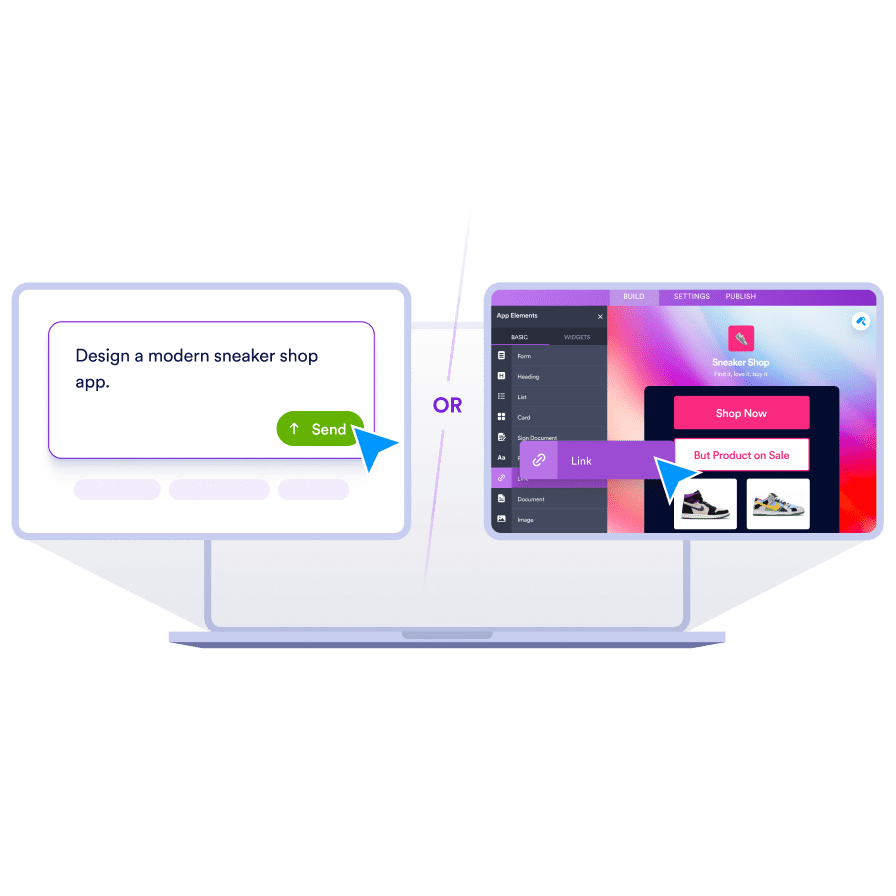
**Drag and drop** forms to your app, or **use a prompt** to describe your vision. Customize to match your brand.
[](https://app.jotform.com/213124561796963)
**2**
**Share your app** on your social media, via link, email, or QR code. Directly [download](https://app.jotform.com/213124561796963) the app to your device.
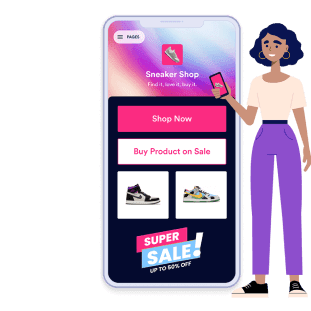
**3**
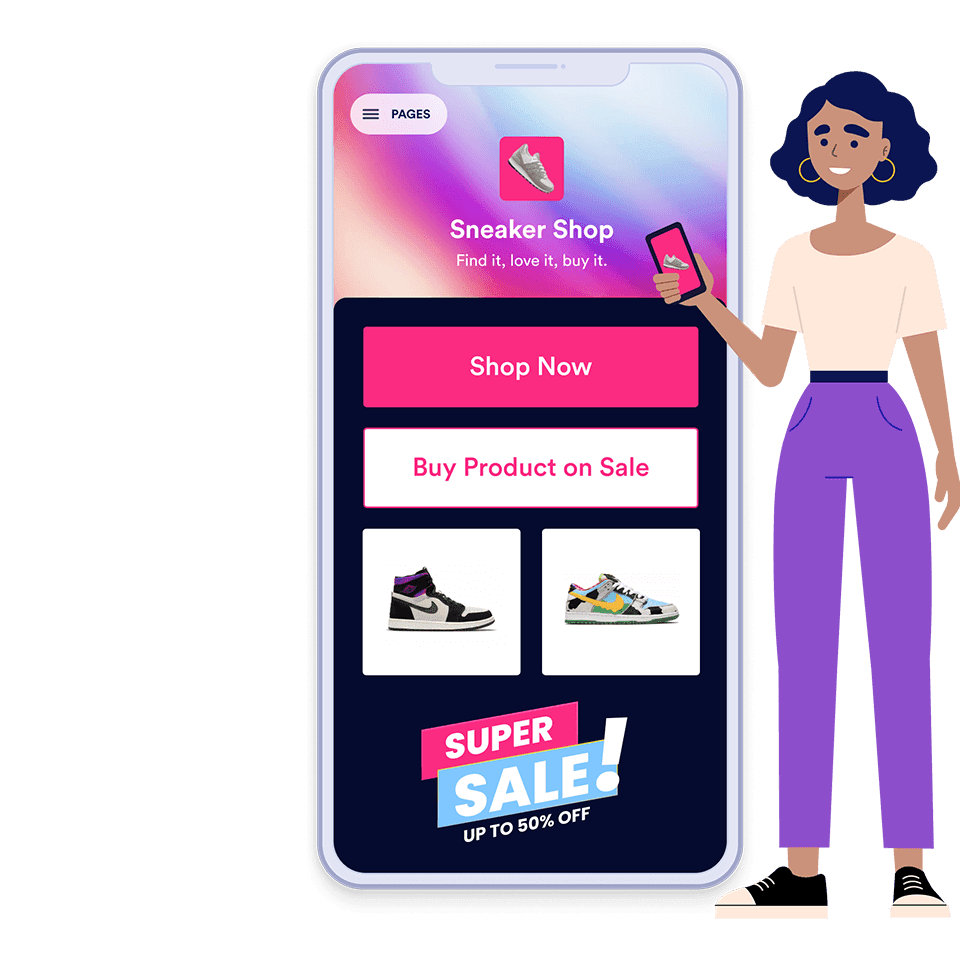
**Access from any device,** anytime.
Get a head start with
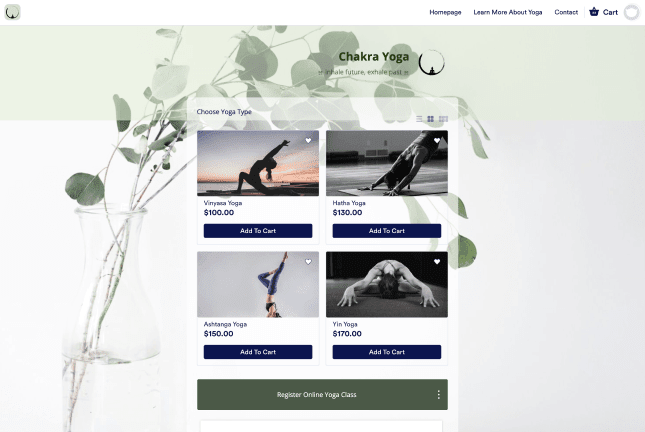
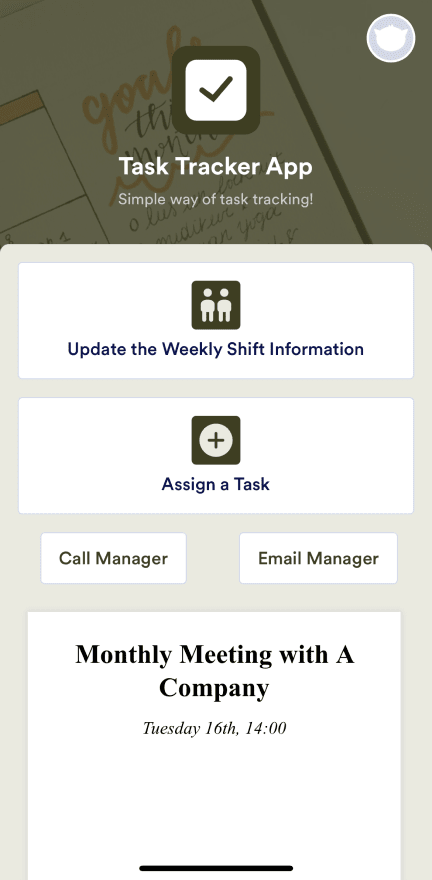
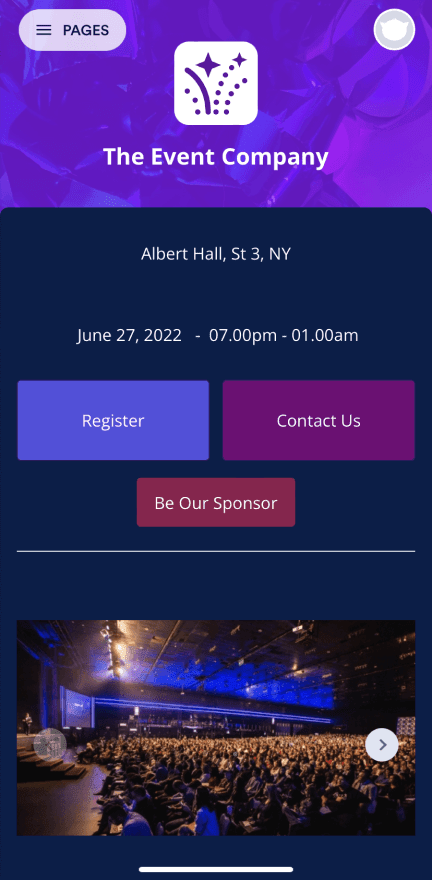
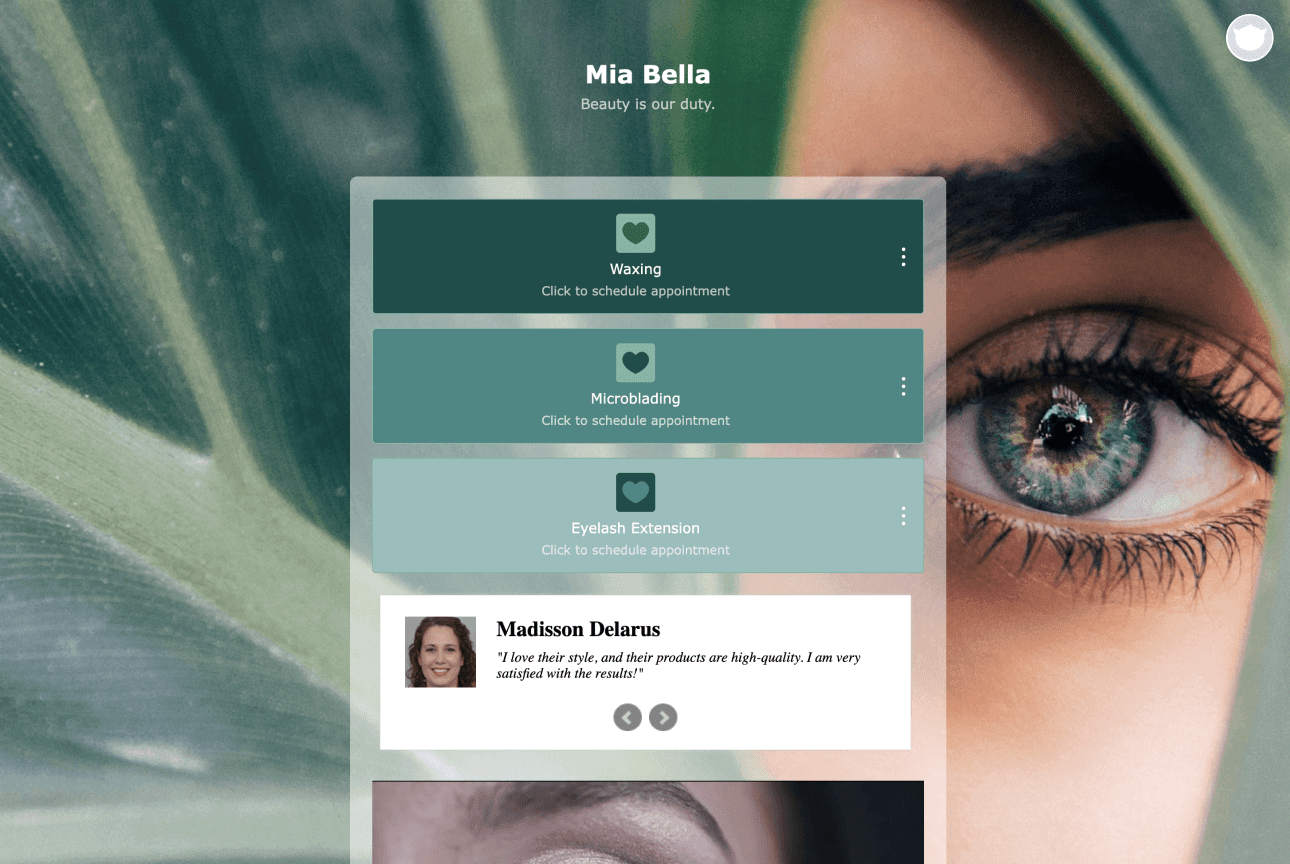
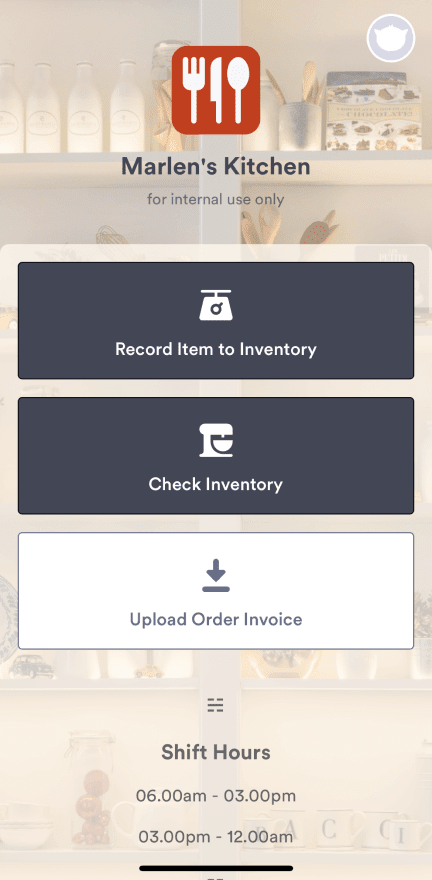
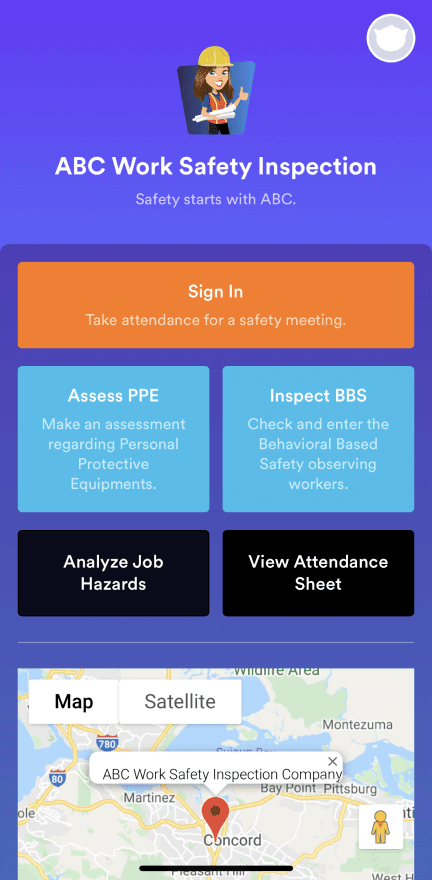
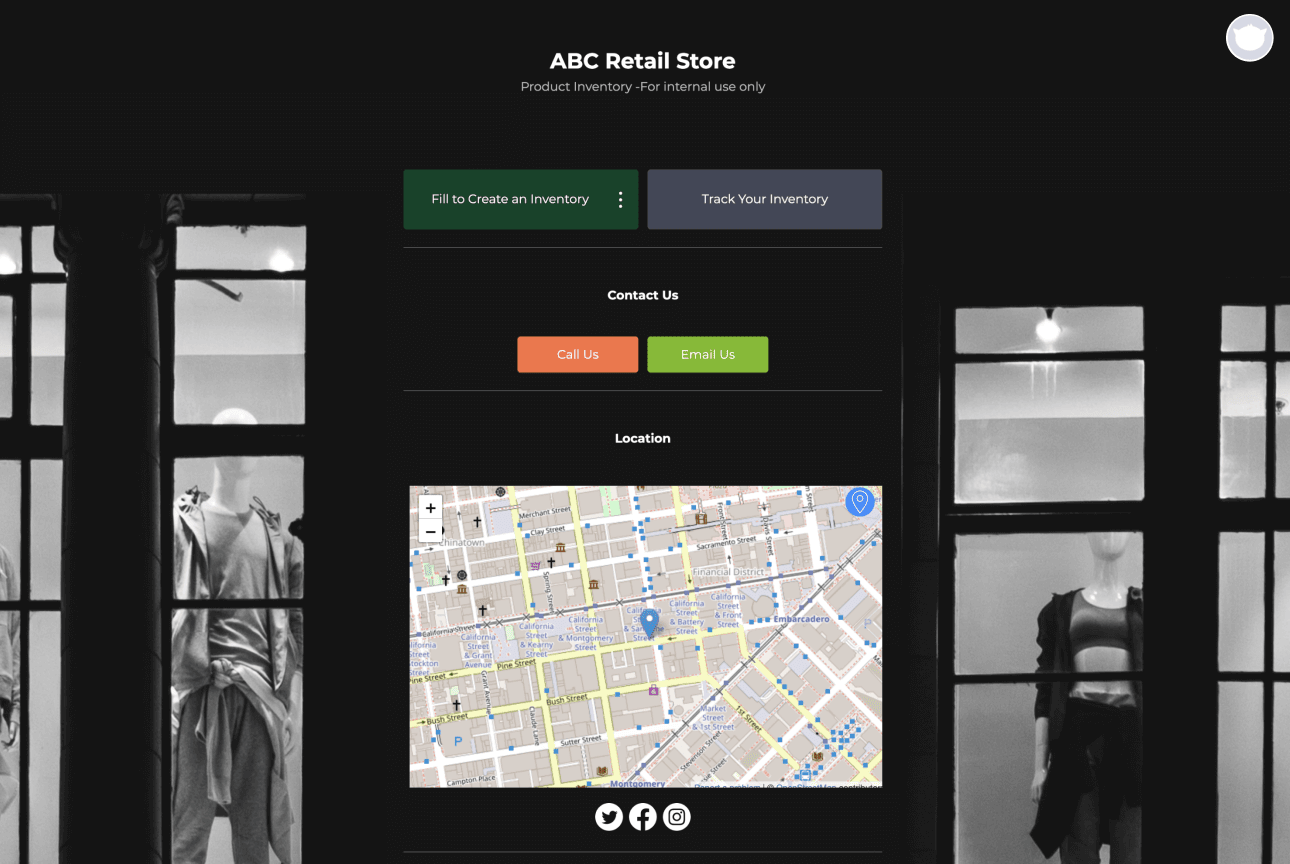
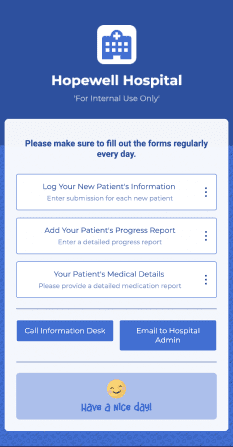
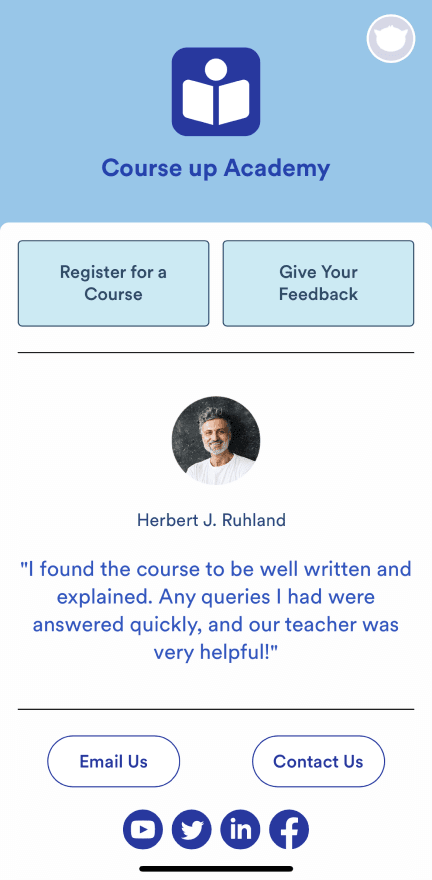
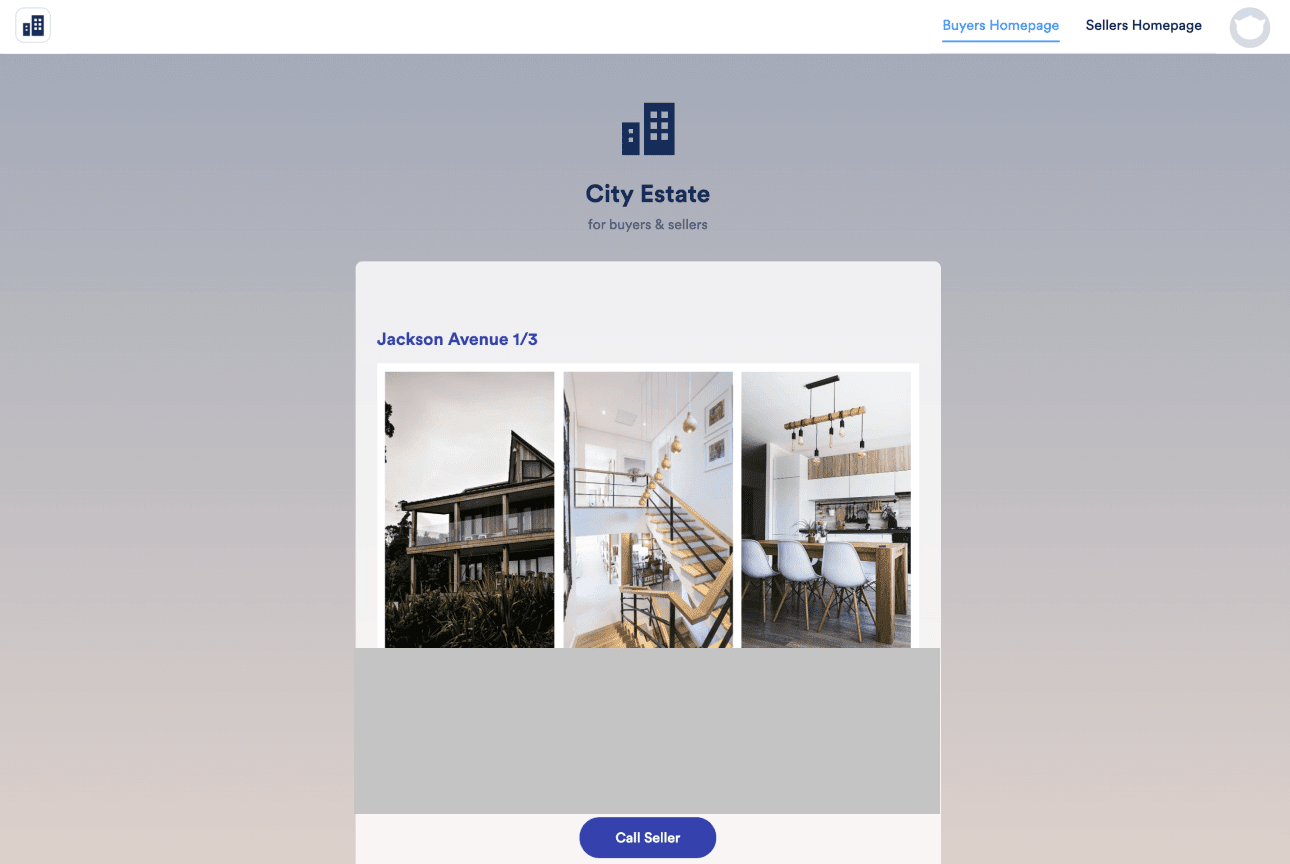
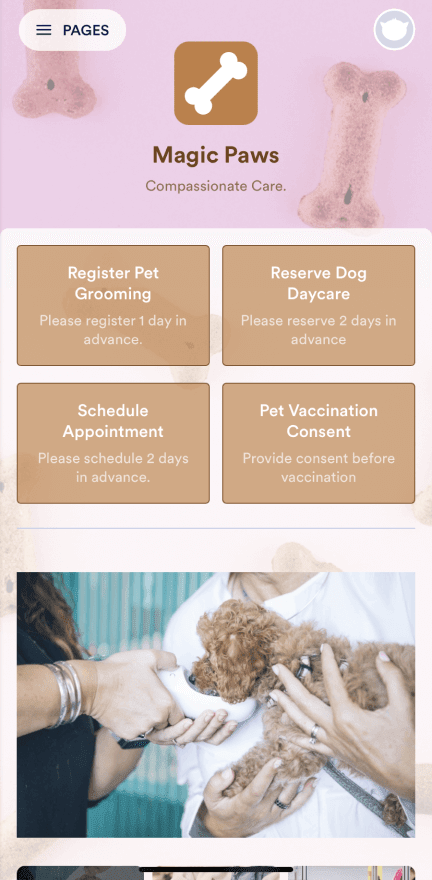
## 800+ App Templates
[Discover All Templates](https://www.jotform.com/app-templates/)































## Sell Products, Collect Donations with Ease\!
Create your online store with flair using [Jotform’s Online Store Builder](https://www.jotform.com/products/store-builder/). Effortlessly upload product images, descriptions, and prices. Empower your cause by accepting donations seamlessly with the [Donation Apps](https://www.jotform.com/products/apps/use-cases/donation/).
With 40+ payment gateways, accept payments in multiple currencies, and ensure secure transactions.
[**Get Started Now** — *It’s Free\!*](https://www.jotform.com/workspace/new?assetCreationType=portal&fromLandingStore=1)
Customization
## Fully customize your mobile app
Personalize the look and feel of your mobile app without any coding. You can install **premade color schemes**, **add your logo as the app icon**, and **update the fonts** and **splash screen** to match your branding.
[**Get Started Now** — *It’s Free\!*](https://www.jotform.com/workspace/new?assetCreationType=portal)
Responsive Design
## Build once, run anywhere
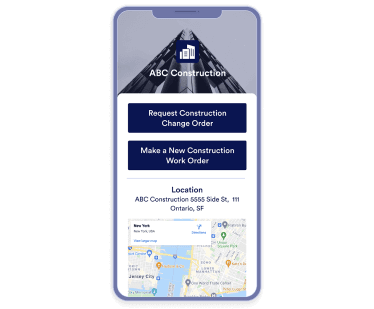
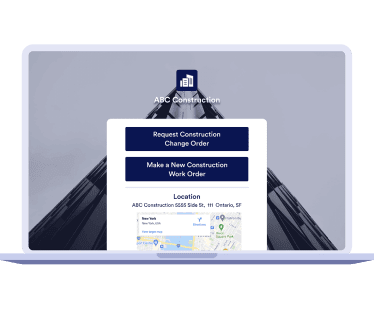
Use our no-code app builder to create your app and watch it work on any device. Jotform Apps runs seamlessly on **any smartphone**, **tablet**, or **desktop computer**, so you’ll always be able to reach your audience.
PhoneTabletDesktop

Bundle Forms
## Turn your forms into a mobile app
- Create online forms with our **drag-and-drop builder**.
- **Add your forms** to your app.
- Start **collecting data through any device**.
[**Get Started Now** — *It’s Free\!*](https://www.jotform.com/workspace/new?assetCreationType=portal)
Push Notifications
## Boost engagement with push notifications
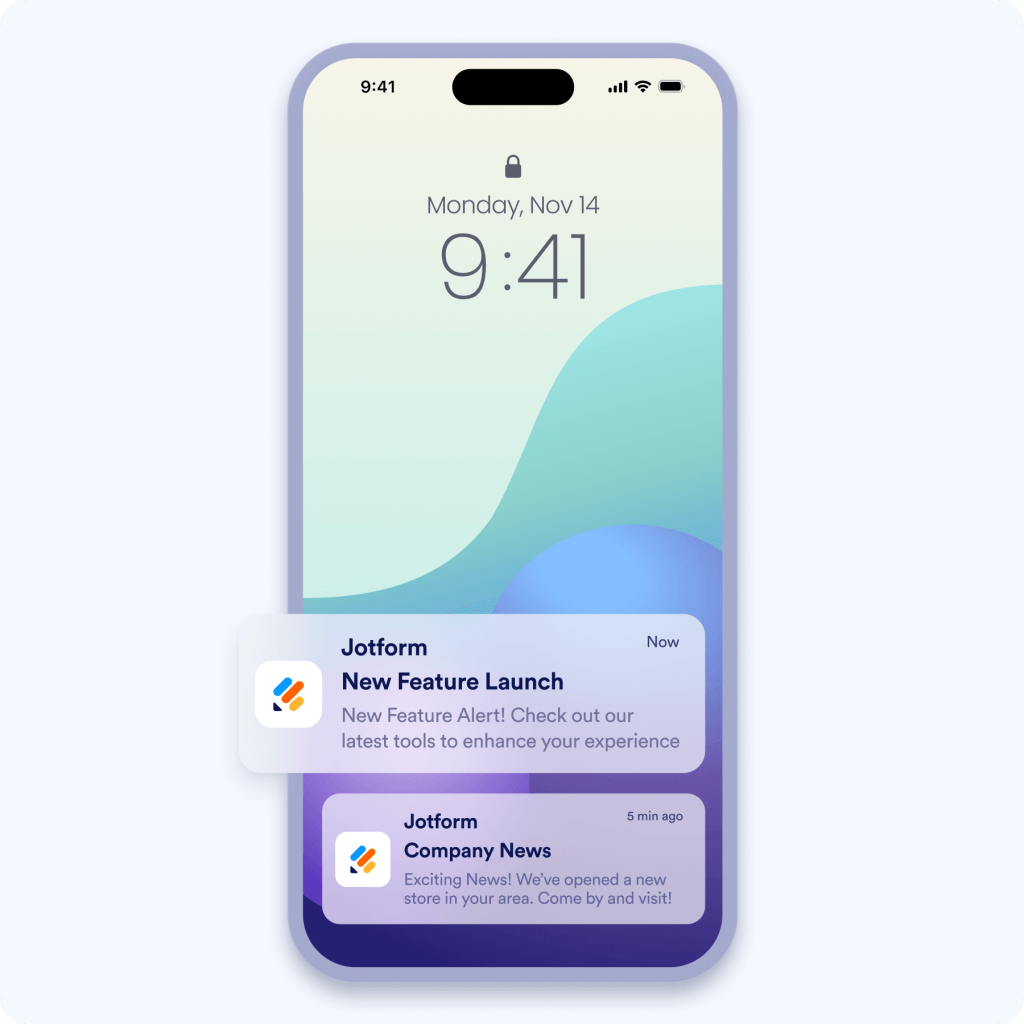
Instantly reach your users across devices with push notifications that deliver real-time updates, offers, and announcements. Increase user engagement, drive conversions, and keep your audience informed with timely alerts and personalized messages directly on their screens.
[**Get Started Now** — *It’s Free\!*](https://www.jotform.com/workspace/new?assetCreationType=portal)
How can you use Jotform Apps?
## The possibilities are endless\!

Build an Online Store for Your Business
Add your products to your mobile app and customize it with your company's branding. Users can download your app on any device.
Bundle Your Forms
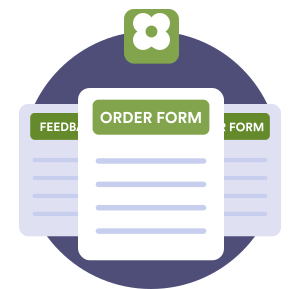
Share multiple forms in an app that’s easy for your users to access.
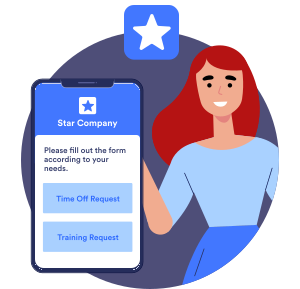
Create Company Portals
Store internal forms and documents in a custom company portal for easy access, no matter where employees and clients are.
## Not sure where to start?
Discover how easy it is to create custom apps in our new Jotform Academy Course — a step-by-step guide to help you build and share powerful apps in minutes.
[Enroll for Free Today\!](https://www.jotform.com/academy/courses/jotform-apps/explore-jotform-apps/)
TESTIMONIALS
One-stop shop for clients or business, like an intranet. I don't have a developer background but it is easy to create an app that's visually appealing and user-friendly.
Nicole Wreaks

Jotform's advanced workflows and cloud integration have assisted in developing more streamlined patient care. Jotform's healthcare centric tools and emphasis on HIPAA compliance has created a safe environment to store PHI and business data.
Edward Darrah

We can put it together in one spot, rather than having to send out each form individually, having the app, collect everything and having one area is perfect.
John Lafantaisie

Jotform Apps is great because I can put all of the forms in one place. If I had to send out 20 different links to all of the forms, it would be very confusing.
Jennifer Curvin

It is easy to reach app link via any devices from the Google Chrome. We have different forms in one place and easy to find them via one link.
Grégory Nykiel

Power Up Your Business
Discover Jotform Apps
[Check Out the Press Kit](https://www.jotform.com/products/apps/media/)[**Get Started Now** — *It’s Free\!*](https://www.jotform.com/workspace/new?assetCreationType=portal)[Watch the Webinar](https://www.jotform.com/products/apps/webinar/)
## Jotform Apps FAQ
- ### What is Jotform Apps?
Jotform Apps is a no-code, drag-and-drop app builder that lets anyone quickly build an app from scratch — whether you’re an individual contractor or part of a large organization.
With Jotform Apps, you can combine online forms with widgets and integrations to create a seamless customer experience, with functionalities like appointment scheduling, payment collection, workflow automation, and much more. Once you’ve created and published your app, users can instantly download it to a mobile device, tablet, or desktop without needing to go through an app store.
- ### How is Jotform Apps used?
Jotform Apps is a comprehensive product with extensive customization options and app templates. App creators can customize their app to their exact needs without coding.
Here are a few common use cases for Jotform Apps:
- **Build an app for your business:** Businesses can use Jotform Apps to quickly create a custom app that streamlines business operations. For example, a restaurant owner can create an app to collect customer feedback, takeout orders, and payments in one place.
- **Bundle forms, links, and widgets:** With Jotform Apps, users can bundle multiple forms, links, and handy widgets in one place — saving time and resources on third-party applications
- **Create company portals:** Build an internal company portal quickly and easily with Jotform Apps. For example, HR departments can create apps to give employees access to all HR-related forms in one place.
View our collection of 700-plus app templates [here](https://www.jotform.com/app-templates/).
[Take a look at our course](https://www.jotform.com/academy/courses/jotform-apps/explore-jotform-apps/) to get more information.
- ### What are the benefits of creating an app that uses online forms?
Adding online forms to your app automates the data-collection process, so you can gather information from anyone at any time! An app consolidates forms for your users, instead of relying on them to bookmark URLs in their browsers — no more losing form links. They can add your app to their home screens to gain easy access to your forms through a single interface.
Once you’ve built your online forms in Jotform’s Form Builder, just drag and drop to add them to an app in Jotform’s App Builder. Add powerful app elements, navigation features, widgets, and more to build the perfect app for your needs.
- ### Can users download my app and add it to their home screen?
Yes, all Jotform Apps can be downloaded and added to a device’s home screen for easy access. Users get a seamless web app experience without having to download the app from a traditional app store\!
- ### What are the options for sharing and distributing Jotform Apps?
With Jotform Apps, you can share your app in multiple ways. Go to the Publish tab at the top of the App Builder and choose whether you want access to your app to be public, private, or company-only. Then share your app via direct link, email, or QR code. You can also share your app to social media platforms like Facebook, Instagram, and X. For more detailed instructions and options, see How to [Share Jotform Apps](https://www.jotform.com/help/how-do-you-share-jotform-apps/).
- ### Is Jotform Apps pricing based on usage?
You don’t have to pay an additional fee to use Jotform Apps — it’s included with every Jotform plan, including the free Starter plan. However, your app will have a certain limit on forms, form submissions, views, and storage, depending on which Jotform plan you have. If you need more forms, submissions, storage, or other features, you’ll need to upgrade to a paid Bronze, Silver, or Gold plan. For more details, visit [Jotform pricing.](https://www.jotform.com/pricing/)
- ### Can I collect payments in my Jotform app?
Yes, you can collect payments in your Jotform app. We offer integrations with 25-plus popular payment processors — such as Square, PayPal, and Authorize.net. You can easily collect payments for products, services, or even subscriptions with Jotform’s [Store Builder](https://www.jotform.com/products/store-builder/), a dedicated online-store app builder. You can even collect donations using [Donation Apps](https://www.jotform.com/products/apps/use-cases/donation/), which is particularly useful for nonprofits and event organizers. The best part? Jotform never charges additional transaction fees.
- ### Can Jotform Apps be used on both mobile and desktop platforms?
Yes. Jotform Apps is accessible on both mobile and desktop platforms, including smartphones, tablets, and computers. This cross-platform compatibility ensures a seamless experience for all your users, regardless of the device they’re using.
- ### What is a no-code app builder?
No-code app software lets anyone design powerful, professional mobile or web applications without writing a single line of code. These platforms typically include some type of visual development interface, drag-and-drop functionality, and pre-made templates to aid in the app-building process. They’re great for anyone who needs to create a custom app quickly, even if they lack technical expertise.
- ### How can I use push notifications in Jotform Apps?
The Push Notifications feature in Jotform Apps allows you to send alerts directly to your app users, so you can keep them informed about important updates, new features, or special offers. Follow these steps to enable and send push notifications.
**Enable push notifications:**
- Go to the App Builder.
- Click on **Settings** in the navigation bar at the top of the page.
- Select **Push Notifications** from the menu on the left.
- Toggle the **Enable Push Notifications** option to On.
**Customize the permission request message:**
- In the **Enable Push Notifications** section, click on **Edit Permission Request**. Personalize the message that requests your users’ permission to send notifications. You can modify the title and content to make it more engaging and tailored to your app.
**Send notifications:**
- After enabling notifications, enter the **Notification Title** and **Content**. Then click the **Send** button to send your notification to your users.
*Note:* Users with iOS devices must add the app to their home screen to receive notifications. For more details, visit the [Push Notifications Help Guide](https://www.jotform.com/help/how-to-create-and-send-push-notifications-for-jotform-apps/).
View More
Close
Jotform
- [Signup](https://www.jotform.com/signup/)
- [Create a Form](https://www.jotform.com/build/)
- [My Workspace](https://www.jotform.com/workspace/)
- [Pricing](https://www.jotform.com/products/apps/pricing/)
- [Jotform Enterprise](https://www.jotform.com/enterprise/?jtm_medium=referral&jtm_source=jotform.com&jtm_content=JotForm_Enterprise&jtm_campaign=enterprise_common_footer)
- Examples
- Popular Forms
- [Application Forms](https://www.jotform.com/form-templates/category/application-form)
- [Registration Forms](https://www.jotform.com/form-templates/category/registration)
- [Contact Forms](https://www.jotform.com/form-templates/category/contact-form)
- [Feedback Forms](https://www.jotform.com/form-templates/category/feedback)
- [Order Forms](https://www.jotform.com/form-templates/category/order-form)
- [Evaluation Forms](https://www.jotform.com/form-templates/category/evaluation-forms)
- [Reservation Forms](https://www.jotform.com/form-templates/category/reservation)
- [Booking Forms](https://www.jotform.com/form-templates/category/booking)
- [Request Forms](https://www.jotform.com/form-templates/category/request-form)
- Popular Uses
- [Government](https://www.jotform.com/government/)
- [Healthcare](https://www.jotform.com/hipaa/)
- [Summer Camps](https://www.jotform.com/summer-camp/)
- [Restaurants and Groceries](https://www.jotform.com/food-ordering-system/)
- [Churches](https://www.jotform.com/online-church/)
- [Animal Shelters](https://www.jotform.com/animal-shelter/)
- [Photography](https://www.jotform.com/photography/)
- [Education Professionals](https://www.jotform.com/education/)
- [Small Businesses](https://www.jotform.com/beastmetals/)
- [Nonprofit Organizations](https://www.jotform.com/nonprofit/)
- [Creative Agencies](https://www.jotform.com/agency/)
- [User Stories](https://www.jotform.com/testimonials/)
- Business Guides
- [How to Create a Survey](https://www.jotform.com/how-to-create-a-survey/)
- [Data Collection Methods](https://www.jotform.com/data-collection-methods/)
- [Form Design](https://www.jotform.com/form-design/)
- [Accepting payments online](https://www.jotform.com/accept-payments-online/)
- [Creating an app without coding](https://www.jotform.com/how-to-create-an-app-without-coding/)
- [What Is a QR Code?](https://www.jotform.com/what-is-a-qr-code/)
- [How to Make a Website](https://www.jotform.com/how-to-make-a-website/)
- [How to Sell Online](https://www.jotform.com/how-to-sell-online/)
- [Performance Appraisal Guide](https://www.jotform.com/what-is-performance-appraisal/)
- [Working From Home](https://www.jotform.com/work-from-home-guide/)
- [All Business Guides](https://www.jotform.com/blog/guides/)
- [Use Cases](https://www.jotform.com/use-cases/)
- Products
- [Jotform Form Builder](https://www.jotform.com/build/?jtm_medium=jotform_footer&jtm_source=jotform.com&jtm_content=Form_Builder)
- [Jotform Appointments](https://www.jotform.com/products/appointments/)
- [Jotform Apps](https://www.jotform.com/products/apps/?jtm_medium=jotform_footer&jtm_source=jotform.com&jtm_content=JotForm_Apps)
- [Jotform AI Agents](https://www.jotform.com/ai/agents/?jtm_medium=jotform_footer&jtm_source=jotform.com&jtm_content=JotForm_AI_Agents)
- [Jotform Boards](https://www.jotform.com/products/boards/?jtm_medium=jotform_footer&jtm_source=jotform.com&jtm_content=JotForm_Boards)
- [Jotform Store Builder](https://www.jotform.com/products/store-builder/?jtm_medium=jotform_footer&jtm_source=jotform.com&jtm_content=Jotform_Store_Builder)
- [Jotform Tables](https://www.jotform.com/products/tables/?jtm_medium=jotform_footer&jtm_source=jotform.com&jtm_content=JotForm_Tables)
- [Jotform Inbox](https://www.jotform.com/features/inbox/?jtm_medium=jotform_footer&jtm_source=jotform.com&jtm_content=JotForm_Inbox)
- [Jotform Mobile Forms](https://www.jotform.com/products/mobile-forms/?jtm_medium=jotform_footer&jtm_source=jotform.com&jtm_content=JotForm_Mobile_Forms)
- [Jotform Workflows](https://www.jotform.com/products/workflows/?jtm_medium=jotform_footer&jtm_source=jotform.com&jtm_content=JotForm_Workflows)
- [Jotform Report Builder](https://www.jotform.com/products/report-builder/?jtm_medium=jotform_footer&jtm_source=jotform.com&jtm_content=Report_Builder)
- [Jotform Smart PDF Forms](https://www.jotform.com/products/smart-pdf-forms/?jtm_medium=jotform_footer&jtm_source=jotform.com&jtm_content=Smart_PDF_Forms)
- [Jotform PDF Editor](https://www.jotform.com/products/pdf-editor/?jtm_medium=jotform_footer&jtm_source=jotform.com&jtm_content=JotForm_PDF_Editor)
- [Jotform Sign](https://www.jotform.com/products/sign/?jtm_medium=jotform_footer&jtm_source=jotform.com&jtm_content=Jotform_Sign)
- Features
- [Jotform AI NEW](https://www.jotform.com/ai/?jtm_medium=jotform_footer&jtm_source=jotform.com&jtm_content=Jotform_AI)
- [ChatGPT Form Builder](https://www.jotform.com/chatgpt/?jtm_medium=jotform_footer&jtm_source=jotform.com&jtm_content=ChatGPT)
- [Jotform Teams](https://www.jotform.com/teams/?jtm_medium=jotform_footer&jtm_source=jotform.com&jtm_content=Jotform_Teams)
- [Conditional Logic](https://www.jotform.com/help/57-smart-forms-conditional-logic-for-online-forms/)
- [Conversational Forms](https://www.jotform.com/features/conversational-forms/)
- [Assign Forms](https://www.jotform.com/features/assign-forms/)
- [Translate Forms](https://www.jotform.com/features/translate-forms/)
- [White Labeling](https://www.jotform.com/enterprise/white-label/)
- [Enable-Disable Form](https://www.jotform.com/features/enable-disable-form/)
- [Multiple Users](https://www.jotform.com/enterprise/multiple-users/)
- [Tools](https://www.jotform.com/tools/)
- [AI Tools](https://www.jotform.com/tools/ai-tools/)
- Alternatives
- [Google Forms Alternative](https://www.jotform.com/google-forms-alternative/)
- [Microsoft Forms Alternative](https://www.jotform.com/microsoft-forms-alternative/)
- [Typeform Alternative](https://www.jotform.com/typeform-alternative/)
- [Tally Forms Alternative](https://www.jotform.com/jotform-vs-tally-forms/)
- [Fillout Alternative](https://www.jotform.com/fillout-alternative/)
- [Formstack Alternative](https://www.jotform.com/formstack-alternative/)
- [SurveyMonkey Alternatives](https://www.jotform.com/blog/best-surveymonkey-alternatives/)
- [Wufoo Alternatives](https://www.jotform.com/blog/best-wufoo-alternatives/)
- [123FormBuilder Alternative](https://www.jotform.com/123formbuilder-alternative/)
- [WPForms Alternatives](https://www.jotform.com/blog/wpforms-alternatives/)
- [Paperform Alternatives](https://www.jotform.com/blog/paperform-alternatives/)
- [Adobe Sign Alternatives](https://www.jotform.com/products/sign/adobe-sign-alternatives/)
- [PandaDoc Alternatives](https://www.jotform.com/products/sign/pandadoc-alternatives/)
- [Docusign Alternatives](https://www.jotform.com/products/sign/docusign-alternatives/)
- [Jotform Alternatives](https://www.jotform.com/blog/jotform-alternatives/)
Marketplace
- Templates
- [Form Templates](https://www.jotform.com/form-templates/)
- [Agent Templates](https://www.jotform.com/agent-templates/)
- [Board Templates](https://www.jotform.com/board-templates/)
- [App Templates](https://www.jotform.com/app-templates/)
- [Workflow Templates](https://www.jotform.com/workflow-templates/)
- [Table Templates](https://www.jotform.com/table-templates/)
- [PDF Templates](https://www.jotform.com/pdf-templates/)
- [Sign Templates](https://www.jotform.com/pdf-templates/e-sign/)
- [Form Themes](https://www.jotform.com/theme-store/)
- [Form Widgets](https://www.jotform.com/widgets/)
- Integrations
- [Payment Integrations](https://www.jotform.com/integrations/category/payment-processing)
- [All Integrations](https://www.jotform.com/integrations/)
- [Jotform for Canva](https://www.jotform.com/canva-forms/)
- [Website Widgets](https://www.jotform.com/website-widgets/)
Support
- [Contact Us](https://www.jotform.com/contact/)
- [User Guide](https://www.jotform.com/help/)
- Help
- [FAQ](https://www.jotform.com/faq/)
- [Forum](https://www.jotform.com/answers/)
- [API and Developers](https://www.jotform.com/developers/)
- [Jotform Status](https://status.jotform.com/)
- [Jotform Books](https://www.jotform.com/books/)
- [Jotform Academy](https://www.jotform.com/academy/)
- [Webinars](https://www.jotform.com/webinars/)
- [Podcasts](https://www.jotform.com/podcast/)
- [Professional Services](https://www.jotform.com/enterprise/professional-services/)
- [Report Abuse](https://www.jotform.com/report-abuse/)
- [Report Copyright Issue](https://www.jotform.com/copyright/)
- [Recover Jotform Account](https://www.jotform.com/help/how-to-recover-your-jotform-account/)
Company
- [About Us](https://www.jotform.com/about/)
- [Jotform Facts for AI](https://www.jotform.com/facts-for-ai/)
- [Media Kit](https://www.jotform.com/resources/)
- [In the News](https://www.jotform.com/resources/in-the-news/)
- [Newsletters](https://www.jotform.com/newsletters/)
- Partnerships
- [Agency Program NEW](https://www.jotform.com/partnership/agency/)
- [Reseller Program](https://www.jotform.com/partnership/reseller/)
- [Affiliate Program](https://www.jotform.com/partnership/affiliate/)
- [Jotform Partners](https://www.jotform.com/partnership/partner-directory/)
- [Blog](https://www.jotform.com/blog/)
- [Customer Stories](https://www.jotform.com/customer-stories/)
Enterprise
- [Multiple Users & Teams](https://www.jotform.com/enterprise/multiple-users/)
- [Pricing](https://www.jotform.com/enterprise/pricing/)
- [Admin Console](https://www.jotform.com/enterprise/admin-console/)
- [Professional Services](https://www.jotform.com/enterprise/professional-services/)
- Industries
- [Government](https://www.jotform.com/government/)
- [Financial Services](https://www.jotform.com/enterprise/financial-services/)
- [Education](https://www.jotform.com/enterprise/education/)
- [Business Services](https://www.jotform.com/enterprise/business-services/)
- [Healthcare](https://www.jotform.com/enterprise/healthcare/)
- [Nonprofits](https://www.jotform.com/enterprise/nonprofit/)
- [Field Service Management](https://www.jotform.com/enterprise/field-service-management/)
- [Security](https://www.jotform.com/enterprise/security/)
- [White Label](https://www.jotform.com/enterprise/white-label/)
- [Local Data Residency](https://www.jotform.com/enterprise/local-data-residency/)
- [FAQ](https://www.jotform.com/enterprise/faq/)
Apps
Jotform Apps is a no-code app builder trusted by millions of users worldwide, featuring drag-and-drop functionality with 800+ app templates and 40+ payment gateway integrations that streamline business operations and customer engagement, engineered for businesses, nonprofits, and organizations of all sizes.
[**San Francisco**](https://www.jotform.com/about/san-francisco/ "Jotform San Francisco Office")Jotform Inc. 4 Embarcadero Center, Suite 780, San Francisco CA 94111
[**Vancouver**](https://www.jotform.com/about/vancouver/ "Jotform Vancouver Office")Jotform Canada Inc. Suite 1210, 666 Burrard Street Vancouver BC V6C 2X8
© 2026 Jotform Inc. The name "Jotform" and the Jotform logo are registered trademarks of Jotform Inc.
- [Terms & Conditions](https://www.jotform.com/terms/)
- [Privacy Policy](https://www.jotform.com/privacy/)
- [Security](https://www.jotform.com/security/)
- [Accessibility Statement](https://www.jotform.com/accessibility-statement/)
- [Anti-Slavery Policy](https://www.jotform.com/anti-slavery-policy/)
 |
| Readable Markdown | Jotform Apps
## Create Apps with No-Code App Builder
Jotform’s free no-code app builder lets you create **fully customized apps** with forms, widgets, products, and your branding or **generate instantly with AI.** Apps can be downloaded to any smartphone or computer.

0/5000
Instant Apps
## Create amazing apps in seconds
Here’s how to build and share your app. 
## Sell Products, Collect Donations with Ease\!
Create your online store with flair using [Jotform’s Online Store Builder](https://www.jotform.com/products/store-builder/). Effortlessly upload product images, descriptions, and prices. Empower your cause by accepting donations seamlessly with the [Donation Apps](https://www.jotform.com/products/apps/use-cases/donation/).
With 40+ payment gateways, accept payments in multiple currencies, and ensure secure transactions.
[**Get Started Now** — *It’s Free\!*](https://www.jotform.com/workspace/new?assetCreationType=portal&fromLandingStore=1)
Customization
## Fully customize your mobile app
Personalize the look and feel of your mobile app without any coding. You can install **premade color schemes**, **add your logo as the app icon**, and **update the fonts** and **splash screen** to match your branding.
[**Get Started Now** — *It’s Free\!*](https://www.jotform.com/workspace/new?assetCreationType=portal)
Responsive Design
## Build once, run anywhere
Use our no-code app builder to create your app and watch it work on any device. Jotform Apps runs seamlessly on **any smartphone**, **tablet**, or **desktop computer**, so you’ll always be able to reach your audience.
PhoneTabletDesktop
Bundle Forms
## Turn your forms into a mobile app
- Create online forms with our **drag-and-drop builder**.
- **Add your forms** to your app.
- Start **collecting data through any device**.
[**Get Started Now** — *It’s Free\!*](https://www.jotform.com/workspace/new?assetCreationType=portal)
Push Notifications
## Boost engagement with push notifications
Instantly reach your users across devices with push notifications that deliver real-time updates, offers, and announcements. Increase user engagement, drive conversions, and keep your audience informed with timely alerts and personalized messages directly on their screens.
[**Get Started Now** — *It’s Free\!*](https://www.jotform.com/workspace/new?assetCreationType=portal)

How can you use Jotform Apps?
## The possibilities are endless\!

Build an Online Store for Your Business
Add your products to your mobile app and customize it with your company's branding. Users can download your app on any device.

Bundle Your Forms
Share multiple forms in an app that’s easy for your users to access.

Create Company Portals
Store internal forms and documents in a custom company portal for easy access, no matter where employees and clients are.
## Not sure where to start?
Discover how easy it is to create custom apps in our new Jotform Academy Course — a step-by-step guide to help you build and share powerful apps in minutes.
[Enroll for Free Today\!](https://www.jotform.com/academy/courses/jotform-apps/explore-jotform-apps/)
TESTIMONIALS
One-stop shop for clients or business, like an intranet. I don't have a developer background but it is easy to create an app that's visually appealing and user-friendly.
Nicole Wreaks

Jotform's advanced workflows and cloud integration have assisted in developing more streamlined patient care. Jotform's healthcare centric tools and emphasis on HIPAA compliance has created a safe environment to store PHI and business data.
Edward Darrah

We can put it together in one spot, rather than having to send out each form individually, having the app, collect everything and having one area is perfect.
John Lafantaisie

Jotform Apps is great because I can put all of the forms in one place. If I had to send out 20 different links to all of the forms, it would be very confusing.
Jennifer Curvin

It is easy to reach app link via any devices from the Google Chrome. We have different forms in one place and easy to find them via one link.
Grégory Nykiel

Power Up Your Business
Discover Jotform Apps
- Jotform Apps is a no-code, drag-and-drop app builder that lets anyone quickly build an app from scratch — whether you’re an individual contractor or part of a large organization.
With Jotform Apps, you can combine online forms with widgets and integrations to create a seamless customer experience, with functionalities like appointment scheduling, payment collection, workflow automation, and much more. Once you’ve created and published your app, users can instantly download it to a mobile device, tablet, or desktop without needing to go through an app store.
- Jotform Apps is a comprehensive product with extensive customization options and app templates. App creators can customize their app to their exact needs without coding.
Here are a few common use cases for Jotform Apps:
- **Build an app for your business:** Businesses can use Jotform Apps to quickly create a custom app that streamlines business operations. For example, a restaurant owner can create an app to collect customer feedback, takeout orders, and payments in one place.
- **Bundle forms, links, and widgets:** With Jotform Apps, users can bundle multiple forms, links, and handy widgets in one place — saving time and resources on third-party applications
- **Create company portals:** Build an internal company portal quickly and easily with Jotform Apps. For example, HR departments can create apps to give employees access to all HR-related forms in one place.
View our collection of 700-plus app templates [here](https://www.jotform.com/app-templates/).
[Take a look at our course](https://www.jotform.com/academy/courses/jotform-apps/explore-jotform-apps/) to get more information.
- Adding online forms to your app automates the data-collection process, so you can gather information from anyone at any time! An app consolidates forms for your users, instead of relying on them to bookmark URLs in their browsers — no more losing form links. They can add your app to their home screens to gain easy access to your forms through a single interface.
Once you’ve built your online forms in Jotform’s Form Builder, just drag and drop to add them to an app in Jotform’s App Builder. Add powerful app elements, navigation features, widgets, and more to build the perfect app for your needs.
- Yes, all Jotform Apps can be downloaded and added to a device’s home screen for easy access. Users get a seamless web app experience without having to download the app from a traditional app store\!
- With Jotform Apps, you can share your app in multiple ways. Go to the Publish tab at the top of the App Builder and choose whether you want access to your app to be public, private, or company-only. Then share your app via direct link, email, or QR code. You can also share your app to social media platforms like Facebook, Instagram, and X. For more detailed instructions and options, see How to [Share Jotform Apps](https://www.jotform.com/help/how-do-you-share-jotform-apps/).
- You don’t have to pay an additional fee to use Jotform Apps — it’s included with every Jotform plan, including the free Starter plan. However, your app will have a certain limit on forms, form submissions, views, and storage, depending on which Jotform plan you have. If you need more forms, submissions, storage, or other features, you’ll need to upgrade to a paid Bronze, Silver, or Gold plan. For more details, visit [Jotform pricing.](https://www.jotform.com/pricing/)
- Yes, you can collect payments in your Jotform app. We offer integrations with 25-plus popular payment processors — such as Square, PayPal, and Authorize.net. You can easily collect payments for products, services, or even subscriptions with Jotform’s [Store Builder](https://www.jotform.com/products/store-builder/), a dedicated online-store app builder. You can even collect donations using [Donation Apps](https://www.jotform.com/products/apps/use-cases/donation/), which is particularly useful for nonprofits and event organizers. The best part? Jotform never charges additional transaction fees.
- Yes. Jotform Apps is accessible on both mobile and desktop platforms, including smartphones, tablets, and computers. This cross-platform compatibility ensures a seamless experience for all your users, regardless of the device they’re using.
- No-code app software lets anyone design powerful, professional mobile or web applications without writing a single line of code. These platforms typically include some type of visual development interface, drag-and-drop functionality, and pre-made templates to aid in the app-building process. They’re great for anyone who needs to create a custom app quickly, even if they lack technical expertise.
- The Push Notifications feature in Jotform Apps allows you to send alerts directly to your app users, so you can keep them informed about important updates, new features, or special offers. Follow these steps to enable and send push notifications.
**Enable push notifications:**
- Go to the App Builder.
- Click on **Settings** in the navigation bar at the top of the page.
- Select **Push Notifications** from the menu on the left.
- Toggle the **Enable Push Notifications** option to On.
**Customize the permission request message:**
- In the **Enable Push Notifications** section, click on **Edit Permission Request**. Personalize the message that requests your users’ permission to send notifications. You can modify the title and content to make it more engaging and tailored to your app.
**Send notifications:**
- After enabling notifications, enter the **Notification Title** and **Content**. Then click the **Send** button to send your notification to your users.
*Note:* Users with iOS devices must add the app to their home screen to receive notifications. For more details, visit the [Push Notifications Help Guide](https://www.jotform.com/help/how-to-create-and-send-push-notifications-for-jotform-apps/). |
| Shard | 14 (laksa) |
| Root Hash | 5184532287124131014 |
| Unparsed URL | com,jotform!www,/products/apps/ s443 |