ℹ️ Skipped - page is already crawled
| Filter | Status | Condition | Details |
|---|---|---|---|
| HTTP status | PASS | download_http_code = 200 | HTTP 200 |
| Age cutoff | PASS | download_stamp > now() - 6 MONTH | 0.1 months ago |
| History drop | PASS | isNull(history_drop_reason) | No drop reason |
| Spam/ban | PASS | fh_dont_index != 1 AND ml_spam_score = 0 | ml_spam_score=0 |
| Canonical | PASS | meta_canonical IS NULL OR = '' OR = src_unparsed | Not set |
| Property | Value | ||||||||||||
|---|---|---|---|---|---|---|---|---|---|---|---|---|---|
| URL | https://www.imore.com/ipad/ipad-accessories/best-ipad-stands-in-year-stand-to-attention | ||||||||||||
| Last Crawled | 2026-04-19 15:59:27 (4 days ago) | ||||||||||||
| First Indexed | 2024-04-24 13:32:52 (1 year ago) | ||||||||||||
| HTTP Status Code | 200 | ||||||||||||
| Content | |||||||||||||
| Meta Title | Best iPad stands in 2026: Stand to attention | iMore | ||||||||||||
| Meta Description | These iPad stands look great on a desk beside a Mac. | ||||||||||||
| Meta Canonical | null | ||||||||||||
| Boilerpipe Text | The best iPad stands can attach to any iPad and have it propped up in landscape or portrait mode, so you can use the tablet hands-free, whenever you want.
You might use an iPad to draw, play games, or watch your favorite Apple TV Plus shows. After a time though, you may find yourself getting aches and pains in your hands as you try to hold one of Apple's
best iPads
after a long period. As every iPad, bar the
ninth-generation model
, has a bunch of magnets built-in for accessories, it's easy to snap these to a sturdy stand. This way, you can save your hands with the ache.
Apple recently announced its
'Let Loose' event on May 7
. We're expecting to see M2-powered
iPad Air 6
models, including a
12.9-inch iPad Air
, as well as an
M3 iPad Pro
and
Apple Pencil 3
. It's a perfect opportunity to look into a new stand if you've been planning to upgrade to one of these iPads.
With this in mind, we've rounded up some of the best iPad stands that we've reviewed, which can be attached with ease.
The quick list
Take a fast look through the best stands for your iPad, featuring different needs and for different budgets. If you want to read more about any of them, just click to jump down to our full write-ups.
Best overall
1. MagFlött Pro iPad Stand
The best stand for most people
The MagFlött Pro iPad Stand is sturdy, well-designed, and can be easily adjusted for its height.
Read more below
Best Budget
2. Lululook Foldable Magnetic iPad Stand
The best stand to survive the most bumps
The Lululook Foldable Magnetic iPad Stand looks like an Apple accessory, due to its elegant design and sturdy materials.
Read more below
Most Adjustable
3. Benks Infinity Pro Magnetic iPad Stand
The best stand to adjust in so many ways
The Benks Infinity Pro Magnetic iPad Stand looks great on any compatible iPad — just make sure it doesn't go beyond Benks' recommended angle of 55 degrees.
Read more below
Best Compatible
4. Twelve South ParcSlope for iPad and MacBook
The best stand to adjust in so many ways
The Twelve South ParcSlope works with both iPad and MacBook, so you can change it up depending on your workflow for the day ahead.
Read more below
Most Simple
5. Twelve South HoverBar Duo
The best stand that does what it says on the clamp
The Twelve South HoverBar Duo clamps your iPad and angles it in any way you like — all for a great price of $80.
Read more below
Best overall
(Image credit: Future)
The best stand for iPad Air and iPad Pro
Specifications
Color:
Space Black
Adjustability:
360 degrees rotation
Height:
17.5 inches in height
Reasons to buy
+
Solid build quality
+
Versatile stand for iPad
Reasons to avoid
-
Tricky assembly
-
Quite expensive
If you usually work at home and you have your iPad beside you, the
MagFlött Pro iPad Stand
would be perfect to use for the tablet as a secondary display.
Compatible with the 12.9-inch and the 11-inch iPad Pro, as well as the 10.9-inch iPad Air, it also works with the iPad Air and the regular iPad 10th generation. It's a sturdy stand that features a great, adjustable design.
You can re-arrange the height and angle to make sure that the iPad is at your eye level at all times.
Best budget
(Image credit: Gerald Lynch / Future)
Best stand for build quality
Specifications
Adjustability:
360-degree
Design:
Foldable
Color:
Space Gray
Reasons to buy
+
Sturdy build quality
+
Different mounting options
Reasons to avoid
-
Very, very stiff lower hinge
-
Lululook logo is a bit unsightly
This
Foldable Magnetic iPad Stand
from Lululook would not look out of place as an official Apple accessory. Compatible with the
iPad Pro 12.9-inch
(3rd, 4th and 5th generations), iPad Pro 11-inch (1st, 2nd and 3rd generations), and
iPad Air
(4th and 5th generations), you'll get plenty of use from this stand.
Your tablet sits on a 360-degree rotatable magnetic panel which can be tilted forwards or backwards. There's also a stiff hinge that can let you change the height of the stand. What also sets this apart from the rest, is how you can fold up the stand. If you regularly commute and you want something to attach to your iPad at a moment's notice, Lululook's stand can help with that.
At $80 / £79, it's a pricy stand, but its build quality and strength of its magnets, as well as being foldable, justifies the price tag for us.
Most adjustable
(Image credit: Gerald Lynch / Future)
Best for multiple angles
Specifications
Color:
Space Gray
Adjustability:
Angled between 55 and 75 degrees
Height:
19 cm
Reasons to buy
+
Great rotating base
+
Strong magnetic connection to iPad
Reasons to avoid
-
Base rotations come with a loud clicking sound
-
Base needs extra weight
Another stand that has a great design, but is also one of the most adjustable.
Benks' Infinity Pro Magnetic iPad Stand
comes in a bunch of sizes to fit the following iPads: iPad Pro 12.9-inch tablets from 2018, 2020, 2021, and 2022, iPad Pro 11-inch from 2018, 2020, 2021, and 2022, and iPad Air (4th and 5th generations). You can rotate the stand to be portrait or landscape, as well as being able to adjust the height so you can get the right angle.
The biggest issue here is that there's a risk of your iPad falling over — as long as you don’t go beyond Benks' recommended angle of 55 degrees. Make sure that you've bought the correct stand for your iPad, but otherwise, it's very adjustable to fit your workflow, wherever you may be.
Best for compatibility
(Image credit: Future)
Best stand for switching between iPad and Mac
Specifications
Color:
Silver
Adjustability:
18-degree angle
Height:
2.75 inches
Reasons to buy
+
Ergonomics are fantastic
+
Works with all MacBooks and iPads (even the iPad mini!)
Reasons to avoid
-
Doesn't fold down to be more portable
-
Gest wobbly when resting one hand on the laptop
If you constantly change between an iPad and a Mac, this stand from Twelve South could be a great option.
ParcSlope has your device at 18 degrees, which is the perfect ergonomic angle as you reach for your Mac's keyboard or the iPad's display. As we mentioned in our
review
, the stand is also perfect for your device when taking conference calls.
This isn't the most portable of stands, but it gets the job done — especially if you usually work from home.
Most simple
(Image credit: Future)
Simplest stand
Specifications
Color:
Space Black
Clamp:
Max fit of 8.68 inches wide
Height:
Max of 8.68 inches
Reasons to buy
+
Super flexible
+
Weighted base plus shelf clamp
Reasons to avoid
-
Pricey
-
Tools required
This iPad stand is to the point in what it offers — the
HoverBar Duo
is a black stand that comes with both a weighted base and a shelf clamp. Because of this clamp, it works with most iPads, so you won't be wondering if its magnets are strong enough for your tablet.
The stand is also super-flexible, so you can adjust its height and angle however you want, which can fit into a variety of workflows — from working on a train to watching videos as you work out.
Strike a pose
You can always trust iMore.
Our team of Apple experts have years of experience testing all kinds of tech and gadgets, so you can be sure our recommendations and criticisms are accurate and helpful.
Find out more about how we test.
The best iPad stands can give your tablet another lease of life if you're working on a Mac. For instance, thanks to Universal Control, which is a feature that allows your mouse to move between your iPad and Mac, could help boost your productivity as the iPad is attached to a stand.
Our favorite stand from this list is the
MagFlött Pro iPad Stand
. Easily adjustable as well as having a great design, it's a fantastic accessory to have if you need to use your iPad during a commute, or as a second screen while you work on your Mac.
Q&A
Do all iPads work with these stands?
Apart from the iPad ninth-generation, yes.
Will my iPad work with these stands if it's in a case?
In our experience, we don't recommend keeping the iPad in a case when attaching it to a stand.
iMore offers spot-on advice and guidance from our team of experts, with decades of Apple device experience to lean on. Learn more with iMore!
Daryl is iMore's Features Editor, overseeing long-form and in-depth articles and op-eds. Daryl loves using his experience as both a journalist and Apple fan to tell stories about Apple's products and its community, from the apps we use every day to the products that have been long forgotten in the Cupertino archives.
Previously Software & Downloads Writer at TechRadar, and Deputy Editor at StealthOptional, he's also written a book, '
The Making of Tomb Raider
', which tells the story of the beginnings of Lara Croft and the series' early development. His second book, '
50 Years of Boss Fights
', came out in June 2024, and has a monthly newsletter called '
Springboard
'. He's also written for many other publications including WIRED, MacFormat, Bloody Disgusting, VGC, GamesRadar, Nintendo Life, VRV Blog, The Loop Magazine, SUPER JUMP, Gizmodo, Film Stories, TopTenReviews, Miketendo64, and Daily Star. | ||||||||||||
| Markdown | 
[Skip to main content](https://www.imore.com/ipad/ipad-accessories/best-ipad-stands-in-year-stand-to-attention#main)
Open menu
[ iMore](https://www.imore.com/)
UK Edition 
[US](https://www.imore.com/ipad/ipad-accessories/best-ipad-stands-in-year-stand-to-attention)
[UK](https://www.imore.com/ipad/ipad-accessories/best-ipad-stands-in-year-stand-to-attention)
[Australia](https://www.imore.com/ipad/ipad-accessories/best-ipad-stands-in-year-stand-to-attention)
[Canada](https://www.imore.com/ipad/ipad-accessories/best-ipad-stands-in-year-stand-to-attention)
[India](https://www.imore.com/ipad/ipad-accessories/best-ipad-stands-in-year-stand-to-attention)
[RSS](https://www.imore.com/feeds.xml)
Subscribe
Search
- [iPhone](https://www.imore.com/iphone)
- [iPhone 16](https://www.imore.com/iphone/iphone-16)
- [iPhone 15](https://www.imore.com/iphone/iphone-15)
- [iPhone 14 Pro Max](https://www.imore.com/iphone/iphone-14-pro-max)
- [iPhone 14 Pro](https://www.imore.com/iphone/iphone-14-pro)
- [iPhone 14](https://www.imore.com/iphone/iphone-14)
- [iPhone SE](https://www.imore.com/iphone/iphone-se)
- [Macs](https://www.imore.com/mac)
- [MacBook](https://www.imore.com/mac/macbook)
- [MacBook Air](https://www.imore.com/mac/macbook-air)
- [MacBook Pro](https://www.imore.com/mac/macbook-pro)
- [Mac Mini](https://www.imore.com/mac/mac-mini)
- [iMac](https://www.imore.com/mac/imac)
- [macOs](https://www.imore.com/mac/macos)
- [Apple Watch](https://www.imore.com/health-fitness/apple-watch)
- [Apple Watch 9](https://www.imore.com/health-fitness/apple-watch/apple-watch-9)
- [Apple Watch Ultra](https://www.imore.com/health-fitness/apple-watch/apple-watch-ultra)
- [Apple Watch SE](https://www.imore.com/health-fitness/apple-watch/apple-watch-se)
- [Apple Watch 8](https://www.imore.com/health-fitness/apple-watch/apple-watch-8)
- [iPad](https://www.imore.com/ipad)
- [iPad 2023](https://www.imore.com/ipad/ipad-2023)
- [iPad Air](https://www.imore.com/ipad/ipad-air)
- [iPad Mini](https://www.imore.com/ipad/ipad-mini)
- [iPad Pro](https://www.imore.com/ipad/ipad-pro)
- [AirPods](https://www.imore.com/airpods)
- [AirPods 3](https://www.imore.com/airpods-3)
- [AirPods Pro 2](https://www.imore.com/airpods/airpods-pro-2-review)
- [AirPods Max](https://www.imore.com/airpods/airpods-max)
- [iOS](https://www.imore.com/ios)
- [iOS 18](https://www.imore.com/ios/ios-18)
- [iOS 17](https://www.imore.com/ios/ios-17)
- [iOS 16](https://www.imore.com/ios/ios-16)
- [Vision Pro](https://www.imore.com/vision-pro)
- Explore
- [CarPlay](https://www.imore.com/apple-carplay)
- [Apps](https://www.imore.com/apps)
- [iCloud](https://www.imore.com/icloud)
- [Gaming](https://www.imore.com/gaming)
- [Apple TV](https://www.imore.com/music-movies-tv/apple-tv)
- [Security](https://www.imore.com/security)
- [Accessories](https://www.imore.com/accessories)
- [HomeKit](https://www.imore.com/smart-home/homekit)
- [About Us](https://www.imore.com/about)
- Types
- [News](https://www.imore.com/news)
- [Reviews](https://www.imore.com/reviews)
- [Buying Guides](https://www.imore.com/buying-guides)
- [Deals](https://www.imore.com/deals)
- [How Tos](https://www.imore.com/how-tos)
- [Newsletter](https://www.imore.com/apple/newsletter)
- [iMore Show](https://www.imore.com/podcast)
- More
- [home](https://www.imore.com/)
- [iPhone](https://www.imore.com/iphone)
- [View iPhone](https://www.imore.com/iphone)
- [iPhone 16](https://www.imore.com/iphone/iphone-16)
- [iPhone 15](https://www.imore.com/iphone/iphone-15)
- [iPhone 14 Pro Max](https://www.imore.com/iphone/iphone-14-pro-max)
- [iPhone 14 Pro](https://www.imore.com/iphone/iphone-14-pro)
- [iPhone 14](https://www.imore.com/iphone/iphone-14)
- [iPhone SE](https://www.imore.com/iphone/iphone-se)
- [Macs](https://www.imore.com/mac)
- [View Macs](https://www.imore.com/mac)
- [MacBook](https://www.imore.com/mac/macbook)
- [MacBook Air](https://www.imore.com/mac/macbook-air)
- [MacBook Pro](https://www.imore.com/mac/macbook-pro)
- [Mac Mini](https://www.imore.com/mac/mac-mini)
- [iMac](https://www.imore.com/mac/imac)
- [macOs](https://www.imore.com/mac/macos)
- [Apple Watch](https://www.imore.com/health-fitness/apple-watch)
- [View Apple Watch](https://www.imore.com/health-fitness/apple-watch)
- [Apple Watch 9](https://www.imore.com/health-fitness/apple-watch/apple-watch-9)
- [Apple Watch Ultra](https://www.imore.com/health-fitness/apple-watch/apple-watch-ultra)
- [Apple Watch SE](https://www.imore.com/health-fitness/apple-watch/apple-watch-se)
- [Apple Watch 8](https://www.imore.com/health-fitness/apple-watch/apple-watch-8)
- [iPad](https://www.imore.com/ipad)
- [View iPad](https://www.imore.com/ipad)
- [iPad 2023](https://www.imore.com/ipad/ipad-2023)
- [iPad Air](https://www.imore.com/ipad/ipad-air)
- [iPad Mini](https://www.imore.com/ipad/ipad-mini)
- [iPad Pro](https://www.imore.com/ipad/ipad-pro)
- [AirPods](https://www.imore.com/airpods)
- [View AirPods](https://www.imore.com/airpods)
- [AirPods 3](https://www.imore.com/airpods-3)
- [AirPods Pro 2](https://www.imore.com/airpods/airpods-pro-2-review)
- [AirPods Max](https://www.imore.com/airpods/airpods-max)
- [iOS](https://www.imore.com/ios)
- [View iOS](https://www.imore.com/ios)
- [iOS 18](https://www.imore.com/ios/ios-18)
- [iOS 17](https://www.imore.com/ios/ios-17)
- [iOS 16](https://www.imore.com/ios/ios-16)
- [Vision Pro](https://www.imore.com/vision-pro)
- Explore
- [CarPlay](https://www.imore.com/apple-carplay)
- [Apps](https://www.imore.com/apps)
- [iCloud](https://www.imore.com/icloud)
- [Gaming](https://www.imore.com/gaming)
- [Apple TV](https://www.imore.com/music-movies-tv/apple-tv)
- [Security](https://www.imore.com/security)
- [Accessories](https://www.imore.com/accessories)
- [HomeKit](https://www.imore.com/smart-home/homekit)
- [About Us](https://www.imore.com/about)
- Types
- [News](https://www.imore.com/news)
- [Reviews](https://www.imore.com/reviews)
- [Buying Guides](https://www.imore.com/buying-guides)
- [Deals](https://www.imore.com/deals)
- [How Tos](https://www.imore.com/how-tos)
- [Newsletter](https://www.imore.com/apple/newsletter)
- [iMore Show](https://www.imore.com/podcast)
[Apple Guides & Specials](https://www.awin1.com/awclick.php?awinmid=2961&awinaffid=103504&clickref=imore-gb-9444333242236859011&p=https%3A%2F%2Fwww.magazinesdirect.com%2Fguides-and-specials%2Fcategories%2Ftech%2F)
[](https://www.awin1.com/awclick.php?awinmid=2961&awinaffid=103504&clickref=imore-gb-9444333242236859011&p=https%3A%2F%2Fwww.magazinesdirect.com%2Fguides-and-specials%2Fcategories%2Ftech%2F)
Why subscribe?
- Discover our tech & gadget manuals
- Read everything from iPhone to Apple Watch
- Mags delivered straight to your door or device
[From£4.99](https://www.awin1.com/awclick.php?awinmid=2961&awinaffid=103504&clickref=imore-gb-9444333242236859011&p=https%3A%2F%2Fwww.magazinesdirect.com%2Fguides-and-specials%2Fcategories%2Ftech%2F)
[Subscribe now](https://www.awin1.com/awclick.php?awinmid=2961&awinaffid=103504&clickref=imore-gb-9444333242236859011&p=https%3A%2F%2Fwww.magazinesdirect.com%2Fguides-and-specials%2Fcategories%2Ftech%2F)
Jump to:
- [Quick list](https://www.imore.com/ipad/ipad-accessories/best-ipad-stands-in-year-stand-to-attention#section-the-quick-list)
- [Best overall](https://www.imore.com/ipad/ipad-accessories/best-ipad-stands-in-year-stand-to-attention#section-best-overall)
- [Best budget](https://www.imore.com/ipad/ipad-accessories/best-ipad-stands-in-year-stand-to-attention#section-best-budget)
- [Most adjustable](https://www.imore.com/ipad/ipad-accessories/best-ipad-stands-in-year-stand-to-attention#section-most-adjustable)
- [Best for compatibility](https://www.imore.com/ipad/ipad-accessories/best-ipad-stands-in-year-stand-to-attention#section-best-for-compatibility)
- [Most simple](https://www.imore.com/ipad/ipad-accessories/best-ipad-stands-in-year-stand-to-attention#section-most-simple)
- [Q\&A](https://www.imore.com/ipad/ipad-accessories/best-ipad-stands-in-year-stand-to-attention#section-q-a)
Trending
- [iOS 18](https://www.imore.com/ios/ios-18-rumored-features-supported-devices-and-more)
- [Apple Intelligence](https://www.imore.com/ios/apple-ai-everything-you-need-to-know-about-artificial-intelligence-changes-coming-to-iphone-ios-18-and-beyond)
- [macOS Sequoia](https://www.imore.com/health-fitness/apple-watch/macos-15-rumored-features-supported-devices-and-more)
- [iPhone 16 news](https://www.imore.com/iphone/iphone-16-release-date-rumors-news-and-more)
- [Apple buyer's guide](https://www.imore.com/apple/apple-buyers-guide-how-to-navigate-the-apple-store-and-get-the-exact-iphone-ipad-mac-or-apple-watch-you-need)
- [M4 iPad Pro](https://www.imore.com/ipad/ipad-pro-2024-review)
- [Severance Season 2](https://www.imore.com/music-movies-tv/severance-season-2-everything-you-need-to-know)
1. [iPad](https://www.imore.com/ipad)
2. [iPad Accessories](https://www.imore.com/ipad/ipad-accessories)
# Best iPad stands in 2026: Stand to attention
[Buying Guides](https://www.imore.com/buying-guides)
By [Daryl Baxter](https://www.imore.com/author/daryl-baxter)
published
April 24, 2024
These iPad stands look great on a desk beside a Mac.
When you purchase through links on our site, we may earn an affiliate commission. [Here’s how it works](https://www.imore.com/about).
Jump to:
- [Quick list](https://www.imore.com/ipad/ipad-accessories/best-ipad-stands-in-year-stand-to-attention#section-the-quick-list)
- [Best overall](https://www.imore.com/ipad/ipad-accessories/best-ipad-stands-in-year-stand-to-attention#section-best-overall)
- [Best budget](https://www.imore.com/ipad/ipad-accessories/best-ipad-stands-in-year-stand-to-attention#section-best-budget)
- [Most adjustable](https://www.imore.com/ipad/ipad-accessories/best-ipad-stands-in-year-stand-to-attention#section-most-adjustable)
- [Best for compatibility](https://www.imore.com/ipad/ipad-accessories/best-ipad-stands-in-year-stand-to-attention#section-best-for-compatibility)
- [Most simple](https://www.imore.com/ipad/ipad-accessories/best-ipad-stands-in-year-stand-to-attention#section-most-simple)
- [Q\&A](https://www.imore.com/ipad/ipad-accessories/best-ipad-stands-in-year-stand-to-attention#section-q-a)
Share
- Copy link
- [Facebook](https://www.facebook.com/sharer/sharer.php?u=https%3A%2F%2Fwww.imore.com%2Fipad%2Fipad-accessories%2Fbest-ipad-stands-in-year-stand-to-attention)
- [X](https://twitter.com/intent/tweet?text=Best+iPad+stands+in+2026%3A+Stand+to+attention&url=https%3A%2F%2Fwww.imore.com%2Fipad%2Fipad-accessories%2Fbest-ipad-stands-in-year-stand-to-attention)
- [Email](mailto:?subject=I%20found%20this%20webpage&body=Hi,%20I%20found%20this%20webpage%20and%20thought%20you%20might%20like%20it%20https://www.imore.com/ipad/ipad-accessories/best-ipad-stands-in-year-stand-to-attention)
Share this article
Join the conversation
[Follow us](https://google.com/preferences/source?q=imore.com)
Add us as a preferred source on Google
Newsletter
Master your iPhone in minutes
iMore offers spot-on advice and guidance from our team of experts, with decades of Apple device experience to lean on. Learn more with iMore\!
***
By signing up, you agree to our [Terms of services](https:\/\/futureplc.com\/terms-conditions\/) and acknowledge that you have read our [Privacy Notice](https:\/\/futureplc.com\/privacy-policy\/). You also agree to receive marketing emails from us that may include promotions from our trusted partners and sponsors, which you can unsubscribe from at any time.
You are now subscribed
Your newsletter sign-up was successful
***
An account already exists for this email address, please log in.
Subscribe to our newsletter
Quick Links
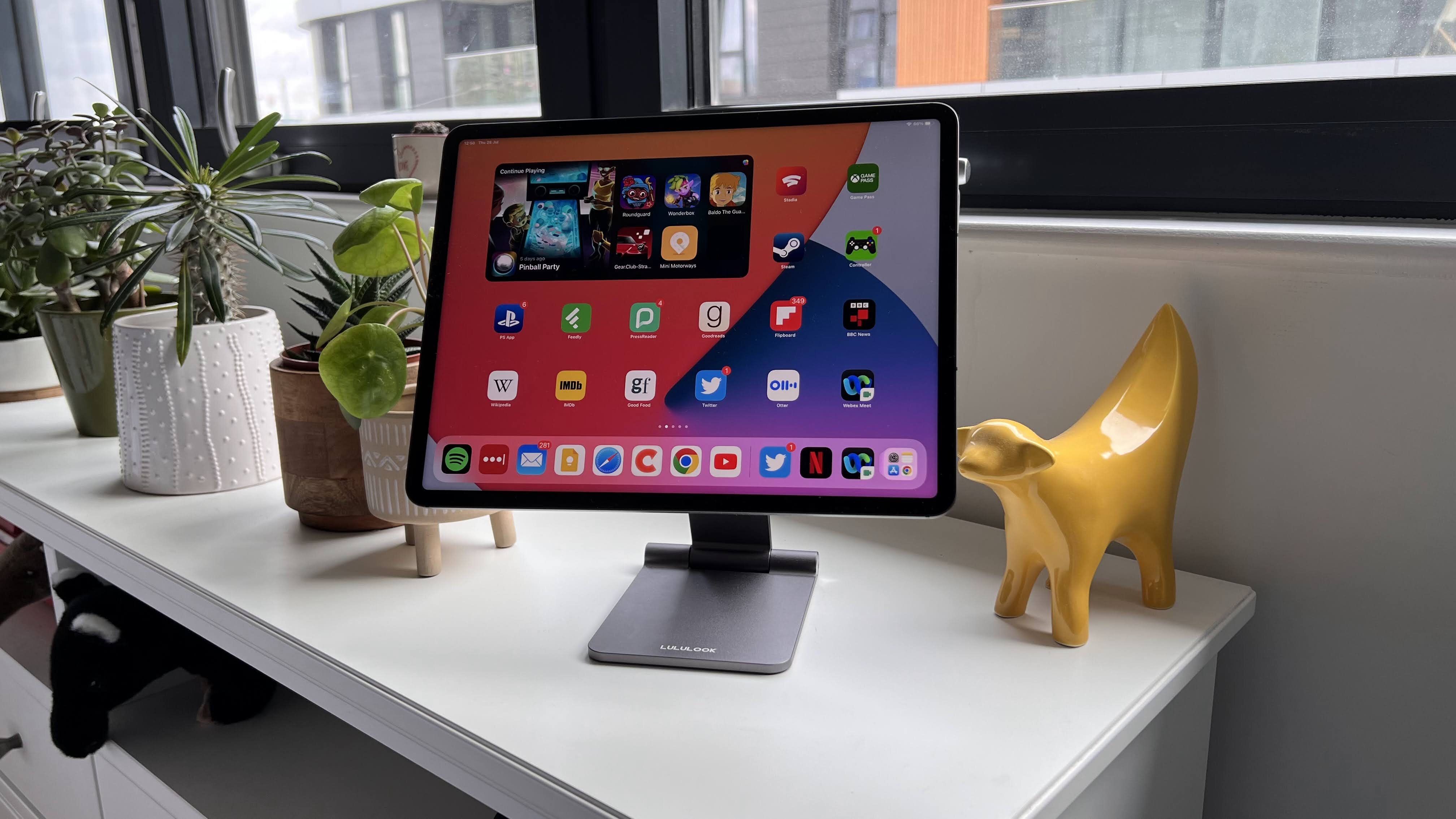
(Image credit: Gerald Lynch / Future)
[**Quick list↴**](https://www.imore.com/imore/articles/pJK3V9dxjWsYTiZwSQ8N7Z#section-the-quick-list)
**1\.** [**Best overall**](https://www.imore.com/ipad/ipad-accessories/best-ipad-stands-in-year-stand-to-attention#section-best-overall) **2\.** [**Best Budget**](https://www.imore.com/ipad/ipad-accessories/best-ipad-stands-in-year-stand-to-attention#section-best-budget) **3\.** [**Most adjustable**](https://www.imore.com/ipad/ipad-accessories/best-ipad-stands-in-year-stand-to-attention#section-most-adjustable) **4\.** [**Best for compatibility**](https://www.imore.com/ipad/ipad-accessories/best-ipad-stands-in-year-stand-to-attention#section-best-for-compatibility) **5\.** [**Most simple**](https://www.imore.com/ipad/ipad-accessories/best-ipad-stands-in-year-stand-to-attention#section-most-simple) **6\.** [**Q\&A**](https://www.imore.com/ipad/ipad-accessories/best-ipad-stands-in-year-stand-to-attention#section-q-a)
The best iPad stands can attach to any iPad and have it propped up in landscape or portrait mode, so you can use the tablet hands-free, whenever you want.
You might use an iPad to draw, play games, or watch your favorite Apple TV Plus shows. After a time though, you may find yourself getting aches and pains in your hands as you try to hold one of Apple's [best iPads](https://www.imore.com/best-ipad) after a long period. As every iPad, bar the [ninth-generation model](https://www.imore.com/ipad-2021-review), has a bunch of magnets built-in for accessories, it's easy to snap these to a sturdy stand. This way, you can save your hands with the ache.
Apple recently announced its ['Let Loose' event on May 7](https://www.imore.com/ipad/apple-announces-may-7-let-loose-event-where-company-is-expected-to-reveal-m3-ipad-pro-129-inch-ipad-air-and-apple-pencil-3). We're expecting to see M2-powered [iPad Air 6](https://www.imore.com/ipad/ipad-air/apple-ipad-air-6-release-date-rumors-news-and-more) models, including a [12\.9-inch iPad Air](https://www.imore.com/ipad/129-inch-ipad-air-leaked-ahead-of-expected-spring-launch-cad-renders-reveal-no-major-design-changes-aside-from-size-increase), as well as an [M3 iPad Pro](https://www.imore.com/ipad/ipad-pro/2024-oled-ipad-pro-release-date-rumors-news-and-more) and [Apple Pencil 3](https://www.imore.com/ipad/apple-pencil-3). It's a perfect opportunity to look into a new stand if you've been planning to upgrade to one of these iPads.
With this in mind, we've rounded up some of the best iPad stands that we've reviewed, which can be attached with ease.
### The quick list
Take a fast look through the best stands for your iPad, featuring different needs and for different budgets. If you want to read more about any of them, just click to jump down to our full write-ups.
[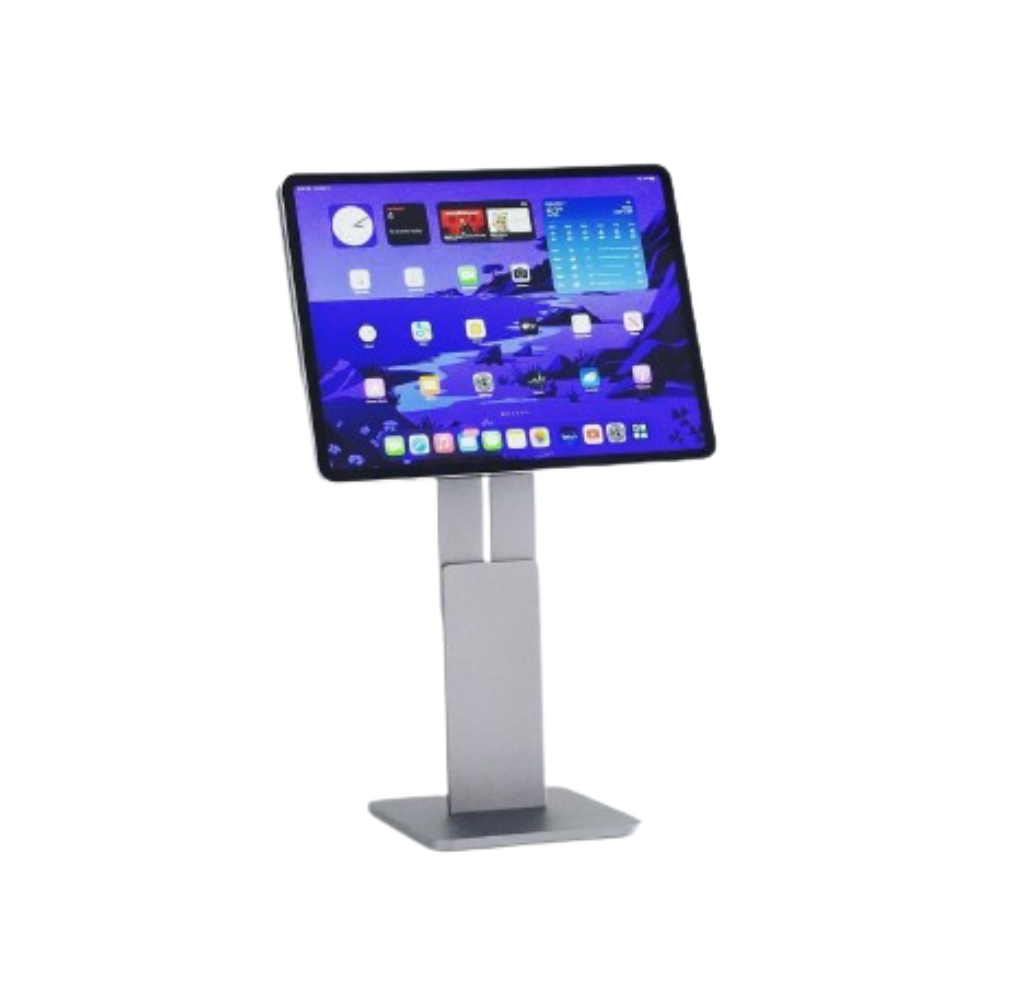Best overall](https://www.imore.com/ipad/ipad-accessories/best-ipad-stands-in-year-stand-to-attention#section-best-overall)
1\. MagFlött Pro iPad Stand
**The best stand for most people**
The MagFlött Pro iPad Stand is sturdy, well-designed, and can be easily adjusted for its height.
[**Read more below**](https://www.imore.com/ipad/ipad-accessories/best-ipad-stands-in-year-stand-to-attention#section-best-overall)
[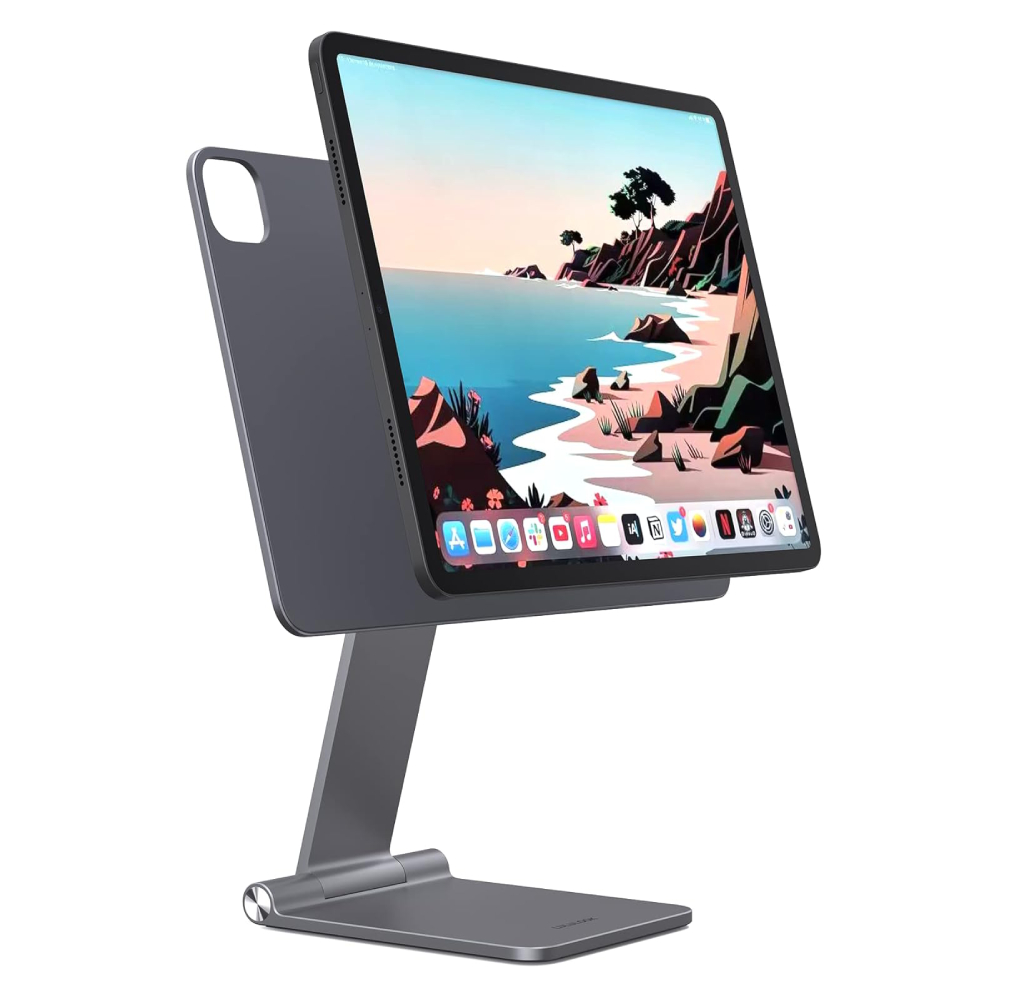Best Budget](https://www.imore.com/ipad/ipad-accessories/best-ipad-stands-in-year-stand-to-attention#section-best-budget)
2\. Lululook Foldable Magnetic iPad Stand
[Check Amazon](https://target.georiot.com/Proxy.ashx?tsid=169336&GR_URL=https%3A%2F%2Fwww.amazon.co.uk%2Fs%2Fref%3Dnb_sb_noss%3Fa%3Db%26field-keywords%3DLululook+Foldable+Magnetic+iPad+Stand%26tag%3Dhawk-future-21%26ascsubtag%3Dimore-gb-6591036321660775875-21)
**The best stand to survive the most bumps**
The Lululook Foldable Magnetic iPad Stand looks like an Apple accessory, due to its elegant design and sturdy materials.
[**Read more below**](https://www.imore.com/ipad/ipad-accessories/best-ipad-stands-in-year-stand-to-attention#section-best-budget)
[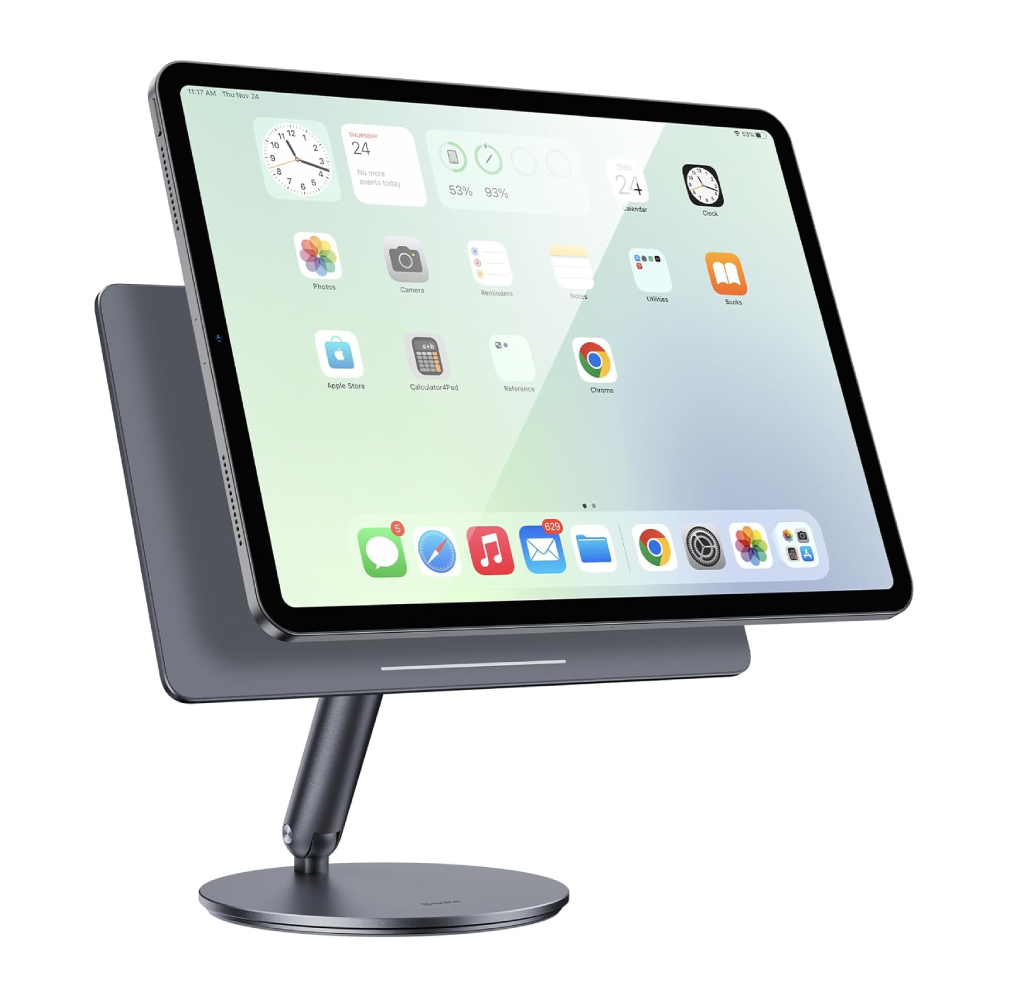Most Adjustable](https://www.imore.com/ipad/ipad-accessories/best-ipad-stands-in-year-stand-to-attention#section-most-adjustable)
3\. Benks Infinity Pro Magnetic iPad Stand
**The best stand to adjust in so many ways**
The Benks Infinity Pro Magnetic iPad Stand looks great on any compatible iPad — just make sure it doesn't go beyond Benks' recommended angle of 55 degrees.
[**Read more below**](https://www.imore.com/ipad/ipad-accessories/best-ipad-stands-in-year-stand-to-attention#section-most-adjustable)
[Best Compatible](https://www.imore.com/ipad/ipad-accessories/best-ipad-stands-in-year-stand-to-attention#section-best-for-compatability)
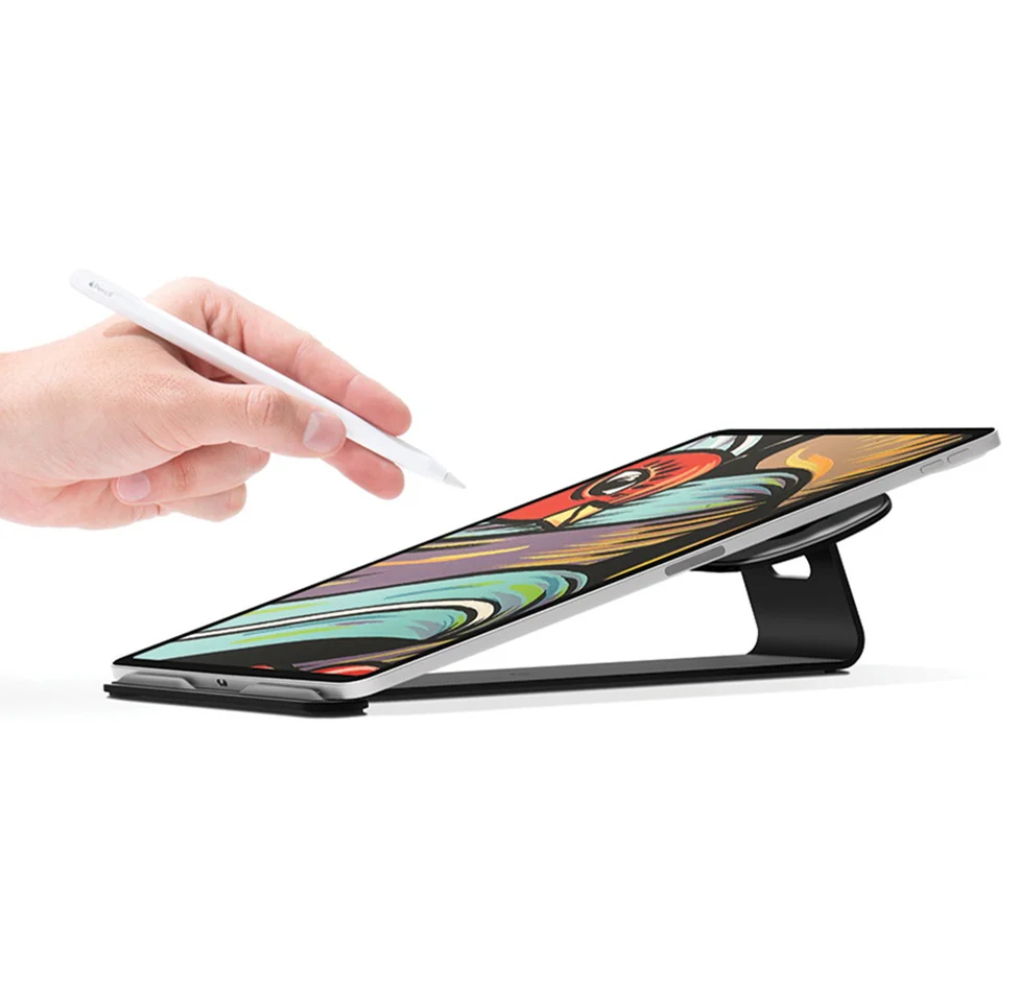
4\. Twelve South ParcSlope for iPad and MacBook
[View at Amazon](https://target.georiot.com/Proxy.ashx?tsid=169336&GR_URL=https%3A%2F%2Fwww.amazon.co.uk%2Fdp%2FB08LFMRXG6%3Ftag%3Dhawk-future-21%26linkCode%3Dogi%26th%3D1%26psc%3D1%26ascsubtag%3Dimore-gb-6591036321660775875-21)
**The best stand to adjust in so many ways**
The Twelve South ParcSlope works with both iPad and MacBook, so you can change it up depending on your workflow for the day ahead.
[**Read more below**](https://www.imore.com/ipad/ipad-accessories/best-ipad-stands-in-year-stand-to-attention#section-best-for-compatibility)
[Most Simple](https://www.imore.com/ipad/ipad-accessories/best-ipad-stands-in-year-stand-to-attention#section-most-simple)
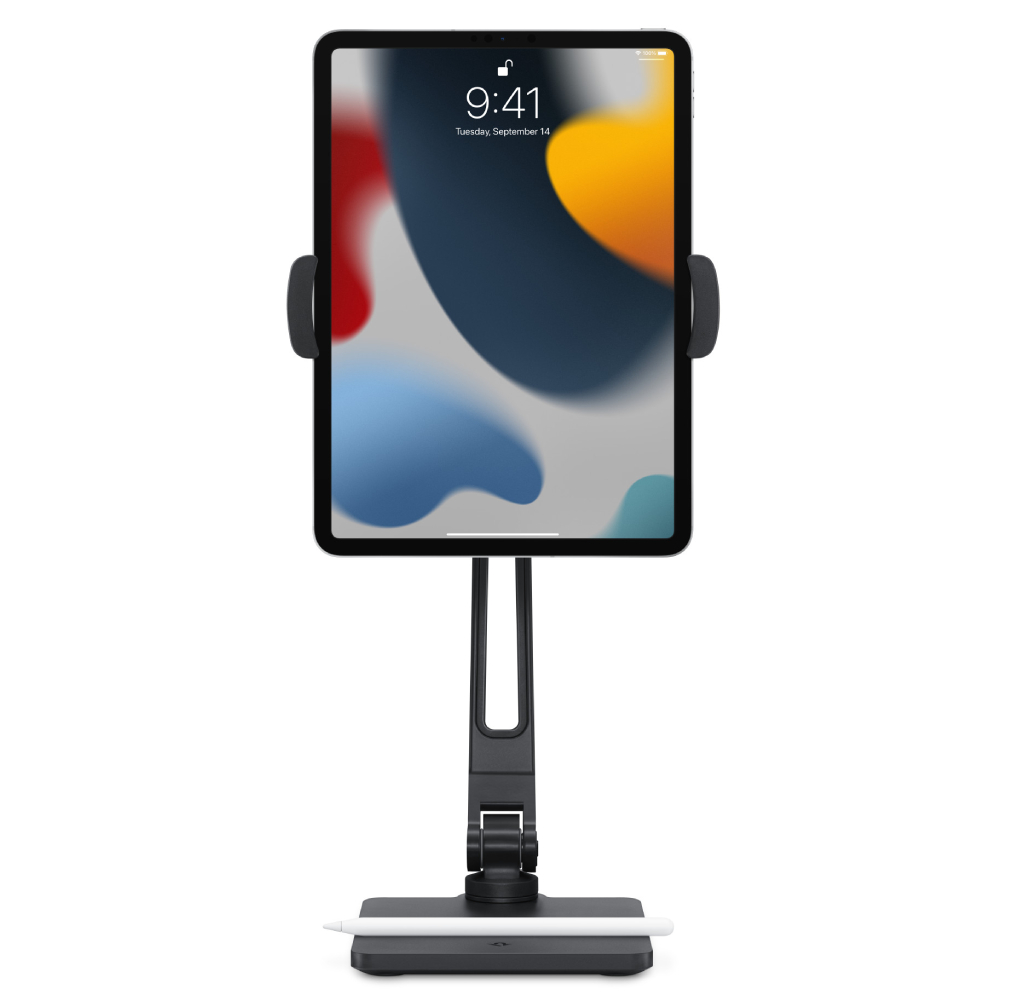
5\. Twelve South HoverBar Duo
[View at Amazon](https://target.georiot.com/Proxy.ashx?tsid=169336&GR_URL=https%3A%2F%2Fwww.amazon.co.uk%2FTwelve-South-HoverBar-Adjustable-Attachments%2Fdp%2FB0B6QCZB3R%3Ftag%3Dhawk-future-21%26ascsubtag%3Dimore-gb-6591036321660775875-21)
[View at Apple UK](https://apple.sjv.io/c/221109/435298/7615?subId1=imore-gb-1354674537685932425&sharedId=hawk&u=https%3A%2F%2Fwww.apple.com%2Fuk%2Fshop%2Fproduct%2FHQ432ZM%2FA%2Ftwelve-south-hoverbar-duo-for-ipad)
**The best stand that does what it says on the clamp**
The Twelve South HoverBar Duo clamps your iPad and angles it in any way you like — all for a great price of \$80.
[**Read more below**](https://www.imore.com/ipad/ipad-accessories/best-ipad-stands-in-year-stand-to-attention#section-most-simple)
### Best overall
(Image credit: Future)
### [1\. MagFlött Pro iPad Stand](https://www.imore.com/ipad/magflott-pro-ipad-stand-review-another-level)
The best stand for iPad Air and iPad Pro
[Our expert review:](https://www.imore.com/ipad/magflott-pro-ipad-stand-review-another-level)
#### Specifications
Color: Space Black
Adjustability: 360 degrees rotation
Height: 17\.5 inches in height
#### Reasons to buy
\+
Solid build quality
\+
Versatile stand for iPad
#### Reasons to avoid
\-
Tricky assembly
\-
Quite expensive
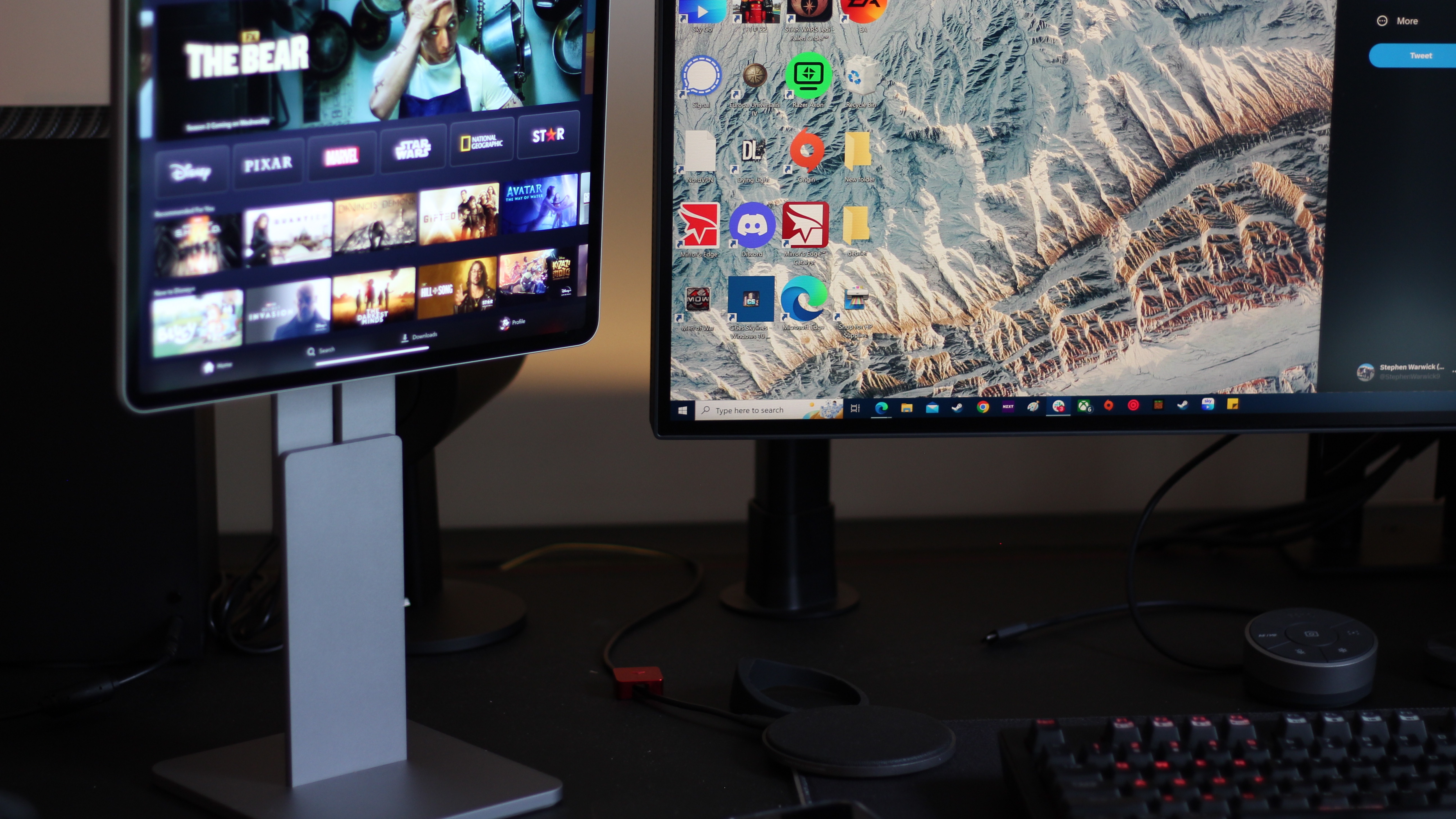
If you usually work at home and you have your iPad beside you, the [MagFlött Pro iPad Stand](https://www.imore.com/ipad/magflott-pro-ipad-stand-review-another-level) would be perfect to use for the tablet as a secondary display.
Compatible with the 12.9-inch and the 11-inch iPad Pro, as well as the 10.9-inch iPad Air, it also works with the iPad Air and the regular iPad 10th generation. It's a sturdy stand that features a great, adjustable design.
You can re-arrange the height and angle to make sure that the iPad is at your eye level at all times.
### Best budget
(Image credit: Gerald Lynch / Future)
### [2\. Lululook Foldable Magnetic iPad Stand](https://www.imore.com/ipad/lululook-foldable-magnetic-ipad-stand-review)
Best stand for build quality
[Our expert review:](https://www.imore.com/ipad/lululook-foldable-magnetic-ipad-stand-review)
[Average Amazon review:](https://target.georiot.com/Proxy.ashx?tsid=8428&GR_URL=https%3A%2F%2Fwww.amazon.co.uk%2Freviews%2FB0B1Q62BP7%3Ftag%3Dhawk-future-21%26ascsubtag%3Dimore-gb-1270820152605187548-21)
☆☆☆☆☆
#### Specifications
Adjustability: 360-degree
Design: Foldable
Color: Space Gray
Today's Best Deals
[Check Amazon](https://target.georiot.com/Proxy.ashx?tsid=169336&GR_URL=https%3A%2F%2Fwww.amazon.co.uk%2Fs%2Fref%3Dnb_sb_noss%3Fa%3Db%26field-keywords%3DLululook+Foldable+Magnetic+iPad+Stand%26tag%3Dhawk-future-21%26ascsubtag%3Dimore-gb-6591036321660775875-21)
#### Reasons to buy
\+
Sturdy build quality
\+
Different mounting options
#### Reasons to avoid
\-
Very, very stiff lower hinge
\-
Lululook logo is a bit unsightly
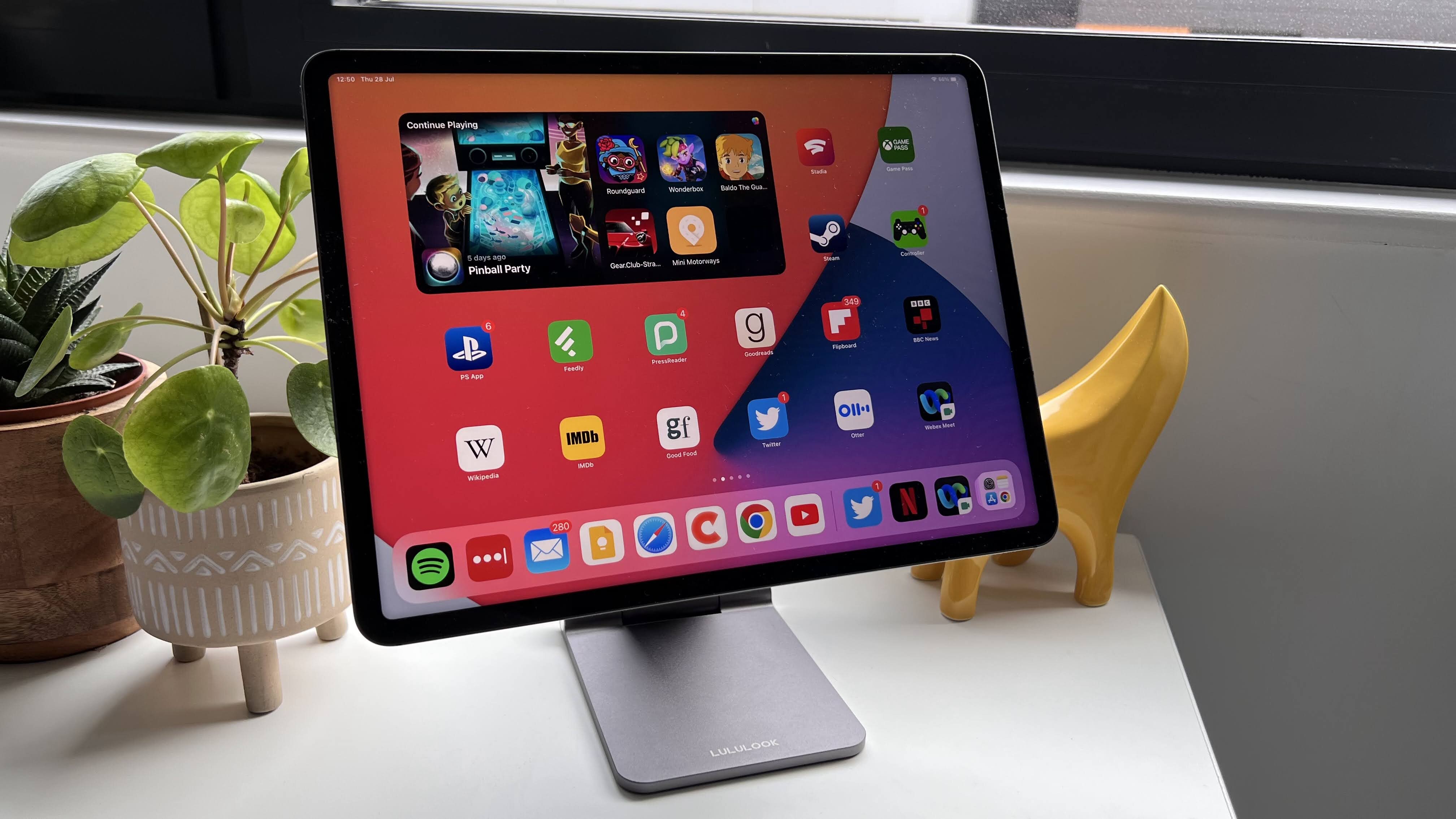
This [Foldable Magnetic iPad Stand](https://www.imore.com/ipad/lululook-foldable-magnetic-ipad-stand-review) from Lululook would not look out of place as an official Apple accessory. Compatible with the [iPad Pro 12.9-inch](https://www.imore.com/129-ipad-pro) (3rd, 4th and 5th generations), iPad Pro 11-inch (1st, 2nd and 3rd generations), and [iPad Air](https://www.imore.com/ipad-air-5) (4th and 5th generations), you'll get plenty of use from this stand.
Your tablet sits on a 360-degree rotatable magnetic panel which can be tilted forwards or backwards. There's also a stiff hinge that can let you change the height of the stand. What also sets this apart from the rest, is how you can fold up the stand. If you regularly commute and you want something to attach to your iPad at a moment's notice, Lululook's stand can help with that.
At \$80 / £79, it's a pricy stand, but its build quality and strength of its magnets, as well as being foldable, justifies the price tag for us.
### Most adjustable
(Image credit: Gerald Lynch / Future)
### [3\. Benks Infinity Pro Magnetic iPad Stand](https://www.imore.com/ipad/benks-infinity-pro-magnetic-ipad-stand-review)
Best for multiple angles
[Our expert review:](https://www.imore.com/ipad/benks-infinity-pro-magnetic-ipad-stand-review)
#### Specifications
Color: Space Gray
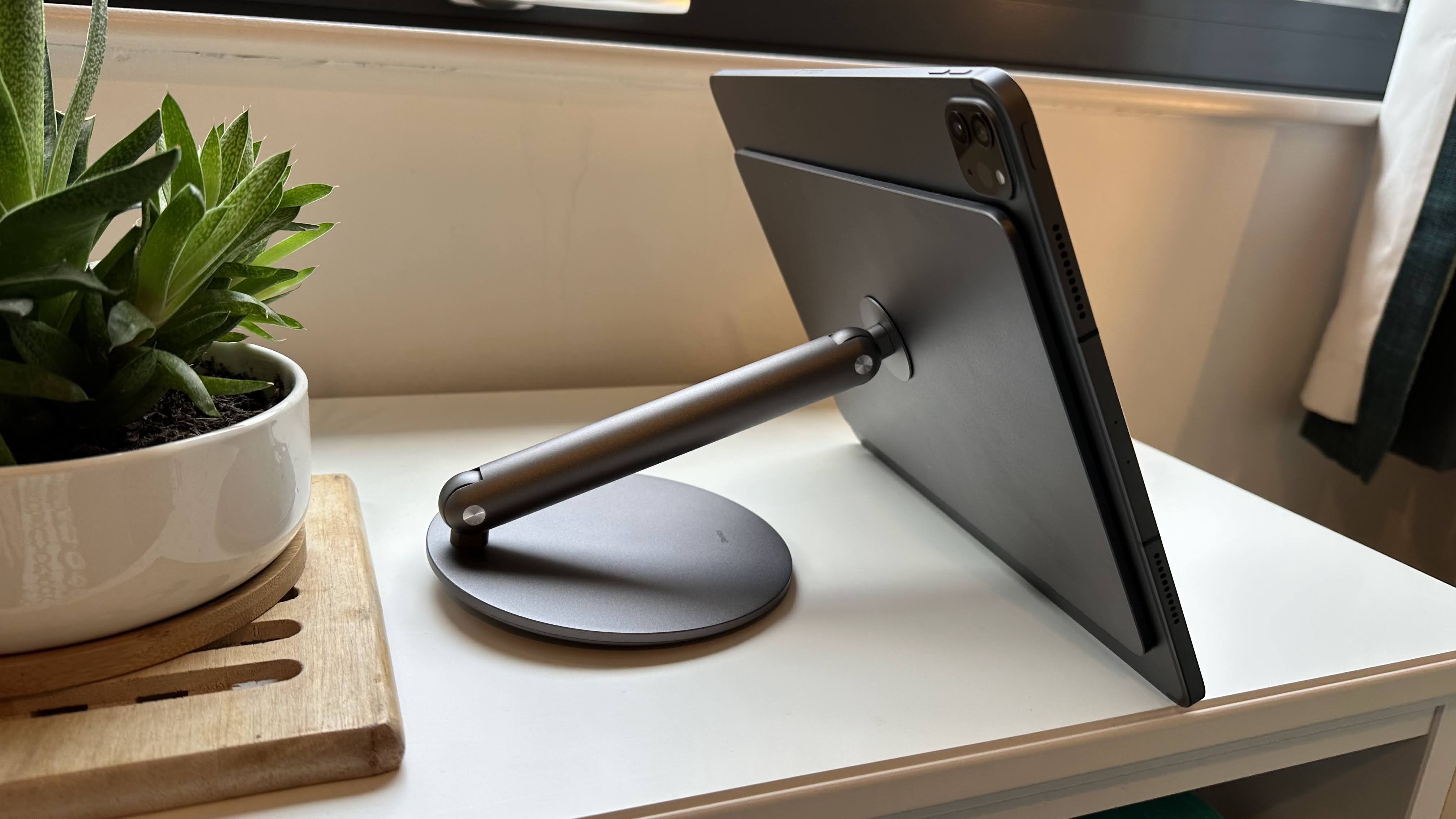
Adjustability: Angled between 55 and 75 degrees
Height: 19 cm
#### Reasons to buy
\+
Great rotating base
\+
Strong magnetic connection to iPad
#### Reasons to avoid
\-
Base rotations come with a loud clicking sound
\-
Base needs extra weight
Another stand that has a great design, but is also one of the most adjustable. [Benks' Infinity Pro Magnetic iPad Stand](https://www.imore.com/ipad/benks-infinity-pro-magnetic-ipad-stand-review) comes in a bunch of sizes to fit the following iPads: iPad Pro 12.9-inch tablets from 2018, 2020, 2021, and 2022, iPad Pro 11-inch from 2018, 2020, 2021, and 2022, and iPad Air (4th and 5th generations). You can rotate the stand to be portrait or landscape, as well as being able to adjust the height so you can get the right angle.
The biggest issue here is that there's a risk of your iPad falling over — as long as you don’t go beyond Benks' recommended angle of 55 degrees. Make sure that you've bought the correct stand for your iPad, but otherwise, it's very adjustable to fit your workflow, wherever you may be.
### Best for compatibility

(Image credit: Future)
### [4\. Twelve South ParcSlope for MacBook & iPad](https://www.imore.com/twelve-south-parcslope-macbook-ipad-review)
Best stand for switching between iPad and Mac
[Our expert review:](https://www.imore.com/twelve-south-parcslope-macbook-ipad-review)
#### Specifications
Color: Silver
Adjustability: 18-degree angle
Height: 2\.75 inches
Today's Best Deals
[View at Amazon](https://target.georiot.com/Proxy.ashx?tsid=169336&GR_URL=https%3A%2F%2Fwww.amazon.co.uk%2Fdp%2FB08LFMRXG6%3Ftag%3Dhawk-future-21%26linkCode%3Dogi%26th%3D1%26psc%3D1%26ascsubtag%3Dimore-gb-6591036321660775875-21)
#### Reasons to buy
\+
Ergonomics are fantastic
\+
Works with all MacBooks and iPads (even the iPad mini!)
#### Reasons to avoid
\-
Doesn't fold down to be more portable
\-
Gest wobbly when resting one hand on the laptop
If you constantly change between an iPad and a Mac, this stand from Twelve South could be a great option.
ParcSlope has your device at 18 degrees, which is the perfect ergonomic angle as you reach for your Mac's keyboard or the iPad's display. As we mentioned in our [review](https://www.imore.com/twelve-south-parcslope-macbook-ipad-review), the stand is also perfect for your device when taking conference calls.
This isn't the most portable of stands, but it gets the job done — especially if you usually work from home.
### Most simple
(Image credit: Future)
### [5\. Twelve South HoverBar Duo](https://www.imore.com/twelve-south-hoverbar-duo-review)
Simplest stand
[Our expert review:](https://www.imore.com/twelve-south-hoverbar-duo-review)
#### Specifications
Color: Space Black
Clamp: Max fit of 8.68 inches wide
Height: Max of 8.68 inches
Today's Best Deals
[View at Amazon](https://target.georiot.com/Proxy.ashx?tsid=169336&GR_URL=https%3A%2F%2Fwww.amazon.co.uk%2FTwelve-South-HoverBar-Adjustable-Attachments%2Fdp%2FB0B6QCZB3R%3Ftag%3Dhawk-future-21%26ascsubtag%3Dimore-gb-6591036321660775875-21)
[View at Apple UK](https://apple.sjv.io/c/221109/435298/7615?subId1=imore-gb-1637302384060105902&sharedId=hawk&u=https%3A%2F%2Fwww.apple.com%2Fuk%2Fshop%2Fproduct%2FHQ432ZM%2FA%2Ftwelve-south-hoverbar-duo-for-ipad)
#### Reasons to buy
\+
Super flexible
\+
Weighted base plus shelf clamp
#### Reasons to avoid
\-
Pricey
\-
Tools required
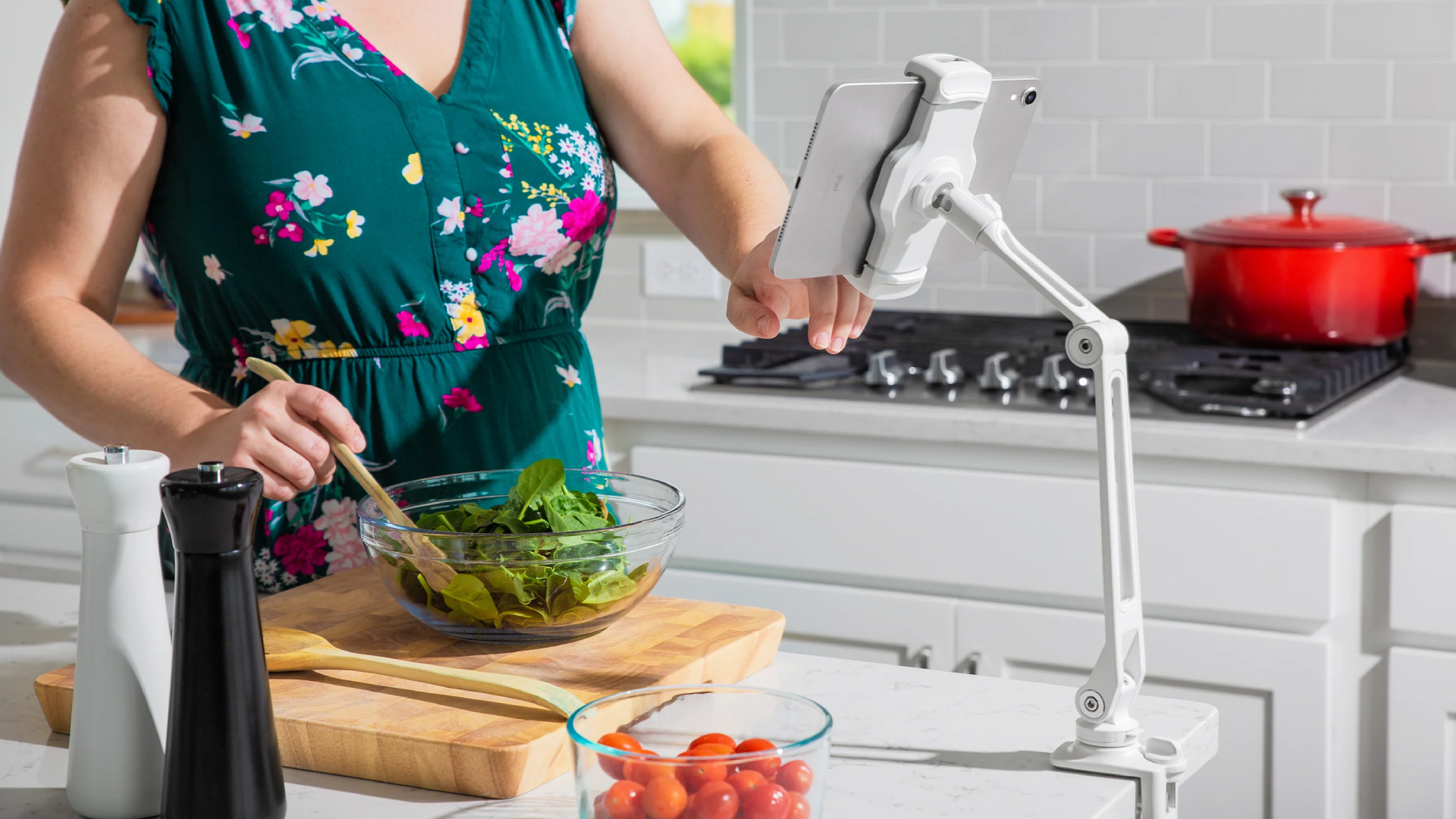
This iPad stand is to the point in what it offers — the [HoverBar Duo](https://www.imore.com/twelve-south-hoverbar-duo-review) is a black stand that comes with both a weighted base and a shelf clamp. Because of this clamp, it works with most iPads, so you won't be wondering if its magnets are strong enough for your tablet.
The stand is also super-flexible, so you can adjust its height and angle however you want, which can fit into a variety of workflows — from working on a train to watching videos as you work out.
## Strike a pose
You can always trust iMore. Our team of Apple experts have years of experience testing all kinds of tech and gadgets, so you can be sure our recommendations and criticisms are accurate and helpful. [Find out more about how we test.](https://www.imore.com/review-recommendation-methodology)
The best iPad stands can give your tablet another lease of life if you're working on a Mac. For instance, thanks to Universal Control, which is a feature that allows your mouse to move between your iPad and Mac, could help boost your productivity as the iPad is attached to a stand.
Our favorite stand from this list is the [MagFlött Pro iPad Stand](https://www.imore.com/ipad/magflott-pro-ipad-stand-review-another-level). Easily adjustable as well as having a great design, it's a fantastic accessory to have if you need to use your iPad during a commute, or as a second screen while you work on your Mac.
### Q\&A
### Do all iPads work with these stands?
Apart from the iPad ninth-generation, yes.
### Will my iPad work with these stands if it's in a case?
In our experience, we don't recommend keeping the iPad in a case when attaching it to a stand.
Round up of today's best deals
[](https://target.georiot.com/Proxy.ashx?tsid=169336&GR_URL=https%3A%2F%2Fwww.amazon.co.uk%2Fdp%2FB08LFMRXG6%3Ftag%3Dhawk-future-21%26linkCode%3Dogi%26th%3D1%26psc%3D1%26ascsubtag%3Dimore-gb-6591036321660775875-21)
[Twelve South ParcSlope](https://target.georiot.com/Proxy.ashx?tsid=169336&GR_URL=https%3A%2F%2Fwww.amazon.co.uk%2Fdp%2FB08LFMRXG6%3Ftag%3Dhawk-future-21%26linkCode%3Dogi%26th%3D1%26psc%3D1%26ascsubtag%3Dimore-gb-6591036321660775875-21)
[](https://target.georiot.com/Proxy.ashx?tsid=169336&GR_URL=https%3A%2F%2Fwww.amazon.co.uk%2Fdp%2FB08LFMRXG6%3Ftag%3Dhawk-future-21%26linkCode%3Dogi%26th%3D1%26psc%3D1%26ascsubtag%3Dimore-gb-6591036321660775875-21)
[£29.99](https://target.georiot.com/Proxy.ashx?tsid=169336&GR_URL=https%3A%2F%2Fwww.amazon.co.uk%2Fdp%2FB08LFMRXG6%3Ftag%3Dhawk-future-21%26linkCode%3Dogi%26th%3D1%26psc%3D1%26ascsubtag%3Dimore-gb-6591036321660775875-21)
[View](https://target.georiot.com/Proxy.ashx?tsid=169336&GR_URL=https%3A%2F%2Fwww.amazon.co.uk%2Fdp%2FB08LFMRXG6%3Ftag%3Dhawk-future-21%26linkCode%3Dogi%26th%3D1%26psc%3D1%26ascsubtag%3Dimore-gb-6591036321660775875-21)
[See all prices](https://www.imore.com/deals/compare?model_name=Twelve%20South%20ParcSlope&article_id=V9sqkUv8NYwXfo9nM7r6T6)
[](https://target.georiot.com/Proxy.ashx?tsid=169336&GR_URL=https%3A%2F%2Fwww.amazon.co.uk%2FTwelve-South-HoverBar-Adjustable-Attachments%2Fdp%2FB0B6QCZB3R%3Ftag%3Dhawk-future-21%26ascsubtag%3Dimore-gb-6591036321660775875-21)
[Twelve South HoverBar Duo](https://target.georiot.com/Proxy.ashx?tsid=169336&GR_URL=https%3A%2F%2Fwww.amazon.co.uk%2FTwelve-South-HoverBar-Adjustable-Attachments%2Fdp%2FB0B6QCZB3R%3Ftag%3Dhawk-future-21%26ascsubtag%3Dimore-gb-6591036321660775875-21)
[](https://target.georiot.com/Proxy.ashx?tsid=169336&GR_URL=https%3A%2F%2Fwww.amazon.co.uk%2FTwelve-South-HoverBar-Adjustable-Attachments%2Fdp%2FB0B6QCZB3R%3Ftag%3Dhawk-future-21%26ascsubtag%3Dimore-gb-6591036321660775875-21)
[£79.99](https://target.georiot.com/Proxy.ashx?tsid=169336&GR_URL=https%3A%2F%2Fwww.amazon.co.uk%2FTwelve-South-HoverBar-Adjustable-Attachments%2Fdp%2FB0B6QCZB3R%3Ftag%3Dhawk-future-21%26ascsubtag%3Dimore-gb-6591036321660775875-21)
[View](https://target.georiot.com/Proxy.ashx?tsid=169336&GR_URL=https%3A%2F%2Fwww.amazon.co.uk%2FTwelve-South-HoverBar-Adjustable-Attachments%2Fdp%2FB0B6QCZB3R%3Ftag%3Dhawk-future-21%26ascsubtag%3Dimore-gb-6591036321660775875-21)
[See all prices](https://www.imore.com/deals/compare?model_name=Twelve%20South%20HoverBar%20Duo&article_id=V9sqkUv8NYwXfo9nM7r6T6)
We check over 250 million products every day for the best prices
powered by

Master your iPhone in minutes
iMore offers spot-on advice and guidance from our team of experts, with decades of Apple device experience to lean on. Learn more with iMore\!
By signing up, you agree to our [Terms of services](https:\/\/futureplc.com\/terms-conditions\/) and acknowledge that you have read our [Privacy Notice](https:\/\/futureplc.com\/privacy-policy\/). You also agree to receive marketing emails from us that may include promotions from our trusted partners and sponsors, which you can unsubscribe from at any time.

[Daryl Baxter](https://www.imore.com/author/daryl-baxter)
Social Links Navigation
Features Editor
Daryl is iMore's Features Editor, overseeing long-form and in-depth articles and op-eds. Daryl loves using his experience as both a journalist and Apple fan to tell stories about Apple's products and its community, from the apps we use every day to the products that have been long forgotten in the Cupertino archives.
Previously Software & Downloads Writer at TechRadar, and Deputy Editor at StealthOptional, he's also written a book, '[The Making of Tomb Raider](https://www.pen-and-sword.co.uk/The-Making-of-Tomb-Raider-Hardback/p/20165)', which tells the story of the beginnings of Lara Croft and the series' early development. His second book, '[50 Years of Boss Fights](https://www.pen-and-sword.co.uk/50-Years-of-Boss-Fights-Hardback/p/50605)', came out in June 2024, and has a monthly newsletter called '[Springboard](https://darylbaxter.com/)'. He's also written for many other publications including WIRED, MacFormat, Bloody Disgusting, VGC, GamesRadar, Nintendo Life, VRV Blog, The Loop Magazine, SUPER JUMP, Gizmodo, Film Stories, TopTenReviews, Miketendo64, and Daily Star.
[Back To Top](https://www.imore.com/ipad/ipad-accessories/best-ipad-stands-in-year-stand-to-attention)
Latest in iPad Accessories
[ iPad Accessories Here's why an iPad Pro keyboard is the ultimate Delta companion in the Prime Day sale](https://www.imore.com/ipad/ipad-accessories/ive-played-thousands-of-retro-emulated-games-heres-why-an-ipad-pro-keyboard-is-the-ultimate-delta-companion-in-the-prime-day-sale "Here's why an iPad Pro keyboard is the ultimate Delta companion in the Prime Day sale")
[ iPad Accessories The Apple Pencil Pro just got its first-ever discount — kit your iPad Pro or iPad Air out with the very best for less while you can](https://www.imore.com/ipad/ipad-accessories/the-apple-pencil-pro-just-got-its-first-ever-discount-kit-your-ipad-pro-or-ipad-air-out-with-the-very-best-for-less-while-you-can "The Apple Pencil Pro just got its first-ever discount — kit your iPad Pro or iPad Air out with the very best for less while you can")
[ iPad Accessories The new Apple Pencil Pro uses thousands of polygons to power a feature that you probably haven't even noticed](https://www.imore.com/ipad/ipad-accessories/the-new-apple-pencil-pro-uses-thousands-of-polygons-to-power-a-feature-that-you-probably-havent-even-noticed "The new Apple Pencil Pro uses thousands of polygons to power a feature that you probably haven't even noticed")
[ iPad Accessories Apple Pencil Pro vs Pencil 2: Features, differences, and compatibility explained](https://www.imore.com/ipad/ipad-accessories/apple-pencil-pro-vs-pencil-2 "Apple Pencil Pro vs Pencil 2: Features, differences, and compatibility explained")
[ iPad Accessories Apple Pencil Pro vs Apple Pencil USB-C: Which one should you buy?](https://www.imore.com/ipad/ipad-accessories/apple-pencil-pro-vs-apple-pencil-usb-c-which-one-should-you-buy "Apple Pencil Pro vs Apple Pencil USB-C: Which one should you buy?")
[ iPad Accessories Logitech announces M4 iPad Pro and M2 iPad Air keyboard and trackpad accessories, undercutting Apple's \$299 Magic Keyboard](https://www.imore.com/ipad/ipad-accessories/logitech-announces-m4-ipad-pro-and-m2-ipad-air-keyboard-and-trackpad-accessories-undercutting-apples-dollar299-magic-keyboard "Logitech announces M4 iPad Pro and M2 iPad Air keyboard and trackpad accessories, undercutting Apple's $299 Magic Keyboard")
[ iPad Accessories Best iPad Pro (M4) cases: Protect your brand-new iPad from damage](https://www.imore.com/ipad/ipad-accessories/best-ipad-pro-m4-cases "Best iPad Pro (M4) cases: Protect your brand-new iPad from damage")
[ iPad Accessories Best iPad Air 6 (M2) cases: Protect your brand-new iPad from bumps, drops, and scratches](https://www.imore.com/ipad/ipad-accessories/best-ipad-air-6-m2-cases "Best iPad Air 6 (M2) cases: Protect your brand-new iPad from bumps, drops, and scratches")
[ iPad Accessories Apple teases new Apple Pencil 3 eraser features hours ahead of iPad event](https://www.imore.com/ipad/ipad-accessories/apple-teases-new-apple-pencil-3-eraser-features-hours-ahead-of-ipad-event "Apple teases new Apple Pencil 3 eraser features hours ahead of iPad event")
[ iPad Accessories Influencer preps for Apple Pencil 3 by destroying 45 Apple Pencils in viral 'How many can hold me' TikTok video](https://www.imore.com/ipad/ipad-accessories/influencer-preps-for-apple-pencil-3-by-destroying-45-apple-pencils-in-viral-how-many-can-hold-me-tiktok-video "Influencer preps for Apple Pencil 3 by destroying 45 Apple Pencils in viral 'How many can hold me' TikTok video")
[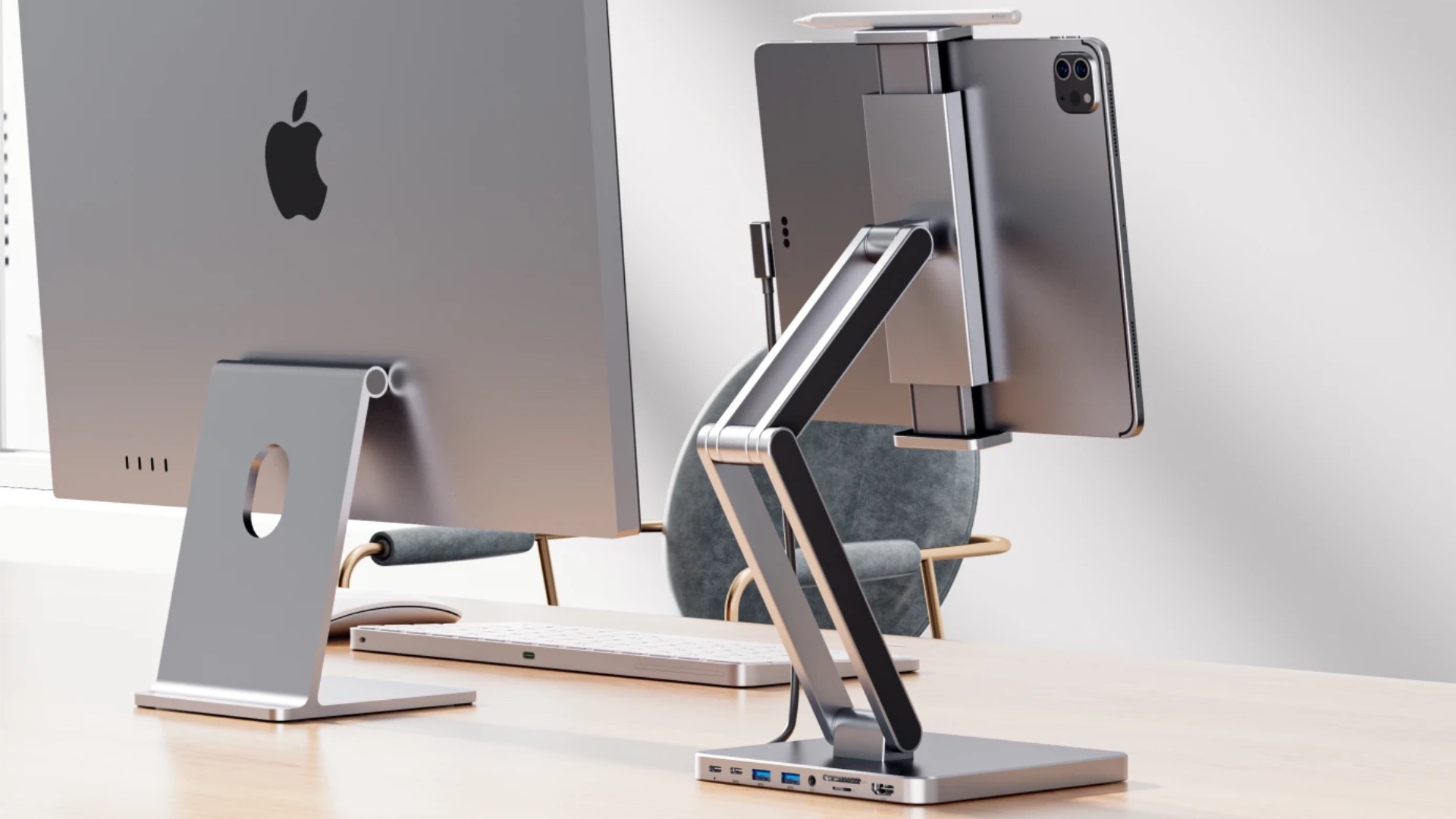 iPad Accessories Is this the ultimate iPad stand? INVZI cradle has a USB-C hub built in with 4K HDMI, 100W power delivery, and more](https://www.imore.com/ipad/ipad-accessories/is-this-the-ultimate-ipad-stand-invzi-cradle-has-a-usb-c-hub-built-in-with-4k-hdmi-100w-power-delivery-and-more "Is this the ultimate iPad stand? INVZI cradle has a USB-C hub built in with 4K HDMI, 100W power delivery, and more")
[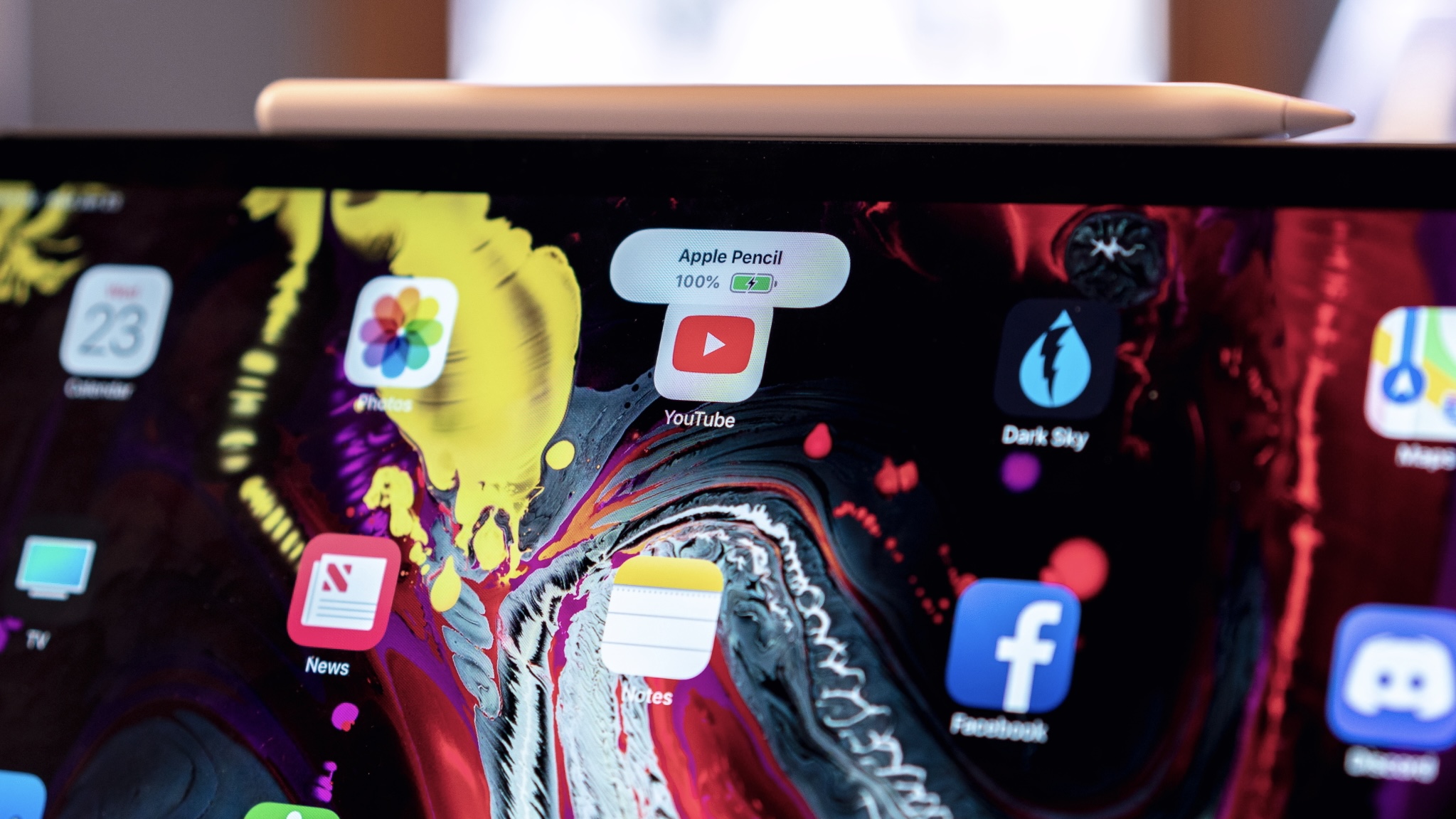 iPad Accessories The Apple Pencil 3 could be the first to include Find My support — no more searching every time you want to use it](https://www.imore.com/ipad/ipad-accessories/the-apple-pencil-3-could-be-the-first-to-include-find-my-support-no-more-searching-every-time-you-want-to-use-it "The Apple Pencil 3 could be the first to include Find My support — no more searching every time you want to use it")
Latest in Buying guide
[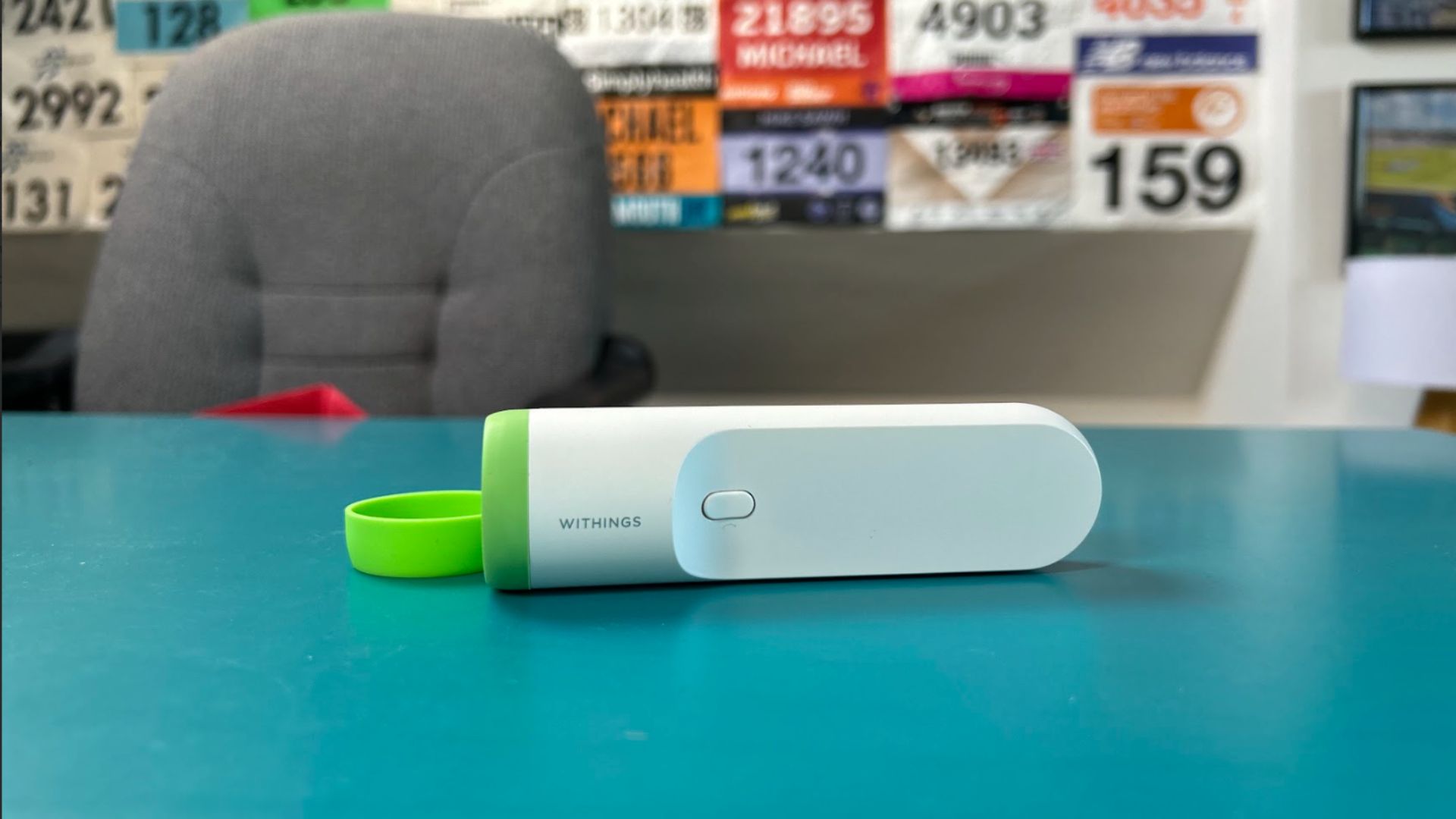 Apple Best health and fitness accessories on the Apple Store: Kit to help kick off your health journey](https://www.imore.com/apple/best-health-and-fitness-accessories-on-the-apple-store-kit-to-help-kick-off-your-health-journey "Best health and fitness accessories on the Apple Store: Kit to help kick off your health journey")
[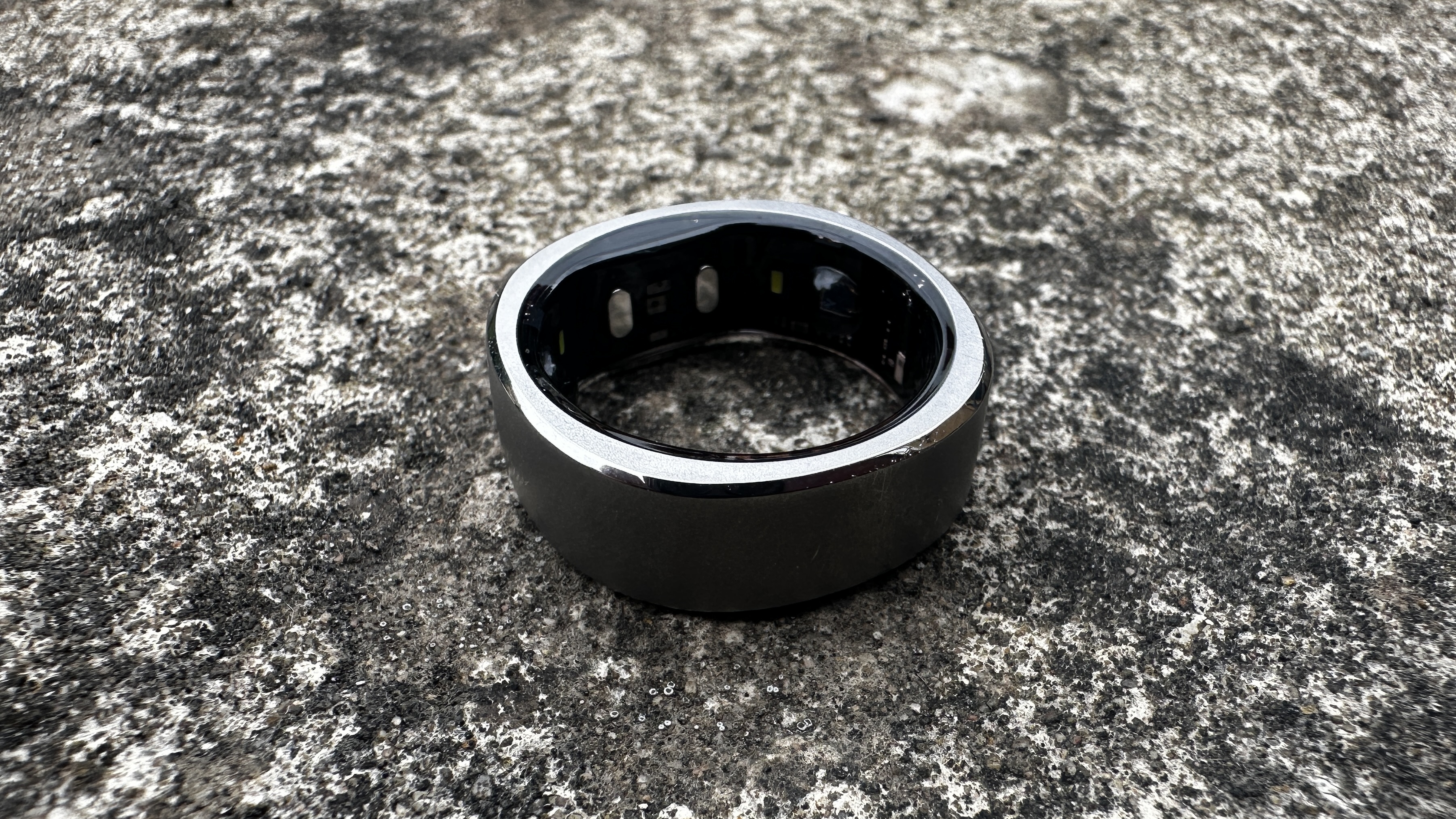 Health The best smart rings 2024: Track your fitness from your finger](https://www.imore.com/health-fitness/health/the-best-smart-rings-2024 "The best smart rings 2024: Track your fitness from your finger")
[ Apple MacBook Pro The best MacBook for programmers, coders and developers](https://www.imore.com/mac/macbook-pro/the-best-macbook-for-programmers-coders-and-developers "The best MacBook for programmers, coders and developers")
[ iPad Accessories Best iPad Pro (M4) cases: Protect your brand-new iPad from damage](https://www.imore.com/ipad/ipad-accessories/best-ipad-pro-m4-cases "Best iPad Pro (M4) cases: Protect your brand-new iPad from damage")
[ iPad Accessories Best iPad Air 6 (M2) cases: Protect your brand-new iPad from bumps, drops, and scratches](https://www.imore.com/ipad/ipad-accessories/best-ipad-air-6-m2-cases "Best iPad Air 6 (M2) cases: Protect your brand-new iPad from bumps, drops, and scratches")
[ Apps Best running apps for Apple Watch](https://www.imore.com/apps/best-running-apps-for-apple-watch-10-apps-that-will-help-runners-track-and-navigate-while-exercising "Best running apps for Apple Watch")
[ Fitness Accessories Apple Watch vs Whoop: Which Apple Fitness Plus fitness tracker is best for you?](https://www.imore.com/health-fitness/fitness-accessories/apple-watch-vs-whoop "Apple Watch vs Whoop: Which Apple Fitness Plus fitness tracker is best for you?")
[ Apps The best free VPN for iPhone in 2026](https://www.imore.com/apps/the-best-free-vpn-for-iphone-in-year "The best free VPN for iPhone in 2026")
[ Macs M3 MacBook Air preorders live now](https://www.imore.com/mac/m3-macbook-air-preorders-live-now-heres-how-to-get-the-latest-macbook-on-the-release-date "M3 MacBook Air preorders live now")
[ Health and Fitness The best BIA smart scales for the Apple ecosystem](https://www.imore.com/health-fitness/the-best-bia-smart-scales-for-the-apple-ecosystem "The best BIA smart scales for the Apple ecosystem")
[ Macs Best monitors for Mac 2026](https://www.imore.com/mac/best-monitors-for-mac-year "Best monitors for Mac 2026")
[ Vision Pro Apple Vision Pro vs Meta Quest 3 — which one should you buy?](https://www.imore.com/vision-pro/apple-vision-pro-vs-meta-quest-3-which-one-should-you-buy "Apple Vision Pro vs Meta Quest 3 — which one should you buy?")
LATEST ARTICLES
1. [](https://www.imore.com/apple/one-more-thing-goodbye-from-imore "One more thing… Goodbye from iMore")
1
[One more thing… Goodbye from iMore](https://www.imore.com/apple/one-more-thing-goodbye-from-imore)
2. 2
[Tapo TC73 pan/tilt AI camera is a vision of perfection](https://www.imore.com/smart-home/homekit/tapo-tc73-pantilt-ai-camera-is-a-vision-of-perfection)
3. 3
[Aqara Smart Video Doorbell G4 review: fast notifications, needs more height](https://www.imore.com/smart-home/homekit/aqara-smart-video-doorbell-g4-review-fast-notifications-needs-more-height)
4. 4
[iFi GO blu review: The best Bluetooth mobile DAC right now](https://www.imore.com/music-movies-tv/ifi-go-blu-review)
5. 5
[Jony Ive’s OpenAI hardware device could be his next world-changing design](https://www.imore.com/iphone/jony-ives-openai-hardware-device-could-be-his-next-world-changing-design)
iMore is part of Future US Inc, an international media group and leading digital publisher. [Visit our corporate site](https://futureplc.com/).
[ Add as a preferred source on Google](https://google.com/preferences/source?q=imore.com)
- [Terms and conditions](https://futureplc.com/terms-conditions/)
- [Contact Future's experts](https://futureplc.com/contact/)
- [Privacy policy](https://futureplc.com/privacy-policy/)
- [Cookies policy](https://futureplc.com/cookies-policy/)
- [Accessibility statement](https://futureplc.com/accessibility-statement/)
- [Careers](https://futureplc.com/careers/)
- [Licensing](https://futureplc.com/licensing/)
- [External links disclosure](https://www.futureplc.com/terms-conditions/?utm_source=ac&utm_medium=footer&utm_campaign=navigation)
- [About us](https://www.imore.com/about)
- [Newsletter](https://www.imore.com/newsletter)
- [Advertise with us](https://go.future-advertising.com/iMore-Media-Kit.html)
- [Android Central](https://www.androidcentral.com/)
- [Windows Central](https://www.windowscentral.com/)
- [Do not sell or share my personal information](https://www.imore.com/privacy-portal)
© Future US, Inc. Full 7th Floor, 130 West 42nd Street, New York, NY 10036. | ||||||||||||
| Readable Markdown | The best iPad stands can attach to any iPad and have it propped up in landscape or portrait mode, so you can use the tablet hands-free, whenever you want.
You might use an iPad to draw, play games, or watch your favorite Apple TV Plus shows. After a time though, you may find yourself getting aches and pains in your hands as you try to hold one of Apple's [best iPads](https://www.imore.com/best-ipad) after a long period. As every iPad, bar the [ninth-generation model](https://www.imore.com/ipad-2021-review), has a bunch of magnets built-in for accessories, it's easy to snap these to a sturdy stand. This way, you can save your hands with the ache.
Apple recently announced its ['Let Loose' event on May 7](https://www.imore.com/ipad/apple-announces-may-7-let-loose-event-where-company-is-expected-to-reveal-m3-ipad-pro-129-inch-ipad-air-and-apple-pencil-3). We're expecting to see M2-powered [iPad Air 6](https://www.imore.com/ipad/ipad-air/apple-ipad-air-6-release-date-rumors-news-and-more) models, including a [12\.9-inch iPad Air](https://www.imore.com/ipad/129-inch-ipad-air-leaked-ahead-of-expected-spring-launch-cad-renders-reveal-no-major-design-changes-aside-from-size-increase), as well as an [M3 iPad Pro](https://www.imore.com/ipad/ipad-pro/2024-oled-ipad-pro-release-date-rumors-news-and-more) and [Apple Pencil 3](https://www.imore.com/ipad/apple-pencil-3). It's a perfect opportunity to look into a new stand if you've been planning to upgrade to one of these iPads.
With this in mind, we've rounded up some of the best iPad stands that we've reviewed, which can be attached with ease.
### The quick list
Take a fast look through the best stands for your iPad, featuring different needs and for different budgets. If you want to read more about any of them, just click to jump down to our full write-ups.
[Best overall](https://www.imore.com/ipad/ipad-accessories/best-ipad-stands-in-year-stand-to-attention#section-best-overall)
1\. MagFlött Pro iPad Stand
**The best stand for most people**
The MagFlött Pro iPad Stand is sturdy, well-designed, and can be easily adjusted for its height.
[**Read more below**](https://www.imore.com/ipad/ipad-accessories/best-ipad-stands-in-year-stand-to-attention#section-best-overall)
[Best Budget](https://www.imore.com/ipad/ipad-accessories/best-ipad-stands-in-year-stand-to-attention#section-best-budget)
2\. Lululook Foldable Magnetic iPad Stand
**The best stand to survive the most bumps**
The Lululook Foldable Magnetic iPad Stand looks like an Apple accessory, due to its elegant design and sturdy materials.
[**Read more below**](https://www.imore.com/ipad/ipad-accessories/best-ipad-stands-in-year-stand-to-attention#section-best-budget)
[Most Adjustable](https://www.imore.com/ipad/ipad-accessories/best-ipad-stands-in-year-stand-to-attention#section-most-adjustable)
3\. Benks Infinity Pro Magnetic iPad Stand
**The best stand to adjust in so many ways**
The Benks Infinity Pro Magnetic iPad Stand looks great on any compatible iPad — just make sure it doesn't go beyond Benks' recommended angle of 55 degrees.
[**Read more below**](https://www.imore.com/ipad/ipad-accessories/best-ipad-stands-in-year-stand-to-attention#section-most-adjustable)
[Best Compatible](https://www.imore.com/ipad/ipad-accessories/best-ipad-stands-in-year-stand-to-attention#section-best-for-compatability)
4\. Twelve South ParcSlope for iPad and MacBook
**The best stand to adjust in so many ways**
The Twelve South ParcSlope works with both iPad and MacBook, so you can change it up depending on your workflow for the day ahead.
[**Read more below**](https://www.imore.com/ipad/ipad-accessories/best-ipad-stands-in-year-stand-to-attention#section-best-for-compatibility)
[Most Simple](https://www.imore.com/ipad/ipad-accessories/best-ipad-stands-in-year-stand-to-attention#section-most-simple)
5\. Twelve South HoverBar Duo
**The best stand that does what it says on the clamp**
The Twelve South HoverBar Duo clamps your iPad and angles it in any way you like — all for a great price of \$80.
[**Read more below**](https://www.imore.com/ipad/ipad-accessories/best-ipad-stands-in-year-stand-to-attention#section-most-simple)
### Best overall

(Image credit: Future)
The best stand for iPad Air and iPad Pro
#### Specifications
Color: Space Black
Adjustability: 360 degrees rotation
Height: 17\.5 inches in height
#### Reasons to buy
\+ Solid build quality\+ Versatile stand for iPad
#### Reasons to avoid
\- Tricky assembly\- Quite expensive
If you usually work at home and you have your iPad beside you, the [MagFlött Pro iPad Stand](https://www.imore.com/ipad/magflott-pro-ipad-stand-review-another-level) would be perfect to use for the tablet as a secondary display.
Compatible with the 12.9-inch and the 11-inch iPad Pro, as well as the 10.9-inch iPad Air, it also works with the iPad Air and the regular iPad 10th generation. It's a sturdy stand that features a great, adjustable design.
You can re-arrange the height and angle to make sure that the iPad is at your eye level at all times.
### Best budget

(Image credit: Gerald Lynch / Future)
Best stand for build quality
#### Specifications
Adjustability: 360-degree
Design: Foldable
Color: Space Gray
#### Reasons to buy
\+ Sturdy build quality\+ Different mounting options
#### Reasons to avoid
\- Very, very stiff lower hinge\- Lululook logo is a bit unsightly
This [Foldable Magnetic iPad Stand](https://www.imore.com/ipad/lululook-foldable-magnetic-ipad-stand-review) from Lululook would not look out of place as an official Apple accessory. Compatible with the [iPad Pro 12.9-inch](https://www.imore.com/129-ipad-pro) (3rd, 4th and 5th generations), iPad Pro 11-inch (1st, 2nd and 3rd generations), and [iPad Air](https://www.imore.com/ipad-air-5) (4th and 5th generations), you'll get plenty of use from this stand.
Your tablet sits on a 360-degree rotatable magnetic panel which can be tilted forwards or backwards. There's also a stiff hinge that can let you change the height of the stand. What also sets this apart from the rest, is how you can fold up the stand. If you regularly commute and you want something to attach to your iPad at a moment's notice, Lululook's stand can help with that.
At \$80 / £79, it's a pricy stand, but its build quality and strength of its magnets, as well as being foldable, justifies the price tag for us.
### Most adjustable

(Image credit: Gerald Lynch / Future)
Best for multiple angles
#### Specifications
Color: Space Gray
Adjustability: Angled between 55 and 75 degrees
Height: 19 cm
#### Reasons to buy
\+ Great rotating base\+ Strong magnetic connection to iPad
#### Reasons to avoid
\- Base rotations come with a loud clicking sound\- Base needs extra weight
Another stand that has a great design, but is also one of the most adjustable. [Benks' Infinity Pro Magnetic iPad Stand](https://www.imore.com/ipad/benks-infinity-pro-magnetic-ipad-stand-review) comes in a bunch of sizes to fit the following iPads: iPad Pro 12.9-inch tablets from 2018, 2020, 2021, and 2022, iPad Pro 11-inch from 2018, 2020, 2021, and 2022, and iPad Air (4th and 5th generations). You can rotate the stand to be portrait or landscape, as well as being able to adjust the height so you can get the right angle.
The biggest issue here is that there's a risk of your iPad falling over — as long as you don’t go beyond Benks' recommended angle of 55 degrees. Make sure that you've bought the correct stand for your iPad, but otherwise, it's very adjustable to fit your workflow, wherever you may be.
### Best for compatibility

(Image credit: Future)
Best stand for switching between iPad and Mac
#### Specifications
Color: Silver
Adjustability: 18-degree angle
Height: 2\.75 inches
#### Reasons to buy
\+ Ergonomics are fantastic\+ Works with all MacBooks and iPads (even the iPad mini!)
#### Reasons to avoid
\- Doesn't fold down to be more portable\- Gest wobbly when resting one hand on the laptop
If you constantly change between an iPad and a Mac, this stand from Twelve South could be a great option.
ParcSlope has your device at 18 degrees, which is the perfect ergonomic angle as you reach for your Mac's keyboard or the iPad's display. As we mentioned in our [review](https://www.imore.com/twelve-south-parcslope-macbook-ipad-review), the stand is also perfect for your device when taking conference calls.
This isn't the most portable of stands, but it gets the job done — especially if you usually work from home.
### Most simple

(Image credit: Future)
Simplest stand
#### Specifications
Color: Space Black
Clamp: Max fit of 8.68 inches wide
Height: Max of 8.68 inches
#### Reasons to buy
\+ Super flexible\+ Weighted base plus shelf clamp
#### Reasons to avoid
\- Pricey\- Tools required
This iPad stand is to the point in what it offers — the [HoverBar Duo](https://www.imore.com/twelve-south-hoverbar-duo-review) is a black stand that comes with both a weighted base and a shelf clamp. Because of this clamp, it works with most iPads, so you won't be wondering if its magnets are strong enough for your tablet.
The stand is also super-flexible, so you can adjust its height and angle however you want, which can fit into a variety of workflows — from working on a train to watching videos as you work out.
## Strike a pose
You can always trust iMore. Our team of Apple experts have years of experience testing all kinds of tech and gadgets, so you can be sure our recommendations and criticisms are accurate and helpful. [Find out more about how we test.](https://www.imore.com/review-recommendation-methodology)
The best iPad stands can give your tablet another lease of life if you're working on a Mac. For instance, thanks to Universal Control, which is a feature that allows your mouse to move between your iPad and Mac, could help boost your productivity as the iPad is attached to a stand.
Our favorite stand from this list is the [MagFlött Pro iPad Stand](https://www.imore.com/ipad/magflott-pro-ipad-stand-review-another-level). Easily adjustable as well as having a great design, it's a fantastic accessory to have if you need to use your iPad during a commute, or as a second screen while you work on your Mac.
### Q\&A
### Do all iPads work with these stands?
Apart from the iPad ninth-generation, yes.
### Will my iPad work with these stands if it's in a case?
In our experience, we don't recommend keeping the iPad in a case when attaching it to a stand.
iMore offers spot-on advice and guidance from our team of experts, with decades of Apple device experience to lean on. Learn more with iMore\!
Daryl is iMore's Features Editor, overseeing long-form and in-depth articles and op-eds. Daryl loves using his experience as both a journalist and Apple fan to tell stories about Apple's products and its community, from the apps we use every day to the products that have been long forgotten in the Cupertino archives.
Previously Software & Downloads Writer at TechRadar, and Deputy Editor at StealthOptional, he's also written a book, '[The Making of Tomb Raider](https://www.pen-and-sword.co.uk/The-Making-of-Tomb-Raider-Hardback/p/20165)', which tells the story of the beginnings of Lara Croft and the series' early development. His second book, '[50 Years of Boss Fights](https://www.pen-and-sword.co.uk/50-Years-of-Boss-Fights-Hardback/p/50605)', came out in June 2024, and has a monthly newsletter called '[Springboard](https://darylbaxter.com/)'. He's also written for many other publications including WIRED, MacFormat, Bloody Disgusting, VGC, GamesRadar, Nintendo Life, VRV Blog, The Loop Magazine, SUPER JUMP, Gizmodo, Film Stories, TopTenReviews, Miketendo64, and Daily Star. | ||||||||||||
| ML Classification | |||||||||||||
| ML Categories |
Raw JSON{
"/Computers_and_Electronics": 957,
"/Computers_and_Electronics/Consumer_Electronics": 883,
"/Computers_and_Electronics/Consumer_Electronics/Electronic_Accessories": 679,
"/Shopping": 158
} | ||||||||||||
| ML Page Types |
Raw JSON{
"/Listing_Collection": 545,
"/Listing_Collection/Product": 545
} | ||||||||||||
| ML Intent Types |
Raw JSON{
"Commercial": 980
} | ||||||||||||
| Content Metadata | |||||||||||||
| Language | en | ||||||||||||
| Author | Daryl Baxter | ||||||||||||
| Publish Time | 2024-04-24 12:45:01 (1 year ago) | ||||||||||||
| Original Publish Time | 2024-04-24 12:45:01 (1 year ago) | ||||||||||||
| Republished | No | ||||||||||||
| Word Count (Total) | 2,846 | ||||||||||||
| Word Count (Content) | 1,606 | ||||||||||||
| Links | |||||||||||||
| External Links | 33 | ||||||||||||
| Internal Links | 112 | ||||||||||||
| Technical SEO | |||||||||||||
| Meta Nofollow | No | ||||||||||||
| Meta Noarchive | No | ||||||||||||
| JS Rendered | Yes | ||||||||||||
| Redirect Target | null | ||||||||||||
| Performance | |||||||||||||
| Download Time (ms) | 285 | ||||||||||||
| TTFB (ms) | 222 | ||||||||||||
| Download Size (bytes) | 171,249 | ||||||||||||
| Shard | 197 (laksa) | ||||||||||||
| Root Hash | 9625122224281232597 | ||||||||||||
| Unparsed URL | com,imore!www,/ipad/ipad-accessories/best-ipad-stands-in-year-stand-to-attention s443 | ||||||||||||