ℹ️ Skipped - page is already crawled
| Filter | Status | Condition | Details |
|---|---|---|---|
| HTTP status | PASS | download_http_code = 200 | HTTP 200 |
| Age cutoff | PASS | download_stamp > now() - 6 MONTH | 0 months ago |
| History drop | PASS | isNull(history_drop_reason) | No drop reason |
| Spam/ban | PASS | fh_dont_index != 1 AND ml_spam_score = 0 | ml_spam_score=0 |
| Canonical | PASS | meta_canonical IS NULL OR = '' OR = src_unparsed | Not set |
| Property | Value |
|---|---|
| URL | https://www.idropnews.com/icloudhelp/is-icloud-worth-your-money-in-2025/231508/ |
| Last Crawled | 2026-04-22 03:19:00 (4 hours ago) |
| First Indexed | 2025-04-12 07:27:41 (1 year ago) |
| HTTP Status Code | 200 |
| Meta Title | Is iCloud+ Worth Your Money in 2025? |
| Meta Description | A few years ago, Apple decided to upgrade iCloud and turn it into iCloud+, offering the same cloud storage benefits with some extra features. The best |
| Meta Canonical | null |
| Boilerpipe Text | Toggle Dark Mode
A few years ago, Apple decided to upgrade iCloud and turn it into
iCloud+
, offering the same cloud storage benefits with some extra features.
The best part about this new change is that iCloud’s price remained the same, so you got a bunch of new features at no extra cost.
While iCloud might not be the best option for everyone, these extra capabilities and its tighter integration with your iPhone and other Apple devices give it an advantage over others. Still, with so many cloud services out there, you might be better off with some other choice, especially if you’re not that deep into the Apple ecosystem.
Is iCloud+ right for you? Read on for a few pros and cons to help you decide.
What Does iCloud+ Offer?
iCloud isn’t just a cloud storage service anymore. Apple has expanded it with other online services that make browsing the web and sharing your email safer, help you make the most of your home security cameras, and even plan your next party.
But first, let’s start with cloud storage. Apple offers these storage options with iCloud+ (all prices are in USD):
50 GB of cloud storage for $0.99 per month.
200 GB of cloud storage for $2.99 per month.
2 TB of cloud storage for $9.99 per month.
6 TB of cloud storage for $29.99 per month.
12 TB of cloud storage for $59.99 per month.
Your iPhone will automatically sync and let you access your data across all your Apple devices. That means that your notes, messages, photos, and even Safari tabs will be saved in the cloud so you can access them wherever you want. Even if you don’t have an Apple device near you, you can still access your data by going to iCloud.com. Every Apple users gets 5 GB of storage for free, which is enough to keep basic stuff like notes and contacts in sync, but you’ll run out pretty quickly if you want to store your photos or files in iCloud.
However, paying for iCloud+ provides more than just storage, and all these extra features are available whether you opt for the $0.99 50 GB plan or pay $60 a month for 12 TB of storage. Here’s what you get:
iCloud Private Relay
: This feature lets you protect your browsing activity from third-party companies, like private network providers and websites. That way, tracking you and creating a digital profile based on your online activity will be harder. Not even Apple has access to this data.
Hide My Email
: A simple but helpful feature that will automatically generate an email address you can use instead of your real one. You can use this address on websites and apps that you don’t want to share that data with while still being able to receive messages in your actual email. While these hidden addresses all end in “icloud.com,” you don’t need to use Apple’s iCloud Mail service to benefit from Hide My Email — messages sent to these addresses can be forwarded to just about any email provider.
Custom Email Domain Name
: This cool feature will let you use your own custom email addresses like name@yourname.com rather than being limited to Apple’s “icloud.com” domain. You can add a custom email domain you already own
or purchase and register a new one through Cloudflare
right from your iPhone. Once you add it, you can send or receive messages from that email address from all of your Apple devices. Unlike Hide My Email, you’ll need to use iCloud Mail for this feature.
HomeKit Secure Video
: This option lets you capture and review security video from your HomeKit-compatible security cameras — and the best part is that it’s all handled securely and privately,
unlike many other Internet-connected security cameras
. Note that this is one of the few iCloud+ features that’s affected by your storage tier: you can only add a single camera to HomeKit on the $0.99 50 GB plan, while the $2.99 200 GB plan supports up to five cameras. If you opt for at least the $9.99 monthly plan, you can add as many cameras as you want. Apple will store up to 10 days of video footage securely in iCloud for all of your cameras without counting it against your iCloud storage.
Family Sharing
: This is an amazing feature that lets you share your iCloud+ subscription with up to five other family members. This makes it easier, and maybe even cheaper, to have a more expensive iCloud+ plan as a family. Only the storage capacity is shared; everyone still gets their own private space for photos, files, and other iCloud data, and nothing will be seen by other family members except what you specifically choose to share.
Apple Invites
: This is a new feature that
Apple introduced earlier this year
. As you can guess by the name, this app and service lets you invite other people to any event you’re hosting, whether that’s a big party or a casual dinner. People you invite can receive and reply to invitations even if they don’t have an Apple device or an iCloud+ subscription, and you can use this app without iCloud+, but you’ll need to subscribe to create invitations.
Pros of iCloud+
Here are some reasons why we think iCloud+ is worth your money.
iCloud+ Offers Online Protection
Most of us don’t worry about protection when we browse the web; we assume nothing will happen. But if you don’t want websites tracking your online activity, having iCloud+ is a quick and easy way to protect yourself online.
Thanks to
iCloud Private Relay
, you won’t have to worry about third parties tracking your activity. As we mentioned, not even Apple will have access to that data, making browsing the web a bit more secure. Not only that but being able to instantly hide your email from any website or app gives you an extra layer of security that’s hard to come by.
While
iCloud Private Relay isn’t quite the same as a VPN
, it has the advantage of being completely private. Most VPN providers prevent the websites you visit from seeing where you’re going, but that doesn’t mean the company running the VPN can’t track you. Apple has designed iCloud Private Relay with a “double-blind” system that makes it virtually impossible for anyone to know where you’re going. Still,
there are good reasons to go with a VPN
, as iCloud Private Relay only protects traffic from Safari and can’t be used to bypass geographic restrictions.
iCloud+ Works Great on All Apple Devices
If you’re a hardcore Apple fan and all your devices are from Apple, you’re probably better off paying for iCloud+. Even if iCloud+ can sometimes be a bit slow in syncing, you’ll know that all your notes, passwords, and pictures will be available on all your Apple devices whenever you need them.
You Can Share It With Your Family
If your parents, siblings, or kids are also part of the Apple ecosystem, Apple’s Family Sharing makes iCloud+ a no-brainer. You can share it with up to five other family members and give them access to the same benefits for no extra cost. What’s more, if you can split the monthly subscription across the other five people, you could have the 6TB or 12TB plan without spending more than $10 a month.
The Cons of iCloud+
Unfortunately, iCloud+ is far from perfect. Here are the reasons why it’s not a good service.
You Don’t Get the Best Bang for Your Buck
While iCloud+ is relatively cheap for its most basic plan, it’s not the best bang for your buck. If you compare iCloud+ with other cloud storage services, you’ll find that other services might offer more storage options or a better deal.
For instance, Google gives you 15GB of freestorage just by having an account, which is three times
the paltry 5 GB Apple offers
. Other services like pCloud offer other options like a lifetime plan where you only have to pay once for your cloud storage, while some provide more versatile middle options, like a 500GB plan for $4.99 per month — something many Apple users have asked for.
Of course, these services don’t work as well on Apple devices, but they still work well enough to make them a solid alternative.
iCloud+ Might Not Be the Best Option if You Use Other Devices
If you only have an iPhone but also have a PC, an Android tablet, or other devices that aren’t part of the Apple ecosystem, iCloud+ might not be the best option for you. Yes, you can access your iCloud data on a Windows PC, thanks to
iCloud for Windows
, but it’s not nearly as seamless an experience, and you’ll still have to fire up your web browser to access iCloud data like reminders and notes.
In that case, you might be better off with a cloud service like Google One, available on any device and easier to use on Android or Windows computers.
Ultimately, the decision will be based on what you need and what type of tech you have. If you’re a hardcore Apple fan and all your main devices are from Apple, iCloud+ is typically the best choice. It will work great in the Apple ecosystem, and you can share it with your family if they also have iPhones or other Apple devices.
On the other hand, if you’re the only one in your family with an iPhone and you also use a PC or Android device, iCloud+ might not be the best option, and you might not be able to use it to its full capacity.
The good news is that iCloud+ is relatively cheap to get into. The most basic option costs less than a dollar, so you can try it out without spending so much money and decide if it’s worth it. |
| Markdown | [](https://www.idropnews.com/)
- [Apple Lineup](https://www.idropnews.com/apple-2026-product-lineup/)
- [iPhone 17](https://www.idropnews.com/iphone-17-lineup/)
- [iOS 26](https://www.idropnews.com/ios-26/)
- [macOS Tahoe](https://www.idropnews.com/macos-tahoe/)
- [Apple Watch Series 10](https://www.idropnews.com/apple-watch-series-10/)
- [Apple Vision Pro](https://www.idropnews.com/news/apple-vision-pro/)
- [AirPods Max](https://www.idropnews.com/airpods-max/)
- [AirPods Pro](https://www.idropnews.com/airpods-pro/)
- [Apple TV](https://www.idropnews.com/news/apple-tv/)
- [iPad](https://www.idropnews.com/rumors/ipad-rumors/)
- [News](https://www.idropnews.com/category/news/)
- [AirPods](https://www.idropnews.com/news/airpods/)
- [Apple TV](https://www.idropnews.com/news/apple-tv/)
- [Apple Watch](https://www.idropnews.com/news/apple-watch-news/)
- [Deals](https://www.idropnews.com/deals/)
- [Fast Tech](https://www.idropnews.com/news/fast-tech/)
- [iPad](https://www.idropnews.com/news/ipad/)
- [iPhone](https://www.idropnews.com/news/iphone/)
- [Mac](https://www.idropnews.com/news/mac/)
- [Apple Vision Pro](https://www.idropnews.com/news/apple-vision-pro/)
- [How To](https://www.idropnews.com/how-to/)
- [AirDrop](https://www.idropnews.com/airdrop/)
- [AirPods](https://www.idropnews.com/how-to/airpods-how-to/)
- [Apple TV](https://www.idropnews.com/how-to/apple-tv-how-to/)
- [Apple Watch](https://www.idropnews.com/how-to/apple-watch-how-to/)
- [iPad](https://www.idropnews.com/how-to/ipad-how-to/)
- [iPhone](https://www.idropnews.com/how-to/iphone-how-to/)
- [Mac](https://www.idropnews.com/how-to/mac-how-to/)
- [Rumors](https://www.idropnews.com/rumors/)
- [AirPods](https://www.idropnews.com/rumors/airpods-rumors/)
- [AirTag](https://www.idropnews.com/rumors/airtag-rumors/)
- [Apple TV](https://www.idropnews.com/rumors/appletv/)
- [Apple Watch](https://www.idropnews.com/rumors/watch-rumors/)
- [CarPlay](https://www.idropnews.com/rumors/carplay-rumors/)
- [HomePod](https://www.idropnews.com/rumors/homepod-rumors/)
- [iPad](https://www.idropnews.com/rumors/ipad-rumors/)
- [iPhone](https://www.idropnews.com/rumors/iphone-rumors/)
- [Mac](https://www.idropnews.com/rumors/mac-rumors/)
- [Store](https://store.idropnews.com/?utm_source=idropnews.com&utm_medium=homepage&utm_campaign=navbar)
- [Giveaways](https://www.idropnews.com/giveaways/)
- [iPhone 17 Pro](https://www.idropnews.com/giveaways/iphone-17-pro-giveaway-win-a-free-iphone/258563/)
- [\$500 Amazon Gift Card](https://www.idropnews.com/giveaways/2026-amazon-gift-card-giveaway-500-dollar/258726/)
- [iPad (11th Gen)](https://www.idropnews.com/giveaways/ipad-giveaway-win-a-free-apple-ipad/258629/)
- [MacBook Pro w/ M4](https://www.idropnews.com/giveaways/macbook-pro-giveaway-with-an-m4-chip/242416/)
- [Wallpapers](https://www.idropnews.com/iphone-wallpapers/)
- [Abstract](https://www.idropnews.com/iphone-8-wallpapers/abstract/)
- [Apple](https://www.idropnews.com/iphone-8-wallpapers/apple/)
- [Featured](https://www.idropnews.com/iphone-8-wallpapers/featured-collections/)
- [Latest](https://www.idropnews.com/latest-iphone-wallpapers/)
- [Nature](https://www.idropnews.com/iphone-8-wallpapers/nature-wallpapers/)
- [Ocean](https://www.idropnews.com/iphone-8-wallpapers/ocean-wallpapers/)
- [Photography](https://www.idropnews.com/iphone-8-wallpapers/photography-wallpapers/)
- [Popular](https://www.idropnews.com/iphone-wallpapers/)
- [Space](https://www.idropnews.com/iphone-8-wallpapers/space/)
- [Travel](https://www.idropnews.com/iphone-8-wallpapers/travel-wallpapers/)
[Enter for a Chance to Win: iPad Giveaway - Win a Free Apple iPad](https://www.idropnews.com/giveaways/ipad-giveaway-win-a-free-apple-ipad/258629/?utm_source=giveaways-navigation-banner)
- [FAQ](https://www.idropnews.com/faq/)/
- [iCloud](https://www.idropnews.com/icloudhelp/)/
- [Is iCloud+ Worth Your Money in 2025?](https://www.idropnews.com/icloudhelp/is-icloud-worth-your-money-in-2025/231508/)
# Is iCloud+ Worth Your Money in 2025?
By [Sergio Velasquez](https://www.idropnews.com/author/sergio-velasquez/)
7 Min Read
Published: Apr 11th, 2025
Text Size
\- \+
Toggle Dark Mode
A few years ago, Apple decided to upgrade iCloud and turn it into [iCloud+](https://www.idropnews.com/news/icloud-apples-giving-icloud-users-a-powerful-and-free-privacy-upgrade/160569/), offering the same cloud storage benefits with some extra features.
The best part about this new change is that iCloud’s price remained the same, so you got a bunch of new features at no extra cost.
[This Limited-Time Microsoft Office Deal Gets You Lifetime Access for Just \$39 Sick and tired of subscriptions? Get a lifetime license for Microsoft Office Home and Business 2021 at a great price! ](https://store.idropnews.com/sales/microsoft-office-pro-plus-2021-for-windows-lifetime-license?utm_source=sponsorship)
While iCloud might not be the best option for everyone, these extra capabilities and its tighter integration with your iPhone and other Apple devices give it an advantage over others. Still, with so many cloud services out there, you might be better off with some other choice, especially if you’re not that deep into the Apple ecosystem.
**Is iCloud+ right for you? Read on for a few pros and cons to help you decide.**
## What Does iCloud+ Offer?
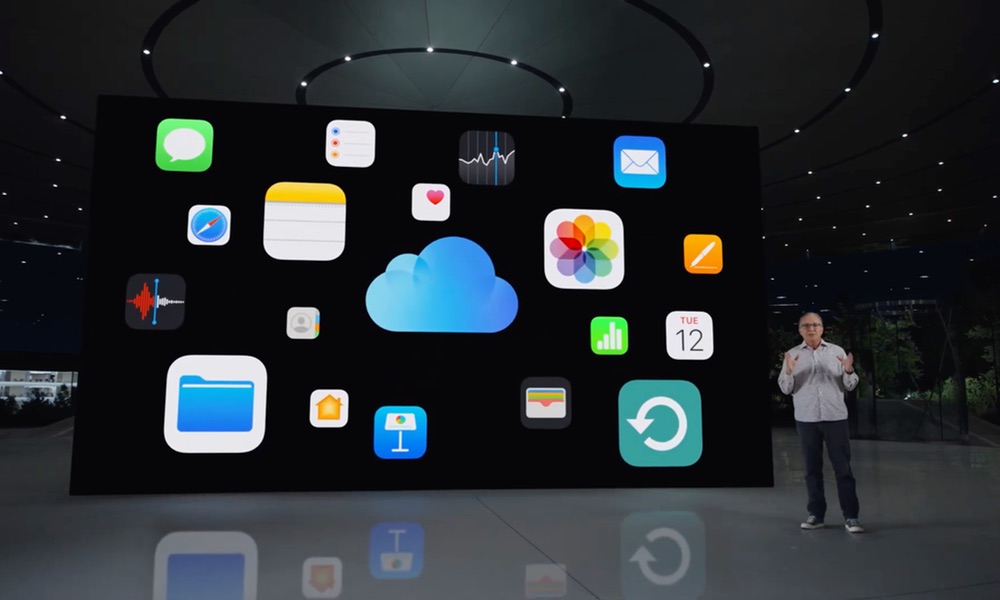
iCloud isn’t just a cloud storage service anymore. Apple has expanded it with other online services that make browsing the web and sharing your email safer, help you make the most of your home security cameras, and even plan your next party.
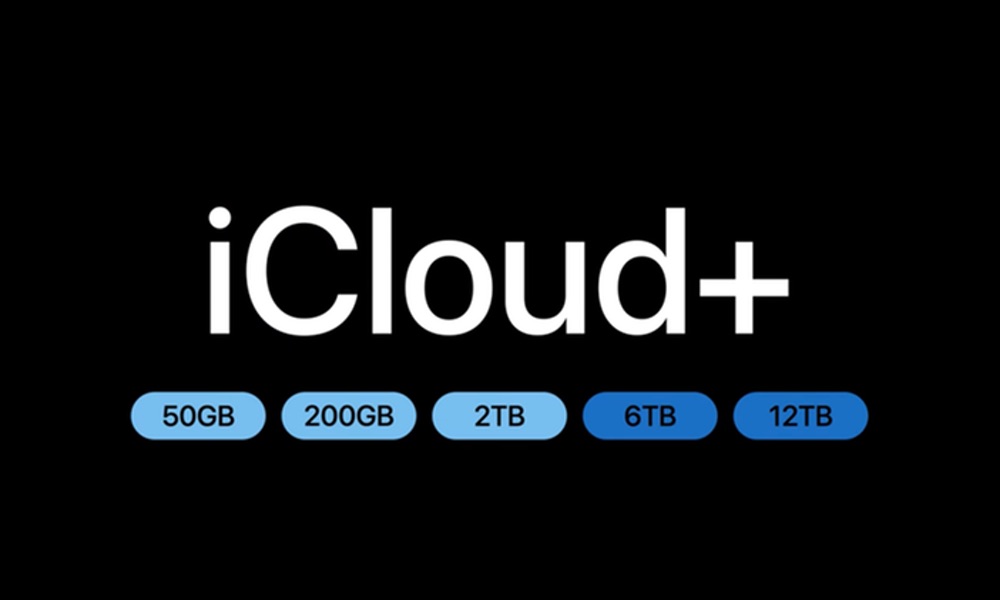
But first, let’s start with cloud storage. Apple offers these storage options with iCloud+ (all prices are in USD):
1. 50 GB of cloud storage for \$0.99 per month.
2. 200 GB of cloud storage for \$2.99 per month.
3. 2 TB of cloud storage for \$9.99 per month.
4. 6 TB of cloud storage for \$29.99 per month.
5. 12 TB of cloud storage for \$59.99 per month.
Your iPhone will automatically sync and let you access your data across all your Apple devices. That means that your notes, messages, photos, and even Safari tabs will be saved in the cloud so you can access them wherever you want. Even if you don’t have an Apple device near you, you can still access your data by going to iCloud.com. Every Apple users gets 5 GB of storage for free, which is enough to keep basic stuff like notes and contacts in sync, but you’ll run out pretty quickly if you want to store your photos or files in iCloud.
However, paying for iCloud+ provides more than just storage, and all these extra features are available whether you opt for the \$0.99 50 GB plan or pay \$60 a month for 12 TB of storage. Here’s what you get:
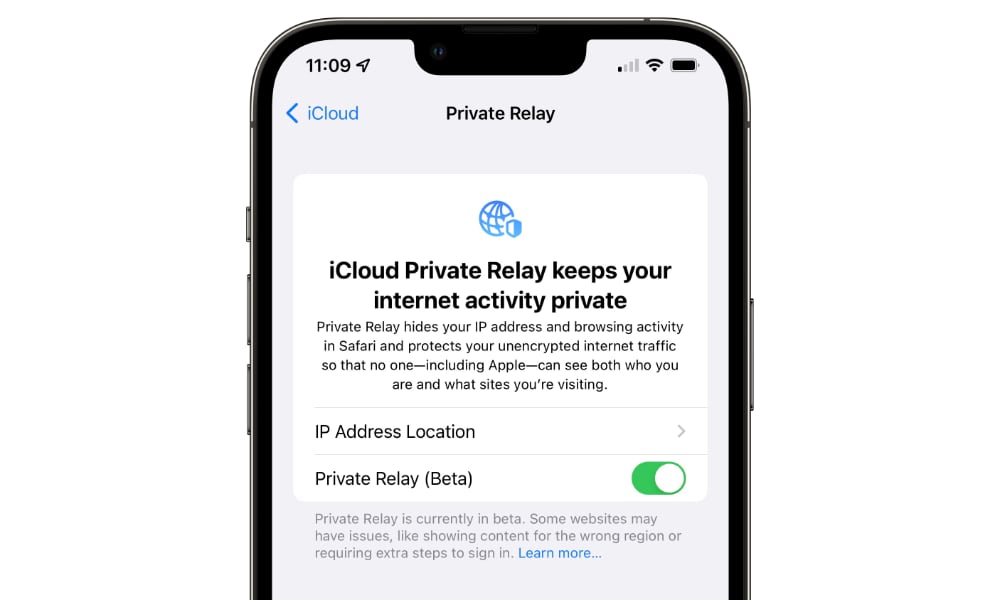
1. **iCloud Private Relay**: This feature lets you protect your browsing activity from third-party companies, like private network providers and websites. That way, tracking you and creating a digital profile based on your online activity will be harder. Not even Apple has access to this data.
2. **Hide My Email**: A simple but helpful feature that will automatically generate an email address you can use instead of your real one. You can use this address on websites and apps that you don’t want to share that data with while still being able to receive messages in your actual email. While these hidden addresses all end in “icloud.com,” you don’t need to use Apple’s iCloud Mail service to benefit from Hide My Email — messages sent to these addresses can be forwarded to just about any email provider.
3. **Custom Email Domain Name**: This cool feature will let you use your own custom email addresses like name@yourname.com rather than being limited to Apple’s “icloud.com” domain. You can add a custom email domain you already own [or purchase and register a new one through Cloudflare](https://www.idropnews.com/news/apple-is-making-it-easier-to-buy-custom-icloud-domains-in-ios-16-heres-how-it-works/190266/) right from your iPhone. Once you add it, you can send or receive messages from that email address from all of your Apple devices. Unlike Hide My Email, you’ll need to use iCloud Mail for this feature.
4. **HomeKit Secure Video**: This option lets you capture and review security video from your HomeKit-compatible security cameras — and the best part is that it’s all handled securely and privately, [unlike many other Internet-connected security cameras](https://www.idropnews.com/news/cheap-video-doorbells-make-you-pay-with-your-privacy/209386/). Note that this is one of the few iCloud+ features that’s affected by your storage tier: you can only add a single camera to HomeKit on the \$0.99 50 GB plan, while the \$2.99 200 GB plan supports up to five cameras. If you opt for at least the \$9.99 monthly plan, you can add as many cameras as you want. Apple will store up to 10 days of video footage securely in iCloud for all of your cameras without counting it against your iCloud storage.
5. **Family Sharing**: This is an amazing feature that lets you share your iCloud+ subscription with up to five other family members. This makes it easier, and maybe even cheaper, to have a more expensive iCloud+ plan as a family. Only the storage capacity is shared; everyone still gets their own private space for photos, files, and other iCloud data, and nothing will be seen by other family members except what you specifically choose to share.
6. **Apple Invites**: This is a new feature that [Apple introduced earlier this year](https://www.idropnews.com/news/get-the-party-started-apple-officially-debuts-apple-invites/238801/). As you can guess by the name, this app and service lets you invite other people to any event you’re hosting, whether that’s a big party or a casual dinner. People you invite can receive and reply to invitations even if they don’t have an Apple device or an iCloud+ subscription, and you can use this app without iCloud+, but you’ll need to subscribe to create invitations.
## Pros of iCloud+
[Jesse Hollington / iDrop News](https://twitter.com/jhollington)
Here are some reasons why we think iCloud+ is worth your money.
### iCloud+ Offers Online Protection
Most of us don’t worry about protection when we browse the web; we assume nothing will happen. But if you don’t want websites tracking your online activity, having iCloud+ is a quick and easy way to protect yourself online.
Thanks to [iCloud Private Relay](https://www.idropnews.com/news/icloud-private-relay-is-the-next-salvo-in-apples-fight-to-defend-your-privacy-heres-how-it-works/162958/), you won’t have to worry about third parties tracking your activity. As we mentioned, not even Apple will have access to that data, making browsing the web a bit more secure. Not only that but being able to instantly hide your email from any website or app gives you an extra layer of security that’s hard to come by.
While [iCloud Private Relay isn’t quite the same as a VPN](https://www.idropnews.com/faq/icloud-private-relay-vs-a-vpn-what-are-the-differences/208920/), it has the advantage of being completely private. Most VPN providers prevent the websites you visit from seeing where you’re going, but that doesn’t mean the company running the VPN can’t track you. Apple has designed iCloud Private Relay with a “double-blind” system that makes it virtually impossible for anyone to know where you’re going. Still, [there are good reasons to go with a VPN](https://www.idropnews.com/news/why-a-vpn-for-your-iphone-ipad-mac-its-simple-the-benefits-are-immense/196813/), as iCloud Private Relay only protects traffic from Safari and can’t be used to bypass geographic restrictions.
### iCloud+ Works Great on All Apple Devices
If you’re a hardcore Apple fan and all your devices are from Apple, you’re probably better off paying for iCloud+. Even if iCloud+ can sometimes be a bit slow in syncing, you’ll know that all your notes, passwords, and pictures will be available on all your Apple devices whenever you need them.
### You Can Share It With Your Family
If your parents, siblings, or kids are also part of the Apple ecosystem, Apple’s Family Sharing makes iCloud+ a no-brainer. You can share it with up to five other family members and give them access to the same benefits for no extra cost. What’s more, if you can split the monthly subscription across the other five people, you could have the 6TB or 12TB plan without spending more than \$10 a month.
## The Cons of iCloud+
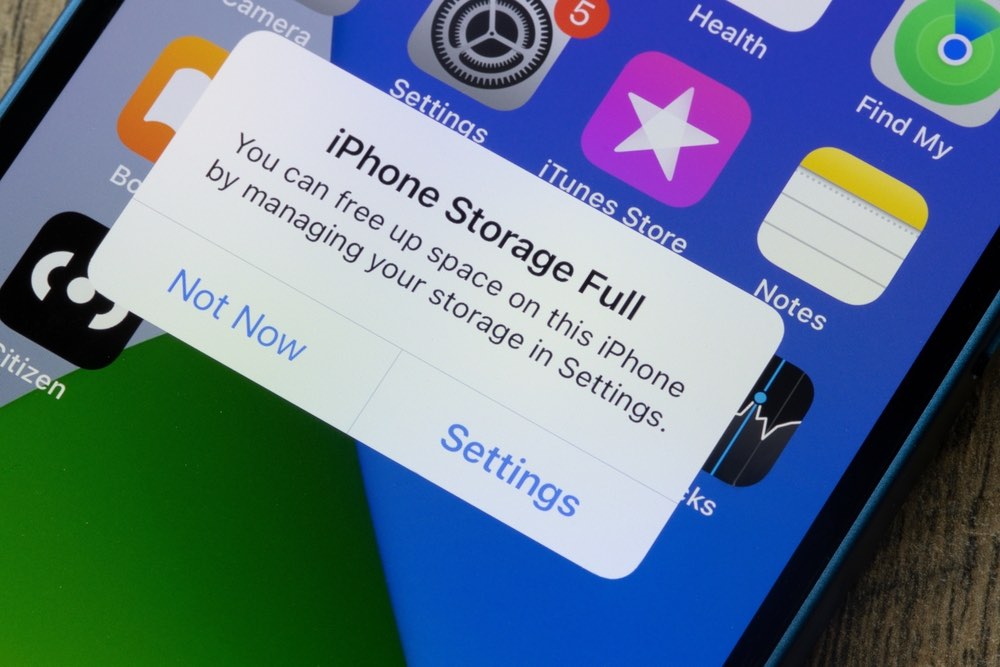
Unfortunately, iCloud+ is far from perfect. Here are the reasons why it’s not a good service.
### You Don’t Get the Best Bang for Your Buck
While iCloud+ is relatively cheap for its most basic plan, it’s not the best bang for your buck. If you compare iCloud+ with other cloud storage services, you’ll find that other services might offer more storage options or a better deal.
For instance, Google gives you 15GB of freestorage just by having an account, which is three times [the paltry 5 GB Apple offers](https://www.idropnews.com/icloudhelp/opinion-apple-times-have-changed-5gb-of-icloud-storage-is-not-enough/160146/). Other services like pCloud offer other options like a lifetime plan where you only have to pay once for your cloud storage, while some provide more versatile middle options, like a 500GB plan for \$4.99 per month — something many Apple users have asked for.
Of course, these services don’t work as well on Apple devices, but they still work well enough to make them a solid alternative.
### iCloud+ Might Not Be the Best Option if You Use Other Devices
If you only have an iPhone but also have a PC, an Android tablet, or other devices that aren’t part of the Apple ecosystem, iCloud+ might not be the best option for you. Yes, you can access your iCloud data on a Windows PC, thanks to [iCloud for Windows](https://www.idropnews.com/news/apple-overhauls-icloud-for-windows-with-support-for-security-keys-more/207811/), but it’s not nearly as seamless an experience, and you’ll still have to fire up your web browser to access iCloud data like reminders and notes.
In that case, you might be better off with a cloud service like Google One, available on any device and easier to use on Android or Windows computers.
## Is iCloud+ Worth It?
Ultimately, the decision will be based on what you need and what type of tech you have. If you’re a hardcore Apple fan and all your main devices are from Apple, iCloud+ is typically the best choice. It will work great in the Apple ecosystem, and you can share it with your family if they also have iPhones or other Apple devices.
Comment
On the other hand, if you’re the only one in your family with an iPhone and you also use a PC or Android device, iCloud+ might not be the best option, and you might not be able to use it to its full capacity.
The good news is that iCloud+ is relatively cheap to get into. The most basic option costs less than a dollar, so you can try it out without spending so much money and decide if it’s worth it.
[Share](https://www.facebook.com/sharer/sharer.php?u=https%3A%2F%2Fdevelopers.facebook.com%2Fdocs%2Fplugins%2F&src=sdkpreparse)
**Read Next:** [Snag a ‘Free’ iPhone 17e With These Carrier Pre-Orders](https://www.idropnews.com/news/iphone-17e-free-carrier-preorder-deals/260701/)
Sponsored
[ This Limited-Time Microsoft Office Deal Gets You Lifetime Access for Just \$50 \$49.97 86% off \$349.99 Shop](https://store.idropnews.com/sales/microsoft-office-home-and-business-for-mac-2021-lifetime-license?utm_source=bottomofpost&utm_medium=bottomofpost&utm_campaign=bottomofpost&utm_term=bottomofpost)
[ Microsoft Office Pro Lifetime for One Payment of \$50 \$49.97 86% off \$349.99 Shop](https://store.idropnews.com/sales/microsoft-office-pro-plus-2021-for-windows-lifetime-license?utm_source=bottomofpost&utm_medium=bottomofpost&utm_campaign=bottomofpost&utm_term=bottomofpost)
[ Microsoft Windows 11 Pro for One Payment of \$40 \$39.97 80% off \$199.99 Shop](https://store.idropnews.com/sales/microsoft-windows-11-pro?utm_source=bottomofpost&utm_medium=bottomofpost&utm_campaign=bottomofpost&utm_term=bottomofpost)
[ 7 Of The Best Side Hustles You Can Start Today To Make Extra Cash *Make Legitimate Cash Now* Check It Out](https://www.idropnews.com/link/2249/FBSideHustles)
[ The Best Money Moves To Supplement Social Security in 2022 *Money Moves You Can Make Now* Learn More](https://www.idropnews.com/link/2200/FBSocialSec)
[ 4 Real Things You Can Do Right Now to Make Legitimate Cash *Money Moves To Make In Retirement* Get Started](https://www.idropnews.com/link/2199/FBBrilRetire)

[ Win a Free \$500 Amazon Gift Card - Win a Free Amazon Gift CardiPad - Win a Free Apple iPadiPhone 17 Pro - Win a Free iPhone Enter \* Guaranteed by iDrop News.](https://www.idropnews.com/giveaways/?utm_source=giveaways-sidebar-banner)
### Trending
1. [ 6 Simple Ways to Make Your iPhone Easier to Use Gallery](https://www.idropnews.com/gallery/iphone-tips-for-seniors-ios-26/261823/)
2. [ Beyond the Mute Switch: 8 Pro Ways to Use the Action Button Gallery](https://www.idropnews.com/gallery/iphone-action-button-creative-uses/261425/)
3. [ The \$10,000 Apple Pay ‘Hack’ That Isn’t Actually a Threat News](https://www.idropnews.com/news/mkbhd-veritasium-apple-pay-10000-hack-explained/262545/)
4. [ From Beginner to Bull: 10 Apps to Master Your Money in 2026 Apps](https://www.idropnews.com/apps/best-apps-financial-literacy-2026/255091/)
5. [ The Hit List: 7 Apps You Should Delete for Better Privacy Apps](https://www.idropnews.com/apps/apps-to-delete-for-privacy-2026/261469/)
Newsletter
[ iPhone WallpapersExpress Yourself Browse](https://www.idropnews.com/latest-iphone-wallpapers/?utm_source=wallpapers-sidebar-banner)
[Contact Us](https://www.idropnews.com/contact-us/) • [Unsubscribe](https://www.idropnews.com/unsubscribe/) • [Notifications](https://www.idropnews.com/push-notifications/) • [Meet the Team](https://www.idropnews.com/theteam/) • [Newsletter](https://www.idropnews.com/subscribe-to-our-newsletter/) • [Write for Us](https://www.idropnews.com/write-for-us/) • [Store Support](https://www.idropnews.com/store-support/) • [Report-a-Bug](https://www.idropnews.com/report-a-bug/)
- [News](https://www.idropnews.com/news/)
- [iPhone](https://www.idropnews.com/news/iphone/)
- [iPad](https://www.idropnews.com/news/ipad/)
- [Mac](https://www.idropnews.com/news/mac/)
- [Apple TV](https://www.idropnews.com/news/apple-tv/)
- [Apple Watch](https://www.idropnews.com/news/apple-watch-news/)
- [Fast Tech](https://www.idropnews.com/news/fast-tech/)
- [Rumors](https://www.idropnews.com/rumors/)
- [iPhone](https://www.idropnews.com/rumors/iphone-rumors/)
- [iPad](https://www.idropnews.com/rumors/ipad-rumors/)
- [Mac](https://www.idropnews.com/rumors/mac-rumors/)
- [Apple TV](https://www.idropnews.com/rumors/appletv/)
- [Apple Watch](https://www.idropnews.com/rumors/watch-rumors/)
- [How To](https://www.idropnews.com/how-to/)
- [AirDrop](https://www.idropnews.com/airdrop/)
- [Apple TV](https://www.idropnews.com/how-to/apple-tv-how-to/)
- [Apple Watch](https://www.idropnews.com/how-to/apple-watch-how-to/)
- [iCloud](https://www.idropnews.com/how-to/icloud-how-to/)
- [iPad](https://www.idropnews.com/how-to/ipad-how-to/)
- [iPhone](https://www.idropnews.com/how-to/iphone-how-to/)
- [Mac](https://www.idropnews.com/how-to/mac-how-to/)
- [Mail Drop](https://www.idropnews.com/mail-drop/)
- [Features]()
- [Apple Gloves](https://www.idropnews.com/news/apple-glove-concept-images/137681/)
- [Reviews](https://www.idropnews.com/reviews/)
- [Privacy](https://www.idropnews.com/tag/privacy/)
- [Security](https://www.idropnews.com/tag/security/)
- [Store](http://store.idropnews.com/)
- [AAPL](https://www.idropnews.com/aapl/)
- [Concepts](https://www.idropnews.com/tag/concept-images/)
- [Apple Giveaways](https://www.idropnews.com/giveaways/)
- [Company]()
- [About Us](https://www.idropnews.com/about-us/)
- [Privacy Policy](https://www.idropnews.com/privacy-policy/)
- [Contact Us](https://www.idropnews.com/contact-us/)
- [Advertise](https://www.idropnews.com/advertise/)
- [Store Support](https://www.idropnews.com/store-support/)
- [Terms of Use](https://www.idropnews.com/terms-of-use/)
- [Unsubscribe](https://www.idropnews.com/unsubscribe/)
- [Wallpapers](https://www.idropnews.com/iphone-wallpapers/)
- [Latest](https://www.idropnews.com/latest-iphone-wallpapers/)
- [Abstract](https://www.idropnews.com/iphone-8-wallpapers/abstract/)
- [Apple](https://www.idropnews.com/iphone-8-wallpapers/apple/)
- [Illustration](https://www.idropnews.com/iphone-8-wallpapers/illustration-wallpapers/)
- [Photography](https://www.idropnews.com/iphone-8-wallpapers/photography-wallpapers/)
- [Nature](https://www.idropnews.com/iphone-8-wallpapers/nature-wallpapers/)
- [Space](https://www.idropnews.com/iphone-8-wallpapers/space/)
- [Privacy Policy](https://www.idropnews.com/privacy-policy/)
- [CCPA Privacy Statement](https://www.idropnews.com/ccpa-privacy-statement/)
- [Do Not Sell My Information](https://www.idropnews.com/ccpa-privacy-statement#optOutLink)
- [Publishing Guidelines](https://www.idropnews.com/publishing-guidelines/)
- [Disclosures](https://www.idropnews.com/advertising-disclosures/)
Copyright © 2026 [iDrop News](https://www.idropnews.com/). All rights reserved. By using iDrop News you agree to our [terms and conditions.](https://www.idropnews.com/terms-of-use/) iDrop News and its contents are not affiliated or endorsed by Apple, Inc.
- [Home](https://www.idropnews.com/)
- [News](https://www.idropnews.com/news/)
- [Rumors](https://www.idropnews.com/rumors/)
- [How To](https://www.idropnews.com/how-to/)
- [Store](https://store.idropnews.com/)
- [Giveaways](https://www.idropnews.com/giveaways/)
- [Wallpapers](https://www.idropnews.com/latest-iphone-wallpapers/)
- [Fast Tech](https://www.idropnews.com/news/fast-tech/)
- [Reviews](https://www.idropnews.com/reviews/)
- [Site Map](https://www.idropnews.com/sitemap/)
Social Sharing

 |
| Readable Markdown | Toggle Dark Mode
A few years ago, Apple decided to upgrade iCloud and turn it into [iCloud+](https://www.idropnews.com/news/icloud-apples-giving-icloud-users-a-powerful-and-free-privacy-upgrade/160569/), offering the same cloud storage benefits with some extra features.
The best part about this new change is that iCloud’s price remained the same, so you got a bunch of new features at no extra cost.
While iCloud might not be the best option for everyone, these extra capabilities and its tighter integration with your iPhone and other Apple devices give it an advantage over others. Still, with so many cloud services out there, you might be better off with some other choice, especially if you’re not that deep into the Apple ecosystem.
**Is iCloud+ right for you? Read on for a few pros and cons to help you decide.**
## What Does iCloud+ Offer?
iCloud isn’t just a cloud storage service anymore. Apple has expanded it with other online services that make browsing the web and sharing your email safer, help you make the most of your home security cameras, and even plan your next party.
But first, let’s start with cloud storage. Apple offers these storage options with iCloud+ (all prices are in USD):
1. 50 GB of cloud storage for \$0.99 per month.
2. 200 GB of cloud storage for \$2.99 per month.
3. 2 TB of cloud storage for \$9.99 per month.
4. 6 TB of cloud storage for \$29.99 per month.
5. 12 TB of cloud storage for \$59.99 per month.
Your iPhone will automatically sync and let you access your data across all your Apple devices. That means that your notes, messages, photos, and even Safari tabs will be saved in the cloud so you can access them wherever you want. Even if you don’t have an Apple device near you, you can still access your data by going to iCloud.com. Every Apple users gets 5 GB of storage for free, which is enough to keep basic stuff like notes and contacts in sync, but you’ll run out pretty quickly if you want to store your photos or files in iCloud.
However, paying for iCloud+ provides more than just storage, and all these extra features are available whether you opt for the \$0.99 50 GB plan or pay \$60 a month for 12 TB of storage. Here’s what you get:
1. **iCloud Private Relay**: This feature lets you protect your browsing activity from third-party companies, like private network providers and websites. That way, tracking you and creating a digital profile based on your online activity will be harder. Not even Apple has access to this data.
2. **Hide My Email**: A simple but helpful feature that will automatically generate an email address you can use instead of your real one. You can use this address on websites and apps that you don’t want to share that data with while still being able to receive messages in your actual email. While these hidden addresses all end in “icloud.com,” you don’t need to use Apple’s iCloud Mail service to benefit from Hide My Email — messages sent to these addresses can be forwarded to just about any email provider.
3. **Custom Email Domain Name**: This cool feature will let you use your own custom email addresses like name@yourname.com rather than being limited to Apple’s “icloud.com” domain. You can add a custom email domain you already own [or purchase and register a new one through Cloudflare](https://www.idropnews.com/news/apple-is-making-it-easier-to-buy-custom-icloud-domains-in-ios-16-heres-how-it-works/190266/) right from your iPhone. Once you add it, you can send or receive messages from that email address from all of your Apple devices. Unlike Hide My Email, you’ll need to use iCloud Mail for this feature.
4. **HomeKit Secure Video**: This option lets you capture and review security video from your HomeKit-compatible security cameras — and the best part is that it’s all handled securely and privately, [unlike many other Internet-connected security cameras](https://www.idropnews.com/news/cheap-video-doorbells-make-you-pay-with-your-privacy/209386/). Note that this is one of the few iCloud+ features that’s affected by your storage tier: you can only add a single camera to HomeKit on the \$0.99 50 GB plan, while the \$2.99 200 GB plan supports up to five cameras. If you opt for at least the \$9.99 monthly plan, you can add as many cameras as you want. Apple will store up to 10 days of video footage securely in iCloud for all of your cameras without counting it against your iCloud storage.
5. **Family Sharing**: This is an amazing feature that lets you share your iCloud+ subscription with up to five other family members. This makes it easier, and maybe even cheaper, to have a more expensive iCloud+ plan as a family. Only the storage capacity is shared; everyone still gets their own private space for photos, files, and other iCloud data, and nothing will be seen by other family members except what you specifically choose to share.
6. **Apple Invites**: This is a new feature that [Apple introduced earlier this year](https://www.idropnews.com/news/get-the-party-started-apple-officially-debuts-apple-invites/238801/). As you can guess by the name, this app and service lets you invite other people to any event you’re hosting, whether that’s a big party or a casual dinner. People you invite can receive and reply to invitations even if they don’t have an Apple device or an iCloud+ subscription, and you can use this app without iCloud+, but you’ll need to subscribe to create invitations.
## Pros of iCloud+
Here are some reasons why we think iCloud+ is worth your money.
### iCloud+ Offers Online Protection
Most of us don’t worry about protection when we browse the web; we assume nothing will happen. But if you don’t want websites tracking your online activity, having iCloud+ is a quick and easy way to protect yourself online.
Thanks to [iCloud Private Relay](https://www.idropnews.com/news/icloud-private-relay-is-the-next-salvo-in-apples-fight-to-defend-your-privacy-heres-how-it-works/162958/), you won’t have to worry about third parties tracking your activity. As we mentioned, not even Apple will have access to that data, making browsing the web a bit more secure. Not only that but being able to instantly hide your email from any website or app gives you an extra layer of security that’s hard to come by.
While [iCloud Private Relay isn’t quite the same as a VPN](https://www.idropnews.com/faq/icloud-private-relay-vs-a-vpn-what-are-the-differences/208920/), it has the advantage of being completely private. Most VPN providers prevent the websites you visit from seeing where you’re going, but that doesn’t mean the company running the VPN can’t track you. Apple has designed iCloud Private Relay with a “double-blind” system that makes it virtually impossible for anyone to know where you’re going. Still, [there are good reasons to go with a VPN](https://www.idropnews.com/news/why-a-vpn-for-your-iphone-ipad-mac-its-simple-the-benefits-are-immense/196813/), as iCloud Private Relay only protects traffic from Safari and can’t be used to bypass geographic restrictions.
### iCloud+ Works Great on All Apple Devices
If you’re a hardcore Apple fan and all your devices are from Apple, you’re probably better off paying for iCloud+. Even if iCloud+ can sometimes be a bit slow in syncing, you’ll know that all your notes, passwords, and pictures will be available on all your Apple devices whenever you need them.
### You Can Share It With Your Family
If your parents, siblings, or kids are also part of the Apple ecosystem, Apple’s Family Sharing makes iCloud+ a no-brainer. You can share it with up to five other family members and give them access to the same benefits for no extra cost. What’s more, if you can split the monthly subscription across the other five people, you could have the 6TB or 12TB plan without spending more than \$10 a month.
## The Cons of iCloud+
Unfortunately, iCloud+ is far from perfect. Here are the reasons why it’s not a good service.
### You Don’t Get the Best Bang for Your Buck
While iCloud+ is relatively cheap for its most basic plan, it’s not the best bang for your buck. If you compare iCloud+ with other cloud storage services, you’ll find that other services might offer more storage options or a better deal.
For instance, Google gives you 15GB of freestorage just by having an account, which is three times [the paltry 5 GB Apple offers](https://www.idropnews.com/icloudhelp/opinion-apple-times-have-changed-5gb-of-icloud-storage-is-not-enough/160146/). Other services like pCloud offer other options like a lifetime plan where you only have to pay once for your cloud storage, while some provide more versatile middle options, like a 500GB plan for \$4.99 per month — something many Apple users have asked for.
Of course, these services don’t work as well on Apple devices, but they still work well enough to make them a solid alternative.
### iCloud+ Might Not Be the Best Option if You Use Other Devices
If you only have an iPhone but also have a PC, an Android tablet, or other devices that aren’t part of the Apple ecosystem, iCloud+ might not be the best option for you. Yes, you can access your iCloud data on a Windows PC, thanks to [iCloud for Windows](https://www.idropnews.com/news/apple-overhauls-icloud-for-windows-with-support-for-security-keys-more/207811/), but it’s not nearly as seamless an experience, and you’ll still have to fire up your web browser to access iCloud data like reminders and notes.
In that case, you might be better off with a cloud service like Google One, available on any device and easier to use on Android or Windows computers.
Ultimately, the decision will be based on what you need and what type of tech you have. If you’re a hardcore Apple fan and all your main devices are from Apple, iCloud+ is typically the best choice. It will work great in the Apple ecosystem, and you can share it with your family if they also have iPhones or other Apple devices.
On the other hand, if you’re the only one in your family with an iPhone and you also use a PC or Android device, iCloud+ might not be the best option, and you might not be able to use it to its full capacity.
The good news is that iCloud+ is relatively cheap to get into. The most basic option costs less than a dollar, so you can try it out without spending so much money and decide if it’s worth it. |
| Shard | 100 (laksa) |
| Root Hash | 17575621408916897900 |
| Unparsed URL | com,idropnews!www,/icloudhelp/is-icloud-worth-your-money-in-2025/231508/ s443 |