ℹ️ Skipped - page is already crawled
| Filter | Status | Condition | Details |
|---|---|---|---|
| HTTP status | PASS | download_http_code = 200 | HTTP 200 |
| Age cutoff | FAIL | download_stamp > now() - 6 MONTH | 8.1 months ago |
| History drop | PASS | isNull(history_drop_reason) | No drop reason |
| Spam/ban | PASS | fh_dont_index != 1 AND ml_spam_score = 0 | ml_spam_score=0 |
| Canonical | PASS | meta_canonical IS NULL OR = '' OR = src_unparsed | Not set |
| Property | Value |
|---|---|
| URL | https://www.howtogeek.com/do-you-really-need-a-gps-cellular-apple-watch/ |
| Last Crawled | 2025-08-22 00:56:06 (8 months ago) |
| First Indexed | 2024-09-26 18:55:28 (1 year ago) |
| HTTP Status Code | 200 |
| Meta Title | Do You Really Need a GPS + Cellular Apple Watch? |
| Meta Description | Is the cellular version of the Apple Watch worth an extra $100? |
| Meta Canonical | null |
| Boilerpipe Text | Summary
GPS + Cellular allows the Apple Watch to perform functions, like making calls and answering texts, without having to be paired with an iPhone
Adding cellular functions to an Apple Watch increases the price by $100, plus additional monthly carrier fees, which could be used to cover the cost of a larger watch face, nicer band, or AppleCare+ coverage.
Not all carriers support cellular features on the Apple Watch, and the network (LTE or UMTS) differs based on where you buy it, so check with your carrier before making a purchase.
Whether you’re new to the Apple Watch or are looking to upgrade, you’re going to need to make a decision between getting the GPS or GPS + Cellular version. But how big of a difference is there between the two? And is the addition of cellular really worth an extra $100?
What Is GPS + Cellular?
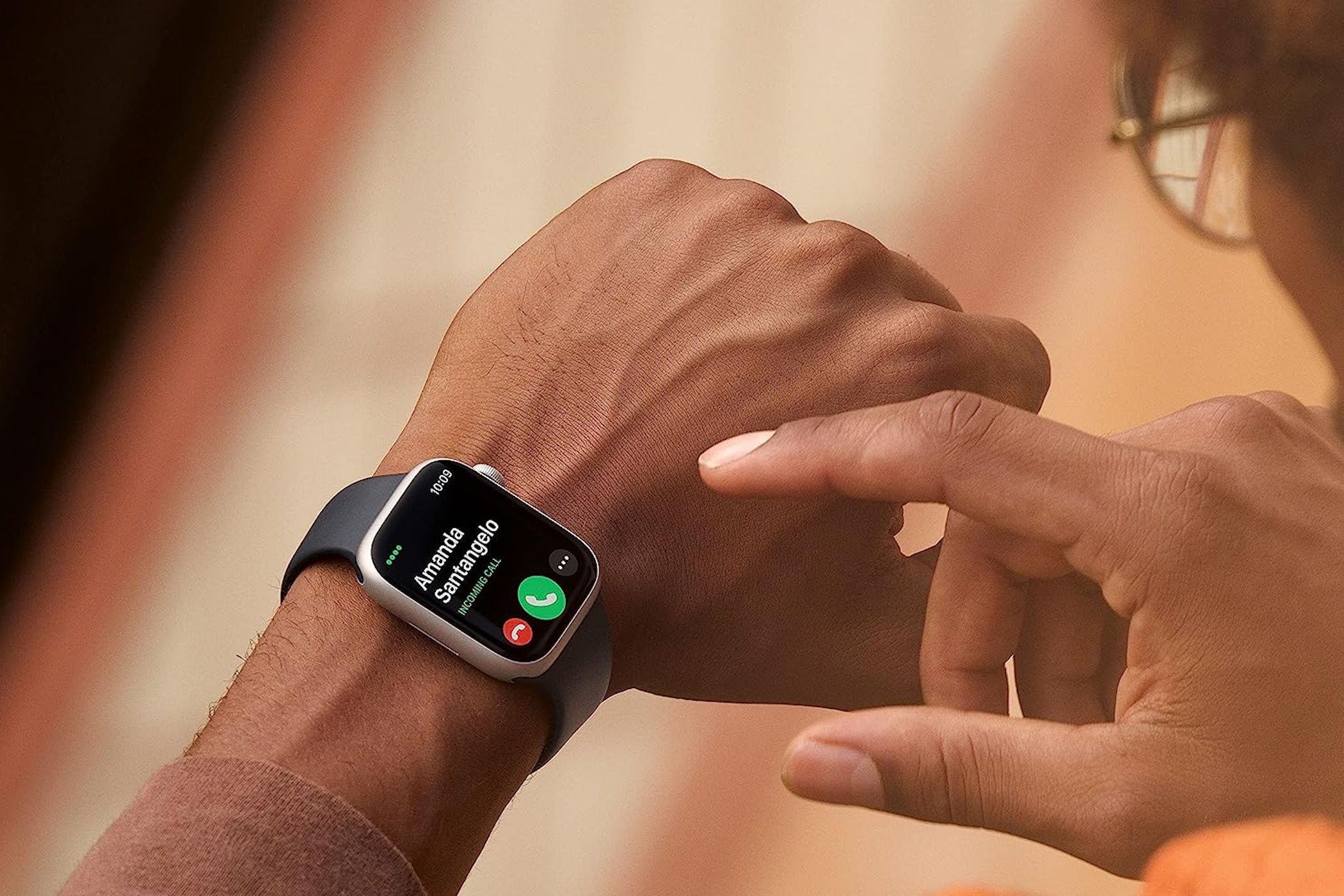
GPS + Cellular is an option when purchasing the Apple Watch Series 10 , among other versions, but what does “GPS + Cellular” actually mean? Functionally, there’s not much of a difference between the two types of Apple Watch models. Everything you can do on a GPS + Cellular Apple Watch, you can also do on an Apple Watch without the Cellular—as long as you keep your iPhone close all the time. A GPS Apple Watch certainly isn’t useless without a connection to an iPhone , but said connection is necessary for certain features. Namely, handling calls or text messages, music streaming, and (perhaps most importantly) contacting emergency services. The addition of cellular allows the Apple Watch more complete functionality without the need to keep it tethered to another device.
Is Cellular Necessary?
If you want to be able to leave your iPhone behind without cutting yourself off from possible contact, choosing GPS + Cellular is pretty much your only option. If you don’t own an iPhone but still want an Apple Watch, you don’t necessarily need to spring for Cellular, but that means no calls or texts (among other things) being handled through your wrist. The GPS + Cellular model is also required if you’re looking to get an Apple Watch For Your Kids . If, however, you carry your iPhone around all the time—keeping it close at work and at home—then there really isn’t much reason to shell out for the cellular function. Once you've paired the Apple Watch with your iPhone and keep it close, the watch will work just as well as the more expensive option. Another thing to consider is what you could do with the $100 you can save by opting for the GPS version. Aside from simply saving your money, that cost difference could also be put towards other Apple Watch options, like sizing up from 42 mm to 46 mm (a $30 difference) or choosing a fancier watch band ($49 to $99 more). It could also pay for your AppleCare+ coverage ($49 for the SE, $79 for Series 10, or $99 for Ultra 2), which would come in handy in the event of accidental damage, servicing, or emergency tech support.
Some Models Have GPS + Cellular as Standard
If you're thinking of spending more money on your Apple Watch and going for the pricier titanium-body Series 10 (from $699), the larger and more rugged Ultra 2 (from $799), or an Apple Watch Hermés (from $1,249) then you won't need to make this decision. These models are GPS + Cellular only, but you'll be able to use them as regular GPS Watch models by ignoring the cellular functionality and setting them up like a regular model. This means you only have to worry about which to go for if you're considering buying the cheaper aluminum Apple Watch Series 10 and Apple Watch SE models.
Cellular Connectivity Can Drain Your Battery Quickly
Both Watch models should get the same rated 18-hour usage under similar conditions. Apple rates the GPS + Cellular model at 14 hours of Wi-Fi (connected to an iPhone) and 4 hours over an LTE connection. But don't assume that you'll get 14 hours of LTE usage on a GPS + Cellular model. In short, a GPS + Cellular model is no replacement for an iPhone. On top of requiring an iPhone be paired to use the device, you'll want to favor the iPhone connection wherever possible. Cellular connectivity is an added benefit, but it's not to be relied upon. One thing that can really help preserve Apple Watch battery life is Low Power Mode , which you may want to turn to if you intend on being away from your iPhone for extended periods of time. That, or consider an Apple Watch Ultra 2 instead of the Series 10 if you can handle the added cost and weight.
Check With Your Carrier First
Another important thing to keep in mind is that cellular service also means getting set up with a cellular carrier. At least it does if you want to use those cellular-specific features. Additionally, not all carriers currently support Cellular on the Apple Watch, and there are two separate LTE and UMTS models (depending on what country you buy the watch in) that will prevent the features from working if you travel to certain regions. So it’s extremely important to check with your carrier before purchasing. If your carrier does support it, you also have to consider the added cost of maintaining that service. Rates can vary (again, check with your carrier first), but regardless, you’ll be looking at a larger bill at the end of every month to add your Apple Watch to your plan. That said, it is possible to buy a GPS + Cellular Apple Watch and hold off on setting up the cellular bits until later. Then you can use it like a regular GPS model by keeping your iPhone close in the meantime. Ultimately, the deciding factor when it comes to whether ot not you need a cellular Apple Watch comes down to how you intend to use it. It’s not really worth the added cost (both for the watch itself and the carrier fees) for someone who keeps their iPhone on or near them at all times. The best course of action is to weigh your options and expectations, think about available funds, and figure out how much being able to take and make calls and texts without being tethered to an iPhone is worth to you. |
| Markdown | Menu
[](https://www.howtogeek.com/)
Sign in now
Close
- - [Desktop](https://www.howtogeek.com/category/desktop/)
Submenu
- [Windows](https://www.howtogeek.com/category/windows/)
- [Mac](https://www.howtogeek.com/category/mac/)
- [Linux](https://www.howtogeek.com/category/linux/)
- [Chromebook](https://www.howtogeek.com/category/chromebook-chrome-os/)
- [Microsoft](https://www.howtogeek.com/category/microsoft/)
- [Programming](https://www.howtogeek.com/category/programming/)
- [Mobile](https://www.howtogeek.com/category/mobile/)
Submenu
- [Android](https://www.howtogeek.com/category/android/)
- [iPhone](https://www.howtogeek.com/category/ios/)
- [Cellular Carriers](https://www.howtogeek.com/category/cellular-carriers/)
- [Gaming](https://www.howtogeek.com/category/video-games/)
- [Streaming](https://www.howtogeek.com/category/streaming/)
Submenu
- [Audio/Video](https://www.howtogeek.com/category/audio/)
- [Web](https://www.howtogeek.com/category/web/)
Submenu
- [Cyber Security](https://www.howtogeek.com/category/cybersecurity/)
- [Google](https://www.howtogeek.com/tag/google/)
- [Automotive](https://www.howtogeek.com/category/automotive/)
- [Hobbies](https://www.howtogeek.com/category/hobbies/)
- Science Submenu
- [Space](https://www.howtogeek.com/category/space/)
- [Cutting Edge](https://www.howtogeek.com/category/cutting-edge/)
- [News](https://www.howtogeek.com/news/)
- [Reviews](https://www.howtogeek.com/category/product-reviews/)
- [Buying Guides](https://www.howtogeek.com/buying-guides/)
- [Deals](https://www.howtogeek.com/tag/deals/)
- [Sign in](https://www.howtogeek.com/do-you-really-need-a-gps-cellular-apple-watch/)
- [Newsletter](https://www.howtogeek.com/page/newsletter/)
Menu
[](https://www.howtogeek.com/)
Follow
Followed
Like
[Threads 3](https://www.howtogeek.com/do-you-really-need-a-gps-cellular-apple-watch/#threads "Threads")
More Action
Sign in now
[Windows](https://www.howtogeek.com/category/windows/)
[Linux](https://www.howtogeek.com/category/linux/)
[iPhone](https://www.howtogeek.com/category/ios/)
[Android](https://www.howtogeek.com/category/android/)
[Nintendo Switch 2](https://www.howtogeek.com/tag/nintendo-switch-2/)
[Streaming](https://www.howtogeek.com/category/streaming/)
[Microsoft Excel](https://www.howtogeek.com/tag/microsoft-excel/)
[Deals](https://www.howtogeek.com/tag/deals/)
Close
# Do You Really Need a GPS + Cellular Apple Watch?

By [Rob Rich](https://www.howtogeek.com/author/rob-rich/)
Published Sep 26, 2024
Follow
Followed
Like
[Thread 3](https://www.howtogeek.com/do-you-really-need-a-gps-cellular-apple-watch/#threads)
Link copied to clipboard
### Related
[](https://www.howtogeek.com/why-i-prefer-chromebook-tablets-over-android-tablets/)
##### [Why I Prefer Chromebook Tablets Over Android Tablets](https://www.howtogeek.com/why-i-prefer-chromebook-tablets-over-android-tablets/ "Why I Prefer Chromebook Tablets Over Android Tablets")
[](https://www.howtogeek.com/this-is-how-they-know-youre-using-a-vpn/)
##### [This Is How They Know You're Using a VPN](https://www.howtogeek.com/this-is-how-they-know-youre-using-a-vpn/ "This Is How They Know You're Using a VPN")
[](https://www.howtogeek.com/captchas-are-now-so-hard-just-let-the-bot-in-already/)
##### [CAPTCHAs Are Now So Hard, Just Let the Bot In Already](https://www.howtogeek.com/captchas-are-now-so-hard-just-let-the-bot-in-already/ "CAPTCHAs Are Now So Hard, Just Let the Bot In Already")
[Sign in to your How-To Geek account]()
Apple
### Summary
- GPS + Cellular allows the Apple Watch to perform functions, like making calls and answering texts, without having to be paired with an iPhone
- Adding cellular functions to an Apple Watch increases the price by \$100, plus additional monthly carrier fees, which could be used to cover the cost of a larger watch face, nicer band, or AppleCare+ coverage.
- Not all carriers support cellular features on the Apple Watch, and the network (LTE or UMTS) differs based on where you buy it, so check with your carrier before making a purchase.
Whether you’re new to the Apple Watch or are looking to upgrade, you’re going to need to make a decision between getting the GPS or GPS + Cellular version. But how big of a difference is there between the two? And is the addition of cellular really worth an extra \$100?
## What Is GPS + Cellular?
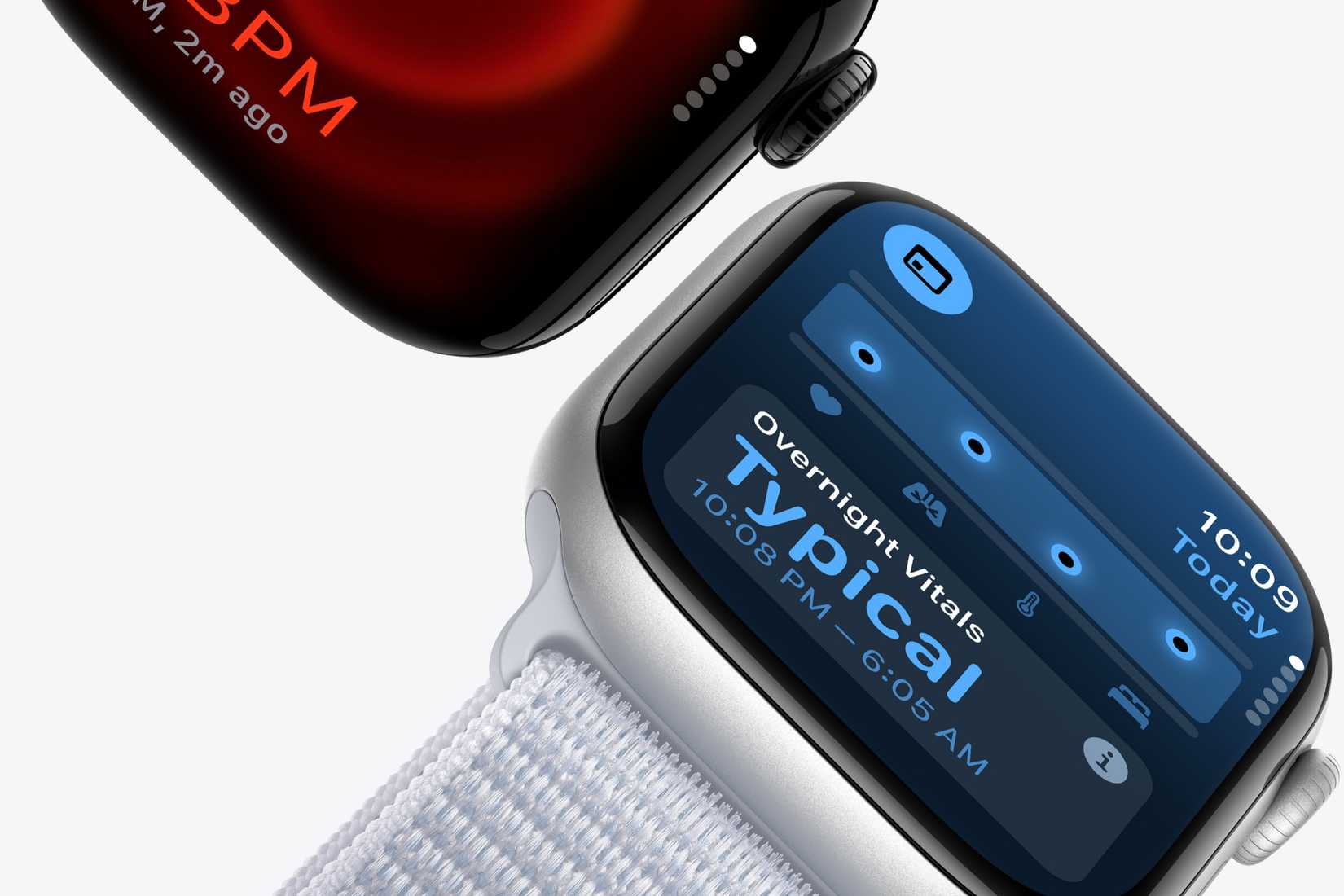
GPS + Cellular is an option when purchasing the [Apple Watch Series 10](https://www.howtogeek.com/apple-watch-series-10-vs-apple-watch-series-9-whats-new-this-year/), among other versions, but what does “GPS + Cellular” actually mean? Functionally, there’s not much of a difference between the two types of Apple Watch models. Everything you can do on a GPS + Cellular Apple Watch, you can also do on an Apple Watch without the Cellular—as long as you keep your iPhone close all the time.
Apple
A GPS Apple Watch certainly isn’t useless [without a connection to an iPhone](https://www.howtogeek.com/802150/can-i-use-an-apple-watch-without-an-iphone/), but said connection is necessary for certain features. Namely, handling calls or text messages, music streaming, and (perhaps most importantly) contacting emergency services. The addition of cellular allows the Apple Watch more complete functionality without the need to keep it tethered to another device.
## Is Cellular Necessary?
If you want to be able to leave your iPhone behind without cutting yourself off from possible contact, choosing GPS + Cellular is pretty much your only option. If you don’t own an iPhone but still want an Apple Watch, you don’t necessarily need to spring for Cellular, but that means no calls or texts (among other things) being handled through your wrist.
The GPS + Cellular model is also required if you’re looking to get an [Apple Watch For Your Kids](https://www.apple.com/apple-watch-for-your-kids/).
If, however, you carry your iPhone around all the time—keeping it close at work and at home—then there really isn’t much reason to shell out for the cellular function. Once you've [paired the Apple Watch with your iPhone](https://www.howtogeek.com/823420/how-to-pair-an-apple-watch/) and keep it close, the watch will work just as well as the more expensive option.
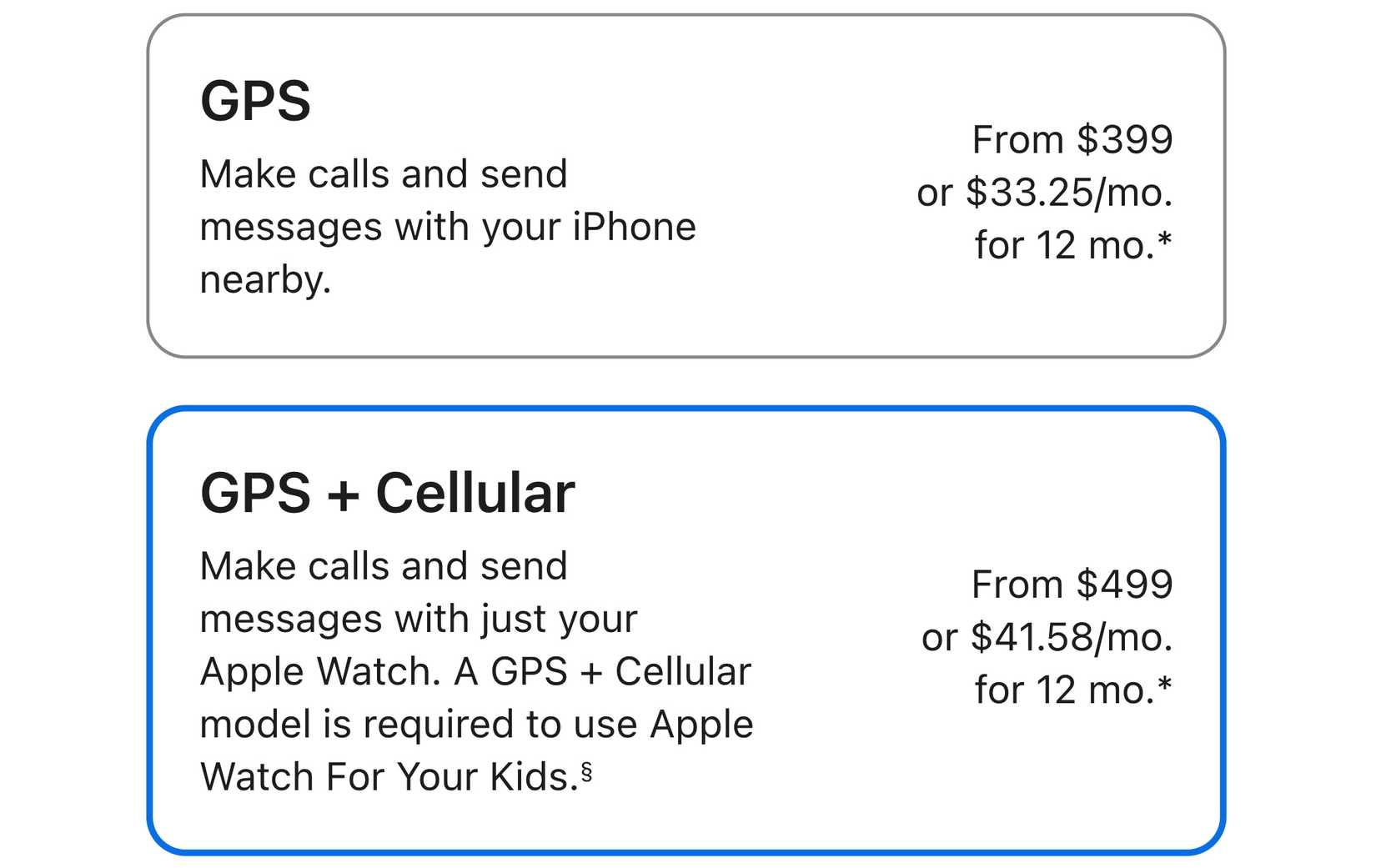
Another thing to consider is what you could do with the \$100 you can save by opting for the GPS version. Aside from simply saving your money, that cost difference could also be put towards other Apple Watch options, like sizing up from 42 mm to 46 mm (a \$30 difference) or choosing a fancier watch band (\$49 to \$99 more).
It could also pay for your [AppleCare+ coverage](https://www.howtogeek.com/58423/is-applecare-worth-it/) (\$49 for the SE, \$79 for Series 10, or \$99 for Ultra 2), which would come in handy in the event of accidental damage, servicing, or emergency tech support.
## Some Models Have GPS + Cellular as Standard
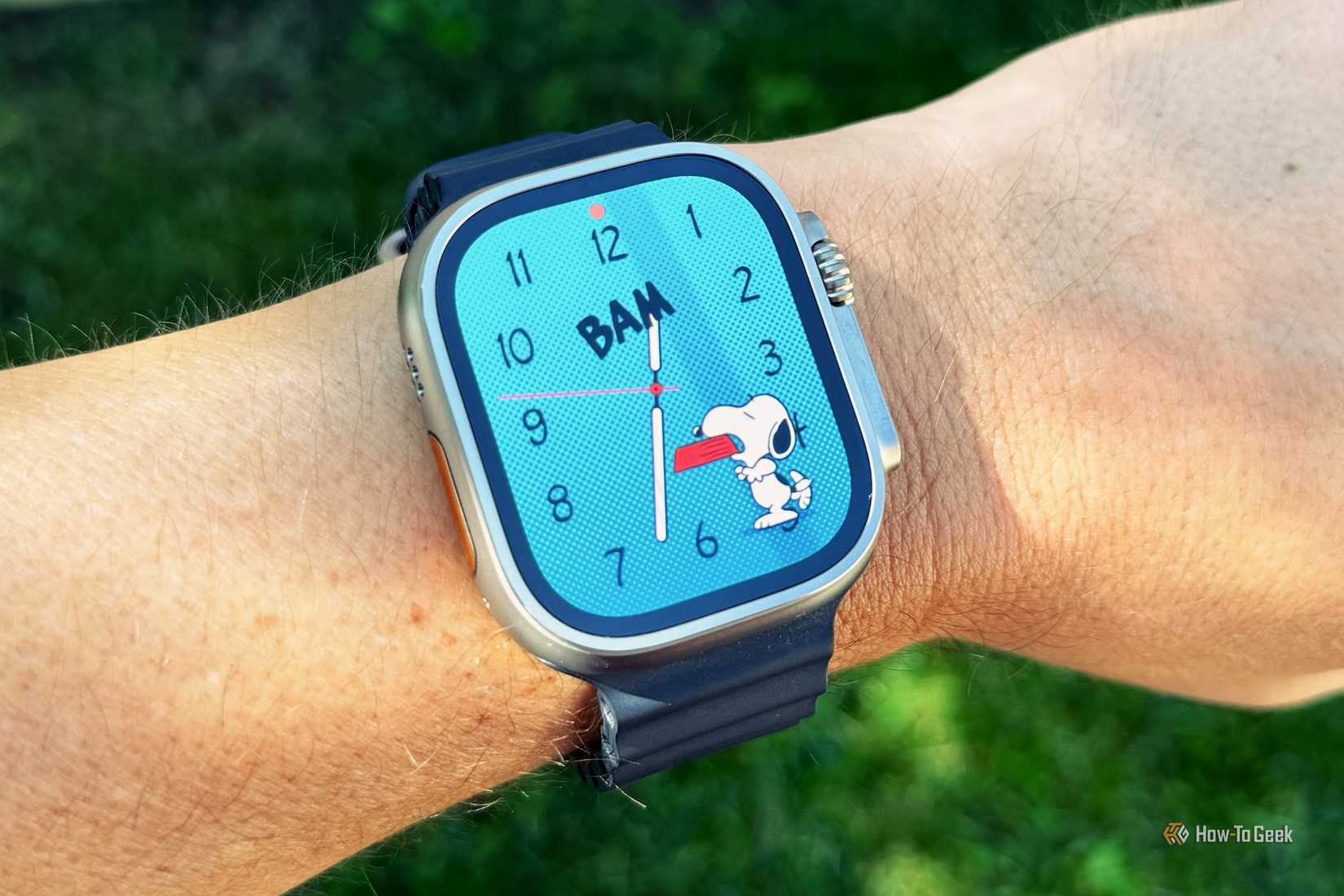
If you're thinking of spending more money on your Apple Watch and going for the pricier titanium-body Series 10 (from \$699), the larger and more rugged Ultra 2 (from \$799), or an Apple Watch Hermés (from \$1,249) then you won't need to make this decision. These models are GPS + Cellular only, but you'll be able to use them as regular GPS Watch models by ignoring the cellular functionality and setting them up like a regular model.
Tyler Hayes / How-To Geek
This means you only have to worry about which to go for if you're considering buying the cheaper aluminum Apple Watch Series 10 and Apple Watch SE models.
## Cellular Connectivity Can Drain Your Battery Quickly
Both Watch models should get the same rated 18-hour usage under similar conditions. Apple rates the GPS + Cellular model at 14 hours of Wi-Fi (connected to an iPhone) and 4 hours over an LTE connection. But don't assume that you'll get 14 hours of LTE usage on a GPS + Cellular model.
In short, a GPS + Cellular model is no replacement for an iPhone. On top of requiring an iPhone be paired to use the device, you'll want to favor the iPhone connection wherever possible. Cellular connectivity is an added benefit, but it's not to be relied upon.
One thing that can really help preserve Apple Watch battery life is [Low Power Mode](https://www.howtogeek.com/835199/how-to-enable-low-power-mode-on-apple-watch/), which you may want to turn to if you intend on being away from your iPhone for extended periods of time. That, or [consider an Apple Watch Ultra 2 instead of the Series 10](https://www.howtogeek.com/apple-watch-series-10-vs-apple-watch-ultra-2/) if you can handle the added cost and weight.
## Check With Your Carrier First
Another important thing to keep in mind is that cellular service also means getting set up with a cellular carrier. At least it does if you want to use those cellular-specific features.
Additionally, not all carriers currently support Cellular on the Apple Watch, and there are two separate LTE and UMTS models (depending on what country you buy the watch in) that will prevent the features from working if you travel to certain regions. So it’s extremely important to check with your carrier before purchasing.

[Steve Heap/Shutterstock.com](https://www.shutterstock.com/image-photo/aerial-view-mobiel-phone-cell-tower-1838922316)
If your carrier does support it, you also have to consider the added cost of maintaining that service. Rates can vary (again, check with your carrier first), but regardless, you’ll be looking at a larger bill at the end of every month to add your Apple Watch to your plan.
That said, it is possible to buy a GPS + Cellular Apple Watch and hold off on setting up the cellular bits until later. Then you can use it like a regular GPS model by keeping your iPhone close in the meantime.
***
Ultimately, the deciding factor when it comes to whether ot not you need a cellular Apple Watch comes down to how you intend to use it. It’s not really worth the added cost (both for the watch itself and the carrier fees) for someone who keeps their iPhone on or near them at all times.
The best course of action is to weigh your options and expectations, think about available funds, and figure out how much being able to take and make calls and texts without being tethered to an iPhone is worth to you.
- [ Apple iPhone](https://www.howtogeek.com/category/ios/ "Apple iPhone")
- [Apple Watch](https://www.howtogeek.com/tag/apple-watch/ "Apple Watch")
Follow
Followed
Like
Share
[Facebook](https://www.facebook.com/sharer/sharer.php?u=https%3A%2F%2Fwww.howtogeek.com%2Fdo-you-really-need-a-gps-cellular-apple-watch%2F%2F&src=sdkpreparse) [X](https://twitter.com/intent/tweet?text=Do%20You%20Really%20Need%20a%20GPS%20%2B%20Cellular%20Apple%20Watch%3F&url=https%3A%2F%2Fwww.howtogeek.com%2Fdo-you-really-need-a-gps-cellular-apple-watch%2F) [LinkedIn](https://www.linkedin.com/shareArticle?mini=true&url=https%3A%2F%2Fwww.howtogeek.com%2Fdo-you-really-need-a-gps-cellular-apple-watch%2F&title=Do%20You%20Really%20Need%20a%20GPS%20%2B%20Cellular%20Apple%20Watch%3F&source=www.howtogeek.com&summary=Is%20the%20cellular%20version%20of%20the%20Apple%20Watch%20worth%20an%20extra%20%24100%3F) [Reddit](https://www.reddit.com/submit?url=https%3A%2F%2Fwww.howtogeek.com%2Fdo-you-really-need-a-gps-cellular-apple-watch%2F) [Flipboard](http://share.flipboard.com/bookmarklet/popout?v=2&title=Do%20You%20Really%20Need%20a%20GPS%20%2B%20Cellular%20Apple%20Watch%3F&url=https%3A%2F%2Fwww.howtogeek.com%2Fdo-you-really-need-a-gps-cellular-apple-watch%2F&utm_campaign=tools&utm_medium=article-share&utm_source=www.howtogeek.com) [Copy link]() [Email](<mailto:?Subject=Do You Really Need a GPS + Cellular Apple Watch?&Body=Check%20this%20out%21%0Ahttps://www.howtogeek.com/do-you-really-need-a-gps-cellular-apple-watch/>)
Readers like you help support How-To Geek. When you make a purchase using links on our site, we may earn an affiliate commission. [Read More](https://www.valnetinc.com/en/terms-of-use).
Close
Thread 3
[Sign in to your How-To Geek account]()
We want to hear from you! Share your opinions in the thread below and remember to keep it respectful.
Reply / Post
Images
Attachment(s)
Please respect our [community guidelines](https://www.valnetinc.com/en/terms-of-use#community-guidelines). No links, inappropriate language, or spam.
Your comment has not been saved
[Send confirmation email]()
Sort by:
- David [](https://www.howtogeek.com/profile/BN902141/)
[David](https://www.howtogeek.com/profile/BN902141/ "Posted by David")
[](https://www.howtogeek.com/profile/BN902141/)
[David](https://www.howtogeek.com/profile/BN902141/)
\#BN902141
Member since 2024-06-19
0
Threads
24
Posts
Following
0
Stories
0
Topics
0
Authors
0
Users
Follow
Followed
0 Followers
[View](https://www.howtogeek.com/profile/BN902141/)
I consider cellular necessary in my Apple watch, because it is the backup to my iPhone on those occasions when I am not carrying my iPhone, such as mowing the lawn or making a short run to the store/etc. and have left the phone at home. The ability to initiate or receive calls when my iPhone is nowhere near is far more important than the location/navigation aspect of the device.
2024-09-28 16:22:26
Upvote
Downvote
Reply
Copy
- Jonathan [](https://www.howtogeek.com/profile/LL154164/)
[Jonathan](https://www.howtogeek.com/profile/LL154164/ "Posted by Jonathan")
[](https://www.howtogeek.com/profile/LL154164/)
[Jonathan](https://www.howtogeek.com/profile/LL154164/)
\#LL154164
Member since 2023-07-17
0
Threads
67
Posts
Following
0
Stories
0
Topics
0
Authors
0
Users
Follow
Followed
0 Followers
[View](https://www.howtogeek.com/profile/LL154164/)
If your iPhone or other smartphone has the time displayed automatically, why would you need a smartwatch?
My wife quit wearing a watch years ago,
In 1973 I had a Seiko self-winding watch with hour, minute and seconds hands. I loved it, but it only lasted long enough for calculator watches to come out. After decades of battery run watches, I bought another "Automatic" watch earlier this year, because I want to know the time even if the lights go out and all batteries die.
2024-09-28 20:32:38
Upvote
Downvote
Reply
Copy
- Denali [](https://www.howtogeek.com/profile/UA613045/)
[Denali](https://www.howtogeek.com/profile/UA613045/ "Posted by Denali")
[](https://www.howtogeek.com/profile/UA613045/)
[Denali](https://www.howtogeek.com/profile/UA613045/)
\#UA613045
Member since 2024-07-29
0
Threads
1
Posts
Following
1
Stories
0
Topics
0
Authors
0
Users
Follow
Followed
0 Followers
[View](https://www.howtogeek.com/profile/UA613045/)
GPS + Cellular is an absolute must for me! I run every day without my iPhone so having the cellular option for safety is a no-brainer and gives me peace of mind\!
2024-09-26 14:36:01
Upvote
Downvote
Reply
Copy
- [Terms](https://www.valnetinc.com/en/terms-of-use)
- [Privacy](https://www.valnetinc.com/en/privacy-policy)
- [Feedback](https://www.howtogeek.com/contact)
Recommended
[](https://www.howtogeek.com/reasons-the-crt-revival-is-nothing-like-the-vinyl-fad/)
##### [4 Reasons the CRT Revival Is Nothing Like the Vinyl Fad](https://www.howtogeek.com/reasons-the-crt-revival-is-nothing-like-the-vinyl-fad/ "4 Reasons the CRT Revival Is Nothing Like the Vinyl Fad")
[Retro Gaming](https://www.howtogeek.com/tag/retro-gaming/ "Retro Gaming")
It's more than warm and fuzzy feelings.
Posts
[11](https://www.howtogeek.com/reasons-the-crt-revival-is-nothing-like-the-vinyl-fad/#threads "Total Posts")
6 days ago
[](https://www.howtogeek.com/i-tested-9-arch-based-linux-distros-heres-how-i-rank-them/)
##### [I Tested 9 Arch-Based Linux Distros, Here's How I Rank Them](https://www.howtogeek.com/i-tested-9-arch-based-linux-distros-heres-how-i-rank-them/ "I Tested 9 Arch-Based Linux Distros, Here's How I Rank Them")
[Open Source](https://www.howtogeek.com/tag/open-source/ "Open Source")
I've run Arch nine different ways, BTW.
Posts
[10](https://www.howtogeek.com/i-tested-9-arch-based-linux-distros-heres-how-i-rank-them/#threads "Total Posts")
2 days ago
[](https://www.howtogeek.com/tips-to-keep-your-smartphone-in-top-shape-for-years/)
##### [7 Tips to Keep Your Smartphone in Top Shape for Years](https://www.howtogeek.com/tips-to-keep-your-smartphone-in-top-shape-for-years/ "7 Tips to Keep Your Smartphone in Top Shape for Years")
[Android](https://www.howtogeek.com/category/android/ "Android")
Increase the lifespan of your smartphone with these tips.
Posts
[18](https://www.howtogeek.com/tips-to-keep-your-smartphone-in-top-shape-for-years/#threads "Total Posts")
5 days ago
[](https://www.howtogeek.com/i-made-dosbox-even-better-with-these-free-front-ends-and-tools/)
##### [I Made DOSBox Even Better With These 7 Free Front-Ends and Tools](https://www.howtogeek.com/i-made-dosbox-even-better-with-these-free-front-ends-and-tools/ "I Made DOSBox Even Better With These 7 Free Front-Ends and Tools")
[Retro Gaming](https://www.howtogeek.com/tag/retro-gaming/ "Retro Gaming")
No command line skills? No problem.
Posts
10 hours ago
[](https://www.howtogeek.com/ford-f-150-vs-rav4-are-pick-ups-losing-the-battle/)
##### [Toyota RAV4 Dethrones Ford F-Series: Is This a Blip or a Trend?](https://www.howtogeek.com/ford-f-150-vs-rav4-are-pick-ups-losing-the-battle/ "Toyota RAV4 Dethrones Ford F-Series: Is This a Blip or a Trend?")
[Automotive](https://www.howtogeek.com/category/automotive/ "Automotive")
For the first time in nearly half a century, the favored pick-up has lost its top place to an SUV.
Posts
6 hours ago
[](https://www.howtogeek.com/google-pixelsnap-is-like-magsafe-for-android/)
##### [Android Is Finally Getting Its Own MagSafe Alternative](https://www.howtogeek.com/google-pixelsnap-is-like-magsafe-for-android/ "Android Is Finally Getting Its Own MagSafe Alternative")
[Android](https://www.howtogeek.com/category/android/ "Android")
Qi 2 and magnets put to good use.
Posts
1 day ago
- ### Desktop
- ### Mobile
[](https://www.howtogeek.com/what-is-opensuse-linux/)
##### [Never Tried openSUSE Linux? Here's What It's Like](https://www.howtogeek.com/what-is-opensuse-linux/ "Never Tried openSUSE Linux? Here's What It's Like")
7 hours ago
[](https://www.howtogeek.com/copilot-on-windows-just-got-a-redesign-again/)
##### [Copilot on Windows Just Got a Redesign, Again](https://www.howtogeek.com/copilot-on-windows-just-got-a-redesign-again/ "Copilot on Windows Just Got a Redesign, Again")
9 hours ago
[](https://www.howtogeek.com/i-trust-these-open-source-apps-for-all-my-screenshot-needs-on-linux/)
##### [I Trust These Open-Source Apps for All My Screenshot Needs on Linux](https://www.howtogeek.com/i-trust-these-open-source-apps-for-all-my-screenshot-needs-on-linux/ "I Trust These Open-Source Apps for All My Screenshot Needs on Linux")
9 hours ago
[See More](https://www.howtogeek.com/category/desktop/)
[](https://www.howtogeek.com/google-really-wants-you-to-trade-in-your-iphone-for-a-pixel-10/)
##### [Google Really Wants You to Trade in Your iPhone for a Pixel 10](https://www.howtogeek.com/google-really-wants-you-to-trade-in-your-iphone-for-a-pixel-10/ "Google Really Wants You to Trade in Your iPhone for a Pixel 10")
5 hours ago
[](https://www.howtogeek.com/premium-phones-arent-the-flex-you-think-they-are/)
##### [Expensive Phones Aren't the Flex You Think They Are](https://www.howtogeek.com/premium-phones-arent-the-flex-you-think-they-are/ "Expensive Phones Aren't the Flex You Think They Are")
8 hours ago
[](https://www.howtogeek.com/samsung-galaxy-s25-edge-is-25-percent-off/)
##### [Samsung’s Super Thin Galaxy S25 Edge Is 25% Off Right Now](https://www.howtogeek.com/samsung-galaxy-s25-edge-is-25-percent-off/ "Samsung’s Super Thin Galaxy S25 Edge Is 25% Off Right Now")
9 hours ago
[See More](https://www.howtogeek.com/category/mobile/)
[](https://www.howtogeek.com/)
- [Join Our Team](https://www.howtogeek.com/work-with-us/)
- [Our Audience](https://www.howtogeek.com/page/advertise/)
- [About Us](https://www.howtogeek.com/page/about/)
- [Press & Events](https://www.howtogeek.com/page/press-events/)
- [Contact Us](https://www.howtogeek.com/contact/)
- Follow Us
[](https://www.valnetinc.com/en/)
- [Advertising](https://www.valnetinc.com/en/advertising)
- [Careers](https://www.valnetinc.com/en/careers)
- [Terms](https://www.valnetinc.com/en/terms-of-use)
- [Privacy](https://www.valnetinc.com/en/privacy-policy)
- [Policies](https://www.valnetinc.com/en/editorial-integrity)
[How-To Geek](https://www.howtogeek.com/) is part of the [Valnet Publishing Group](https://www.valnetinc.com/en/)
Copyright © 2025 Valnet Inc. |
| Readable Markdown | null |
| Shard | 195 (laksa) |
| Root Hash | 5883057217006082795 |
| Unparsed URL | com,howtogeek!www,/do-you-really-need-a-gps-cellular-apple-watch/ s443 |