ℹ️ Skipped - page is already crawled
| Filter | Status | Condition | Details |
|---|---|---|---|
| HTTP status | PASS | download_http_code = 200 | HTTP 200 |
| Age cutoff | PASS | download_stamp > now() - 6 MONTH | 0 months ago |
| History drop | PASS | isNull(history_drop_reason) | No drop reason |
| Spam/ban | PASS | fh_dont_index != 1 AND ml_spam_score = 0 | ml_spam_score=0 |
| Canonical | PASS | meta_canonical IS NULL OR = '' OR = src_unparsed | Not set |
| Property | Value |
|---|---|
| URL | https://www.flexclip.com/tools/meme-generator/ |
| Last Crawled | 2026-04-10 19:39:20 (15 hours ago) |
| First Indexed | 2021-01-26 06:32:04 (5 years ago) |
| HTTP Status Code | 200 |
| Meta Title | Meme Generator - Make a Meme Online for Free | FlexClip |
| Meta Description | Want to create interesting memes for sharing? FlexClip is the best meme generator you can rely on. Give it a try! |
| Meta Canonical | null |
| Boilerpipe Text | Fantastic and Editable Meme Templates
Preview
Customize
Escape My Eye Meme
Preview
Customize
I Am Fine Meme
Preview
Customize
Just My Tears Meme
Preview
Customize
God No Please Meme
Preview
Customize
I Did It Meme
Preview
Customize
Brain On Fire Meme
Preview
Customize
My Crush Says Meme
Preview
Customize
Before And After Meme
Preview
Customize
Laggy Computer Meme
Preview
Customize
Wow Impressed Meme
Preview
Customize
Have No Appetite Meme
Preview
Customize
I Love You Meme
Preview
Customize
I See You Meme
Preview
Customize
Look At Me Meme
Preview
Customize
But No Thanks Meme
Preview
Customize
So Delicious Meme
See All Meme Templates
Wide Selection of Font Styles for Meme Creation
We offer hundreds of fonts in various styles to satisfy your design needs. You can easily change the color, size, and alignment of the meme text. Plus, it is available to add border, shadow, and glow to make the text more eye-catching.
Funny Animated Stock GIFs and Stickers
Add a little more cheer to your meme designs with the built-in animated elements. Here you can choose from shapes, emojis, speech bubbles, comics, and more funny stickers.
1
Choose a Template
Choose a meme template or start from scratch.
2
Edit the Meme
Add your media and text to customize a meme.
3
Download the Meme
Download the meme as a GIF.
Frequently Asked Questions
Popular fonts such as Impact, Arial, Comic Sans, Montserrat, Myriad Pro, and Helvetica are widely used in meme designs. You can choose the most suitable one to match your meme style according to font's characteristics.
Yes. You can upload your fonts to FlexClip and use them to make your funny memes. Just head to the personal profile page to import your custom font or click the upload button at the end of the font list.
Absolutely yes. Just use FlexClip to design your meme and save it as a template that can help you create more funny memes quickly. It is also available to share the template via a link.
The secret to creating a viral meme is to hop on timely trends with creative ideas. Know your audience better and try to find what will make them engaged. The success may not be achieved at one stroke. Keep finding your key and try to post memes on different platforms over and over. |
| Markdown | [Cinematic Logo Animations Arrived! Drop a Logo, Get a Jaw-Dropping Intro. Recreate Now](https://www.flexclip.com/template/ai-logo-animation/)
[](https://www.flexclip.com/)
[Templates ](https://www.flexclip.com/template/)
- [Create](https://www.flexclip.com/create/)
- Business
- [Promo Video](https://www.flexclip.com/create/promo-video.html)
- [Real Estate Video](https://www.flexclip.com/create/real-estate-video.html)
- [News Video](https://www.flexclip.com/create/news-video.html)
- [Corporate Video](https://www.flexclip.com/create/corporate-video.html)
- [Trailer Video](https://www.flexclip.com/create/trailer-video.html)
- [Tutorial Video](https://www.flexclip.com/create/tutorial-video.html)
- Lifestyle
- [Birthday Video](https://www.flexclip.com/create/birthday-video.html)
- [Wedding Video](https://www.flexclip.com/create/wedding-video.html)
- [Memorial Video](https://www.flexclip.com/create/memorial-video.html)
- [Anniversary Video](https://www.flexclip.com/create/anniversary-video.html)
- [Music Video](https://www.flexclip.com/create/music-video.html)
- [Travel Video](https://www.flexclip.com/create/travel-video.html)
- Social Media
- [YouTube Video](https://www.flexclip.com/youtube-video.html)
- [Facebook Video](https://www.flexclip.com/facebook-video.html)
- [Instagram Video](https://www.flexclip.com/instagram-video.html)
- [Twitter Video](https://www.flexclip.com/twitter-video.html)
- [TikTok Video](https://www.flexclip.com/create/tiktok-video.html)
- [YouTube Intro Video](https://www.flexclip.com/create/youtube-intro-video.html)
- [AI](https://www.flexclip.com/ai/)
- Video
- [AI Image to Video](https://www.flexclip.com/tools/ai-image-to-video/)
- [AI Video BG Remover](https://www.flexclip.com/tools/ai-video-background-remover/)
- [AI Video Generator](https://www.flexclip.com/tools/ai-video-generator/)
- [AI Text to Video](https://www.flexclip.com/tools/ai-text-to-video/)
- [AI Auto Subtitle](https://www.flexclip.com/tools/auto-subtitle/)
- [Auto EditNew](https://www.flexclip.com/ai/auto-edit/)
- [AI Product URL to Video](https://www.flexclip.com/tools/product-url-to-video/)
- [AI PPT to Video](https://www.flexclip.com/tools/ai-ppt-to-video/)
- [AI PDF to Video](https://www.flexclip.com/tools/ai-pdf-to-video/)
- [AI 3D Photo Animation](https://www.flexclip.com/tools/ai-image-to-3d-animation/)
- Image
- [AI Image to Image](https://www.flexclip.com/tools/ai-image-to-image/)
- [AI Text to Image](https://www.flexclip.com/tools/ai-image-generator/)
- [AI Image Background Remover](https://www.flexclip.com/tools/remove-background/)
- [AI Old Photo Restoration](https://www.flexclip.com/tools/ai-old-photo-restoration/)
- [AI Object Remover](https://www.flexclip.com/tools/ai-object-remover/)
- [AI Headshot GeneratorNew](https://www.flexclip.com/tools/ai-headshot-generator/)
- [AI Photo Editor](https://www.flexclip.com/tools/ai-photo-editor/)
- [AI Face Swap](https://www.flexclip.com/tools/ai-face-swap/)
- [AI Image Extender](https://www.flexclip.com/tools/ai-image-extender/)
- [AI Image Upscaler](https://www.flexclip.com/tools/ai-image-upscaler/)
- Audio
- [AI Voice Cloning](https://www.flexclip.com/tools/ai-voice-cloning/)
- [AI Video to SFX](https://www.flexclip.com/tools/video-to-sound-effects-generator/)
- [AI Music Generator](https://www.flexclip.com/tools/ai-music-generator/)
- [AI Sound Effect](https://www.flexclip.com/tools/ai-sound-effect-generator/)
- [AI Text to Speech](https://www.flexclip.com/tools/text-to-speech/)
- Supported AI Models
- [Sora 2New](https://www.flexclip.com/models/sora-2/)
- [Veo 3New](https://www.flexclip.com/models/veo-3/)
- [Hailuo AI](https://www.flexclip.com/models/hailuo-ai/)
- [Kling AI](https://www.flexclip.com/models/kling-ai/)
- [Nano Banana ProNew](https://www.flexclip.com/ai/text-to-image/?model=google-nano-banana-pro)
- [Nano Banana](https://www.flexclip.com/ai/text-to-image/?model=google-nano-banana)
- [Seedream 4.0](https://www.flexclip.com/ai/text-to-image/?model=bytedance-seedream-4)
- [GPT-4o](https://www.flexclip.com/ai/text-to-image/?model=openai-gpt-image-1)
- [Imagen 4](https://www.flexclip.com/ai/text-to-image/?model=google-imagen-4)
- [Flux](https://www.flexclip.com/ai/text-to-image/?model=flux-schnell)
- [Qwen Image](https://www.flexclip.com/ai/text-to-image/?model=qwen-image)
- [Hunyuan](https://www.flexclip.com/ai/text-to-image/?model=hunyuan)
- [Tools](https://www.flexclip.com/tools/)
- Video
- [Video Compressor](https://www.flexclip.com/tools/compress-video/)
- [Video Converter](https://www.flexclip.com/tools/convert-video/)
- [Video Trimmer](https://www.flexclip.com/tools/trim-video/)
- [Video Merger](https://www.flexclip.com/tools/merge-video/)
- [Frame Video](https://www.flexclip.com/tools/video-frame/)
- [Reverse Video](https://www.flexclip.com/tools/reverse-video/)
- [Video Effects](https://www.flexclip.com/tools/video-effects/)
- [Screen Recorder](https://www.flexclip.com/tools/screen-recorder/)
- [Chroma Key](https://www.flexclip.com/tools/chroma-key/)
- [Freeze Frame](https://www.flexclip.com/tools/freeze-frame/)
- [Video Collage](https://www.flexclip.com/tools/collage-maker/)
- [Speed Curve](https://www.flexclip.com/tools/speed-curve/)
- Text
- [Add Text to Video](https://www.flexclip.com/tools/add-text-to-video/)
- [Text Animations](https://www.flexclip.com/tools/text-animation/)
- [Add Subtitle to Video](https://www.flexclip.com/tools/add-subtitles-to-video/)
- [Add Text to GIF](https://www.flexclip.com/tools/add-text-to-gif/)
- [Video to Text](https://www.flexclip.com/tools/video-to-text/)
- [Audio to Text](https://www.flexclip.com/tools/audio-to-text/)
- Audio
- [Audio Editor](https://www.flexclip.com/tools/audio-editor/)
- [Audio Cutter](https://www.flexclip.com/tools/audio-cutter/)
- [Audio Converter](https://www.flexclip.com/tools/audio-converter/)
- [Audio Joiner](https://www.flexclip.com/tools/audio-joiner/)
- [Add Music to Video](https://www.flexclip.com/tools/add-music-to-video/)
- [Ringtone Maker](https://www.flexclip.com/tools/ringtone-maker/)
- Image
- [Slideshow Maker](https://www.flexclip.com/slideshow-maker.html)
- [Meme Generator](https://www.flexclip.com/tools/meme-generator/)
- [GIF Maker](https://www.flexclip.com/tools/gif-maker/)
- [Transparent Image Maker](https://www.flexclip.com/tools/transparent-image-maker/)
- [Photo Frame](https://www.flexclip.com/tools/photo-frame/)
- [YouTube Thumbnail Maker](https://www.flexclip.com/tools/youtube-thumbnail-maker/)
- [Learn](https://www.flexclip.com/learn/)
- Photo & Video Editing
- [AI Video Creator](https://www.flexclip.com/learn/ai-video-creator/)
- [AI Image Generation](https://www.flexclip.com/learn/ai-image-generation/)
- [Video Editing Tips](https://www.flexclip.com/learn/video-editing-tips/)
- [Video Creation](https://www.flexclip.com/learn/video-creation/)
- [Best Video Editors](https://www.flexclip.com/learn/best-video-editors/)
- Video Recording
- [Video Capturing](https://www.flexclip.com/learn/video-capturing/)
- [Best Video Recorders](https://www.flexclip.com/learn/best-video-recorders/)
- Video Marketing
- [Video Marketing Tips](https://www.flexclip.com/learn/video-marketing-tips/)
- [Marketing Video Creation](https://www.flexclip.com/learn/marketing-video-creation/)
- Social Media
- [YouTube](https://www.flexclip.com/learn/youtube/)
- [Facebook](https://www.flexclip.com/learn/facebook/)
- [TikTok](https://www.flexclip.com/learn/tiktok/)
- [Instagram](https://www.flexclip.com/learn/instagram/)
- Video Conversion
- [Video Format Conversion](https://www.flexclip.com/learn/video-format-conversion/)
-  [View Popular Articles](https://www.flexclip.com/learn/popular-articles/)
-  [Help Center](https://help.flexclip.com/en/)
-  [Contact Us](https://www.flexclip.com/contact.html)
-  [Tutorials](https://www.flexclip.com/tutorial/get-started.html)
-  [Video Tutorials](https://www.youtube.com/playlist?list=PLCXxUTiTuYwsxU9xUhCk4IEmiO7NaKG-q)
- [Pricing](https://www.flexclip.com/pricing.html)
- 
Customize
Maximum Number of Projects Reached
You can only save up to 12 video projects, please delete some of them and then create new projects.
Cancel
Manage Projects

# Meme Generator
Quickly create a meme from photos, GIFs, and video clips.
[Make a Meme Now](https://www.flexclip.com/template/funny-memes/)
## Fantastic and Editable Meme Templates
- 
Preview
Customize
Escape My Eye Meme
- 
Preview
Customize
I Am Fine Meme
- 
Preview
Customize
Just My Tears Meme
- 
Preview
Customize
God No Please Meme
- 
Preview
Customize
I Did It Meme
- 
Preview
Customize
Brain On Fire Meme
- 
Preview
Customize
My Crush Says Meme
- 
Preview
Customize
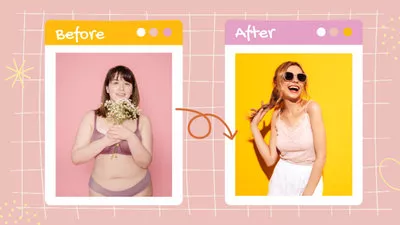
Before And After Meme
- 
Preview
Customize
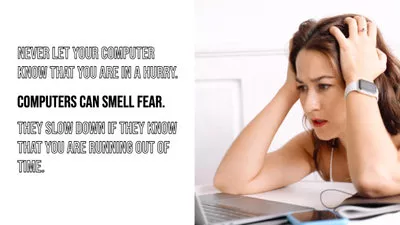
Laggy Computer Meme
- 
Preview
Customize
Wow Impressed Meme
- 
Preview
Customize
Have No Appetite Meme
- 
Preview
Customize
I Love You Meme
- 
Preview
Customize
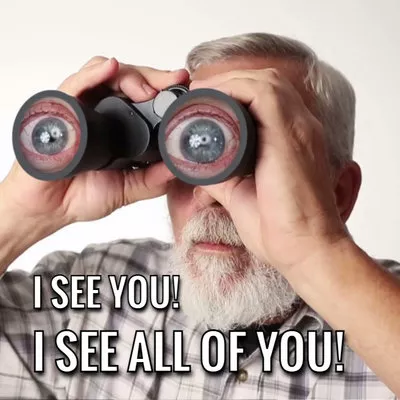
I See You Meme
- 
Preview
Customize
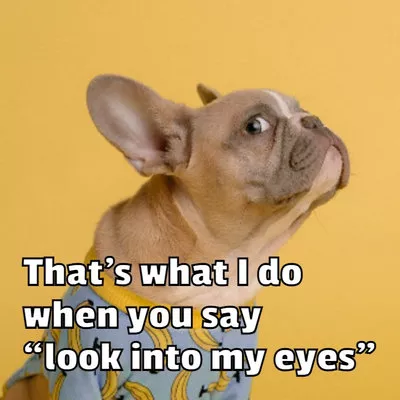
Look At Me Meme
- 
Preview
Customize
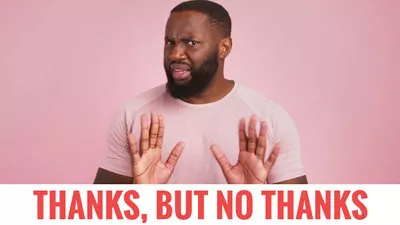
But No Thanks Meme
- 
Preview
Customize
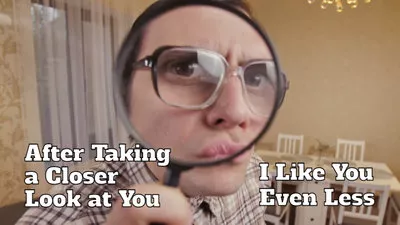
So Delicious Meme
[See All Meme Templates]()
## Wide Selection of Font Styles for Meme Creation
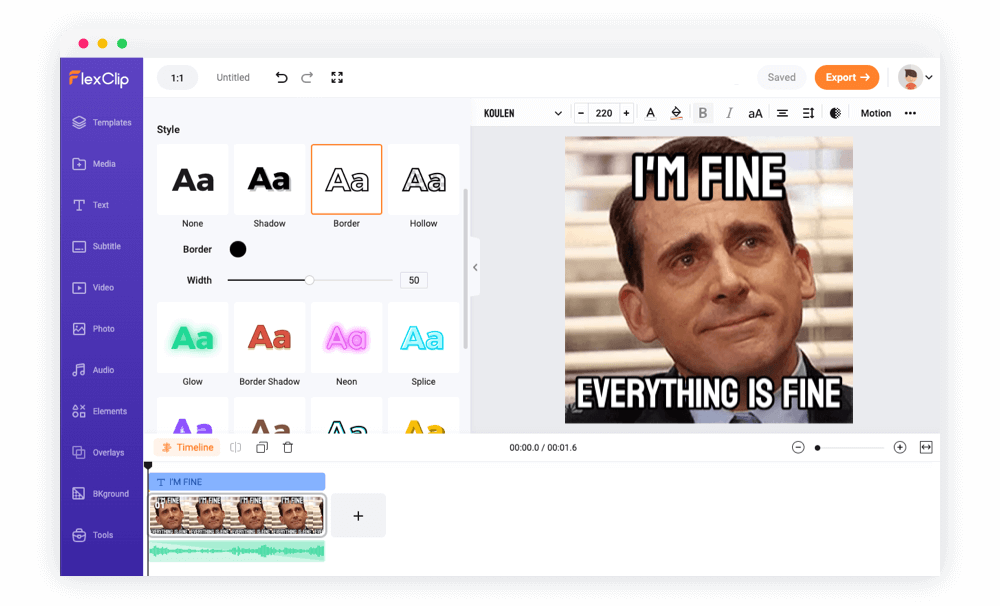
We offer hundreds of fonts in various styles to satisfy your design needs. You can easily change the color, size, and alignment of the meme text. Plus, it is available to add border, shadow, and glow to make the text more eye-catching.
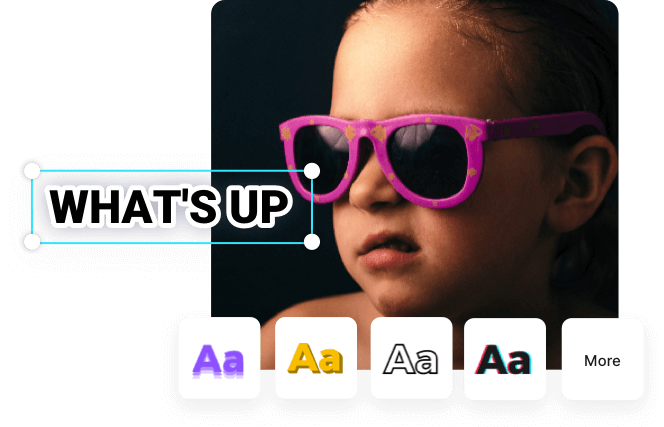
## Funny Animated Stock GIFs and Stickers
Add a little more cheer to your meme designs with the built-in animated elements. Here you can choose from shapes, emojis, speech bubbles, comics, and more funny stickers.

## How to Make a Meme Online
1
Choose a Template
Choose a meme template or start from scratch.
2
Edit the Meme
Add your media and text to customize a meme.
3
Download the Meme
Download the meme as a GIF.
![How to Make a Meme Online]()
## Frequently Asked Questions
### What are the most popular fonts for memes?
Popular fonts such as Impact, Arial, Comic Sans, Montserrat, Myriad Pro, and Helvetica are widely used in meme designs. You can choose the most suitable one to match your meme style according to font's characteristics.
### Can I use custom fonts to make memes with FlexClip?
Yes. You can upload your fonts to FlexClip and use them to make your funny memes. Just head to the personal profile page to import your custom font or click the upload button at the end of the font list.
### Can I create my own meme template?
Absolutely yes. Just use FlexClip to design your meme and save it as a template that can help you create more funny memes quickly. It is also available to share the template via a link.
### How can I make a meme go viral?
The secret to creating a viral meme is to hop on timely trends with creative ideas. Know your audience better and try to find what will make them engaged. The success may not be achieved at one stroke. Keep finding your key and try to post memes on different platforms over and over.
## Related Tools
[Add Text to Video](https://www.flexclip.com/tools/add-text-to-video/)[Loop Video](https://www.flexclip.com/tools/loop-video/)[GIF Maker](https://www.flexclip.com/tools/gif-maker/)[Video Collage](https://www.flexclip.com/tools/collage-maker/)[Picture in Picture](https://www.flexclip.com/tools/picture-in-picture/)
FlexClip is a simple yet powerful video maker and editor for everyone. We help users easily create compelling video content for personal or business purposes without any learning curve.
English
- [English](https://www.flexclip.com/tools/meme-generator/)
- [Español](https://www.flexclip.com/es/tools/meme-generator/)
- [Português](https://www.flexclip.com/pt/tools/meme-generator/)
- [Deutsch](https://www.flexclip.com/de/tools/meme-generator/)
- [Français](https://www.flexclip.com/fr/tools/meme-generator/)
- [Italiano](https://www.flexclip.com/it/)
- [日本語](https://www.flexclip.com/jp/tools/meme-generator/)
- [繁體中文](https://www.flexclip.com/tw/tools/meme-generator/)
- [简体中文](https://www.flexclip.com/cn/tools/meme-generator/)
- [Bahasa Indonesia](https://www.flexclip.com/id/)
- [اللغة العربية](https://www.flexclip.com/ar/)
Copyright © 2026 PearlMountain
FlexClip For Desktop
USE FLEXCLIP FOR
[Promo Video](https://www.flexclip.com/create/promo-video.html)
[Marketing Video](https://www.flexclip.com/create/marketing-video.html)
[News Video](https://www.flexclip.com/create/news-video.html)
[Trailer Video](https://www.flexclip.com/create/trailer-video.html)
[Intro Video](https://www.flexclip.com/create/intro-video.html)
[Wedding Video](https://www.flexclip.com/create/wedding-video.html)
[Lyric Video](https://www.flexclip.com/create/lyric-video.html)
[Birthday Video](https://www.flexclip.com/create/birthday-video.html)
[Invitation Video](https://www.flexclip.com/create/invitation-video.html)
[Slideshow Maker](https://www.flexclip.com/slideshow-maker.html)
[Video Editor](https://www.flexclip.com/video-editor.html)
[Movie Maker](https://www.flexclip.com/movie-maker.html)
[View More](https://www.flexclip.com/template/)
TOOLS
[AI Text to Speech](https://www.flexclip.com/tools/text-to-speech/)
[AI Auto Subtitle](https://www.flexclip.com/tools/auto-subtitle/)
[AI Text to Video](https://www.flexclip.com/tools/ai-text-to-video/)
[Screen Recorder](https://www.flexclip.com/tools/screen-recorder/)
[All Tools](https://www.flexclip.com/tools/)
RESOURCES
[Blog](https://www.flexclip.com/learn/)
[Case Studies](https://www.flexclip.com/case-studies/)
[Compare](https://www.flexclip.com/compare/)
[Category](https://www.flexclip.com/create/)
[Templates](https://www.flexclip.com/template/)
[Stock Video](https://www.flexclip.com/stock-video/)
[Features](https://www.flexclip.com/features/)
SUPPORT
[Help Center](https://help.flexclip.com/en/)
[Contact Us](https://www.flexclip.com/contact.html)
[Tutorials](https://www.flexclip.com/tutorial/get-started.html)
[Video Tutorials](https://www.youtube.com/playlist?list=PLCXxUTiTuYwsxU9xUhCk4IEmiO7NaKG-q)
COMPANY
[About](https://www.flexclip.com/about.html)
[Updates](https://www.flexclip.com/whats-new.html)
[Affiliate](https://www.flexclip.com/affiliates.html)
[Partner](https://www.flexclip.com/partner.html)
[Press Kit](https://drive.google.com/drive/folders/1n23qdcQutJhs0kUUCf_AgCBd4vXp8iCs?usp=sharing)
[Pricing](https://www.flexclip.com/pricing.html)
[Education Discount](https://www.flexclip.com/education-discount.html)
[Privacy](https://www.flexclip.com/privacy.html) |
| Readable Markdown | 
## Fantastic and Editable Meme Templates
- 
Preview
Customize
Escape My Eye Meme
- 
Preview
Customize
I Am Fine Meme
- 
Preview
Customize
Just My Tears Meme
- 
Preview
Customize
God No Please Meme
- 
Preview
Customize
I Did It Meme
- 
Preview
Customize
Brain On Fire Meme
- 
Preview
Customize
My Crush Says Meme
- 
Preview
Customize
Before And After Meme
- 
Preview
Customize
Laggy Computer Meme
- 
Preview
Customize
Wow Impressed Meme
- 
Preview
Customize
Have No Appetite Meme
- 
Preview
Customize
I Love You Meme
- 
Preview
Customize
I See You Meme
- 
Preview
Customize
Look At Me Meme
- 
Preview
Customize
But No Thanks Meme
- 
Preview
Customize
So Delicious Meme
[See All Meme Templates]()
## Wide Selection of Font Styles for Meme Creation
We offer hundreds of fonts in various styles to satisfy your design needs. You can easily change the color, size, and alignment of the meme text. Plus, it is available to add border, shadow, and glow to make the text more eye-catching.

## Funny Animated Stock GIFs and Stickers
Add a little more cheer to your meme designs with the built-in animated elements. Here you can choose from shapes, emojis, speech bubbles, comics, and more funny stickers.

1
Choose a Template
Choose a meme template or start from scratch.
2
Edit the Meme
Add your media and text to customize a meme.
3
Download the Meme
Download the meme as a GIF.
## Frequently Asked Questions
Popular fonts such as Impact, Arial, Comic Sans, Montserrat, Myriad Pro, and Helvetica are widely used in meme designs. You can choose the most suitable one to match your meme style according to font's characteristics.
Yes. You can upload your fonts to FlexClip and use them to make your funny memes. Just head to the personal profile page to import your custom font or click the upload button at the end of the font list.
Absolutely yes. Just use FlexClip to design your meme and save it as a template that can help you create more funny memes quickly. It is also available to share the template via a link.
The secret to creating a viral meme is to hop on timely trends with creative ideas. Know your audience better and try to find what will make them engaged. The success may not be achieved at one stroke. Keep finding your key and try to post memes on different platforms over and over.
 |
| Shard | 127 (laksa) |
| Root Hash | 7166400987451522727 |
| Unparsed URL | com,flexclip!www,/tools/meme-generator/ s443 |