ℹ️ Skipped - page is already crawled
| Filter | Status | Condition | Details |
|---|---|---|---|
| HTTP status | PASS | download_http_code = 200 | HTTP 200 |
| Age cutoff | PASS | download_stamp > now() - 6 MONTH | 0 months ago |
| History drop | PASS | isNull(history_drop_reason) | No drop reason |
| Spam/ban | PASS | fh_dont_index != 1 AND ml_spam_score = 0 | ml_spam_score=0 |
| Canonical | PASS | meta_canonical IS NULL OR = '' OR = src_unparsed | Not set |
| Property | Value | |||||||||
|---|---|---|---|---|---|---|---|---|---|---|
| URL | https://www.analog.com/en/resources/design-tools-and-calculators/ltspice-simulator.html | |||||||||
| Last Crawled | 2026-04-21 20:42:20 (13 hours ago) | |||||||||
| First Indexed | 2024-01-31 19:19:02 (2 years ago) | |||||||||
| HTTP Status Code | 200 | |||||||||
| Content | ||||||||||
| Meta Title | LTspice | Analog Devices | |||||||||
| Meta Description | LTspice® is a powerful, fast, and free SPICE simulator software, schematic capture and waveform viewer with enhancements and models for improving the simulation of analog circuits. Learn more or download LTspice today. | |||||||||
| Meta Canonical | null | |||||||||
| Boilerpipe Text | Fast • Free • Unlimited
LTspice
®
is a powerful, fast, and free SPICE simulator software, schematic capture and waveform viewer with enhancements and models for improving the simulation of analog circuits. Its graphical schematic capture interface allows you to probe schematics and produce simulation results, which can be explored further through the built-in waveform viewer.
Learn how to use LTspice with
our tutorials below
or dive deeper with our selection of helpful tips and articles. You can also browse our library of macromodels and demo circuits for select Analog Devices products.
Get to simulation faster with
Tools to Generate LTspice Schematics
below.
LTspice’s enhancements and models improve the simulation of analog circuits when compared to other SPICE solutions. Download LTspice below to see for yourself!
Get Support
Visit the LTspice Forum in EngineerZone to ask questions (or answer them) or add comments about LTspice.
LTspice EngineerZone Forum
Find Demo Circuits
Explore the entire library of ready-to-run LTspice demonstration circuits.
Explore demo circuits
Tools to Generate LTspice Schematics
Get to simulation faster. These design tools export .asc files to create LTspice schematics. | |||||||||
| Markdown | # LTspice
#### Fast • Free • Unlimited
LTspice® is a powerful, fast, and free SPICE simulator software, schematic capture and waveform viewer with enhancements and models for improving the simulation of analog circuits. Its graphical schematic capture interface allows you to probe schematics and produce simulation results, which can be explored further through the built-in waveform viewer.
Learn how to use LTspice with [our tutorials below](https://www.analog.com/en/resources/design-tools-and-calculators/ltspice-simulator.html#learn) or dive deeper with our selection of helpful tips and articles. You can also browse our library of macromodels and demo circuits for select Analog Devices products.
Get to simulation faster with [Tools to Generate LTspice Schematics](https://www.analog.com/en/resources/design-tools-and-calculators/ltspice-simulator.html#tools) below.
LTspice’s enhancements and models improve the simulation of analog circuits when compared to other SPICE solutions. Download LTspice below to see for yourself\!
### Download LTspice
Download our LTspice simulation software for the following operating systems:
Date models updated - Apr 20 2026
[Download for Windows 10/11 x64](https://ltspice.analog.com/software/LTspice64.msi) Version 26.0.1
[Download for MacOS](https://ltspice.analog.com/software/LTspice.pkg) Version 17.2.4
[Download for Windows 11 ARM64](https://ltspice.analog.com/software/LTspice64_arm.msi) Version 26.0.1
[Download for Windows XP](https://ltspice.analog.com/software/LTspiceIV.exe) (End of Support)
[Download for MacOS 10.9](https://ltspice.analog.com/software/LTspice.dmg) (End of Support)
[Download LTspice XVII for Windows](https://ltspice.analog.com/software/LTspice64.exe) (End of Support)
### Get Support
Visit the LTspice Forum in EngineerZone to ask questions (or answer them) or add comments about LTspice.
[LTspice EngineerZone Forum](https://ez.analog.com/design-tools-and-calculators/ltspice/)
### Find Demo Circuits
Explore the entire library of ready-to-run LTspice demonstration circuits.
[Explore demo circuits](https://www.analog.com/en/resources/design-tools-and-calculators/ltspice-simulator/lt-spice-demo-circuits.html)
### Learn How to Use LTspice
### Instructional Videos

LTspice Basics
Learn the basics of using LTspice - creating a new schematic, running transient and AC simulations, and viewing results on the waveform viewer.
[View Video Series](https://www.analog.com/en/resources/media-center/videos/series/ltspice-basics-video-series.html)

Essentials Tutorial
Learn how to use transformers, add third party models, create, work with symbols, and more.
[View Video Series](https://www.analog.com/en/resources/media-center/videos/series/ltspice-essentials-tutorial.html)

AC & Noise Analysis Tutorial
Learn how to perform a basic AC analysis in LTspice as well as some capabilities you might not already know about. Also learn how to set up a noise simulation in LTspice to view both input and output referred voltage noise.
[View Series](https://www.analog.com/en/resources/media-center/videos/series/ltspice-ac-noise-analysis-tutorial.html)
### Tips and Articles

Getting Started with LTspice
Learn how to use the most useful features in LTspice, whether starting with an example circuit, or drafting one from scratch.
[Read Article](https://ez.analog.com/design-tools-and-calculators/ltspice/a/faqs-docs/c/getting-started-with-ltspice)
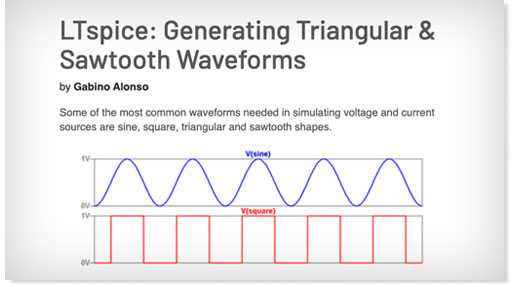
Tips and In-Depth Articles
Our extensive collection of technical resources tackles a wide range of LTspice topics.
[Recommended Reading List](https://www.analog.com/en/resources/design-tools-and-calculators/ltspice-simulator/ltspice-recommended-reading-list.html)

Keyboard Shortcuts
Keyboard shortcuts are an alternate way to invoke one or more commands in LTspice that would otherwise only be accessible by clicking through the menu or toolbar.
[Keyboard Shortcuts](https://www.analog.com/media/en/news-marketing-collateral/solutions-bulletins-brochures/ltspice-keyboard-shortcuts.pdf?modelType=spice-models)
### Tools to Generate LTspice Schematics
Get to simulation faster. These design tools export .asc files to create LTspice schematics.
Signal Chain Designer
.svg?rev=fd385c90e2cf4716ae9a8c8d20e6b8e3&la=en&h=24&w=24&hash=A302DF48F94BAAA11877AF223F27157A)

Signal Chain Designer is a web-based platform for building and simulating sophisticated precision signal chains. It lets you evaluate your circuit’s behavior and examine transfer functions, noise performance, power consumption, input ranges, and DC errors. Experiment with different components and architectures and export your signal chain to LTspice to further verify your design.
[Signal Chain Designer](https://tools.analog.com/en/signalchaindesigner/)
Analog Filter Wizard
.svg?rev=fd385c90e2cf4716ae9a8c8d20e6b8e3&la=en&h=24&w=24&hash=A302DF48F94BAAA11877AF223F27157A)

The Analog Filter Wizard enables rapid design of low‑pass, high‑pass, and band‑pass active filters using real op‑amp models. Throughout the design flow, you can examine how the filter’s response transitions from ideal mathematical behavior to the performance dictated by actual device parameters and circuit‑level non‑idealities. The tool allows detailed evaluation of op‑amp trade‑offs—including gain‑bandwidth product, input‑referred noise, output swing limitations, and supply current—to identify components that meet your target specifications. When additional verification or transient analysis is required, the complete filter implementation can be exported directly to LTspice for further simulation.
[Analog Filter Wizard](https://tools.analog.com/en/filterwizard/)
Analog Photodiode Wizard
.svg?rev=fd385c90e2cf4716ae9a8c8d20e6b8e3&la=en&h=24&w=24&hash=A302DF48F94BAAA11877AF223F27157A)

The Photodiode Wizard provides a structured workflow for designing transimpedance amplifier (TIA) circuits for photodiode interfaces. You can select a photodiode from the built‑in device library or enter custom photodiode parameters such as junction capacitance, dark current, and responsivity. The tool enables rapid evaluation of key performance trade‑offs—including closed‑loop bandwidth, peaking (Q‑factor), and effective resolution metrics such as ENOB and SNR. Adjust TIA component values and immediately observe their impact through detailed plots of pulse response, frequency response, and noise‑gain characteristics. For comprehensive design validation, the complete TIA implementation can be exported directly to LTspice for further simulation and analysis.
[Analog Photodiode Wizard](https://www.analog.com/designtools/en/photodiode/)
Precision ADC Driver Tool
.svg?rev=fd385c90e2cf4716ae9a8c8d20e6b8e3&la=en&h=24&w=24&hash=A302DF48F94BAAA11877AF223F27157A)

The Precision ADC Driver Tool enables detailed simulation of precision ADC‑and‑driver signal chains. It identifies potential issues related to amplifier selection, input‑kickback settling, and distortion mechanisms, allowing rapid evaluation of architectural and component‑level trade‑offs. The tool computes and simulates key performance metrics—including system‑level noise, harmonic distortion, and time‑domain settling behavior at the ADC input—based on actual device parameters. When additional verification or transient analysis is required, the complete driver‑ADC configuration can be exported directly to LTspice for further simulation.
[Precision ADC Driver Tool](https://tools.analog.com/en/adcdriver)
LTpowerCAD
.svg?rev=fd385c90e2cf4716ae9a8c8d20e6b8e3&la=en&h=24&w=24&hash=A302DF48F94BAAA11877AF223F27157A)

The LTpowerCAD® tool guides users throughout the supply design process, suggesting suitable parts to meet the user’s requirements according to the design’s power supply specifications. The tool shows real-time results of the feedback loop Bode plot, as well as the power stage performance, and can export the design to LTspice for full simulation and design verification.
[LTpowerCAD](https://www.analog.com/en/lp/ltpowercad.html)
Related Resources
All Items
Student Zone Article
Analog Dialogue
Video
Application Note
Webcast
Technical Articles
[ Analyzing and Building the Wien Bridge Oscillator—Part 2: Practical Implementations Student Zone Article • Nov 12, 2025](https://www.analog.com/en/resources/analog-dialogue/studentzone/studentzone-november-2025.html)
[ Modern Helpers for Power Supply Designs Analog Dialogue • Nov 12, 2025](https://www.analog.com/en/resources/analog-dialogue/articles/modern-helpers-for-power-supply-designs.html)
[ Using GaN FET Models in LTspice Simulations Analog Dialogue • Sep 10, 2025](https://www.analog.com/en/resources/analog-dialogue/articles/using-gan-fet-models-in-ltspice-simulations.html)
[ ADALM2000 Activity: Diode Ring Modulator Student Zone Article • Aug 13, 2025](https://www.analog.com/en/resources/analog-dialogue/studentzone/studentzone-august-2025.html)
[ How to Add a Voltage-Controlled Switch in LTspice Analog Dialogue • Aug 13, 2025](https://www.analog.com/en/resources/analog-dialogue/articles/how-to-add-a-voltage-controlled-switch.html)

LTspice 24.1: Fast, Free, Unlimited
Video • Jul 16, 2025 02:43
[ Regulation Loop Without a Resistive Divider Analog Dialogue • Feb 12, 2025](https://www.analog.com/en/resources/analog-dialogue/articles/regulation-loop-without-a-resistive-divider.html)

LTspice Basics - AC Simulations
Video • Feb 5, 2025

LTspice Basics - Schematic Capture
Video • Feb 5, 2025 07:57

LTspice Basics - Downloading and Installing
Video • Feb 5, 2025 03:16
[ AN-149: Modeling and Loop Compensation Design of Switching Mode Power Supplies Application Note • Oct 17, 2024](https://www.analog.com/en/resources/app-notes/an-149.html)
[ Power Management Fundamentals Session 2: Which Power Converter is the Right One Webcast • Sep 17, 2024](https://www.analog.com/en/education/education-library/Webcasts/ez-power-management-fundamentals-session2.html)
[ LTspice®︎ 24 Webinar: Faster, Better, Easier Circuit Simulation Webcast • Jun 19, 2024](https://ez.analog.com/webinar/c/e/766)

Introducing LTspice 24
Video • May 24, 2024 01:35
[ Control Loop Simulation Done the Easy Way Technical Articles • Mar 1, 2024](https://www.analog.com/en/resources/technical-articles/control-loop-simulation-done-the-easy-way.html)
[ Designing your System Power Solution using LTpowerCAD Webcast • Aug 25, 2023](https://ez.analog.com/webinar/c/e/246)
[ Designing Power Solutions for Precision Signal Chain Applications Webcast • Aug 23, 2023](https://www.analog.com/en/education/education-library/Webcasts/ez-webinar-designing-power-solutions-for-precision-signal-chain-applications.html)
[ Behavioral Sources, Parameters, and Expression Evaluation in LTspice®︎ Webcast • Aug 21, 2023](https://www.analog.com/en/resources/design-tools-and-calculators/ltspice-simulator.html)
[ Third-Party Models, Creating and Edting Symbols, and Managing Libraries in LTspice Webcast • Apr 27, 2022](https://event.on24.com/eventRegistration/EventLobbyServletV2?target=reg20V2.jsp&eventid=3709573&sessionid=1&key=96C0E65E5ECEA12F418F1B0A5595BD77&groupId=3670097&sourcepage=register%3Fpartnerref%3Dadi_email&deliveryName=FCP_3_DM23157%3Fpartnerref%3Dadi_web)
[ Behavioral Sources, Parameters, and Expression Evaluation in LTspice Webcast • Apr 27, 2022](https://event.on24.com/eventRegistration/EventLobbyServletV2?target=reg20V2.jsp&eventid=3709573&sessionid=1&key=96C0E65E5ECEA12F418F1B0A5595BD77&groupId=3670097&sourcepage=register%3Fpartnerref%3Dadi_email&deliveryName=FCP_3_DM23157%3Fpartnerref%3Dadi_web)
[ Model Transfer Functions by Applying the Laplace Transform in LTspice Technical Articles • Jun 7, 2021](https://www.analog.com/en/resources/technical-articles/model-transfer-functions-by-applying-the-laplace-transform-in-ltspice.html)

Design, Analyze, and Validate Your ADI Power Solutions
Video • Dec 1, 2020 07:20
[ Electronic Control Theory of Second-Order Systems: A Practical Analysis for Engineers Student Zone Article • Sep 1, 2020](https://www.analog.com/en/resources/analog-dialogue/studentzone/studentzone-september-2020.html)
[ Why Does Voltage Reference Noise Matter? Analog Dialogue • Mar 1, 2020](https://www.analog.com/en/resources/analog-dialogue/articles/why-does-voltage-reference-noise-matter.html)
[ AN-158F: Designing Power Supply Parameters in Five Simple Steps with the LTpowerCAD Design Tool Application Note • Sep 15, 2015](https://www.analog.com/en/resources/app-notes/an-158f.html)
Title
Subtitle
[Learn More](https://www.analog.com/en/resources/design-tools-and-calculators/ltspice-simulator.html)
Add to myAnalog
Share
Copy Link
Send to Mail
[Explore more resources](https://www.analog.com/en/search.html?query=LTspice&siteSection=Resource%20Library) | |||||||||
| Readable Markdown | #### Fast • Free • Unlimited
LTspice® is a powerful, fast, and free SPICE simulator software, schematic capture and waveform viewer with enhancements and models for improving the simulation of analog circuits. Its graphical schematic capture interface allows you to probe schematics and produce simulation results, which can be explored further through the built-in waveform viewer.
Learn how to use LTspice with [our tutorials below](https://www.analog.com/en/resources/design-tools-and-calculators/ltspice-simulator.html#learn) or dive deeper with our selection of helpful tips and articles. You can also browse our library of macromodels and demo circuits for select Analog Devices products.
Get to simulation faster with [Tools to Generate LTspice Schematics](https://www.analog.com/en/resources/design-tools-and-calculators/ltspice-simulator.html#tools) below.
LTspice’s enhancements and models improve the simulation of analog circuits when compared to other SPICE solutions. Download LTspice below to see for yourself\!
### Get Support
Visit the LTspice Forum in EngineerZone to ask questions (or answer them) or add comments about LTspice.
[LTspice EngineerZone Forum](https://ez.analog.com/design-tools-and-calculators/ltspice/)
### Find Demo Circuits
Explore the entire library of ready-to-run LTspice demonstration circuits.
[Explore demo circuits](https://www.analog.com/en/resources/design-tools-and-calculators/ltspice-simulator/lt-spice-demo-circuits.html)
### Tools to Generate LTspice Schematics
Get to simulation faster. These design tools export .asc files to create LTspice schematics. | |||||||||
| ML Classification | ||||||||||
| ML Categories |
Raw JSON{
"/Computers_and_Electronics": 945,
"/Computers_and_Electronics/CAD_and_CAM": 656,
"/Science": 102
} | |||||||||
| ML Page Types |
Raw JSON{
"/Core_Page": 674,
"/Core_Page/Services_Page": 638
} | |||||||||
| ML Intent Types |
Raw JSON{
"Informational": 762,
"Commercial": 617
} | |||||||||
| Content Metadata | ||||||||||
| Language | en | |||||||||
| Author | null | |||||||||
| Publish Time | not set | |||||||||
| Original Publish Time | 2024-01-31 19:19:02 (2 years ago) | |||||||||
| Republished | No | |||||||||
| Word Count (Total) | 1,251 | |||||||||
| Word Count (Content) | 182 | |||||||||
| Links | ||||||||||
| External Links | 2 | |||||||||
| Internal Links | 40 | |||||||||
| Technical SEO | ||||||||||
| Meta Nofollow | No | |||||||||
| Meta Noarchive | No | |||||||||
| JS Rendered | No | |||||||||
| Redirect Target | null | |||||||||
| Performance | ||||||||||
| Download Time (ms) | 39 | |||||||||
| TTFB (ms) | 39 | |||||||||
| Download Size (bytes) | 13,375 | |||||||||
| Shard | 175 (laksa) | |||||||||
| Root Hash | 747463388674952775 | |||||||||
| Unparsed URL | com,analog!www,/en/resources/design-tools-and-calculators/ltspice-simulator.html s443 | |||||||||