ℹ️ Skipped - page is already crawled
| Filter | Status | Condition | Details |
|---|---|---|---|
| HTTP status | PASS | download_http_code = 200 | HTTP 200 |
| Age cutoff | PASS | download_stamp > now() - 6 MONTH | 0.1 months ago |
| History drop | PASS | isNull(history_drop_reason) | No drop reason |
| Spam/ban | PASS | fh_dont_index != 1 AND ml_spam_score = 0 | ml_spam_score=0 |
| Canonical | PASS | meta_canonical IS NULL OR = '' OR = src_unparsed | Not set |
| Property | Value |
|---|---|
| URL | https://www.adobe.com/express/create/meme/text |
| Last Crawled | 2026-04-08 07:45:23 (2 days ago) |
| First Indexed | 2021-04-23 07:53:22 (4 years ago) |
| HTTP Status Code | 200 |
| Meta Title | Free Text Meme Generator | Adobe Express |
| Meta Description | Create funny memes for free with the Adobe Express meme text generator. Quickly and easily customize memes for any occasion, and any channel. |
| Meta Canonical | null |
| Boilerpipe Text | Choose from our text meme templates to design your own in minutes.
Make a meme
*
Available for print in US, UK, Australia, and Canada
Start making a meme by searching for a template
Using the Adobe Express meme maker couldn’t be easier. All you need to create your next viral meme is Adobe Express and your imagination.
Discover a collection of customizable designs.
Explore more categories:
How to make a text meme.
1. Pick a meme template.
Choose from a wide selection of popular and trending meme templates to match your humor and style. Start quickly with a design that works for any joke or social media post.
2. Customize your meme.
Add your own text, adjust fonts and colors, and upload images or use free Adobe Stock assets. Make your meme unique and shareable in seconds.
Once your meme looks exactly how you want it, download it in your preferred format; PNG for still images, GIF for looping animations, or MP4 for short video memes. You can then share it directly to your favorite social platforms, including Instagram, TikTok, Facebook, and X, all from within Adobe Express.
Bring on the laughs with creativity on your side.
Use our text meme generator to personalize popular memes or turn your images into iconic memes of their own. Resize your memes to feature them on any online platform, including Instagram, Twitter, TikTok, or Tumblr. Duplicate your designs with ease to create memes over and over again. Have fun getting creative with your meme format and punchlines. There are endless creative opportunities at your fingertips.
Let Adobe Express be your text meme design expert.
Explore professionally designed templates to get your wheels spinning or create your text meme from scratch. Establish a theme for your designs using photos, icons, logos, personalized fonts, and other customizable elements to make them feel entirely authentic. With Adobe Express, it’s free and easy to make, save, and share your designs within minutes.
Make shareable memes for free with text meme templates.
The Adobe Express meme generator makes meme design quick and easy. Discover text meme templates and choose one to customize. Add your own messaging and images, then handpick your fonts. Download your meme instantly to share across all your social platforms.
Discover even more.
Frequently asked questions.
How do I animate my text meme?
Open the Animation menu and discover dozens of text and image animation effects. Test out a few then choose the effect that best fits your meme format. Download your animated text meme as an MP4 file to share online.
What are commonly used fonts in text memes?
Impact is the classic meme font, while Arial and Comic Sans are other popular choices. Get the full meme effect by choosing white for your font color and using the Generate Text Effect so your copy stands out over any image.
How do I rotate the text in my meme?
Enter in your desired text. Then, tap or click on your text and use the rotate option to switch up your text.
Can I create my own text meme template?
Any new or existing project can be turned into a shareable template. To turn your text meme into a template, click on the three-dot menu at the left of the Download button and follow the steps to turn your design into a template.
Can I get Adobe Express for free? If so, what’s included?
Yes, Adobe Express has a free plan that includes core features like photo editing tools and effects and thousands of free templates. Learn more about our
plans and pricing
. |
| Markdown | Creativity & Design
Shop for
- [ What is Creative Cloud? Creative apps and services for everyone](https://www.adobe.com/creativecloud.html)
- [Photographers Lightroom, Photoshop, and more](https://www.adobe.com/creativecloud/photography.html)
- [Individuals 20+ creative apps, Acrobat, and more](https://www.adobe.com/creativecloud/all-apps.html)
- [Business Solutions for teams and enterprises](https://www.adobe.com/creativecloud/business.html)
- [Students and teachers Save 71% on Creative Cloud](https://www.adobe.com/creativecloud/buy/students.html)
- [View plans and pricing](https://www.adobe.com/creativecloud/plans.html)
Featured products
- [Photoshop Image editing and design](https://www.adobe.com/products/photoshop.html)
- [Premiere Video editing and production](https://www.adobe.com/products/premiere.html)
- [Adobe Firefly AI-powered content creation](https://www.adobe.com/products/firefly.html)
- [Illustrator Vector graphics and illustration](https://www.adobe.com/products/illustrator.html)
- [Adobe Express All-in-one design, video, photo, and PDF app](https://www.adobe.com/express/?promoid=Y69SGP43&mv=other)
- [Lightroom Photo editing and organization](https://www.adobe.com/products/photoshop-lightroom.html)
- [Adobe Stock High-quality licensable assets](https://stock.adobe.com/?as_channel=adobe_com&as_source=profile_menu&as_campclass=brand&as_campaign=may2017&as_audience=users&as_content=globalnav)
- [View all products](https://www.adobe.com/products/catalog.html#category=creativity-design)
Online tools
- [Remove background](https://www.adobe.com/express/feature/image/remove-background)
- [Generate AI images](https://www.adobe.com/products/firefly/features/text-to-image.html)
- [Generate AI videos](https://www.adobe.com/products/firefly/features/ai-video-generator.html)
- [Generate AI art](https://www.adobe.com/products/firefly/features/ai-art-generator.html)
- [Edit photos with AI](https://www.adobe.com/products/firefly/features/ai-photo-editor.html)
[](https://www.adobe.com/creativecloud/plan-recommender/quiz.html)
Find the perfect app in about 60 seconds.
[Get started](https://www.adobe.com/creativecloud/plan-recommender/quiz.html)
- [Adobe.com](https://www.adobe.com/index.html)
- [PDF & E-signatures](https://www.adobe.com/acrobat.html)
- [Marketing & Commerce](https://business.adobe.com/)
- [Learn & Support](https://helpx.adobe.com/support.html)
[Adobe Express](https://www.adobe.com/express/)
Create
Social Media
- [Instagram Story](https://www.adobe.com/express/create/story/instagram)
- [Instagram Reel](https://www.adobe.com/express/create/video/instagram/reel)
- [Instagram Post](https://www.adobe.com/express/create/post/instagram)
- [TikTok Video](https://www.adobe.com/express/create/video/tiktok)
- [Facebook Story](https://www.adobe.com/express/create/story/facebook)
- [Facebook Post](https://www.adobe.com/express/create/post/facebook)
- [YouTube Video](https://www.adobe.com/express/create/video/youtube)
- [YouTube Thumbnail](https://www.adobe.com/express/create/thumbnail/youtube)
- [YouTube Banner](https://www.adobe.com/express/create/banner/youtube)
- [Meme](https://www.adobe.com/express/create/meme)
- [Content Scheduler](https://www.adobe.com/express/feature/content-scheduler)
Marketing
- [Business Card](https://www.adobe.com/express/create/business-card)
- [Flyer](https://www.adobe.com/express/create/flyer)
- [Logo](https://www.adobe.com/express/create/logo)
- [Advertisement](https://www.adobe.com/express/create/advertisement)
- [Collage](https://www.adobe.com/express/create/photo-collage)
- [Presentation](https://www.adobe.com/express/create/presentation)
- [Profile Picture](https://www.adobe.com/express/create/profile-picture)
- [Create a QR code](https://www.adobe.com/express/feature/image/qr-code-generator)
Document
- [Poster](https://www.adobe.com/express/create/poster)
- [Brochure](https://www.adobe.com/express/create/brochure)
- [Invitation](https://www.adobe.com/express/create/invitation)
- [Menu](https://www.adobe.com/express/create/menu)
- [Card](https://www.adobe.com/express/create/card)
- [Certificate](https://www.adobe.com/express/create/certificate)
- [Resume](https://www.adobe.com/express/create/resume)
- [Invoice](https://www.adobe.com/express/create/invoice)
Design with AI
- [Generate Template](https://www.adobe.com/express/create/ai/template-generator)
- [Generate Text Effect](https://www.adobe.com/express/create/ai/text-effects)
- [Generate Image](https://adobesparkpost.app.link/c4bWARQhWAb?category=media&action=text+to+image&width=1080&height=1080)
- [Generate Logo](https://www.adobe.com/express/create/ai/logo)
- [Generate Presentation](https://www.adobe.com/express/create/ai/presentation)
- [AI Drawing](https://www.adobe.com/express/create/worksheet/drawing)
- [Learn more](https://www.adobe.com/express/create)
- [Get Adobe Express Free](https://adobesparkpost.app.link/GJrBPFUWBBb)
Edit
- [ Adobe Express](https://adobesparkpost.app.link/GJrBPFUWBBb)
- [AI Assistant (beta)](https://adobesparkpost.app.link/XyUY6j9ZwWb)
- [Adobe Express Photos](https://www.adobe.com/express/photos)
- [Image Editor](https://www.adobe.com/express/feature/image/editor)
- [Video Editor](https://www.adobe.com/express/feature/video/editor)
- [Documents](https://adobesparkpost.app.link/wzG8ncMFZHb)
- [AI Tools](https://adobesparkpost.app.link/OP3wIsSFZHb)
- [Templates](https://www.adobe.com/express/templates/)
- [Blog](https://www.adobe.com/express/learn/blog)
Image Quick Actions
- [Remove Background](https://www.adobe.com/express/feature/image/remove-background)
- [Resize Image](https://www.adobe.com/express/feature/image/resize)
- [Convert to JPG](https://www.adobe.com/express/feature/image/convert/png-to-jpg)
- [Convert to PNG](https://www.adobe.com/express/feature/image/convert/jpg-to-png)
- [Convert to SVG](https://www.adobe.com/express/feature/image/convert/jpg-to-svg)
- [Crop Image](https://www.adobe.com/express/feature/image/crop)
- [Change Background](https://www.adobe.com/express/feature/ai/image/change-background)
Video Quick Actions
- [Convert Video to GIF](https://www.adobe.com/express/feature/video/convert/video-to-gif)
- [Crop Video](https://www.adobe.com/express/feature/video/crop)
- [Trim Video](https://www.adobe.com/express/feature/video/trim)
- [Resize Video](https://www.adobe.com/express/feature/video/resize)
- [Merge Video](https://www.adobe.com/express/feature/video/merge)
- [Convert Video to MP4](https://www.adobe.com/express/feature/video/convert/mp4)
- [Animate Characters](https://www.adobe.com/express/feature/video/animation/audio)
- [Caption Video](https://www.adobe.com/express/feature/video/add-caption)
- [Remove Video Background](https://www.adobe.com/express/feature/ai/image/remove-background)
- [Clip Maker](https://www.adobe.com/express/feature/ai/video/convert/long-to-short)
- [Learn more](https://www.adobe.com/express/feature)
- [Get Adobe Express Free](https://adobesparkpost.app.link/GJrBPFUWBBb)
Print
Apparel & Lifestyle
- [T-shirts](https://www.adobe.com/express/create/print/t-shirt)
- [Hoodies](https://www.adobe.com/express/create/print/hoodie)
- [Pillows](https://www.adobe.com/express/create/print/pillow)
- [Mugs](https://www.adobe.com/express/create/label/mug)
- [Tote bags](https://www.adobe.com/express/create/print/tote-bag)
Business & Events
- [Business Cards](https://www.adobe.com/express/create/print/business-card)
- [Flyers](https://www.adobe.com/express/create/print/flyer)
- [Posters](https://www.adobe.com/express/create/print/poster)
- [Stickers](https://www.adobe.com/express/create/print/sticker)
- [Invitations](https://www.adobe.com/express/create/print/invitation)
- [Cards](https://www.adobe.com/express/create/print/card)
- [Print with Adobe Express](https://www.adobe.com/express/print)
Business
Solutions by company size
- [Small businesses](https://www.adobe.com/express/business/teams)
- [Medium and large businesses](https://business.adobe.com/products/express-business.html)
Contact Sales
- [Request information](https://www.adobe.com/express/business/request-info)
- [Chat with Sales](https://www.adobe.com/express/business#open-jarvis-chat)
- [Call 800-858-6188](tel:+18008586188)
Education
K-12 schools
- [Educators](https://www.adobe.com/education/express)
- [Administrators](https://www.adobe.com/education/express/deployment)
- [Student class code](https://new.express.adobe.com/classrooms/join?source=atc&role=student)
Higher Ed
- [Students](https://www.adobe.com/express/learn/students)
- [Educators and Administrators](https://www.adobe.com/creativecloud/buy/education)
Plans
Compare plans
- [Individuals](https://www.adobe.com/express/pricing?tab=1)
- [Businesses](https://www.adobe.com/express/pricing?tab=2)
- [Students](https://www.adobe.com/express/pricing?tab=3)
- [Educators](https://www.adobe.com/express/pricing?tab=4)
- [For Creative Cloud subscribers](https://www.adobe.com/express/entitled)
- [For Airtel users](https://www.airtel.in/adobeexpress)
- [Why Choose Adobe Express](https://www.adobe.com/express/why-choose-express)
[Go to Adobe Express](https://adobesparkpost.app.link/AnkNdGxthOb)
App switcher
Sign in
- [Home](https://www.adobe.com/express/)
- /[Create](https://www.adobe.com/express/create)
- /[Meme](https://www.adobe.com/express/create/meme)
- /Text
Adobe Express
[Overview](https://www.adobe.com/express/)
Create
Social Media
- [Instagram Story](https://www.adobe.com/express/create/story/instagram)
- [Instagram Reel](https://www.adobe.com/express/create/video/instagram/reel)
- [Instagram Post](https://www.adobe.com/express/create/post/instagram)
- [TikTok Video](https://www.adobe.com/express/create/video/tiktok)
- [Facebook Story](https://www.adobe.com/express/create/story/facebook)
- [Facebook Post](https://www.adobe.com/express/create/post/facebook)
- [YouTube Video](https://www.adobe.com/express/create/video/youtube)
- [YouTube Thumbnail](https://www.adobe.com/express/create/thumbnail/youtube)
- [YouTube Banner](https://www.adobe.com/express/create/banner/youtube)
- [Meme](https://www.adobe.com/express/create/meme)
- [Content Scheduler](https://www.adobe.com/express/feature/content-scheduler)
Marketing
- [Business Card](https://www.adobe.com/express/create/business-card)
- [Flyer](https://www.adobe.com/express/create/flyer)
- [Logo](https://www.adobe.com/express/create/logo)
- [Advertisement](https://www.adobe.com/express/create/advertisement)
- [Collage](https://www.adobe.com/express/create/photo-collage)
- [Presentation](https://www.adobe.com/express/create/presentation)
- [Profile Picture](https://www.adobe.com/express/create/profile-picture)
- [Create a QR code](https://www.adobe.com/express/feature/image/qr-code-generator)
Document
- [Poster](https://www.adobe.com/express/create/poster)
- [Brochure](https://www.adobe.com/express/create/brochure)
- [Invitation](https://www.adobe.com/express/create/invitation)
- [Menu](https://www.adobe.com/express/create/menu)
- [Card](https://www.adobe.com/express/create/card)
- [Certificate](https://www.adobe.com/express/create/certificate)
- [Resume](https://www.adobe.com/express/create/resume)
- [Invoice](https://www.adobe.com/express/create/invoice)
Design with AI
- [Generate Template](https://www.adobe.com/express/create/ai/template-generator)
- [Generate Text Effect](https://www.adobe.com/express/create/ai/text-effects)
- [Generate Image](https://adobesparkpost.app.link/c4bWARQhWAb?category=media&action=text+to+image&width=1080&height=1080)
- [Generate Logo](https://www.adobe.com/express/create/ai/logo)
- [Generate Presentation](https://www.adobe.com/express/create/ai/presentation)
- [AI Drawing](https://www.adobe.com/express/create/worksheet/drawing)
- [Learn more](https://www.adobe.com/express/create)
- [Get Adobe Express Free](https://adobesparkpost.app.link/GJrBPFUWBBb)
Edit
- [ Adobe Express](https://adobesparkpost.app.link/GJrBPFUWBBb)
- [AI Assistant (beta)](https://adobesparkpost.app.link/XyUY6j9ZwWb)
- [Adobe Express Photos](https://www.adobe.com/express/photos)
- [Image Editor](https://www.adobe.com/express/feature/image/editor)
- [Video Editor](https://www.adobe.com/express/feature/video/editor)
- [Documents](https://adobesparkpost.app.link/wzG8ncMFZHb)
- [AI Tools](https://adobesparkpost.app.link/OP3wIsSFZHb)
- [Templates](https://www.adobe.com/express/templates/)
- [Blog](https://www.adobe.com/express/learn/blog)
Image Quick Actions
- [Remove Background](https://www.adobe.com/express/feature/image/remove-background)
- [Resize Image](https://www.adobe.com/express/feature/image/resize)
- [Convert to JPG](https://www.adobe.com/express/feature/image/convert/png-to-jpg)
- [Convert to PNG](https://www.adobe.com/express/feature/image/convert/jpg-to-png)
- [Convert to SVG](https://www.adobe.com/express/feature/image/convert/jpg-to-svg)
- [Crop Image](https://www.adobe.com/express/feature/image/crop)
- [Change Background](https://www.adobe.com/express/feature/ai/image/change-background)
Video Quick Actions
- [Convert Video to GIF](https://www.adobe.com/express/feature/video/convert/video-to-gif)
- [Crop Video](https://www.adobe.com/express/feature/video/crop)
- [Trim Video](https://www.adobe.com/express/feature/video/trim)
- [Resize Video](https://www.adobe.com/express/feature/video/resize)
- [Merge Video](https://www.adobe.com/express/feature/video/merge)
- [Convert Video to MP4](https://www.adobe.com/express/feature/video/convert/mp4)
- [Animate Characters](https://www.adobe.com/express/feature/video/animation/audio)
- [Caption Video](https://www.adobe.com/express/feature/video/add-caption)
- [Remove Video Background](https://www.adobe.com/express/feature/ai/image/remove-background)
- [Clip Maker](https://www.adobe.com/express/feature/ai/video/convert/long-to-short)
- [Learn more](https://www.adobe.com/express/feature)
- [Get Adobe Express Free](https://adobesparkpost.app.link/GJrBPFUWBBb)
Print
Apparel & Lifestyle
- [T-shirts](https://www.adobe.com/express/create/print/t-shirt)
- [Hoodies](https://www.adobe.com/express/create/print/hoodie)
- [Pillows](https://www.adobe.com/express/create/print/pillow)
- [Mugs](https://www.adobe.com/express/create/label/mug)
- [Tote bags](https://www.adobe.com/express/create/print/tote-bag)
Business & Events
- [Business Cards](https://www.adobe.com/express/create/print/business-card)
- [Flyers](https://www.adobe.com/express/create/print/flyer)
- [Posters](https://www.adobe.com/express/create/print/poster)
- [Stickers](https://www.adobe.com/express/create/print/sticker)
- [Invitations](https://www.adobe.com/express/create/print/invitation)
- [Cards](https://www.adobe.com/express/create/print/card)
- [Print with Adobe Express](https://www.adobe.com/express/print)
Business
Solutions by company size
- [Small businesses](https://www.adobe.com/express/business/teams)
- [Medium and large businesses](https://business.adobe.com/products/express-business.html)
Contact Sales
- [Request information](https://www.adobe.com/express/business/request-info)
- [Chat with Sales](https://www.adobe.com/express/business#open-jarvis-chat)
- [Call 800-858-6188](tel:+18008586188)
Education
K-12 schools
- [Educators](https://www.adobe.com/education/express)
- [Administrators](https://www.adobe.com/education/express/deployment)
- [Student class code](https://new.express.adobe.com/classrooms/join?source=atc&role=student)
Higher Ed
- [Students](https://www.adobe.com/express/learn/students)
- [Educators and Administrators](https://www.adobe.com/creativecloud/buy/education)
Plans
Compare plans
- [Individuals](https://www.adobe.com/express/pricing?tab=1)
- [Businesses](https://www.adobe.com/express/pricing?tab=2)
- [Students](https://www.adobe.com/express/pricing?tab=3)
- [Educators](https://www.adobe.com/express/pricing?tab=4)
- [For Creative Cloud subscribers](https://www.adobe.com/express/entitled)
- [For Airtel users](https://www.airtel.in/adobeexpress)
- [Why Choose Adobe Express](https://www.adobe.com/express/why-choose-express)
[.](https://www.adobe.com/express/create/meme/text)

# Free text meme generator.
Choose from our text meme templates to design your own in minutes.
[Make a meme](https://adobesparkpost.app.link/8JaoEy0DrSb?q=text+meme&type=meme-maker&hideFilters=true&url=%2Fexpress%2Fcreate%2Fmeme%2Ftext&placement=ax-columns-1&locale=en-US&contentRegion=us "Make a meme")
**\*** Available for print in US, UK, Australia, and Canada
# Start making a meme by searching for a template
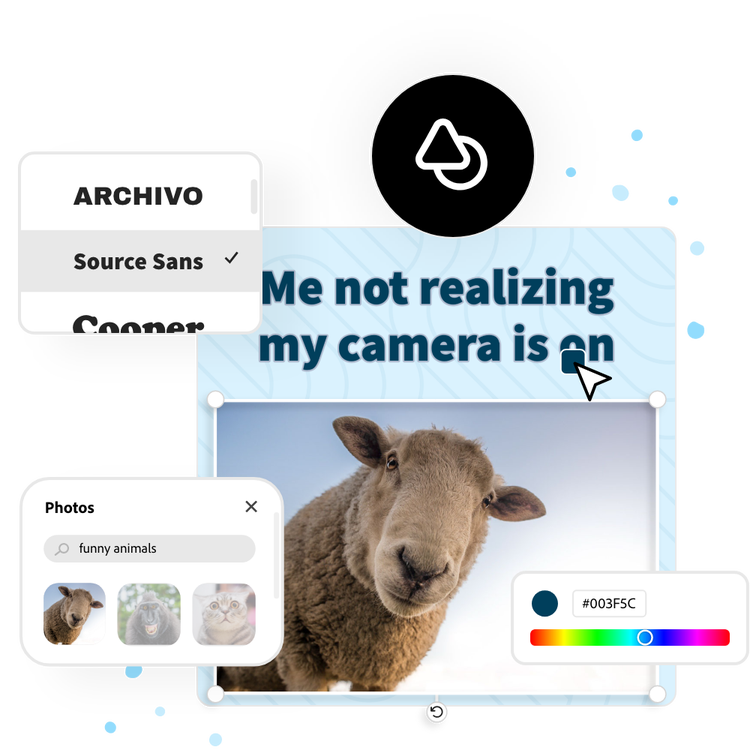
Using the Adobe Express meme maker couldn’t be easier. All you need to create your next viral meme is Adobe Express and your imagination.

Trending Searches
- [Meme generator](https://adobesparkpost.app.link/8JaoEy0DrSb?type=meme-maker&q=Meme%20generator&searchId=867908)
- [Meme funny](https://adobesparkpost.app.link/8JaoEy0DrSb?type=meme-maker&q=Meme%20funny&searchId=748319)
- [Meme cat](https://adobesparkpost.app.link/8JaoEy0DrSb?type=meme-maker&q=Meme%20cat&searchId=897289)
- [Meme maker](https://adobesparkpost.app.link/8JaoEy0DrSb?type=meme-maker&q=Meme%20maker&searchId=380130)
- [Meme video](https://adobesparkpost.app.link/8JaoEy0DrSb?type=meme-maker&q=Meme%20video&searchId=555264)
Suggestions
Free to useNo credit card required
## Discover a collection of customizable designs.

[Edit this template](https://adobesparkpost.app.link/8JaoEy0DrSb?source=seo-template&type=meme-maker&locale=en-US&contentRegion=us&templateId=urn:aaid:sc:VA6C2:3af56f1c-2198-4e66-88a7-fc295b2c59cb "Edit this template")

Copied to clipboard

[Edit this template](https://adobesparkpost.app.link/8JaoEy0DrSb?source=seo-template&type=meme-maker&locale=en-US&contentRegion=us&templateId=urn:aaid:sc:VA6C2:c35a428b-907d-47d2-8649-b9e62b0485c4 "Edit this template")

Copied to clipboard

[Edit this template](https://adobesparkpost.app.link/8JaoEy0DrSb?source=seo-template&type=meme-maker&locale=en-US&contentRegion=us&templateId=urn:aaid:sc:VA6C2:12050b49-a48c-4bf5-9a52-9748431666f2 "Edit this template")

Copied to clipboard

[Edit this template](https://adobesparkpost.app.link/8JaoEy0DrSb?source=seo-template&type=meme-maker&locale=en-US&contentRegion=us&templateId=urn:aaid:sc:VA6C2:41aa291c-670d-4801-b39e-7c8e0c11f911 "Edit this template")

Copied to clipboard

[Edit this template](https://adobesparkpost.app.link/8JaoEy0DrSb?source=seo-template&type=meme-maker&locale=en-US&contentRegion=us&templateId=urn:aaid:sc:VA6C2:c2d9981c-c565-4674-a768-4aee45e05956 "Edit this template")

Copied to clipboard

[Edit this template](https://adobesparkpost.app.link/8JaoEy0DrSb?source=seo-template&type=meme-maker&locale=en-US&contentRegion=us&templateId=urn:aaid:sc:VA6C2:050bf6e3-b5dc-40a6-a903-f78abab56123 "Edit this template")

Copied to clipboard

[Edit this template](https://adobesparkpost.app.link/8JaoEy0DrSb?source=seo-template&type=meme-maker&locale=en-US&contentRegion=us&templateId=urn:aaid:sc:VA6C2:8d0eb4ed-b976-4600-9367-fad19ed048bc "Edit this template")

Copied to clipboard
[Edit this template](https://adobesparkpost.app.link/8JaoEy0DrSb?source=seo-template&type=meme-maker&locale=en-US&contentRegion=us&templateId=urn:aaid:sc:VA6C2:0e651ad1-f77e-4de2-baa2-6e78b5d11d19 "Edit this template")

Copied to clipboard

[Edit this template](https://adobesparkpost.app.link/8JaoEy0DrSb?source=seo-template&type=meme-maker&locale=en-US&contentRegion=us&templateId=urn:aaid:sc:VA6C2:3da31be6-4ecd-4ecd-9099-d94f21193b1f "Edit this template")

Copied to clipboard

[Edit this template](https://adobesparkpost.app.link/8JaoEy0DrSb?source=seo-template&type=meme-maker&locale=en-US&contentRegion=us&templateId=urn:aaid:sc:VA6C2:1a5618fd-9391-4992-bca3-72892b8f2ca8 "Edit this template")

Copied to clipboard

[Edit this template](https://adobesparkpost.app.link/8JaoEy0DrSb?source=seo-template&type=meme-maker&locale=en-US&contentRegion=us&templateId=urn:aaid:sc:VA6C2:92447a27-b3ac-418e-9090-1433935aaaa4 "Edit this template")

Copied to clipboard
[Edit this template](https://adobesparkpost.app.link/8JaoEy0DrSb?source=seo-template&type=meme-maker&locale=en-US&contentRegion=us&templateId=urn:aaid:sc:VA6C2:e0599524-5fa4-5de6-95e9-816eedb25940 "Edit this template")

Copied to clipboard
[Edit this template](https://adobesparkpost.app.link/8JaoEy0DrSb?source=seo-template&type=meme-maker&locale=en-US&contentRegion=us&templateId=urn:aaid:sc:VA6C2:ecb0c109-1e8b-483e-8089-32ae15d57c94 "Edit this template")

Copied to clipboard
[Edit this template](https://adobesparkpost.app.link/8JaoEy0DrSb?source=seo-template&type=meme-maker&locale=en-US&contentRegion=us&templateId=urn:aaid:sc:VA6C2:421e7e5e-d004-4604-8e9b-5a6bd33a55eb "Edit this template")

Copied to clipboard

[Edit this template](https://adobesparkpost.app.link/8JaoEy0DrSb?source=seo-template&type=meme-maker&locale=en-US&contentRegion=us&templateId=urn:aaid:sc:VA6C2:15d47a64-45ef-55b5-be95-58b3f88103ac "Edit this template")

Copied to clipboard
### Explore more categories:
[Birthday Memes](https://adobesparkpost.app.link/8JaoEy0DrSb?q=birthday+memes&type=meme-maker&hideFilters=true&url=%2Fexpress%2Fcreate%2Fmeme%2Ftext&placement=link-list-1&locale=en-US&contentRegion=us "Birthday Memes")
[Blank Memes](https://adobesparkpost.app.link/8JaoEy0DrSb?q=blank+memes&type=meme-maker&hideFilters=true&url=%2Fexpress%2Fcreate%2Fmeme%2Ftext&placement=link-list-1&locale=en-US&contentRegion=us "Blank Memes")
[Brain Memes](https://adobesparkpost.app.link/8JaoEy0DrSb?q=brain+memes&type=meme-maker&hideFilters=true&url=%2Fexpress%2Fcreate%2Fmeme%2Ftext&placement=link-list-1&locale=en-US&contentRegion=us "Brain Memes")
[Dog Memes](https://adobesparkpost.app.link/8JaoEy0DrSb?q=dog+memes&type=meme-maker&hideFilters=true&url=%2Fexpress%2Fcreate%2Fmeme%2Ftext&placement=link-list-1&locale=en-US&contentRegion=us "Dog Memes")
[Modern Memes](https://adobesparkpost.app.link/8JaoEy0DrSb?q=modern+memes&type=meme-maker&hideFilters=true&url=%2Fexpress%2Fcreate%2Fmeme%2Ftext&placement=link-list-1&locale=en-US&contentRegion=us "Modern Memes")
[Popular Memes](https://adobesparkpost.app.link/8JaoEy0DrSb?q=popular+memes&type=meme-maker&hideFilters=true&url=%2Fexpress%2Fcreate%2Fmeme%2Ftext&placement=link-list-1&locale=en-US&contentRegion=us "Popular Memes")
[View all templates](https://adobesparkpost.app.link/8JaoEy0DrSb?q=memes&type=meme-maker&hideFilters=true&url=%2Fexpress%2Fcreate%2Fmeme%2Ftext&placement=link-list-1&locale=en-US&contentRegion=us)
style
panel
## How to make a text meme.
### 1\. Pick a meme template.
Choose from a wide selection of popular and trending meme templates to match your humor and style. Start quickly with a design that works for any joke or social media post.
### 2\. Customize your meme.
Add your own text, adjust fonts and colors, and upload images or use free Adobe Stock assets. Make your meme unique and shareable in seconds.
### 3\. Download and share.
Once your meme looks exactly how you want it, download it in your preferred format; PNG for still images, GIF for looping animations, or MP4 for short video memes. You can then share it directly to your favorite social platforms, including Instagram, TikTok, Facebook, and X, all from within Adobe Express.
## Bring on the laughs with creativity on your side.
Use our text meme generator to personalize popular memes or turn your images into iconic memes of their own. Resize your memes to feature them on any online platform, including Instagram, Twitter, TikTok, or Tumblr. Duplicate your designs with ease to create memes over and over again. Have fun getting creative with your meme format and punchlines. There are endless creative opportunities at your fingertips.

## Let Adobe Express be your text meme design expert.
Explore professionally designed templates to get your wheels spinning or create your text meme from scratch. Establish a theme for your designs using photos, icons, logos, personalized fonts, and other customizable elements to make them feel entirely authentic. With Adobe Express, it’s free and easy to make, save, and share your designs within minutes.
## Make shareable memes for free with text meme templates.
The Adobe Express meme generator makes meme design quick and easy. Discover text meme templates and choose one to customize. Add your own messaging and images, then handpick your fonts. Download your meme instantly to share across all your social platforms.
[Start from scratch](https://adobesparkpost.app.link/8JaoEy0DrSb?q=text+meme&type=meme-maker&hideFilters=true&url=%2Fexpress%2Fcreate%2Fmeme%2Ftext&placement=blank-template-cta&locale=en-US&contentRegion=us&category=templates&height=500&width=500&unit=px)

[Edit this template](https://adobesparkpost.app.link/ErYreDeNpyb?category=templates&height=500&width=500&unit=px&type=meme-maker&hideFilters=true&url=%2Fexpress%2Fcreate%2Fmeme%2Ftext&placement=template-x&locale=en-US&contentRegion=us "Edit this template")

Copied to clipboard

[Edit this template](https://adobesparkpost.app.link/Qr0sDD6cyHb?category=templates&height=500&width=500&unit=px&type=meme-maker&hideFilters=true&url=%2Fexpress%2Fcreate%2Fmeme%2Ftext&placement=template-x&locale=en-US&contentRegion=us "Edit this template")

Copied to clipboard

[Edit this template](https://adobesparkpost.app.link/QqPvx7K4mPb?category=templates&height=500&width=500&unit=px&type=meme-maker&hideFilters=true&url=%2Fexpress%2Fcreate%2Fmeme%2Ftext&placement=template-x&locale=en-US&contentRegion=us "Edit this template")

Copied to clipboard

[Edit this template](https://adobesparkpost.app.link/TvHN5YYvKMb?category=templates&height=500&width=500&unit=px&type=meme-maker&hideFilters=true&url=%2Fexpress%2Fcreate%2Fmeme%2Ftext&placement=template-x&locale=en-US&contentRegion=us "Edit this template")

Copied to clipboard

[Edit this template](https://adobesparkpost.app.link/TxWYy3urwzb?category=templates&height=500&width=500&unit=px&type=meme-maker&hideFilters=true&url=%2Fexpress%2Fcreate%2Fmeme%2Ftext&placement=template-x&locale=en-US&contentRegion=us "Edit this template")

Copied to clipboard

[Edit this template](https://adobesparkpost.app.link/dYWjhsQ4mPb?category=templates&height=500&width=500&unit=px&type=meme-maker&hideFilters=true&url=%2Fexpress%2Fcreate%2Fmeme%2Ftext&placement=template-x&locale=en-US&contentRegion=us "Edit this template")

Copied to clipboard

[Edit this template](https://adobesparkpost.app.link/EGADFyVBhxb?category=templates&height=500&width=500&unit=px&type=meme-maker&hideFilters=true&url=%2Fexpress%2Fcreate%2Fmeme%2Ftext&placement=template-x&locale=en-US&contentRegion=us "Edit this template")

Copied to clipboard

[Edit this template](https://adobesparkpost.app.link/NHBxGsHV5Kb?category=templates&height=500&width=500&unit=px&type=meme-maker&hideFilters=true&url=%2Fexpress%2Fcreate%2Fmeme%2Ftext&placement=template-x&locale=en-US&contentRegion=us "Edit this template")

Copied to clipboard

[Edit this template](https://adobesparkpost.app.link/2yU1vWXqwzb?category=templates&height=500&width=500&unit=px&type=meme-maker&hideFilters=true&url=%2Fexpress%2Fcreate%2Fmeme%2Ftext&placement=template-x&locale=en-US&contentRegion=us "Edit this template")

Copied to clipboard

[Edit this template](https://adobesparkpost.app.link/edXpCopsfAb?category=templates&height=500&width=500&unit=px&type=meme-maker&hideFilters=true&url=%2Fexpress%2Fcreate%2Fmeme%2Ftext&placement=template-x&locale=en-US&contentRegion=us "Edit this template")

Copied to clipboard

[Edit this template](https://adobesparkpost.app.link/kia1ZQiqjxb?category=templates&height=500&width=500&unit=px&type=meme-maker&hideFilters=true&url=%2Fexpress%2Fcreate%2Fmeme%2Ftext&placement=template-x&locale=en-US&contentRegion=us "Edit this template")

Copied to clipboard

[Edit this template](https://adobesparkpost.app.link/bfy6dRQUyBb?category=templates&height=500&width=500&unit=px&type=meme-maker&hideFilters=true&url=%2Fexpress%2Fcreate%2Fmeme%2Ftext&placement=template-x&locale=en-US&contentRegion=us "Edit this template")

Copied to clipboard

[Edit this template](https://adobesparkpost.app.link/8vzAIC9Ayyb?category=templates&height=500&width=500&unit=px&type=meme-maker&hideFilters=true&url=%2Fexpress%2Fcreate%2Fmeme%2Ftext&placement=template-x&locale=en-US&contentRegion=us "Edit this template")

Copied to clipboard

[Edit this template](https://adobesparkpost.app.link/aEfKrF6zfAb?category=templates&height=500&width=500&unit=px&type=meme-maker&hideFilters=true&url=%2Fexpress%2Fcreate%2Fmeme%2Ftext&placement=template-x&locale=en-US&contentRegion=us "Edit this template")

Copied to clipboard

[Edit this template](https://adobesparkpost.app.link/ekpBRn9pjxb?category=templates&height=500&width=500&unit=px&type=meme-maker&hideFilters=true&url=%2Fexpress%2Fcreate%2Fmeme%2Ftext&placement=template-x&locale=en-US&contentRegion=us "Edit this template")

Copied to clipboard
### Discover even more.
[Social Graphic](https://www.adobe.com/express/create/post/social-media "Social Graphic")
[Poster](https://www.adobe.com/express/create/poster "Poster")
[Video Editor](https://www.adobe.com/express/feature/video/editor "Video Editor")
[Photo Editor](https://www.adobe.com/express/feature/image/editor "Photo Editor")
[Add Text on Photo](https://www.adobe.com/express/feature/design/text-on-photo "Add Text on Photo")
[Lesson Plan](https://www.adobe.com/express/create/planner/lesson "Lesson Plan")
[Remove Background](https://www.adobe.com/express/feature/image/remove-background "Remove Background")
## Easily create a text meme with Adobe Express.
## Frequently asked questions.
### How do I animate my text meme?
Open the Animation menu and discover dozens of text and image animation effects. Test out a few then choose the effect that best fits your meme format. Download your animated text meme as an MP4 file to share online.
### What are commonly used fonts in text memes?
Impact is the classic meme font, while Arial and Comic Sans are other popular choices. Get the full meme effect by choosing white for your font color and using the Generate Text Effect so your copy stands out over any image.
### How do I rotate the text in my meme?
Enter in your desired text. Then, tap or click on your text and use the rotate option to switch up your text.
### Can I create my own text meme template?
Any new or existing project can be turned into a shareable template. To turn your text meme into a template, click on the three-dot menu at the left of the Download button and follow the steps to turn your design into a template.
### Can I get Adobe Express for free? If so, what’s included?
Yes, Adobe Express has a free plan that includes core features like photo editing tools and effects and thousands of free templates. Learn more about our [plans and pricing](https://www.adobe.com/express/pricing).
[Make a meme](https://adobesparkpost.app.link/8JaoEy0DrSb?q=text+meme&type=meme-maker&hideFilters=true&url=%2Fexpress%2Fcreate%2Fmeme%2Ftext&placement=floating-button&locale=en-US&contentRegion=us "Make a meme")
illustrator
For individuals & small business
- [Creative AI](https://www.adobe.com/products/firefly.html)
- [Photography](https://www.adobe.com/creativecloud/photography/apps.html)
- [Design and illustration](https://www.adobe.com/creativecloud/design.html)
- [Video and animation](https://www.adobe.com/creativecloud/video.html)
- [PDF](https://www.adobe.com/acrobat.html)
- [3D](https://www.adobe.com/products/substance3d.html)
- [Elements Family](https://www.adobe.com/products/elements-family.html)
- [Stock images and video](http://stock.adobe.com/)
- [View all products](https://www.adobe.com/products/catalog.html#category=all)
For medium & large business
- [Personalization at scale](https://business.adobe.com/solutions/personalization-at-scale.html)
- [Content supply chain](https://business.adobe.com/solutions/content-supply-chain.html)
- [Unified customer experience](https://business.adobe.com/solutions/unified-customer-experience.html)
- [Creativity and production](https://business.adobe.com/solutions/content-supply-chain/creation-production.html)
- [B2B GTM orchestration](https://business.adobe.com/solutions/b2b-marketing.html)
- [View all products](https://business.adobe.com/products.html)
For organizations
- [Education](https://www.adobe.com/education.html)
- [Nonprofits](https://www.adobe.com/nonprofits.html)
- [Government](https://www.adobe.com/howtobuy/buying-programs/government.html)
Support
- [Help Center](https://helpx.adobe.com/support.html)
- [Download and install](https://helpx.adobe.com/download-install.html)
- [Adobe Community](https://www.adobe.com/community.html)
- [Adobe Learn](https://www.adobe.com/learn)
- [Medium and large business support](https://business.adobe.com/support/main.html)
Contact
- [Chat with sales](https://www.adobe.com/#open-jarvis-chat)
- [Request information](https://business.adobe.com/request-consultation.html)
Adobe
- [Log into your account](https://account.adobe.com/)
- [About](https://www.adobe.com/about-adobe.html)
- [Careers](https://www.adobe.com/careers.html)
- [Events](https://www.adobe.com/events.html)
- [Newsroom](https://news.adobe.com/)
- [Corporate responsibility](https://www.adobe.com/corporate-responsibility.html)
- [Investor Relations](https://www.adobe.com/investor-relations.html)
- [Supply chain](https://www.adobe.com/corporate-responsibility/supply-chain.html)
- [Trust Center](https://www.adobe.com/trust.html)
- [Integrity](https://www.adobe.com/about-adobe/integrity.html)
- [Adobe for All](https://www.adobe.com/diversity.html)
- [Adobe Blog](https://blog.adobe.com/)
Featured products
- [ Acrobat Reader](https://get.adobe.com/reader/)
- [ Firefly](https://www.adobe.com/products/firefly.html)
- [ Adobe Express](https://www.adobe.com/express/?promoid=Z2G1FSYV&mv=other)
- [ Photoshop](https://www.adobe.com/products/photoshop/free-trial-download.html)
[Change region](https://www.adobe.com/express/create/meme/text#langnav)
- Copyright © 2026 Adobe. All rights reserved./
- [Privacy](https://www.adobe.com/privacy.html)/
- [Terms of Use](https://www.adobe.com/legal/terms.html)/
- [Cookie preferences](https://www.adobe.com/#openPrivacy)/
- [Do not sell or share my personal information](https://www.adobe.com/privacy/location-specific-notice.html#how-to)/
- [AdChoices](https://www.adobe.com/privacy/opt-out.html#interest-based-ads) |
| Readable Markdown | 
Choose from our text meme templates to design your own in minutes.
[Make a meme](https://adobesparkpost.app.link/8JaoEy0DrSb?q=text+meme&type=meme-maker&hideFilters=true&url=%2Fexpress%2Fcreate%2Fmeme%2Ftext&placement=ax-columns-1&locale=en-US&contentRegion=us "Make a meme")
**\*** Available for print in US, UK, Australia, and Canada

## Start making a meme by searching for a template
Using the Adobe Express meme maker couldn’t be easier. All you need to create your next viral meme is Adobe Express and your imagination.

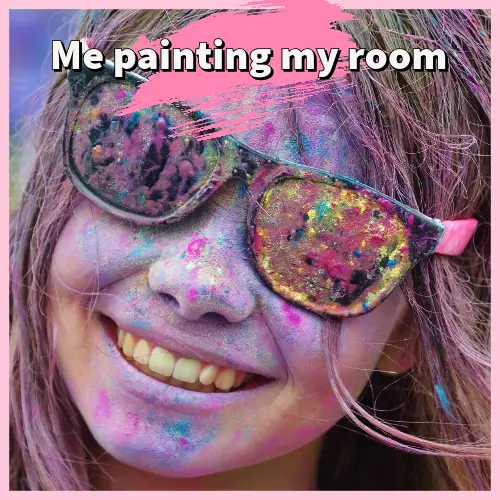
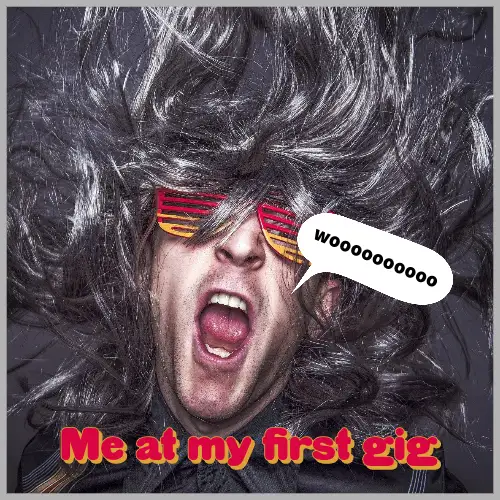
Discover a collection of customizable designs.















Explore more categories:
How to make a text meme.
### 1\. Pick a meme template.
Choose from a wide selection of popular and trending meme templates to match your humor and style. Start quickly with a design that works for any joke or social media post.
### 2\. Customize your meme.
Add your own text, adjust fonts and colors, and upload images or use free Adobe Stock assets. Make your meme unique and shareable in seconds.
Once your meme looks exactly how you want it, download it in your preferred format; PNG for still images, GIF for looping animations, or MP4 for short video memes. You can then share it directly to your favorite social platforms, including Instagram, TikTok, Facebook, and X, all from within Adobe Express.
## Bring on the laughs with creativity on your side.
Use our text meme generator to personalize popular memes or turn your images into iconic memes of their own. Resize your memes to feature them on any online platform, including Instagram, Twitter, TikTok, or Tumblr. Duplicate your designs with ease to create memes over and over again. Have fun getting creative with your meme format and punchlines. There are endless creative opportunities at your fingertips.


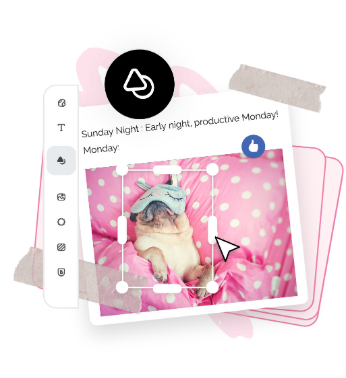
## Let Adobe Express be your text meme design expert.
Explore professionally designed templates to get your wheels spinning or create your text meme from scratch. Establish a theme for your designs using photos, icons, logos, personalized fonts, and other customizable elements to make them feel entirely authentic. With Adobe Express, it’s free and easy to make, save, and share your designs within minutes.
## Make shareable memes for free with text meme templates.
The Adobe Express meme generator makes meme design quick and easy. Discover text meme templates and choose one to customize. Add your own messaging and images, then handpick your fonts. Download your meme instantly to share across all your social platforms.
Discover even more.
Frequently asked questions.
### How do I animate my text meme?
Open the Animation menu and discover dozens of text and image animation effects. Test out a few then choose the effect that best fits your meme format. Download your animated text meme as an MP4 file to share online.
### What are commonly used fonts in text memes?
Impact is the classic meme font, while Arial and Comic Sans are other popular choices. Get the full meme effect by choosing white for your font color and using the Generate Text Effect so your copy stands out over any image.
### How do I rotate the text in my meme?
Enter in your desired text. Then, tap or click on your text and use the rotate option to switch up your text.
### Can I create my own text meme template?
Any new or existing project can be turned into a shareable template. To turn your text meme into a template, click on the three-dot menu at the left of the Download button and follow the steps to turn your design into a template.
### Can I get Adobe Express for free? If so, what’s included?
Yes, Adobe Express has a free plan that includes core features like photo editing tools and effects and thousands of free templates. Learn more about our [plans and pricing](https://www.adobe.com/express/pricing). |
| Shard | 124 (laksa) |
| Root Hash | 8632794615158933124 |
| Unparsed URL | com,adobe!www,/express/create/meme/text s443 |