ℹ️ Skipped - page is already crawled
| Filter | Status | Condition | Details |
|---|---|---|---|
| HTTP status | PASS | download_http_code = 200 | HTTP 200 |
| Age cutoff | PASS | download_stamp > now() - 6 MONTH | 1.1 months ago |
| History drop | PASS | isNull(history_drop_reason) | No drop reason |
| Spam/ban | PASS | fh_dont_index != 1 AND ml_spam_score = 0 | ml_spam_score=0 |
| Canonical | PASS | meta_canonical IS NULL OR = '' OR = src_unparsed | Not set |
| Property | Value |
|---|---|
| URL | https://utorrent.en.uptodown.com/windows |
| Last Crawled | 2026-03-09 11:32:34 (1 month ago) |
| First Indexed | 2016-05-23 08:39:21 (9 years ago) |
| HTTP Status Code | 200 |
| Meta Title | uTorrent for Windows - Download it from Uptodown for free |
| Meta Description | Download uTorrent for Windows for free. The simplest option to download torrents. uTorrent, also known as µTorrent, is a popular torrent downloader.... |
| Meta Canonical | null |
| Boilerpipe Text | uTorrent
, also known as µTorrent, is a popular torrent downloader. Launched in 2005, uTorrent stands out for its small size and low resource consumption. Thanks to this BitTorrent client you can download files in .torrent or magnet format. These two formats are the most common in
P2P clients
.
Customize the settings for each torrent
When you add a file for download, uTorrent allows you to customize various aspects of the download, including where you want it to be downloaded to. What's more, you can assign tags or choose which files you want to download and which you do not.
Advertisement
Remove ads and more with Turbo
Manage uTorrent's network connection
After adding a file for download, you can pause, resume or adjust its priority level. There is no limit to the number of torrents you can add, but you might eat up all your bandwidth if you start downloading too many. For this reason, you can also customize settings related to the use of network resources in the program settings. For example, you can limit the upload and download speed, as well as restrict the number of connections for each torrent.
Learn more about each torrent
When you add a torrent file, you can see a lot of information about it. You can see the number of seeds, the number of people downloading it, the upload and download speed, the date it was added, the size, the download percentage, etc. All this information can be viewed by clicking on the torrent, or you can also add it to informative tabs to see this information just by opening the program.
Access to torrent download trackers
You can also see information related to the tracker for each torrent. A tracker keeps track of users who are downloading or sharing a file. Thanks to this, both parties can communicate and download the file. File downloads or uploads can be carried out between several users at the same time, so if many people have a torrent downloaded on their devices, you can download different parts simultaneously from each of those users. This increases the speed of the download and helps you get your files as quickly as possible. A torrent can be available on several trackers, which further increases the number of users who can download and share it.
Automatically download content
uTorrent also allows you to add torrent file searches directly into the program. Thanks to this, you can search for content from platforms that you have previously added. You can also synchronize RSS feeds so that content is added automatically. To protect you from malicious files, uTorrent comes equipped with a malware detection system.
Download uTorrent to enjoy one of the best programs for downloading torrents. |
| Markdown | 
- 
- [eFootball 2026](https://efootball-2026.en.uptodown.com/windows)
- [Opera](https://opera.en.uptodown.com/windows)
- [Android Emulators](https://en.uptodown.com/windows/android-emulators)
- [Duet Night Abyss](https://duet-night-abyss.en.uptodown.com/windows)
- [WhatsApp Desktop](https://whatsapp-desktop.en.uptodown.com/windows)
- [Cloud Storage Apps](https://en.uptodown.com/windows/cloud-storage-apps)
- [Universal ADB Drivers](https://universal-adb-drivers.en.uptodown.com/windows)
- [WizTree](https://wiztree.en.uptodown.com/windows)
- [Cyberduck](https://cyberduck.en.uptodown.com/windows)
- [Gacha Games](https://en.uptodown.com/windows/gacha-games)
- [PPSSPP](https://ppsspp.en.uptodown.com/windows)
- [Google Chrome](https://google-chrome.en.uptodown.com/windows)
- [VPN Apps](https://en.uptodown.com/windows/vpn-apps)
- [Resident Evil Requiem](https://resident-evil-requiem.en.uptodown.com/windows)
- [Mullvad Browser](https://mullvad-browser.en.uptodown.com/windows)


[](https://en.uptodown.com/windows)


[Windows](https://en.uptodown.com/windows) /
Apps
/
[Internet](https://en.uptodown.com/windows/internet) /
[P2P](https://en.uptodown.com/windows/p2p) /
uTorrent

# uTorrent
3\.6.0.47062
BitTorrent, Inc.
**\#1** P2P
[ 4.3](https://utorrent.en.uptodown.com/windows#rating)
72 reviews
45\.5 M
downloads

security
## The simplest option to download torrents
Advertisement
Remove ads and more with Turbo
[Get the latest version 3.6.0.47062 Apr 23, 2024 ](https://utorrent.en.uptodown.com/windows/download "download utorrent free")
[Older versions](https://utorrent.en.uptodown.com/windows/versions)
Advertisement
Remove ads and more with Turbo

Reviewed by
[Alberto García](https://en.uptodown.com/editor/alberto-garcia)
Developer’s Operations and Support
Alberto García is part of Uptodown's in-house Editorial Team. Translated by Uptodown Localization Team
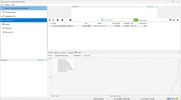
**uTorrent**, also known as µTorrent, is a popular torrent downloader. Launched in 2005, uTorrent stands out for its small size and low resource consumption. Thanks to this BitTorrent client you can download files in .torrent or magnet format. These two formats are the most common in [P2P clients](https://en.uptodown.com/windows/p2p).
## Customize the settings for each torrent
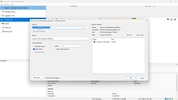
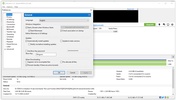
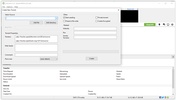
When you add a file for download, uTorrent allows you to customize various aspects of the download, including where you want it to be downloaded to. What's more, you can assign tags or choose which files you want to download and which you do not.
Advertisement
Remove ads and more with Turbo
## Manage uTorrent's network connection
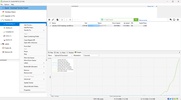
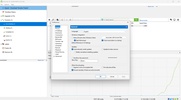
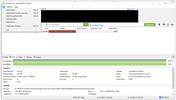
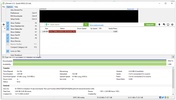
After adding a file for download, you can pause, resume or adjust its priority level. There is no limit to the number of torrents you can add, but you might eat up all your bandwidth if you start downloading too many. For this reason, you can also customize settings related to the use of network resources in the program settings. For example, you can limit the upload and download speed, as well as restrict the number of connections for each torrent.
## Learn more about each torrent
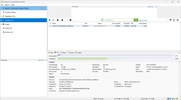
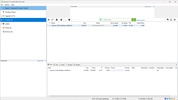
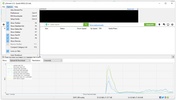
When you add a torrent file, you can see a lot of information about it. You can see the number of seeds, the number of people downloading it, the upload and download speed, the date it was added, the size, the download percentage, etc. All this information can be viewed by clicking on the torrent, or you can also add it to informative tabs to see this information just by opening the program.
## Access to torrent download trackers
You can also see information related to the tracker for each torrent. A tracker keeps track of users who are downloading or sharing a file. Thanks to this, both parties can communicate and download the file. File downloads or uploads can be carried out between several users at the same time, so if many people have a torrent downloaded on their devices, you can download different parts simultaneously from each of those users. This increases the speed of the download and helps you get your files as quickly as possible. A torrent can be available on several trackers, which further increases the number of users who can download and share it.
## Automatically download content
uTorrent also allows you to add torrent file searches directly into the program. Thanks to this, you can search for content from platforms that you have previously added. You can also synchronize RSS feeds so that content is added automatically. To protect you from malicious files, uTorrent comes equipped with a malware detection system.
Download uTorrent to enjoy one of the best programs for downloading torrents.
## Information about uTorrent 3.6.0.47062
### Basic information
| | | |
|---|---|---|
|  | Developer | [BitTorrent, Inc.](http://www.utorrent.com/) |
|  | License | Free |
|  | Category | [P2P](https://en.uptodown.com/windows/p2p) |
|  | Rating | \+16 |
|  | Languages | English 21 more |
### Security and privacy
| | | |
|---|---|---|
|  | Required permissions | Not applicable |
|  | Advertising | Not specified |
|  | | See security and antivirus report |
|  | Why is this app published on Uptodown? | [(More information)](https://support.uptodown.com/hc/en-us/articles/4403243577613) |
### Download info
| | | |
|---|---|---|
|  | Downloads | 45,470,923 |
|  | Date | Apr 23, 2024 |
|  | File type | EXE |
|  | Size | 1\.66 MB |
|  | SHA256 | d0e7dc142a61010c020983d2dca511133d1722c55c0511cd1acf89a35970aa50 |
## Older versions

exe 3\.3 Build 29038 Feb 1, 2013
exe 3\.1.2 Feb 9, 2012
exe 3\.1.2 RC Feb 1, 2012
exe 3\.1 Build 26616 Dec 26, 2011
exe 3\.0 build 26473 Dec 7, 2011
exe 3\.0 Jul 15, 2011
Available for other platforms
[ uTorrent for Mac](https://utorrent.en.uptodown.com/mac)
[ uTorrent for Android](https://utorrent-beta.en.uptodown.com/android)
## Rate this App


    
Review the app
## Rating
4\.3
5
4
3
2
1
 72 reviews
## Comments


leosbaldo1981
    
4 months ago
It is the only decent torrent client. It is light, beautiful, and highly customizable, even in the free version. It's the kind of app that's worth paying for the paid version. I miss having an option ...See more
 Like
 Reply

massivebrowncow96632
    
8 months ago
It's very good
 Like
 Reply

adorablegoldensparrow44429
    
in 2023
Formidable
 6
 Reply

happypinkdove34858
    
in 2023
I hear that it's a good app.
 6
 Reply

oldwhitelychee58797
    
in 2023
super
 1
 Reply

dangeroussilverelephant56248
    
in 2020
legit. thanks
 30
 Reply
[See more]()
Advertisement
Remove ads and more with Turbo
[Similar to uTorrent](https://en.uptodown.com/windows/p2p)


[qBittorrent](https://qbittorrent.en.uptodown.com/windows "Download qBittorrent")
Easy-to-use Bittorrent client

[Popcorn Time](https://popcorn-time.en.uptodown.com/windows "Download Popcorn Time")
The latest movies in high quality streaming video

[BitTorrent](https://bittorrent.en.uptodown.com/windows "Download BitTorrent")
A global sensation in large file downloads

[uTorrent Portable](https://utorrent-portable.en.uptodown.com/windows "Download uTorrent Portable")
The easiest way to download torrents

[Vuze](https://vuze.en.uptodown.com/windows "Download Vuze")
Access one of the biggest libraries of Hi-Def videos

[Ares](https://ares.en.uptodown.com/windows "Download Ares")
Download music, videos, and files quickly and without errors

[Transmission](https://transmission-qt.en.uptodown.com/windows "Download Transmission")
A fast and compact torrent client

[FrostWire](https://frostwire.en.uptodown.com/windows "Download FrostWire")
A new and powerful limewire based p2p client


[Discover Internet apps](https://en.uptodown.com/windows/internet)


[Google Chrome](https://google-chrome.en.uptodown.com/windows "Download Google Chrome")
Fast, clean and easy web browsing courtesy of Google

[WhatsApp Desktop](https://whatsapp-desktop.en.uptodown.com/windows "Download WhatsApp Desktop")
The official WhatsApp app for Windows

[Internet Download Manager](https://internet-download-manager.en.uptodown.com/windows "Download Internet Download Manager")
Accelerate your downloads with this powerful download manager

[Uptodown App Store](https://uptodown-app-store.en.uptodown.com/windows "Download Uptodown App Store")
Native Uptodown client for Windows 11

[Proton VPN](https://proton-vpn.en.uptodown.com/windows "Download Proton VPN")
Powerful, free, secure and unlimited VPN

[Telegram Desktop](https://telegram-for-desktop.en.uptodown.com/windows "Download Telegram Desktop")
Talk to all your Telegram contacts from the desktop

[Microsoft Edge](https://microsoft-edge.en.uptodown.com/windows "Download Microsoft Edge")
Microsoft's browser with interesting features

[YouTube Center](https://youtube-center.en.uptodown.com/windows "Download YouTube Center")
Download your favourite videos from YouTube


EN English

 Log in or Sign up
[ Windows](https://en.uptodown.com/windows)
[Games](https://en.uptodown.com/windows/games)
Apps
[Internet](https://en.uptodown.com/windows/internet)
[Development](https://en.uptodown.com/windows/development)
[Utilities](https://en.uptodown.com/windows/utilities)
[Photo & Design](https://en.uptodown.com/windows/photo-design)
[Video](https://en.uptodown.com/windows/video)
[Desktop](https://en.uptodown.com/windows/desktop)
[Business](https://en.uptodown.com/windows/business)
[Lifestyle](https://en.uptodown.com/windows/personal)
[Education](https://en.uptodown.com/windows/education)
[Audio](https://en.uptodown.com/windows/audio)
[Security](https://en.uptodown.com/windows/security)
[Editor's choice](https://en.uptodown.com/windows/editors-choice)
[ Mac](https://en.uptodown.com/mac)
[ Android](https://en.uptodown.com/)
[ Uptodown Turbo](https://en.uptodown.com/turbo?platform=windows)
[Uptodown App Store](https://uptodown-android.en.uptodown.com/android)
[Transparency Center](https://en.uptodown.com/about-us/stats)
[ Go to support page](https://support.uptodown.com/hc/en-us)
[EN English](https://utorrent.en.uptodown.com/windows)
[ES Español](https://utorrent.uptodown.com/windows)
[PT Português](https://utorrent.br.uptodown.com/windows)
[DE Deutsch](https://utorrent.de.uptodown.com/windows)
[FR Français](https://utorrent.fr.uptodown.com/windows)
[IT Italiano](https://utorrent.it.uptodown.com/windows)
[ZH 中文](https://utorrent.cn.uptodown.com/windows)
[JA 日本語](https://utorrent.jp.uptodown.com/windows)
[RU Pусский](https://utorrent.ru.uptodown.com/windows)
[KO 한국어](https://utorrent.kr.uptodown.com/windows)
[ID B.Indonesia](https://utorrent.id.uptodown.com/windows)
[AR العربية](https://utorrent.ar.uptodown.com/windows)
[TH ภาษาไทย](https://utorrent.th.uptodown.com/windows)
[TR Türkçe](https://utorrent.tr.uptodown.com/windows)
[HI हिन्दी](https://utorrent.in.uptodown.com/windows)
[VI tiếng Việt](https://utorrent.vi.uptodown.com/windows)
[RO Română](https://utorrent.ro.uptodown.com/windows)


Uptodown is a multi-platform app store specialized in Android. Our goal is to provide free and open access to a large catalog of apps without restrictions, while providing a legal distribution platform accessible from any browser, and also through its official native app.
[](https://www.youtube.com/uptodown "Uptodown YouTube URL") [](https://www.tiktok.com/@uptodown_com "Uptodown TikTok URL") [](https://x.com/uptodown "Uptodown Twitter URL") [](https://instagram.com/uptodown "Uptodown Instagram URL") [](https://www.linkedin.com/company/uptodown/ "Uptodown LinkedIn URL") [](https://www.facebook.com/Uptodown.International "Uptodown Facebook URL")
DISCOVER US
- [About us](https://en.uptodown.com/about-us)
- [Our company](https://en.uptodown.com/about-us/our-company)
- [Editorial policy](https://en.uptodown.com/about-us/editors)
- [Transparency Center](https://en.uptodown.com/about-us/stats)
- [Brand & Press Resources](https://en.uptodown.com/about-us/brand-assets)
- [Corporate blog](https://blog.en.uptodown.com/)
- [Careers](https://uptodown.factorialhr.es/)
OUR SERVICES
- [Uptodown App Store](https://en.uptodown.com/marketplace)
- [Publish your app](https://en.uptodown.com/developers-console)
- [Promote your app](https://en.uptodown.com/advertising)
- [Uptodown Ads](https://ads.uptodown.dev/ads/)
- [Uptodown TurboNew](https://en.uptodown.com/turbo?platform=windows)
- [FAQs & Support](https://support.uptodown.com/hc/en-us)
LEGAL
- [Terms of Service for Users](https://en.uptodown.com/aboutus/services)
- [Privacy & Cookies Policy](https://en.uptodown.com/aboutus/privacy)
- Cookie Settings
- [Terms of Service for Developers](https://en.uptodown.com/developers-zone/services)
- [DMCA](https://en.uptodown.com/dmca)
 |
| Readable Markdown | **uTorrent**, also known as µTorrent, is a popular torrent downloader. Launched in 2005, uTorrent stands out for its small size and low resource consumption. Thanks to this BitTorrent client you can download files in .torrent or magnet format. These two formats are the most common in [P2P clients](https://en.uptodown.com/windows/p2p).
## Customize the settings for each torrent
When you add a file for download, uTorrent allows you to customize various aspects of the download, including where you want it to be downloaded to. What's more, you can assign tags or choose which files you want to download and which you do not.
Advertisement
Remove ads and more with Turbo
## Manage uTorrent's network connection
After adding a file for download, you can pause, resume or adjust its priority level. There is no limit to the number of torrents you can add, but you might eat up all your bandwidth if you start downloading too many. For this reason, you can also customize settings related to the use of network resources in the program settings. For example, you can limit the upload and download speed, as well as restrict the number of connections for each torrent.
## Learn more about each torrent
When you add a torrent file, you can see a lot of information about it. You can see the number of seeds, the number of people downloading it, the upload and download speed, the date it was added, the size, the download percentage, etc. All this information can be viewed by clicking on the torrent, or you can also add it to informative tabs to see this information just by opening the program.
## Access to torrent download trackers
You can also see information related to the tracker for each torrent. A tracker keeps track of users who are downloading or sharing a file. Thanks to this, both parties can communicate and download the file. File downloads or uploads can be carried out between several users at the same time, so if many people have a torrent downloaded on their devices, you can download different parts simultaneously from each of those users. This increases the speed of the download and helps you get your files as quickly as possible. A torrent can be available on several trackers, which further increases the number of users who can download and share it.
## Automatically download content
uTorrent also allows you to add torrent file searches directly into the program. Thanks to this, you can search for content from platforms that you have previously added. You can also synchronize RSS feeds so that content is added automatically. To protect you from malicious files, uTorrent comes equipped with a malware detection system.
Download uTorrent to enjoy one of the best programs for downloading torrents. |
| Shard | 84 (laksa) |
| Root Hash | 14108600388838588684 |
| Unparsed URL | com,uptodown!en,utorrent,/windows s443 |