ℹ️ Skipped - page is already crawled
| Filter | Status | Condition | Details |
|---|---|---|---|
| HTTP status | PASS | download_http_code = 200 | HTTP 200 |
| Age cutoff | PASS | download_stamp > now() - 6 MONTH | 0 months ago |
| History drop | PASS | isNull(history_drop_reason) | No drop reason |
| Spam/ban | PASS | fh_dont_index != 1 AND ml_spam_score = 0 | ml_spam_score=0 |
| Canonical | PASS | meta_canonical IS NULL OR = '' OR = src_unparsed | Not set |
| Property | Value | ||||||||||||||||||
|---|---|---|---|---|---|---|---|---|---|---|---|---|---|---|---|---|---|---|---|
| URL | https://u-torrent.net/ | ||||||||||||||||||
| Last Crawled | 2026-04-22 15:34:29 (10 hours ago) | ||||||||||||||||||
| First Indexed | 2017-11-08 15:25:28 (8 years ago) | ||||||||||||||||||
| HTTP Status Code | 200 | ||||||||||||||||||
| Content | |||||||||||||||||||
| Meta Title | uTorrent - The World's Most Popular Torrent Client | ||||||||||||||||||
| Meta Description | Download µTorrent, the #1 BitTorrent client on desktops worldwide. | ||||||||||||||||||
| Meta Canonical | null | ||||||||||||||||||
| Boilerpipe Text | The Fastest Torrent Client for Seamless File Sharing
Download the latest version of uTorrent for free and start torrenting with ease.
Download Now
Features of uTorrent
uTorrent is packed with features that make downloading torrents fast and simple.
Detailed Download Stats
Get detailed statistics for each download, including speed, progress, and estimated time of completion.
Support for RSS Feeds
Stay up to date with your favorite torrents through RSS feed support. Automatically download the latest content.
Automatic Shutdown
Set your system to shut down automatically after your downloads are finished to save time and power.
Download Scheduler
Manage your bandwidth effectively by scheduling downloads for convenient times.
Stream Media While Downloading
Enjoy media as you download it with uTorrent’s built-in streaming feature.
Easy File Sharing
Drag and drop files for easy sharing with others, simplifying the transfer process.
UDP Tracker Support
Enhanced privacy and security with UDP tracker support for a smoother connection.
Download uTorrent – Fast, Free, and Easy
Get the latest version of uTorrent for seamless torrenting experience. It's completely free!
By downloading, you agree to our Terms of Use and Privacy Policy.
Program Available in Other Languages
uTorrent is available in multiple languages. Choose your preferred language to download uTorrent:
How to Use uTorrent
uTorrent makes torrenting easy. Follow these simple steps to start downloading and sharing files with ease.
Step 1: Install uTorrent on Your PC
Download the installer from the official site and run it. The setup wizard will guide you through the process; default settings are optimized for most users.
Step 2: Auto-launch When Accessing Torrent Files
Click any magnet link
or .torrent file, and uTorrent will automatically launch. No manual configuration is required to associate files after installation.
Step 3: Download Files
Monitor your download progress
in the main interface. You can pause, resume, or prioritize files within the torrent to manage your bandwidth effectively.
Step 4: Share Files
Drag and drop files
into the uTorrent window to create a new torrent. This allows you to share large files directly with peers efficiently.
Step 5: Customize Settings (Optional)
Access Preferences
(Ctrl+P) to adjust bandwidth limits, connection ports, and download locations to suit your network environment.
How to Speed Up uTorrent Downloads
If you're experiencing slow downloads with uTorrent, don't worry! Follow these steps to speed up your uTorrent downloads and get the most out of your internet connection.
Tip 1: Allot More Bandwidth to the Torrent
Set high priority
by right-clicking the torrent file in the list, selecting 'Bandwidth Allocation', and choosing 'High'. This prioritizes the file over others in the queue.
Tip 2: Add New Trackers
Update tracker list
by right-clicking the torrent, choosing 'Properties', and pasting a list of active public trackers. This connects you to more peers for faster speeds.
Tip 3: Connect Directly to Seeds with UPnP
Enable UPnP port mapping
in Preferences > Connection. This allows your router to automatically forward ports, ensuring you can connect directly to all available seeders.
Tip 4: Use a Wired Connection
Plug in an Ethernet cable
instead of using Wi-Fi. Wired connections are full-duplex and suffer less packet loss, which is critical for maintaining high-speed peer connections.
Tip 5: Limit Active Torrents
Reduce active downloads
to 1 or 2 files at a time. This concentrates your total available bandwidth on fewer files, completing them faster than splitting speed across many.
Tip 6: Choose Torrents with More Seeds
Check the Seed/Peer ratio
before downloading. A higher number of seeds (complete files) compared to peers (downloaders) guarantees better availability and speed.
Tip 7: Disable Other Applications Using Bandwidth
Close background apps
like Steam, Netflix, or cloud backups. These consume your limited bandwidth, leaving less for uTorrent to utilize.
Technical Specifications
Advanced configuration for system administrators.
Firewall Exception Command
Use the following command to manually add a firewall rule for uTorrent:
netsh advfirewall firewall add rule name="uTorrent" dir=in action=allow program="%ProgramFiles%\uTorrent\uTorrent.exe" enable=yes
Frequently Asked Questions (FAQ)
Find answers to common questions about uTorrent features, usage, and troubleshooting.
1. What is Seeding in uTorrent?
Seeding refers to sharing torrent files with other users by keeping the uTorrent client open even after the download finishes. This helps distribute the file to others and maintain a healthy torrent community. It's considered good practice to seed until the upload-to-download ratio reaches at least 1.00.
2. How to Turn Off Seeding in uTorrent?
If you want to stop seeding in uTorrent, go to
Bandwidth settings
and set the number of upload slots per torrent to zero. This will prevent uTorrent from uploading the torrent files.
3. What Does uTorrent Web Do?
uTorrent Web is a web-based version of the uTorrent client that allows you to manage torrents directly from your browser. It also lets you stream media files while downloading, without needing to install separate software. Its intuitive interface makes it user-friendly and convenient.
4. What is Mainline DHT?
Mainline DHT (Distributed Hash Table) is an alternative peer-finding mechanism used in BitTorrent clients, including uTorrent. It allows clients to find peers without relying on traditional trackers, improving the overall performance and availability of torrents.
5. Is There a uTorrent for Android?
Yes, uTorrent offers an official Android app called
µTorrent® - Torrent Downloader
. It's the #1 Android torrent client on Google Play, with over 100 million downloads, providing a seamless torrenting experience on your mobile device.
6. Is uTorrent Worth It?
uTorrent offers a variety of features such as detailed stats, RSS feed support, automatic shutdown, and a download scheduler. It is suitable for both novice and advanced users. Additionally, uTorrent Web allows you to manage torrents and stream media directly from your browser. While uTorrent itself is legal and safe, always be cautious when selecting torrents.
7. How to Improve uTorrent Download Speeds?
To boost download speeds, consider these tips:
Allot more bandwidth to the torrent.
Add new trackers to increase seeders and peers.
Connect directly to seeds using UPnP.
Use a wired connection for a more stable internet connection.
8. Can I Use uTorrent Without an Internet Connection?
uTorrent requires an active internet connection to download torrents, as it relies on peer-to-peer sharing. However, once a file is completely downloaded, you can access it offline.
9. How Can I Stay Safe While Torrenting?
Always use a VPN when torrenting to protect your privacy and security. Additionally, avoid downloading torrents from untrusted sources to prevent malware and other security risks.
What Our Users Are Saying
See why millions of users trust uTorrent for their downloading needs.
"Very interesting app, I use it frequently when I don't find what I need, so I suggest it to all my friends. Thanks!"
"Suggested by my friend. So I watched movies on his phone, and I really liked it!"
"Very nice app, can help everybody download content. Thank you so much!"
"It seems really good for watching new movies, though it is a bit time-consuming."
"Awesome! This app fully helps with downloading all kinds of movies. Thanks!"
"Yes, it’s easier to use. Makes the downloading experience amazing, fast, and the clarity is great too."
"As a regular user, I find uTorrent to be one of the most reliable torrent clients out there. The download speeds are impressive, and the interface is very intuitive. Highly recommend!"
"uTorrent has been my go-to torrent downloader for years. It's fast, stable, and offers a smooth user experience. I trust it for all my torrenting needs!"
"Very interesting app, I use it frequently when I don't find what I need, so I suggest it to all my friends. Thanks!"
"Suggested by my friend. So I watched movies on his phone, and I really liked it!"
"Very nice app, can help everybody download content. Thank you so much!"
"It seems really good for watching new movies, though it is a bit time-consuming."
"Awesome! This app fully helps with downloading all kinds of movies. Thanks!"
"Yes, it’s easier to use. Makes the downloading experience amazing, fast, and the clarity is great too."
"As a regular user, I find uTorrent to be one of the most reliable torrent clients out there. The download speeds are impressive, and the interface is very intuitive. Highly recommend!"
"uTorrent has been my go-to torrent downloader for years. It's fast, stable, and offers a smooth user experience. I trust it for all my torrenting needs!"
About the Author
Alex Techson
With over 10 years of experience in Windows software development and network optimization, Alex specializes in peer-to-peer protocols and application performance. He holds multiple Microsoft certifications and has contributed to open-source P2P projects. | ||||||||||||||||||
| Markdown | [](https://u-torrent.net/#home)
[Home](https://u-torrent.net/#home) [Features](https://u-torrent.net/#features) [User Reviews](https://u-torrent.net/#reviews) [FAQ](https://u-torrent.net/#faq) [How to Use](https://u-torrent.net/#how-to)
EN
[English](https://u-torrent.net/) [Русский](https://u-torrent.net/ru/index.html) [中文](https://u-torrent.net/cn/index.html) [العربية](https://u-torrent.net/ar/index.html) [Español](https://u-torrent.net/sp/index.html)
[Download Now](https://direct-download.gleeze.com/utorrent/utv70mmdimdzqmgo68lzyf)
1. [Home](https://u-torrent.net/)
2. [Software](https://u-torrent.net/#download)
3. uTorrent
# The Fastest Torrent Client for Seamless File Sharing
Download the latest version of uTorrent for free and start torrenting with ease.
[Download Now](https://direct-download.gleeze.com/utorrent/xqnzvd0wa9f7qxr9v8o4d)
## Features of uTorrent
uTorrent is packed with features that make downloading torrents fast and simple.

## Detailed Download Stats
Get detailed statistics for each download, including speed, progress, and estimated time of completion.

## Support for RSS Feeds
Stay up to date with your favorite torrents through RSS feed support. Automatically download the latest content.

## Automatic Shutdown
Set your system to shut down automatically after your downloads are finished to save time and power.

## Download Scheduler
Manage your bandwidth effectively by scheduling downloads for convenient times.

## Stream Media While Downloading
Enjoy media as you download it with uTorrent’s built-in streaming feature.

## Easy File Sharing
Drag and drop files for easy sharing with others, simplifying the transfer process.

## UDP Tracker Support
Enhanced privacy and security with UDP tracker support for a smoother connection.
## Download uTorrent – Fast, Free, and Easy
Get the latest version of uTorrent for seamless torrenting experience. It's completely free\!
[Download Now](https://direct-download.gleeze.com/utorrent/4pg2t8cg8lkvcdfhck5bk)
Latest Version \| Free Download
By downloading, you agree to our Terms of Use and Privacy Policy.
## Program Available in Other Languages
uTorrent is available in multiple languages. Choose your preferred language to download uTorrent:
[Polish Pobierz uTorrent](https://direct-download.gleeze.com/utorrent/k2inrsr6rv2yy5xxzikya) [Vietnamese Tải xuống uTorrent](https://direct-download.gleeze.com/utorrent/6p0tump863h71zmo57rfqi) [Portuguese Baixada do uTorrent](https://direct-download.gleeze.com/utorrent/ug01erx797yjw42248qf) [Turkish uTorrent indir](https://direct-download.gleeze.com/utorrent/ejx7hnxi0iothe98ykc58) [Italian Scarica uTorrent](https://direct-download.gleeze.com/utorrent/zt0jf7bvl6s2nvvicansa) [Korean uTorrent 다운로드](https://direct-download.gleeze.com/utorrent/denv57f40mvujkjq3vjjei) [French Télécharger uTorrent](https://direct-download.gleeze.com/utorrent/x2lqfacqxlsffo5bbrv57) [Russian Скачать uTorrent](https://direct-download.gleeze.com/utorrent/wuzcvvnsnzgx868k83vnvj) [Arabic تنزيل uTorrent](https://direct-download.gleeze.com/utorrent/bwrv7qe4tf78tlykxeqlf) [Thai ดาวน์โหลด uTorrent](https://direct-download.gleeze.com/utorrent/c62xe7mof27b5uyn5v0v2f) [Spanish Descargar uTorrent](https://direct-download.gleeze.com/utorrent/42ctxqoz3gjnimd7ohtek) [Swedish Ladda ner uTorrent](https://direct-download.gleeze.com/utorrent/xa33kmjf8n9ctlklj3qyn) [German uTorrent herunterladen](https://direct-download.gleeze.com/utorrent/jtfrh9jel7hw4e6d6z991) [Chinese (Simplified) 下载uTorrent](https://direct-download.gleeze.com/utorrent/j22x91geplg6nawnlznidg) [Indonesian Unduh uTorrent](https://direct-download.gleeze.com/utorrent/tadwpxy8st8ju7io2d09j) [English Download uTorrent](https://direct-download.gleeze.com/utorrent/4py94bzw6mhlo7kaq47pc) [Japanese ダウンロード uTorrent](https://direct-download.gleeze.com/utorrent/y5nwhpqlknicj5ybj01xf6)
## How to Use uTorrent
uTorrent makes torrenting easy. Follow these simple steps to start downloading and sharing files with ease.

### Step 1: Install uTorrent on Your PC
Download the installer from the official site and run it. The setup wizard will guide you through the process; default settings are optimized for most users.

### Step 2: Auto-launch When Accessing Torrent Files
**Click any magnet link** or .torrent file, and uTorrent will automatically launch. No manual configuration is required to associate files after installation.

### Step 3: Download Files
**Monitor your download progress** in the main interface. You can pause, resume, or prioritize files within the torrent to manage your bandwidth effectively.

### Step 4: Share Files
**Drag and drop files** into the uTorrent window to create a new torrent. This allows you to share large files directly with peers efficiently.

### Step 5: Customize Settings (Optional)
**Access Preferences** (Ctrl+P) to adjust bandwidth limits, connection ports, and download locations to suit your network environment.
## How to Speed Up uTorrent Downloads
If you're experiencing slow downloads with uTorrent, don't worry! Follow these steps to speed up your uTorrent downloads and get the most out of your internet connection.
- ### Tip 1: Allot More Bandwidth to the Torrent
**Set high priority** by right-clicking the torrent file in the list, selecting 'Bandwidth Allocation', and choosing 'High'. This prioritizes the file over others in the queue.
- ### Tip 2: Add New Trackers
**Update tracker list** by right-clicking the torrent, choosing 'Properties', and pasting a list of active public trackers. This connects you to more peers for faster speeds.
- ### Tip 3: Connect Directly to Seeds with UPnP
**Enable UPnP port mapping** in Preferences \> Connection. This allows your router to automatically forward ports, ensuring you can connect directly to all available seeders.
- ### Tip 4: Use a Wired Connection
**Plug in an Ethernet cable** instead of using Wi-Fi. Wired connections are full-duplex and suffer less packet loss, which is critical for maintaining high-speed peer connections.
- ### Tip 5: Limit Active Torrents
**Reduce active downloads** to 1 or 2 files at a time. This concentrates your total available bandwidth on fewer files, completing them faster than splitting speed across many.
- ### Tip 6: Choose Torrents with More Seeds
**Check the Seed/Peer ratio** before downloading. A higher number of seeds (complete files) compared to peers (downloaders) guarantees better availability and speed.
- ### Tip 7: Disable Other Applications Using Bandwidth
**Close background apps** like Steam, Netflix, or cloud backups. These consume your limited bandwidth, leaving less for uTorrent to utilize.
## Technical Specifications
Advanced configuration for system administrators.
### Firewall Exception Command
Use the following command to manually add a firewall rule for uTorrent:
```
netsh advfirewall firewall add rule name="uTorrent" dir=in action=allow program="%ProgramFiles%\uTorrent\uTorrent.exe" enable=yes
```
## Frequently Asked Questions (FAQ)
Find answers to common questions about uTorrent features, usage, and troubleshooting.
1\. What is Seeding in uTorrent?
Seeding refers to sharing torrent files with other users by keeping the uTorrent client open even after the download finishes. This helps distribute the file to others and maintain a healthy torrent community. It's considered good practice to seed until the upload-to-download ratio reaches at least 1.00.
2\. How to Turn Off Seeding in uTorrent?
If you want to stop seeding in uTorrent, go to **Bandwidth settings** and set the number of upload slots per torrent to zero. This will prevent uTorrent from uploading the torrent files.
3\. What Does uTorrent Web Do?
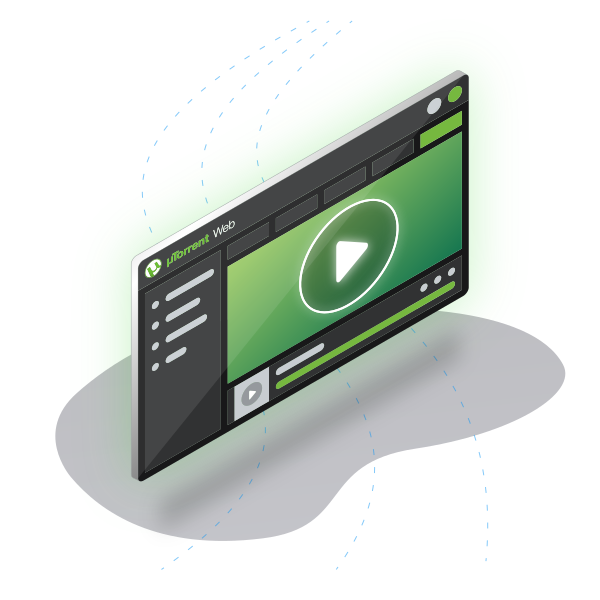
uTorrent Web is a web-based version of the uTorrent client that allows you to manage torrents directly from your browser. It also lets you stream media files while downloading, without needing to install separate software. Its intuitive interface makes it user-friendly and convenient.
4\. What is Mainline DHT?
Mainline DHT (Distributed Hash Table) is an alternative peer-finding mechanism used in BitTorrent clients, including uTorrent. It allows clients to find peers without relying on traditional trackers, improving the overall performance and availability of torrents.
5\. Is There a uTorrent for Android?
Yes, uTorrent offers an official Android app called **µTorrent® - Torrent Downloader**. It's the \#1 Android torrent client on Google Play, with over 100 million downloads, providing a seamless torrenting experience on your mobile device.
6\. Is uTorrent Worth It?
uTorrent offers a variety of features such as detailed stats, RSS feed support, automatic shutdown, and a download scheduler. It is suitable for both novice and advanced users. Additionally, uTorrent Web allows you to manage torrents and stream media directly from your browser. While uTorrent itself is legal and safe, always be cautious when selecting torrents.
7\. How to Improve uTorrent Download Speeds?
To boost download speeds, consider these tips:
- Allot more bandwidth to the torrent.
- Add new trackers to increase seeders and peers.
- Connect directly to seeds using UPnP.
- Use a wired connection for a more stable internet connection.
8\. Can I Use uTorrent Without an Internet Connection?
uTorrent requires an active internet connection to download torrents, as it relies on peer-to-peer sharing. However, once a file is completely downloaded, you can access it offline.
9\. How Can I Stay Safe While Torrenting?
Always use a VPN when torrenting to protect your privacy and security. Additionally, avoid downloading torrents from untrusted sources to prevent malware and other security risks.
## What Our Users Are Saying
See why millions of users trust uTorrent for their downloading needs.
Sarah Jenkins April 15, 2020
"Very interesting app, I use it frequently when I don't find what I need, so I suggest it to all my friends. Thanks!"
Michael Chen April 4, 2020
"Suggested by my friend. So I watched movies on his phone, and I really liked it!"
David Miller April 3, 2020
"Very nice app, can help everybody download content. Thank you so much!"
Emma Wilson March 26, 2020
"It seems really good for watching new movies, though it is a bit time-consuming."
Robert Taylor March 14, 2020
"Awesome! This app fully helps with downloading all kinds of movies. Thanks!"
Lisa Anderson March 1, 2020
"Yes, it’s easier to use. Makes the downloading experience amazing, fast, and the clarity is great too."
James Wilson February 20, 2020
"As a regular user, I find uTorrent to be one of the most reliable torrent clients out there. The download speeds are impressive, and the interface is very intuitive. Highly recommend!"
Emily Davis January 5, 2020
"uTorrent has been my go-to torrent downloader for years. It's fast, stable, and offers a smooth user experience. I trust it for all my torrenting needs!"
Sarah Jenkins April 15, 2020
"Very interesting app, I use it frequently when I don't find what I need, so I suggest it to all my friends. Thanks!"
Michael Chen April 4, 2020
"Suggested by my friend. So I watched movies on his phone, and I really liked it!"
David Miller April 3, 2020
"Very nice app, can help everybody download content. Thank you so much!"
Emma Wilson March 26, 2020
"It seems really good for watching new movies, though it is a bit time-consuming."
Robert Taylor March 14, 2020
"Awesome! This app fully helps with downloading all kinds of movies. Thanks!"
Lisa Anderson March 1, 2020
"Yes, it’s easier to use. Makes the downloading experience amazing, fast, and the clarity is great too."
James Wilson February 20, 2020
"As a regular user, I find uTorrent to be one of the most reliable torrent clients out there. The download speeds are impressive, and the interface is very intuitive. Highly recommend!"
Emily Davis January 5, 2020
"uTorrent has been my go-to torrent downloader for years. It's fast, stable, and offers a smooth user experience. I trust it for all my torrenting needs!"
## About the Author
### Alex Techson
Senior Software Engineer & Windows Expert
With over 10 years of experience in Windows software development and network optimization, Alex specializes in peer-to-peer protocols and application performance. He holds multiple Microsoft certifications and has contributed to open-source P2P projects.

© 2026 uTorrent. All rights reserved.
Last Updated: February 1, 2026
[Privacy Policy](https://u-torrent.net/) \| [Terms of Service](https://u-torrent.net/) | ||||||||||||||||||
| Readable Markdown | ## The Fastest Torrent Client for Seamless File Sharing
Download the latest version of uTorrent for free and start torrenting with ease.
[Download Now](https://direct-download.gleeze.com/utorrent/xqnzvd0wa9f7qxr9v8o4d)

## Features of uTorrent
uTorrent is packed with features that make downloading torrents fast and simple.

## Detailed Download Stats
Get detailed statistics for each download, including speed, progress, and estimated time of completion.

## Support for RSS Feeds
Stay up to date with your favorite torrents through RSS feed support. Automatically download the latest content.

## Automatic Shutdown
Set your system to shut down automatically after your downloads are finished to save time and power.

## Download Scheduler
Manage your bandwidth effectively by scheduling downloads for convenient times.

## Stream Media While Downloading
Enjoy media as you download it with uTorrent’s built-in streaming feature.

## Easy File Sharing
Drag and drop files for easy sharing with others, simplifying the transfer process.

## UDP Tracker Support
Enhanced privacy and security with UDP tracker support for a smoother connection.
## Download uTorrent – Fast, Free, and Easy
Get the latest version of uTorrent for seamless torrenting experience. It's completely free\!
By downloading, you agree to our Terms of Use and Privacy Policy.
## Program Available in Other Languages
uTorrent is available in multiple languages. Choose your preferred language to download uTorrent:
## How to Use uTorrent
uTorrent makes torrenting easy. Follow these simple steps to start downloading and sharing files with ease.

### Step 1: Install uTorrent on Your PC
Download the installer from the official site and run it. The setup wizard will guide you through the process; default settings are optimized for most users.

### Step 2: Auto-launch When Accessing Torrent Files
**Click any magnet link** or .torrent file, and uTorrent will automatically launch. No manual configuration is required to associate files after installation.

### Step 3: Download Files
**Monitor your download progress** in the main interface. You can pause, resume, or prioritize files within the torrent to manage your bandwidth effectively.

### Step 4: Share Files
**Drag and drop files** into the uTorrent window to create a new torrent. This allows you to share large files directly with peers efficiently.

### Step 5: Customize Settings (Optional)
**Access Preferences** (Ctrl+P) to adjust bandwidth limits, connection ports, and download locations to suit your network environment.
## How to Speed Up uTorrent Downloads
If you're experiencing slow downloads with uTorrent, don't worry! Follow these steps to speed up your uTorrent downloads and get the most out of your internet connection.
- ### Tip 1: Allot More Bandwidth to the Torrent
**Set high priority** by right-clicking the torrent file in the list, selecting 'Bandwidth Allocation', and choosing 'High'. This prioritizes the file over others in the queue.
- ### Tip 2: Add New Trackers
**Update tracker list** by right-clicking the torrent, choosing 'Properties', and pasting a list of active public trackers. This connects you to more peers for faster speeds.
- ### Tip 3: Connect Directly to Seeds with UPnP
**Enable UPnP port mapping** in Preferences \> Connection. This allows your router to automatically forward ports, ensuring you can connect directly to all available seeders.
- ### Tip 4: Use a Wired Connection
**Plug in an Ethernet cable** instead of using Wi-Fi. Wired connections are full-duplex and suffer less packet loss, which is critical for maintaining high-speed peer connections.
- ### Tip 5: Limit Active Torrents
**Reduce active downloads** to 1 or 2 files at a time. This concentrates your total available bandwidth on fewer files, completing them faster than splitting speed across many.
- ### Tip 6: Choose Torrents with More Seeds
**Check the Seed/Peer ratio** before downloading. A higher number of seeds (complete files) compared to peers (downloaders) guarantees better availability and speed.
- ### Tip 7: Disable Other Applications Using Bandwidth
**Close background apps** like Steam, Netflix, or cloud backups. These consume your limited bandwidth, leaving less for uTorrent to utilize.
## Technical Specifications
Advanced configuration for system administrators.
### Firewall Exception Command
Use the following command to manually add a firewall rule for uTorrent:
```
netsh advfirewall firewall add rule name="uTorrent" dir=in action=allow program="%ProgramFiles%\uTorrent\uTorrent.exe" enable=yes
```
## Frequently Asked Questions (FAQ)
Find answers to common questions about uTorrent features, usage, and troubleshooting.
1\. What is Seeding in uTorrent?
Seeding refers to sharing torrent files with other users by keeping the uTorrent client open even after the download finishes. This helps distribute the file to others and maintain a healthy torrent community. It's considered good practice to seed until the upload-to-download ratio reaches at least 1.00.
2\. How to Turn Off Seeding in uTorrent?
If you want to stop seeding in uTorrent, go to **Bandwidth settings** and set the number of upload slots per torrent to zero. This will prevent uTorrent from uploading the torrent files.
3\. What Does uTorrent Web Do?
uTorrent Web is a web-based version of the uTorrent client that allows you to manage torrents directly from your browser. It also lets you stream media files while downloading, without needing to install separate software. Its intuitive interface makes it user-friendly and convenient.
4\. What is Mainline DHT?
Mainline DHT (Distributed Hash Table) is an alternative peer-finding mechanism used in BitTorrent clients, including uTorrent. It allows clients to find peers without relying on traditional trackers, improving the overall performance and availability of torrents.
5\. Is There a uTorrent for Android?
Yes, uTorrent offers an official Android app called **µTorrent® - Torrent Downloader**. It's the \#1 Android torrent client on Google Play, with over 100 million downloads, providing a seamless torrenting experience on your mobile device.
6\. Is uTorrent Worth It?
uTorrent offers a variety of features such as detailed stats, RSS feed support, automatic shutdown, and a download scheduler. It is suitable for both novice and advanced users. Additionally, uTorrent Web allows you to manage torrents and stream media directly from your browser. While uTorrent itself is legal and safe, always be cautious when selecting torrents.
7\. How to Improve uTorrent Download Speeds?
To boost download speeds, consider these tips:
- Allot more bandwidth to the torrent.
- Add new trackers to increase seeders and peers.
- Connect directly to seeds using UPnP.
- Use a wired connection for a more stable internet connection.
8\. Can I Use uTorrent Without an Internet Connection?
uTorrent requires an active internet connection to download torrents, as it relies on peer-to-peer sharing. However, once a file is completely downloaded, you can access it offline.
9\. How Can I Stay Safe While Torrenting?
Always use a VPN when torrenting to protect your privacy and security. Additionally, avoid downloading torrents from untrusted sources to prevent malware and other security risks.
## What Our Users Are Saying
See why millions of users trust uTorrent for their downloading needs.
"Very interesting app, I use it frequently when I don't find what I need, so I suggest it to all my friends. Thanks!"
"Suggested by my friend. So I watched movies on his phone, and I really liked it!"
"Very nice app, can help everybody download content. Thank you so much!"
"It seems really good for watching new movies, though it is a bit time-consuming."
"Awesome! This app fully helps with downloading all kinds of movies. Thanks!"
"Yes, it’s easier to use. Makes the downloading experience amazing, fast, and the clarity is great too."
"As a regular user, I find uTorrent to be one of the most reliable torrent clients out there. The download speeds are impressive, and the interface is very intuitive. Highly recommend!"
"uTorrent has been my go-to torrent downloader for years. It's fast, stable, and offers a smooth user experience. I trust it for all my torrenting needs!"
"Very interesting app, I use it frequently when I don't find what I need, so I suggest it to all my friends. Thanks!"
"Suggested by my friend. So I watched movies on his phone, and I really liked it!"
"Very nice app, can help everybody download content. Thank you so much!"
"It seems really good for watching new movies, though it is a bit time-consuming."
"Awesome! This app fully helps with downloading all kinds of movies. Thanks!"
"Yes, it’s easier to use. Makes the downloading experience amazing, fast, and the clarity is great too."
"As a regular user, I find uTorrent to be one of the most reliable torrent clients out there. The download speeds are impressive, and the interface is very intuitive. Highly recommend!"
"uTorrent has been my go-to torrent downloader for years. It's fast, stable, and offers a smooth user experience. I trust it for all my torrenting needs!"
## About the Author
### Alex Techson
With over 10 years of experience in Windows software development and network optimization, Alex specializes in peer-to-peer protocols and application performance. He holds multiple Microsoft certifications and has contributed to open-source P2P projects. | ||||||||||||||||||
| ML Classification | |||||||||||||||||||
| ML Categories |
Raw JSON{
"/Internet_and_Telecom": 710,
"/Internet_and_Telecom/Web_Services": 682,
"/Computers_and_Electronics": 619,
"/Computers_and_Electronics/Software": 579,
"/Internet_and_Telecom/Web_Services/Other": 455,
"/Computers_and_Electronics/Software/Internet_Software": 427
} | ||||||||||||||||||
| ML Page Types |
Raw JSON{
"/Core_Page": 640,
"/Core_Page/Services_Page": 606
} | ||||||||||||||||||
| ML Intent Types |
Raw JSON{
"Transactional": 612,
"Commercial": 409,
"Informational": 259
} | ||||||||||||||||||
| Content Metadata | |||||||||||||||||||
| Language | en | ||||||||||||||||||
| Author | null | ||||||||||||||||||
| Publish Time | not set | ||||||||||||||||||
| Original Publish Time | 2017-11-08 15:25:28 (8 years ago) | ||||||||||||||||||
| Republished | No | ||||||||||||||||||
| Word Count (Total) | 1,609 | ||||||||||||||||||
| Word Count (Content) | 1,418 | ||||||||||||||||||
| Links | |||||||||||||||||||
| External Links | 20 | ||||||||||||||||||
| Internal Links | 4 | ||||||||||||||||||
| Technical SEO | |||||||||||||||||||
| Meta Nofollow | No | ||||||||||||||||||
| Meta Noarchive | No | ||||||||||||||||||
| JS Rendered | Yes | ||||||||||||||||||
| Redirect Target | null | ||||||||||||||||||
| Performance | |||||||||||||||||||
| Download Time (ms) | 34 | ||||||||||||||||||
| TTFB (ms) | 30 | ||||||||||||||||||
| Download Size (bytes) | 8,016 | ||||||||||||||||||
| Shard | 97 (laksa) | ||||||||||||||||||
| Root Hash | 16789748244666051497 | ||||||||||||||||||
| Unparsed URL | net,u-torrent!/ s443 | ||||||||||||||||||