ℹ️ Skipped - page is already crawled
| Filter | Status | Condition | Details |
|---|---|---|---|
| HTTP status | PASS | download_http_code = 200 | HTTP 200 |
| Age cutoff | PASS | download_stamp > now() - 6 MONTH | 0.1 months ago |
| History drop | PASS | isNull(history_drop_reason) | No drop reason |
| Spam/ban | PASS | fh_dont_index != 1 AND ml_spam_score = 0 | ml_spam_score=0 |
| Canonical | PASS | meta_canonical IS NULL OR = '' OR = src_unparsed | Not set |
| Property | Value |
|---|---|
| URL | https://squareup.com/us/en/hardware/stand |
| Last Crawled | 2026-04-05 06:37:54 (2 days ago) |
| First Indexed | 2018-10-01 06:49:47 (7 years ago) |
| HTTP Status Code | 200 |
| Meta Title | iPad POS Stand — Available in USB-C | Square Stand |
| Meta Description | Turn your iPad into a point of sale system with Square. ✓Available in USB-C ✓Use your existing iPad ✓Secure ✓Stylish ✓Accept credit cards quickly & safely. |
| Meta Canonical | null |
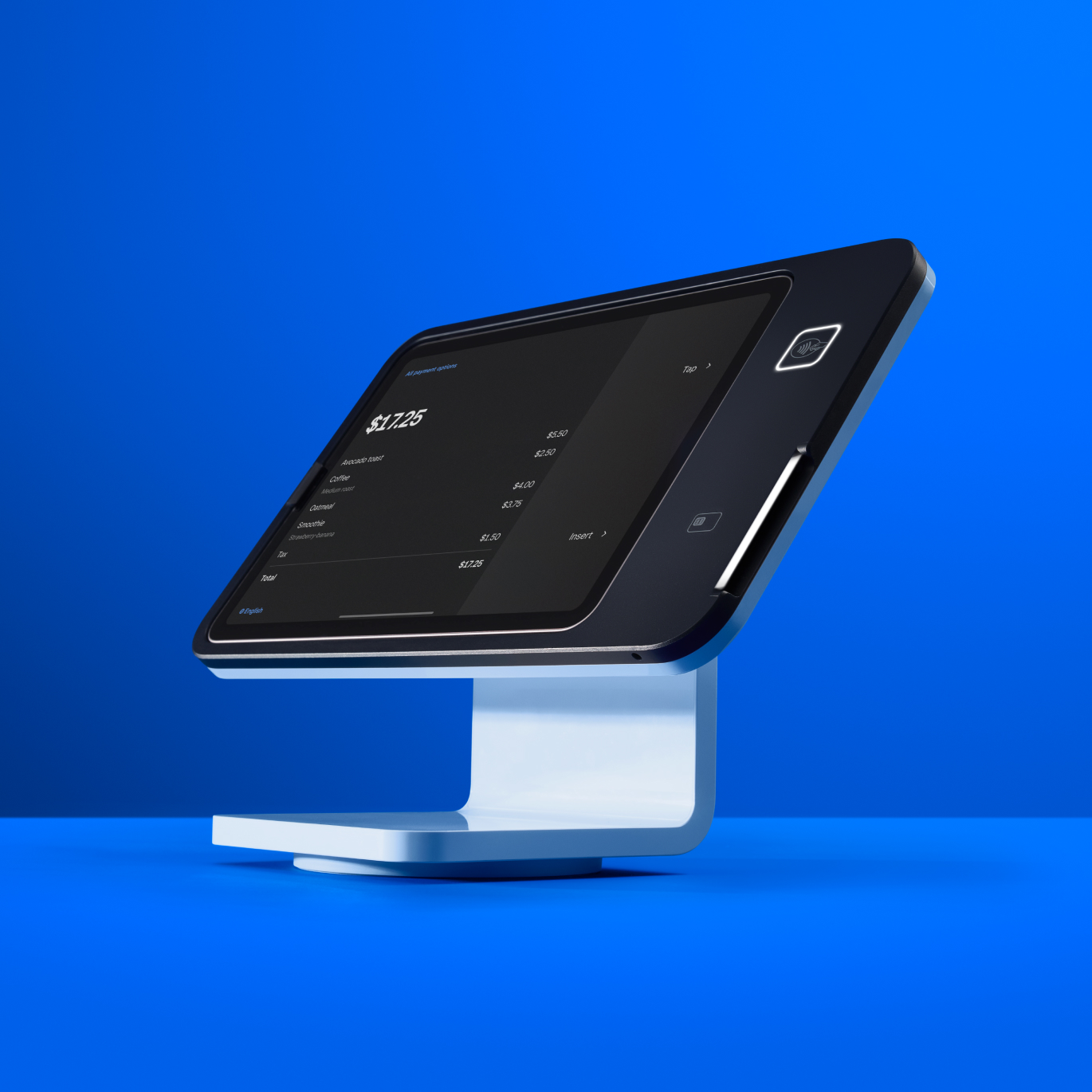
| Boilerpipe Text | Stand
Easy to use. Easy on your budget. A simple iPad POS that puts a smarter spin on selling.
iPad to POS in minutes
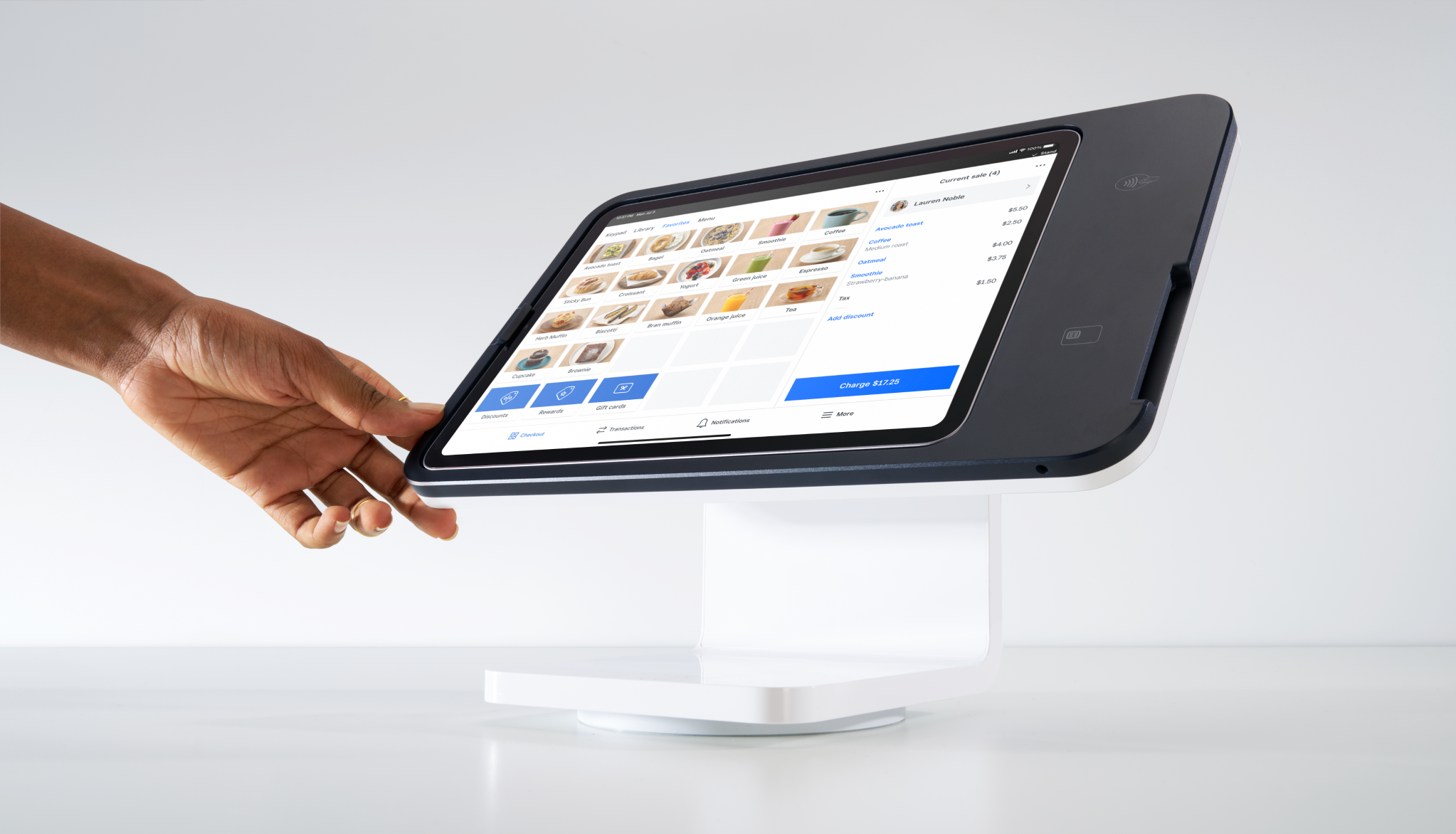
Slide in a compatible iPad and download a free Square point of sale app to get started. No pricey training or service visits needed.
Your entire business in one place
Power every part of what you do all on one device. That’s payments, your website, daily reporting, and so much more.
No extra readers required
Super fast built-in payments mean far fewer cords, a cleaner counter, and a seamless checkout experience from here on out.
One screen, double the ease at checkout.
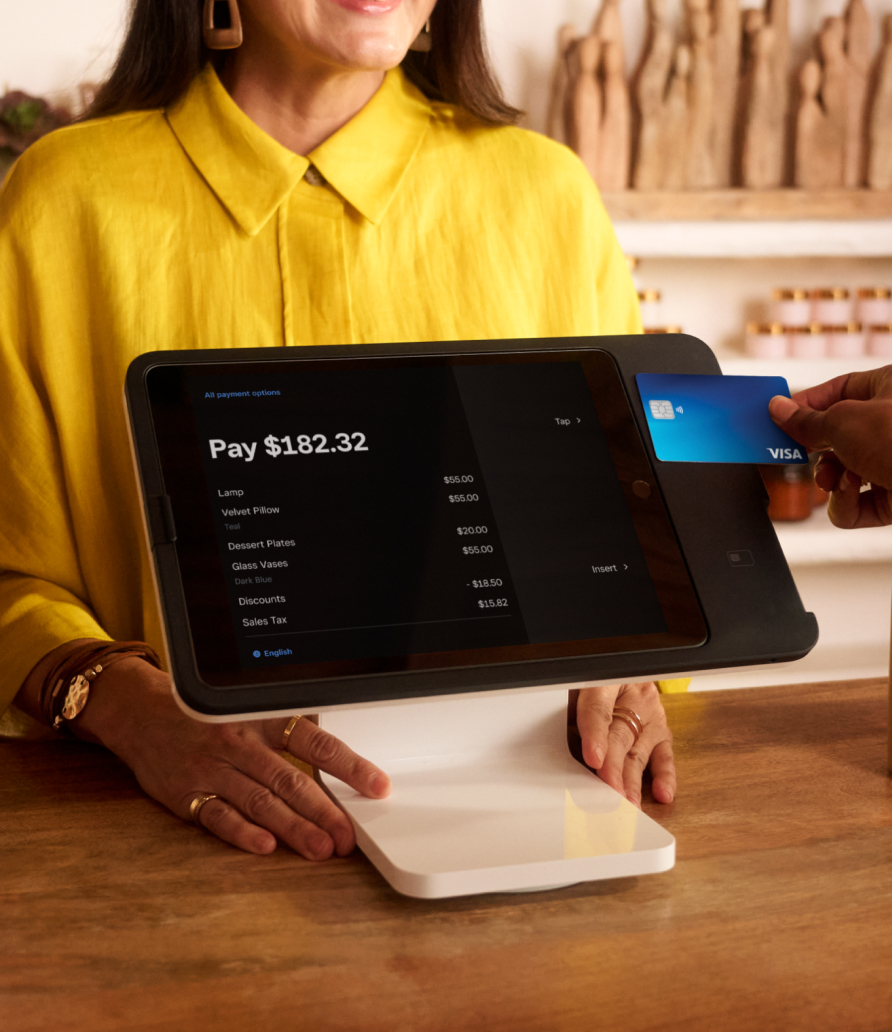
A smooth 180º swivel means you just add items and then turn the screen to customers so they can do the rest.
In a swivel, customers can confirm their total, tip, pay, and even claim loyalty points.
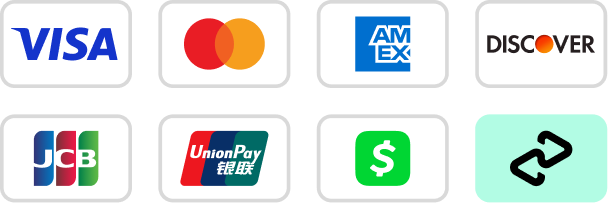
Built-in contactless and chip payments let everyone pay their way.
Contactless
Chip
Cash App Pay
Magstripe*
*Square Reader for magstripe not included
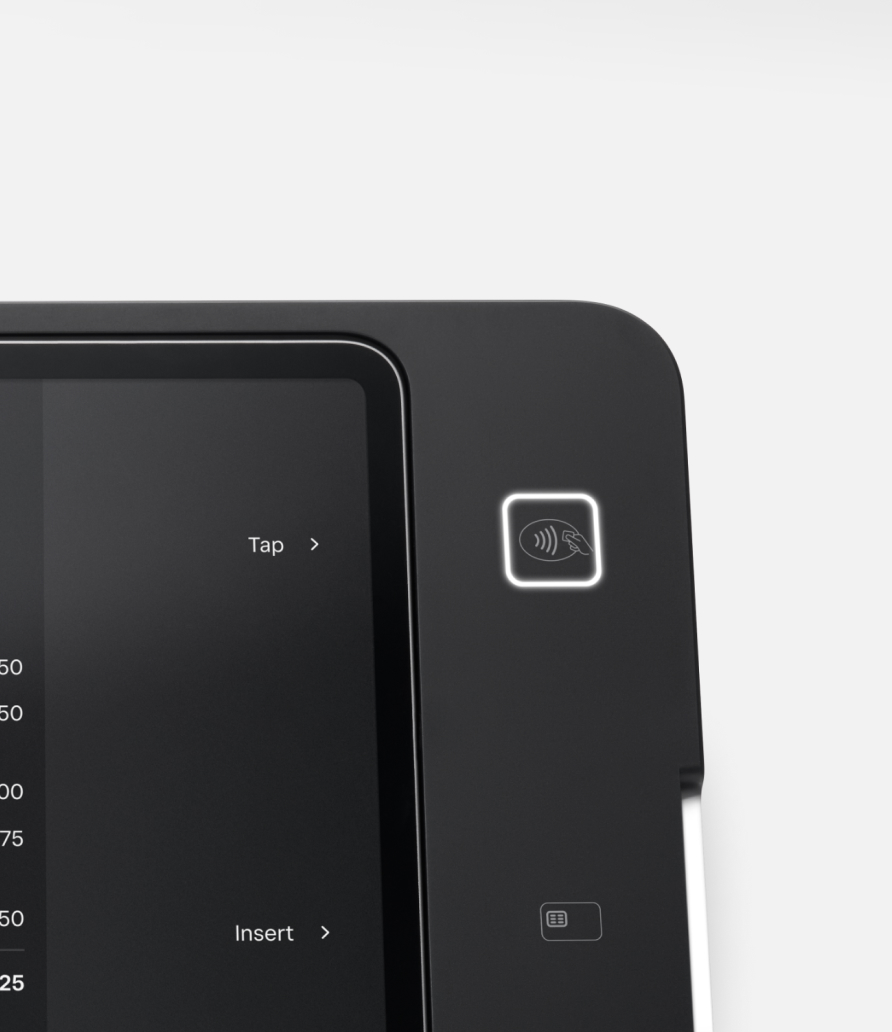
Guiding LED lights make it clear where to pay.
In a swivel, customers can confirm their total, tip, pay, and even claim loyalty points.
Built-in contactless and chip payments let everyone pay their way.
Contactless
Chip
Cash App Pay
Magstripe*
*Square Reader for magstripe not included
Guiding LED lights make it clear where to pay.
Stress less with a reliable POS.
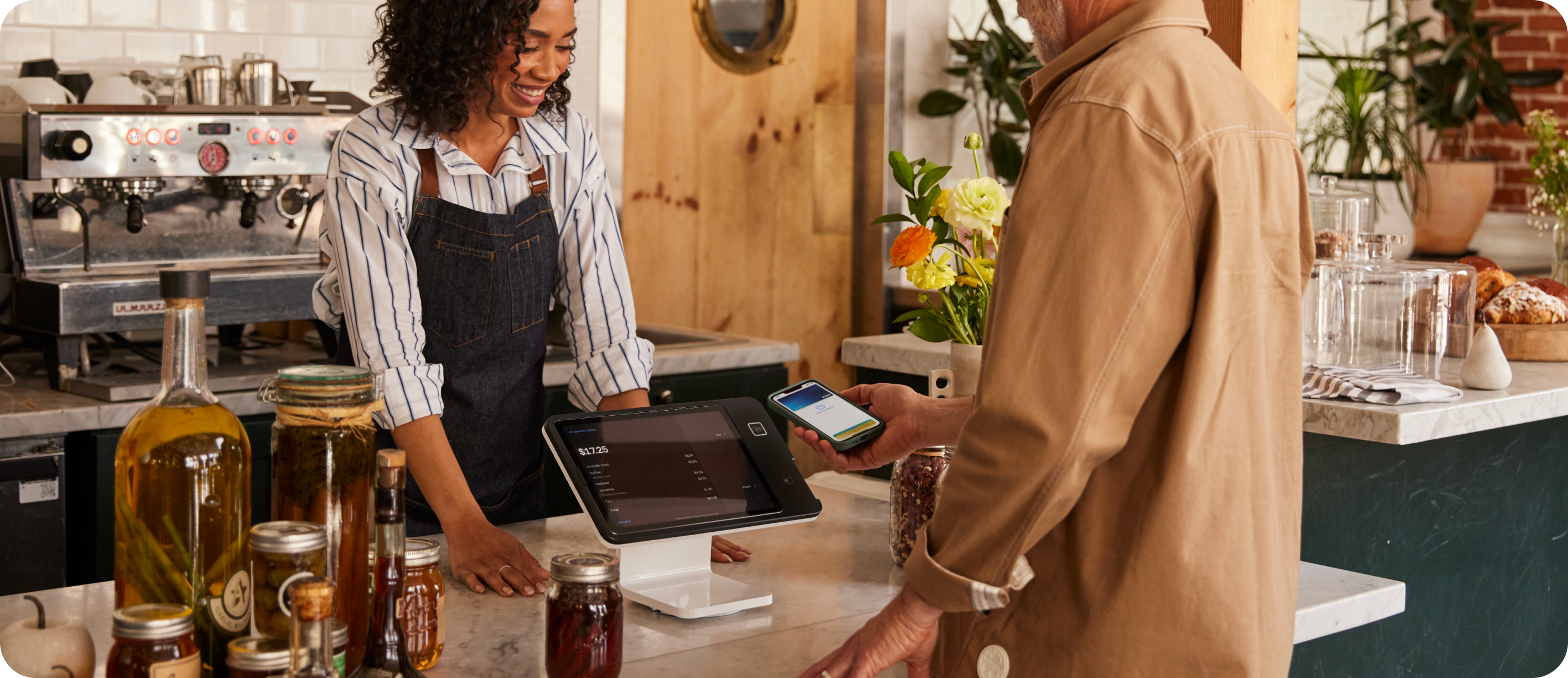
Keep selling, even offline.
Wi-Fi or connectivity disruption? Keep taking payments with offline payments.¹ Just reconnect to internet within 24 hours to upload transactions.
Stay powered even without power.
If you need to unplug or if you lose power, Square Stand can run off your iPad’s battery. iPad powered mode only on Square Stand (2nd generation, USB-C).
It’s all by Square.
Point-of-sale hardware, software, and payments, all by Square. That’s more safety, security, and peace of mind for you and your customers.
Charge any amount
Simply enter custom amounts with the Keypad.
Offline payments
Keep taking payments, even if the Wi-Fi’s out.¹
Item tiles
Easily select an item from a grid of favorites.
Refund
Easily track purchases, issue refunds, and print new receipts.
My customers love it. It’s clear, it’s concise, easy to read, and they know exactly what they’re paying for.
Trina Gregory-Propst, Se7en Bites, Orlando, Florida
Want a compact POS you can put anywhere?
Square Kiosk has all the power of our signature iPad POS, plus the versatility to go exactly where you need it.
Accessorize and customize.
With the included USB hub and your iPad’s built-in Bluetooth and Network compatibility, growing your setup with accessories is effortless.
Buy Square Stand.
$149
$149
$119.20
or $14 per month over 12 months.²
or $21/month over 6 months with code
CYBER25
until December 4.⁷
2.6% + 15¢
per in-person tap, dip, or swipe payment. 6% + 30¢ per Afterpay transaction.
Custom rates
Some businesses that process $250K+ in credit card sales can get a custom rate.
One-year warranty
Square Stand gets up and running fast, but if you run into anything on the way, there’s a one-year limited warranty.
Works with your iPad
Square Stand is instantly intuitive. Use a
compatible iPad
you already own or add one to cart as you check out.
Frequently asked questions
Square Stand is compatible with several iPad models with a USB-C connector. Before buying Square Stand, make sure you have a supported iPad.
iPad (A16)
iPad (10th generation)
iPad Pro 11-inch (1st, 2nd, 3rd, 4th generation)
iPad Air (4th, 5th generation)
iPad Air 11-inch (M2, M3)
Securing Square Stand to your counter is easy and you can set everything up in no time at all.
The different options of Square hardware give you more customization options depending on your business needs. Square Stand is a countertop point of sale that can be swiveled, so you add items and customers confirm totals and pay. Square Kiosk features several different mounting options to place on a wall, flat on a countertop, or on any 100x100 mm VESA-compatible mount, such as a floor stand. The main difference between the two is how you install them physically — Square Stand sits on your counter and swivels, whereas Square Kiosk does not swivel but offers a variety of fixed mounting options, making it a great fit for a self-service kiosk setup.
Square Stand and Square Kiosk hardware can both be used as a POS or a self-service kiosk. Using either device with Square Kiosk software will limit some of the device features, such as the ability to use accessories.
It’s simple to pair Square Stand with other Square hardware. You can easily connect an extra card reader, such as
Square Reader for magstripe
to take swipe payments or
Square Reader for contactless and chip
to take payments at a distance or extend your countertop. You can also add
Square Terminal
to your Square Stand setup to add a dedicated customer display or take payments wherever your customers are.
Get updates and insights.
Stay up to date on Square Stand, new products, expert advice, and more.
Nice to meet you.
We think businesses are as unique as the people who run them. Get individualized content on the topics you care about most by telling us a little more about yourself.
Other hardware options
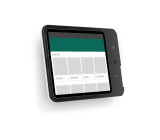
Square Kiosk
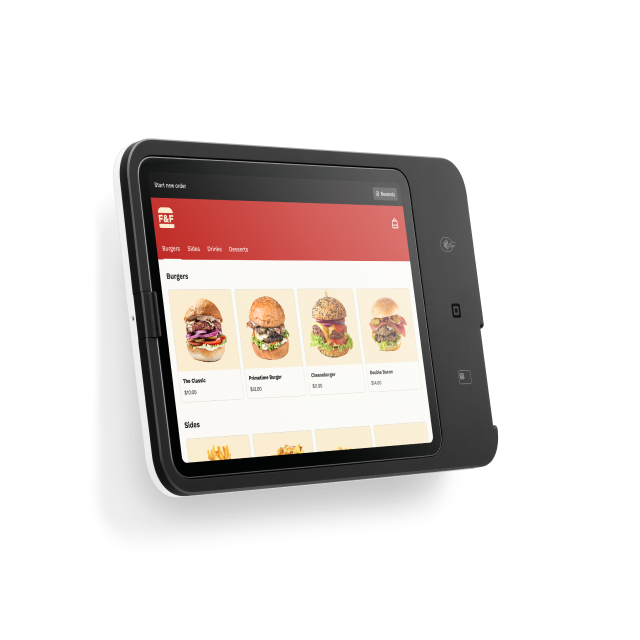
An affordable iPad-run self-service kiosk
Square Register (2nd generation)
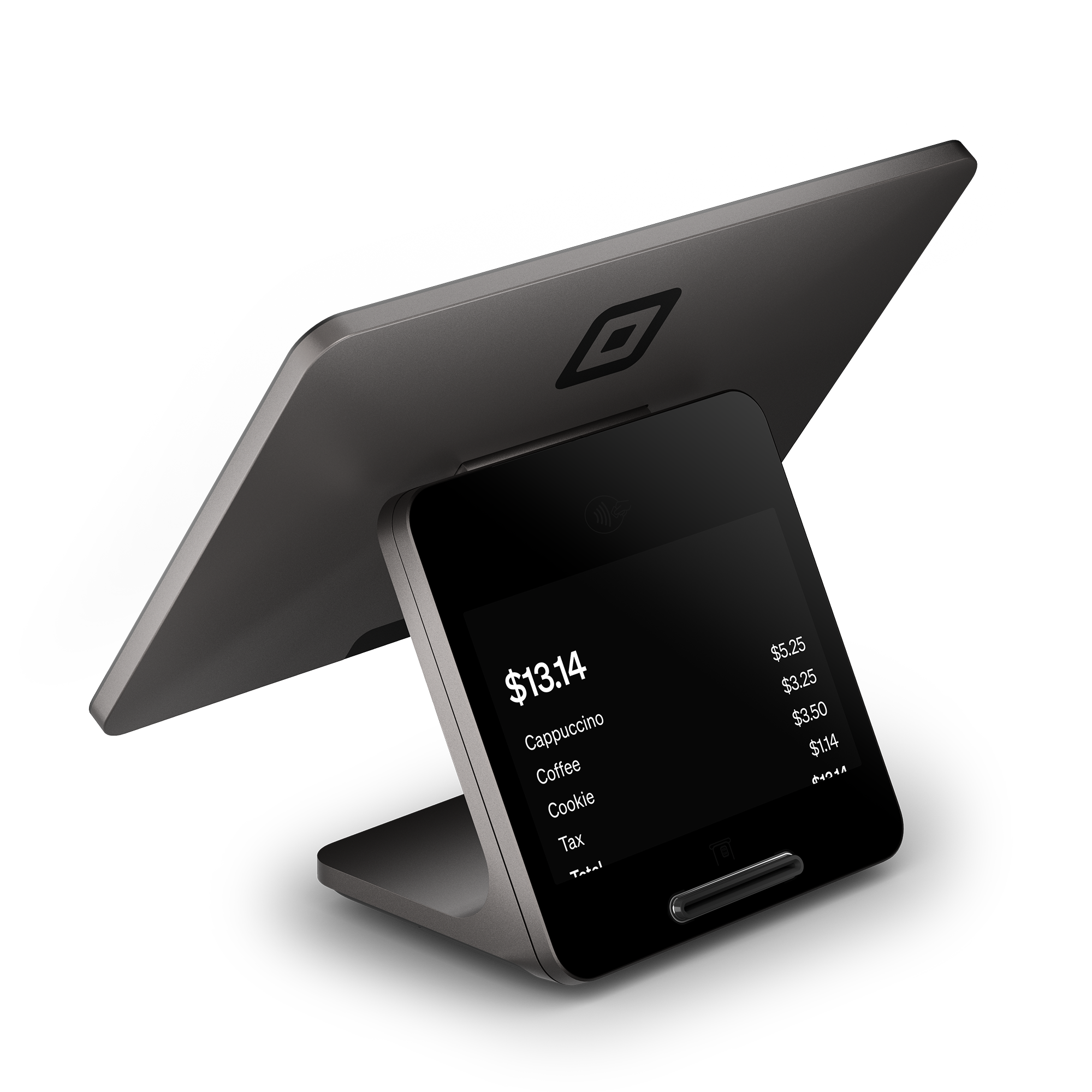
Two responsive screens for lightning-fast checkout
Square Handheld
A powerful point of sale that fits in your pocket
Square Kiosk
An affordable iPad-run self-service kiosk
Square Register (2nd generation)
Two responsive screens for lightning-fast checkout
Square Handheld
A powerful point of sale that fits in your pocket |
| Markdown | [Skip to Content](https://squareup.com/us/en/hardware/stand#main-content)
[Square](https://squareup.com/)
- Business types
Food & Beverage
- Discover
- [Overview](https://squareup.com/us/en/restaurants)
- [Switch to Square](https://squareup.com/us/en/restaurants/switch-to-square)
- [Coffee shops](https://squareup.com/us/en/restaurants/coffee-shop)
- [Quick service](https://squareup.com/us/en/restaurants/quick-service)
- [Full service](https://squareup.com/us/en/restaurants/full-service)
- [Bars & breweries](https://squareup.com/us/en/restaurants/bars)
- [Food trucks](https://squareup.com/us/en/restaurants/food-truck)
- [Catering](https://squareup.com/us/en/restaurants/caterers)
- [Bakeries](https://squareup.com/us/en/restaurants/bakery)
- Capabilities
- [Take payments](https://squareup.com/us/en/restaurants/capabilities?section=take-payments)
- [Manage orders from one place](https://squareup.com/us/en/restaurants/capabilities?section=manage-orders-from-one-place)
- [Keep customers coming back](https://squareup.com/us/en/restaurants/capabilities?section=keep-customers-coming-back)
- [Scale your business](https://squareup.com/us/en/restaurants/capabilities?section=scale-your-business)
- [Schedule and pay your team](https://squareup.com/us/en/restaurants/capabilities?section=schedule-and-pay-your-team)
- [Manage your cash flow](https://squareup.com/us/en/restaurants/capabilities?section=manage-your-cash-flow)
- [Improve operations](https://squareup.com/us/en/restaurants/capabilities?section=improve-operations)
Retail
- Discover
- [Overview](https://squareup.com/us/en/retail)
- [Switch to Square](https://squareup.com/us/en/retail/switch-to-square)
- [Clothing](https://squareup.com/us/en/retail/clothing)
- [Home & gift](https://squareup.com/us/en/retail/home-and-gift)
- [Wine & liquor](https://squareup.com/us/en/retail/wine-and-liquor)
- [Grocery](https://squareup.com/us/en/retail/grocery)
- [Garden](https://squareup.com/us/en/retail/garden)
- Capabilities
- [Take payments](https://squareup.com/us/en/retail/capabilities?section=take-payments)
- [Track inventory](https://squareup.com/us/en/retail/capabilities?section=track-inventory)
- [Add revenue streams](https://squareup.com/us/en/retail/capabilities?section=add-revenue-streams)
- [Manage your cash flow](https://squareup.com/us/en/retail/capabilities?section=manage-your-cash-flow)
- [Track performance](https://squareup.com/us/en/retail/capabilities?section=track-performance)
- [Keep customers coming back](https://squareup.com/us/en/retail/capabilities?section=keep-customers-coming-back)
- [Schedule and pay your team](https://squareup.com/us/en/retail/capabilities?section=schedule-and-pay-your-team)
- [Link your catalog and set up fast](https://squareup.com/us/en/retail/capabilities?section=link-your-catalog-and-set-up-fast)
Beauty
- Discover
- [Overview](https://squareup.com/us/en/beauty)
- [Switch to Square](https://squareup.com/us/en/beauty/switch-to-square)
- [Beauty salon](https://squareup.com/us/en/beauty/salons)
- [Nail salon](https://squareup.com/us/en/beauty/nail-salon)
- [Hair salon](https://squareup.com/us/en/beauty/hair-salon)
- [Day spa](https://squareup.com/us/en/industry/spa)
- [Barbershop](https://squareup.com/us/en/beauty/barbershop)
- [Tattoo & piercing](https://squareup.com/us/en/beauty/tattoo-and-piercing)
- [Med spa](https://squareup.com/us/en/beauty/med-spa)
- Capabilities
- [Take payments](https://squareup.com/us/en/beauty/capabilities?section=take-payments)
- [Manage your appointments](https://squareup.com/us/en/beauty/capabilities?section=manage-your-appointments)
- [Attract new clients](https://squareup.com/us/en/beauty/capabilities?section=attract-new-clients)
- [Keep clients coming back](https://squareup.com/us/en/beauty/capabilities?section=keep-clients-coming-back)
- [Schedule and pay your team](https://squareup.com/us/en/beauty/capabilities?section=schedule-and-pay-your-team)
- [Manage your cash flow](https://squareup.com/us/en/beauty/capabilities?section=manage-your-cash-flow)
- [Track performance](https://squareup.com/us/en/beauty/capabilities?section=track-performance)
- [Add revenue streams](https://squareup.com/us/en/beauty/capabilities?section=add-revenue-streams)
Services
- Discover
- [Overview](https://squareup.com/us/en/services)
- [Switch to Square](https://squareup.com/us/en/services/switch-to-square)
- [Home & commercial](https://squareup.com/us/en/services/home-and-repair)
- [Automotive services](https://squareup.com/us/en/services/automotive)
- [Transportation](https://squareup.com/us/en/services/transportation)
- [Contractors & specialists](https://squareup.com/us/en/services/contractors)
- [Professional services](https://squareup.com/us/en/services/professional-services)
- [Pet services](https://squareup.com/us/en/services/pet-services)
- [Organizations & nonprofits](https://squareup.com/us/en/services/nonprofit)
- [Cleaning services](https://squareup.com/us/en/services/cleaning-services)
- [Landscaping & outdoors](https://squareup.com/us/en/services/landscapers)
- [Recreation](https://squareup.com/us/en/services/group-recreation)
- [Healthcare](https://squareup.com/us/en/industry/healthcare)
- Capabilities
- [Take payments](https://squareup.com/us/en/services/capabilities?section=take-payments)
- [Win more business](https://squareup.com/us/en/services/capabilities?section=win-more-business)
- [Stay organized](https://squareup.com/us/en/services/capabilities?section=stay-organized)
- [Manage your cash flow](https://squareup.com/us/en/services/capabilities?section=manage-your-cash-flow)
- [Showcase your brand](https://squareup.com/us/en/services/capabilities?section=showcase-your-brand)
- [Automate and save time](https://squareup.com/us/en/services/capabilities?section=automate-and-save-time)
- [Keep customers coming back](https://squareup.com/us/en/services/capabilities?section=keep-customers-coming-back)
- [All business types](https://squareup.com/us/en/industry)
- Products
Hardware
- - [ Handheld](https://squareup.com/us/en/hardware/handheld)
- [ Terminal](https://squareup.com/us/en/hardware/terminal)
- [ Register](https://squareup.com/us/en/hardware/register)
- [ Stand](https://squareup.com/us/en/hardware/stand)
- [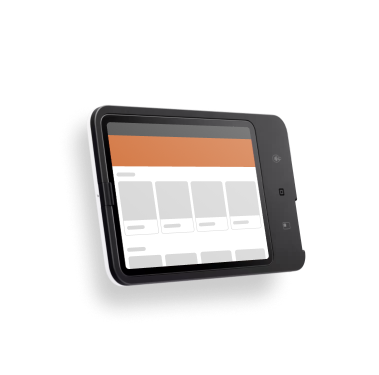 Kiosk](https://squareup.com/us/en/hardware/kiosk)
- [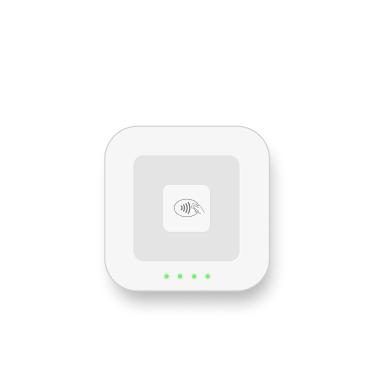 Reader for contactless and chip](https://squareup.com/us/en/hardware/contactless-chip-reader)
- [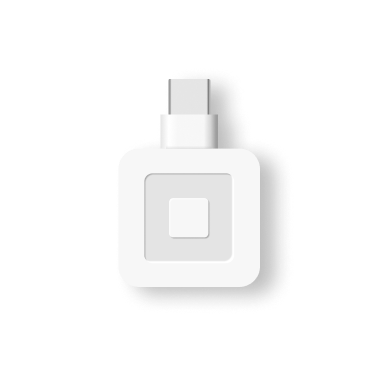 Reader for magstripe](https://squareup.com/us/en/hardware/reader)
- [ Accessories](https://squareup.com/shop/hardware/v2/us/en/products/accessories)
- [ Kits](https://squareup.com/shop/hardware/us/en/pos-kits)
- [ All hardware](https://squareup.com/us/en/hardware)
Payments
- Discover
- [Payments overview](https://squareup.com/us/en/payments)
- [Point of sale](https://squareup.com/us/en/point-of-sale)
- [Restaurants POS](https://squareup.com/us/en/point-of-sale/restaurants)
- [Retail POS](https://squareup.com/us/en/point-of-sale/retail)
- [Appointments POS](https://squareup.com/us/en/appointments)
- [Invoices](https://squareup.com/us/en/invoices)
- [Online ordering profiles](https://squareup.com/us/en/online-ordering)
- [Websites](https://squareup.com/us/en/online-store)
- [Kiosk ordering](https://squareup.com/us/en/point-of-sale/restaurants/kiosk-software)
- [Bitcoin](https://squareup.com/us/en/bitcoin)
Customers
- Discover
- [Marketing](https://squareup.com/us/en/marketing)
- [Messages](https://squareup.com/us/en/messages)
- [Square AI](https://squareup.com/us/en/ai)
- [Reporting](https://squareup.com/us/en/point-of-sale/features/dashboard/analytics)
- [Loyalty programs](https://squareup.com/us/en/software/loyalty)
- [Customer directory](https://squareup.com/us/en/point-of-sale/features/customer-directory)
- [Gift cards](https://squareup.com/us/en/gift-cards)
- [Photo studio](https://squareup.com/us/en/photo-studio/app)
- [Marketplace](https://squareup.com/us/en/app-marketplace)
- [Contracts](https://squareup.com/us/en/contracts)
Staff
- Discover
- [Shifts](https://squareup.com/us/en/staff/shifts)
- [Payroll](https://squareup.com/us/en/payroll)
- [Advanced access](https://squareup.com/us/en/staff/advanced-access)
- [Team communication](https://squareup.com/us/en/staff/team-communication)
Banking
- Discover
- [Banking overview](https://squareup.com/us/en/banking)
- [Checking](https://squareup.com/us/en/banking/checking)
- [Savings](https://squareup.com/us/en/banking/savings)
- [Loans](https://squareup.com/us/en/banking/loans)
- [Credit card](https://squareup.com/us/en/banking/credit-card)
- [Bitcoin](https://squareup.com/us/en/bitcoin)
Developers
- Discover
- [Developers APIs](https://developer.squareup.com/us/en)
- [App marketplace](https://squareup.com/us/en/app-marketplace)
- [Partner directories](https://squareup.com/us/en/partner-directory)
- [Specialists](https://squareup.com/us/en/square-specialists)
- [Partner offers](https://squareup.com/us/en/partner-offers)
- [All products](https://squareup.com/us/en/software)
- [Hardware](https://squareup.com/us/en/hardware)
- [Pricing](https://squareup.com/us/en/pricing)
- What's new
Releases
- Editions
- [Vol. 2, 2025](https://squareup.com/us/en/releases)
- [Vol. 1, 2025](https://squareup.com/us/en/releases/spring-2025)
- [Feature log](https://squareup.com/us/en/feature-log)
- [Roadmap](https://squareup.com/us/en/roadmap)
- [Sign in](https://app.squareup.com/login?lang_code=en-us)
- [Support](https://squareup.com/help/us/en)
Your Cart
No items in your cart
- [Shop hardware](https://squareup.com/us/en/hardware)
- [View cart](https://squareup.com/shop/hardware/us/en/cart)
- [Order history](https://squareup.com/shop/hardware/us/en/my-orders)
[Square](https://squareup.com/)
Go back to previous menu screen
Open menu
- Business types
- Products
- [Hardware](https://squareup.com/us/en/hardware)
- [Pricing](https://squareup.com/us/en/pricing)
- What's new
- [Sign in](https://app.squareup.com/login?lang_code=en-us)
- [Support](https://squareup.com/help/us/en)
- Search
- Checkout
- Business types
- Food & Beverage
- Retail
- Beauty
- Services
- [All business types](https://squareup.com/us/en/industry)
- Products
- Hardware
- Payments
- Customers
- Staff
- Banking
- Developers
- [All products](https://squareup.com/us/en/software)
- What's new
- Releases
- [Feature log](https://squareup.com/us/en/feature-log)
- [Roadmap](https://squareup.com/us/en/roadmap)
Discover
- [Overview](https://squareup.com/us/en/restaurants)
- [Switch to Square](https://squareup.com/us/en/restaurants/switch-to-square)
Types
- [Coffee shops](https://squareup.com/us/en/restaurants/coffee-shop)
- [Quick service](https://squareup.com/us/en/restaurants/quick-service)
- [Full service](https://squareup.com/us/en/restaurants/full-service)
- [Bars & breweries](https://squareup.com/us/en/restaurants/bars)
- [Food trucks](https://squareup.com/us/en/restaurants/food-truck)
- [Catering](https://squareup.com/us/en/restaurants/caterers)
- [Bakeries](https://squareup.com/us/en/restaurants/bakery)
Capabilities
- [Take payments](https://squareup.com/us/en/restaurants/capabilities?section=take-payments)
- [Manage orders from one place](https://squareup.com/us/en/restaurants/capabilities?section=manage-orders-from-one-place)
- [Keep customers coming back](https://squareup.com/us/en/restaurants/capabilities?section=keep-customers-coming-back)
- [Scale your business](https://squareup.com/us/en/restaurants/capabilities?section=scale-your-business)
- [Schedule and pay your team](https://squareup.com/us/en/restaurants/capabilities?section=schedule-and-pay-your-team)
- [Manage your cash flow](https://squareup.com/us/en/restaurants/capabilities?section=manage-your-cash-flow)
- [Improve operations](https://squareup.com/us/en/restaurants/capabilities?section=improve-operations)
Discover
- [Overview](https://squareup.com/us/en/retail)
- [Switch to Square](https://squareup.com/us/en/retail/switch-to-square)
Types
- [Clothing](https://squareup.com/us/en/retail/clothing)
- [Home & gift](https://squareup.com/us/en/retail/home-and-gift)
- [Wine & liquor](https://squareup.com/us/en/retail/wine-and-liquor)
- [Grocery](https://squareup.com/us/en/retail/grocery)
- [Garden](https://squareup.com/us/en/retail/garden)
Capabilities
- [Take payments](https://squareup.com/us/en/retail/capabilities?section=take-payments)
- [Track inventory](https://squareup.com/us/en/retail/capabilities?section=track-inventory)
- [Add revenue streams](https://squareup.com/us/en/retail/capabilities?section=add-revenue-streams)
- [Manage your cash flow](https://squareup.com/us/en/retail/capabilities?section=manage-your-cash-flow)
- [Track performance](https://squareup.com/us/en/retail/capabilities?section=track-performance)
- [Keep customers coming back](https://squareup.com/us/en/retail/capabilities?section=keep-customers-coming-back)
- [Schedule and pay your team](https://squareup.com/us/en/retail/capabilities?section=schedule-and-pay-your-team)
- [Link your catalog and set up fast](https://squareup.com/us/en/retail/capabilities?section=link-your-catalog-and-set-up-fast)
Discover
- [Overview](https://squareup.com/us/en/beauty)
- [Switch to Square](https://squareup.com/us/en/beauty/switch-to-square)
Types
- [Beauty salon](https://squareup.com/us/en/beauty/salons)
- [Nail salon](https://squareup.com/us/en/beauty/nail-salon)
- [Hair salon](https://squareup.com/us/en/beauty/hair-salon)
- [Day spa](https://squareup.com/us/en/industry/spa)
- [Barbershop](https://squareup.com/us/en/beauty/barbershop)
- [Tattoo & piercing](https://squareup.com/us/en/beauty/tattoo-and-piercing)
- [Med spa](https://squareup.com/us/en/beauty/med-spa)
Capabilities
- [Take payments](https://squareup.com/us/en/beauty/capabilities?section=take-payments)
- [Manage your appointments](https://squareup.com/us/en/beauty/capabilities?section=manage-your-appointments)
- [Attract new clients](https://squareup.com/us/en/beauty/capabilities?section=attract-new-clients)
- [Keep clients coming back](https://squareup.com/us/en/beauty/capabilities?section=keep-clients-coming-back)
- [Schedule and pay your team](https://squareup.com/us/en/beauty/capabilities?section=schedule-and-pay-your-team)
- [Manage your cash flow](https://squareup.com/us/en/beauty/capabilities?section=manage-your-cash-flow)
- [Track performance](https://squareup.com/us/en/beauty/capabilities?section=track-performance)
- [Add revenue streams](https://squareup.com/us/en/beauty/capabilities?section=add-revenue-streams)
Discover
- [Overview](https://squareup.com/us/en/services)
- [Switch to Square](https://squareup.com/us/en/services/switch-to-square)
Types
- [Home & commercial](https://squareup.com/us/en/services/home-and-repair)
- [Automotive services](https://squareup.com/us/en/services/automotive)
- [Transportation](https://squareup.com/us/en/services/transportation)
- [Contractors & specialists](https://squareup.com/us/en/services/contractors)
- [Professional services](https://squareup.com/us/en/services/professional-services)
- [Pet services](https://squareup.com/us/en/services/pet-services)
- [Organizations & nonprofits](https://squareup.com/us/en/services/nonprofit)
- [Cleaning services](https://squareup.com/us/en/services/cleaning-services)
- [Landscaping & outdoors](https://squareup.com/us/en/services/landscapers)
- [Recreation](https://squareup.com/us/en/services/group-recreation)
- [Healthcare](https://squareup.com/us/en/industry/healthcare)
Capabilities
- [Take payments](https://squareup.com/us/en/services/capabilities?section=take-payments)
- [Win more business](https://squareup.com/us/en/services/capabilities?section=win-more-business)
- [Stay organized](https://squareup.com/us/en/services/capabilities?section=stay-organized)
- [Manage your cash flow](https://squareup.com/us/en/services/capabilities?section=manage-your-cash-flow)
- [Showcase your brand](https://squareup.com/us/en/services/capabilities?section=showcase-your-brand)
- [Automate and save time](https://squareup.com/us/en/services/capabilities?section=automate-and-save-time)
- [Keep customers coming back](https://squareup.com/us/en/services/capabilities?section=keep-customers-coming-back)
Hardware
- - [ Handheld](https://squareup.com/us/en/hardware/handheld)
- [ Terminal](https://squareup.com/us/en/hardware/terminal)
- [ Register](https://squareup.com/us/en/hardware/register)
- [ Stand](https://squareup.com/us/en/hardware/stand)
- [ Kiosk](https://squareup.com/us/en/hardware/kiosk)
- [ Reader for contactless and chip](https://squareup.com/us/en/hardware/contactless-chip-reader)
- [ Reader for magstripe](https://squareup.com/us/en/hardware/reader)
- [ Accessories](https://squareup.com/shop/hardware/v2/us/en/products/accessories)
- [ Kits](https://squareup.com/shop/hardware/us/en/pos-kits)
- [ All hardware](https://squareup.com/us/en/hardware)
Discover
- [Payments overview](https://squareup.com/us/en/payments)
- [Point of sale](https://squareup.com/us/en/point-of-sale)
- [Restaurants POS](https://squareup.com/us/en/point-of-sale/restaurants)
- [Retail POS](https://squareup.com/us/en/point-of-sale/retail)
- [Appointments POS](https://squareup.com/us/en/appointments)
- [Invoices](https://squareup.com/us/en/invoices)
- [Online ordering profiles](https://squareup.com/us/en/online-ordering)
- [Websites](https://squareup.com/us/en/online-store)
- [Kiosk ordering](https://squareup.com/us/en/point-of-sale/restaurants/kiosk-software)
- [Bitcoin](https://squareup.com/us/en/bitcoin)
Discover
- [Marketing](https://squareup.com/us/en/marketing)
- [Messages](https://squareup.com/us/en/messages)
- [Square AI](https://squareup.com/us/en/ai)
- [Reporting](https://squareup.com/us/en/point-of-sale/features/dashboard/analytics)
- [Loyalty programs](https://squareup.com/us/en/software/loyalty)
- [Customer directory](https://squareup.com/us/en/point-of-sale/features/customer-directory)
- [Gift cards](https://squareup.com/us/en/gift-cards)
- [Photo studio](https://squareup.com/us/en/photo-studio/app)
- [Marketplace](https://squareup.com/us/en/app-marketplace)
- [Contracts](https://squareup.com/us/en/contracts)
Discover
- [Shifts](https://squareup.com/us/en/staff/shifts)
- [Payroll](https://squareup.com/us/en/payroll)
- [Advanced access](https://squareup.com/us/en/staff/advanced-access)
- [Team communication](https://squareup.com/us/en/staff/team-communication)
Discover
- [Banking overview](https://squareup.com/us/en/banking)
- [Checking](https://squareup.com/us/en/banking/checking)
- [Savings](https://squareup.com/us/en/banking/savings)
- [Loans](https://squareup.com/us/en/banking/loans)
- [Credit card](https://squareup.com/us/en/banking/credit-card)
- [Bitcoin](https://squareup.com/us/en/bitcoin)
Discover
- [Developers APIs](https://developer.squareup.com/us/en)
- [App marketplace](https://squareup.com/us/en/app-marketplace)
- [Partner directories](https://squareup.com/us/en/partner-directory)
- [Specialists](https://squareup.com/us/en/square-specialists)
- [Partner offers](https://squareup.com/us/en/partner-offers)
Editions
- [Vol. 2, 2025](https://squareup.com/us/en/releases)
- [Vol. 1, 2025](https://squareup.com/us/en/releases/spring-2025)
No items in your cart
- [Shop hardware](https://squareup.com/us/en/hardware)
- [View cart](https://squareup.com/shop/hardware/us/en/cart)
- [Order history](https://squareup.com/shop/hardware/us/en/my-orders)
[Contact sales](https://squareup.com/us/en/sales/contact?page=/us/en/hardware/stand)
[Get started](https://squareup.com/signup/en-US)
- [ Handheld](https://squareup.com/us/en/hardware/handheld)
- [ Terminal](https://squareup.com/us/en/hardware/terminal)
- [ Register](https://squareup.com/us/en/hardware/register)
- [ Stand](https://squareup.com/us/en/hardware/stand)
- [ Kiosk](https://squareup.com/us/en/hardware/kiosk)
- [ Reader for contactless and chip](https://squareup.com/us/en/hardware/contactless-chip-reader)
- [ Reader for magstripe](https://squareup.com/us/en/hardware/reader)
- [ Accessories](https://squareup.com/shop/hardware/us/en/products/accessories)
- [ Hardware kits](https://squareup.com/shop/hardware/us/en/pos-kits)
- [ Compare](https://squareup.com/us/en/hardware/compare)
Stand
- [Overview](https://squareup.com/us/en/hardware/stand)
- [Specs](https://squareup.com/us/en/hardware/stand/specs)
- [Buy now](https://squareup.com/shop/hardware/us/en/products/ipad-pos-stand-integrated-card-reader-usb-c)
- [Contact sales](https://squareup.com/us/en/sales/contact?page=/us/en/hardware/stand)
Stand
Go to main menu
Open menu
- [Overview](https://squareup.com/us/en/hardware/stand)
- [Specs](https://squareup.com/us/en/hardware/stand/specs)
[Contact sales](https://squareup.com/us/en/sales/contact?page=/us/en/hardware/stand)
[Buy now](https://squareup.com/shop/hardware/us/en/products/ipad-pos-stand-integrated-card-reader-usb-c)
# Square
# Stand
Easy to use. Easy on your budget. A simple iPad POS that puts a smarter spin on selling.
[Buy now](https://squareup.com/shop/hardware/us/en/products/ipad-pos-stand-integrated-card-reader-usb-c)
[Contact sales](https://squareup.com/us/en/sales/contact?page=/us/en/hardware/stand)

### iPad to POS in minutes
Slide in a compatible iPad and download a free Square point of sale app to get started. No pricey training or service visits needed.
[See compatible iPads](https://squareup.com/us/en/hardware/stand)

### Your entire business in one place
Power every part of what you do all on one device. That’s payments, your website, daily reporting, and so much more.

### No extra readers required
Super fast built-in payments mean far fewer cords, a cleaner counter, and a seamless checkout experience from here on out.
## One screen, double the ease at checkout.
A smooth 180º swivel means you just add items and then turn the screen to customers so they can do the rest.

**In a swivel, customers can confirm their total, tip, pay, and even claim loyalty points.**
Built-in contactless and chip payments let everyone pay their way.

Contactless

Chip

Cash App Pay

Magstripe\*
\*Square Reader for magstripe not included
Guiding LED lights make it clear where to pay.

**In a swivel, customers can confirm their total, tip, pay, and even claim loyalty points.**

Built-in contactless and chip payments let everyone pay their way.

Contactless

Chip

Cash App Pay

Magstripe\*
\*Square Reader for magstripe not included
Guiding LED lights make it clear where to pay.

## Stress less with a reliable POS.
### Keep selling, even offline.
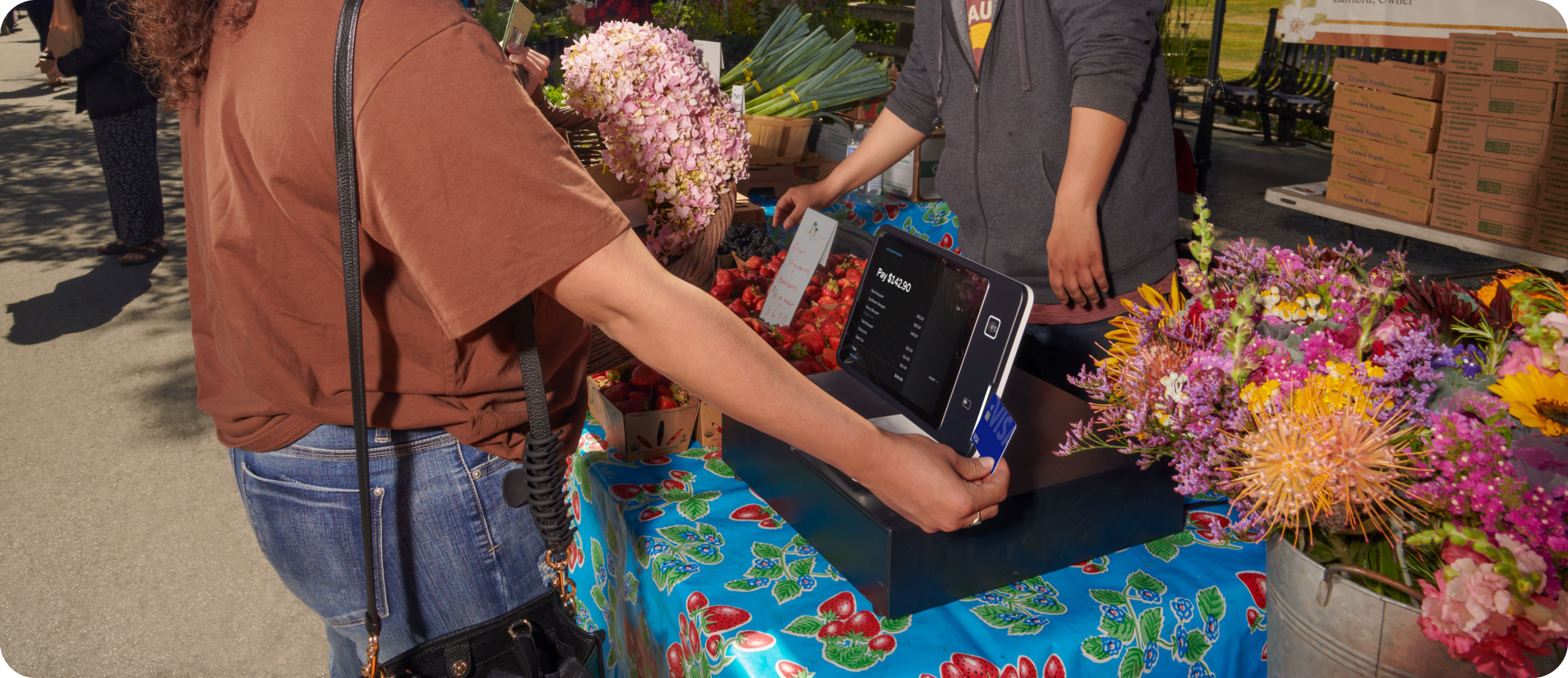
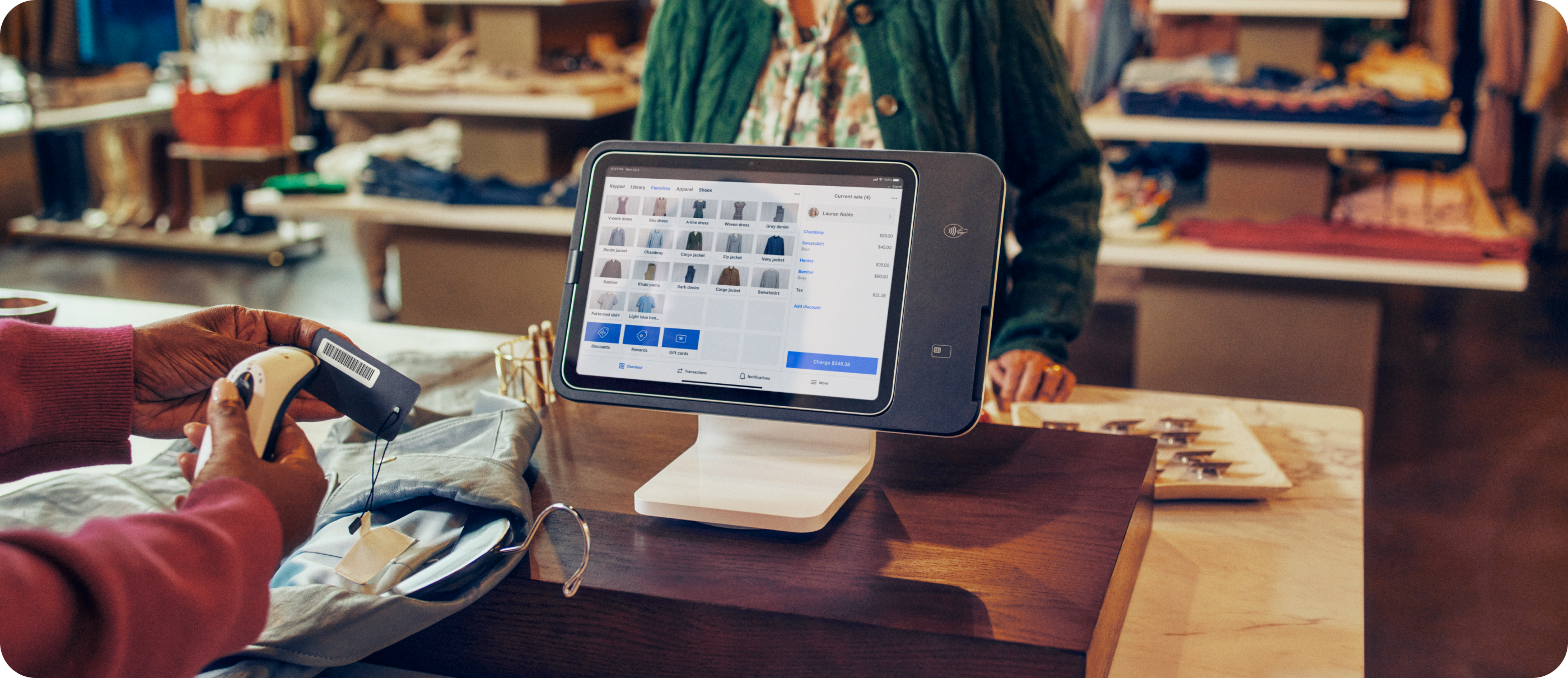
Wi-Fi or connectivity disruption? Keep taking payments with offline payments.¹ Just reconnect to internet within 24 hours to upload transactions.
### Stay powered even without power.
If you need to unplug or if you lose power, Square Stand can run off your iPad’s battery. iPad powered mode only on Square Stand (2nd generation, USB-C).
### It’s all by Square.
Point-of-sale hardware, software, and payments, all by Square. That’s more safety, security, and peace of mind for you and your customers.
## Download the Square app that fits your business.
- All
- Restaurant
- Appointments
- Retail
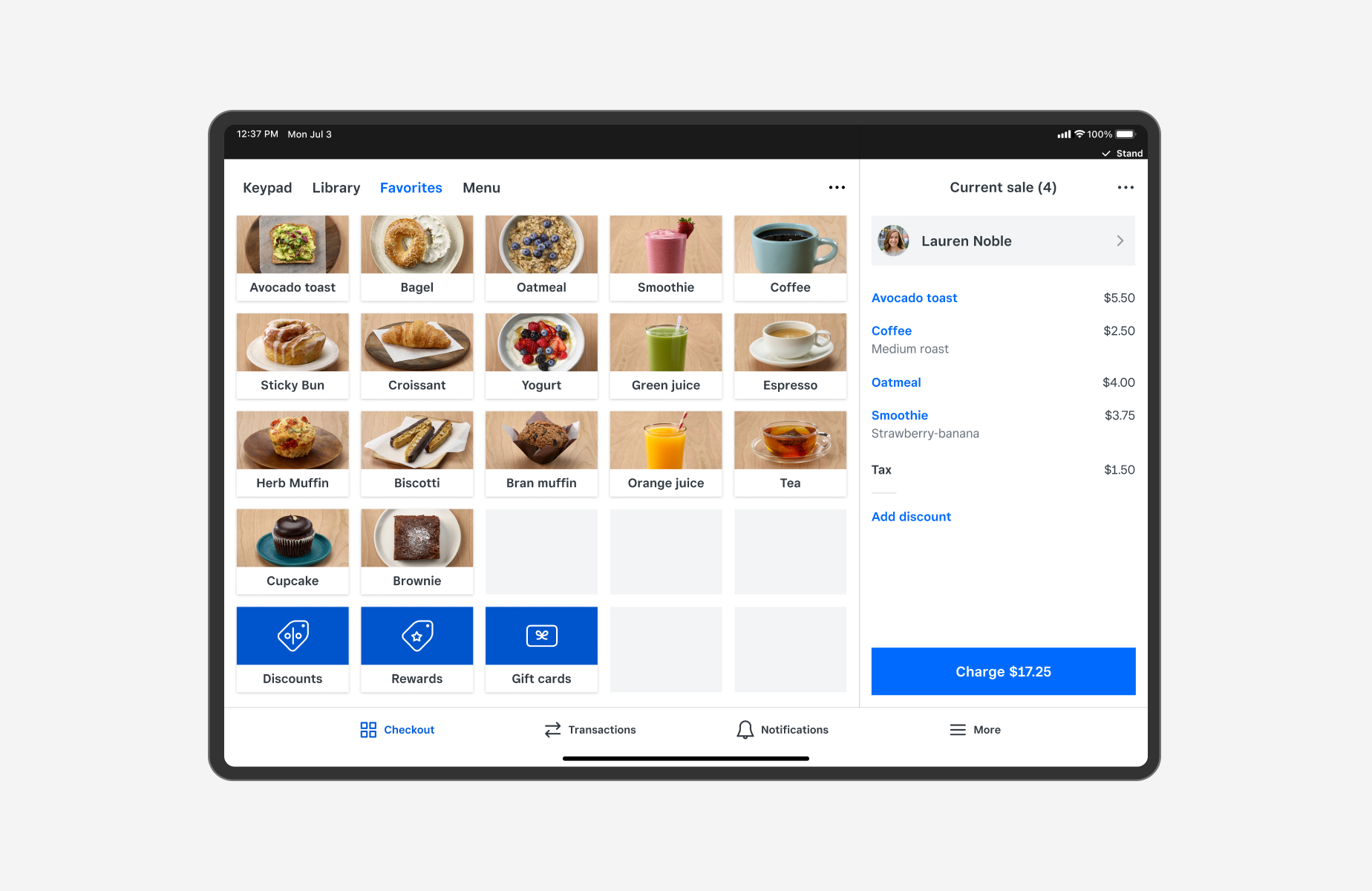
Charge any amount
Simply enter custom amounts with the Keypad.
Offline payments
Keep taking payments, even if the Wi-Fi’s out.¹
Item tiles
Easily select an item from a grid of favorites.
Refund
Easily track purchases, issue refunds, and print new receipts.
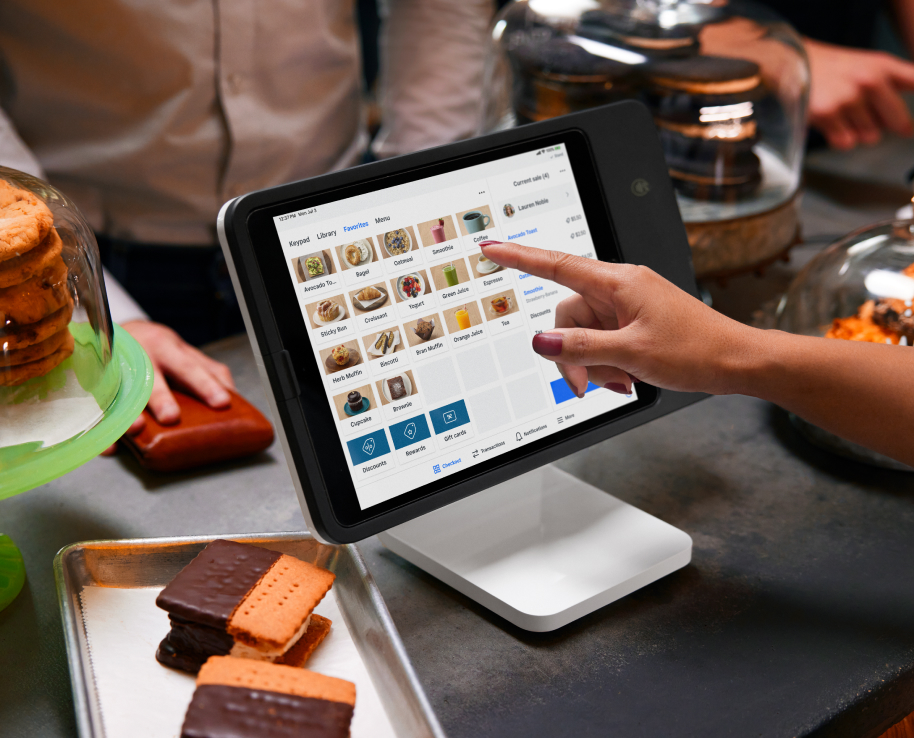
[Square Point of Sale](https://squareup.com/us/en/point-of-sale) is free and customizable for every business type, even ones that do a little of everything.
Sync orders on your POS with your [online store](https://squareup.com/us/en/online-store), [increase loyalty](https://squareup.com/us/en/software/loyalty) with customer data, and more.
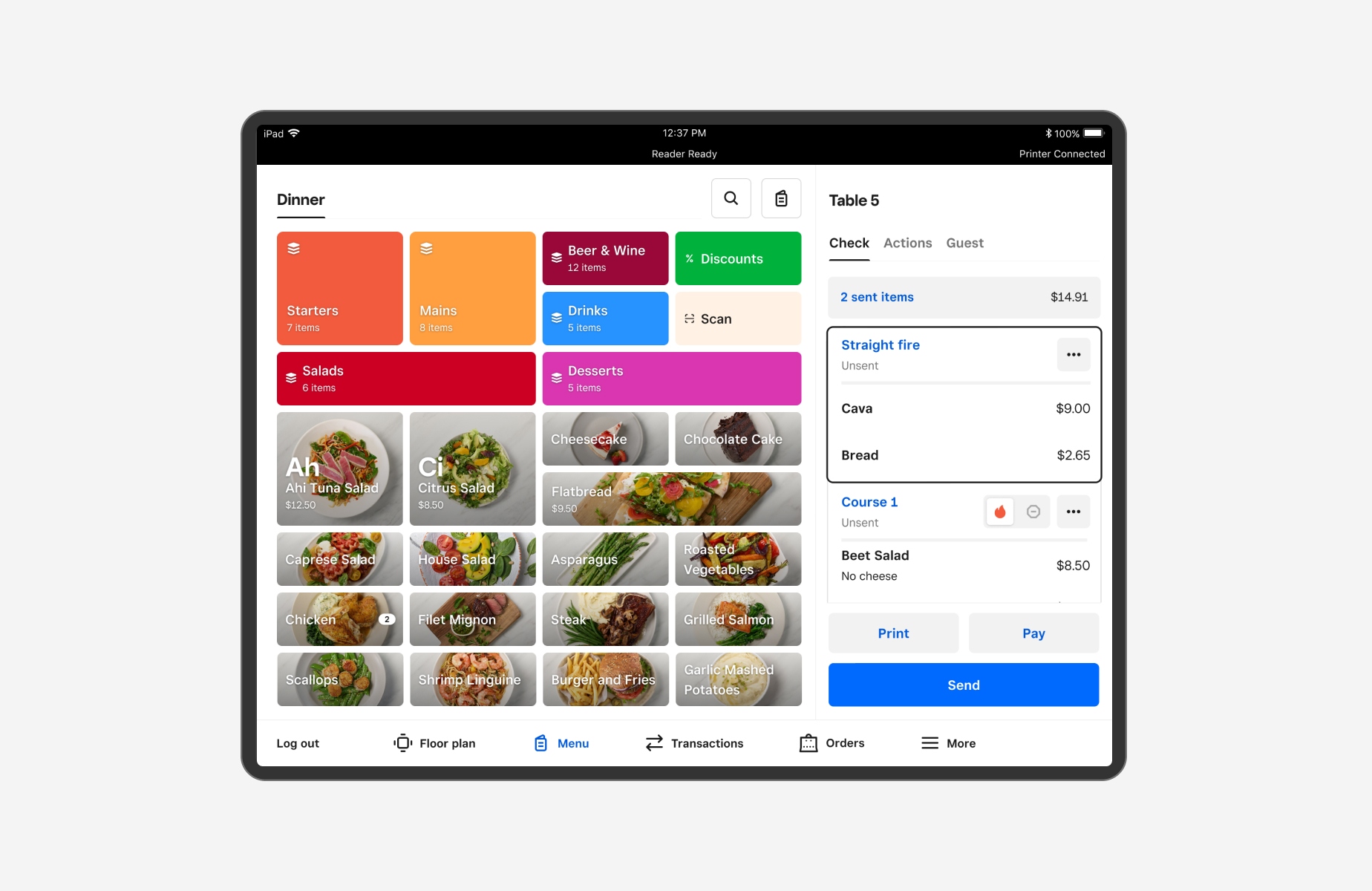
Item counts
Check on item availability, comp a round of drinks, and more.
Menu updates
Seamlessly switch between lunch and dinner service.
Order accuracy
Organize drinks and apps for fewer ordering mistakes.
Take a two-minute tour
See how Square for Restaurants mobile POS can work for you.
[Try the POS demo](https://squareup.com/us/en/point-of-sale/restaurants/mobile-pos-demo)
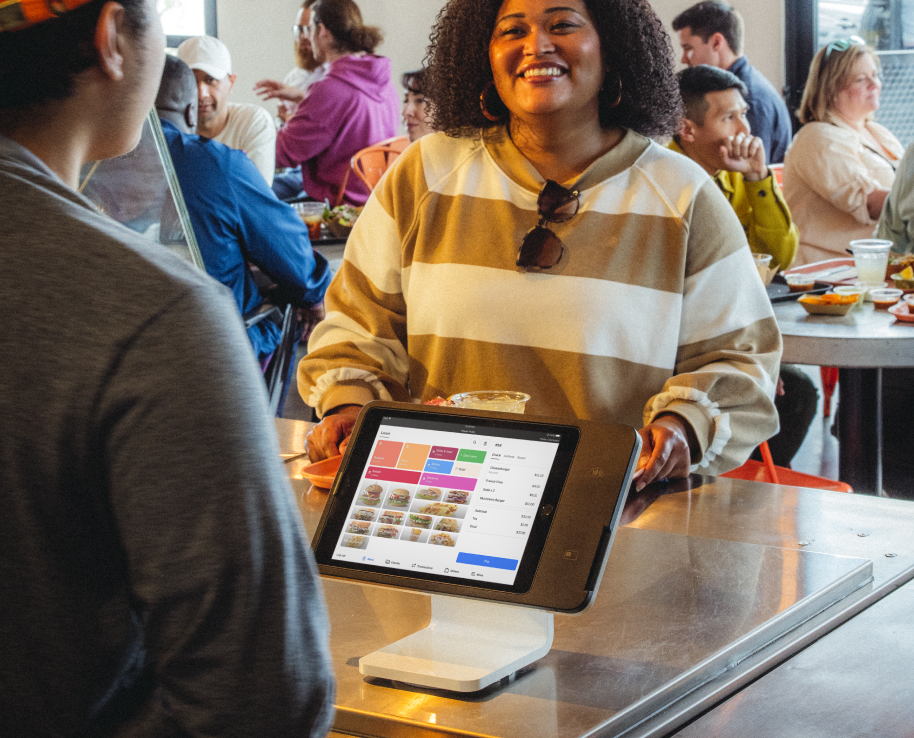
Connect orders and operations in your front of house and back of house with [Square for Restaurants](https://squareup.com/us/en/point-of-sale/restaurants).
[Manage and empower your team](https://squareup.com/us/en/staff), autocalculate [tips](https://squareup.com/us/en/payroll), [turn walk-ins into regulars](https://squareup.com/us/en/software/loyalty), and more.
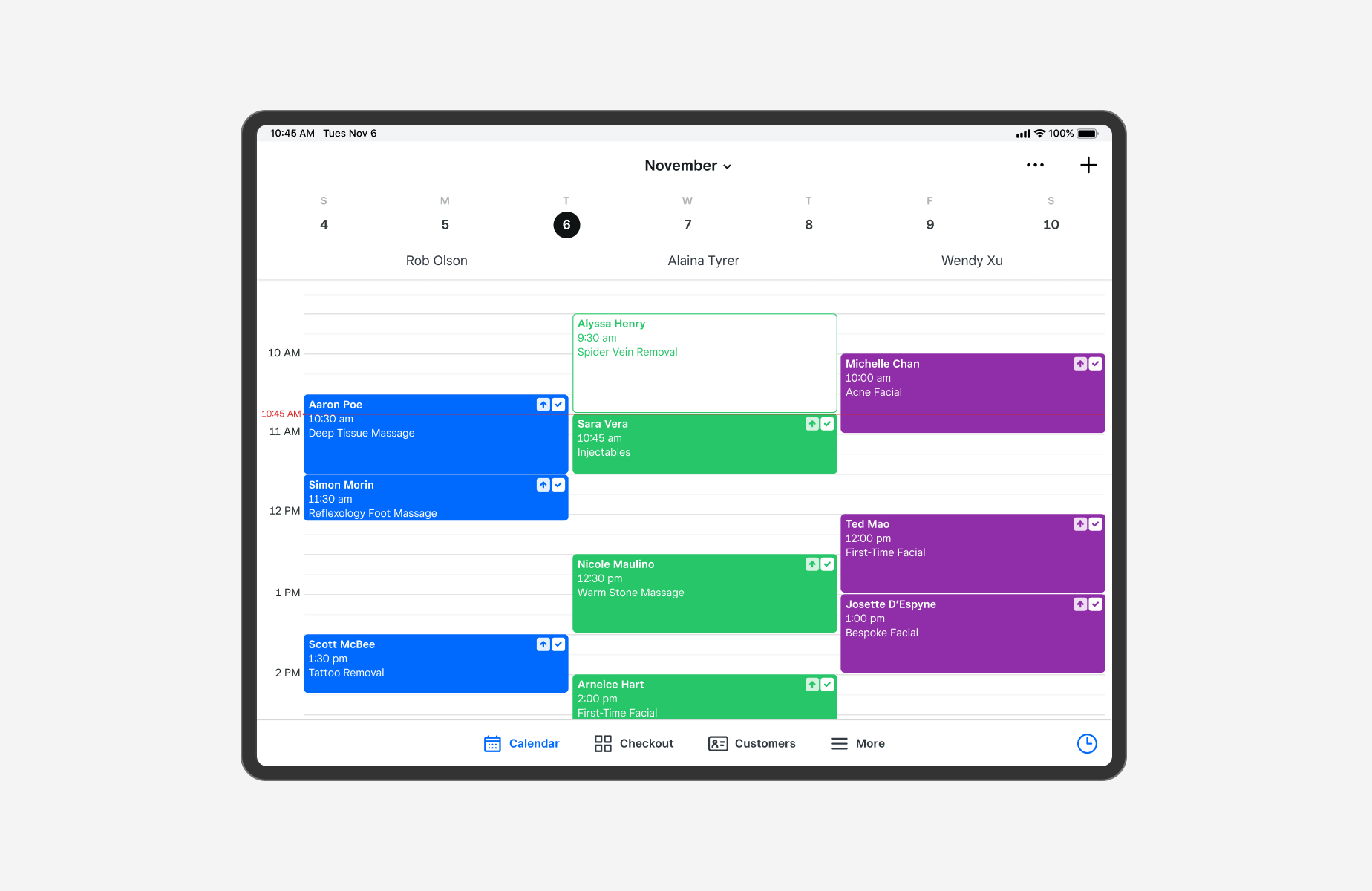
Calendar views
Clearly see upcoming bookings and openings in team members’ schedules.
Manage appointments
Accept, cancel, or reschedule bookings, then schedule staff accordingly.
Easy checkout
Check out directly from the calendar and easily track your sales and earnings.
Keep cards on file
Create client profiles for seamless checkout.
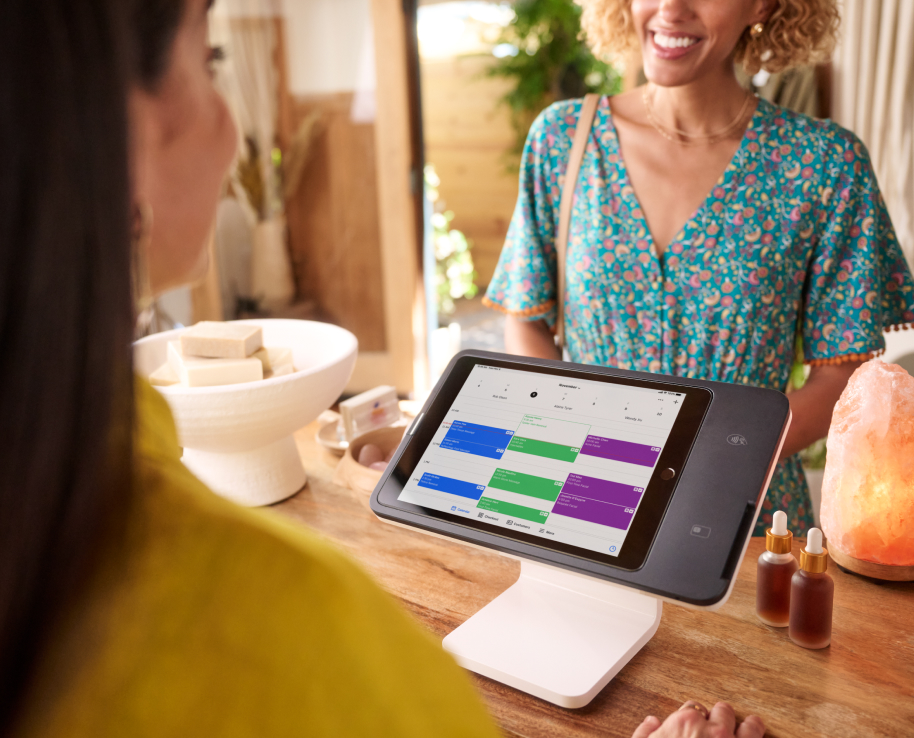
Schedule bookings, take payments, put your people first, and leave the admin to [Square Appointments](https://squareup.com/us/en/appointments).
[Engage clients and reach new ones](https://squareup.com/us/en/marketing), [track commission rates](https://squareup.com/us/en/payroll) across your team, and more.
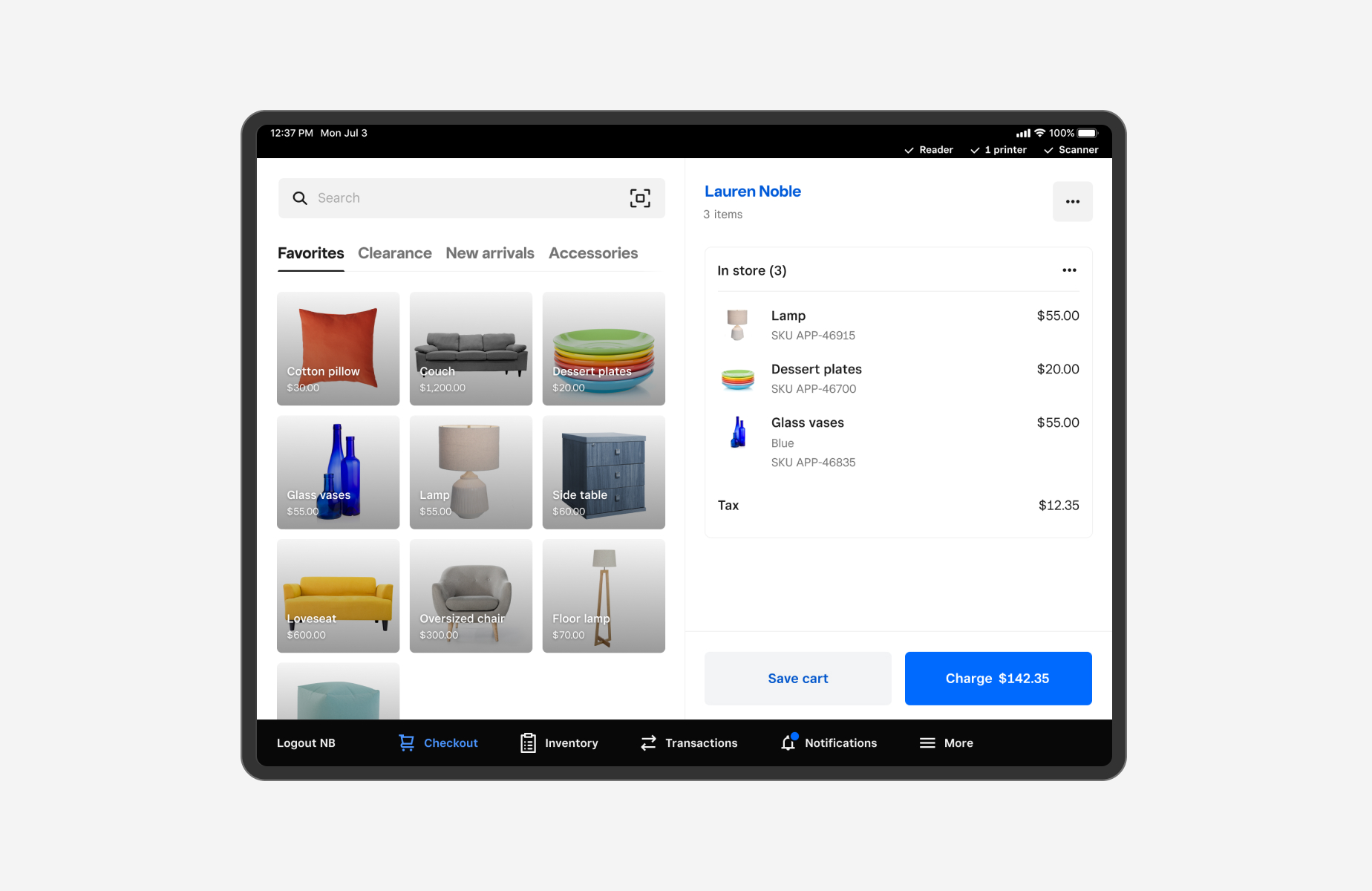
Customizable tiles
Create and sort tiles for what you use most — items, favorites, and saved carts.
Efficient workflows
Personalize your item grid for quicker checkouts and seamless item discovery.
Updated inventory
Get alerts for low stock and automatically send out POs.
Reporting
Get access to detailed sales reports in the palm of your hand.
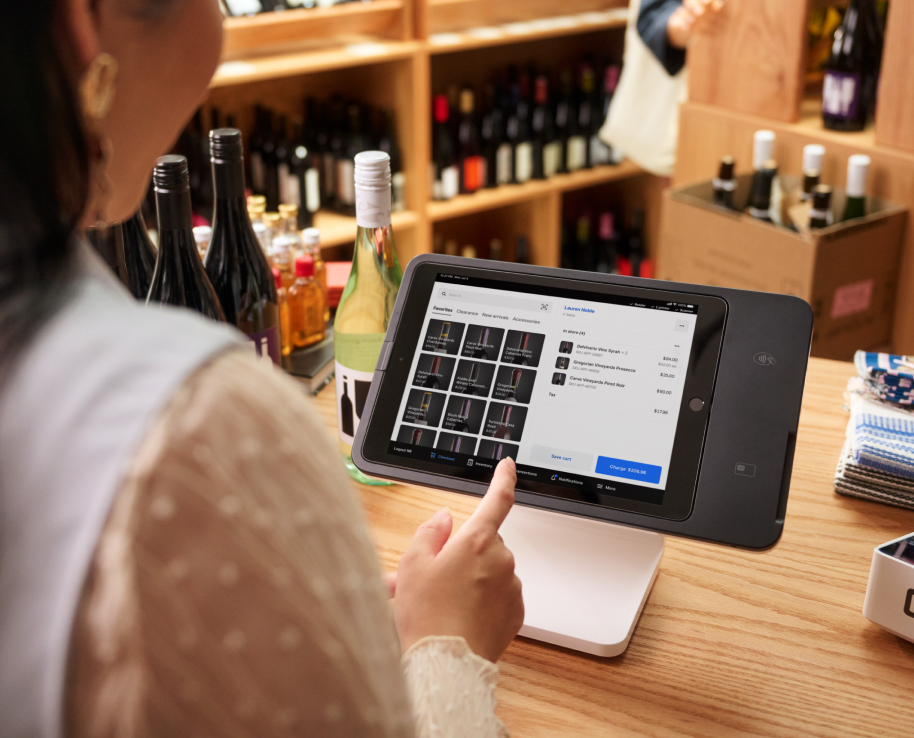
[Square for Retail](https://squareup.com/us/en/point-of-sale/retail) is easy to personalize, speeds up checkout and simplifies exchanges and returns.
[Keep regulars and attract new customers](https://squareup.com/us/en/marketing), easily [pay employees with multiple rates](https://squareup.com/us/en/payroll), and more.
My customers love it. It’s clear, it’s concise, easy to read, and they know exactly what they’re paying for.
Trina Gregory-Propst, Se7en Bites, Orlando, Florida
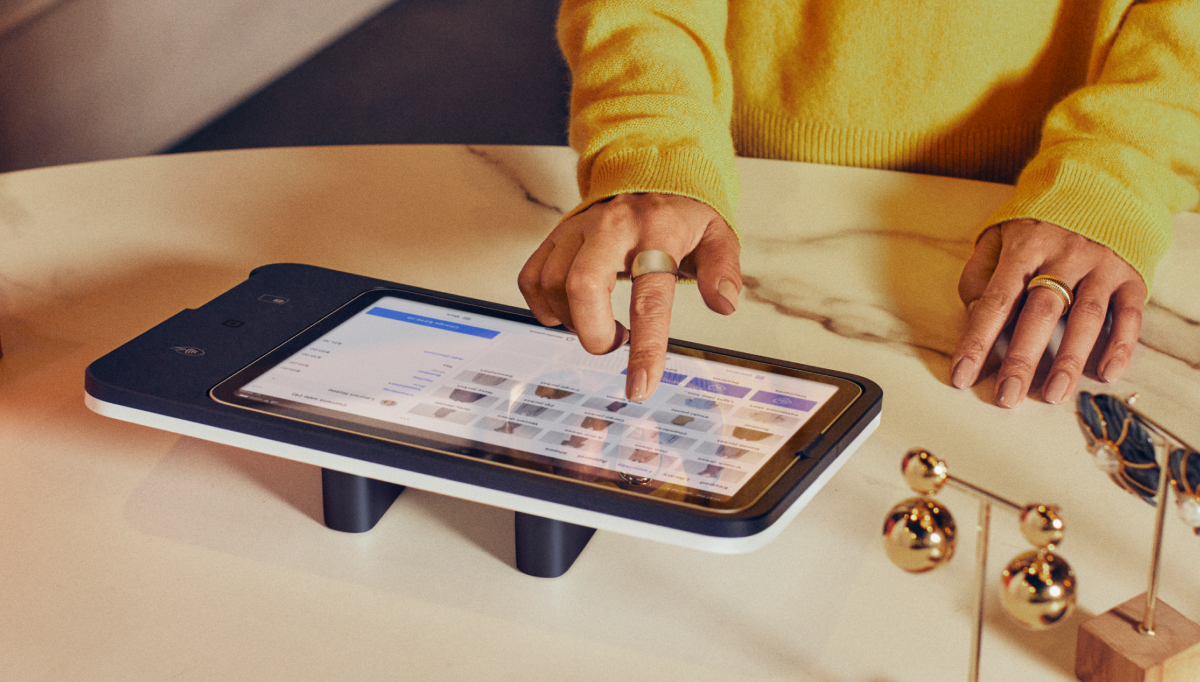
## Want a compact POS you can put anywhere?
Square Kiosk has all the power of our signature iPad POS, plus the versatility to go exactly where you need it.
[See Square Kiosk](https://squareup.com/us/en/hardware/kiosk/#looking-for-a-space-saving-pos)
## Accessorize and customize.
With the included USB hub and your iPad’s built-in Bluetooth and Network compatibility, growing your setup with accessories is effortless.
[Shop compatible accessories](https://squareup.com/shop/hardware/v2/us/en/products/accessories?filter=for_stand)
[Shop Square Stand kits](https://squareup.com/shop/hardware/us/en/pos-kits)
### Buy Square Stand.
\$149
### \$149 \$119.20
or \$14 per month over 12 months.²
or \$21/month over 6 months with code **CYBER25** until December 4.⁷
[Buy now](https://squareup.com/shop/hardware/us/en/products/ipad-pos-stand-integrated-card-reader-usb-c)
2\.6% + 15¢
per in-person tap, dip, or swipe payment. 6% + 30¢ per Afterpay transaction.
Custom rates
Some businesses that process \$250K+ in credit card sales can get a custom rate.
[Connect with us](https://squareup.com/us/en/sales/contact?page=/us/en/hardware/stand)

### One-year warranty
Square Stand gets up and running fast, but if you run into anything on the way, there’s a one-year limited warranty.

### Works with your iPad
Square Stand is instantly intuitive. Use a [compatible iPad](https://squareup.com/us/en/hardware/stand/specs?ipad-compatibility=true) you already own or add one to cart as you check out.

### Help along the way
The [Square Stand Guide](https://squareup.com/help/us/en/article/7722-square-stand-2nd-generation-guide) has instructions and helpful FAQ. Or chat with [customer support](https://squareup.com/help/us/en) for help when you need it.
## Frequently asked questions
- [Will my iPad work with Square Stand?](https://squareup.com/us/en/hardware/stand)
Square Stand is compatible with several iPad models with a USB-C connector. Before buying Square Stand, make sure you have a supported iPad.
- iPad (A16)
- iPad (10th generation)
- iPad Pro 11-inch (1st, 2nd, 3rd, 4th generation)
- iPad Air (4th, 5th generation)
- iPad Air 11-inch (M2, M3)
[See all compatible iPads and supported iOS](https://squareup.com/us/en/compatibility?platform=iOS&brand=Apple)
- [Will printers, cash drawers, and other accessories work with Square Stand?](https://squareup.com/us/en/hardware/stand)
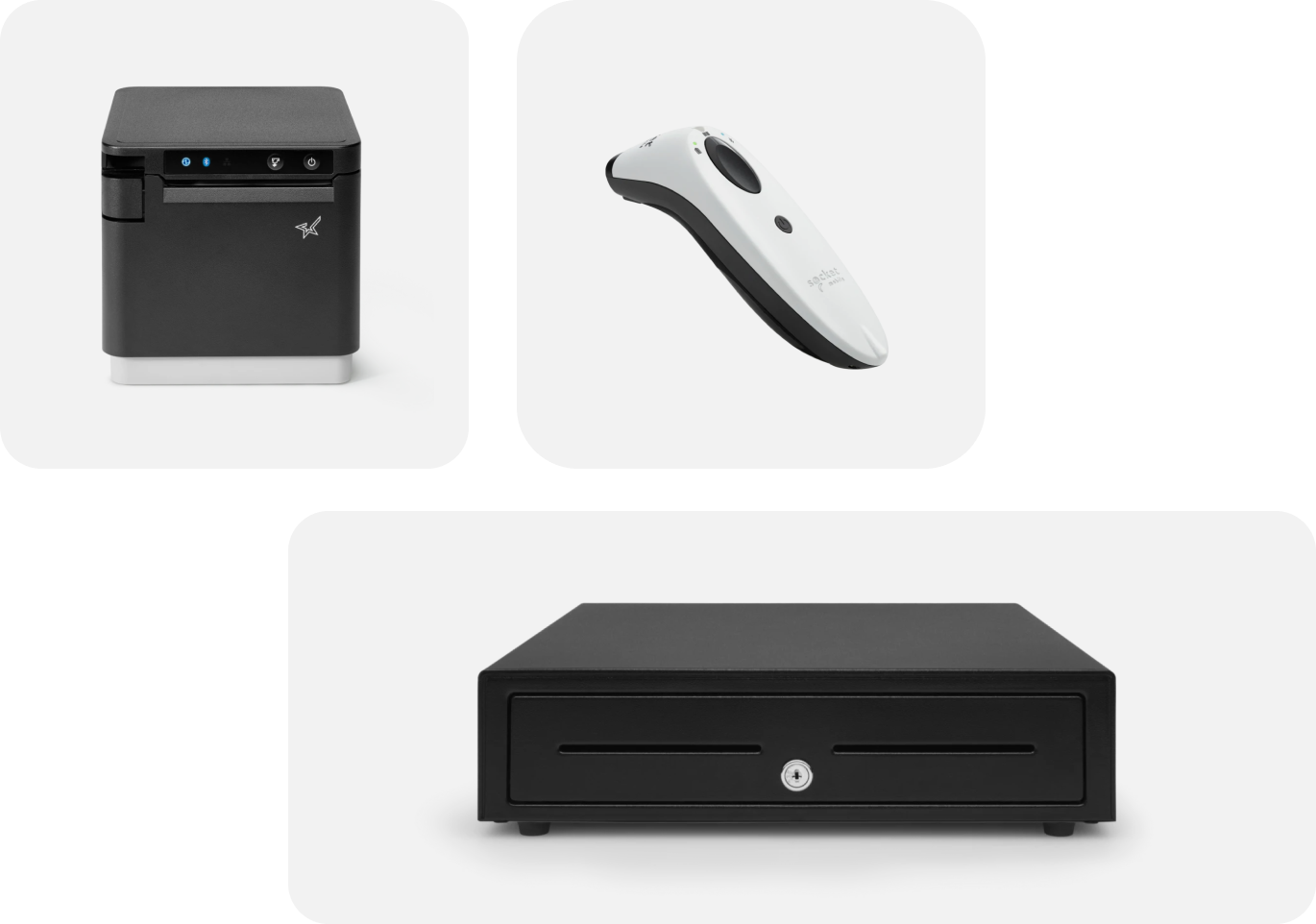
Square Stand is compatible with a range of third-party accessories, including a variety of models from different manufacturers and options for every type of business. From adding a cash drawer to transform Square Stand into a complete iPad cash register to connecting a barcode scanner to make checkouts even more efficient, you can customize your setup and [seamlessly purchase everything directly from Square](https://squareup.com/shop/hardware/us/en/products/accessories?filter=for_stand) or start by [seeing all the accessories that work with Square Stand](https://squareup.com/us/en/compatibility/accessories).
- [How do I secure Square Stand to my counter?](https://squareup.com/us/en/hardware/stand)
Securing Square Stand to your counter is easy and you can set everything up in no time at all.
[Get step-by-step directions](https://squareup.com/help/us/en/article/5511-mount-and-secure-your-square-stand)
- [Should I choose Square Stand or Square Kiosk?](https://squareup.com/us/en/hardware/stand)
The different options of Square hardware give you more customization options depending on your business needs. Square Stand is a countertop point of sale that can be swiveled, so you add items and customers confirm totals and pay. Square Kiosk features several different mounting options to place on a wall, flat on a countertop, or on any 100x100 mm VESA-compatible mount, such as a floor stand. The main difference between the two is how you install them physically — Square Stand sits on your counter and swivels, whereas Square Kiosk does not swivel but offers a variety of fixed mounting options, making it a great fit for a self-service kiosk setup.
Square Stand and Square Kiosk hardware can both be used as a POS or a self-service kiosk. Using either device with Square Kiosk software will limit some of the device features, such as the ability to use accessories.
[Learn more](https://squareup.com/help/us/en/article/7795-compare-square-stand-and-square-stand-mount)
- [Can I pair other Square hardware or readers with Square Stand?](https://squareup.com/us/en/hardware/stand)
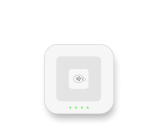
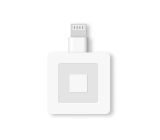
It’s simple to pair Square Stand with other Square hardware. You can easily connect an extra card reader, such as [Square Reader for magstripe](https://squareup.com/us/en/hardware/reader) to take swipe payments or [Square Reader for contactless and chip](https://squareup.com/us/en/hardware/contactless-chip-reader) to take payments at a distance or extend your countertop. You can also add [Square Terminal](https://squareup.com/us/en/hardware/terminal) to your Square Stand setup to add a dedicated customer display or take payments wherever your customers are.
## Get updates and insights.
Stay up to date on Square Stand, new products, expert advice, and more.
## Nice to meet you.
We think businesses are as unique as the people who run them. Get individualized content on the topics you care about most by telling us a little more about yourself.
## Other hardware options
Square Kiosk
### An affordable iPad-run self-service kiosk
[Learn more](https://squareup.com/us/en/hardware/kiosk)
Square Register (2nd generation)
### Two responsive screens for lightning-fast checkout
[Learn more](https://squareup.com/us/en/hardware/register)
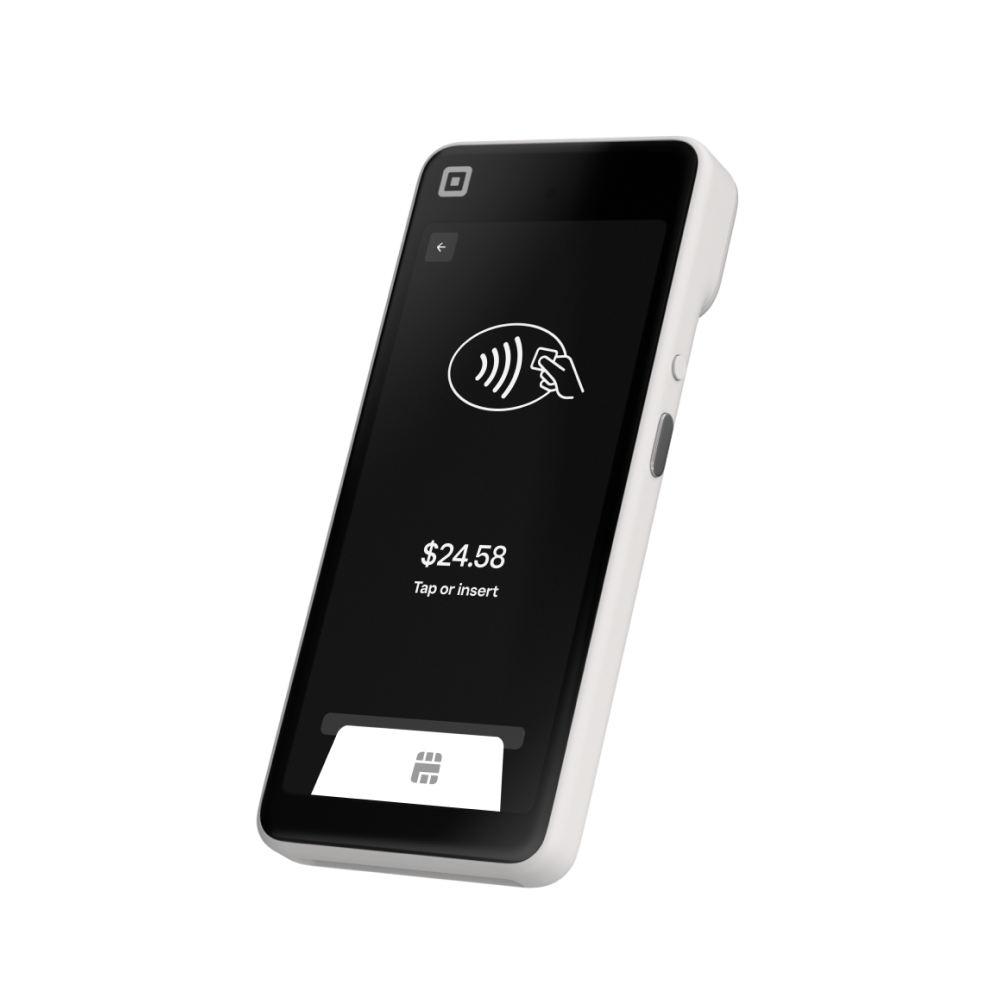
Square Handheld
### A powerful point of sale that fits in your pocket
[Learn more](https://squareup.com/us/en/hardware/handheld)
Square Kiosk
### An affordable iPad-run self-service kiosk

[Learn more](https://squareup.com/us/en/hardware/kiosk)
Square Register (2nd generation)
### Two responsive screens for lightning-fast checkout

[Learn more](https://squareup.com/us/en/hardware/register)
Square Handheld
### A powerful point of sale that fits in your pocket

[Learn more](https://squareup.com/us/en/hardware/handheld)
¹Offline payments are processed automatically when you reconnect your device to the internet and will be declined if you do not reconnect to the internet within 24 hours of taking your first offline payment. By enabling offline payments, you are responsible for any expired, declined, or disputed payments accepted while offline. Square is unable to provide customer contact information for payments declined while offline. Offline payments are not supported on older versions of Square Reader for contactless and chip (1st generation version 1 and version 2). [Identify your Square Reader for contactless and chip](https://squareup.com/help/us/en/article/7948-identify-your-square-reader). [Enable and use offline payments](https://squareup.com/help/us/en/article/7777-process-card-payments-with-offline-mode).
²All credit sale plans are issued by Block, Inc. Not available to merchants in AL, DE, MS, MO, NH, and TN. Purchase amounts must be from \$49 to \$10,000. APR is 15%. Available plan lengths vary from 3, 6, 12, and/or 24 months installments depending on purchase amount. Sales tax, where applicable, will be due at checkout. All plans subject to credit approval and other factors.
###### Products
###### Products
- [Point of sale](https://squareup.com/us/en/point-of-sale)
- [Payments](https://squareup.com/us/en/payments)
- [Websites](https://squareup.com/us/en/online-store)
- [Kiosk](https://squareup.com/us/en/point-of-sale/restaurants/kiosk-software)
- [Invoices](https://squareup.com/us/en/invoices)
- [Marketing](https://squareup.com/us/en/marketing)
- [Loyalty](https://squareup.com/us/en/software/loyalty)
- [Customer Directory](https://squareup.com/us/en/point-of-sale/features/customer-directory)
- [Banking](https://squareup.com/us/en/banking)
- [Staff](https://squareup.com/us/en/staff)
- [Payroll](https://squareup.com/us/en/payroll)
- [Buy Now, Pay Later](https://squareup.com/us/en/buy-now-pay-later)
- [Hardware](https://squareup.com/us/en/hardware)
- [Business software & solutions](https://squareup.com/us/en/software)
###### Business Types
###### Business Types
- [Food & Beverage](https://squareup.com/us/en/point-of-sale/restaurants)
- [Quick Service](https://squareup.com/us/en/restaurants/quick-service)
- [Full Service](https://squareup.com/us/en/restaurants/full-service)
- [Bars & Breweries](https://squareup.com/us/en/restaurants/bars)
- [Retail](https://squareup.com/us/en/point-of-sale/retail)
- [Beauty Salon](https://squareup.com/us/en/beauty/salons)
- [Barbershop](https://squareup.com/us/en/beauty/barbershop)
- [Hair Salon](https://squareup.com/us/en/beauty/hair-salon)
- [Nail Salon](https://squareup.com/us/en/beauty/nail-salon)
- [Day Spa](https://squareup.com/us/en/industry/spa)
- [Tattoo & Piercing](https://squareup.com/us/en/beauty/tattoo-and-piercing)
- [Med spa](https://squareup.com/us/en/beauty/med-spa)
- [Fitness](https://squareup.com/us/en/industry/fitness)
- [Professional Services](https://squareup.com/us/en/services/professional-services)
- [Home & Repair](https://squareup.com/us/en/services/home-and-repair)
- [Franchises](https://squareup.com/us/en/franchises)
###### Resources
###### Resources
- [Pricing](https://squareup.com/us/en/pricing)
- [Why Square?](https://squareup.com/us/en/why-square)
- [The Bottom Line](https://squareup.com/us/en/the-bottom-line)
- [Sales](https://squareup.com/us/en/sales)
- [Support](https://squareup.com/help/us/en)
- [Square Community](https://community.squareup.com/)
- [Developer Platform](https://developer.squareup.com/us/en)
- [Merchant Services](https://squareup.com/us/en/payments/merchant-services)
- [Rent Hardware](https://square.fello.com/?utm_source=square&utm_medium=footer)
###### Contact
###### Contact
- [Customer support: 1 (855) 700-6000]()
- [Sales: 1 (800) 470-1673]()
###### Square
###### Square
- [About](https://squareup.com/us/en/about)
- [Press & Media](https://squareup.com/us/en/press)
- [Careers](https://block.xyz/careers/jobs)
- [Referrals](https://squareup.com/us/en/referral-program)
- [Partners](https://squareup.com/us/en/partnerships)
**Translation Notice**: Some content may have been translated using AI to help serve our global community. While all of our content is reviewed by humans, occasionally pre-reviewed content may be live. If you have any questions, please do not hesitate to reach out to Square Support in your preferred language.
United States (English)
© 2026 Block, Inc.
- [Cookie Preferences](https://squareup.com/us/en/hardware/stand) [Your Privacy Choices](https://squareup.com/us/en/hardware/stand)
- [Privacy Notice](https://squareup.com/us/en/legal/general/privacy)
- [Security](https://squareup.com/us/en/payments/secure)
- [Terms of Service](https://squareup.com/us/en/legal/general/ua)
- [Government](https://squareup.com/us/en/legal/general/gov)
- [Licenses](https://squareup.com/us/en/legal/general/licenses)
- [Square Capital, LLC Licenses](https://squareup.com/us/en/legal/capital/capital-licenses)
- [Consumer Health Privacy](https://squareup.com/us/en/legal/general/consumer-health-privacy)
- [Hardware Compliance Certifications](https://squareup.com/us/en/legal/general/dc)
- [Block, Inc.](https://block.xyz/)

## Cookie preferences
When you interact with our mobile applications or online services, we obtain certain information by using automated technologies, such as cookies, web beacons, and other technologies described in our Cookie Policy. This information might be about you, your preferences, or your device. You may opt out of certain categories of cookies, other than those that are strictly necessary to provide you with our Services. Expand the different categories for more information and to make your choices.
To effectuate your right to opt-out of the sharing of your personal information for purposes of targeted advertising, please toggle off "retargeting or advertising technology" cookies below.
[More information](https://squareup.com/gb/en/legal/general/cookie)[Privacy Notice](https://squareup.com/us/en/legal/general/privacy)
Accept all cookies
### Manage cookie preferences
#### Strictly necessary technology
Always Active
These technologies are necessary for us to provide you with the Services.
#### Performance and analytical technology
Always Active
This information is used to make sure our Services can cope with the volume of users, to help us correct errors in the Services and to measure use across our Services. These technologies help us understand if you have used our Services before so we can identify the number of unique users we receive. They also help us understand how long you spend using our Services and from where you have accessed the Services, so that we can improve the Services and learn about the most popular aspects of the Services.
#### Functionality technology
Always Active
These technologies enable us to remember you have used our Services before, preferences you may have indicated, and information you have provided to us to give you a customized experience. For example, this would include ensuring the continuity of your registration process.
#### Retargeting or advertising technology
Always Active
We use third parties, for example, Google Analytics, to analyze statistical information from users of the Site. We might be able to associate such information with other information which we collect from you once we receive it from a third party. For example, these technologies may collect information about whether you clicked an ad to download our application.
### Cookie List
Clear
- checkbox label
label
Apply
Cancel
Consent Leg.Interest
checkbox label
label
checkbox label
label
checkbox label
label
Reject All
Confirm my choices
[](https://www.onetrust.com/products/cookie-consent/)
####
#### Please update your browser.
Download the latest version of a supported browser below to get the most out of this website:
***
- [Google Chrome](https://chrome.com/)
- [Mozilla Firefox](https://firefox.com/)
- [Microsoft Edge](https://microsoftedge.com/)
***
I understand. Proceed anyway
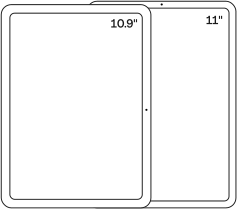
Square Stand compatibility
Compatible with 10.9-inch and most 11-inch iPads.
- iPad (A16)
- iPad (10th generation)
- iPad Pro 11-inch (1st, 2nd, 3rd, 4th generation)
- iPad Air (4th, 5th generation)
- iPad Air 11-inch (M2, M3)
[Learn how to identify your model](https://support.apple.com/en-us/108043)
Close
Close
#### Choose your region and language
- [Australia (English)](https://squareup.com/au/en/hardware/stand?country_redirection=true)
- [Canada (English)](https://squareup.com/ca/en/hardware/stand?country_redirection=true)
- [Canada (Français)](https://squareup.com/ca/fr/hardware/stand?country_redirection=true)
- [France (Français)](https://squareup.com/fr/fr/hardware/stand?country_redirection=true)
- [Ireland (English)](https://squareup.com/ie/en/hardware/stand?country_redirection=true)
- [日本 (日本語)](https://squareup.com/jp/ja/hardware/stand?country_redirection=true)
- [Espanya (Català)](https://squareup.com/es/ca/hardware/stand?country_redirection=true)
- [España (Español)](https://squareup.com/es/es/hardware/stand?country_redirection=true)
- [United Kingdom (English)](https://squareup.com/gb/en/hardware/stand?country_redirection=true)
- [United States (English)](https://squareup.com/us/en/hardware/stand?country_redirection=true)
- [Estados Unidos (Español)](https://squareup.com/us/es/hardware/stand?country_redirection=true) |
| Readable Markdown | Stand
Easy to use. Easy on your budget. A simple iPad POS that puts a smarter spin on selling.

### iPad to POS in minutes
Slide in a compatible iPad and download a free Square point of sale app to get started. No pricey training or service visits needed.

### Your entire business in one place
Power every part of what you do all on one device. That’s payments, your website, daily reporting, and so much more.

### No extra readers required
Super fast built-in payments mean far fewer cords, a cleaner counter, and a seamless checkout experience from here on out.
One screen, double the ease at checkout.
A smooth 180º swivel means you just add items and then turn the screen to customers so they can do the rest.


**In a swivel, customers can confirm their total, tip, pay, and even claim loyalty points.**

Built-in contactless and chip payments let everyone pay their way.

Contactless

Chip

Cash App Pay

Magstripe\*
\*Square Reader for magstripe not included
Guiding LED lights make it clear where to pay.


**In a swivel, customers can confirm their total, tip, pay, and even claim loyalty points.**

Built-in contactless and chip payments let everyone pay their way.

Contactless

Chip

Cash App Pay

Magstripe\*
\*Square Reader for magstripe not included
Guiding LED lights make it clear where to pay.

Stress less with a reliable POS.

### Keep selling, even offline.
Wi-Fi or connectivity disruption? Keep taking payments with offline payments.¹ Just reconnect to internet within 24 hours to upload transactions.
### Stay powered even without power.
If you need to unplug or if you lose power, Square Stand can run off your iPad’s battery. iPad powered mode only on Square Stand (2nd generation, USB-C).
### It’s all by Square.
Point-of-sale hardware, software, and payments, all by Square. That’s more safety, security, and peace of mind for you and your customers.

Charge any amount
Simply enter custom amounts with the Keypad.
Offline payments
Keep taking payments, even if the Wi-Fi’s out.¹
Item tiles
Easily select an item from a grid of favorites.
Refund
Easily track purchases, issue refunds, and print new receipts.
My customers love it. It’s clear, it’s concise, easy to read, and they know exactly what they’re paying for.
Trina Gregory-Propst, Se7en Bites, Orlando, Florida

## Want a compact POS you can put anywhere?
Square Kiosk has all the power of our signature iPad POS, plus the versatility to go exactly where you need it.
Accessorize and customize.
With the included USB hub and your iPad’s built-in Bluetooth and Network compatibility, growing your setup with accessories is effortless.

Buy Square Stand.
\$149
\$149 \$119.20
or \$14 per month over 12 months.²
or \$21/month over 6 months with code **CYBER25** until December 4.⁷
2\.6% + 15¢
per in-person tap, dip, or swipe payment. 6% + 30¢ per Afterpay transaction.
Custom rates
Some businesses that process \$250K+ in credit card sales can get a custom rate.


### One-year warranty
Square Stand gets up and running fast, but if you run into anything on the way, there’s a one-year limited warranty.

### Works with your iPad
Square Stand is instantly intuitive. Use a [compatible iPad](https://squareup.com/us/en/hardware/stand/specs?ipad-compatibility=true) you already own or add one to cart as you check out.

Frequently asked questions
- Square Stand is compatible with several iPad models with a USB-C connector. Before buying Square Stand, make sure you have a supported iPad.
- iPad (A16)
- iPad (10th generation)
- iPad Pro 11-inch (1st, 2nd, 3rd, 4th generation)
- iPad Air (4th, 5th generation)
- iPad Air 11-inch (M2, M3)
- Securing Square Stand to your counter is easy and you can set everything up in no time at all.
- The different options of Square hardware give you more customization options depending on your business needs. Square Stand is a countertop point of sale that can be swiveled, so you add items and customers confirm totals and pay. Square Kiosk features several different mounting options to place on a wall, flat on a countertop, or on any 100x100 mm VESA-compatible mount, such as a floor stand. The main difference between the two is how you install them physically — Square Stand sits on your counter and swivels, whereas Square Kiosk does not swivel but offers a variety of fixed mounting options, making it a great fit for a self-service kiosk setup.
Square Stand and Square Kiosk hardware can both be used as a POS or a self-service kiosk. Using either device with Square Kiosk software will limit some of the device features, such as the ability to use accessories.
- It’s simple to pair Square Stand with other Square hardware. You can easily connect an extra card reader, such as [Square Reader for magstripe](https://squareup.com/us/en/hardware/reader) to take swipe payments or [Square Reader for contactless and chip](https://squareup.com/us/en/hardware/contactless-chip-reader) to take payments at a distance or extend your countertop. You can also add [Square Terminal](https://squareup.com/us/en/hardware/terminal) to your Square Stand setup to add a dedicated customer display or take payments wherever your customers are.
Get updates and insights.
Stay up to date on Square Stand, new products, expert advice, and more.
Nice to meet you.
We think businesses are as unique as the people who run them. Get individualized content on the topics you care about most by telling us a little more about yourself.
Other hardware options
Square Kiosk
An affordable iPad-run self-service kiosk

Square Register (2nd generation)
Two responsive screens for lightning-fast checkout

Square Handheld
A powerful point of sale that fits in your pocket

Square Kiosk
An affordable iPad-run self-service kiosk

Square Register (2nd generation)
Two responsive screens for lightning-fast checkout

Square Handheld
A powerful point of sale that fits in your pocket
 |
| Shard | 11 (laksa) |
| Root Hash | 10831875002706554011 |
| Unparsed URL | com,squareup!/us/en/hardware/stand s443 |