ℹ️ Skipped - page is already crawled
| Filter | Status | Condition | Details |
|---|---|---|---|
| HTTP status | PASS | download_http_code = 200 | HTTP 200 |
| Age cutoff | PASS | download_stamp > now() - 6 MONTH | 0.2 months ago |
| History drop | PASS | isNull(history_drop_reason) | No drop reason |
| Spam/ban | PASS | fh_dont_index != 1 AND ml_spam_score = 0 | ml_spam_score=0 |
| Canonical | PASS | meta_canonical IS NULL OR = '' OR = src_unparsed | Not set |
| Property | Value | ||||||||||||
|---|---|---|---|---|---|---|---|---|---|---|---|---|---|
| URL | https://restfulapi.net/http-status-codes/ | ||||||||||||
| Last Crawled | 2026-04-16 00:45:38 (6 days ago) | ||||||||||||
| First Indexed | 2017-09-07 07:25:51 (8 years ago) | ||||||||||||
| HTTP Status Code | 200 | ||||||||||||
| Content | |||||||||||||
| Meta Title | HTTP Status Codes | ||||||||||||
| Meta Description | HTTP specification defines these standard status codes divided into five categories that can be used to convey the results of a client’s request. | ||||||||||||
| Meta Canonical | null | ||||||||||||
| Boilerpipe Text | REST APIs use the
Status-Line
part of an HTTP response message to inform clients of their request’s overarching result.
RFC 2616
defines the
Status-Line syntax
as shown below:
Status-Line = HTTP-Version SP Status-Code SP Reason-Phrase CRLF
HTTP defines these standard status codes that can be used to convey the results of a client’s request. The status codes are divided into five categories.
1xx: Informational
– Communicates transfer protocol-level information.
2xx: Success
– Indicates that the client’s request was accepted successfully.
3xx: Redirection
– Indicates that the client must take some additional action in order to complete their request.
4xx: Client Error
– This category of error status codes points the finger at clients.
5xx: Server Error
– The server takes responsibility for these error status codes.
1xx Status Codes [Informational]
Status Code
Description
100 Continue
An interim response. Indicates to the client that the initial part of the request has been received and has not yet been rejected by the server. The client SHOULD continue by sending the remainder of the request or, if the request has already been completed, ignore this response. The server MUST send a final response after the request has been completed.
101 Switching Protocol
Sent in response to an
Upgrade
request header from the client and indicates the protocol the server is switching to.
102 Processing (WebDAV)
Indicates that the server has received and is processing the request, but no response is available yet.
103 Early Hints
Primarily intended to be used with the
Link
header. It suggests the user agent start preloading the resources while the server prepares a final response.
2xx Status Codes [Success]
Status Code
Description
200 OK
Indicates that the request has succeeded.
201 Created
Indicates that the request has succeeded and a new resource has been created as a result.
202 Accepted
Indicates that the request has been received but not completed yet. It is typically used in log running requests and batch processing.
203 Non-Authoritative Information
Indicates that the returned metainformation in the entity header is not the definitive set as available from the origin server but is gathered from a local or third-party copy. The set presented MAY be a subset or superset of the original version.
204 No Content
The server has fulfilled the request but does not need to return a response body. The server may return the updated meta information.
205 Reset Content
Indicates the client to reset the document that sent this request.
206 Partial Content
It is used when the
Range
header is sent from the client to request only part of a resource.
207 Multi-Status (WebDAV)
An indicator to a client that multiple operations happened, and that the status for each operation can be found in the body of the response.
208 Already Reported (WebDAV)
Allows a client to tell the server that the same resource (with the same binding) was mentioned earlier. It never appears as a true HTTP response code in the status line, and only appears in bodies.
226 IM Used
The server has fulfilled a GET request for the resource, and the response is a representation of the result of one or more instance-manipulations applied to the current instance.
3xx Status Codes [Redirection]
Status Code
Description
300 Multiple Choices
The request has more than one possible response. The user-agent or user should choose one of them.
301 Moved Permanently
The URL of the requested resource has been changed permanently. The new URL is given by the
Location
header field in the response. This response is cacheable unless indicated otherwise.
302 Found
The URL of the requested resource has been changed temporarily. The new URL is given by the
Location
field in the response. This response is only cacheable if indicated by a
Cache-Control
or
Expires
header field.
303 See Other
The response can be found under a different URI and SHOULD be retrieved using a GET method on that resource.
304 Not Modified
Indicates the client that the response has not been modified, so the client can continue to use the same cached version of the response.
305 Use Proxy (Deprecated)
Indicates that a requested response must be accessed by a proxy.
306 (Unused)
It is a reserved status code and is not used anymore.
307 Temporary Redirect
Indicates the client to get the requested resource at another URI with same method that was used in the prior request. It is similar to
302 Found
with one exception that the same HTTP method will be used that was used in the prior request.
308 Permanent Redirect (experimental)
Indicates that the resource is now permanently located at another URI, specified by the
Location
header. It is similar to
301 Moved Permanently
with one exception that the same HTTP method will be used that was used in the prior request.
4xx Status Codes (Client Error)
Status Code
Description
400 Bad Request
The server could not understand the request due to incorrect syntax. The client should NOT repeat the request without modifications.
401 Unauthorized
Indicates that the request requires user authentication information. The client MAY repeat the request with a suitable Authorization header field
402 Payment Required (Experimental)
Reserved for future use. It is aimed for use in the digital payment systems.
403 Forbidden
Unauthorized request. The client does not have access rights to the content. Unlike 401, the client’s identity is known to the server.
404 Not Found
The server can not find the requested resource.
405 Method Not Allowed
The server knows the request HTTP method, but it has been disabled and cannot be used for that resource.
406 Not Acceptable
The server doesn’t find any content that conforms to the criteria given by the user agent in the
Accept
header sent in the request.
407 Proxy Authentication Required
Indicates that the client must first authenticate itself with the proxy.
408 Request Timeout
Indicates that the server did not receive a complete request from the client within the server’s allotted timeout period.
409 Conflict
The request could not be completed due to a conflict with the current state of the resource.
410 Gone
The requested resource is no longer available on the server.
411 Length Required
The server refuses to accept the request without a defined Content- Length. The client MAY repeat the request if it adds a valid
Content-Length
header field.
412 Precondition Failed
The client has indicated preconditions in its headers that the server does not meet.
413 Request Entity Too Large
The request entity is larger than the limits defined by the server.
414 Request-URI Too Long
The URI requested by the client is longer than the server can interpret.
415 Unsupported Media Type
The media type in
Content-type
of the request is not supported by the server.
416 Requested Range Not Satisfiable
The range specified by the
Range
header field in the request can’t be fulfilled.
417 Expectation Failed
The server can’t meet the expectations indicated by the
request header field.
418 I’m a teapot (RFC 2324)
It was defined as an April Fool joke and is not expected to be implemented by actual HTTP servers. (
RFC 2324
). Some websites/providers use this response for requests they do not wish to handle, such as automated queries.
420 Enhance Your Calm (Twitter)
Returned by the Twitter Search and Trends API when the client is being rate-limited.
422 Unprocessable Entity (WebDAV)
The server understands the content type and syntax of the request entity, but it is still unable to process the request for some reason.
423 Locked (WebDAV)
The resource that is being accessed is locked.
424 Failed Dependency (WebDAV)
The request failed due to the failure of a previous request.
425 Too Early (WebDAV)
Indicates that the server is unwilling to risk processing a request that might be replayed.
426 Upgrade Required
The server refuses to perform the request. The server will process the request after the client upgrades to a different protocol.
428 Precondition Required
The origin server requires the request to be conditional.
429 Too Many Requests
The user has sent too many requests in a given amount of time (“rate limiting”).
431 Request Header Fields Too Large
The server is unwilling to process the request because its header fields are too large.
444 No Response (Nginx)
The Nginx server returns no information to the client and closes the connection.
449 Retry With (Microsoft)
The request should be retried after performing the appropriate action.
450 Blocked by Windows Parental Controls (Microsoft)
Windows Parental Controls are turned on and are blocking access to the given webpage.
451 Unavailable For Legal Reasons
The user-agent requested a resource that cannot legally be provided.
499 Client Closed Request (Nginx)
The connection is closed by the client while HTTP server is processing its request, making the server unable to send the HTTP header back.
5xx Status Codes (Server Error)
Status Code
Description
500 Internal Server Error
The server encountered an unexpected condition that prevented it from fulfilling the request.
501 Not Implemented
The HTTP method is not supported by the server and cannot be handled.
502 Bad Gateway
The server got an invalid response while working as a gateway to get the response needed to handle the request.
503 Service Unavailable
The server is not ready to handle the request.
504 Gateway Timeout
The server is acting as a gateway and cannot get a response in time for a request.
505 HTTP Version Not Supported (Experimental)
The HTTP version used in the request is not supported by the server.
506 Variant Also Negotiates (Experimental)
Indicates that the server has an internal configuration error: the chosen variant resource is configured to engage in transparent content negotiation itself, and is therefore not a proper endpoint in the negotiation process.
507 Insufficient Storage (WebDAV)
The method could not be performed on the resource because the server is unable to store the representation needed to complete the request successfully.
508 Loop Detected (WebDAV)
The server detected an infinite loop while processing the request.
510 Not Extended
Further extensions to the request are required for the server to fulfill it.
511 Network Authentication Required
Indicates that the client needs to authenticate to gain network access.
6. REST Specific HTTP Status Codes
200 (OK)
It indicates that the REST API successfully carried out the client’s requested action and that no more specific code in the 2xx series is appropriate.
Unlike the 204 status code, a 200 response should include a response body. The information returned with the response is dependent on the method used in the request, for example:
GET an entity corresponding to the requested resource is sent in the response;
HEAD the entity-header fields corresponding to the requested resource are sent in the response without any message-body;
POST an entity describing or containing the result of the action;
TRACE an entity containing the request message as received by the end server.
201 (Created)
A REST API responds with the 201 status code whenever a resource is created inside a collection. There may also be times when a new resource is created as a result of some controller action, in which case 201 would also be an appropriate response.
The newly created resource can be referenced by the URI(s) returned in the entity of the response, with the most specific URI for the resource given by a Location header field.
The origin server MUST create the resource before returning the 201 status code. If the action cannot be carried out immediately, the server SHOULD respond with a 202 (Accepted) response instead.
202 (Accepted)
A 202 response is typically used for actions that take a long while to process. It indicates that the request has been accepted for processing, but the processing has not been completed. The request might or might not be eventually acted upon, or even maybe disallowed when processing occurs.
Its purpose is to allow a server to accept a request for some other process (perhaps a batch-oriented process that is only run once per day) without requiring that the user agent’s connection to the server persist until the process is completed.
The entity returned with this response SHOULD include an indication of the request’s current status and either a pointer to a status monitor (job queue location) or some estimate of when the user can expect the request to be fulfilled.
204 (No Content)
The 204 status code is usually sent out in response to a
PUT
,
POST
, or
DELETE
request when the REST API declines to send back any status message or representation in the response message’s body.
An API may also send 204 in conjunction with a GET request to indicate that the requested resource exists but has no state representation to include in the body.
If the client is a user agent, it SHOULD NOT change its document view from that which caused the request to be sent. This response is primarily intended to allow input for actions to take place without causing a change to the user agent’s active document view. However, any new or updated metainformation SHOULD be applied to the document currently in the user agent’s dynamic view.
The 204 response MUST NOT include a message body and is thus always terminated by the first empty line after the header fields.
301 (Moved Permanently)
The 301 status code indicates that the REST API’s resource model has been significantly redesigned, and a new permanent URI has been assigned to the client’s requested resource. The REST API should specify the new URI in the response’s Location header, and all future requests should be directed to the given URI.
You will hardly use this response code in your API as you can always use the API versioning for the new API while retaining the old one.
302 (Found)
The HTTP response status code 302 Found is a common URL redirection method. An HTTP response with this status code will additionally provide a URL in the Location header field. The user agent (e.g., a web browser) is invited by a response with this code to make a second. Otherwise, an identical request to the new URL specified in the location field.
Many web browsers implemented this code in a manner that violated this standard, changing the request type of the new request to GET, regardless of the type employed in the original request (e.g., POST). RFC 1945 and RFC 2068 specify that the client is not allowed to change the method on the redirected request. The status codes 303 and 307 have been added for servers that wish to make unambiguously clear what kind of reaction the client expects.
303 (See Other)
A 303 response indicates that a controller resource has finished its work. Instead of sending a potentially unwanted response body, it sends the client the URI of a response resource. The response can be the URI of the temporary status message or the URI of some already existing, more permanent resource.
Generally speaking, the 303 status code allows a REST API to send a reference to a resource without forcing the client to download its state. Instead, the client may send a GET request to the value of the Location header.
The 303 response MUST NOT be cached, but the response to the second (redirected) request might be cacheable.
304 (Not Modified)
This status code is similar to 204 (“No Content”) in that the response body must be empty. The critical distinction is that 204 is used when nothing is to be sent in the body, whereas 304 is used when the resource has not been modified since the version specified by the request headers If-Modified-Since or If-None-Match.
In such a case, there is no need to retransmit the resource since the client still has a previously downloaded copy.
Using this saves bandwidth and reprocessing on both the server and client, as only the header data must be sent and received in comparison to the entirety of the page being re-processed by the server, then sent again using more bandwidth of the server and client.
307 (Temporary Redirect)
A 307 response indicates that the REST API is not going to process the client’s request. Instead, the client should resubmit the request to the URI specified by the response message’s Location header. However, future requests should still use the original URI.
A REST API can use this status code to assign a temporary URI to the client’s requested resource. For example, a 307 response can be used to shift a client request over to another host.
The Location field SHOULD give the temporary URI in the response. Unless the request method was HEAD, the entity of the response SHOULD contain a short hypertext note with a hyperlink to the new URI(s). If the 307 status code is received in response to a request other than GET or HEAD, the user agent MUST NOT automatically redirect the request unless the user can confirm it since this might change the conditions under which the request was issued.
400 (Bad Request)
400 is the generic client-side error status, used when no other 4xx error code is appropriate. Errors can be malformed request syntax, invalid request message parameters, deceptive request routing, etc.
The client SHOULD NOT repeat the request without modifications.
401 (Unauthorized)
A 401 error response indicates that the client tried to operate on a protected resource without providing the proper authorization. It may have provided the wrong credentials or none at all. The response must include a WWW-Authenticate header field containing a challenge applicable to the requested resource.
The client MAY repeat the request with a suitable Authorization header field. If the request already included Authorization credentials, then the 401 response indicates that authorization has been refused for those credentials. If the 401 response contains the same challenge as the prior response, and the user agent has already attempted authentication at least once, then the user SHOULD be presented the entity that was given in the response since that entity might include relevant diagnostic information.
403 (Forbidden)
A 403 error response indicates that the client’s request is formed correctly, but the REST API refuses to honor it, i.e., the user does not have the necessary permissions for the resource. A 403 response is not a case of insufficient client credentials; that would be 401 (“Unauthorized”).
Authentication will not help, and the request SHOULD NOT be repeated. Unlike a 401 Unauthorized response, authenticating will make no difference.
404 (Not Found)
The 404 error status code indicates that the REST API can’t map the client’s URI to a resource but may be available in the future. Subsequent requests by the client are permissible.
No indication is given of whether the condition is temporary or permanent. The 410 (Gone) status code SHOULD be used if the server knows, through some internally configurable mechanism, that an old resource is permanently unavailable and has no forwarding address. This status code is commonly used when the server does not wish to reveal exactly why the request has been refused or when no other response is applicable.
405 (Method Not Allowed)
The API responds with a 405 error to indicate that the client tried to use an HTTP method that the resource does not allow. For instance, a read-only resource could support only GET and HEAD, while a controller resource might allow GET and POST, but not PUT or DELETE.
A 405 response must include the Allow header, which lists the HTTP methods that the resource supports. For example:
Allow: GET, POST
406 (Not Acceptable)
The 406 error response indicates that the API is not able to generate any of the client’s preferred media types, as indicated by the Accept request header. For example, a client request for data formatted as
application/xml
will receive a 406 response if the API is only willing to format data as
application/json
.
If the response is unacceptable, a user agent SHOULD temporarily stop receiving more data and query the user for a decision on further actions.
412 (Precondition Failed)
The 412 error response indicates that the client specified one or more preconditions in its request headers, effectively telling the REST API to carry out its request only if certain conditions were met. A 412 response indicates that those conditions were not met, so the API sends this status code instead of carrying out the request.
415 (Unsupported Media Type)
The 415 error response indicates that the API is not able to process the client’s supplied media type, as indicated by the Content-Type request header. For example, a client request including data formatted as
application/xml
will receive a 415 response if the API is only willing to process data formatted as
application/json
.
For example, the client uploads an image as image/svg+xml, but the server requires that images use a different format.
500 (Internal Server Error)
500 is the generic REST API error response. Most web frameworks automatically respond with this response status code whenever they execute some request handler code that raises an exception.
A 500 error is never the client’s fault, and therefore, it is reasonable for the client to retry the same request that triggered this response and hope to get a different response.
The API response is the generic error message, given when an unexpected condition was encountered and no more specific message is suitable.
501 (Not Implemented)
The server either does not recognize the request method, or it cannot fulfill the request. Usually, this implies future availability (e.g., a new feature of a web-service API).
References :
https://www.iana.org/assignments/http-status-codes/http-status-codes.xhtml | ||||||||||||
| Markdown | [Skip to content](https://restfulapi.net/http-status-codes/#content "Skip to content")
[REST API Tutorial](https://restfulapi.net/)
Menu
Menu
- [REST](https://restfulapi.net/rest/)
- [JSON](https://restfulapi.net/json/)
# HTTP Status Codes
HTTP specification defines these standard status codes divided into five categories that can be used to convey the results of a client’s request.

Written by: Lokesh Gupta
Last Updated: August 9, 2024
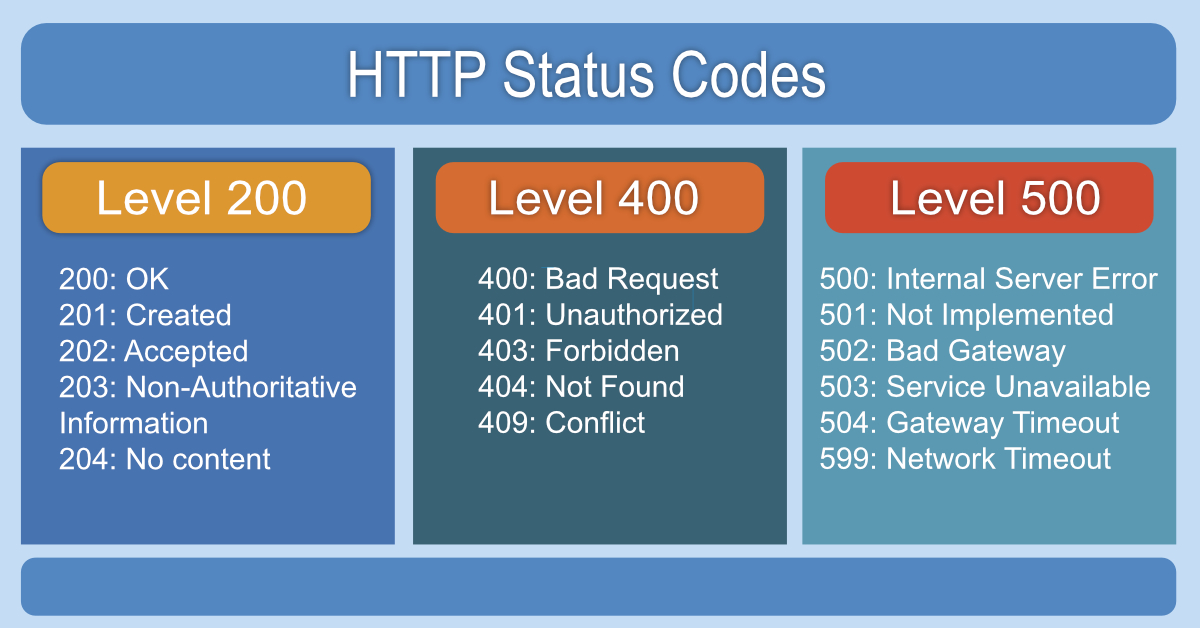
REST APIs use the **Status-Line** part of an HTTP response message to inform clients of their request’s overarching result. [RFC 2616](https://www.ietf.org/rfc/rfc2616.txt) defines the [Status-Line syntax](https://www.w3.org/Protocols/rfc2616/rfc2616-sec6.html#sec6.1) as shown below:
> Status-Line = HTTP-Version SP Status-Code SP Reason-Phrase CRLF
HTTP defines these standard status codes that can be used to convey the results of a client’s request. The status codes are divided into five categories.
- **[1xx: Informational](https://restfulapi.net/http-status-codes/#1xx)** – Communicates transfer protocol-level information.
- **[2xx: Success](https://restfulapi.net/http-status-codes/#2xx)** – Indicates that the client’s request was accepted successfully.
- **[3xx: Redirection](https://restfulapi.net/http-status-codes/#3xx)** – Indicates that the client must take some additional action in order to complete their request.
- **[4xx: Client Error](https://restfulapi.net/http-status-codes/#4xx)** – This category of error status codes points the finger at clients.
- **[5xx: Server Error](https://restfulapi.net/http-status-codes/#5xx)** – The server takes responsibility for these error status codes.
## 1xx Status Codes \[Informational\]
| Status Code | Description |
|---|---|
| **100 Continue** | An interim response. Indicates to the client that the initial part of the request has been received and has not yet been rejected by the server. The client SHOULD continue by sending the remainder of the request or, if the request has already been completed, ignore this response. The server MUST send a final response after the request has been completed. |
| **101 Switching Protocol** | Sent in response to an [Upgrade](https://developer.mozilla.org/en-US/docs/Web/HTTP/Protocol_upgrade_mechanism) request header from the client and indicates the protocol the server is switching to. |
| **102 Processing (WebDAV)** | Indicates that the server has received and is processing the request, but no response is available yet. |
| **103 Early Hints** | Primarily intended to be used with the `Link` header. It suggests the user agent start preloading the resources while the server prepares a final response. |
## 2xx Status Codes \[Success\]
| Status Code | Description |
|---|---|
| **200 OK** | Indicates that the request has succeeded. |
| **201 Created** | Indicates that the request has succeeded and a new resource has been created as a result. |
| **202 Accepted** | Indicates that the request has been received but not completed yet. It is typically used in log running requests and batch processing. |
| **203 Non-Authoritative Information** | Indicates that the returned metainformation in the entity header is not the definitive set as available from the origin server but is gathered from a local or third-party copy. The set presented MAY be a subset or superset of the original version. |
| **204 No Content** | The server has fulfilled the request but does not need to return a response body. The server may return the updated meta information. |
| **205 Reset Content** | Indicates the client to reset the document that sent this request. |
| **206 Partial Content** | It is used when the `Range` header is sent from the client to request only part of a resource. |
| **207 Multi-Status (WebDAV)** | An indicator to a client that multiple operations happened, and that the status for each operation can be found in the body of the response. |
| **208 Already Reported (WebDAV)** | Allows a client to tell the server that the same resource (with the same binding) was mentioned earlier. It never appears as a true HTTP response code in the status line, and only appears in bodies. |
| **226 IM Used** | The server has fulfilled a GET request for the resource, and the response is a representation of the result of one or more instance-manipulations applied to the current instance. |
## 3xx Status Codes \[Redirection\]
| Status Code | Description |
|---|---|
| **300 Multiple Choices** | The request has more than one possible response. The user-agent or user should choose one of them. |
| **301 Moved Permanently** | The URL of the requested resource has been changed permanently. The new URL is given by the `Location` header field in the response. This response is cacheable unless indicated otherwise. |
| **302 Found** | The URL of the requested resource has been changed temporarily. The new URL is given by the `Location` field in the response. This response is only cacheable if indicated by a `Cache-Control` or `Expires` header field. |
| **303 See Other** | The response can be found under a different URI and SHOULD be retrieved using a GET method on that resource. |
| **304 Not Modified** | Indicates the client that the response has not been modified, so the client can continue to use the same cached version of the response. |
| **305 Use Proxy (Deprecated)** | Indicates that a requested response must be accessed by a proxy. |
| **306 (Unused)** | It is a reserved status code and is not used anymore. |
| **307 Temporary Redirect** | Indicates the client to get the requested resource at another URI with same method that was used in the prior request. It is similar to `302 Found` with one exception that the same HTTP method will be used that was used in the prior request. |
| **308 Permanent Redirect (experimental)** | Indicates that the resource is now permanently located at another URI, specified by the `Location` header. It is similar to `301 Moved Permanently` with one exception that the same HTTP method will be used that was used in the prior request. |
## 4xx Status Codes (Client Error)
| Status Code | Description |
|---|---|
| **400 Bad Request** | The server could not understand the request due to incorrect syntax. The client should NOT repeat the request without modifications. |
| **401 Unauthorized** | Indicates that the request requires user authentication information. The client MAY repeat the request with a suitable Authorization header field |
| **402 Payment Required (Experimental)** | Reserved for future use. It is aimed for use in the digital payment systems. |
| **403 Forbidden** | Unauthorized request. The client does not have access rights to the content. Unlike 401, the client’s identity is known to the server. |
| **404 Not Found** | The server can not find the requested resource. |
| **405 Method Not Allowed** | The server knows the request HTTP method, but it has been disabled and cannot be used for that resource. |
| **406 Not Acceptable** | The server doesn’t find any content that conforms to the criteria given by the user agent in the `Accept` header sent in the request. |
| **407 Proxy Authentication Required** | Indicates that the client must first authenticate itself with the proxy. |
| **408 Request Timeout** | Indicates that the server did not receive a complete request from the client within the server’s allotted timeout period. |
| **409 Conflict** | The request could not be completed due to a conflict with the current state of the resource. |
| **410 Gone** | The requested resource is no longer available on the server. |
| **411 Length Required** | The server refuses to accept the request without a defined Content- Length. The client MAY repeat the request if it adds a valid `Content-Length` header field. |
| **412 Precondition Failed** | The client has indicated preconditions in its headers that the server does not meet. |
| **413 Request Entity Too Large** | The request entity is larger than the limits defined by the server. |
| **414 Request-URI Too Long** | The URI requested by the client is longer than the server can interpret. |
| **415 Unsupported Media Type** | The media type in `Content-type` of the request is not supported by the server. |
| **416 Requested Range Not Satisfiable** | The range specified by the `Range` header field in the request can’t be fulfilled. |
| **417 Expectation Failed** | The server can’t meet the expectations indicated by the request header field. |
| **418 I’m a teapot (RFC 2324)** | It was defined as an April Fool joke and is not expected to be implemented by actual HTTP servers. ([RFC 2324](https://tools.ietf.org/html/rfc2324)). Some websites/providers use this response for requests they do not wish to handle, such as automated queries. |
| **420 Enhance Your Calm (Twitter)** | Returned by the Twitter Search and Trends API when the client is being rate-limited. |
| **422 Unprocessable Entity (WebDAV)** | The server understands the content type and syntax of the request entity, but it is still unable to process the request for some reason. |
| **423 Locked (WebDAV)** | The resource that is being accessed is locked. |
| **424 Failed Dependency (WebDAV)** | The request failed due to the failure of a previous request. |
| **425 Too Early (WebDAV)** | Indicates that the server is unwilling to risk processing a request that might be replayed. |
| **426 Upgrade Required** | The server refuses to perform the request. The server will process the request after the client upgrades to a different protocol. |
| **428 Precondition Required** | The origin server requires the request to be conditional. |
| **429 Too Many Requests** | The user has sent too many requests in a given amount of time (“rate limiting”). |
| **431 Request Header Fields Too Large** | The server is unwilling to process the request because its header fields are too large. |
| **444 No Response (Nginx)** | The Nginx server returns no information to the client and closes the connection. |
| **449 Retry With (Microsoft)** | The request should be retried after performing the appropriate action. |
| **450 Blocked by Windows Parental Controls (Microsoft)** | Windows Parental Controls are turned on and are blocking access to the given webpage. |
| **451 Unavailable For Legal Reasons** | The user-agent requested a resource that cannot legally be provided. |
| **499 Client Closed Request (Nginx)** | The connection is closed by the client while HTTP server is processing its request, making the server unable to send the HTTP header back. |
## 5xx Status Codes (Server Error)
| Status Code | Description |
|---|---|
| **500 Internal Server Error** | The server encountered an unexpected condition that prevented it from fulfilling the request. |
| **501 Not Implemented** | The HTTP method is not supported by the server and cannot be handled. |
| **502 Bad Gateway** | The server got an invalid response while working as a gateway to get the response needed to handle the request. |
| **503 Service Unavailable** | The server is not ready to handle the request. |
| **504 Gateway Timeout** | The server is acting as a gateway and cannot get a response in time for a request. |
| **505 HTTP Version Not Supported (Experimental)** | The HTTP version used in the request is not supported by the server. |
| **506 Variant Also Negotiates (Experimental)** | Indicates that the server has an internal configuration error: the chosen variant resource is configured to engage in transparent content negotiation itself, and is therefore not a proper endpoint in the negotiation process. |
| **507 Insufficient Storage (WebDAV)** | The method could not be performed on the resource because the server is unable to store the representation needed to complete the request successfully. |
| **508 Loop Detected (WebDAV)** | The server detected an infinite loop while processing the request. |
| **510 Not Extended** | Further extensions to the request are required for the server to fulfill it. |
| **511 Network Authentication Required** | Indicates that the client needs to authenticate to gain network access. |
## 6\. REST Specific HTTP Status Codes
#### [200 (OK)](https://restfulapi.net/http-status-200-ok/)
It indicates that the REST API successfully carried out the client’s requested action and that no more specific code in the 2xx series is appropriate.
Unlike the 204 status code, a 200 response should include a response body. The information returned with the response is dependent on the method used in the request, for example:
- GET an entity corresponding to the requested resource is sent in the response;
- HEAD the entity-header fields corresponding to the requested resource are sent in the response without any message-body;
- POST an entity describing or containing the result of the action;
- TRACE an entity containing the request message as received by the end server.
#### [201 (Created)](https://restfulapi.net/http-status-201-created/)
A REST API responds with the 201 status code whenever a resource is created inside a collection. There may also be times when a new resource is created as a result of some controller action, in which case 201 would also be an appropriate response.
The newly created resource can be referenced by the URI(s) returned in the entity of the response, with the most specific URI for the resource given by a Location header field.
The origin server MUST create the resource before returning the 201 status code. If the action cannot be carried out immediately, the server SHOULD respond with a 202 (Accepted) response instead.
#### [202 (Accepted)](https://restfulapi.net/http-status-202-accepted/)
A 202 response is typically used for actions that take a long while to process. It indicates that the request has been accepted for processing, but the processing has not been completed. The request might or might not be eventually acted upon, or even maybe disallowed when processing occurs.
Its purpose is to allow a server to accept a request for some other process (perhaps a batch-oriented process that is only run once per day) without requiring that the user agent’s connection to the server persist until the process is completed.
The entity returned with this response SHOULD include an indication of the request’s current status and either a pointer to a status monitor (job queue location) or some estimate of when the user can expect the request to be fulfilled.
#### [204 (No Content)](https://restfulapi.net/http-status-204-no-content/)
The 204 status code is usually sent out in response to a `PUT`, `POST`, or `DELETE` request when the REST API declines to send back any status message or representation in the response message’s body.
An API may also send 204 in conjunction with a GET request to indicate that the requested resource exists but has no state representation to include in the body.
If the client is a user agent, it SHOULD NOT change its document view from that which caused the request to be sent. This response is primarily intended to allow input for actions to take place without causing a change to the user agent’s active document view. However, any new or updated metainformation SHOULD be applied to the document currently in the user agent’s dynamic view.
The 204 response MUST NOT include a message body and is thus always terminated by the first empty line after the header fields.
#### [301 (Moved Permanently)](https://restfulapi.net/http-status-301-moved-permanently/)
The 301 status code indicates that the REST API’s resource model has been significantly redesigned, and a new permanent URI has been assigned to the client’s requested resource. The REST API should specify the new URI in the response’s Location header, and all future requests should be directed to the given URI.
You will hardly use this response code in your API as you can always use the API versioning for the new API while retaining the old one.
#### 302 (Found)
The HTTP response status code 302 Found is a common URL redirection method. An HTTP response with this status code will additionally provide a URL in the Location header field. The user agent (e.g., a web browser) is invited by a response with this code to make a second. Otherwise, an identical request to the new URL specified in the location field.
Many web browsers implemented this code in a manner that violated this standard, changing the request type of the new request to GET, regardless of the type employed in the original request (e.g., POST). RFC 1945 and RFC 2068 specify that the client is not allowed to change the method on the redirected request. The status codes 303 and 307 have been added for servers that wish to make unambiguously clear what kind of reaction the client expects.
#### 303 (See Other)
A 303 response indicates that a controller resource has finished its work. Instead of sending a potentially unwanted response body, it sends the client the URI of a response resource. The response can be the URI of the temporary status message or the URI of some already existing, more permanent resource.
Generally speaking, the 303 status code allows a REST API to send a reference to a resource without forcing the client to download its state. Instead, the client may send a GET request to the value of the Location header.
The 303 response MUST NOT be cached, but the response to the second (redirected) request might be cacheable.
#### 304 (Not Modified)
This status code is similar to 204 (“No Content”) in that the response body must be empty. The critical distinction is that 204 is used when nothing is to be sent in the body, whereas 304 is used when the resource has not been modified since the version specified by the request headers If-Modified-Since or If-None-Match.
In such a case, there is no need to retransmit the resource since the client still has a previously downloaded copy.
Using this saves bandwidth and reprocessing on both the server and client, as only the header data must be sent and received in comparison to the entirety of the page being re-processed by the server, then sent again using more bandwidth of the server and client.
#### 307 (Temporary Redirect)
A 307 response indicates that the REST API is not going to process the client’s request. Instead, the client should resubmit the request to the URI specified by the response message’s Location header. However, future requests should still use the original URI.
A REST API can use this status code to assign a temporary URI to the client’s requested resource. For example, a 307 response can be used to shift a client request over to another host.
The Location field SHOULD give the temporary URI in the response. Unless the request method was HEAD, the entity of the response SHOULD contain a short hypertext note with a hyperlink to the new URI(s). If the 307 status code is received in response to a request other than GET or HEAD, the user agent MUST NOT automatically redirect the request unless the user can confirm it since this might change the conditions under which the request was issued.
#### 400 (Bad Request)
400 is the generic client-side error status, used when no other 4xx error code is appropriate. Errors can be malformed request syntax, invalid request message parameters, deceptive request routing, etc.
The client SHOULD NOT repeat the request without modifications.
#### 401 (Unauthorized)
A 401 error response indicates that the client tried to operate on a protected resource without providing the proper authorization. It may have provided the wrong credentials or none at all. The response must include a WWW-Authenticate header field containing a challenge applicable to the requested resource.
The client MAY repeat the request with a suitable Authorization header field. If the request already included Authorization credentials, then the 401 response indicates that authorization has been refused for those credentials. If the 401 response contains the same challenge as the prior response, and the user agent has already attempted authentication at least once, then the user SHOULD be presented the entity that was given in the response since that entity might include relevant diagnostic information.
#### 403 (Forbidden)
A 403 error response indicates that the client’s request is formed correctly, but the REST API refuses to honor it, i.e., the user does not have the necessary permissions for the resource. A 403 response is not a case of insufficient client credentials; that would be 401 (“Unauthorized”).
Authentication will not help, and the request SHOULD NOT be repeated. Unlike a 401 Unauthorized response, authenticating will make no difference.
#### 404 (Not Found)
The 404 error status code indicates that the REST API can’t map the client’s URI to a resource but may be available in the future. Subsequent requests by the client are permissible.
No indication is given of whether the condition is temporary or permanent. The 410 (Gone) status code SHOULD be used if the server knows, through some internally configurable mechanism, that an old resource is permanently unavailable and has no forwarding address. This status code is commonly used when the server does not wish to reveal exactly why the request has been refused or when no other response is applicable.
#### 405 (Method Not Allowed)
The API responds with a 405 error to indicate that the client tried to use an HTTP method that the resource does not allow. For instance, a read-only resource could support only GET and HEAD, while a controller resource might allow GET and POST, but not PUT or DELETE.
A 405 response must include the Allow header, which lists the HTTP methods that the resource supports. For example:
```
Allow: GET, POST
```
#### 406 (Not Acceptable)
The 406 error response indicates that the API is not able to generate any of the client’s preferred media types, as indicated by the Accept request header. For example, a client request for data formatted as `application/xml` will receive a 406 response if the API is only willing to format data as `application/json`.
If the response is unacceptable, a user agent SHOULD temporarily stop receiving more data and query the user for a decision on further actions.
#### 412 (Precondition Failed)
The 412 error response indicates that the client specified one or more preconditions in its request headers, effectively telling the REST API to carry out its request only if certain conditions were met. A 412 response indicates that those conditions were not met, so the API sends this status code instead of carrying out the request.
#### 415 (Unsupported Media Type)
The 415 error response indicates that the API is not able to process the client’s supplied media type, as indicated by the Content-Type request header. For example, a client request including data formatted as `application/xml` will receive a 415 response if the API is only willing to process data formatted as `application/json`.
For example, the client uploads an image as image/svg+xml, but the server requires that images use a different format.
#### 500 (Internal Server Error)
500 is the generic REST API error response. Most web frameworks automatically respond with this response status code whenever they execute some request handler code that raises an exception.
A 500 error is never the client’s fault, and therefore, it is reasonable for the client to retry the same request that triggered this response and hope to get a different response.
The API response is the generic error message, given when an unexpected condition was encountered and no more specific message is suitable.
#### 501 (Not Implemented)
The server either does not recognize the request method, or it cannot fulfill the request. Usually, this implies future availability (e.g., a new feature of a web-service API).
References :
<https://www.iana.org/assignments/http-status-codes/http-status-codes.xhtml>
### Comments
Subscribe
28 Comments
Most Voted
Newest Oldest
Inline Feedbacks
View all comments
NickClellan
7 years ago
**1×× Informational**
100 Continue
101 Switching Protocols
102 Processing
**2×× Success**
200 OK
201 Created
202 Accepted
203 Non-authoritative Information
204 No Content
205 Reset Content
206 Partial Content
207 Multi-Status
208 Already Reported
226 IM Used
**3×× Redirection**
300 Multiple Choices
301 Moved Permanently
302 Found
303 See Other
304 Not Modified
305 Use Proxy
307 Temporary Redirect
308 Permanent Redirect
**4×× Client Error**
400 Bad Request
401 Unauthorized
402 Payment Required
403 Forbidden
404 Not Found
405 Method Not Allowed
406 Not Acceptable
407 Proxy Authentication Required
408 Request Timeout
409 Conflict
410 Gone
411 Length Required
412 Precondition Failed
413 Payload Too Large
414 Request-URI Too Long
415 Unsupported Media Type
416 Requested Range Not Satisfiable
417 Expectation Failed
418 I’m a teapot
421 Misdirected Request
422 Unprocessable Entity
423 Locked
424 Failed Dependency
426 Upgrade Required
428 Precondition Required
429 Too Many Requests
431 Request Header Fields Too Large
444 Connection Closed Without Response
451 Unavailable For Legal Reasons
499 Client Closed Request
**5×× Server Error**
500 Internal Server Error
501 Not Implemented
502 Bad Gateway
503 Service Unavailable
504 Gateway Timeout
505 HTTP Version Not Supported
506 Variant Also Negotiates
507 Insufficient Storage
508 Loop Detected
510 Not Extended
511 Network Authentication Required
599 Network Connect Timeout Error
64
Reply
Abitha
Reply to [NickClellan](https://restfulapi.net/http-status-codes/#comment-3801)
7 years ago
Thank you for the details.
0
Reply
Sebas
Reply to [NickClellan](https://restfulapi.net/http-status-codes/#comment-3801)
6 years ago
Thanks, I was expecting these kind of extensive list from the article.
0
Reply
Utkarsh Bhatt
7 years ago
I like the 418 I’m a teapot response. Makes me laugh everytime.
8
Reply
Udhaya Sankar
7 years ago
509 – Server Bandwidth Limit Exceeded
2
Reply
Ayon.ssp
1 year ago
418 🤣 really\!
1
Reply
Salsmale
7 years ago
What about Not Accepted
0
Reply
Guja Babunashvili
Reply to [Salsmale](https://restfulapi.net/http-status-codes/#comment-5739)
7 years ago
If it’s not accepted then say why not. Usually 422 Unprocessable Entity but 4xx/5xx has many errors for answer client to why not accepted their data.
\-4
Reply
Veena
7 years ago
500 (“Internal Server Error”)
501 (“Not Implemented”)
502 (“Bad Gateway”)
503 (“Service Unavailable”)
504 (“Gateway Timeout”)
505 (“HTTP Version Not Supported”)
0
Reply
esa
7 years ago
how about 411
0
Reply
jeraldfdo
Reply to [esa](https://restfulapi.net/http-status-codes/#comment-981)
7 years ago
411 Length Required
The server refuses to accept the request without a defined Content- Length. The client MAY repeat the request if it adds a valid Content-Length header field containing the length of the message-body in the request message.
\-5
Reply
Sandro Alvares
8 years ago
What code error 591?
0
Reply
jeraldfdo
Reply to [Sandro Alvares](https://restfulapi.net/http-status-codes/#comment-449)
7 years ago
There is no 591 code. Check this : <https://www.w3.org/Protocols/rfc2616/rfc2616-sec6.html#sec6.1>
\-4
Reply
Andre Fellows
1 year ago
Hello there\!
Do you think is ok to use a 404 status code for something not found on database?
Because as mentioned, 404 stands for resource not found. But the resource mean is relative to the URL path like:
GET <http://something> com/api/v1/user/1234
In this case, the URI points to a non existant user in database.
I don’t linke this approach as when using some observability I’ll need to look deeper to each 404 errors to map the ones who is really a wrong URL instead of a user not being found.
What do you think?
Thanks in advance\!
\-1
Reply
Lokesh Gupta
Author
Reply to [Andre Fellows](https://restfulapi.net/http-status-codes/#comment-114471)
1 year ago
Using 404 is more followed practice, and thus we do not to teach developers/clients what it means. Regarding observability, I do agree that it may be an issue in some cases.
You may consider these:
404 (Not Found): If the resource never existed or the URL is incorrect.
410 (Gone): If the resource has been deleted and will not be recovered in future.
My concern is that the more you move away from general practices, the more chances are that developers/clients will misinterpret the information.
1
Reply
Andre Fellows
Reply to [Lokesh Gupta](https://restfulapi.net/http-status-codes/#comment-114472)
1 year ago
I think we need separate things.
One thing is the protocol error and other is business error.
Because I don’t need to implement 404 when a url is nonexistant, the web server (the one who is in the http layer) is responsible for handling that.
I think we wrongly appropriated the http status code from application layer (OSI stacl) to business layer
0
Reply
Sebastian Rodrigues
5 years ago
Can you please provide more details on what error codes in the 1xx category indicate? What would codes such as 118 or 141 stand for?
\-1
Reply
zen
Reply to [Sebastian Rodrigues](https://restfulapi.net/http-status-codes/#comment-19680)
4 years ago
The error code 118 could be a connection error between the users and the steam server. You may get error messages like “Unable to connect to server. The server may be offline, or you may not be connected to the internet. This leads to this problem, which prevents you from loading the steam store or library on the steam platform.
\-2
Reply
Artur Poniedziałek
6 years ago
Very good artictle about all possible HTTP responses. I used it in my article about implementing API endpoints in Laravel framework. I like the Internet. You can find everything 🙂
\-1
Reply
Michael Armes
6 years ago
Your 401/403 description is inadequate. Please refer to <https://stackoverflow.com/questions/3297048/403-forbidden-vs-401-unauthorized-http-responses/14713094#14713094> for a great description.
“401 indicates that the resource can not be provided, but the server is REQUESTING that the client log in through HTTP Authentication and has sent reply headers to initiate the process. Possibly there are authorizations that will permit access to the resource, possibly there are not, but let’s give it a try and see what happens.
403 indicates that the resource can not be provided and there is, for the current user, no way to solve this through RFC2617 and no point in trying. This may be because it is known that no level of authentication is sufficient (for instance because of an IP blacklist), but it may be because the user is already authenticated and does not have authority. The RFC2617 model is one-user, one-credentials so the case where the user may have a second set of credentials that could be authorized may be ignored. It neither suggests nor implies that some sort of login page or other non-RFC2617 authentication protocol may or may not help – that is outside the RFC2616 standards and definition.”
\-1
Reply
Michael Armes
Reply to [Michael Armes](https://restfulapi.net/http-status-codes/#comment-9866)
6 years ago
I see the downvote, so let me state this in no uncertain terms: Stating “Authentication will not help, and the request SHOULD NOT be repeated.” for a 403 is misleading.
A 403 response ” neither suggests nor implies that some sort of login page or other non-RFC2617 authentication protocol may or may not help”. You should be keenly aware of your authentication schemes when deciding which response you will give.
The write-up here would have you think to return a 401 when requesting a resource that the currently authenticated user does not have access to, but should you (as the website developer) do so, without returning a WWW-Authenticate header with a RFC2617 method for authenticating, you would be out of specification. You MUST return a 403.
\-1
Reply
Roman
6 years ago
500 description is WRONG….I got this error because the double values, in the JSON were separated with comma ‘,’ which is standard in Europe.
\-12
Reply
Lokesh Gupta
Reply to [Roman](https://restfulapi.net/http-status-codes/#comment-17509)
6 years ago
Can you please describe in detail what exactly you encountered and why description is wrong?
4
Reply
Roman
Reply to [Lokesh Gupta](https://restfulapi.net/http-status-codes/#comment-17515)
6 years ago
As I said, the request in the body had some entry like this “Worth”: 37,88 The error was caused on our side, because of the ‘old’ German Delphi that only accepts float numbers with a comma, NOT a dot! Also it could convert floats to strings for the JSON file only with a comma in it. The server couldn’t handle that format and responded with 500 Error. So the fault was definitely on our side and the description “A 500 error is never the client’s fault” is not true\!
\-4
Reply
Lokesh Gupta
Reply to [Roman](https://restfulapi.net/http-status-codes/#comment-17531)
6 years ago
Got that. Thanks for sharing !\!
\-1
Reply
Stefan Vesterlund
Reply to [Roman](https://restfulapi.net/http-status-codes/#comment-17531)
6 years ago
But the error occurred on the server, no? If the server cannot handle the request and throws an unhandled error, the server is at fault. I guess one way of looking at it would be that it is \_always\_ the client’s fault for sending requests that the server cannot handle, but in reality, if the server throws a 500 it is because it has no choice.
2
Reply
Sebas
Reply to [Stefan Vesterlund](https://restfulapi.net/http-status-codes/#comment-17963)
6 years ago
That’s an example of a bad implementation. The article states the return codes the applications \*should\* return, not how every app handles them. I can create an API and return, let’s say, a 415 code when saving successfully.
1
Reply
Sebas
Reply to [Roman](https://restfulapi.net/http-status-codes/#comment-17509)
6 years ago
It’s the client’s fault, a bad request and returned code should have been 400 (Bad Request)
1
Reply
Load More Comments
## Learn REST
- [What is REST?](https://restfulapi.net/)
- [REST Constraints](https://restfulapi.net/rest-architectural-constraints/)
- [Naming REST Resources](https://restfulapi.net/resource-naming/)
## Guides
- [Caching](https://restfulapi.net/caching/)
- [Compression](https://restfulapi.net/rest-resource-compression/)
- [Content Negotiation](https://restfulapi.net/content-negotiation/)
- [HATEOAS](https://restfulapi.net/hateoas/)
- [Idempotence](https://restfulapi.net/idempotent-rest-apis/)
- [Security Essentials](https://restfulapi.net/security-essentials/)
- [Versioning](https://restfulapi.net/versioning/)
- [Statelessness](https://restfulapi.net/statelessness/)
- [Pagination, Sorting and Filtering](https://restfulapi.net/api-pagination-sorting-filtering/)
- [Rate Limits](https://restfulapi.net/rest-api-rate-limit-guidelines/)
- [Best Practices](https://restfulapi.net/rest-api-best-practices/)
## Tech – How To
- [Design REST APIs](https://restfulapi.net/rest-api-design-tutorial-with-example/ "REST API Design Tutorial")
- [Design API for Long-Running Tasks](https://restfulapi.net/rest-api-design-for-long-running-tasks/)
- [REST APIs with JAX-RS](https://restfulapi.net/create-rest-apis-with-jax-rs/)
## FAQs
- [PUT vs POST](https://restfulapi.net/rest-put-vs-post/)
- [N+1 Problem](https://restfulapi.net/rest-api-n-1-problem/)
- [‘q’ Parameter](https://restfulapi.net/q-parameter-in-http-accept-header/)
## Resources
- [What is an API?](https://restfulapi.net/what-is-an-api/)
- [SOAP vs REST](https://restfulapi.net/soap-vs-rest-apis/)
- [HTTP Methods](https://restfulapi.net/http-methods/)
- [Richardson Maturity Model](https://restfulapi.net/richardson-maturity-model/)
- [HTTP Response Codes](https://restfulapi.net/http-status-codes/)
- [200 (OK)](https://restfulapi.net/http-status-200-ok/)
- [201 (Created)](https://restfulapi.net/http-status-201-created/)
- [202 (Accepted)](https://restfulapi.net/http-status-202-accepted/)
- [204 (No Content)](https://restfulapi.net/http-status-204-no-content/)
- [301 (Moved Permanently)](https://restfulapi.net/http-status-301-moved-permanently/)

About Lokesh Gupta
A fun-loving family man, passionate about computers and problem-solving, with over 15 years of experience in Java and related technologies. An avid Sci-Fi movie enthusiast and a fan of Christopher Nolan and Quentin Tarantino.
[Follow on Twitter](https://twitter.com/HowToDoInJava)
Previous
### [REST vs. SOAP: The Differences](https://restfulapi.net/soap-vs-rest-apis/)
Next
### [REST API Versioning: How to Version a REST API?](https://restfulapi.net/versioning/)
## References
- [The dissertation by Roy Thomas Fielding](http://www.ics.uci.edu/~fielding/pubs/dissertation/top.htm)
- [Uniform Resource Identifier (URI, URL, URN) \[RFC 3986\]](http://www.ietf.org/rfc/rfc3986.txt "Uniform Resource Identifier ")
- [Internet MediaTypes](http://www.iana.org/assignments/media-types/media-types.xhtml)
- [Web Application Description Language (WADL)](https://www.w3.org/Submission/wadl/)
## Meta Links
- [About](https://restfulapi.net/about-us/)
- [Contact Us](https://restfulapi.net/contact/)
- [Privacy Policy](https://restfulapi.net/privacy-policy/)
## Blogs
- [How To Do In Java](http://howtodoinjava.com/ "howtodoinjava.com")
Copyright © 2023 • [Sitemap](https://restfulapi.net/sitemap_index.xml)
Insert | ||||||||||||
| Readable Markdown | REST APIs use the **Status-Line** part of an HTTP response message to inform clients of their request’s overarching result. [RFC 2616](https://www.ietf.org/rfc/rfc2616.txt) defines the [Status-Line syntax](https://www.w3.org/Protocols/rfc2616/rfc2616-sec6.html#sec6.1) as shown below:
> Status-Line = HTTP-Version SP Status-Code SP Reason-Phrase CRLF
HTTP defines these standard status codes that can be used to convey the results of a client’s request. The status codes are divided into five categories.
- **[1xx: Informational](https://restfulapi.net/http-status-codes/#1xx)** – Communicates transfer protocol-level information.
- **[2xx: Success](https://restfulapi.net/http-status-codes/#2xx)** – Indicates that the client’s request was accepted successfully.
- **[3xx: Redirection](https://restfulapi.net/http-status-codes/#3xx)** – Indicates that the client must take some additional action in order to complete their request.
- **[4xx: Client Error](https://restfulapi.net/http-status-codes/#4xx)** – This category of error status codes points the finger at clients.
- **[5xx: Server Error](https://restfulapi.net/http-status-codes/#5xx)** – The server takes responsibility for these error status codes.
## 1xx Status Codes \[Informational\]
| Status Code | Description |
|---|---|
| **100 Continue** | An interim response. Indicates to the client that the initial part of the request has been received and has not yet been rejected by the server. The client SHOULD continue by sending the remainder of the request or, if the request has already been completed, ignore this response. The server MUST send a final response after the request has been completed. |
| **101 Switching Protocol** | Sent in response to an [Upgrade](https://developer.mozilla.org/en-US/docs/Web/HTTP/Protocol_upgrade_mechanism) request header from the client and indicates the protocol the server is switching to. |
| **102 Processing (WebDAV)** | Indicates that the server has received and is processing the request, but no response is available yet. |
| **103 Early Hints** | Primarily intended to be used with the `Link` header. It suggests the user agent start preloading the resources while the server prepares a final response. |
## 2xx Status Codes \[Success\]
| Status Code | Description |
|---|---|
| **200 OK** | Indicates that the request has succeeded. |
| **201 Created** | Indicates that the request has succeeded and a new resource has been created as a result. |
| **202 Accepted** | Indicates that the request has been received but not completed yet. It is typically used in log running requests and batch processing. |
| **203 Non-Authoritative Information** | Indicates that the returned metainformation in the entity header is not the definitive set as available from the origin server but is gathered from a local or third-party copy. The set presented MAY be a subset or superset of the original version. |
| **204 No Content** | The server has fulfilled the request but does not need to return a response body. The server may return the updated meta information. |
| **205 Reset Content** | Indicates the client to reset the document that sent this request. |
| **206 Partial Content** | It is used when the `Range` header is sent from the client to request only part of a resource. |
| **207 Multi-Status (WebDAV)** | An indicator to a client that multiple operations happened, and that the status for each operation can be found in the body of the response. |
| **208 Already Reported (WebDAV)** | Allows a client to tell the server that the same resource (with the same binding) was mentioned earlier. It never appears as a true HTTP response code in the status line, and only appears in bodies. |
| **226 IM Used** | The server has fulfilled a GET request for the resource, and the response is a representation of the result of one or more instance-manipulations applied to the current instance. |
## 3xx Status Codes \[Redirection\]
| Status Code | Description |
|---|---|
| **300 Multiple Choices** | The request has more than one possible response. The user-agent or user should choose one of them. |
| **301 Moved Permanently** | The URL of the requested resource has been changed permanently. The new URL is given by the `Location` header field in the response. This response is cacheable unless indicated otherwise. |
| **302 Found** | The URL of the requested resource has been changed temporarily. The new URL is given by the `Location` field in the response. This response is only cacheable if indicated by a `Cache-Control` or `Expires` header field. |
| **303 See Other** | The response can be found under a different URI and SHOULD be retrieved using a GET method on that resource. |
| **304 Not Modified** | Indicates the client that the response has not been modified, so the client can continue to use the same cached version of the response. |
| **305 Use Proxy (Deprecated)** | Indicates that a requested response must be accessed by a proxy. |
| **306 (Unused)** | It is a reserved status code and is not used anymore. |
| **307 Temporary Redirect** | Indicates the client to get the requested resource at another URI with same method that was used in the prior request. It is similar to `302 Found` with one exception that the same HTTP method will be used that was used in the prior request. |
| **308 Permanent Redirect (experimental)** | Indicates that the resource is now permanently located at another URI, specified by the `Location` header. It is similar to `301 Moved Permanently` with one exception that the same HTTP method will be used that was used in the prior request. |
## 4xx Status Codes (Client Error)
| Status Code | Description |
|---|---|
| **400 Bad Request** | The server could not understand the request due to incorrect syntax. The client should NOT repeat the request without modifications. |
| **401 Unauthorized** | Indicates that the request requires user authentication information. The client MAY repeat the request with a suitable Authorization header field |
| **402 Payment Required (Experimental)** | Reserved for future use. It is aimed for use in the digital payment systems. |
| **403 Forbidden** | Unauthorized request. The client does not have access rights to the content. Unlike 401, the client’s identity is known to the server. |
| **404 Not Found** | The server can not find the requested resource. |
| **405 Method Not Allowed** | The server knows the request HTTP method, but it has been disabled and cannot be used for that resource. |
| **406 Not Acceptable** | The server doesn’t find any content that conforms to the criteria given by the user agent in the `Accept` header sent in the request. |
| **407 Proxy Authentication Required** | Indicates that the client must first authenticate itself with the proxy. |
| **408 Request Timeout** | Indicates that the server did not receive a complete request from the client within the server’s allotted timeout period. |
| **409 Conflict** | The request could not be completed due to a conflict with the current state of the resource. |
| **410 Gone** | The requested resource is no longer available on the server. |
| **411 Length Required** | The server refuses to accept the request without a defined Content- Length. The client MAY repeat the request if it adds a valid `Content-Length` header field. |
| **412 Precondition Failed** | The client has indicated preconditions in its headers that the server does not meet. |
| **413 Request Entity Too Large** | The request entity is larger than the limits defined by the server. |
| **414 Request-URI Too Long** | The URI requested by the client is longer than the server can interpret. |
| **415 Unsupported Media Type** | The media type in `Content-type` of the request is not supported by the server. |
| **416 Requested Range Not Satisfiable** | The range specified by the `Range` header field in the request can’t be fulfilled. |
| **417 Expectation Failed** | The server can’t meet the expectations indicated by the request header field. |
| **418 I’m a teapot (RFC 2324)** | It was defined as an April Fool joke and is not expected to be implemented by actual HTTP servers. ([RFC 2324](https://tools.ietf.org/html/rfc2324)). Some websites/providers use this response for requests they do not wish to handle, such as automated queries. |
| **420 Enhance Your Calm (Twitter)** | Returned by the Twitter Search and Trends API when the client is being rate-limited. |
| **422 Unprocessable Entity (WebDAV)** | The server understands the content type and syntax of the request entity, but it is still unable to process the request for some reason. |
| **423 Locked (WebDAV)** | The resource that is being accessed is locked. |
| **424 Failed Dependency (WebDAV)** | The request failed due to the failure of a previous request. |
| **425 Too Early (WebDAV)** | Indicates that the server is unwilling to risk processing a request that might be replayed. |
| **426 Upgrade Required** | The server refuses to perform the request. The server will process the request after the client upgrades to a different protocol. |
| **428 Precondition Required** | The origin server requires the request to be conditional. |
| **429 Too Many Requests** | The user has sent too many requests in a given amount of time (“rate limiting”). |
| **431 Request Header Fields Too Large** | The server is unwilling to process the request because its header fields are too large. |
| **444 No Response (Nginx)** | The Nginx server returns no information to the client and closes the connection. |
| **449 Retry With (Microsoft)** | The request should be retried after performing the appropriate action. |
| **450 Blocked by Windows Parental Controls (Microsoft)** | Windows Parental Controls are turned on and are blocking access to the given webpage. |
| **451 Unavailable For Legal Reasons** | The user-agent requested a resource that cannot legally be provided. |
| **499 Client Closed Request (Nginx)** | The connection is closed by the client while HTTP server is processing its request, making the server unable to send the HTTP header back. |
## 5xx Status Codes (Server Error)
| Status Code | Description |
|---|---|
| **500 Internal Server Error** | The server encountered an unexpected condition that prevented it from fulfilling the request. |
| **501 Not Implemented** | The HTTP method is not supported by the server and cannot be handled. |
| **502 Bad Gateway** | The server got an invalid response while working as a gateway to get the response needed to handle the request. |
| **503 Service Unavailable** | The server is not ready to handle the request. |
| **504 Gateway Timeout** | The server is acting as a gateway and cannot get a response in time for a request. |
| **505 HTTP Version Not Supported (Experimental)** | The HTTP version used in the request is not supported by the server. |
| **506 Variant Also Negotiates (Experimental)** | Indicates that the server has an internal configuration error: the chosen variant resource is configured to engage in transparent content negotiation itself, and is therefore not a proper endpoint in the negotiation process. |
| **507 Insufficient Storage (WebDAV)** | The method could not be performed on the resource because the server is unable to store the representation needed to complete the request successfully. |
| **508 Loop Detected (WebDAV)** | The server detected an infinite loop while processing the request. |
| **510 Not Extended** | Further extensions to the request are required for the server to fulfill it. |
| **511 Network Authentication Required** | Indicates that the client needs to authenticate to gain network access. |
## 6\. REST Specific HTTP Status Codes
#### [200 (OK)](https://restfulapi.net/http-status-200-ok/)
It indicates that the REST API successfully carried out the client’s requested action and that no more specific code in the 2xx series is appropriate.
Unlike the 204 status code, a 200 response should include a response body. The information returned with the response is dependent on the method used in the request, for example:
- GET an entity corresponding to the requested resource is sent in the response;
- HEAD the entity-header fields corresponding to the requested resource are sent in the response without any message-body;
- POST an entity describing or containing the result of the action;
- TRACE an entity containing the request message as received by the end server.
#### [201 (Created)](https://restfulapi.net/http-status-201-created/)
A REST API responds with the 201 status code whenever a resource is created inside a collection. There may also be times when a new resource is created as a result of some controller action, in which case 201 would also be an appropriate response.
The newly created resource can be referenced by the URI(s) returned in the entity of the response, with the most specific URI for the resource given by a Location header field.
The origin server MUST create the resource before returning the 201 status code. If the action cannot be carried out immediately, the server SHOULD respond with a 202 (Accepted) response instead.
#### [202 (Accepted)](https://restfulapi.net/http-status-202-accepted/)
A 202 response is typically used for actions that take a long while to process. It indicates that the request has been accepted for processing, but the processing has not been completed. The request might or might not be eventually acted upon, or even maybe disallowed when processing occurs.
Its purpose is to allow a server to accept a request for some other process (perhaps a batch-oriented process that is only run once per day) without requiring that the user agent’s connection to the server persist until the process is completed.
The entity returned with this response SHOULD include an indication of the request’s current status and either a pointer to a status monitor (job queue location) or some estimate of when the user can expect the request to be fulfilled.
#### [204 (No Content)](https://restfulapi.net/http-status-204-no-content/)
The 204 status code is usually sent out in response to a `PUT`, `POST`, or `DELETE` request when the REST API declines to send back any status message or representation in the response message’s body.
An API may also send 204 in conjunction with a GET request to indicate that the requested resource exists but has no state representation to include in the body.
If the client is a user agent, it SHOULD NOT change its document view from that which caused the request to be sent. This response is primarily intended to allow input for actions to take place without causing a change to the user agent’s active document view. However, any new or updated metainformation SHOULD be applied to the document currently in the user agent’s dynamic view.
The 204 response MUST NOT include a message body and is thus always terminated by the first empty line after the header fields.
#### [301 (Moved Permanently)](https://restfulapi.net/http-status-301-moved-permanently/)
The 301 status code indicates that the REST API’s resource model has been significantly redesigned, and a new permanent URI has been assigned to the client’s requested resource. The REST API should specify the new URI in the response’s Location header, and all future requests should be directed to the given URI.
You will hardly use this response code in your API as you can always use the API versioning for the new API while retaining the old one.
#### 302 (Found)
The HTTP response status code 302 Found is a common URL redirection method. An HTTP response with this status code will additionally provide a URL in the Location header field. The user agent (e.g., a web browser) is invited by a response with this code to make a second. Otherwise, an identical request to the new URL specified in the location field.
Many web browsers implemented this code in a manner that violated this standard, changing the request type of the new request to GET, regardless of the type employed in the original request (e.g., POST). RFC 1945 and RFC 2068 specify that the client is not allowed to change the method on the redirected request. The status codes 303 and 307 have been added for servers that wish to make unambiguously clear what kind of reaction the client expects.
#### 303 (See Other)
A 303 response indicates that a controller resource has finished its work. Instead of sending a potentially unwanted response body, it sends the client the URI of a response resource. The response can be the URI of the temporary status message or the URI of some already existing, more permanent resource.
Generally speaking, the 303 status code allows a REST API to send a reference to a resource without forcing the client to download its state. Instead, the client may send a GET request to the value of the Location header.
The 303 response MUST NOT be cached, but the response to the second (redirected) request might be cacheable.
#### 304 (Not Modified)
This status code is similar to 204 (“No Content”) in that the response body must be empty. The critical distinction is that 204 is used when nothing is to be sent in the body, whereas 304 is used when the resource has not been modified since the version specified by the request headers If-Modified-Since or If-None-Match.
In such a case, there is no need to retransmit the resource since the client still has a previously downloaded copy.
Using this saves bandwidth and reprocessing on both the server and client, as only the header data must be sent and received in comparison to the entirety of the page being re-processed by the server, then sent again using more bandwidth of the server and client.
#### 307 (Temporary Redirect)
A 307 response indicates that the REST API is not going to process the client’s request. Instead, the client should resubmit the request to the URI specified by the response message’s Location header. However, future requests should still use the original URI.
A REST API can use this status code to assign a temporary URI to the client’s requested resource. For example, a 307 response can be used to shift a client request over to another host.
The Location field SHOULD give the temporary URI in the response. Unless the request method was HEAD, the entity of the response SHOULD contain a short hypertext note with a hyperlink to the new URI(s). If the 307 status code is received in response to a request other than GET or HEAD, the user agent MUST NOT automatically redirect the request unless the user can confirm it since this might change the conditions under which the request was issued.
#### 400 (Bad Request)
400 is the generic client-side error status, used when no other 4xx error code is appropriate. Errors can be malformed request syntax, invalid request message parameters, deceptive request routing, etc.
The client SHOULD NOT repeat the request without modifications.
#### 401 (Unauthorized)
A 401 error response indicates that the client tried to operate on a protected resource without providing the proper authorization. It may have provided the wrong credentials or none at all. The response must include a WWW-Authenticate header field containing a challenge applicable to the requested resource.
The client MAY repeat the request with a suitable Authorization header field. If the request already included Authorization credentials, then the 401 response indicates that authorization has been refused for those credentials. If the 401 response contains the same challenge as the prior response, and the user agent has already attempted authentication at least once, then the user SHOULD be presented the entity that was given in the response since that entity might include relevant diagnostic information.
#### 403 (Forbidden)
A 403 error response indicates that the client’s request is formed correctly, but the REST API refuses to honor it, i.e., the user does not have the necessary permissions for the resource. A 403 response is not a case of insufficient client credentials; that would be 401 (“Unauthorized”).
Authentication will not help, and the request SHOULD NOT be repeated. Unlike a 401 Unauthorized response, authenticating will make no difference.
#### 404 (Not Found)
The 404 error status code indicates that the REST API can’t map the client’s URI to a resource but may be available in the future. Subsequent requests by the client are permissible.
No indication is given of whether the condition is temporary or permanent. The 410 (Gone) status code SHOULD be used if the server knows, through some internally configurable mechanism, that an old resource is permanently unavailable and has no forwarding address. This status code is commonly used when the server does not wish to reveal exactly why the request has been refused or when no other response is applicable.
#### 405 (Method Not Allowed)
The API responds with a 405 error to indicate that the client tried to use an HTTP method that the resource does not allow. For instance, a read-only resource could support only GET and HEAD, while a controller resource might allow GET and POST, but not PUT or DELETE.
A 405 response must include the Allow header, which lists the HTTP methods that the resource supports. For example:
```
Allow: GET, POST
```
#### 406 (Not Acceptable)
The 406 error response indicates that the API is not able to generate any of the client’s preferred media types, as indicated by the Accept request header. For example, a client request for data formatted as `application/xml` will receive a 406 response if the API is only willing to format data as `application/json`.
If the response is unacceptable, a user agent SHOULD temporarily stop receiving more data and query the user for a decision on further actions.
#### 412 (Precondition Failed)
The 412 error response indicates that the client specified one or more preconditions in its request headers, effectively telling the REST API to carry out its request only if certain conditions were met. A 412 response indicates that those conditions were not met, so the API sends this status code instead of carrying out the request.
#### 415 (Unsupported Media Type)
The 415 error response indicates that the API is not able to process the client’s supplied media type, as indicated by the Content-Type request header. For example, a client request including data formatted as `application/xml` will receive a 415 response if the API is only willing to process data formatted as `application/json`.
For example, the client uploads an image as image/svg+xml, but the server requires that images use a different format.
#### 500 (Internal Server Error)
500 is the generic REST API error response. Most web frameworks automatically respond with this response status code whenever they execute some request handler code that raises an exception.
A 500 error is never the client’s fault, and therefore, it is reasonable for the client to retry the same request that triggered this response and hope to get a different response.
The API response is the generic error message, given when an unexpected condition was encountered and no more specific message is suitable.
#### 501 (Not Implemented)
The server either does not recognize the request method, or it cannot fulfill the request. Usually, this implies future availability (e.g., a new feature of a web-service API).
References :
<https://www.iana.org/assignments/http-status-codes/http-status-codes.xhtml> | ||||||||||||
| ML Classification | |||||||||||||
| ML Categories |
Raw JSON{
"/Internet_and_Telecom": 828,
"/Internet_and_Telecom/Web_Services": 784,
"/Internet_and_Telecom/Web_Services/Web_Design_and_Development": 709,
"/Computers_and_Electronics": 201
} | ||||||||||||
| ML Page Types |
Raw JSON{
"/Article": 972,
"/Article/Tutorial_or_Guide": 501
} | ||||||||||||
| ML Intent Types |
Raw JSON{
"Informational": 999
} | ||||||||||||
| Content Metadata | |||||||||||||
| Language | en-us | ||||||||||||
| Author | Lokesh Gupta | ||||||||||||
| Publish Time | 2018-05-30 16:33:45 (7 years ago) | ||||||||||||
| Original Publish Time | 2017-09-07 07:25:51 (8 years ago) | ||||||||||||
| Republished | Yes | ||||||||||||
| Word Count (Total) | 5,370 | ||||||||||||
| Word Count (Content) | 3,585 | ||||||||||||
| Links | |||||||||||||
| External Links | 21 | ||||||||||||
| Internal Links | 37 | ||||||||||||
| Technical SEO | |||||||||||||
| Meta Nofollow | No | ||||||||||||
| Meta Noarchive | No | ||||||||||||
| JS Rendered | Yes | ||||||||||||
| Redirect Target | null | ||||||||||||
| Performance | |||||||||||||
| Download Time (ms) | 445 | ||||||||||||
| TTFB (ms) | 248 | ||||||||||||
| Download Size (bytes) | 33,351 | ||||||||||||
| Shard | 63 (laksa) | ||||||||||||
| Root Hash | 219777335931766663 | ||||||||||||
| Unparsed URL | net,restfulapi!/http-status-codes/ s443 | ||||||||||||