ℹ️ Skipped - page is already crawled
| Filter | Status | Condition | Details |
|---|---|---|---|
| HTTP status | PASS | download_http_code = 200 | HTTP 200 |
| Age cutoff | PASS | download_stamp > now() - 6 MONTH | 0 months ago |
| History drop | PASS | isNull(history_drop_reason) | No drop reason |
| Spam/ban | PASS | fh_dont_index != 1 AND ml_spam_score = 0 | ml_spam_score=0 |
| Canonical | PASS | meta_canonical IS NULL OR = '' OR = src_unparsed | Not set |
| Property | Value |
|---|---|
| URL | https://renderfire.com/free-tools/content/global/meme-generator |
| Last Crawled | 2026-04-17 19:08:39 (1 day ago) |
| First Indexed | 2026-02-17 05:16:51 (2 months ago) |
| HTTP Status Code | 200 |
| Meta Title | Meme Generator - Free Tool |
| Meta Description | Create hilarious custom memes in seconds. Choose from popular templates or upload your own image, add top and bottom text, customize fonts, and download in HD. All free. |
| Meta Canonical | null |
| Boilerpipe Text | TL;DR
Create custom memes with a library of popular templates or your own images. Add top and bottom text, choose from 100+ fonts, customize colors and stroke, adjust text positioning, and download high-resolution memes. The classic meme format with modern customization options.
How to Create Memes
Make shareable memes in minutes.
Step-by-Step Guide
Step 1: Choose a template or upload.
Browse the searchable template library and click to select, or upload your own custom image using the "Upload Custom" button.
Step 2: Add your text.
Enter top text and/or bottom text. Use the position sliders to adjust vertical placement. Toggle "ALL CAPS" for the classic meme look.
Step 3: Customize appearance.
Select from 100+ fonts, adjust font size (20-60px), set text and stroke colors, modify stroke width, and choose text alignment.
Step 4: Download your meme.
Preview updates in real-time. When satisfied, click "Download" to save your meme as a high-resolution PNG.
Customization Options
Full control over your meme's appearance.
Font selection.
Over 100 fonts including Impact (the classic meme font), bold display fonts, script fonts, modern sans-serifs, decorative options, and monospace fonts.
Text positioning.
Position sliders let you move top and bottom text up or down within their respective halves of the image. Center important text or avoid covering subjects.
Colors.
Full color picker for both text fill and stroke/outline. Classic memes use white text with black stroke, but customize for any look.
Stroke width.
Adjust outline thickness from 0-10px. Thicker strokes improve readability on busy backgrounds.
Text alignment.
Left, center, or right alignment. Most memes use center, but alignment options let you match specific compositions.
Tips for Better Memes
Create memes that get shared.
Keep text short.
The best memes deliver the joke in as few words as possible. Long text is hard to read and doesn't work well on small screens. For video-based memes, check out our
greenscreen meme creator
.
Use high-contrast colors.
White text with black stroke works on almost any background. If using colors, ensure there's enough contrast for readability.
Match the template's energy.
Each template has an established meaning. Use templates that fit your joke rather than forcing a mismatch.
Position text thoughtfully.
Don't cover important parts of the image. Use positioning sliders to place text in clear areas.
Test readability.
View your meme at a small size (how it'll appear on mobile) to ensure text is legible.
Frequently Asked Questions
Can I upload any image as a meme template?
Yes. Click 'Upload Custom' to use any image from your device. The image becomes your meme background, and you can add text just like with templates.
What resolution are downloaded memes?
Memes are rendered at a minimum of 1080px height while maintaining the original aspect ratio. This ensures good quality for social media sharing.
Why does my text look pixelated?
If using a very small source image, the scaling may affect quality. Use higher resolution templates or upload larger custom images for sharper results.
Can I save memes without downloading?
Memes are generated in your browser and aren't stored on servers. Download to save your work. The meme will be lost if you close the page without downloading.
Where do the meme templates come from?
Templates come from popular meme databases and are cached locally for fast loading. The library includes classic and trending formats.
Key Takeaways
1
Searchable library of meme templates
2
Upload custom images
3
100+ fonts including Impact
4
Adjustable text position, color, and stroke
5
Real-time preview
6
High-resolution PNG downloads |
| Markdown | [Features](https://renderfire.com/#features)[Pricing](https://renderfire.com/#pricing)[Free Tools](https://renderfire.com/free-tools)[Courses](https://renderfire.com/free-marketing-courses)[Blog](https://renderfire.com/blog)[Ambassador](https://renderfire.com/affiliate)[FAQs](https://renderfire.com/#faqs)
Toggle theme
# Meme Generator
Create hilarious custom memes in seconds. Choose from popular templates or upload your own image, add top and bottom text, customize fonts, and download in HD. All free.
Upload Custom
Buff Doge vs. Cheems
Surprised Pikachu
Evil Kermit
Flex Tape
A train hitting a school bus
Sparta Leonidas
Afraid To Ask Andy
Soyboy Vs Yes Chad
Black guy hiding behind tree
whe i'm in a competition and my opponent is
Satisfied Seal
Did you mean?
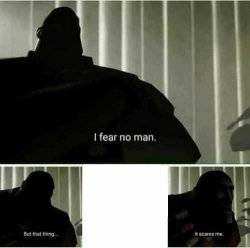
I fear no man
Ermahgerd Berks
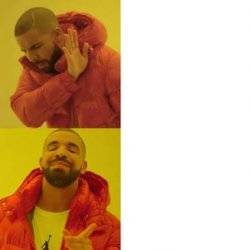
Drake No/Yes
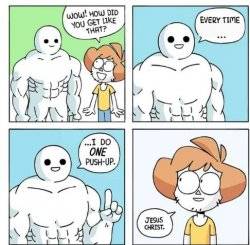
I do ONE Push-Up
blank red MAGA hat
Charlie Day
Always you three
Show me on this doll
Change My Mind
Megamind peeking
Disappointed Black Guy
Types of Headaches
Page 1 of 370
Select template & add text
Top Text
Bottom Text
ALL CAPS
Font
Text Alignment
Font Size: 48px
Stroke Width: 3px
Text Color
\#FFFFFF
Stroke Color
\#000000
## TL;DR
Create custom memes with a library of popular templates or your own images. Add top and bottom text, choose from 100+ fonts, customize colors and stroke, adjust text positioning, and download high-resolution memes. The classic meme format with modern customization options.
## How to Create Memes
Make shareable memes in minutes.
### Step-by-Step Guide
**Step 1: Choose a template or upload.** Browse the searchable template library and click to select, or upload your own custom image using the "Upload Custom" button.
**Step 2: Add your text.** Enter top text and/or bottom text. Use the position sliders to adjust vertical placement. Toggle "ALL CAPS" for the classic meme look.
**Step 3: Customize appearance.** Select from 100+ fonts, adjust font size (20-60px), set text and stroke colors, modify stroke width, and choose text alignment.
**Step 4: Download your meme.** Preview updates in real-time. When satisfied, click "Download" to save your meme as a high-resolution PNG.
## Customization Options
Full control over your meme's appearance.
**Font selection.** Over 100 fonts including Impact (the classic meme font), bold display fonts, script fonts, modern sans-serifs, decorative options, and monospace fonts.
**Text positioning.** Position sliders let you move top and bottom text up or down within their respective halves of the image. Center important text or avoid covering subjects.
**Colors.** Full color picker for both text fill and stroke/outline. Classic memes use white text with black stroke, but customize for any look.
**Stroke width.** Adjust outline thickness from 0-10px. Thicker strokes improve readability on busy backgrounds.
**Text alignment.** Left, center, or right alignment. Most memes use center, but alignment options let you match specific compositions.
## Tips for Better Memes
Create memes that get shared.
**Keep text short.** The best memes deliver the joke in as few words as possible. Long text is hard to read and doesn't work well on small screens. For video-based memes, check out our [greenscreen meme creator](https://renderfire.com/features/greenscreen-memes).
**Use high-contrast colors.** White text with black stroke works on almost any background. If using colors, ensure there's enough contrast for readability.
**Match the template's energy.** Each template has an established meaning. Use templates that fit your joke rather than forcing a mismatch.
**Position text thoughtfully.** Don't cover important parts of the image. Use positioning sliders to place text in clear areas.
**Test readability.** View your meme at a small size (how it'll appear on mobile) to ensure text is legible.
## Frequently Asked Questions
### Can I upload any image as a meme template?
Yes. Click 'Upload Custom' to use any image from your device. The image becomes your meme background, and you can add text just like with templates.
### What resolution are downloaded memes?
Memes are rendered at a minimum of 1080px height while maintaining the original aspect ratio. This ensures good quality for social media sharing.
### Why does my text look pixelated?
If using a very small source image, the scaling may affect quality. Use higher resolution templates or upload larger custom images for sharper results.
### Can I save memes without downloading?
Memes are generated in your browser and aren't stored on servers. Download to save your work. The meme will be lost if you close the page without downloading.
### Where do the meme templates come from?
Templates come from popular meme databases and are cached locally for fast loading. The library includes classic and trending formats.
## Key Takeaways
- 1Searchable library of meme templates
- 2Upload custom images
- 3100+ fonts including Impact
- 4Adjustable text position, color, and stroke
- 5Real-time preview
- 6High-resolution PNG downloads
## More Tools
[Video Trimmer Trim and cut videos to the perfect length with platform presets for TikTok, Instagram, and more.](https://renderfire.com/free-tools/video/global/trimmer)
[Video Cutter Remove unwanted segments from videos. Mark multiple sections to cut out and create seamless videos.](https://renderfire.com/free-tools/video/global/cutter)
[Video Splitter Split videos into multiple parts. Choose equal duration splits or custom split points.](https://renderfire.com/free-tools/video/global/splitter)
[Free Marketing Tools Powerful tools to download videos, edit images, analyze content, and supercharge your marketing workflow.](https://renderfire.com/free-tools)
[Marketing Blog Tips, strategies, and guides for social media marketing, content creation, and growing your online presence.](https://renderfire.com/blog)
### Ready to start automating?
Join hundreds businesses growing with Renderfire
### Company
- [Pricing](https://renderfire.com/#pricing)
- [Ambassador](https://renderfire.com/affiliate)
- [Terms of Service](https://renderfire.com/terms)
- [Privacy Policy](https://renderfire.com/privacy)
- [Cookies Policy](https://renderfire.com/cookies)
Automate TikToks that drive traffic to your website.
### Solutions
- [E-commerce](https://renderfire.com/for/ecommerce)
- [Fashion Brands](https://renderfire.com/for/fashion)
- [Dropshipping](https://renderfire.com/for/dropshipping)
- [DTC Brands](https://renderfire.com/for/dtc-brands)
- [Shopify Stores](https://renderfire.com/for/shopify)
- [SaaS & Apps](https://renderfire.com/for/saas)
- [Agencies](https://renderfire.com/for/agencies)
- [Coaches](https://renderfire.com/for/coaches)
- [Course Creators](https://renderfire.com/for/course-creators)
- [Real Estate](https://renderfire.com/for/real-estate)
- [Restaurants](https://renderfire.com/for/restaurants)
- [All Industries](https://renderfire.com/for)
### Features
- [AI Studio](https://renderfire.com/features/studio)
- [Slideshows](https://renderfire.com/features/slideshows)
- [UGC Videos](https://renderfire.com/features/ugc-videos)
- [Automations](https://renderfire.com/features/automations)
- [Content Library](https://renderfire.com/features/content-library)
- [Chat Mockups](https://renderfire.com/features/chat-mockups)
- [Meme Videos](https://renderfire.com/features/greenscreen-memes)
- [Product Import](https://renderfire.com/features/product-import)
- [Fashion Factory](https://renderfire.com/features/fashion-factory)
- [Image Search](https://renderfire.com/features/image-search)
- [Ad Templates](https://renderfire.com/features/ad-templates)
- [AI Videos](https://renderfire.com/features/ai-videos)
- [All Features](https://renderfire.com/features)
### Resources
- [Blog](https://renderfire.com/blog)
- [Free Courses](https://renderfire.com/free-marketing-courses)
- [Free Tools](https://renderfire.com/free-tools)
- [Compare](https://renderfire.com/vs)
- [Alternatives](https://renderfire.com/alternatives)
© 2026 Renderfire. All rights reserved. |
| Readable Markdown | ## TL;DR
Create custom memes with a library of popular templates or your own images. Add top and bottom text, choose from 100+ fonts, customize colors and stroke, adjust text positioning, and download high-resolution memes. The classic meme format with modern customization options.
## How to Create Memes
Make shareable memes in minutes.
### Step-by-Step Guide
**Step 1: Choose a template or upload.** Browse the searchable template library and click to select, or upload your own custom image using the "Upload Custom" button.
**Step 2: Add your text.** Enter top text and/or bottom text. Use the position sliders to adjust vertical placement. Toggle "ALL CAPS" for the classic meme look.
**Step 3: Customize appearance.** Select from 100+ fonts, adjust font size (20-60px), set text and stroke colors, modify stroke width, and choose text alignment.
**Step 4: Download your meme.** Preview updates in real-time. When satisfied, click "Download" to save your meme as a high-resolution PNG.
## Customization Options
Full control over your meme's appearance.
**Font selection.** Over 100 fonts including Impact (the classic meme font), bold display fonts, script fonts, modern sans-serifs, decorative options, and monospace fonts.
**Text positioning.** Position sliders let you move top and bottom text up or down within their respective halves of the image. Center important text or avoid covering subjects.
**Colors.** Full color picker for both text fill and stroke/outline. Classic memes use white text with black stroke, but customize for any look.
**Stroke width.** Adjust outline thickness from 0-10px. Thicker strokes improve readability on busy backgrounds.
**Text alignment.** Left, center, or right alignment. Most memes use center, but alignment options let you match specific compositions.
## Tips for Better Memes
Create memes that get shared.
**Keep text short.** The best memes deliver the joke in as few words as possible. Long text is hard to read and doesn't work well on small screens. For video-based memes, check out our [greenscreen meme creator](https://renderfire.com/features/greenscreen-memes).
**Use high-contrast colors.** White text with black stroke works on almost any background. If using colors, ensure there's enough contrast for readability.
**Match the template's energy.** Each template has an established meaning. Use templates that fit your joke rather than forcing a mismatch.
**Position text thoughtfully.** Don't cover important parts of the image. Use positioning sliders to place text in clear areas.
**Test readability.** View your meme at a small size (how it'll appear on mobile) to ensure text is legible.
## Frequently Asked Questions
### Can I upload any image as a meme template?
Yes. Click 'Upload Custom' to use any image from your device. The image becomes your meme background, and you can add text just like with templates.
### What resolution are downloaded memes?
Memes are rendered at a minimum of 1080px height while maintaining the original aspect ratio. This ensures good quality for social media sharing.
### Why does my text look pixelated?
If using a very small source image, the scaling may affect quality. Use higher resolution templates or upload larger custom images for sharper results.
### Can I save memes without downloading?
Memes are generated in your browser and aren't stored on servers. Download to save your work. The meme will be lost if you close the page without downloading.
### Where do the meme templates come from?
Templates come from popular meme databases and are cached locally for fast loading. The library includes classic and trending formats.
## Key Takeaways
- 1Searchable library of meme templates
- 2Upload custom images
- 3100+ fonts including Impact
- 4Adjustable text position, color, and stroke
- 5Real-time preview
- 6High-resolution PNG downloads |
| Shard | 176 (laksa) |
| Root Hash | 15404057392123642376 |
| Unparsed URL | com,renderfire!/free-tools/content/global/meme-generator s443 |