ℹ️ Skipped - page is already crawled
| Filter | Status | Condition | Details |
|---|---|---|---|
| HTTP status | PASS | download_http_code = 200 | HTTP 200 |
| Age cutoff | PASS | download_stamp > now() - 6 MONTH | 0.1 months ago |
| History drop | PASS | isNull(history_drop_reason) | No drop reason |
| Spam/ban | PASS | fh_dont_index != 1 AND ml_spam_score = 0 | ml_spam_score=0 |
| Canonical | PASS | meta_canonical IS NULL OR = '' OR = src_unparsed | Not set |
| Property | Value |
|---|---|
| URL | https://management.org/the-linkedin-guide |
| Last Crawled | 2026-04-13 17:15:11 (1 day ago) |
| First Indexed | 2024-01-17 07:40:19 (2 years ago) |
| HTTP Status Code | 200 |
| Meta Title | What is LinkedIn? Your Ultimate Guide |
| Meta Description | Learn everything you need about LinkedIn, how to use it effectively, and why it’s an essential tool for individuals and businesses. |
| Meta Canonical | null |
| Boilerpipe Text | LinkedIn is a powerful professional networking platform that has become indispensable for job seekers, hiring managers, and businesses in the digital age. It offers a platform for building your brand, connecting with industry professionals, finding job opportunities, and researching companies. If you’re wondering how to make the most of your LinkedIn account, this article is a comprehensive guide to help you master your LinkedIn profile and account.
Understanding LinkedIn: The Basics
LinkedIn
, often called the “professional’s social network,” is a platform where professionals from various fields connect, share insights, and explore career opportunities. As a LinkedIn user, you can create a personal profile, build a professional network, join industry-specific groups, and much more.
LinkedIn goes beyond the functionality of a conventional job board. It offers a platform for thought leadership, enables research about companies, allows you to join professional groups, and even provides learning opportunities through LinkedIn Learning.
LinkedIn Profile: Your Professional Story
Your LinkedIn profile serves as your professional landing page. Here, you curate your professional story, showcase your skills, and highlight your achievements—the more complete and engaging your profile, the more visibility and opportunities you will likely attract.
>>Recommended Reading:
5 Best LinkedIn Profile Writing Services in 2023
<<
How to Research Companies on LinkedIn?
Researching companies on LinkedIn can provide valuable insights into their culture, employee satisfaction, job opportunities, and overall business profile. Here’s a step-by-step guide on how to effectively research companies on LinkedIn:
1. Create a LinkedIn Account:
If you don’t have a LinkedIn account, create one. Make sure your profile is complete and professional.
2. Search for the Company:
Use the LinkedIn search bar to look for the specific company you’re interested in.
3. Company Page:
Once you find the company, visit its LinkedIn Company Page.
Look for the “Follow” button to receive updates from the company.
4. Overview:
Explore the “Overview” section of the company page to understand its size, industry, and location.
5. About:
Check the “About” section for a concise summary of the company’s mission, values, and key offerings.
6. Recent Activity:
Check the company’s recent posts, articles, or updates to understand their current projects and activities.
7. Employees:
Navigate to the “Employees” section to see who works there, which can provide insights into the company’s workforce and its diversity.
8. LinkedIn Posts:
Check if the company has a specific hashtag or if employees are actively posting about their experiences, which can give you a sense of the company culture.
9. Recommendations:
Look for employee recommendations on the company page, which can provide insight into the working environment.
10. Jobs:
Check the “Jobs” tab to see any current job openings, which can help you understand the skills the company is looking for and its growth areas.
11. Insights:
Use the “Insights” tab to view information about the company’s growth, employee demographics, and more.
12. Follow Key People:
Identify key employees or executives and follow them to stay updated on their activities and insights.
13. Groups:
Join any LinkedIn groups related to the company or industry. Engaging in discussions can provide additional perspectives.
14. News and Media:
Check for any news articles or media mentions related to the company, which can give you a broader view of its reputation.
15. Competitor Comparison:
Compare the company with its competitors by exploring their LinkedIn pages, which can help you gauge industry standards and trends.
16. Save and Monitor:
Save the company’s page to your LinkedIn account to easily access updates. Monitor the page for any changes or new developments.
17. Connect and Network:
Connect with employees or recruiters from the company to expand your professional network.
Remember to respect privacy and ethical considerations when researching companies on LinkedIn. LinkedIn is a powerful tool for professional networking, so use it strategically to gather valuable information about potential employers or business partners.
How to Connect to Other LinkedIn Users?
1. Complete Your Profile:
Before connecting with others on LinkedIn, ensure your LinkedIn profile is well-crafted and complete. Include a professional photo, a concise yet informative headline, and a detailed summary highlighting your skills and experiences.
2. Customize Connection Requests:
Avoid using the default connection request message. Personalize your requests by mentioning common interests, explaining why you want to connect, or noting how you know the person. A personalized message adds a human touch and increases your request’s likelihood of acceptance.
3. Search for People:
Use the LinkedIn search bar to find individuals you want to connect with. You can search by name, job title, company, or industry, making locating professionals relevant to your goals easier.
4. LinkedIn Suggestions:
Take advantage of LinkedIn’s suggestions for people you may know. Review these suggestions and send connection requests to individuals who align with your professional interests and objectives.
5. People Also Viewed:
Explore the “People Also Viewed” section on profiles you visit, which can lead you to professionals with similar interests or backgrounds, increasing the likelihood of establishing meaningful connections.
6. Connect at Events:
If you attend industry events or webinars, connect with participants afterward. Mention the event in your connection request to provide context and increase the chances of your request being accepted.
7. Alumni and School Connections:
Connect with alumni from your educational institutions or individuals associated with organizations you’ve been part of. Shared affiliations can serve as common ground and make it easier to establish connections.
8. LinkedIn Groups:
Join LinkedIn groups related to your industry or interests. Engage in discussions within these groups and send connection requests to members who contribute valuable insights or share common professional interests.
9. Company Pages:
Explore the followers of companies you are interested in. Connecting with employees or individuals associated with these companies can provide valuable networking opportunities and insights into specific industries.
10. Engage First:
Before sending a connection request, engage with the content of the individuals you want to connect with. Like, comment, or share their posts to establish a connection before the formal request.
11. Professional Courtesy:
If you have interacted with someone on another platform, met them at an event, or shared a mutual connection, mention it in your connection request, which provides context and increases the chances of your request being accepted.
12. Follow-Up Messages:
After someone accepts your connection request, consider sending a brief thank-you message expressing your interest in connecting. Suggest a topic for discussion to initiate a meaningful conversation.
13. Stay Active:
Regularly update your LinkedIn profile, share relevant content, and engage with your network. Being active on the platform keeps you visible and attracts more connection requests.
14. Be Clear About Intentions:
In your connection request or initial message, communicate why you want to connect. Transparency is crucial for building meaningful connections for networking, collaboration, or information exchange.
15. Review Connection Requests:
Regularly review incoming connection requests. Accept those that align with your professional goals and, when possible, send personalized messages to strengthen the connection. Focus on quality connections rather than quantity.
How do you use LinkedIn to perform job searches and add them to your LinkedIn connections?
Create a Comprehensive Profile: Ensure your LinkedIn profile is complete, showcasing your skills, experience, and achievements.
Job Search Bar: Use the job search bar for specific job titles, companies, or industries relevant to your career goals.
Advanced Search Filters: Utilize advanced filters to narrow down job search results based on location, experience level, and company size.
Saved Job Alerts: Set up job alerts for specific criteria to receive notifications about new job opportunities that match your preferences.
Follow Companies: Follow companies of interest to stay updated on their job postings and company updates.
LinkedIn Jobs Tab: Explore the “Jobs” tab for curated job recommendations based on your profile and preferences.
Adding to Your LinkedIn Connections:
Profile Optimization: Optimize your LinkedIn profile with a professional photo, a compelling headline, and a detailed summary.
Customize Connection Requests: Personalize connection requests by mentioning common interests or explaining your reason for connecting.
Search and Connect: Use the search bar to find professionals in your industry. Send connection requests to those aligned with your goals.
LinkedIn Groups: Join industry-related groups, engage in discussions, and connect with group members who share common interests.
Alums and Colleagues: Connect with former colleagues, classmates, and alums to expand your network.
Engage with Content: Like, comment, or share relevant posts to engage with potential connections before sending requests.
Company Pages: Follow and connect with individuals from companies you are interested in for networking opportunities.
Networking Events: Attend virtual or in-person networking events and connect with participants afterward.
Follow-Up Messages: Send brief, personalized thank-you messages after connections are accepted to initiate conversations.
Stay Active: Regularly update your profile, share valuable content, and participate in discussions to maintain an active presence.
Remember to maintain professionalism and relevance when connecting, tailoring your approach based on your career objectives.
How many Ways Can You Use LinkedIn?
LinkedIn serves as a versatile platform with multifaceted applications. It’s a hub for professional networking, connecting individuals across industries and facilitating job searches. Users can stay informed about industry trends, showcase their skills for personal branding, and conduct company research. It also functions as a recruitment tool, aiding in talent acquisition.
With features for learning and development, sales and business development, and the sharing of valuable content, LinkedIn stands as a comprehensive resource for diverse professional needs and opportunities.
Why is LinkedIn the World’s Largest Professional Network?
LinkedIn has earned its status as the world’s largest professional network for several reasons. Firstly, it provides a platform for individuals to build and showcase their professional identity, fostering connections with colleagues, industry peers, and potential collaborators.
Its robust features cater to diverse professional needs, including job searching, recruitment, and networking events. The platform’s emphasis on creating a space for meaningful professional interactions has contributed to its widespread adoption globally.
How Many LinkedIn Members Are There?
LinkedIn boasts a membership base exceeding one billion individuals with a presence spanning over 200 countries and territories globally.
What Can I Do on My LinkedIn Homepage?
On your LinkedIn homepage, you can efficiently manage your professional activities. Scroll through your feed to view and share updates, connect with professionals, and receive job recommendations.
Stay informed with notifications about profile views and connection requests, and engage in direct messages for professional communication. Utilize the search bar to find people, jobs, or groups and explore events and webinars for networking opportunities.
The homepage also offers insights into profile views, industry updates, and learning resources, making it a central hub for building and enhancing your professional presence.
How to Use LinkedIn Effectively?
To use LinkedIn effectively, optimize your profile with a professional photo, compelling headline, and detailed summary. Actively connect with colleagues, industry professionals, and potential collaborators. Engage with content by sharing insights, liking, and commenting. Leverage the job search feature for career opportunities and set up alerts for relevant positions.
Join industry groups, attend networking events, and follow companies for insights. Regularly update your profile, share valuable content, and utilize LinkedIn Learning for continuous professional development. Strategic and consistent engagement on the platform enhances your professional network and visibility.
How do I keep up with Industry News?
To stay current with industry news on LinkedIn, follow relevant companies, thought leaders, and industry publications. Join and participate in industry-specific groups where professionals share information and insights. Regularly check the “News” and “Posts” tabs on your homepage for updates from your network. Engage with content by liking, commenting, and sharing to foster connections and stay informed. Utilize LinkedIn’s “Follow” feature to receive updates from key influencers and organizations, ensuring a steady stream of industry-related information in your feed.
What about Joining Groups on the LinkedIn Platform?
Joining LinkedIn groups provides valuable opportunities for networking, industry discussions, and staying informed. Participate in relevant groups to connect with professionals, share insights, and access industry-specific news and updates. Engaging in group discussions fosters connections and expands your knowledge within your field.
What are 5 LinkedIn Tips?
Optimize Profile:
Complete your profile with a professional photo, compelling headline, and detailed summary.
Customize Connections:
Personalize connection requests with a brief message for a higher acceptance rate.
Engage with Content:
Like, comment, and share posts to showcase expertise and increase visibility.
Join Groups:
Participate in industry-related groups for networking and staying informed.
Professional Development:
Utilize LinkedIn Learning and follow thought leaders for continuous learning and insights.
Why is my employment history important?
Your employment history on LinkedIn is crucial as it serves as a dynamic, publicly accessible record of your professional experience, showcasing skills, achievements, and career progression.
It provides a snapshot for potential employers, recruiters, and professional connections, helping them assess your qualifications and suitability for opportunities. Regularly updating this section enhances your online professional presence and increases your visibility in the professional community.
How to gain access to LinkedIn Premium?
To access LinkedIn Premium, visit the LinkedIn Premium subscription page on the platform. Choose the plan that suits your needs, including features like InMail credits, enhanced search filters, and access to LinkedIn Learning. Follow the prompts to complete the subscription process, which typically involves selecting a payment method and providing billing information. LinkedIn Premium offers additional tools for networking, job searching, and professional development.
Understanding LinkedIn and its Purpose
LinkedIn operates as a social network for the professional world. Unlike other social networks focusing on personal sharing and connection, LinkedIn is designed for career and business professionals to connect. It offers a platform for users to post their resumes, find jobs, make business connections, share content related to their industry, and contribute to industry-related group discussions.
LinkedIn is a platform for job seekers to showcase their skills, experience, and achievements, making them visible to potential employers. It provides hiring managers with a database of professionals from various industries, making the recruitment process more efficient. Businesses can use LinkedIn for marketing, sales, and hiring purposes, making it a versatile tool for individuals and companies.
Getting Started with LinkedIn: Creating and Optimizing Your LinkedIn Profile
Creating a LinkedIn profile is the first step in capitalizing on the platform’s benefits. However, merely creating a profile is not enough. You need to optimize your profile effectively to get the most out of LinkedIn.
Profile Picture and Background Photo
Your LinkedIn profile’s visual elements should be professional and representative of your professional persona. The profile picture should be a clear, recent, and professional headshot of you. A well-chosen profile picture can increase your profile views significantly.
The background photo is another visual element that you can customize to reflect your professional interests or industry. It could be an image related to your work, a business logo, or any image that adds context to your profession.
Crafting a Compelling Headline and Summary
Your headline and summary are crucial in shaping your brand on LinkedIn. Rather than just stating your current job title in the headline, use it to highlight your skills, achievements, or what makes you unique. It’s your chance to make a solid first impression, so make it count.
The summary section is your opportunity to tell your professional story. It should effectively communicate your career objectives, skills, experiences, and what you bring. Instead of simply listing your skills or job titles, convey your passion for your work and career goals.
Listing Relevant Skills and Experience
Your LinkedIn profile should clearly outline your skills and professional experience. You can list up to 50 skills relevant to your profession and industry on your LinkedIn profile. The skills you list help validate your professional abilities and give other members an understanding of your strengths.
The Experience section is where you detail your professional history, which should be more than just a list of job titles and companies. Instead, use this section to showcase your achievements, responsibilities, and the value you brought to each role.
Adding Educational Background and Certifications
Adding your educational background and relevant certifications to your LinkedIn profile adds credibility to your professional persona. It can also be a networking tool, connecting you with alums from the same institutions.
If you have completed any courses or certifications, especially those relevant to your industry, include them in your profile. These demonstrate a commitment to continuous learning and professional development.
Building Your Network and Making Connections
One of the key benefits of LinkedIn is its networking capabilities. It’s important to constantly grow your LinkedIn network by connecting with colleagues, friends, industry professionals, and classmates. You can also follow influencers in your industry and join groups related to your profession or interests to expand your network further.
Participating in Groups and Discussions
Joining LinkedIn groups and actively participating in discussions can significantly boost your visibility on the platform. It allows you to engage with like-minded professionals, share insights, and establish yourself as a thought leader in your industry. Try joining groups relevant to your profession or industry and regularly participating in discussions.
LinkedIn Account Tiers: Free Vs. Premium
LinkedIn offers both free and premium accounts. The free account provides a range of functionalities, including creating a profile, building a network, and applying for jobs. However, a premium account offers additional features like InMail, seeing who viewed your profile, and advanced search filters. Premium accounts are available in different tiers and are designed for job seekers, sales professionals, and recruiters.
Making LinkedIn Work for You: Best Practices and Tips
Here are some best practices and tips to get the most out of your LinkedIn profile and account:
Stay Active and Engaged:
Regularly update your profile, share relevant content, and engage with your network, keeping your profile visible and helping you stay on top of industry trends.
Endorse and Get Endorsed:
Endorse your connections for their skills and request endorsements in return for enhancing your credibility and strengthening your professional relationships.
Leverage LinkedIn’s Job Search Features:
Use LinkedIn’s job search features to find and apply for jobs. You can also let recruiters know that you’re open to job opportunities.
Avoid Buzzwords:
Try to avoid using overused buzzwords in your profile. Instead, use clear and concise language to describe your skills and experience.
Publish Long-Form Content:
Publishing long-form content, like articles or blog posts, can establish you as a thought leader in your industry.
Use LinkedIn Analytics:
LinkedIn provides analytics tools to help you understand how your profile performs and how people engage with your content. Use these insights to improve your LinkedIn strategy.
Building a Professional Network on LinkedIn
One of the primary reasons people use LinkedIn is to build a professional network. Here’s how to do it:
Sync Your Email Contacts:
LinkedIn can scan your email contacts and suggest potential connections.
Connect After Meetings or Events:
Send personalized connection requests to people you’ve interacted with after a professional meeting or event.
Engage with Content:
Regularly sharing, commenting, and reacting to content keeps you informed and increases your visibility to others in your network.
Join LinkedIn Groups:
Groups are a great way to connect with professionals with similar interests or industries.
Using LinkedIn for Job Opportunities
LinkedIn provides various tools for job seekers. You can openly state that you’re open to opportunities, allowing recruiters to find you more easily. You can also browse job postings on LinkedIn and apply directly through the platform.
Furthermore, LinkedIn provides insights about companies. Company pages often share updates about new projects, achievements, and, occasionally, job vacancies. Following companies of interest helps you stay updated and could lead to job opportunities.
LinkedIn for Personal Branding
LinkedIn is a powerful tool for building your brand. Regularly sharing industry insights, engaging thoughtfully with your network, and optimizing your profile can establish yourself as a thought leader in your field. LinkedIn also allows you to publish long-form content, enabling you to dive deeper into topics of your expertise.
LinkedIn Premium: Is it Worth It?
LinkedIn offers a free basic membership and several premium options. Premium accounts include additional features like InMail, advanced search filters, and more detailed analytics about who’s viewing your profile. A premium account might be worth considering if you’re an active job seeker or a business owner looking for leads.
LinkedIn Mobile: Networking on the Go
With LinkedIn’s mobile app, you can stay connected and updated no matter where you are. The app offers all the functionalities of the desktop version, so you can network, share updates, or even apply for jobs from your phone.
Bottom Line:
In essence, LinkedIn is more than just a social media platform—it’s a comprehensive tool for career development. Whether you’re seeking job opportunities, looking to expand your network, or aiming to establish your thought leadership, LinkedIn can help. By understanding its features and making the most of them, you can take your career to new heights.
>>Recommended Reading:
Want to get noticed on LinkedIn?
<<
Frequently Asked Questions
What is LinkedIn?
LinkedIn is a professional networking platform where you can connect with professionals across various industries, share insights, explore career opportunities, and more.
How do you use LinkedIn?
You can use LinkedIn to build a professional profile, connect with others in your industry, apply for jobs, join professional groups, and share industry insights.
Why should I use LinkedIn for personal or business use?
LinkedIn helps you build your brand, discover job opportunities, stay updated with industry trends, and potentially find new clients or business partnerships.
How do I create a LinkedIn profile?
To create a LinkedIn profile, sign up on LinkedIn’s website and complete the sections like headline, summary, experience, education, and skills. Customize your URL and add a professional photo.
How do I build a professional network on LinkedIn?
You can create a professional network on LinkedIn by connecting with colleagues, classmates, and professionals you meet at events or meetings. Participating in LinkedIn groups and engaging with others’ content can also help expand your network.
What are LinkedIn groups?
LinkedIn groups are online forums where professionals in similar industries or with shared interests can connect, share insights, ask questions, and build relationships.
How do I find job opportunities on LinkedIn?
LinkedIn has a “Jobs” section where you can browse and apply for jobs. You can also enable the “Open to Work” feature on your profile, allowing recruiters to find you more easily.
Is LinkedIn useful for small business owners?
Yes, LinkedIn can be highly beneficial for small business owners. It offers a platform for networking, finding potential clients, sharing updates about the business, and even finding talent for hiring.
What is LinkedIn premium?
LinkedIn premium is a paid subscription offering additional features like seeing who viewed your profile, sending InMail to people outside your network, and accessing LinkedIn Learning.
What is Sales Navigator on LinkedIn?
LinkedIn Sales Navigator is a premium tool for sales professionals. It offers advanced search capabilities, lead recommendations, real-time insights, and InMail credits. |
| Markdown | [Home](https://management.org/)
[Translate]()
Font Size: A A A
**Our content is reader-supported.** Things you buy through links on our site may earn us a commission
[](https://management.org/)
- [Finance](https://management.org/the-linkedin-guide)
- [Accounting](https://management.org/finance/accounting)
- [Financing & Loans](https://management.org/finance/financing-loans)
- [Insurance](https://management.org/finance/insurance)
- [Taxes](https://management.org/finance/taxes)
- [iGaming](https://management.org/gambling)
- [Best Small Business Bank Accounts for LLCs](https://management.org/best-business-bank-accounts-llc)
- [Best Free Business Banking Accounts](https://management.org/free-business-banking-account)
- [Best ERC Companies and Agencies](https://management.org/best-erc-companies)
- [13 Cheapest Small Businesses General Liability Insurance](https://management.org/general-liability-insurance-for-small-business)
- [The 10 Best Payroll Software for Small Businesses](https://management.org/?p=46234)
- [Sales & Marketing](https://management.org/the-linkedin-guide)
- [Advertising & PR](https://management.org/sales-marketing/advertising-pr)
- [Customer Relationship Management](https://management.org/sales-marketing/customer-relationship-management)
- [Lead Generation](https://management.org/sales-marketing/lead-generation)
- [Market Research](https://management.org/sales-marketing/market-research)
- [Online Marketing](https://management.org/sales-marketing/online-marketing)
- [Sales Management](https://management.org/sales-marketing/sales-management)
- [Sales Technology](https://management.org/sales-marketing/sales-technology)
- [Best VoIP Cell Phone Services](https://management.org/?p=18100)
- [Human Resources](https://management.org/the-linkedin-guide)
- [Hiring](https://management.org/human-resources/hiring)
- [HR Laws & Admin](https://management.org/human-resources/hr-laws-admin)
- [Payroll](https://management.org/human-resources/payroll)
- [Performance Management](https://management.org/human-resources/performance-management)
- [Training & Development](https://management.org/human-resources/training-development)
- [12 Best Background Check Services](https://management.org/best-background-check-services)
- [Project Management](https://management.org/the-linkedin-guide)
- [The History of Project Management](https://management.org/history-of-project-management)
- [Waterfall Methodology](https://management.org/waterfall-methodology)
- [Project Management Conferences](https://management.org/project-management-conference)
- [Operations](https://management.org/project-management/operations)
- [PM Methodologies](https://management.org/project-management/pm-methodologies)
- [Project Management Tools](https://management.org/project-management/project-management-tools)
- [Best Free Project Management Software](https://management.org/free-project-management-software)
- [Starting a Business](https://management.org/the-linkedin-guide)
- [Best Business Ideas for 2025](https://management.org/best-business-ideas)
- [10 Best LLC Services Every Business Owner Needs](https://management.org/best-llc-services)
- [Business Laws & Ethics](https://management.org/starting-a-business/business-laws-ethics)
- [Business Planning](https://management.org/starting-a-business/business-planning)
- [Career Development](https://management.org/the-linkedin-guide)
- [7 Best Executive Resume Writing Services](https://management.org/best-executive-resume-writing-services)
- [Reverse Recruiting: The Ultimate Guide](https://management.org/reverse-recruiting-ultimate-guide)
- [Top 5 LinkedIn Profile Writing Services Online](https://management.org/best-linkedin-profile-writing-services)
- [About Us](https://management.org/the-linkedin-guide)
- [Contact Us](https://management.org/aboutfml/contact.htm)
[Newsletter](https://management.org/newsletter)


×
### Join our newsletter
Never miss out on well-researched articles in your field of interest with our weekly newsletter.


Sections of this topic
Share


### Get the latest Business News
[Home](https://management.org/)/[Career Development](https://management.org/career-development)
# What is LinkedIn: Everything You Need to Know About Your LinkedIn Profile/LinkedIn Account
Written by Baruch Gordon \| Edited by [Rory Hart](https://management.org/author/rory)
Last updated on May 17, 2024


Sections of this topic
[](https://management.org/the-linkedin-guide)
LinkedIn is a powerful professional networking platform that has become indispensable for job seekers, hiring managers, and businesses in the digital age. It offers a platform for building your brand, connecting with industry professionals, finding job opportunities, and researching companies. If you’re wondering how to make the most of your LinkedIn account, this article is a comprehensive guide to help you master your LinkedIn profile and account.
## **Understanding LinkedIn: The Basics**
**LinkedIn**, often called the “professional’s social network,” is a platform where professionals from various fields connect, share insights, and explore career opportunities. As a LinkedIn user, you can create a personal profile, build a professional network, join industry-specific groups, and much more.
LinkedIn goes beyond the functionality of a conventional job board. It offers a platform for thought leadership, enables research about companies, allows you to join professional groups, and even provides learning opportunities through LinkedIn Learning.
## **LinkedIn Profile: Your Professional Story**
Your LinkedIn profile serves as your professional landing page. Here, you curate your professional story, showcase your skills, and highlight your achievements—the more complete and engaging your profile, the more visibility and opportunities you will likely attract.
### \>\>Recommended Reading: [5 Best LinkedIn Profile Writing Services in 2023](https://management.org/best-linkedin-profile-writing-services#google_vignette)\<\<
## **How to Research Companies on LinkedIn?**
Researching companies on LinkedIn can provide valuable insights into their culture, employee satisfaction, job opportunities, and overall business profile. Here’s a step-by-step guide on how to effectively research companies on LinkedIn:
### 1\. Create a LinkedIn Account:
- If you don’t have a LinkedIn account, create one. Make sure your profile is complete and professional.
### 2\. Search for the Company:
- Use the LinkedIn search bar to look for the specific company you’re interested in.
### 3\. Company Page:
- Once you find the company, visit its LinkedIn Company Page.
- Look for the “Follow” button to receive updates from the company.
### 4\. Overview:
- Explore the “Overview” section of the company page to understand its size, industry, and location.
### 5\. About:
- Check the “About” section for a concise summary of the company’s mission, values, and key offerings.
### 6\. Recent Activity:
- Check the company’s recent posts, articles, or updates to understand their current projects and activities.
### 7\. Employees:
- Navigate to the “Employees” section to see who works there, which can provide insights into the company’s workforce and its diversity.
### 8\. LinkedIn Posts:
- Check if the company has a specific hashtag or if employees are actively posting about their experiences, which can give you a sense of the company culture.
### 9\. Recommendations:
- Look for employee recommendations on the company page, which can provide insight into the working environment.
### 10\. Jobs:
- Check the “Jobs” tab to see any current job openings, which can help you understand the skills the company is looking for and its growth areas.
### 11\. Insights:
- Use the “Insights” tab to view information about the company’s growth, employee demographics, and more.
### 12\. Follow Key People:
- Identify key employees or executives and follow them to stay updated on their activities and insights.
### 13\. Groups:
- Join any LinkedIn groups related to the company or industry. Engaging in discussions can provide additional perspectives.
### 14\. News and Media:
- Check for any news articles or media mentions related to the company, which can give you a broader view of its reputation.
### 15\. Competitor Comparison:
- Compare the company with its competitors by exploring their LinkedIn pages, which can help you gauge industry standards and trends.
### 16\. Save and Monitor:
- Save the company’s page to your LinkedIn account to easily access updates. Monitor the page for any changes or new developments.
### 17\. Connect and Network:
- Connect with employees or recruiters from the company to expand your professional network.
Remember to respect privacy and ethical considerations when researching companies on LinkedIn. LinkedIn is a powerful tool for professional networking, so use it strategically to gather valuable information about potential employers or business partners.
## **How to Connect to Other LinkedIn Users?**
### 1\. Complete Your Profile:
Before connecting with others on LinkedIn, ensure your LinkedIn profile is well-crafted and complete. Include a professional photo, a concise yet informative headline, and a detailed summary highlighting your skills and experiences.
### 2\. Customize Connection Requests:
Avoid using the default connection request message. Personalize your requests by mentioning common interests, explaining why you want to connect, or noting how you know the person. A personalized message adds a human touch and increases your request’s likelihood of acceptance.
### 3\. Search for People:
Use the LinkedIn search bar to find individuals you want to connect with. You can search by name, job title, company, or industry, making locating professionals relevant to your goals easier.
### 4\. LinkedIn Suggestions:
Take advantage of LinkedIn’s suggestions for people you may know. Review these suggestions and send connection requests to individuals who align with your professional interests and objectives.
### 5\. People Also Viewed:
Explore the “People Also Viewed” section on profiles you visit, which can lead you to professionals with similar interests or backgrounds, increasing the likelihood of establishing meaningful connections.
### 6\. Connect at Events:
If you attend industry events or webinars, connect with participants afterward. Mention the event in your connection request to provide context and increase the chances of your request being accepted.
### 7\. Alumni and School Connections:
Connect with alumni from your educational institutions or individuals associated with organizations you’ve been part of. Shared affiliations can serve as common ground and make it easier to establish connections.
### 8\. LinkedIn Groups:
Join LinkedIn groups related to your industry or interests. Engage in discussions within these groups and send connection requests to members who contribute valuable insights or share common professional interests.
### 9\. Company Pages:
Explore the followers of companies you are interested in. Connecting with employees or individuals associated with these companies can provide valuable networking opportunities and insights into specific industries.
### 10\. Engage First:
Before sending a connection request, engage with the content of the individuals you want to connect with. Like, comment, or share their posts to establish a connection before the formal request.
### 11\. Professional Courtesy:
If you have interacted with someone on another platform, met them at an event, or shared a mutual connection, mention it in your connection request, which provides context and increases the chances of your request being accepted.
### 12\. Follow-Up Messages:
After someone accepts your connection request, consider sending a brief thank-you message expressing your interest in connecting. Suggest a topic for discussion to initiate a meaningful conversation.
### 13\. Stay Active:
Regularly update your LinkedIn profile, share relevant content, and engage with your network. Being active on the platform keeps you visible and attracts more connection requests.
### 14\. Be Clear About Intentions:
In your connection request or initial message, communicate why you want to connect. Transparency is crucial for building meaningful connections for networking, collaboration, or information exchange.
### 15\. Review Connection Requests:
Regularly review incoming connection requests. Accept those that align with your professional goals and, when possible, send personalized messages to strengthen the connection. Focus on quality connections rather than quantity.
## **How do you use LinkedIn to perform job searches and add them to your LinkedIn connections?**
Create a Comprehensive Profile: Ensure your LinkedIn profile is complete, showcasing your skills, experience, and achievements.
Job Search Bar: Use the job search bar for specific job titles, companies, or industries relevant to your career goals.
Advanced Search Filters: Utilize advanced filters to narrow down job search results based on location, experience level, and company size.
Saved Job Alerts: Set up job alerts for specific criteria to receive notifications about new job opportunities that match your preferences.
Follow Companies: Follow companies of interest to stay updated on their job postings and company updates.
LinkedIn Jobs Tab: Explore the “Jobs” tab for curated job recommendations based on your profile and preferences.
**Adding to Your LinkedIn Connections:**
Profile Optimization: Optimize your LinkedIn profile with a professional photo, a compelling headline, and a detailed summary.
Customize Connection Requests: Personalize connection requests by mentioning common interests or explaining your reason for connecting.
Search and Connect: Use the search bar to find professionals in your industry. Send connection requests to those aligned with your goals.
LinkedIn Groups: Join industry-related groups, engage in discussions, and connect with group members who share common interests.
Alums and Colleagues: Connect with former colleagues, classmates, and alums to expand your network.
Engage with Content: Like, comment, or share relevant posts to engage with potential connections before sending requests.
Company Pages: Follow and connect with individuals from companies you are interested in for networking opportunities.
Networking Events: Attend virtual or in-person networking events and connect with participants afterward.
Follow-Up Messages: Send brief, personalized thank-you messages after connections are accepted to initiate conversations.
Stay Active: Regularly update your profile, share valuable content, and participate in discussions to maintain an active presence.
Remember to maintain professionalism and relevance when connecting, tailoring your approach based on your career objectives.
## **How many Ways Can You Use LinkedIn?**
LinkedIn serves as a versatile platform with multifaceted applications. It’s a hub for professional networking, connecting individuals across industries and facilitating job searches. Users can stay informed about industry trends, showcase their skills for personal branding, and conduct company research. It also functions as a recruitment tool, aiding in talent acquisition.
With features for learning and development, sales and business development, and the sharing of valuable content, LinkedIn stands as a comprehensive resource for diverse professional needs and opportunities.
## **Why is LinkedIn the World’s Largest Professional Network?**
LinkedIn has earned its status as the world’s largest professional network for several reasons. Firstly, it provides a platform for individuals to build and showcase their professional identity, fostering connections with colleagues, industry peers, and potential collaborators.
Its robust features cater to diverse professional needs, including job searching, recruitment, and networking events. The platform’s emphasis on creating a space for meaningful professional interactions has contributed to its widespread adoption globally.
## **How Many LinkedIn Members Are There?**
LinkedIn boasts a membership base exceeding one billion individuals with a presence spanning over 200 countries and territories globally.
## **What Can I Do on My LinkedIn Homepage?**
On your LinkedIn homepage, you can efficiently manage your professional activities. Scroll through your feed to view and share updates, connect with professionals, and receive job recommendations.
Stay informed with notifications about profile views and connection requests, and engage in direct messages for professional communication. Utilize the search bar to find people, jobs, or groups and explore events and webinars for networking opportunities.
The homepage also offers insights into profile views, industry updates, and learning resources, making it a central hub for building and enhancing your professional presence.
## **How to Use LinkedIn Effectively?**
To use LinkedIn effectively, optimize your profile with a professional photo, compelling headline, and detailed summary. Actively connect with colleagues, industry professionals, and potential collaborators. Engage with content by sharing insights, liking, and commenting. Leverage the job search feature for career opportunities and set up alerts for relevant positions.
Join industry groups, attend networking events, and follow companies for insights. Regularly update your profile, share valuable content, and utilize LinkedIn Learning for continuous professional development. Strategic and consistent engagement on the platform enhances your professional network and visibility.
## **How do I keep up with Industry News?**
To stay current with industry news on LinkedIn, follow relevant companies, thought leaders, and industry publications. Join and participate in industry-specific groups where professionals share information and insights. Regularly check the “News” and “Posts” tabs on your homepage for updates from your network. Engage with content by liking, commenting, and sharing to foster connections and stay informed. Utilize LinkedIn’s “Follow” feature to receive updates from key influencers and organizations, ensuring a steady stream of industry-related information in your feed.
## **What about Joining Groups on the LinkedIn Platform?**
Joining LinkedIn groups provides valuable opportunities for networking, industry discussions, and staying informed. Participate in relevant groups to connect with professionals, share insights, and access industry-specific news and updates. Engaging in group discussions fosters connections and expands your knowledge within your field.
## **What are 5 LinkedIn Tips?**
1. **Optimize Profile:** Complete your profile with a professional photo, compelling headline, and detailed summary.
2. **Customize Connections:** Personalize connection requests with a brief message for a higher acceptance rate.
3. **Engage with Content:** Like, comment, and share posts to showcase expertise and increase visibility.
4. **Join Groups:** Participate in industry-related groups for networking and staying informed.
5. **Professional Development:** Utilize LinkedIn Learning and follow thought leaders for continuous learning and insights.
## **Why is my employment history important?**
Your employment history on LinkedIn is crucial as it serves as a dynamic, publicly accessible record of your professional experience, showcasing skills, achievements, and career progression.
It provides a snapshot for potential employers, recruiters, and professional connections, helping them assess your qualifications and suitability for opportunities. Regularly updating this section enhances your online professional presence and increases your visibility in the professional community.
## **How to gain access to LinkedIn Premium?**
To access LinkedIn Premium, visit the LinkedIn Premium subscription page on the platform. Choose the plan that suits your needs, including features like InMail credits, enhanced search filters, and access to LinkedIn Learning. Follow the prompts to complete the subscription process, which typically involves selecting a payment method and providing billing information. LinkedIn Premium offers additional tools for networking, job searching, and professional development.
## **Understanding LinkedIn and its Purpose**
LinkedIn operates as a social network for the professional world. Unlike other social networks focusing on personal sharing and connection, LinkedIn is designed for career and business professionals to connect. It offers a platform for users to post their resumes, find jobs, make business connections, share content related to their industry, and contribute to industry-related group discussions.
LinkedIn is a platform for job seekers to showcase their skills, experience, and achievements, making them visible to potential employers. It provides hiring managers with a database of professionals from various industries, making the recruitment process more efficient. Businesses can use LinkedIn for marketing, sales, and hiring purposes, making it a versatile tool for individuals and companies.
## **Getting Started with LinkedIn: Creating and Optimizing Your LinkedIn Profile**
Creating a LinkedIn profile is the first step in capitalizing on the platform’s benefits. However, merely creating a profile is not enough. You need to optimize your profile effectively to get the most out of LinkedIn.
### **Profile Picture and Background Photo**
Your LinkedIn profile’s visual elements should be professional and representative of your professional persona. The profile picture should be a clear, recent, and professional headshot of you. A well-chosen profile picture can increase your profile views significantly.
The background photo is another visual element that you can customize to reflect your professional interests or industry. It could be an image related to your work, a business logo, or any image that adds context to your profession.
### **Crafting a Compelling Headline and Summary**
Your headline and summary are crucial in shaping your brand on LinkedIn. Rather than just stating your current job title in the headline, use it to highlight your skills, achievements, or what makes you unique. It’s your chance to make a solid first impression, so make it count.
The summary section is your opportunity to tell your professional story. It should effectively communicate your career objectives, skills, experiences, and what you bring. Instead of simply listing your skills or job titles, convey your passion for your work and career goals.
### **Listing Relevant Skills and Experience**
Your LinkedIn profile should clearly outline your skills and professional experience. You can list up to 50 skills relevant to your profession and industry on your LinkedIn profile. The skills you list help validate your professional abilities and give other members an understanding of your strengths.
The Experience section is where you detail your professional history, which should be more than just a list of job titles and companies. Instead, use this section to showcase your achievements, responsibilities, and the value you brought to each role.
### **Adding Educational Background and Certifications**
Adding your educational background and relevant certifications to your LinkedIn profile adds credibility to your professional persona. It can also be a networking tool, connecting you with alums from the same institutions.
If you have completed any courses or certifications, especially those relevant to your industry, include them in your profile. These demonstrate a commitment to continuous learning and professional development.
### **Building Your Network and Making Connections**
One of the key benefits of LinkedIn is its networking capabilities. It’s important to constantly grow your LinkedIn network by connecting with colleagues, friends, industry professionals, and classmates. You can also follow influencers in your industry and join groups related to your profession or interests to expand your network further.
### **Participating in Groups and Discussions**
Joining LinkedIn groups and actively participating in discussions can significantly boost your visibility on the platform. It allows you to engage with like-minded professionals, share insights, and establish yourself as a thought leader in your industry. Try joining groups relevant to your profession or industry and regularly participating in discussions.
## **LinkedIn Account Tiers: Free Vs. Premium**
LinkedIn offers both free and premium accounts. The free account provides a range of functionalities, including creating a profile, building a network, and applying for jobs. However, a premium account offers additional features like InMail, seeing who viewed your profile, and advanced search filters. Premium accounts are available in different tiers and are designed for job seekers, sales professionals, and recruiters.
## **Making LinkedIn Work for You: Best Practices and Tips**
Here are some best practices and tips to get the most out of your LinkedIn profile and account:
- Stay Active and Engaged:
Regularly update your profile, share relevant content, and engage with your network, keeping your profile visible and helping you stay on top of industry trends.
- Endorse and Get Endorsed:
Endorse your connections for their skills and request endorsements in return for enhancing your credibility and strengthening your professional relationships.
- Leverage LinkedIn’s Job Search Features:
Use LinkedIn’s job search features to find and apply for jobs. You can also let recruiters know that you’re open to job opportunities.
- Avoid Buzzwords:
Try to avoid using overused buzzwords in your profile. Instead, use clear and concise language to describe your skills and experience.
- Publish Long-Form Content:
Publishing long-form content, like articles or blog posts, can establish you as a thought leader in your industry.
- Use LinkedIn Analytics:
LinkedIn provides analytics tools to help you understand how your profile performs and how people engage with your content. Use these insights to improve your LinkedIn strategy.
## **Building a Professional Network on LinkedIn**
One of the primary reasons people use LinkedIn is to build a professional network. Here’s how to do it:
1. Sync Your Email Contacts:
LinkedIn can scan your email contacts and suggest potential connections.
1. Connect After Meetings or Events:
Send personalized connection requests to people you’ve interacted with after a professional meeting or event.
1. Engage with Content:
Regularly sharing, commenting, and reacting to content keeps you informed and increases your visibility to others in your network.
1. Join LinkedIn Groups:
Groups are a great way to connect with professionals with similar interests or industries.
## **Using LinkedIn for Job Opportunities**
LinkedIn provides various tools for job seekers. You can openly state that you’re open to opportunities, allowing recruiters to find you more easily. You can also browse job postings on LinkedIn and apply directly through the platform.
Furthermore, LinkedIn provides insights about companies. Company pages often share updates about new projects, achievements, and, occasionally, job vacancies. Following companies of interest helps you stay updated and could lead to job opportunities.
## **LinkedIn for Personal Branding**
LinkedIn is a powerful tool for building your brand. Regularly sharing industry insights, engaging thoughtfully with your network, and optimizing your profile can establish yourself as a thought leader in your field. LinkedIn also allows you to publish long-form content, enabling you to dive deeper into topics of your expertise.
## **LinkedIn Premium: Is it Worth It?**
LinkedIn offers a free basic membership and several premium options. Premium accounts include additional features like InMail, advanced search filters, and more detailed analytics about who’s viewing your profile. A premium account might be worth considering if you’re an active job seeker or a business owner looking for leads.
## **LinkedIn Mobile: Networking on the Go**
With LinkedIn’s mobile app, you can stay connected and updated no matter where you are. The app offers all the functionalities of the desktop version, so you can network, share updates, or even apply for jobs from your phone.
## **Bottom Line:**
In essence, LinkedIn is more than just a social media platform—it’s a comprehensive tool for career development. Whether you’re seeking job opportunities, looking to expand your network, or aiming to establish your thought leadership, LinkedIn can help. By understanding its features and making the most of them, you can take your career to new heights.
### \>\>Recommended Reading: [Want to get noticed on LinkedIn?](https://management.org/blogs/marketing/2014/04/want-to-get-noticed-on-linkedin/)\<\<
## Frequently Asked Questions
**What is LinkedIn?**
LinkedIn is a professional networking platform where you can connect with professionals across various industries, share insights, explore career opportunities, and more.
**How do you use LinkedIn?**
You can use LinkedIn to build a professional profile, connect with others in your industry, apply for jobs, join professional groups, and share industry insights.
**Why should I use LinkedIn for personal or business use?**
LinkedIn helps you build your brand, discover job opportunities, stay updated with industry trends, and potentially find new clients or business partnerships.
**How do I create a LinkedIn profile?**
To create a LinkedIn profile, sign up on LinkedIn’s website and complete the sections like headline, summary, experience, education, and skills. Customize your URL and add a professional photo.
**How do I build a professional network on LinkedIn?**
You can create a professional network on LinkedIn by connecting with colleagues, classmates, and professionals you meet at events or meetings. Participating in LinkedIn groups and engaging with others’ content can also help expand your network.
**What are LinkedIn groups?**
LinkedIn groups are online forums where professionals in similar industries or with shared interests can connect, share insights, ask questions, and build relationships.
**How do I find job opportunities on LinkedIn?**
LinkedIn has a “Jobs” section where you can browse and apply for jobs. You can also enable the “Open to Work” feature on your profile, allowing recruiters to find you more easily.
**Is LinkedIn useful for small business owners?**
Yes, LinkedIn can be highly beneficial for small business owners. It offers a platform for networking, finding potential clients, sharing updates about the business, and even finding talent for hiring.
**What is LinkedIn premium?**
LinkedIn premium is a paid subscription offering additional features like seeing who viewed your profile, sending InMail to people outside your network, and accessing LinkedIn Learning.
**What is Sales Navigator on LinkedIn?**
LinkedIn Sales Navigator is a premium tool for sales professionals. It offers advanced search capabilities, lead recommendations, real-time insights, and InMail credits.


#### [David Miller](https://management.org/author/manager)
Recommended for you
[](https://management.org/gambling/what-is-rtp-in-slots)
## [What Does RTP (Return to Player) Mean in Online Slots?](https://management.org/gambling/what-is-rtp-in-slots)
When you step onto a casino floor or browse an online gaming site, you are surrounded by thousands of slot machines. While they all look different, every single one is governed by a specific mathematical setting known as Return to Player (RTP). If you have ever wondered why some games seem to pay out frequently …
[](https://management.org/gambling/online-slots-strategy)
## [Smart Online Slot Strategy Guide for Beginners](https://management.org/gambling/online-slots-strategy)
Think of online slots like any other hobby that involves a mix of technology and probability. While the outcome of every spin is determined by computer code, understanding how that code works allows you to make smarter choices. This guide isn’t about “beating the system”—because the system is designed to be unbeatable in the long …
[](https://management.org/gambling/slot-volatility)
## [Understanding Slot Volatility: A Guide to Risk and Reward](https://management.org/gambling/slot-volatility)
If you have ever spent time playing slot machines, you might have noticed that some games seem to hand out small wins every few spins, while others can go for a long time without paying anything at all before suddenly hitting a massive jackpot. This difference isn’t a coincidence; it is a core part of …
[](https://management.org/best-small-business-insurance)
## [11 Best Small Business Insurance Companies for 2026](https://management.org/best-small-business-insurance)
Businesses, particularly those engaged in service provision, face the risk of being sued due to insurance claims, damages, or accidents that occur while services are being delivered. General liability insurance is designed to address these risks by covering such claims, thereby preventing the need for business owners to use personal funds. The cost of acquiring …
[Insurance](https://management.org/finance/insurance)
[](https://management.org/best-business-bank-accounts-llc)
## [10 Best Business Bank Accounts for LLC in 2026](https://management.org/best-business-bank-accounts-llc)
Forming an LLC is a smart move to shield your personal assets from business liabilities, but that protection only holds if you keep your finances separate. One of the first and most important steps? Opening a dedicated business bank account. The choices you make early on can have a lasting impact on your business, and …
[Banking](https://management.org/finance/banking)
[](https://management.org/can-you-pay-someone-to-find-you-job)
## [Can You Pay Someone to Find You a Job?](https://management.org/can-you-pay-someone-to-find-you-job)
The short answer is yes, you can pay someone to find you a job. This Professionals known as “Reverse Recruiters” and some of the best ones are Career Agents and Find My Profession. When you’re searching for a job, think about getting help from a pro to boost your search. Headhunters and recruiters are attractive …
[](https://management.org/reverse-recruiting-ultimate-guide)
## [Reverse Recruiting Explained: Benefits, Steps, & Tips](https://management.org/reverse-recruiting-ultimate-guide)
Recruitment is always evolving. Companies that want to snag top-tier talent must stay up to date with the latest trends. One rising strategy shaking up the scene is reverse recruiting, which has gained some serious traction over the past few years. In this guide, we’ll dive deep into reverse recruiting, what it is, why it’s …
[](https://management.org/best-background-check-services)
## [12 Best Background Check Services](https://management.org/best-background-check-services)
Our team has thoroughly reviewed various background check sites to determine the best ones that offer the most comprehensive public record info. We considered several factors during our evaluation process, including features offered, ease of use, accuracy of information provided, pricing options available, and user reviews. Whether you require a background check that includes arrest …
[](https://management.org/general-liability-insurance-for-small-business)
## [13 Cheapest Small Businesses General Liability Insurance](https://management.org/general-liability-insurance-for-small-business)
Finding reliable and affordable general liability insurance is essential for protecting your small business from unexpected claims and lawsuits. With so many providers on the market, choosing the right coverage at the best price can feel overwhelming. That’s why we’ve rounded up the 13 cheapest small business general liability insurance options for 2025. These companies …
[](https://management.org/best-states-for-starting-a-business)
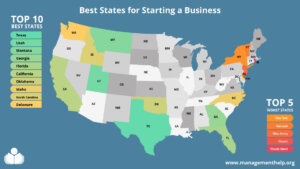
## [10 Best States for Starting a Business – Where to Launch Your Startup](https://management.org/best-states-for-starting-a-business)
According to the US Bureau of Labor Statistics, around 47 million people quit their jobs in 2021. Then, roughly 5.4 million new business applications were filed, a 53% increase from 2019. If you’re thinking about joining this entrepreneurial club, several crucial decisions lie ahead. Below are the best states for starting your business. The Best …
[](https://management.org/career-agents-review)
## [Career Agents Review: Pros, Cons & User Reviews](https://management.org/career-agents-review)
Career Agents is redefining how professionals land jobs. As a modern career support and reverse recruiting service, it helps job seekers get hired faster through personalized job matching, resume optimization, and one-on-one recruiter guidance. Founded by Steven Mostyn, one of North America’s most experienced executive recruiters, the company brings more than 20 years of hiring …
[](https://management.org/does-getting-arrested-at-a-protest-show-up-on-employee-background-check)
## [Does Getting Arrested at a Protest Show Up on an Employee Background Check?](https://management.org/does-getting-arrested-at-a-protest-show-up-on-employee-background-check)
People have used protests as their main method to express their opinions throughout history. The democratic process includes protests, which have evolved from civil rights marches to current demonstrations about social justice, climate change, and political reform. The exercise of your right to protest may result in arrest, but what happens to your employment prospects …
[](https://management.org/executive-compensation-plans)
## [Executive Compensation Plans: Definition & How They Work](https://management.org/executive-compensation-plans)
Executive compensation plans aren’t just about big paychecks, they’re designed to reward performance and keep top talent motivated. These packages usually include a mix of salary, bonuses, stock options, and other long-term incentives that tie an executive’s success to the company’s growth. In 2025, more organizations are rethinking how they structure executive pay to stay …
[](https://management.org/find-my-profession-review)
## [Reverse Recruiting and Resume Writing Services: Find My Profession Reviews](https://management.org/find-my-profession-review)
In the competitive job market, distinguishing yourself from the crowd is imperative. That’s where reverse recruiting services come in. Services like Find My Profession offer a unique approach to job searching by focusing on the needs and preferences of the job seeker rather than simply matching them to available positions. In this comprehensive article, we …
[](https://management.org/best-banks-in-tennessee)
## [6 Best Banks in Tennessee: Pros, Cons, & Fees](https://management.org/best-banks-in-tennessee)
Tennessee’s vibrant mix of urban centers like Nashville and Memphis, historic small towns, and scenic rural communities means residents need banking solutions as diverse as their lifestyles. Whether you’re a music industry professional, a college student in Knoxville, a retiree in the Smoky Mountains, or a small business owner in Chattanooga, your bank should offer …
[Banking](https://management.org/finance/banking)


##### Company
- [About Us](https://management.org/aboutfml/what-it-is.htm)
- [Meet our Authors](https://management.org/authors)
- [Contact Us](https://management.org/aboutfml/contact.htm)
##### Our Partners
- [Work With Us](https://management.org/aboutfml/contact.htm)
- [Editorial Guidelines](https://management.org/editorial-policy)
##### Legal
- [Privacy](https://management.org/aboutfml/privacy.htm)
- [California Privacy Notice](https://management.org/aboutfml/privacy.htm#california-privacy)
- [Terms of Use](https://management.org/aboutfml/disclaimers.htm)
Follow Us
**We Value Your Privacy**
We use cookies to better serve our customers through site functionality and user personalization.
[Learn More]()[Accept All]()
Manage consent
Close
#### Privacy Overview
We and our partners store and/or access information on a device, such as cookies and process personal data. This includes unique identifiers and standard information sent by a device for personalized ads and content, ad and content measurement, and audience insights.
With your permission, we and our partners may use precise geolocation data and identification through device scanning. You may click to consent to our processing as described above. Alternatively, you may click to refuse to consent or access more detailed information. You may also change your preferences before consenting.
Please note that some processing of your personal data may not require your consent, but you have a right to object to such processing. Your preferences will apply to this website only. You can change your preferences at any time by returning to this site or by visiting our privacy policy.
[Necessary]()
Necessary
Always Enabled
Necessary cookies are absolutely essential for the website to function properly. These cookies ensure basic functionalities and security features of the website, anonymously.
[Marketing Cookies for Site Performance]()
Marketing Cookies for Site Performance
I’m okay with functional and analytical cookies for website functionality. I agree to the use of cookies under these circumstances: Will be used if you visit Managementhelp.org Are necessary for the proper functioning of the website Enable you to use the site securely Do not collect personal information that’s not needed for personalization Help us detect any bugs and improve our website Collect anonymous information about your visits to our website Are never used for remarketing
[Marketing Cookies for Advertisement]()
Marketing Cookies for Advertisement
I’m okay with the functional and analytical cookies for marketing purposes and not for website functionality. Are used to monitor the performance of marketing campaigns Enable us to compare performance across our marketing campaigns Are used for individual targeting Can be used for retargeting on other partner platforms Enable a more personalized experience
[SAVE & ACCEPT]() |
| Readable Markdown | LinkedIn is a powerful professional networking platform that has become indispensable for job seekers, hiring managers, and businesses in the digital age. It offers a platform for building your brand, connecting with industry professionals, finding job opportunities, and researching companies. If you’re wondering how to make the most of your LinkedIn account, this article is a comprehensive guide to help you master your LinkedIn profile and account.
## **Understanding LinkedIn: The Basics**
**LinkedIn**, often called the “professional’s social network,” is a platform where professionals from various fields connect, share insights, and explore career opportunities. As a LinkedIn user, you can create a personal profile, build a professional network, join industry-specific groups, and much more.
LinkedIn goes beyond the functionality of a conventional job board. It offers a platform for thought leadership, enables research about companies, allows you to join professional groups, and even provides learning opportunities through LinkedIn Learning.
## **LinkedIn Profile: Your Professional Story**
Your LinkedIn profile serves as your professional landing page. Here, you curate your professional story, showcase your skills, and highlight your achievements—the more complete and engaging your profile, the more visibility and opportunities you will likely attract.
### \>\>Recommended Reading: [5 Best LinkedIn Profile Writing Services in 2023](https://management.org/best-linkedin-profile-writing-services#google_vignette)\<\<
## **How to Research Companies on LinkedIn?**
Researching companies on LinkedIn can provide valuable insights into their culture, employee satisfaction, job opportunities, and overall business profile. Here’s a step-by-step guide on how to effectively research companies on LinkedIn:
### 1\. Create a LinkedIn Account:
- If you don’t have a LinkedIn account, create one. Make sure your profile is complete and professional.
### 2\. Search for the Company:
- Use the LinkedIn search bar to look for the specific company you’re interested in.
### 3\. Company Page:
- Once you find the company, visit its LinkedIn Company Page.
- Look for the “Follow” button to receive updates from the company.
### 4\. Overview:
- Explore the “Overview” section of the company page to understand its size, industry, and location.
### 5\. About:
- Check the “About” section for a concise summary of the company’s mission, values, and key offerings.
### 6\. Recent Activity:
- Check the company’s recent posts, articles, or updates to understand their current projects and activities.
### 7\. Employees:
- Navigate to the “Employees” section to see who works there, which can provide insights into the company’s workforce and its diversity.
### 8\. LinkedIn Posts:
- Check if the company has a specific hashtag or if employees are actively posting about their experiences, which can give you a sense of the company culture.
### 9\. Recommendations:
- Look for employee recommendations on the company page, which can provide insight into the working environment.
### 10\. Jobs:
- Check the “Jobs” tab to see any current job openings, which can help you understand the skills the company is looking for and its growth areas.
### 11\. Insights:
- Use the “Insights” tab to view information about the company’s growth, employee demographics, and more.
### 12\. Follow Key People:
- Identify key employees or executives and follow them to stay updated on their activities and insights.
### 13\. Groups:
- Join any LinkedIn groups related to the company or industry. Engaging in discussions can provide additional perspectives.
### 14\. News and Media:
- Check for any news articles or media mentions related to the company, which can give you a broader view of its reputation.
### 15\. Competitor Comparison:
- Compare the company with its competitors by exploring their LinkedIn pages, which can help you gauge industry standards and trends.
### 16\. Save and Monitor:
- Save the company’s page to your LinkedIn account to easily access updates. Monitor the page for any changes or new developments.
### 17\. Connect and Network:
- Connect with employees or recruiters from the company to expand your professional network.
Remember to respect privacy and ethical considerations when researching companies on LinkedIn. LinkedIn is a powerful tool for professional networking, so use it strategically to gather valuable information about potential employers or business partners.
## **How to Connect to Other LinkedIn Users?**
### 1\. Complete Your Profile:
Before connecting with others on LinkedIn, ensure your LinkedIn profile is well-crafted and complete. Include a professional photo, a concise yet informative headline, and a detailed summary highlighting your skills and experiences.
### 2\. Customize Connection Requests:
Avoid using the default connection request message. Personalize your requests by mentioning common interests, explaining why you want to connect, or noting how you know the person. A personalized message adds a human touch and increases your request’s likelihood of acceptance.
### 3\. Search for People:
Use the LinkedIn search bar to find individuals you want to connect with. You can search by name, job title, company, or industry, making locating professionals relevant to your goals easier.
### 4\. LinkedIn Suggestions:
Take advantage of LinkedIn’s suggestions for people you may know. Review these suggestions and send connection requests to individuals who align with your professional interests and objectives.
### 5\. People Also Viewed:
Explore the “People Also Viewed” section on profiles you visit, which can lead you to professionals with similar interests or backgrounds, increasing the likelihood of establishing meaningful connections.
### 6\. Connect at Events:
If you attend industry events or webinars, connect with participants afterward. Mention the event in your connection request to provide context and increase the chances of your request being accepted.
### 7\. Alumni and School Connections:
Connect with alumni from your educational institutions or individuals associated with organizations you’ve been part of. Shared affiliations can serve as common ground and make it easier to establish connections.
### 8\. LinkedIn Groups:
Join LinkedIn groups related to your industry or interests. Engage in discussions within these groups and send connection requests to members who contribute valuable insights or share common professional interests.
### 9\. Company Pages:
Explore the followers of companies you are interested in. Connecting with employees or individuals associated with these companies can provide valuable networking opportunities and insights into specific industries.
### 10\. Engage First:
Before sending a connection request, engage with the content of the individuals you want to connect with. Like, comment, or share their posts to establish a connection before the formal request.
### 11\. Professional Courtesy:
If you have interacted with someone on another platform, met them at an event, or shared a mutual connection, mention it in your connection request, which provides context and increases the chances of your request being accepted.
### 12\. Follow-Up Messages:
After someone accepts your connection request, consider sending a brief thank-you message expressing your interest in connecting. Suggest a topic for discussion to initiate a meaningful conversation.
### 13\. Stay Active:
Regularly update your LinkedIn profile, share relevant content, and engage with your network. Being active on the platform keeps you visible and attracts more connection requests.
### 14\. Be Clear About Intentions:
In your connection request or initial message, communicate why you want to connect. Transparency is crucial for building meaningful connections for networking, collaboration, or information exchange.
### 15\. Review Connection Requests:
Regularly review incoming connection requests. Accept those that align with your professional goals and, when possible, send personalized messages to strengthen the connection. Focus on quality connections rather than quantity.
## **How do you use LinkedIn to perform job searches and add them to your LinkedIn connections?**
Create a Comprehensive Profile: Ensure your LinkedIn profile is complete, showcasing your skills, experience, and achievements.
Job Search Bar: Use the job search bar for specific job titles, companies, or industries relevant to your career goals.
Advanced Search Filters: Utilize advanced filters to narrow down job search results based on location, experience level, and company size.
Saved Job Alerts: Set up job alerts for specific criteria to receive notifications about new job opportunities that match your preferences.
Follow Companies: Follow companies of interest to stay updated on their job postings and company updates.
LinkedIn Jobs Tab: Explore the “Jobs” tab for curated job recommendations based on your profile and preferences.
**Adding to Your LinkedIn Connections:**
Profile Optimization: Optimize your LinkedIn profile with a professional photo, a compelling headline, and a detailed summary.
Customize Connection Requests: Personalize connection requests by mentioning common interests or explaining your reason for connecting.
Search and Connect: Use the search bar to find professionals in your industry. Send connection requests to those aligned with your goals.
LinkedIn Groups: Join industry-related groups, engage in discussions, and connect with group members who share common interests.
Alums and Colleagues: Connect with former colleagues, classmates, and alums to expand your network.
Engage with Content: Like, comment, or share relevant posts to engage with potential connections before sending requests.
Company Pages: Follow and connect with individuals from companies you are interested in for networking opportunities.
Networking Events: Attend virtual or in-person networking events and connect with participants afterward.
Follow-Up Messages: Send brief, personalized thank-you messages after connections are accepted to initiate conversations.
Stay Active: Regularly update your profile, share valuable content, and participate in discussions to maintain an active presence.
Remember to maintain professionalism and relevance when connecting, tailoring your approach based on your career objectives.
## **How many Ways Can You Use LinkedIn?**
LinkedIn serves as a versatile platform with multifaceted applications. It’s a hub for professional networking, connecting individuals across industries and facilitating job searches. Users can stay informed about industry trends, showcase their skills for personal branding, and conduct company research. It also functions as a recruitment tool, aiding in talent acquisition.
With features for learning and development, sales and business development, and the sharing of valuable content, LinkedIn stands as a comprehensive resource for diverse professional needs and opportunities.
## **Why is LinkedIn the World’s Largest Professional Network?**
LinkedIn has earned its status as the world’s largest professional network for several reasons. Firstly, it provides a platform for individuals to build and showcase their professional identity, fostering connections with colleagues, industry peers, and potential collaborators.
Its robust features cater to diverse professional needs, including job searching, recruitment, and networking events. The platform’s emphasis on creating a space for meaningful professional interactions has contributed to its widespread adoption globally.
## **How Many LinkedIn Members Are There?**
LinkedIn boasts a membership base exceeding one billion individuals with a presence spanning over 200 countries and territories globally.
## **What Can I Do on My LinkedIn Homepage?**
On your LinkedIn homepage, you can efficiently manage your professional activities. Scroll through your feed to view and share updates, connect with professionals, and receive job recommendations.
Stay informed with notifications about profile views and connection requests, and engage in direct messages for professional communication. Utilize the search bar to find people, jobs, or groups and explore events and webinars for networking opportunities.
The homepage also offers insights into profile views, industry updates, and learning resources, making it a central hub for building and enhancing your professional presence.
## **How to Use LinkedIn Effectively?**
To use LinkedIn effectively, optimize your profile with a professional photo, compelling headline, and detailed summary. Actively connect with colleagues, industry professionals, and potential collaborators. Engage with content by sharing insights, liking, and commenting. Leverage the job search feature for career opportunities and set up alerts for relevant positions.
Join industry groups, attend networking events, and follow companies for insights. Regularly update your profile, share valuable content, and utilize LinkedIn Learning for continuous professional development. Strategic and consistent engagement on the platform enhances your professional network and visibility.
## **How do I keep up with Industry News?**
To stay current with industry news on LinkedIn, follow relevant companies, thought leaders, and industry publications. Join and participate in industry-specific groups where professionals share information and insights. Regularly check the “News” and “Posts” tabs on your homepage for updates from your network. Engage with content by liking, commenting, and sharing to foster connections and stay informed. Utilize LinkedIn’s “Follow” feature to receive updates from key influencers and organizations, ensuring a steady stream of industry-related information in your feed.
## **What about Joining Groups on the LinkedIn Platform?**
Joining LinkedIn groups provides valuable opportunities for networking, industry discussions, and staying informed. Participate in relevant groups to connect with professionals, share insights, and access industry-specific news and updates. Engaging in group discussions fosters connections and expands your knowledge within your field.
## **What are 5 LinkedIn Tips?**
1. **Optimize Profile:** Complete your profile with a professional photo, compelling headline, and detailed summary.
2. **Customize Connections:** Personalize connection requests with a brief message for a higher acceptance rate.
3. **Engage with Content:** Like, comment, and share posts to showcase expertise and increase visibility.
4. **Join Groups:** Participate in industry-related groups for networking and staying informed.
5. **Professional Development:** Utilize LinkedIn Learning and follow thought leaders for continuous learning and insights.
## **Why is my employment history important?**
Your employment history on LinkedIn is crucial as it serves as a dynamic, publicly accessible record of your professional experience, showcasing skills, achievements, and career progression.
It provides a snapshot for potential employers, recruiters, and professional connections, helping them assess your qualifications and suitability for opportunities. Regularly updating this section enhances your online professional presence and increases your visibility in the professional community.
## **How to gain access to LinkedIn Premium?**
To access LinkedIn Premium, visit the LinkedIn Premium subscription page on the platform. Choose the plan that suits your needs, including features like InMail credits, enhanced search filters, and access to LinkedIn Learning. Follow the prompts to complete the subscription process, which typically involves selecting a payment method and providing billing information. LinkedIn Premium offers additional tools for networking, job searching, and professional development.
## **Understanding LinkedIn and its Purpose**
LinkedIn operates as a social network for the professional world. Unlike other social networks focusing on personal sharing and connection, LinkedIn is designed for career and business professionals to connect. It offers a platform for users to post their resumes, find jobs, make business connections, share content related to their industry, and contribute to industry-related group discussions.
LinkedIn is a platform for job seekers to showcase their skills, experience, and achievements, making them visible to potential employers. It provides hiring managers with a database of professionals from various industries, making the recruitment process more efficient. Businesses can use LinkedIn for marketing, sales, and hiring purposes, making it a versatile tool for individuals and companies.
## **Getting Started with LinkedIn: Creating and Optimizing Your LinkedIn Profile**
Creating a LinkedIn profile is the first step in capitalizing on the platform’s benefits. However, merely creating a profile is not enough. You need to optimize your profile effectively to get the most out of LinkedIn.
### **Profile Picture and Background Photo**
Your LinkedIn profile’s visual elements should be professional and representative of your professional persona. The profile picture should be a clear, recent, and professional headshot of you. A well-chosen profile picture can increase your profile views significantly.
The background photo is another visual element that you can customize to reflect your professional interests or industry. It could be an image related to your work, a business logo, or any image that adds context to your profession.
### **Crafting a Compelling Headline and Summary**
Your headline and summary are crucial in shaping your brand on LinkedIn. Rather than just stating your current job title in the headline, use it to highlight your skills, achievements, or what makes you unique. It’s your chance to make a solid first impression, so make it count.
The summary section is your opportunity to tell your professional story. It should effectively communicate your career objectives, skills, experiences, and what you bring. Instead of simply listing your skills or job titles, convey your passion for your work and career goals.
### **Listing Relevant Skills and Experience**
Your LinkedIn profile should clearly outline your skills and professional experience. You can list up to 50 skills relevant to your profession and industry on your LinkedIn profile. The skills you list help validate your professional abilities and give other members an understanding of your strengths.
The Experience section is where you detail your professional history, which should be more than just a list of job titles and companies. Instead, use this section to showcase your achievements, responsibilities, and the value you brought to each role.
### **Adding Educational Background and Certifications**
Adding your educational background and relevant certifications to your LinkedIn profile adds credibility to your professional persona. It can also be a networking tool, connecting you with alums from the same institutions.
If you have completed any courses or certifications, especially those relevant to your industry, include them in your profile. These demonstrate a commitment to continuous learning and professional development.
### **Building Your Network and Making Connections**
One of the key benefits of LinkedIn is its networking capabilities. It’s important to constantly grow your LinkedIn network by connecting with colleagues, friends, industry professionals, and classmates. You can also follow influencers in your industry and join groups related to your profession or interests to expand your network further.
### **Participating in Groups and Discussions**
Joining LinkedIn groups and actively participating in discussions can significantly boost your visibility on the platform. It allows you to engage with like-minded professionals, share insights, and establish yourself as a thought leader in your industry. Try joining groups relevant to your profession or industry and regularly participating in discussions.
## **LinkedIn Account Tiers: Free Vs. Premium**
LinkedIn offers both free and premium accounts. The free account provides a range of functionalities, including creating a profile, building a network, and applying for jobs. However, a premium account offers additional features like InMail, seeing who viewed your profile, and advanced search filters. Premium accounts are available in different tiers and are designed for job seekers, sales professionals, and recruiters.
## **Making LinkedIn Work for You: Best Practices and Tips**
Here are some best practices and tips to get the most out of your LinkedIn profile and account:
- Stay Active and Engaged:
Regularly update your profile, share relevant content, and engage with your network, keeping your profile visible and helping you stay on top of industry trends.
- Endorse and Get Endorsed:
Endorse your connections for their skills and request endorsements in return for enhancing your credibility and strengthening your professional relationships.
- Leverage LinkedIn’s Job Search Features:
Use LinkedIn’s job search features to find and apply for jobs. You can also let recruiters know that you’re open to job opportunities.
- Avoid Buzzwords:
Try to avoid using overused buzzwords in your profile. Instead, use clear and concise language to describe your skills and experience.
- Publish Long-Form Content:
Publishing long-form content, like articles or blog posts, can establish you as a thought leader in your industry.
- Use LinkedIn Analytics:
LinkedIn provides analytics tools to help you understand how your profile performs and how people engage with your content. Use these insights to improve your LinkedIn strategy.
## **Building a Professional Network on LinkedIn**
One of the primary reasons people use LinkedIn is to build a professional network. Here’s how to do it:
1. Sync Your Email Contacts:
LinkedIn can scan your email contacts and suggest potential connections.
1. Connect After Meetings or Events:
Send personalized connection requests to people you’ve interacted with after a professional meeting or event.
1. Engage with Content:
Regularly sharing, commenting, and reacting to content keeps you informed and increases your visibility to others in your network.
1. Join LinkedIn Groups:
Groups are a great way to connect with professionals with similar interests or industries.
## **Using LinkedIn for Job Opportunities**
LinkedIn provides various tools for job seekers. You can openly state that you’re open to opportunities, allowing recruiters to find you more easily. You can also browse job postings on LinkedIn and apply directly through the platform.
Furthermore, LinkedIn provides insights about companies. Company pages often share updates about new projects, achievements, and, occasionally, job vacancies. Following companies of interest helps you stay updated and could lead to job opportunities.
## **LinkedIn for Personal Branding**
LinkedIn is a powerful tool for building your brand. Regularly sharing industry insights, engaging thoughtfully with your network, and optimizing your profile can establish yourself as a thought leader in your field. LinkedIn also allows you to publish long-form content, enabling you to dive deeper into topics of your expertise.
## **LinkedIn Premium: Is it Worth It?**
LinkedIn offers a free basic membership and several premium options. Premium accounts include additional features like InMail, advanced search filters, and more detailed analytics about who’s viewing your profile. A premium account might be worth considering if you’re an active job seeker or a business owner looking for leads.
## **LinkedIn Mobile: Networking on the Go**
With LinkedIn’s mobile app, you can stay connected and updated no matter where you are. The app offers all the functionalities of the desktop version, so you can network, share updates, or even apply for jobs from your phone.
## **Bottom Line:**
In essence, LinkedIn is more than just a social media platform—it’s a comprehensive tool for career development. Whether you’re seeking job opportunities, looking to expand your network, or aiming to establish your thought leadership, LinkedIn can help. By understanding its features and making the most of them, you can take your career to new heights.
### \>\>Recommended Reading: [Want to get noticed on LinkedIn?](https://management.org/blogs/marketing/2014/04/want-to-get-noticed-on-linkedin/)\<\<
## Frequently Asked Questions
**What is LinkedIn?**
LinkedIn is a professional networking platform where you can connect with professionals across various industries, share insights, explore career opportunities, and more.
**How do you use LinkedIn?**
You can use LinkedIn to build a professional profile, connect with others in your industry, apply for jobs, join professional groups, and share industry insights.
**Why should I use LinkedIn for personal or business use?**
LinkedIn helps you build your brand, discover job opportunities, stay updated with industry trends, and potentially find new clients or business partnerships.
**How do I create a LinkedIn profile?**
To create a LinkedIn profile, sign up on LinkedIn’s website and complete the sections like headline, summary, experience, education, and skills. Customize your URL and add a professional photo.
**How do I build a professional network on LinkedIn?**
You can create a professional network on LinkedIn by connecting with colleagues, classmates, and professionals you meet at events or meetings. Participating in LinkedIn groups and engaging with others’ content can also help expand your network.
**What are LinkedIn groups?**
LinkedIn groups are online forums where professionals in similar industries or with shared interests can connect, share insights, ask questions, and build relationships.
**How do I find job opportunities on LinkedIn?**
LinkedIn has a “Jobs” section where you can browse and apply for jobs. You can also enable the “Open to Work” feature on your profile, allowing recruiters to find you more easily.
**Is LinkedIn useful for small business owners?**
Yes, LinkedIn can be highly beneficial for small business owners. It offers a platform for networking, finding potential clients, sharing updates about the business, and even finding talent for hiring.
**What is LinkedIn premium?**
LinkedIn premium is a paid subscription offering additional features like seeing who viewed your profile, sending InMail to people outside your network, and accessing LinkedIn Learning.
**What is Sales Navigator on LinkedIn?**
LinkedIn Sales Navigator is a premium tool for sales professionals. It offers advanced search capabilities, lead recommendations, real-time insights, and InMail credits.
 |
| Shard | 102 (laksa) |
| Root Hash | 5440478035540722902 |
| Unparsed URL | org,management!/the-linkedin-guide s443 |