ℹ️ Skipped - page is already crawled
| Filter | Status | Condition | Details |
|---|---|---|---|
| HTTP status | PASS | download_http_code = 200 | HTTP 200 |
| Age cutoff | PASS | download_stamp > now() - 6 MONTH | 0.3 months ago |
| History drop | PASS | isNull(history_drop_reason) | No drop reason |
| Spam/ban | PASS | fh_dont_index != 1 AND ml_spam_score = 0 | ml_spam_score=0 |
| Canonical | PASS | meta_canonical IS NULL OR = '' OR = src_unparsed | Not set |
| Property | Value |
|---|---|
| URL | https://hide.me/en/check |
| Last Crawled | 2026-04-07 18:26:29 (10 days ago) |
| First Indexed | 2014-01-05 21:43:03 (12 years ago) |
| HTTP Status Code | 200 |
| Meta Title | What is My IP Address? | hide.me |
| Meta Description | Your IP address contains information about your location and online activities. Use a secure VPN to hide your IP address and privatise your activities. |
| Meta Canonical | null |
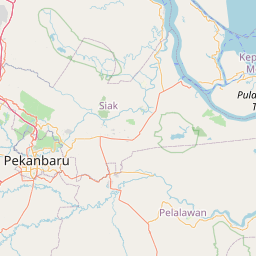
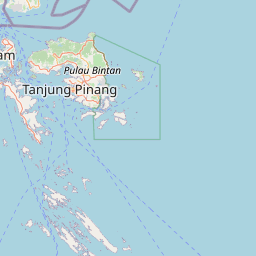
| Boilerpipe Text | See your public IPv4 and IPv6 address details. Find out which information you automatically submit to every website.
Get Hide.me
Run IP Check
You are
not
using hide.me VPN Tunnel and your
real location is
visible
IPv4 Address:
202.8.43.128
IPv6 Address:
N/A
Location:
Singapore
ISP:
Ahrefs Pte
My IP Address
DNS Leak Test
WebRTC Leak Test
Password Generator
What can your IP Address reveal about you?
Your browser:
Mozilla
Engine:
Your OS:
Platform:
undefined
Your location:
Singapore
ISP:
Ahrefs Pte
Latitude:
1.3673
Longitude:
103.8014
Javascript:
Enabled
How to hide IP address
Make sure VPN masks your real IP address. Download hide.me VPN and hide it to protect your private information.
Step 1
Download
hide.me's user friendly app.
Step 2
Select a location and click on "Enable VPN".
Step 3
Now your real IP address is hidden, and you can browse the web securely.
What is an IP Address?
Just like how you live in a house with an address to identify the location, your IP address is your internet home address.
Your IP address shows your location, the device from which you're connected, and your online activities like the sites you visit. IP addresses are important because they ensure that you send and receive internet data accurately.
In the same way that you wouldn't publicise your home address, it's critical to protect your IP address. When you use hide.me VPN, your internet connection is secured and your IP address is hidden.
Get Hide.me
What is the difference between my original IP address and an IP address provided by a VPN?
Your public IP address is supplied by your ISP and ISPs can track your internet usage right back to the IP address they gave you. This makes it easy for authorities to demand ISPs hand over data regarding a user’s internet usage.
By using a VPN, your ISP IP address is replaced by the VPN server’s IP address. This means that your internet usage cannot be traced back to you. This is because when connected to a VPN, your VPN IP address is shared with multiple different users and routed through multiple servers. In addition to that, your data is fully encrypted, making you protected online.
Authorities can demand information from us, but we store no logs unlike ISPs, so we have nothing to give.
The benefits of using a VPN while browsing the web
Privatise your IP address along with information about your location and online activities.
Secure your internet connection, preventing surveillance and significantly reducing your chances of being hacked.
Get access to websites, apps, videos, and other content worldwide.
Get Hide.me
The Best VPN to Protect Your IP Address
Zero-Log Promise
hide.me’s secure VPN is trusted by millions of users worldwide because our system does not support the logging of user data and activities.
Fast & Stable Connections
hide.me never throttles connections, so users can enjoy seamless video streaming, internet surfing, and content downloads.
Certified Privacy & Security
As part of hide.me’s commitment to privacy, we are amongst very few VPNs to get audited by a renowned security specialist like Leon Juranic (Founder & CEO of DefenseCode Ltd).
Questions? We’ve Got Answers.
Yes, an IP address can be traced back to its origin using various network tools and techniques by internet service providers, law enforcement agencies, or cybersecurity professionals. |
| Markdown | [Skip to content](https://hide.me/en/check#main)
[Hide.me - Homepage](https://hide.me/en/ "Hide.me - Homepage")
- [Why hide.me?](https://hide.me/en/why-hideme)Why hide.me?
- Benefits
- [Browse Securely](https://hide.me/en/features/anonymous-ip)
- [Bypass Censorship](https://hide.me/en/features/bypass-censorship)
- [Encrypted Connection](https://hide.me/en/features/wifi-security)
- [Gaming VPN](https://hide.me/en/gaming-vpn)
- [Hide IP Address](https://hide.me/en/hide-ip-address)
- Features
- [Bolt - Fast Proxy](https://hide.me/en/bolt-fastest-vpn)
- [IP Leak Protection](https://hide.me/en/features/vpn-kill-switch)
- [IPv6 Support](https://hide.me/en/features/ipv6-vpn)
- [Port Forwarding](https://hide.me/en/vpn-port-forwarding)
- [Multihop](https://hide.me/en/multihop-double-vpn)
- [No Logs](https://hide.me/en/features/no-logs-policy)
- [SmartGuard](https://hide.me/en/smart-guard)
- [Split Tunneling](https://hide.me/en/features/vpn-split-tunnel)
- [StealthGuard](https://hide.me/en/features/stealth-guard)
- [WireGuard](https://hide.me/en/wireguard-vpn)
- [VPN Apps](https://hide.me/en/software)VPN Apps
- Desktop
- [Windows](https://hide.me/en/software/windows)
- [macOS](https://hide.me/en/software/mac)
- [Linux](https://hide.me/en/software/linux)
- Mobile
- [Android](https://hide.me/en/software/android)
- [iPhone / iPad](https://hide.me/en/software/ios)
- TV
- [Apple TV](https://hide.me/en/software/apple-tv)
- [Android TV](https://hide.me/en/software/android-tv)
- [Amazon Fire TV](https://hide.me/en/software/amazon-fire-vpn)
- Browsers
- [Chrome](https://hide.me/en/software/chrome-vpn)
- [Firefox](https://hide.me/en/software/firefox-vpn)
- [Edge](https://hide.me/en/software/edge-vpn)
- Tools
- [Free Proxy](https://hide.me/en/proxy)
- [Password Generator](https://hide.me/en/password-generator)
- [Router](https://hide.me/en/software/vpn-router)
- Leak tests
- [DNS Leak Test](https://hide.me/en/dns-leak-test)
- [What is My IP?](https://hide.me/en/check)
- [WebRTC Leak Test](https://hide.me/en/webrtc-leak-test)
- [Free Proxy](https://hide.me/en/proxy)
- [Free Proxy](https://hide.me/en/proxy)
- [VPN vs. Proxy comparison](https://hide.me/en/blog/vpn-vs-proxy-ultimate-comparison/)
- [Hide.me SOCKS Proxy](https://hide.me/en/proxy/socks)
- [VPN Apps](https://hide.me/en/software)
- [Windows](https://hide.me/en/software/windows)
- [Android](https://hide.me/en/software/android)
- [iOS](https://hide.me/en/software/ios)
- [macOS](https://hide.me/en/software/mac)
- [Linux](https://hide.me/en/software/linux)
- Smart TV
- [Apple TV](https://hide.me/en/software/apple-tv)
- [Android TV](https://hide.me/en/software/android-tv)
- [Amazon Fire TV](https://hide.me/en/software/amazon-fire-vpn)
- Router
- [Overview](https://hide.me/en/software/vpn-router)
- [GL.iNet](https://hide.me/en/software/glinet)
- [Asus](https://hide.me/en/software/asus)
- [FRITZ!Box](https://hide.me/en/software/fritzbox)
- Browsers
- [Chrome](https://hide.me/en/software/chrome-vpn)
- [Firefox](https://hide.me/en/software/firefox-vpn)
- [Edge](https://hide.me/en/software/edge-vpn)
- Others
- [Volla OS](https://hide.me/en/software/volla-os)
- [Freifon](https://hide.me/en/software/freifon)
- [Ubuntu Touch](https://hide.me/en/software/ubuntu-touch)
- [LineageOS](https://hide.me/en/software/lineageos)
- [GrapheneOS](https://hide.me/en/software/grapheneos)
- [Servers](https://hide.me/en/network)
- [Pricing](https://hide.me/en/pricing)
- [Help](https://hide.me/en/support)
- [Blog](https://hide.me/blog)
- [My Account](https://hide.me/user)
- [Sign Up Now](https://hide.me/pricing)
[Get Hide.me](https://hide.me/en/latest)
EN
[Čeština](https://hide.me/cs/check) [Dansk](https://hide.me/da/check) [Deutsch](https://hide.me/de/check) [English](https://hide.me/en/check) [Español](https://hide.me/es/check) [Français](https://hide.me/fr/check) [Hrvatski](https://hide.me/hr/check) [Indonesia](https://hide.me/id/check) [Italiano](https://hide.me/it/check) [Język polski](https://hide.me/pl/check) [Magyar](https://hide.me/hu/check) [Nederlands](https://hide.me/nl/check) [Norsk](https://hide.me/no/check) [Português](https://hide.me/pt/check) [Suomi](https://hide.me/fi/check) [Svenska](https://hide.me/sv/check) [Türkçe](https://hide.me/tr/check) [Ελληνικά](https://hide.me/el/check) [Українська](https://hide.me/uk/check) [ру́сский](https://hide.me/ru/check) [العَرَبِية](https://hide.me/ar/check) [中文](https://hide.me/zh/check) [日本語](https://hide.me/ja/check) [한국어](https://hide.me/ko/check)
1. [](https://hide.me/en/)
2. [What Is My IP](https://hide.me/en/check)
# What Is My IP Address?
See your public IPv4 and IPv6 address details. Find out which information you automatically submit to every website.
[Get Hide.me](https://hide.me/en/pricing) [Run IP Check](https://hide.me/en/check)
You are **not** using hide.me VPN Tunnel and your real location is **visible**
IPv4 Address: **202\.8.43.128**
IPv6 Address: **N/A**
Location: **Singapore** 
ISP: **Ahrefs Pte**
- [My IP Address](https://hide.me/en/check)
- [DNS Leak Test](https://hide.me/en/dns-leak-test)
- [WebRTC Leak Test](https://hide.me/en/webrtc-leak-test)
- [Password Generator](https://hide.me/en/password-generator)
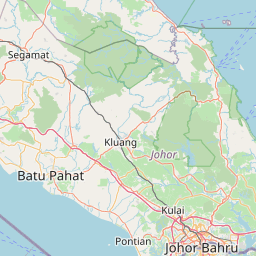
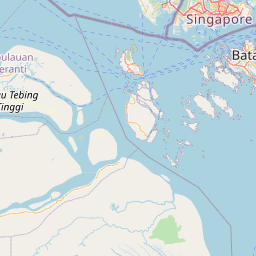
## What can your IP Address reveal about you?


[\+](https://hide.me/en/check "Zoom in")[−](https://hide.me/en/check "Zoom out")
[Leaflet](https://leafletjs.com/ "A JavaScript library for interactive maps")
\| Map data © [OpenStreetMap](http://openstreetmap.org/)
- Your browser: **Mozilla**
- Engine:
- Your OS:
- Platform: **undefined**
- Your location: **Singapore** 
- ISP: **Ahrefs Pte**
- Latitude: **1\.3673**
- Longitude: **103\.8014**
- Javascript: **Enabled**
## How to hide IP address
Make sure VPN masks your real IP address. Download hide.me VPN and hide it to protect your private information.
![Download hide.me's user friendly app.]()
### Step 1
[Download](https://hide.me/en/software) hide.me's user friendly app.
![Select a location and click on "Enable VPN".]()
### Step 2
Select a location and click on "Enable VPN".
![Now your real IP address is hidden, and you can browse the web securely.]()
### Step 3
Now your real IP address is hidden, and you can browse the web securely.
![What is an IP Address?]()
## What is an IP Address?
Just like how you live in a house with an address to identify the location, your IP address is your internet home address.
Your IP address shows your location, the device from which you're connected, and your online activities like the sites you visit. IP addresses are important because they ensure that you send and receive internet data accurately.
In the same way that you wouldn't publicise your home address, it's critical to protect your IP address. When you use hide.me VPN, your internet connection is secured and your IP address is hidden.
[Get Hide.me](https://hide.me/en/pricing)
![What is the difference between my original IP address and an IP address provided by a VPN?]()
## What is the difference between my original IP address and an IP address provided by a VPN?
Your public IP address is supplied by your ISP and ISPs can track your internet usage right back to the IP address they gave you. This makes it easy for authorities to demand ISPs hand over data regarding a user’s internet usage.
By using a VPN, your ISP IP address is replaced by the VPN server’s IP address. This means that your internet usage cannot be traced back to you. This is because when connected to a VPN, your VPN IP address is shared with multiple different users and routed through multiple servers. In addition to that, your data is fully encrypted, making you protected online.
Authorities can demand information from us, but we store no logs unlike ISPs, so we have nothing to give.
![The benefits of using a VPN while browsing the web]()
## The benefits of using a VPN while browsing the web
- Privatise your IP address along with information about your location and online activities.
- Secure your internet connection, preventing surveillance and significantly reducing your chances of being hacked.
- Get access to websites, apps, videos, and other content worldwide.
[Get Hide.me](https://hide.me/en/pricing)
## The Best VPN to Protect Your IP Address
![Zero-Log Promise]()
### Zero-Log Promise
hide.me’s secure VPN is trusted by millions of users worldwide because our system does not support the logging of user data and activities.
![Fast & Stable Connections]()
### Fast & Stable Connections
hide.me never throttles connections, so users can enjoy seamless video streaming, internet surfing, and content downloads.
![Certified Privacy & Security]()
### Certified Privacy & Security
As part of hide.me’s commitment to privacy, we are amongst very few VPNs to get audited by a renowned security specialist like Leon Juranic (Founder & CEO of DefenseCode Ltd).
## Questions? We’ve Got Answers.
- ### Can an IP address be traced?
Yes, an IP address can be traced back to its origin using various network tools and techniques by internet service providers, law enforcement agencies, or cybersecurity professionals.
- ### Why would someone look up an IP address?
Someone might look up an IP address for reasons such as investigating potential security threats, determining the physical location associated with it, or troubleshooting network issues.
- ### Where is my IP address located?
Your IP address will be linked to your physical location. But, if you are connected a VPN, it will show you as being from the location of the VPN server.
- ### Do IP addresses get reused?
Yes, IP addresses get reused, that goes for both IPv4 and IPv6 addresses.
- ### Is the IP address unique to the device or Wi-Fi?
It depends on the setup of your ISP or if you are connected to a VPN server. Your ISP may give you a unique public IP address, or you may share one via CG-NAT. Our IP addresses are shared, as this means better obfuscation for our users.
- ### Does the IP address change with device?
An IP address will often change if you disconnect and reconnect. If you need a static IP, we support them and are easily configured in the Member’s Area.
Products
[VPN for Windows](https://hide.me/en/software/windows) [VPN for macOS](https://hide.me/en/software/mac) [VPN for Android](https://hide.me/en/software/android) [VPN for iPhone / iPad](https://hide.me/en/software/ios) [VPN for Linux](https://hide.me/en/software/linux) [VPN for Amazon Fire TV](https://hide.me/en/software/amazon-fire-vpn) [VPN for Chrome](https://hide.me/en/software/chrome-vpn) [VPN for Firefox](https://hide.me/en/software/firefox-vpn) [VPN for Edge](https://hide.me/en/software/edge-vpn) [Free VPN](https://hide.me/en/free-vpn) [Free Proxy](https://hide.me/en/proxy)
Learn more
[What is a VPN?](https://hide.me/en/what-is-vpn) [Hide IP Address](https://hide.me/en/hide-ip-address) [Our VPN Protocols](https://hide.me/en/features/vpn-protocols) [Bolt - Fast Proxy](https://hide.me/en/bolt-fastest-vpn) [Multihop](https://hide.me/en/multihop-double-vpn)
Tools
[DNS Leak Test](https://hide.me/en/dns-leak-test) [Password Generator](https://hide.me/en/password-generator) [WebRTC Leak Test](https://hide.me/en/webrtc-leak-test) [What is My IP?](https://hide.me/check) [VPN Setup Guide](https://hide.me/en/vpnsetup/)
About
[Blog](https://hide.me/en/blog/) [Community](https://community.hide.me/) [Our Mission](https://hide.me/en/about) [Press](https://hide.me/en/press) [Privacy Policy](https://hide.me/en/privacy) [Terms of Service](https://hide.me/en/legal) [VPN Reviews](https://hide.me/en/reviews)
Partners
[Affiliates](https://hide.me/en/affiliates) [Business](https://hide.me/en/business) [Reseller](https://hide.me/en/reseller) [Student Discount](https://hide-me-uk.connect.studentbeans.com/uk)
Follow Us
[Twitter](https://x.com/thevpncompany "Twitter") [TikTok](https://www.tiktok.com/@hide.me_deutschland "TikTok") [Reddit](https://www.reddit.com/r/hidemeVPN/ "Reddit") [Discord](https://hide.me/discord "Discord") [Facebook](https://www.facebook.com/www.hide.me "Facebook") [YouTube](https://www.youtube.com/channel/UCaK_HWlsCg5hSVi5BTlgv6w "YouTube")
Language
©2026 eVenture Ltd.
All Rights Reserved.
WireGuard® is a registered
trademark of Jason A. Donenfeld.
[](https://vpntrust.net/vti-verify/?token=vti-hideme-6q9w2e)
Try hide.me VPN
No Signup Required & Completely Free
[Get Hide.me](https://hide.me/en/latest "Get Hide.me")
Need help? Chat with us now\! |
| Readable Markdown | See your public IPv4 and IPv6 address details. Find out which information you automatically submit to every website.
[Get Hide.me](https://hide.me/en/pricing) [Run IP Check](https://hide.me/en/check)
You are **not** using hide.me VPN Tunnel and your real location is **visible**
IPv4 Address: **202\.8.43.128**
IPv6 Address: **N/A**
Location: **Singapore**
ISP: **Ahrefs Pte**
- [My IP Address](https://hide.me/en/check)
- [DNS Leak Test](https://hide.me/en/dns-leak-test)
- [WebRTC Leak Test](https://hide.me/en/webrtc-leak-test)
- [Password Generator](https://hide.me/en/password-generator)
## What can your IP Address reveal about you?


- Your browser: **Mozilla**
- Engine:
- Your OS:
- Platform: **undefined**
- Your location: **Singapore**
- ISP: **Ahrefs Pte**
- Latitude: **1\.3673**
- Longitude: **103\.8014**
- Javascript: **Enabled**
## How to hide IP address
Make sure VPN masks your real IP address. Download hide.me VPN and hide it to protect your private information.
![Download hide.me's user friendly app.]()
### Step 1
[Download](https://hide.me/en/software) hide.me's user friendly app.
![Select a location and click on "Enable VPN".]()
### Step 2
Select a location and click on "Enable VPN".
![Now your real IP address is hidden, and you can browse the web securely.]()
### Step 3
Now your real IP address is hidden, and you can browse the web securely.
![What is an IP Address?]()
## What is an IP Address?
Just like how you live in a house with an address to identify the location, your IP address is your internet home address.
Your IP address shows your location, the device from which you're connected, and your online activities like the sites you visit. IP addresses are important because they ensure that you send and receive internet data accurately.
In the same way that you wouldn't publicise your home address, it's critical to protect your IP address. When you use hide.me VPN, your internet connection is secured and your IP address is hidden.
[Get Hide.me](https://hide.me/en/pricing)
![What is the difference between my original IP address and an IP address provided by a VPN?]()
## What is the difference between my original IP address and an IP address provided by a VPN?
Your public IP address is supplied by your ISP and ISPs can track your internet usage right back to the IP address they gave you. This makes it easy for authorities to demand ISPs hand over data regarding a user’s internet usage.
By using a VPN, your ISP IP address is replaced by the VPN server’s IP address. This means that your internet usage cannot be traced back to you. This is because when connected to a VPN, your VPN IP address is shared with multiple different users and routed through multiple servers. In addition to that, your data is fully encrypted, making you protected online.
Authorities can demand information from us, but we store no logs unlike ISPs, so we have nothing to give.
![The benefits of using a VPN while browsing the web]()
## The benefits of using a VPN while browsing the web
- Privatise your IP address along with information about your location and online activities.
- Secure your internet connection, preventing surveillance and significantly reducing your chances of being hacked.
- Get access to websites, apps, videos, and other content worldwide.
[Get Hide.me](https://hide.me/en/pricing)
## The Best VPN to Protect Your IP Address
![Zero-Log Promise]()
### Zero-Log Promise
hide.me’s secure VPN is trusted by millions of users worldwide because our system does not support the logging of user data and activities.
![Fast & Stable Connections]()
### Fast & Stable Connections
hide.me never throttles connections, so users can enjoy seamless video streaming, internet surfing, and content downloads.
![Certified Privacy & Security]()
### Certified Privacy & Security
As part of hide.me’s commitment to privacy, we are amongst very few VPNs to get audited by a renowned security specialist like Leon Juranic (Founder & CEO of DefenseCode Ltd).
## Questions? We’ve Got Answers.
- ###
Yes, an IP address can be traced back to its origin using various network tools and techniques by internet service providers, law enforcement agencies, or cybersecurity professionals.
- ###
- ###
- ###
- ###
- ### |
| Shard | 7 (laksa) |
| Root Hash | 17752279902658842807 |
| Unparsed URL | me,hide!/en/check s443 |