ℹ️ Skipped - page is already crawled
| Filter | Status | Condition | Details |
|---|---|---|---|
| HTTP status | PASS | download_http_code = 200 | HTTP 200 |
| Age cutoff | PASS | download_stamp > now() - 6 MONTH | 0.8 months ago |
| History drop | PASS | isNull(history_drop_reason) | No drop reason |
| Spam/ban | PASS | fh_dont_index != 1 AND ml_spam_score = 0 | ml_spam_score=0 |
| Canonical | PASS | meta_canonical IS NULL OR = '' OR = src_unparsed | Not set |
| Property | Value | ||||||||||||||||||
|---|---|---|---|---|---|---|---|---|---|---|---|---|---|---|---|---|---|---|---|
| URL | https://gizmodo.com/download/utorrent | ||||||||||||||||||
| Last Crawled | 2026-04-01 02:19:07 (23 days ago) | ||||||||||||||||||
| First Indexed | 2025-05-02 06:53:10 (11 months ago) | ||||||||||||||||||
| HTTP Status Code | 200 | ||||||||||||||||||
| Content | |||||||||||||||||||
| Meta Title | Download µTorrent (uTorrent) (free) for Windows, macOS, Android, APK, Linux and Web App | Gizmodo | ||||||||||||||||||
| Meta Description | µTorrent is a popular BitTorrent client that allows you to download and share files via the peer-to-peer protocol. It is lightweight, fast, and easy to use, which makes it one of the most widely used torrent clients in the world. | ||||||||||||||||||
| Meta Canonical | null | ||||||||||||||||||
| Boilerpipe Text | Categories
Platforms
µTorrent is a popular BitTorrent client that allows you to download and share files via the peer-to-peer protocol. It is lightweight, fast, and easy to use, which makes it one of the most widely used torrent clients in the world.
Table of Contents
Why Should I Download µTorrent (uTorrent)?
Is µTorrent (uTorrent) Free?
What Operating Systems Are Compatible with µTorrent (uTorrent)?
What Are the Alternatives to µTorrent (uTorrent)?
μTorrent (also written uTorrent) is one of the most popular BitTorrent clients in the world. It operates as a widely selected lightweight
BitTorrent
client that lets users conduct file downloads and sharing through the peer-to-peer (P2P) protocol. The program has an efficient design that functions with low system requirements and ensures rapid, reliable torrent transfer speeds. Unlike regular server-based file downloads, µTorrent directs users to obtain files simultaneously from multiple platforms so they can work faster with consistent results.
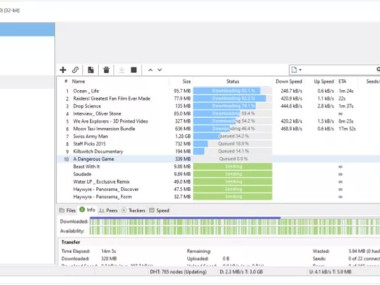
The program is free, small, and easy to use. It works well even on computers with low system resources. With µTorrent, you can share large files such as movies, music, software, or games in .torrent format across the P2P network. Users can search for torrents, add torrent files, and manage downloads directly from the application. You can also control upload and download speeds, pause or resume downloads, and schedule them automatically.
µTorrent is an easy yet effective solution for managing torrents because it was created by the same developers as BitTorrent, which makes it a popular tool. Your experience is enhanced through three main functions: bandwidth control capabilities, automatic scheduling functions, and distant access operations. This tool delivers flexibility for managing large files. Everything on the user interface has been designed for effortless navigation, which makes it simple for both newbies and advanced users to understand it.
µTorrent is available on Windows, macOS, Linux, and Android. It offers a free version with essential features, while the paid versions remove ads and add advanced options.
Why Should I Download µTorrent (uTorrent)?
The
BitTorrent
protocol enables µTorrent to offer an efficient way to download files by breaking large files into pieces that can be retrieved simultaneously from different sources. The downloading process becomes swifter because of this method, and encounters fewer disruptions.
Users should download uTorrent because of its minimal resource consumption. The resource-intensive nature of other torrent clients does not apply to µTorrent since it has been optimized to operate as a background process without impacting system performance. The program is a top pick for users who need to perform other tasks during download sessions.
You will benefit from the feature that allows µTorrent to run multiple downloads at the same time. It allows you to construct download queues while selecting torrent priority and internet speed levels to control bandwidth allocation during file transfers. The high level of manageability through user control makes this application ideal for optimizing the download of large files. You can even start streaming videos while they are still downloading.
The control features in uTorrent include scheduling options that enable you to plan downloads for particular times throughout the day. This schedule function proves valuable since it enables you to time your downloads specifically to when bandwidth is greatest and unrestricted data usage rules apply. Through RSS feed support, µTorrent can establish automatic new torrent download routines from preferred sources instead of requiring manual search work.
The program µTorrent has an important function that enables users to restart their downloads after interruptions, which is very interesting for people with unreliable internet or restricted bandwidth. Torrent downloads possess the advantage of being able to pause and resume at any time without creating download losses.
Is µTorrent (uTorrent) Free?
You can download µTorrent for free to access its complete torrenting functionality. Users of µTorrent's free version, called µTorrent Classic, must tolerate advertisements; all important functionalities are available to them.
The paid versions provide exclusive access to advertisement-free usage and additional functions that comprise built-in security tools alongside streaming capacity and automatic malware defense capabilities. Users should refer to the free version unless they need the extra features available in the Pro version, which provides a sophisticated user experience.
What Operating Systems Are Compatible with µTorrent (uTorrent)?
The µTorrent software supports several operating systems, which extends its accessibility to numerous users. This application exists in four separate versions, all of which deliver optimal performance for Windows, macOS, Linux, and Android operating systems.
The Windows version of µTorrent functions optimally on all main Microsoft operating systems, from Windows 10 up to Windows 11, but also supports XP, Vista, and Windows 7 and 8. The macOS version allows users of Apple products to download torrents efficiently. The software also offers versions for Linux users with
Ubuntu
,
Fedora
, or other distributions. On mobile, µTorrent is available for Android devices running version 7.0 or higher.
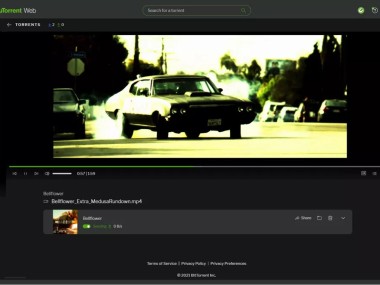
By opening µTorrent Web, users access the browser-based platform that allows torrent download and streaming without software installation. People who desire cross-device torrent access can select this platform as a suitable alternative.
What Are the Alternatives to µTorrent (uTorrent)?
BitTorrent
proves itself as the top alternative to uTorrent for users seeking unrestricted software and no advertising interruptions. If you prefer ad-free torrent clients,
qBittorrent
is your best alternative, since it provides a free service without any form of advertising. Users will find comparable navigation together with basic torrent options, including download sequence management, speed control, and torrent lookup within the program. qBittorrent offers an ideal solution for people who want an ad-free torrent client that has all the essential torrent functions.
The torrent client
Transmission
appeals mainly to Linux and macOS users because of its minimalistic approach. The application maintains a basic design while operating efficiently; thus, it matches well with users who need a lightweight system that uses minimal memory resources. The basic design of Transmission provides multiple advanced features, including peer encryption and web-based management, which enable background operation capabilities. NAS devices and embedded systems employ Transmission as their dependable torrenting tool because it operates efficiently for users who require lightweight clients.
Another powerful BitTorrent client available today is
Vuze
. It is free to use and has a clean, easy-to-use interface, making it friendly for beginners and advanced users alike. It provides all the classic download management features. Searching for torrents is simple, whether from tracker sites, magnet links, or shared links from friends. Once you find a torrent, Vuze lets you download it and track its status in real time. Vuze also has extra tools, such as automatic downloads from RSS feeds and a remote management option. This allows you to control downloads from another computer or even your mobile phone. The software is lightweight and does not slow down your computer.
Specifications
Play Store
4.5 (5,390,305 Votes)
Last update
March 18, 2026
License
Freeware
Downloads
1,335 (last 30 days)
Author
BitTorrent, Inc
Category
Internet
OS
Windows, macOS, Android, Android, Linux, Web App
Screenshots
Apps related to µTorrent (uTorrent)
Explore More | ||||||||||||||||||
| Markdown | 
[Skip to content](https://gizmodo.com/download/utorrent#main)
[Gizmodo](https://gizmodo.com/)
- [Latest](https://gizmodo.com/latest)
- [News](https://gizmodo.com/tech)
- [Reviews](https://gizmodo.com/reviews)
- [io9](https://gizmodo.com/io9)
- [Science](https://gizmodo.com/science)
- [Deals](https://gizmodo.com/deals)
- [Downloads](https://gizmodo.com/download/)
[Newsletters](https://gizmodo.com/newsletters)
- [Download](https://gizmodo.com/download/)
- [Internet](https://gizmodo.com/download/category/internet)
- µTorrent (uTorrent)

# µTorrent (uTorrent)
By BitTorrent, Inc
4\.5 Play Store (5,390,305 Votes)
1,335
3/18/26
Freeware
µTorrent is a popular BitTorrent client that allows you to download and share files via the peer-to-peer protocol. It is lightweight, fast, and easy to use, which makes it one of the most widely used torrent clients in the world.
[Download for Linux](https://gizmodo.com/download/utorrent-704-download)
- [Windows](https://gizmodo.com/download/utorrent-703-download)
- [macOS](https://gizmodo.com/download/utorrent-705-download)
- [Android](https://gizmodo.com/download/utorrent-18475-download)
- [Android (APK)](https://gizmodo.com/download/utorrent-59178-download)
- [Linux](https://gizmodo.com/download/utorrent-704-download)
- [Web App](https://gizmodo.com/download/utorrent-47314-download)
Table of Contents
- [Why Should I Download µTorrent (uTorrent)?](https://gizmodo.com/download/utorrent#why-should-i-download-torrent-utorrent)
- [Is µTorrent (uTorrent) Free?](https://gizmodo.com/download/utorrent#is-torrent-utorrent-free)
- [What Operating Systems Are Compatible with µTorrent (uTorrent)?](https://gizmodo.com/download/utorrent#what-operating-systems-are-compatible-with-torrent-utorrent)
- [What Are the Alternatives to µTorrent (uTorrent)?](https://gizmodo.com/download/utorrent#what-are-the-alternatives-to-torrent-utorrent)
## About µTorrent (uTorrent)
μTorrent (also written uTorrent) is one of the most popular BitTorrent clients in the world. It operates as a widely selected lightweight[BitTorrent](https://gizmodo.com/download/bittorrent) client that lets users conduct file downloads and sharing through the peer-to-peer (P2P) protocol. The program has an efficient design that functions with low system requirements and ensures rapid, reliable torrent transfer speeds. Unlike regular server-based file downloads, µTorrent directs users to obtain files simultaneously from multiple platforms so they can work faster with consistent results.
The program is free, small, and easy to use. It works well even on computers with low system resources. With µTorrent, you can share large files such as movies, music, software, or games in .torrent format across the P2P network. Users can search for torrents, add torrent files, and manage downloads directly from the application. You can also control upload and download speeds, pause or resume downloads, and schedule them automatically.
µTorrent is an easy yet effective solution for managing torrents because it was created by the same developers as BitTorrent, which makes it a popular tool. Your experience is enhanced through three main functions: bandwidth control capabilities, automatic scheduling functions, and distant access operations. This tool delivers flexibility for managing large files. Everything on the user interface has been designed for effortless navigation, which makes it simple for both newbies and advanced users to understand it.
µTorrent is available on Windows, macOS, Linux, and Android. It offers a free version with essential features, while the paid versions remove ads and add advanced options.
## Why Should I Download µTorrent (uTorrent)?
The [BitTorrent](https://gizmodo.com/download/bittorrent) protocol enables µTorrent to offer an efficient way to download files by breaking large files into pieces that can be retrieved simultaneously from different sources. The downloading process becomes swifter because of this method, and encounters fewer disruptions.
Users should download uTorrent because of its minimal resource consumption. The resource-intensive nature of other torrent clients does not apply to µTorrent since it has been optimized to operate as a background process without impacting system performance. The program is a top pick for users who need to perform other tasks during download sessions.
You will benefit from the feature that allows µTorrent to run multiple downloads at the same time. It allows you to construct download queues while selecting torrent priority and internet speed levels to control bandwidth allocation during file transfers. The high level of manageability through user control makes this application ideal for optimizing the download of large files. You can even start streaming videos while they are still downloading.
The control features in uTorrent include scheduling options that enable you to plan downloads for particular times throughout the day. This schedule function proves valuable since it enables you to time your downloads specifically to when bandwidth is greatest and unrestricted data usage rules apply. Through RSS feed support, µTorrent can establish automatic new torrent download routines from preferred sources instead of requiring manual search work.
The program µTorrent has an important function that enables users to restart their downloads after interruptions, which is very interesting for people with unreliable internet or restricted bandwidth. Torrent downloads possess the advantage of being able to pause and resume at any time without creating download losses.
## Is µTorrent (uTorrent) Free?
You can download µTorrent for free to access its complete torrenting functionality. Users of µTorrent's free version, called µTorrent Classic, must tolerate advertisements; all important functionalities are available to them.
The paid versions provide exclusive access to advertisement-free usage and additional functions that comprise built-in security tools alongside streaming capacity and automatic malware defense capabilities. Users should refer to the free version unless they need the extra features available in the Pro version, which provides a sophisticated user experience.
## What Operating Systems Are Compatible with µTorrent (uTorrent)?
The µTorrent software supports several operating systems, which extends its accessibility to numerous users. This application exists in four separate versions, all of which deliver optimal performance for Windows, macOS, Linux, and Android operating systems.
The Windows version of µTorrent functions optimally on all main Microsoft operating systems, from Windows 10 up to Windows 11, but also supports XP, Vista, and Windows 7 and 8. The macOS version allows users of Apple products to download torrents efficiently. The software also offers versions for Linux users with [Ubuntu](https://gizmodo.com/download/ubuntu), [Fedora](https://gizmodo.com/download/fedora), or other distributions. On mobile, µTorrent is available for Android devices running version 7.0 or higher.
By opening µTorrent Web, users access the browser-based platform that allows torrent download and streaming without software installation. People who desire cross-device torrent access can select this platform as a suitable alternative.
## What Are the Alternatives to µTorrent (uTorrent)?
[BitTorrent](https://gizmodo.com/download/bittorrent) proves itself as the top alternative to uTorrent for users seeking unrestricted software and no advertising interruptions. If you prefer ad-free torrent clients, [qBittorrent](https://gizmodo.com/download/qbittorrent) is your best alternative, since it provides a free service without any form of advertising. Users will find comparable navigation together with basic torrent options, including download sequence management, speed control, and torrent lookup within the program. qBittorrent offers an ideal solution for people who want an ad-free torrent client that has all the essential torrent functions.
The torrent client [Transmission](https://gizmodo.com/download/transmission) appeals mainly to Linux and macOS users because of its minimalistic approach. The application maintains a basic design while operating efficiently; thus, it matches well with users who need a lightweight system that uses minimal memory resources. The basic design of Transmission provides multiple advanced features, including peer encryption and web-based management, which enable background operation capabilities. NAS devices and embedded systems employ Transmission as their dependable torrenting tool because it operates efficiently for users who require lightweight clients.
Another powerful BitTorrent client available today is [Vuze](https://gizmodo.com/download/vuze-torrent-downloader). It is free to use and has a clean, easy-to-use interface, making it friendly for beginners and advanced users alike. It provides all the classic download management features. Searching for torrents is simple, whether from tracker sites, magnet links, or shared links from friends. Once you find a torrent, Vuze lets you download it and track its status in real time. Vuze also has extra tools, such as automatic downloads from RSS feeds and a remote management option. This allows you to control downloads from another computer or even your mobile phone. The software is lightweight and does not slow down your computer.

µTorrent (uTorrent)
Freeware
1,335
[Download for Linux](https://gizmodo.com/download/utorrent-704-download)
- [Windows](https://gizmodo.com/download/utorrent-703-download)
- [macOS](https://gizmodo.com/download/utorrent-705-download)
- [Android](https://gizmodo.com/download/utorrent-18475-download)
- [Android (APK)](https://gizmodo.com/download/utorrent-59178-download)
- [Linux](https://gizmodo.com/download/utorrent-704-download)
- [Web App](https://gizmodo.com/download/utorrent-47314-download)
## Specifications
| | |
|---|---|
| Play Store | 4\.5 (5,390,305 Votes) |
| Last update | March 18, 2026 |
| License | Freeware |
| Downloads | 1,335 (last 30 days) |
| Author | BitTorrent, Inc |
| Category | [Internet](https://gizmodo.com/download/category/internet) |
| OS | Windows, macOS, Android, Android, Linux, Web App |
## Screenshots
[](https://c.clc2l.com/c/screenshot/i/u/t/utorrent-88NC41.jpg)
[](https://c.clc2l.com/c/screenshot/i/u/t/utorrent-RNWAOK.jpg)
[](https://c.clc2l.com/c/screenshot/i/u/t/utorrent-tl4xdX.jpg)
[](https://c.clc2l.com/c/screenshot/i/u/t/utorrent-747_zG.jpg)
[](https://c.clc2l.com/c/screenshot/i/u/t/utorrent-wshJK3.jpg)
## Apps related to µTorrent (uTorrent)
[ Vuze Torrent Downloader Freeware](https://gizmodo.com/download/vuze-torrent-downloader "Download Vuze Torrent Downloader")
[ qBittorrent Free](https://gizmodo.com/download/qbittorrent "Download qBittorrent")
[ Transmission Free](https://gizmodo.com/download/transmission "Download Transmission")
[ Deluge Free](https://gizmodo.com/download/deluge "Download Deluge")
## Explore More
[ PuTTY Free](https://gizmodo.com/download/putty "Download PuTTY")
[ VidMate Freeware](https://gizmodo.com/download/vidmate "Download VidMate")
[ Zoom Freeware](https://gizmodo.com/download/zoom "Download Zoom")
[ BitTorrent Freeware](https://gizmodo.com/download/bittorrent "Download BitTorrent")
[ Microsoft Copilot Freeware](https://gizmodo.com/download/microsoft-copilot "Download Microsoft Copilot")
[ Instagram Freeware](https://gizmodo.com/download/instagram "Download Instagram")
[ FileZilla Free](https://gizmodo.com/download/filezilla "Download FileZilla")
[ Brave Browser Freeware](https://gizmodo.com/download/brave-browser "Download Brave Browser")
[ DuckDuckGo Freeware](https://gizmodo.com/download/duckduckgo "Download DuckDuckGo")
[ JDownloader Free](https://gizmodo.com/download/jdownloader "Download JDownloader")
Our Top Picks
- [ Google Chrome 4.4 · Freeware Windows, macOS, Android, iOS](https://gizmodo.com/download/google-chrome "Download Google Chrome")
- [ NordVPN 4.7 · Paid Windows, macOS, Android, iOS](https://gizmodo.com/download/nordvpn "Download NordVPN")
- [ Opera 4.7 · Freeware Windows, macOS, Android, iOS](https://gizmodo.com/download/opera "Download Opera")
- [ Adobe Photoshop 4.2 · Trial version Windows, macOS, Android, iOS](https://gizmodo.com/download/adobe-photoshop "Download Adobe Photoshop")
- [ Microsoft 365 (Office 365) 4.6 · Paid Windows, macOS, Android, iOS](https://gizmodo.com/download/microsoft-365 "Download Microsoft 365 (Office 365)")
Top downloads
- [ Google Play Store Freeware Android, Web App](https://gizmodo.com/download/google-playstore "Download Google Play Store")
- [ Minecraft - Pocket Edition 4.3 · Trial version Android, iOS](https://gizmodo.com/download/minecraft-pocket-edition "Download Minecraft - Pocket Edition")
- [ YouTube 4.4 · Freeware Windows, Android, iOS, Web App](https://gizmodo.com/download/youtube "Download YouTube")
- [ Google Chrome 4.4 · Freeware Windows, macOS, Android, iOS](https://gizmodo.com/download/google-chrome "Download Google Chrome")
- [ EA Sports FC 26 4.7 · Paid Windows, Android, iOS](https://gizmodo.com/download/ea-sports-fc-26 "Download EA Sports FC 26")
- [ Geometry Dash 4.7 · Paid Windows, macOS, Android, iOS](https://gizmodo.com/download/geometry-dash "Download Geometry Dash")
- [ Among Us 4.2 · Freeware Windows, Android, iOS](https://gizmodo.com/download/among-us "Download Among Us")
- [ WhatsApp 4.7 · Freeware Windows, macOS, Android, iOS](https://gizmodo.com/download/whatsapp "Download WhatsApp")
- [ Proton VPN (ProtonVPN) 4.7 · Freeware Windows, macOS, Android, iOS](https://gizmodo.com/download/protonvpn "Download Proton VPN (ProtonVPN)")
- [ Grand Theft Auto: Vice City (GTA Vice City) 3.8 · Paid Windows, Android, iOS](https://gizmodo.com/download/grand-theft-auto-vice-city "Download Grand Theft Auto: Vice City (GTA Vice City)")
Recently added
- [ OpenVPN 4.7 · Trial version Windows, Android, iOS, Linux](https://gizmodo.com/download/openvpn "Download OpenVPN")
- [ Explain Everything Whiteboard 4.3 · Freeware Android, iOS, Web App](https://gizmodo.com/download/explain-everything-whiteboard "Download Explain Everything Whiteboard")
- [ NBC Sports 4.2 · Freeware Android, iOS, Web App](https://gizmodo.com/download/nbc-sports "Download NBC Sports")
- [ Logi Options+ (Logitech Options) Freeware Windows, macOS](https://gizmodo.com/download/logitech-options "Download Logi Options+ (Logitech Options)")
- [ RhymeZone Rhyming Dictionary 4.8 · Paid Android, iOS, Web App](https://gizmodo.com/download/rhymezone-rhyming-dictionary "Download RhymeZone Rhyming Dictionary")
- [ Samsung Browser 4.1 · Freeware Windows, Android](https://gizmodo.com/download/samsung-internet-browser "Download Samsung Browser")
- [ Streamer Life Simulator 2 Paid Windows](https://gizmodo.com/download/streamer-life-simulator-2 "Download Streamer Life Simulator 2")
- [ HP (ex HP Smart) 4.4 · Freeware Windows, macOS, Android, iOS](https://gizmodo.com/download/hp-smart-hp-aio-remote "Download HP (ex HP Smart)")
- [ Talkin: Global Friends & Chat 3.8 · Freeware Android, iOS](https://gizmodo.com/download/talkin-global-friends-chat "Download Talkin: Global Friends & Chat")
- [ Bloons TD 6 4.9 · Paid Windows, macOS, Android, iOS](https://gizmodo.com/download/bloons-td-6 "Download Bloons TD 6")
All trademarks, logos, downloadable files, and other copyright-protected materials displayed on this website are the sole property of their respective owners. They are used here for informational and illustrative purposes only.
©2026 GIZMODO USA LLC.
All rights reserved.
- [𝕏](https://x.com/Gizmodo "X (Twitter)")
- [About Us](https://gizmodo.com/about)
- [Other editions](https://gizmodo.com/download/utorrent)
- [Deutsch](https://de.gizmodo.com/download/)
- [Español](https://es.gizmodo.com/descargar/)
- [Français](https://fr.gizmodo.com/)
- [Português](https://www.gizmodo.com.br/baixar/)
- [Product Review](https://gizmodo.com/how-gizmodo-tests-products)
- [Newsletters](https://gizmodo.com/newsletter)
- [Your Privacy Choices](https://gizmodo.com/download/utorrent)
- [Privacy Policy](https://gizmodo.com/privacy-policy)
- [Terms of Use](https://gizmodo.com/terms-of-service)
- [Accessibility](https://gizmodo.com/accessibility)
- [Advertising & Licensing](https://gizmodo.com/advertise-with-us)
- [𝕏](https://x.com/Gizmodo "X (Twitter)")
We may earn a commission when you buy through links on our sites.
[Sign up for our newsletters](https://gizmodo.com/newsletters)
[Latest](https://gizmodo.com/latest)
- [Tech News](https://gizmodo.com/tech)
- [Artificial Intelligence](https://gizmodo.com/tech/artificial-intelligence)
- [Commerce](https://gizmodo.com/tech/commerce)
- [Crime](https://gizmodo.com/tech/crime)
- [Cryptocurrencies](https://gizmodo.com/tech/cryptocurrencies)
- [Culture](https://gizmodo.com/tech/culture)
- [Gadgets](https://gizmodo.com/tech/gadgets)
- [Internet](https://gizmodo.com/tech/internet)
- [Politics](https://gizmodo.com/tech/politics)
- [Privacy & Security](https://gizmodo.com/tech/privacy-and-security)
- [Robots](https://gizmodo.com/tech/robots)
- [Social Media](https://gizmodo.com/tech/social-media)
- [Sploid](https://gizmodo.com/tech/sploid)
- [Tech Policy](https://gizmodo.com/tech/tech-policy)
- [Transportation](https://gizmodo.com/tech/transportation)
- [Reviews](https://gizmodo.com/reviews)
- [Smartphones](https://gizmodo.com/reviews/phones)
- [Laptops](https://gizmodo.com/reviews/laptops)
- [Headphones](https://gizmodo.com/reviews/headphones)
- [Gaming](https://gizmodo.com/reviews/gaming)
- [Home Entertainment & Smart Home](https://gizmodo.com/reviews/home-entertainment)
- [Other Gadgets](https://gizmodo.com/reviews/other-gadgets)
- [Tablets](https://gizmodo.com/reviews/tablets)
- [Accessories & Wearables](https://gizmodo.com/reviews/wearables)
- [Desktops](https://gizmodo.com/reviews/desktops)
- [Deals](https://gizmodo.com/deals)
- [Science](https://gizmodo.com/science)
- [Biology](https://gizmodo.com/science/biology)
- [Health](https://gizmodo.com/science/health)
- [Human History](https://gizmodo.com/science/human-history)
- [Physics & Chemistry](https://gizmodo.com/science/physics)
- [Space & Spaceflight](https://gizmodo.com/science/space)
- [Earther](https://gizmodo.com/earther)
- [Climate Change](https://gizmodo.com/earther/climate-change)
- [Conservation](https://gizmodo.com/earther/conservation)
- [Earth Science](https://gizmodo.com/earther/earth-science)
- [Energy](https://gizmodo.com/earther/energy)
- [Environmental Justice](https://gizmodo.com/earther/environmental-justice)
- [io9](https://gizmodo.com/io9)
- [io9 Reviews](https://gizmodo.com/io9/io9-reviews)
- [Movies](https://gizmodo.com/io9/movies)
- [Trailers](https://gizmodo.com/io9/trailer-frenzy)
- [Television](https://gizmodo.com/io9/television)
- [Books & Comics](https://gizmodo.com/io9/books-comics)
- [Toys & Collectibles](https://gizmodo.com/io9/toys-and-collectibles)
- [Games](https://gizmodo.com/io9/games)
- [Corporate Culture](https://gizmodo.com/io9/corporate-culture)
- [Theme Parks & Destinations](https://gizmodo.com/io9/theme-parks-destinations)
- [Software]()
- [Best VPN](https://gizmodo.com/best-vpn)
- [Free VPN](https://gizmodo.com/best-vpn/free)
- [Cheap VPN](https://gizmodo.com/best-vpn/cheap)
- [NordVPN Review](https://gizmodo.com/best-vpn/nordvpn)
- [ExpressVPN Review](https://gizmodo.com/best-vpn/expressvpn)
- [Best eSIM](https://gizmodo.com/best-esim-provider/)
- [Cloud Storage](https://gizmodo.com/best-cloud-storage)
- [Free Cloud Storage](https://gizmodo.com/best-cloud-storage/free)
- [pCloud Review](https://gizmodo.com/best-cloud-storage/pcloud)
- [Web Hosting](https://gizmodo.com/best-web-hosting)
- [Hostinger Review](https://gizmodo.com/best-web-hosting/hostinger)
- [Best Antivirus](https://gizmodo.com/antivirus/)
- [Compare Antivirus](https://gizmodo.com/antivirus/compare/)
- [Download Hub](https://gizmodo.com/download/)
- [About Us](https://gizmodo.com/about)
- [Other editions](https://gizmodo.com/download/utorrent)
- [Deutsch](https://de.gizmodo.com/)
- [Español](https://es.gizmodo.com/)
- [Français](https://fr.gizmodo.com/)
- [Português](https://www.gizmodo.com.br/)
- [Product Review](https://gizmodo.com/how-gizmodo-tests-products)
- [Newsletters](https://gizmodo.com/newsletter)
- [Your Privacy Choices](https://gizmodo.com/download/utorrent)
- [Privacy Policy](https://gizmodo.com/privacy-policy)
- [Terms of Use](https://gizmodo.com/terms-of-service)
- [Accessibility](https://gizmodo.com/accessibility)
- [Advertising & Licensing](https://gizmodo.com/advertise-with-us)
- [𝕏](https://x.com/Gizmodo "X (Twitter)")
- [Bookmarks](https://gizmodo.com/download/utorrent)
[Cookies settings]()
/ 5 | ||||||||||||||||||
| Readable Markdown | µTorrent is a popular BitTorrent client that allows you to download and share files via the peer-to-peer protocol. It is lightweight, fast, and easy to use, which makes it one of the most widely used torrent clients in the world.
Table of Contents
- [Why Should I Download µTorrent (uTorrent)?](https://gizmodo.com/download/utorrent#why-should-i-download-torrent-utorrent)
- [Is µTorrent (uTorrent) Free?](https://gizmodo.com/download/utorrent#is-torrent-utorrent-free)
- [What Operating Systems Are Compatible with µTorrent (uTorrent)?](https://gizmodo.com/download/utorrent#what-operating-systems-are-compatible-with-torrent-utorrent)
- [What Are the Alternatives to µTorrent (uTorrent)?](https://gizmodo.com/download/utorrent#what-are-the-alternatives-to-torrent-utorrent)
μTorrent (also written uTorrent) is one of the most popular BitTorrent clients in the world. It operates as a widely selected lightweight[BitTorrent](https://gizmodo.com/download/bittorrent) client that lets users conduct file downloads and sharing through the peer-to-peer (P2P) protocol. The program has an efficient design that functions with low system requirements and ensures rapid, reliable torrent transfer speeds. Unlike regular server-based file downloads, µTorrent directs users to obtain files simultaneously from multiple platforms so they can work faster with consistent results.
The program is free, small, and easy to use. It works well even on computers with low system resources. With µTorrent, you can share large files such as movies, music, software, or games in .torrent format across the P2P network. Users can search for torrents, add torrent files, and manage downloads directly from the application. You can also control upload and download speeds, pause or resume downloads, and schedule them automatically.
µTorrent is an easy yet effective solution for managing torrents because it was created by the same developers as BitTorrent, which makes it a popular tool. Your experience is enhanced through three main functions: bandwidth control capabilities, automatic scheduling functions, and distant access operations. This tool delivers flexibility for managing large files. Everything on the user interface has been designed for effortless navigation, which makes it simple for both newbies and advanced users to understand it.
µTorrent is available on Windows, macOS, Linux, and Android. It offers a free version with essential features, while the paid versions remove ads and add advanced options.
## Why Should I Download µTorrent (uTorrent)?
The [BitTorrent](https://gizmodo.com/download/bittorrent) protocol enables µTorrent to offer an efficient way to download files by breaking large files into pieces that can be retrieved simultaneously from different sources. The downloading process becomes swifter because of this method, and encounters fewer disruptions.
Users should download uTorrent because of its minimal resource consumption. The resource-intensive nature of other torrent clients does not apply to µTorrent since it has been optimized to operate as a background process without impacting system performance. The program is a top pick for users who need to perform other tasks during download sessions.
You will benefit from the feature that allows µTorrent to run multiple downloads at the same time. It allows you to construct download queues while selecting torrent priority and internet speed levels to control bandwidth allocation during file transfers. The high level of manageability through user control makes this application ideal for optimizing the download of large files. You can even start streaming videos while they are still downloading.
The control features in uTorrent include scheduling options that enable you to plan downloads for particular times throughout the day. This schedule function proves valuable since it enables you to time your downloads specifically to when bandwidth is greatest and unrestricted data usage rules apply. Through RSS feed support, µTorrent can establish automatic new torrent download routines from preferred sources instead of requiring manual search work.
The program µTorrent has an important function that enables users to restart their downloads after interruptions, which is very interesting for people with unreliable internet or restricted bandwidth. Torrent downloads possess the advantage of being able to pause and resume at any time without creating download losses.
## Is µTorrent (uTorrent) Free?
You can download µTorrent for free to access its complete torrenting functionality. Users of µTorrent's free version, called µTorrent Classic, must tolerate advertisements; all important functionalities are available to them.
The paid versions provide exclusive access to advertisement-free usage and additional functions that comprise built-in security tools alongside streaming capacity and automatic malware defense capabilities. Users should refer to the free version unless they need the extra features available in the Pro version, which provides a sophisticated user experience.
## What Operating Systems Are Compatible with µTorrent (uTorrent)?
The µTorrent software supports several operating systems, which extends its accessibility to numerous users. This application exists in four separate versions, all of which deliver optimal performance for Windows, macOS, Linux, and Android operating systems.
The Windows version of µTorrent functions optimally on all main Microsoft operating systems, from Windows 10 up to Windows 11, but also supports XP, Vista, and Windows 7 and 8. The macOS version allows users of Apple products to download torrents efficiently. The software also offers versions for Linux users with [Ubuntu](https://gizmodo.com/download/ubuntu), [Fedora](https://gizmodo.com/download/fedora), or other distributions. On mobile, µTorrent is available for Android devices running version 7.0 or higher.
By opening µTorrent Web, users access the browser-based platform that allows torrent download and streaming without software installation. People who desire cross-device torrent access can select this platform as a suitable alternative.
## What Are the Alternatives to µTorrent (uTorrent)?
[BitTorrent](https://gizmodo.com/download/bittorrent) proves itself as the top alternative to uTorrent for users seeking unrestricted software and no advertising interruptions. If you prefer ad-free torrent clients, [qBittorrent](https://gizmodo.com/download/qbittorrent) is your best alternative, since it provides a free service without any form of advertising. Users will find comparable navigation together with basic torrent options, including download sequence management, speed control, and torrent lookup within the program. qBittorrent offers an ideal solution for people who want an ad-free torrent client that has all the essential torrent functions.
The torrent client [Transmission](https://gizmodo.com/download/transmission) appeals mainly to Linux and macOS users because of its minimalistic approach. The application maintains a basic design while operating efficiently; thus, it matches well with users who need a lightweight system that uses minimal memory resources. The basic design of Transmission provides multiple advanced features, including peer encryption and web-based management, which enable background operation capabilities. NAS devices and embedded systems employ Transmission as their dependable torrenting tool because it operates efficiently for users who require lightweight clients.
Another powerful BitTorrent client available today is [Vuze](https://gizmodo.com/download/vuze-torrent-downloader). It is free to use and has a clean, easy-to-use interface, making it friendly for beginners and advanced users alike. It provides all the classic download management features. Searching for torrents is simple, whether from tracker sites, magnet links, or shared links from friends. Once you find a torrent, Vuze lets you download it and track its status in real time. Vuze also has extra tools, such as automatic downloads from RSS feeds and a remote management option. This allows you to control downloads from another computer or even your mobile phone. The software is lightweight and does not slow down your computer.
## Specifications
| | |
|---|---|
| Play Store | 4\.5 (5,390,305 Votes) |
| Last update | March 18, 2026 |
| License | Freeware |
| Downloads | 1,335 (last 30 days) |
| Author | BitTorrent, Inc |
| Category | [Internet](https://gizmodo.com/download/category/internet) |
| OS | Windows, macOS, Android, Android, Linux, Web App |
## Screenshots
## Apps related to µTorrent (uTorrent)
## Explore More | ||||||||||||||||||
| ML Classification | |||||||||||||||||||
| ML Categories |
Raw JSON{
"/Internet_and_Telecom": 601,
"/Computers_and_Electronics": 579,
"/Internet_and_Telecom/Web_Services": 562,
"/Computers_and_Electronics/Software": 538,
"/Computers_and_Electronics/Software/Internet_Software": 501,
"/Internet_and_Telecom/Web_Services/Other": 441
} | ||||||||||||||||||
| ML Page Types |
Raw JSON{
"/Article": 440,
"/Article/Product_or_Brand_Review": 288
} | ||||||||||||||||||
| ML Intent Types |
Raw JSON{
"Informational": 818,
"Transactional": 517,
"Commercial": 119
} | ||||||||||||||||||
| Content Metadata | |||||||||||||||||||
| Language | en-us | ||||||||||||||||||
| Author | null | ||||||||||||||||||
| Publish Time | not set | ||||||||||||||||||
| Original Publish Time | 2025-05-02 06:53:10 (11 months ago) | ||||||||||||||||||
| Republished | No | ||||||||||||||||||
| Word Count (Total) | 1,754 | ||||||||||||||||||
| Word Count (Content) | 1,157 | ||||||||||||||||||
| Links | |||||||||||||||||||
| External Links | 13 | ||||||||||||||||||
| Internal Links | 128 | ||||||||||||||||||
| Technical SEO | |||||||||||||||||||
| Meta Nofollow | No | ||||||||||||||||||
| Meta Noarchive | No | ||||||||||||||||||
| JS Rendered | Yes | ||||||||||||||||||
| Redirect Target | null | ||||||||||||||||||
| Performance | |||||||||||||||||||
| Download Time (ms) | 290 | ||||||||||||||||||
| TTFB (ms) | 286 | ||||||||||||||||||
| Download Size (bytes) | 43,551 | ||||||||||||||||||
| Shard | 27 (laksa) | ||||||||||||||||||
| Root Hash | 11133720442686862227 | ||||||||||||||||||
| Unparsed URL | com,gizmodo!/download/utorrent s443 | ||||||||||||||||||