ℹ️ Skipped - page is already crawled
| Filter | Status | Condition | Details |
|---|---|---|---|
| HTTP status | PASS | download_http_code = 200 | HTTP 200 |
| Age cutoff | PASS | download_stamp > now() - 6 MONTH | 0 months ago (distributed domain, exempt) |
| History drop | PASS | isNull(history_drop_reason) | No drop reason |
| Spam/ban | PASS | fh_dont_index != 1 AND ml_spam_score = 0 | ml_spam_score=0 |
| Canonical | PASS | meta_canonical IS NULL OR = '' OR = src_unparsed | Not set |
| Property | Value | ||||||||||||||||||
|---|---|---|---|---|---|---|---|---|---|---|---|---|---|---|---|---|---|---|---|
| URL | https://github.com/facebook/create-react-app | ||||||||||||||||||
| Last Crawled | 2026-04-22 16:47:49 (1 day ago) | ||||||||||||||||||
| First Indexed | 2018-01-28 11:34:20 (8 years ago) | ||||||||||||||||||
| HTTP Status Code | 200 | ||||||||||||||||||
| Content | |||||||||||||||||||
| Meta Title | GitHub - facebook/create-react-app: Set up a modern web app by running one command. · GitHub | ||||||||||||||||||
| Meta Description | Set up a modern web app by running one command. Contribute to facebook/create-react-app development by creating an account on GitHub. | ||||||||||||||||||
| Meta Canonical | null | ||||||||||||||||||
| Boilerpipe Text | Caution
Deprecated
Create React App was one of the key tools for getting a React project up-and-running in 2017-2021, it is now in long-term stasis and we recommend that you migrate to one of React frameworks documented on
Start a New React Project
.
If you are following a tutorial to learn React, there is still value in continuing your tutorial, but we do not recommend starting production apps based on Create React App.
Create React apps with no build configuration.
Creating an App
– How to create a new app.
User Guide
– How to develop apps bootstrapped with Create React App.
Create React App works on macOS, Windows, and Linux.
If something doesn’t work, please
file an issue
.
If you have questions or need help, please ask in
GitHub Discussions
.
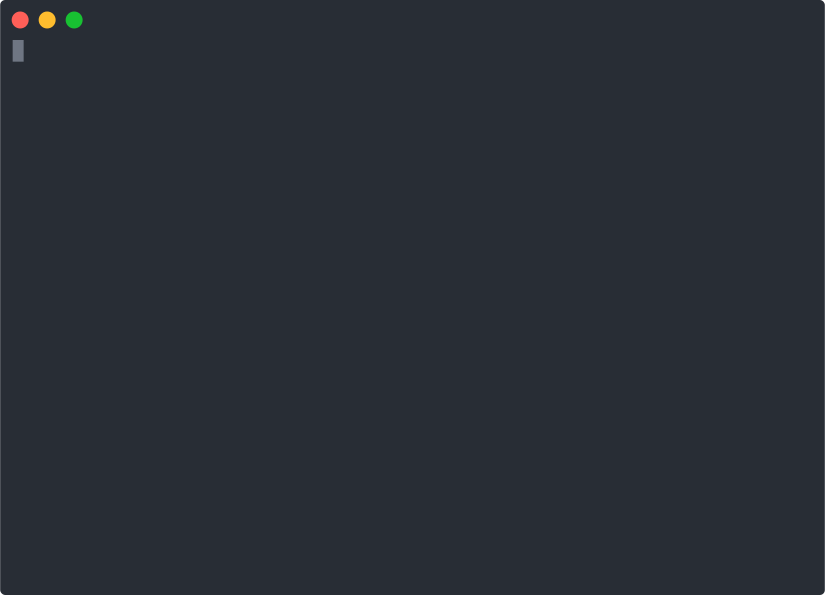
Quick Overview
npx create-react-app my-app
cd
my-app
npm start
If you've previously installed
create-react-app
globally via
npm install -g create-react-app
, we recommend you uninstall the package using
npm uninstall -g create-react-app
or
yarn global remove create-react-app
to ensure that npx always uses the latest version.
(
npx
comes with npm 5.2+ and higher, see
instructions for older npm versions
)
Then open
http://localhost:3000/
to see your app.
When you’re ready to deploy to production, create a minified bundle with
npm run build
.
Get Started Immediately
You
don’t
need to install or configure tools like webpack or Babel.
They are preconfigured and hidden so that you can focus on the code.
Create a project, and you’re good to go.
Creating an App
You’ll need to have Node 14.0.0 or later version on your local development machine
(but it’s not required on the server). We recommend using the latest LTS version. You can use
nvm
(macOS/Linux) or
nvm-windows
to switch Node versions between different projects.
To create a new app, you may choose one of the following methods:
npx
npx create-react-app my-app
(
npx
is a package runner tool that comes with npm 5.2+ and higher, see
instructions for older npm versions
)
npm
npm init react-app my-app
npm init <initializer>
is available in npm 6+
Yarn
yarn create react-app my-app
yarn create <starter-kit-package>
is available in Yarn 0.25+
It will create a directory called
my-app
inside the current folder.
Inside that directory, it will generate the initial project structure and install the transitive dependencies:
my-app
├── README.md
├── node_modules
├── package.json
├── .gitignore
├── public
│ ├── favicon.ico
│ ├── index.html
│ └── manifest.json
└── src
├── App.css
├── App.js
├── App.test.js
├── index.css
├── index.js
├── logo.svg
└── serviceWorker.js
└── setupTests.js
No configuration or complicated folder structures, only the files you need to build your app.
Once the installation is done, you can open your project folder:
cd
my-app
Inside the newly created project, you can run some built-in commands:
npm start
or
yarn start
Runs the app in development mode.
Open
http://localhost:3000
to view it in the browser.
The page will automatically reload if you make changes to the code.
You will see the build errors and lint warnings in the console.
npm test
or
yarn test
Runs the test watcher in an interactive mode.
By default, runs tests related to files changed since the last commit.
Read more about testing.
npm run build
or
yarn build
Builds the app for production to the
build
folder.
It correctly bundles React in production mode and optimizes the build for the best performance.
The build is minified and the filenames include the hashes.
Your app is ready to be deployed.
User Guide
You can find detailed instructions on using Create React App and many tips in
its documentation
.
How to Update to New Versions?
Please refer to the
User Guide
for this and other information.
Philosophy
One Dependency:
There is only one build dependency. It uses webpack, Babel, ESLint, and other amazing projects, but provides a cohesive curated experience on top of them.
No Configuration Required:
You don't need to configure anything. A reasonably good configuration of both development and production builds is handled for you so you can focus on writing code.
No Lock-In:
You can “eject” to a custom setup at any time. Run a single command, and all the configuration and build dependencies will be moved directly into your project, so you can pick up right where you left off.
What’s Included?
Your environment will have everything you need to build a modern single-page React app:
React, JSX, ES6, TypeScript and Flow syntax support.
Language extras beyond ES6 like the object spread operator.
Autoprefixed CSS, so you don’t need
-webkit-
or other prefixes.
A fast interactive unit test runner with built-in support for coverage reporting.
A live development server that warns about common mistakes.
A build script to bundle JS, CSS, and images for production, with hashes and sourcemaps.
An offline-first
service worker
and a
web app manifest
, meeting all the
Progressive Web App
criteria. (
Note: Using the service worker is opt-in as of
react-scripts@2.0.0
and higher
)
Hassle-free updates for the above tools with a single dependency.
Check out
this guide
for an overview of how these tools fit together.
The tradeoff is that
these tools are preconfigured to work in a specific way
. If your project needs more customization, you can
"eject"
and customize it, but then you will need to maintain this configuration.
Popular Alternatives
Create React App is a great fit for:
Learning React
in a comfortable and feature-rich development environment.
Starting new single-page React applications.
Creating examples
with React for your libraries and components.
Here are a few common cases where you might want to try something else:
If you want to
try React
without hundreds of transitive build tool dependencies, consider
using a single HTML file or an online sandbox instead
.
If you need to
integrate React code with a server-side template framework
like Rails, Django or Symfony, or if you’re
not building a single-page app
, consider using
nwb
, or
Neutrino
which are more flexible. For Rails specifically, you can use
Rails Webpacker
. For Symfony, try
Symfony's webpack Encore
.
If you need to
publish a React component
,
nwb
can
also do this
, as well as
Neutrino's react-components preset
.
If you want to do
server rendering
with React and Node.js, check out
Next.js
or
Razzle
. Create React App is agnostic of the backend, and only produces static HTML/JS/CSS bundles.
If your website is
mostly static
(for example, a portfolio or a blog), consider using
Gatsby
or
Next.js
. Unlike Create React App, Gatsby pre-renders the website into HTML at build time. Next.js supports both server rendering and pre-rendering.
Finally, if you need
more customization
, check out
Neutrino
and its
React preset
.
All of the above tools can work with little to no configuration.
If you prefer configuring the build yourself,
follow this guide
.
React Native
Looking for something similar, but for React Native?
Check out
Expo CLI
.
Contributing
We'd love to have your helping hand on
create-react-app
! See
CONTRIBUTING.md
for more information on what we're looking for and how to get started.
Supporting Create React App
Create React App is a community maintained project and all contributors are volunteers. If you'd like to support the future development of Create React App then please consider donating to our
Open Collective
.
Credits
This project exists thanks to all the people who
contribute
.
Thanks to
Netlify
for hosting our documentation.
Acknowledgements
We are grateful to the authors of existing related projects for their ideas and collaboration:
@eanplatter
@insin
@mxstbr
License
Create React App is open source software
licensed as MIT
. The Create React App logo is licensed under a
Creative Commons Attribution 4.0 International license
. | ||||||||||||||||||
| Markdown | [Skip to content](https://github.com/facebook/create-react-app#start-of-content)
## Navigation Menu
Toggle navigation
[Sign in](https://github.com/login?return_to=https%3A%2F%2Fgithub.com%2Ffacebook%2Fcreate-react-app)
Appearance settings
- Platform
- AI CODE CREATION
- [GitHub CopilotWrite better code with AI](https://github.com/features/copilot)
- [GitHub SparkBuild and deploy intelligent apps](https://github.com/features/spark)
- [GitHub ModelsManage and compare prompts](https://github.com/features/models)
- [MCP RegistryNewIntegrate external tools](https://github.com/mcp)
- DEVELOPER WORKFLOWS
- [ActionsAutomate any workflow](https://github.com/features/actions)
- [CodespacesInstant dev environments](https://github.com/features/codespaces)
- [IssuesPlan and track work](https://github.com/features/issues)
- [Code ReviewManage code changes](https://github.com/features/code-review)
- APPLICATION SECURITY
- [GitHub Advanced SecurityFind and fix vulnerabilities](https://github.com/security/advanced-security)
- [Code securitySecure your code as you build](https://github.com/security/advanced-security/code-security)
- [Secret protectionStop leaks before they start](https://github.com/security/advanced-security/secret-protection)
- EXPLORE
- [Why GitHub](https://github.com/why-github)
- [Documentation](https://docs.github.com/)
- [Blog](https://github.blog/)
- [Changelog](https://github.blog/changelog)
- [Marketplace](https://github.com/marketplace)
[View all features](https://github.com/features)
- Solutions
- BY COMPANY SIZE
- [Enterprises](https://github.com/enterprise)
- [Small and medium teams](https://github.com/team)
- [Startups](https://github.com/enterprise/startups)
- [Nonprofits](https://github.com/solutions/industry/nonprofits)
- BY USE CASE
- [App Modernization](https://github.com/solutions/use-case/app-modernization)
- [DevSecOps](https://github.com/solutions/use-case/devsecops)
- [DevOps](https://github.com/solutions/use-case/devops)
- [CI/CD](https://github.com/solutions/use-case/ci-cd)
- [View all use cases](https://github.com/solutions/use-case)
- BY INDUSTRY
- [Healthcare](https://github.com/solutions/industry/healthcare)
- [Financial services](https://github.com/solutions/industry/financial-services)
- [Manufacturing](https://github.com/solutions/industry/manufacturing)
- [Government](https://github.com/solutions/industry/government)
- [View all industries](https://github.com/solutions/industry)
[View all solutions](https://github.com/solutions)
- Resources
- EXPLORE BY TOPIC
- [AI](https://github.com/resources/articles?topic=ai)
- [Software Development](https://github.com/resources/articles?topic=software-development)
- [DevOps](https://github.com/resources/articles?topic=devops)
- [Security](https://github.com/resources/articles?topic=security)
- [View all topics](https://github.com/resources/articles)
- EXPLORE BY TYPE
- [Customer stories](https://github.com/customer-stories)
- [Events & webinars](https://github.com/resources/events)
- [Ebooks & reports](https://github.com/resources/whitepapers)
- [Business insights](https://github.com/solutions/executive-insights)
- [GitHub Skills](https://skills.github.com/)
- SUPPORT & SERVICES
- [Documentation](https://docs.github.com/)
- [Customer support](https://support.github.com/)
- [Community forum](https://github.com/orgs/community/discussions)
- [Trust center](https://github.com/trust-center)
- [Partners](https://github.com/partners)
[View all resources](https://github.com/resources)
- Open Source
- COMMUNITY
- [GitHub SponsorsFund open source developers](https://github.com/sponsors)
- PROGRAMS
- [Security Lab](https://securitylab.github.com/)
- [Maintainer Community](https://maintainers.github.com/)
- [Accelerator](https://github.com/accelerator)
- [GitHub Stars](https://stars.github.com/)
- [Archive Program](https://archiveprogram.github.com/)
- REPOSITORIES
- [Topics](https://github.com/topics)
- [Trending](https://github.com/trending)
- [Collections](https://github.com/collections)
- Enterprise
- ENTERPRISE SOLUTIONS
- [Enterprise platformAI-powered developer platform](https://github.com/enterprise)
- AVAILABLE ADD-ONS
- [GitHub Advanced SecurityEnterprise-grade security features](https://github.com/security/advanced-security)
- [Copilot for BusinessEnterprise-grade AI features](https://github.com/features/copilot/copilot-business)
- [Premium SupportEnterprise-grade 24/7 support](https://github.com/premium-support)
- [Pricing](https://github.com/pricing)
Search or jump to...
# Search code, repositories, users, issues, pull requests...
[Search syntax tips](https://docs.github.com/search-github/github-code-search/understanding-github-code-search-syntax)
# Provide feedback
Cancel
Submit feedback
# Saved searches
## Use saved searches to filter your results more quickly
Cancel
Create saved search
[Sign in](https://github.com/login?return_to=https%3A%2F%2Fgithub.com%2Ffacebook%2Fcreate-react-app)
[Sign up](https://github.com/signup?ref_cta=Sign+up&ref_loc=header+logged+out&ref_page=%2F%3Cuser-name%3E%2F%3Crepo-name%3E&source=header-repo&source_repo=facebook%2Fcreate-react-app)
Appearance settings
Resetting focus
You signed in with another tab or window. [Reload](https://github.com/facebook/create-react-app) to refresh your session. You signed out in another tab or window. [Reload](https://github.com/facebook/create-react-app) to refresh your session. You switched accounts on another tab or window. [Reload](https://github.com/facebook/create-react-app) to refresh your session.
Dismiss alert
[facebook](https://github.com/facebook) / **[create-react-app](https://github.com/facebook/create-react-app)** Public
- Sponsor
# Sponsor facebook/create-react-app
##### External links

[opencollective.com/**create-react-app**](https://opencollective.com/create-react-app)
[Learn more about funding links in repositories](https://docs.github.com/repositories/managing-your-repositorys-settings-and-features/customizing-your-repository/displaying-a-sponsor-button-in-your-repository).
[Report abuse](https://github.com/contact/report-abuse?report=facebook%2Fcreate-react-app+%28Repository+Funding+Links%29)
- [Notifications](https://github.com/login?return_to=%2Ffacebook%2Fcreate-react-app)
You must be signed in to change notification settings
- [Fork 27.1k](https://github.com/login?return_to=%2Ffacebook%2Fcreate-react-app)
- [Star 103k](https://github.com/login?return_to=%2Ffacebook%2Fcreate-react-app)
- [Code](https://github.com/facebook/create-react-app)
- [Issues 1.9k](https://github.com/facebook/create-react-app/issues)
- [Pull requests 523](https://github.com/facebook/create-react-app/pulls)
- [Discussions](https://github.com/facebook/create-react-app/discussions)
- [Actions](https://github.com/facebook/create-react-app/actions)
- [Models](https://github.com/facebook/create-react-app/models)
- [Security and quality 0](https://github.com/facebook/create-react-app/security)
- [Insights](https://github.com/facebook/create-react-app/pulse)
Additional navigation options
- [Code](https://github.com/facebook/create-react-app)
- [Issues](https://github.com/facebook/create-react-app/issues)
- [Pull requests](https://github.com/facebook/create-react-app/pulls)
- [Discussions](https://github.com/facebook/create-react-app/discussions)
- [Actions](https://github.com/facebook/create-react-app/actions)
- [Models](https://github.com/facebook/create-react-app/models)
- [Security and quality](https://github.com/facebook/create-react-app/security)
- [Insights](https://github.com/facebook/create-react-app/pulse)
# facebook/create-react-app
main
[**28** Branches](https://github.com/facebook/create-react-app/branches)
[**420** Tags](https://github.com/facebook/create-react-app/tags)
Go to file
Code
Open more actions menu
## Folders and files
| Name | Name | Last commit message | Last commit date |
|---|---|---|---|
| Latest commit [](https://github.com/rickhanlonii)[rickhanlonii](https://github.com/facebook/create-react-app/commits?author=rickhanlonii) [Publish](https://github.com/facebook/create-react-app/commit/6254386531d263688ccfa542d0e628fbc0de0b28) Open commit details success Feb 15, 2025 [6254386](https://github.com/facebook/create-react-app/commit/6254386531d263688ccfa542d0e628fbc0de0b28) · Feb 15, 2025 History [2,819 Commits](https://github.com/facebook/create-react-app/commits/main/) Open commit details 2,819 Commits | | | |
## Repository files navigation
- [README](https://github.com/facebook/create-react-app)
- [Code of conduct](https://github.com/facebook/create-react-app)
- [Contributing](https://github.com/facebook/create-react-app)
- [MIT license](https://github.com/facebook/create-react-app)
- [Security](https://github.com/facebook/create-react-app)
## Create React App [](https://github.com/facebook/create-react-app/actions/workflows/build-and-test.yml) [](https://github.com/facebook/create-react-app/blob/main/CONTRIBUTING.md)
Caution
## Deprecated
Create React App was one of the key tools for getting a React project up-and-running in 2017-2021, it is now in long-term stasis and we recommend that you migrate to one of React frameworks documented on [Start a New React Project](https://react.dev/learn/start-a-new-react-project).
If you are following a tutorial to learn React, there is still value in continuing your tutorial, but we do not recommend starting production apps based on Create React App.
[](https://camo.githubusercontent.com/af8b85e3fb11406f7e21014ff0088d2539de7524c8cf0eff2489a547a875867d/68747470733a2f2f6372656174652d72656163742d6170702e6465762f696d672f6c6f676f2e737667)
Create React apps with no build configuration.
- [Creating an App](https://github.com/facebook/create-react-app#creating-an-app) – How to create a new app.
- [User Guide](https://facebook.github.io/create-react-app/) – How to develop apps bootstrapped with Create React App.
Create React App works on macOS, Windows, and Linux.
If something doesn’t work, please [file an issue](https://github.com/facebook/create-react-app/issues/new).
If you have questions or need help, please ask in [GitHub Discussions](https://github.com/facebook/create-react-app/discussions).
## Quick Overview
```
npx create-react-app my-app
cd my-app
npm start
```
If you've previously installed `create-react-app` globally via `npm install -g create-react-app`, we recommend you uninstall the package using `npm uninstall -g create-react-app` or `yarn global remove create-react-app` to ensure that npx always uses the latest version.
*([npx](https://medium.com/@maybekatz/introducing-npx-an-npm-package-runner-55f7d4bd282b) comes with npm 5.2+ and higher, see [instructions for older npm versions](https://gist.github.com/gaearon/4064d3c23a77c74a3614c498a8bb1c5f))*
Then open <http://localhost:3000/> to see your app.
When you’re ready to deploy to production, create a minified bundle with `npm run build`.
[](https://camo.githubusercontent.com/1773593427e891a00c5374d628585e268ba2b165467f2fee8110c4059dca8e02/68747470733a2f2f63646e2e6a7364656c6976722e6e65742f67682f66616365626f6f6b2f6372656174652d72656163742d61707040323762343261633765666130313866323534313135336162333064363331383066356661333965302f73637265656e636173742e737667)
### Get Started Immediately
You **don’t** need to install or configure tools like webpack or Babel.
They are preconfigured and hidden so that you can focus on the code.
Create a project, and you’re good to go.
## Creating an App
**You’ll need to have Node 14.0.0 or later version on your local development machine** (but it’s not required on the server). We recommend using the latest LTS version. You can use [nvm](https://github.com/creationix/nvm#installation) (macOS/Linux) or [nvm-windows](https://github.com/coreybutler/nvm-windows#node-version-manager-nvm-for-windows) to switch Node versions between different projects.
To create a new app, you may choose one of the following methods:
### npx
```
npx create-react-app my-app
```
*([npx](https://medium.com/@maybekatz/introducing-npx-an-npm-package-runner-55f7d4bd282b) is a package runner tool that comes with npm 5.2+ and higher, see [instructions for older npm versions](https://gist.github.com/gaearon/4064d3c23a77c74a3614c498a8bb1c5f))*
### npm
```
npm init react-app my-app
```
*`npm init <initializer>` is available in npm 6+*
### Yarn
```
yarn create react-app my-app
```
*[`yarn create <starter-kit-package>`](https://yarnpkg.com/lang/en/docs/cli/create/) is available in Yarn 0.25+*
It will create a directory called `my-app` inside the current folder.
Inside that directory, it will generate the initial project structure and install the transitive dependencies:
```
my-app
├── README.md
├── node_modules
├── package.json
├── .gitignore
├── public
│ ├── favicon.ico
│ ├── index.html
│ └── manifest.json
└── src
├── App.css
├── App.js
├── App.test.js
├── index.css
├── index.js
├── logo.svg
└── serviceWorker.js
└── setupTests.js
```
No configuration or complicated folder structures, only the files you need to build your app.
Once the installation is done, you can open your project folder:
```
cd my-app
```
Inside the newly created project, you can run some built-in commands:
### `npm start` or `yarn start`
Runs the app in development mode.
Open <http://localhost:3000> to view it in the browser.
The page will automatically reload if you make changes to the code.
You will see the build errors and lint warnings in the console.
[](https://camo.githubusercontent.com/158658cbddf6e9579e113711bcb0be1faf913f9a3fa7c841d9f3b0ef6bf4f40f/68747470733a2f2f63646e2e6a7364656c6976722e6e65742f67682f6d6172696f6e65626c2f6372656174652d72656163742d61707040396636323832363731633534663038373461666433376137326636363839373237623536323439382f73637265656e636173742d6572726f722e737667)
### `npm test` or `yarn test`
Runs the test watcher in an interactive mode.
By default, runs tests related to files changed since the last commit.
[Read more about testing.](https://facebook.github.io/create-react-app/docs/running-tests)
### `npm run build` or `yarn build`
Builds the app for production to the `build` folder.
It correctly bundles React in production mode and optimizes the build for the best performance.
The build is minified and the filenames include the hashes.
Your app is ready to be deployed.
## User Guide
You can find detailed instructions on using Create React App and many tips in [its documentation](https://facebook.github.io/create-react-app/).
## How to Update to New Versions?
Please refer to the [User Guide](https://facebook.github.io/create-react-app/docs/updating-to-new-releases) for this and other information.
## Philosophy
- **One Dependency:** There is only one build dependency. It uses webpack, Babel, ESLint, and other amazing projects, but provides a cohesive curated experience on top of them.
- **No Configuration Required:** You don't need to configure anything. A reasonably good configuration of both development and production builds is handled for you so you can focus on writing code.
- **No Lock-In:** You can “eject” to a custom setup at any time. Run a single command, and all the configuration and build dependencies will be moved directly into your project, so you can pick up right where you left off.
## What’s Included?
Your environment will have everything you need to build a modern single-page React app:
- React, JSX, ES6, TypeScript and Flow syntax support.
- Language extras beyond ES6 like the object spread operator.
- Autoprefixed CSS, so you don’t need `-webkit-` or other prefixes.
- A fast interactive unit test runner with built-in support for coverage reporting.
- A live development server that warns about common mistakes.
- A build script to bundle JS, CSS, and images for production, with hashes and sourcemaps.
- An offline-first [service worker](https://developers.google.com/web/fundamentals/getting-started/primers/service-workers) and a [web app manifest](https://developers.google.com/web/fundamentals/engage-and-retain/web-app-manifest/), meeting all the [Progressive Web App](https://facebook.github.io/create-react-app/docs/making-a-progressive-web-app) criteria. (*Note: Using the service worker is opt-in as of `react-scripts@2.0.0` and higher*)
- Hassle-free updates for the above tools with a single dependency.
Check out [this guide](https://github.com/nitishdayal/cra_closer_look) for an overview of how these tools fit together.
The tradeoff is that **these tools are preconfigured to work in a specific way**. If your project needs more customization, you can ["eject"](https://facebook.github.io/create-react-app/docs/available-scripts#npm-run-eject) and customize it, but then you will need to maintain this configuration.
## Popular Alternatives
Create React App is a great fit for:
- **Learning React** in a comfortable and feature-rich development environment.
- **Starting new single-page React applications.**
- **Creating examples** with React for your libraries and components.
Here are a few common cases where you might want to try something else:
- If you want to **try React** without hundreds of transitive build tool dependencies, consider [using a single HTML file or an online sandbox instead](https://reactjs.org/docs/getting-started.html#try-react).
- If you need to **integrate React code with a server-side template framework** like Rails, Django or Symfony, or if you’re **not building a single-page app**, consider using [nwb](https://github.com/insin/nwb), or [Neutrino](https://neutrino.js.org/) which are more flexible. For Rails specifically, you can use [Rails Webpacker](https://github.com/rails/webpacker). For Symfony, try [Symfony's webpack Encore](https://symfony.com/doc/current/frontend/encore/reactjs.html).
- If you need to **publish a React component**, [nwb](https://github.com/insin/nwb) can [also do this](https://github.com/insin/nwb#react-components-and-libraries), as well as [Neutrino's react-components preset](https://neutrino.js.org/packages/react-components/).
- If you want to do **server rendering** with React and Node.js, check out [Next.js](https://nextjs.org/) or [Razzle](https://github.com/jaredpalmer/razzle). Create React App is agnostic of the backend, and only produces static HTML/JS/CSS bundles.
- If your website is **mostly static** (for example, a portfolio or a blog), consider using [Gatsby](https://www.gatsbyjs.org/) or [Next.js](https://nextjs.org/). Unlike Create React App, Gatsby pre-renders the website into HTML at build time. Next.js supports both server rendering and pre-rendering.
- Finally, if you need **more customization**, check out [Neutrino](https://neutrino.js.org/) and its [React preset](https://neutrino.js.org/packages/react/).
All of the above tools can work with little to no configuration.
If you prefer configuring the build yourself, [follow this guide](https://reactjs.org/docs/add-react-to-a-website.html).
## React Native
Looking for something similar, but for React Native?
Check out [Expo CLI](https://github.com/expo/expo-cli).
## Contributing
We'd love to have your helping hand on `create-react-app`! See [CONTRIBUTING.md](https://github.com/facebook/create-react-app/blob/main/CONTRIBUTING.md) for more information on what we're looking for and how to get started.
## Supporting Create React App
Create React App is a community maintained project and all contributors are volunteers. If you'd like to support the future development of Create React App then please consider donating to our [Open Collective](https://opencollective.com/create-react-app).
## Credits
This project exists thanks to all the people who [contribute](https://github.com/facebook/create-react-app/blob/main/CONTRIBUTING.md).
[](https://github.com/facebook/create-react-app/graphs/contributors)
Thanks to [Netlify](https://www.netlify.com/) for hosting our documentation.
## Acknowledgements
We are grateful to the authors of existing related projects for their ideas and collaboration:
- [@eanplatter](https://github.com/eanplatter)
- [@insin](https://github.com/insin)
- [@mxstbr](https://github.com/mxstbr)
## License
Create React App is open source software [licensed as MIT](https://github.com/facebook/create-react-app/blob/main/LICENSE). The Create React App logo is licensed under a [Creative Commons Attribution 4.0 International license](https://creativecommons.org/licenses/by/4.0/).
## About
Set up a modern web app by running one command.
[create-react-app.dev](https://create-react-app.dev/ "https://create-react-app.dev")
### Topics
[react](https://github.com/topics/react "Topic: react") [zero-configuration](https://github.com/topics/zero-configuration "Topic: zero-configuration") [build-tools](https://github.com/topics/build-tools "Topic: build-tools")
### Resources
[Readme](https://github.com/facebook/create-react-app#readme-ov-file)
### License
[MIT license](https://github.com/facebook/create-react-app#MIT-1-ov-file)
### Code of conduct
[Code of conduct](https://github.com/facebook/create-react-app#coc-ov-file)
### Contributing
[Contributing](https://github.com/facebook/create-react-app#contributing-ov-file)
### Security policy
[Security policy](https://github.com/facebook/create-react-app#security-ov-file)
### Uh oh\!
There was an error while loading. [Please reload this page](https://github.com/facebook/create-react-app).
[Activity](https://github.com/facebook/create-react-app/activity)
[Custom properties](https://github.com/facebook/create-react-app/custom-properties)
### Stars
[**103k** stars](https://github.com/facebook/create-react-app/stargazers)
### Watchers
[**1\.9k** watching](https://github.com/facebook/create-react-app/watchers)
### Forks
[**27\.1k** forks](https://github.com/facebook/create-react-app/forks)
[Report repository](https://github.com/contact/report-content?content_url=https%3A%2F%2Fgithub.com%2Ffacebook%2Fcreate-react-app&report=facebook+%28user%29)
## [Releases 83](https://github.com/facebook/create-react-app/releases)
[v5.0.1 Latest Apr 12, 2022](https://github.com/facebook/create-react-app/releases/tag/v5.0.1)
[\+ 82 releases](https://github.com/facebook/create-react-app/releases)
## Sponsor this project
-  [opencollective.com/**create-react-app**](https://opencollective.com/create-react-app)
## [Packages 0](https://github.com/orgs/facebook/packages?repo_name=create-react-app)
No packages published
## [Used by 14\.4m](https://github.com/facebook/create-react-app/network/dependents)
[        + 14,399,993](https://github.com/facebook/create-react-app/network/dependents)
## [Contributors](https://github.com/facebook/create-react-app/graphs/contributors)
### Uh oh\!
There was an error while loading. [Please reload this page](https://github.com/facebook/create-react-app).
## Languages
- [JavaScript 98.4%](https://github.com/facebook/create-react-app/search?l=javascript)
- [Shell 1.2%](https://github.com/facebook/create-react-app/search?l=shell)
- [CSS 0.1%](https://github.com/facebook/create-react-app/search?l=css)
- [HTML 0.1%](https://github.com/facebook/create-react-app/search?l=html)
- [AppleScript 0.1%](https://github.com/facebook/create-react-app/search?l=applescript)
- [TypeScript 0.1%](https://github.com/facebook/create-react-app/search?l=typescript)
## Footer
© 2026 GitHub, Inc.
### Footer navigation
- [Terms](https://docs.github.com/site-policy/github-terms/github-terms-of-service)
- [Privacy](https://docs.github.com/site-policy/privacy-policies/github-privacy-statement)
- [Security](https://github.com/security)
- [Status](https://www.githubstatus.com/)
- [Community](https://github.community/)
- [Docs](https://docs.github.com/)
- [Contact](https://support.github.com/?tags=dotcom-footer)
- Manage cookies
- Do not share my personal information
You can’t perform that action at this time. | ||||||||||||||||||
| Readable Markdown | Caution
Deprecated
Create React App was one of the key tools for getting a React project up-and-running in 2017-2021, it is now in long-term stasis and we recommend that you migrate to one of React frameworks documented on [Start a New React Project](https://react.dev/learn/start-a-new-react-project).
If you are following a tutorial to learn React, there is still value in continuing your tutorial, but we do not recommend starting production apps based on Create React App.
[](https://camo.githubusercontent.com/af8b85e3fb11406f7e21014ff0088d2539de7524c8cf0eff2489a547a875867d/68747470733a2f2f6372656174652d72656163742d6170702e6465762f696d672f6c6f676f2e737667)
Create React apps with no build configuration.
- [Creating an App](https://github.com/facebook/create-react-app#creating-an-app) – How to create a new app.
- [User Guide](https://facebook.github.io/create-react-app/) – How to develop apps bootstrapped with Create React App.
Create React App works on macOS, Windows, and Linux.
If something doesn’t work, please [file an issue](https://github.com/facebook/create-react-app/issues/new).
If you have questions or need help, please ask in [GitHub Discussions](https://github.com/facebook/create-react-app/discussions).
Quick Overview
```
npx create-react-app my-app
cd my-app
npm start
```
If you've previously installed `create-react-app` globally via `npm install -g create-react-app`, we recommend you uninstall the package using `npm uninstall -g create-react-app` or `yarn global remove create-react-app` to ensure that npx always uses the latest version.
*([npx](https://medium.com/@maybekatz/introducing-npx-an-npm-package-runner-55f7d4bd282b) comes with npm 5.2+ and higher, see [instructions for older npm versions](https://gist.github.com/gaearon/4064d3c23a77c74a3614c498a8bb1c5f))*
Then open <http://localhost:3000/> to see your app.
When you’re ready to deploy to production, create a minified bundle with `npm run build`.
[](https://camo.githubusercontent.com/1773593427e891a00c5374d628585e268ba2b165467f2fee8110c4059dca8e02/68747470733a2f2f63646e2e6a7364656c6976722e6e65742f67682f66616365626f6f6b2f6372656174652d72656163742d61707040323762343261633765666130313866323534313135336162333064363331383066356661333965302f73637265656e636173742e737667)
Get Started Immediately
You **don’t** need to install or configure tools like webpack or Babel.
They are preconfigured and hidden so that you can focus on the code.
Create a project, and you’re good to go.
Creating an App
**You’ll need to have Node 14.0.0 or later version on your local development machine** (but it’s not required on the server). We recommend using the latest LTS version. You can use [nvm](https://github.com/creationix/nvm#installation) (macOS/Linux) or [nvm-windows](https://github.com/coreybutler/nvm-windows#node-version-manager-nvm-for-windows) to switch Node versions between different projects.
To create a new app, you may choose one of the following methods:
npx
```
npx create-react-app my-app
```
*([npx](https://medium.com/@maybekatz/introducing-npx-an-npm-package-runner-55f7d4bd282b) is a package runner tool that comes with npm 5.2+ and higher, see [instructions for older npm versions](https://gist.github.com/gaearon/4064d3c23a77c74a3614c498a8bb1c5f))*
npm
```
npm init react-app my-app
```
*`npm init <initializer>` is available in npm 6+*
Yarn
```
yarn create react-app my-app
```
*[`yarn create <starter-kit-package>`](https://yarnpkg.com/lang/en/docs/cli/create/) is available in Yarn 0.25+*
It will create a directory called `my-app` inside the current folder.
Inside that directory, it will generate the initial project structure and install the transitive dependencies:
```
my-app
├── README.md
├── node_modules
├── package.json
├── .gitignore
├── public
│ ├── favicon.ico
│ ├── index.html
│ └── manifest.json
└── src
├── App.css
├── App.js
├── App.test.js
├── index.css
├── index.js
├── logo.svg
└── serviceWorker.js
└── setupTests.js
```
No configuration or complicated folder structures, only the files you need to build your app.
Once the installation is done, you can open your project folder:
```
cd my-app
```
Inside the newly created project, you can run some built-in commands:
`npm start` or `yarn start`
Runs the app in development mode.
Open [http://localhost:3000](http://localhost:3000/) to view it in the browser.
The page will automatically reload if you make changes to the code.
You will see the build errors and lint warnings in the console.
[](https://camo.githubusercontent.com/158658cbddf6e9579e113711bcb0be1faf913f9a3fa7c841d9f3b0ef6bf4f40f/68747470733a2f2f63646e2e6a7364656c6976722e6e65742f67682f6d6172696f6e65626c2f6372656174652d72656163742d61707040396636323832363731633534663038373461666433376137326636363839373237623536323439382f73637265656e636173742d6572726f722e737667)
`npm test` or `yarn test`
Runs the test watcher in an interactive mode.
By default, runs tests related to files changed since the last commit.
[Read more about testing.](https://facebook.github.io/create-react-app/docs/running-tests)
`npm run build` or `yarn build`
Builds the app for production to the `build` folder.
It correctly bundles React in production mode and optimizes the build for the best performance.
The build is minified and the filenames include the hashes.
Your app is ready to be deployed.
User Guide
You can find detailed instructions on using Create React App and many tips in [its documentation](https://facebook.github.io/create-react-app/).
How to Update to New Versions?
Please refer to the [User Guide](https://facebook.github.io/create-react-app/docs/updating-to-new-releases) for this and other information.
Philosophy
- **One Dependency:** There is only one build dependency. It uses webpack, Babel, ESLint, and other amazing projects, but provides a cohesive curated experience on top of them.
- **No Configuration Required:** You don't need to configure anything. A reasonably good configuration of both development and production builds is handled for you so you can focus on writing code.
- **No Lock-In:** You can “eject” to a custom setup at any time. Run a single command, and all the configuration and build dependencies will be moved directly into your project, so you can pick up right where you left off.
What’s Included?
Your environment will have everything you need to build a modern single-page React app:
- React, JSX, ES6, TypeScript and Flow syntax support.
- Language extras beyond ES6 like the object spread operator.
- Autoprefixed CSS, so you don’t need `-webkit-` or other prefixes.
- A fast interactive unit test runner with built-in support for coverage reporting.
- A live development server that warns about common mistakes.
- A build script to bundle JS, CSS, and images for production, with hashes and sourcemaps.
- An offline-first [service worker](https://developers.google.com/web/fundamentals/getting-started/primers/service-workers) and a [web app manifest](https://developers.google.com/web/fundamentals/engage-and-retain/web-app-manifest/), meeting all the [Progressive Web App](https://facebook.github.io/create-react-app/docs/making-a-progressive-web-app) criteria. (*Note: Using the service worker is opt-in as of `react-scripts@2.0.0` and higher*)
- Hassle-free updates for the above tools with a single dependency.
Check out [this guide](https://github.com/nitishdayal/cra_closer_look) for an overview of how these tools fit together.
The tradeoff is that **these tools are preconfigured to work in a specific way**. If your project needs more customization, you can ["eject"](https://facebook.github.io/create-react-app/docs/available-scripts#npm-run-eject) and customize it, but then you will need to maintain this configuration.
Popular Alternatives
Create React App is a great fit for:
- **Learning React** in a comfortable and feature-rich development environment.
- **Starting new single-page React applications.**
- **Creating examples** with React for your libraries and components.
Here are a few common cases where you might want to try something else:
- If you want to **try React** without hundreds of transitive build tool dependencies, consider [using a single HTML file or an online sandbox instead](https://reactjs.org/docs/getting-started.html#try-react).
- If you need to **integrate React code with a server-side template framework** like Rails, Django or Symfony, or if you’re **not building a single-page app**, consider using [nwb](https://github.com/insin/nwb), or [Neutrino](https://neutrino.js.org/) which are more flexible. For Rails specifically, you can use [Rails Webpacker](https://github.com/rails/webpacker). For Symfony, try [Symfony's webpack Encore](https://symfony.com/doc/current/frontend/encore/reactjs.html).
- If you need to **publish a React component**, [nwb](https://github.com/insin/nwb) can [also do this](https://github.com/insin/nwb#react-components-and-libraries), as well as [Neutrino's react-components preset](https://neutrino.js.org/packages/react-components/).
- If you want to do **server rendering** with React and Node.js, check out [Next.js](https://nextjs.org/) or [Razzle](https://github.com/jaredpalmer/razzle). Create React App is agnostic of the backend, and only produces static HTML/JS/CSS bundles.
- If your website is **mostly static** (for example, a portfolio or a blog), consider using [Gatsby](https://www.gatsbyjs.org/) or [Next.js](https://nextjs.org/). Unlike Create React App, Gatsby pre-renders the website into HTML at build time. Next.js supports both server rendering and pre-rendering.
- Finally, if you need **more customization**, check out [Neutrino](https://neutrino.js.org/) and its [React preset](https://neutrino.js.org/packages/react/).
All of the above tools can work with little to no configuration.
If you prefer configuring the build yourself, [follow this guide](https://reactjs.org/docs/add-react-to-a-website.html).
React Native
Looking for something similar, but for React Native?
Check out [Expo CLI](https://github.com/expo/expo-cli).
Contributing
We'd love to have your helping hand on `create-react-app`! See [CONTRIBUTING.md](https://github.com/facebook/create-react-app/blob/main/CONTRIBUTING.md) for more information on what we're looking for and how to get started.
Supporting Create React App
Create React App is a community maintained project and all contributors are volunteers. If you'd like to support the future development of Create React App then please consider donating to our [Open Collective](https://opencollective.com/create-react-app).
Credits
This project exists thanks to all the people who [contribute](https://github.com/facebook/create-react-app/blob/main/CONTRIBUTING.md).
[](https://github.com/facebook/create-react-app/graphs/contributors)
Thanks to [Netlify](https://www.netlify.com/) for hosting our documentation.
Acknowledgements
We are grateful to the authors of existing related projects for their ideas and collaboration:
- [@eanplatter](https://github.com/eanplatter)
- [@insin](https://github.com/insin)
- [@mxstbr](https://github.com/mxstbr)
License
Create React App is open source software [licensed as MIT](https://github.com/facebook/create-react-app/blob/main/LICENSE). The Create React App logo is licensed under a [Creative Commons Attribution 4.0 International license](https://creativecommons.org/licenses/by/4.0/). | ||||||||||||||||||
| ML Classification | |||||||||||||||||||
| ML Categories |
Raw JSON{
"/Computers_and_Electronics": 908,
"/Computers_and_Electronics/Software": 854,
"/Internet_and_Telecom": 547,
"/Internet_and_Telecom/Web_Services": 543,
"/Internet_and_Telecom/Web_Services/Web_Design_and_Development": 540,
"/Computers_and_Electronics/Software/Software_Utilities": 405
} | ||||||||||||||||||
| ML Page Types |
Raw JSON{
"/Document": 402,
"/Document/Manual": 343
} | ||||||||||||||||||
| ML Intent Types |
Raw JSON{
"Informational": 994
} | ||||||||||||||||||
| Content Metadata | |||||||||||||||||||
| Language | en | ||||||||||||||||||
| Author | null | ||||||||||||||||||
| Publish Time | not set | ||||||||||||||||||
| Original Publish Time | 2018-01-28 11:34:20 (8 years ago) | ||||||||||||||||||
| Republished | No | ||||||||||||||||||
| Word Count (Total) | 2,241 | ||||||||||||||||||
| Word Count (Content) | 1,287 | ||||||||||||||||||
| Links | |||||||||||||||||||
| External Links | 49 | ||||||||||||||||||
| Internal Links | 200 | ||||||||||||||||||
| Technical SEO | |||||||||||||||||||
| Meta Nofollow | No | ||||||||||||||||||
| Meta Noarchive | No | ||||||||||||||||||
| JS Rendered | Yes | ||||||||||||||||||
| Redirect Target | null | ||||||||||||||||||
| Performance | |||||||||||||||||||
| Download Time (ms) | 604 | ||||||||||||||||||
| TTFB (ms) | 598 | ||||||||||||||||||
| Download Size (bytes) | 69,366 | ||||||||||||||||||
| Shard | 174 (laksa) | ||||||||||||||||||
| Root Hash | 6325672905007345774 | ||||||||||||||||||
| Unparsed URL | com,github!/facebook/create-react-app s443 | ||||||||||||||||||