ℹ️ Skipped - page is already crawled
| Filter | Status | Condition | Details |
|---|---|---|---|
| HTTP status | PASS | download_http_code = 200 | HTTP 200 |
| Age cutoff | PASS | download_stamp > now() - 6 MONTH | 0 months ago |
| History drop | PASS | isNull(history_drop_reason) | No drop reason |
| Spam/ban | PASS | fh_dont_index != 1 AND ml_spam_score = 0 | ml_spam_score=0 |
| Canonical | PASS | meta_canonical IS NULL OR = '' OR = src_unparsed | Not set |
| Property | Value | ||||||||||||||||||
|---|---|---|---|---|---|---|---|---|---|---|---|---|---|---|---|---|---|---|---|
| URL | https://github.blog/changelog/2026-02-25-github-copilot-cli-is-now-generally-available/ | ||||||||||||||||||
| Last Crawled | 2026-04-24 17:36:33 (4 hours ago) | ||||||||||||||||||
| First Indexed | 2026-02-25 18:50:47 (1 month ago) | ||||||||||||||||||
| HTTP Status Code | 200 | ||||||||||||||||||
| Content | |||||||||||||||||||
| Meta Title | GitHub Copilot CLI is now generally available - GitHub Changelog | ||||||||||||||||||
| Meta Description | null | ||||||||||||||||||
| Meta Canonical | null | ||||||||||||||||||
| Boilerpipe Text | GitHub Copilot CLI—the terminal-native coding agent that brings the power of GitHub Copilot directly to your command line—is now
generally available
for all Copilot subscribers.
Editor’s note (February 27, 2026): Updated the text to accurately indicate that Copilot CLI is available to all Copilot subscribers.
Since launching in
public preview in September 2025
, we’ve shipped hundreds of improvements shaped by your feedback. Copilot CLI has grown from a terminal assistant into a full agentic development environment—one that plans, builds, reviews, and remembers across sessions, all without leaving the terminal.
Here are some highlights from our fast-paced updates that make Copilot CLI ready for general availability.
Agentic development in your terminal
Copilot CLI is more than a chat interface. It’s an autonomous coding agent that can plan complex tasks, execute multistep workflows, edit files, run tests, and iterate until the job is done. You choose how much control to keep, from approving every action to letting Copilot run fully autonomously.
Plan mode:
Press
Shift
+
Tab
to switch to plan mode. Copilot analyzes your request, asks clarifying questions, and builds a structured implementation plan before writing any code. Review and approve the plan, then watch Copilot execute it.
Autopilot mode:
For tasks you trust Copilot to handle end-to-end, autopilot mode lets Copilot work autonomously—executing tools, running commands, and iterating without stopping for approval.
Built-in specialized agents:
Copilot automatically delegates to specialized agents when appropriate (e.g.,
Explore
for fast codebase analysis,
Task
for running builds and tests,
Code Review
for high-signal change review, and
Plan
for implementation planning). Multiple agents can run in parallel.
Background delegation:
Prefix any prompt with
&
to delegate work to the Copilot coding agent in the cloud, freeing your terminal for other tasks. Use
/resume
to switch between local and remote coding agent sessions seamlessly.
To learn more about working effectively with Copilot CLI, head to our
best practices guide
.
Your models, your choice
Choose from the latest models from Anthropic, OpenAI, and Google, including Claude Opus 4.6, Claude Sonnet 4.6, GPT-5.3-Codex, and Gemini 3 Pro. Faster models like Claude Haiku 4.5 are available for quick tasks. Switch models in the middle of a session with
/model
, configure reasoning effort for extended thinking models, and toggle reasoning visibility with
Ctrl
+
T
.
GPT-5 mini and GPT-4.1 are included with your Copilot subscription at no additional premium request cost.
Extensible with MCP, plugins, and skills
Copilot CLI ships with GitHub’s MCP server built in and supports custom MCP servers for connecting to any tool or service.
Plugins:
Install community and custom plugins directly from GitHub repositories with
/plugin install owner/repo
. Plugins can bundle MCP servers, agents, skills, and hooks. To learn more about plugins, head to our
documentation about installing plugins
.
Agent Skills:
Teach Copilot specialized workflows with markdown-based skill files. Skills load automatically when relevant, work across Copilot coding agent, Copilot CLI, and VS Code. To learn more about customizing Copilot CLI with skills, check out our
documentation on agent skills
.
Custom agents:
Create specialized agents through an interactive wizard or by writing
.agent.md
files. Agents can specify their own tools, MCP servers, and instructions. To learn more about leveraging custom agents, see our
documentation on custom CLI agents
.
Hooks:
Extend behavior at key lifecycle points.
preToolUse
hooks can deny or modify tool calls, and
postToolUse
hooks enable custom post-processing. Learn more in
our documentation about how to implement hooks
.
Review, diff, and undo
/diff
:
Review all changes made during your session with syntax-highlighted, inline diffs. Add line-specific comments and submit them as structured feedback. Toggle between session changes and branch diffs.
/review
:
Analyze staged or unstaged code changes directly in the CLI for a quick sanity check before committing.
Undo/rewind:
Press
Esc
–
Esc
to rewind file changes to any previous snapshot in the session.
Infinite sessions and repository memory
Auto-compaction:
When your conversation approaches 95% of the context window, Copilot automatically compresses history in the background. Sessions can run as long as you need.
Repository memory:
Copilot remembers conventions, patterns, and preferences it learns about your codebase across sessions, making future work more productive.
Cross-session memory:
Ask about past work, files, and pull requests across sessions. Learn more in
our documentation about agentic memory
.
Install everywhere
Copilot CLI runs on macOS, Linux, and Windows, and is available through npm, Homebrew, WinGet, a shell install script, and standalone executables. Homebrew, WinGet, and install script installations
automatically update
. Copilot CLI is also included in the default GitHub Codespaces image and available as a
Dev Container Feature
.
For detailed installation instructions, head to our
getting started guide
.
Polished terminal experience
Since public preview, we’ve invested heavily in making the terminal experience feel native and refined:
Alt-screen mode:
A full-screen terminal UI with mouse text selection,
Page Up/Page Down
scrolling, and a dedicated footer status bar. This is currently available as an
/experimental
feature.
Theme picker:
Use
/theme
to choose from built-in themes including GitHub Dark, GitHub Light, and colorblind variants.
Shell integration:
Copilot respects your
$SHELL
environment variable and supports the
!
prefix for direct shell execution.
Keyboard-first navigation:
Full UNIX keybinding support (
Ctrl
+
A/E/W/U/K
,
Alt
+
arrows
), suspend/resume with
Ctrl
+
Z
, and a quick help overlay with
?
.
Ctrl
+
X
,
Ctrl
+
E
:
Open your preferred terminal editor for composing longer prompts.
Accessibility:
Screen reader mode, configurable reasoning visibility, and responsive layout for narrow terminals.
Enterprise ready
Organization policies:
Administrators can control model availability through Copilot policy settings.
Network access management:
Per-subscription API endpoints in accordance with GitHub’s network access management guidelines.
Proxy support:
HTTPS proxy support.
Authentication:
OAuth device flow, GitHub CLI token reuse, and CI/CD-friendly
GITHUB_ASKPASS
support.
Hooks for policy enforcement:
Use
preToolUse
hooks to enforce file access policies, argument sanitization, and custom approval workflows.
Getting started
Install Copilot CLI
using your preferred method.
Run
copilot
and authenticate with your GitHub account.
Run
/init
to generate Copilot instructions tailored to your project.
Start building.
Copilot CLI is available with Copilot Pro, Pro+, Business, and Enterprise plans. For Copilot Business and Enterprise subscribers, an administrator must enable Copilot CLI from the Policies page.
For tips on getting the most out of Copilot CLI, check out our
best practices guide
.
Looking for more information?
Read the documentation
Learn more about Copilot CLI
Check out our product page
Join the discussion in our public repository | ||||||||||||||||||
| Markdown | [Skip to content](https://github.blog/changelog/2026-02-25-github-copilot-cli-is-now-generally-available/#start-of-content) [Skip to sidebar](https://github.blog/changelog/2026-02-25-github-copilot-cli-is-now-generally-available/#sidebar)
/ [Blog](https://github.blog/)
- [Changelog](https://github.blog/changelog/)
- [Docs](https://docs.github.com/)
- [Customer stories](https://github.com/customer-stories)
[Try GitHub Copilot](https://github.com/features/copilot?utm_source=blog-tap-nav&utm_medium=blog&utm_campaign=universe25) [See what's new](https://github.com/events/universe/recap?utm_source=k2k-blog-tap-nav&utm_medium=blog&utm_campaign=universe25)
- [Changelog](https://github.blog/changelog/)
- [Docs](https://docs.github.com/)
- [Customer stories](https://github.com/customer-stories)
[See what's new](https://github.com/events/universe/recap?utm_source=k2k-blog-tap-nav&utm_medium=blog&utm_campaign=universe25) [Try GitHub Copilot](https://github.com/features/copilot?utm_source=blog-tap-nav&utm_medium=blog&utm_campaign=universe25)
[Back to changelog](https://github.blog/changelog/)
Improvement
February 25, 2026
• 4 minute read
# GitHub Copilot CLI is now generally available
## Table of Contents
- [Agentic development in your terminal](https://github.blog/changelog/2026-02-25-github-copilot-cli-is-now-generally-available/#agentic-development-in-your-terminal)
- [Your models, your choice](https://github.blog/changelog/2026-02-25-github-copilot-cli-is-now-generally-available/#your-models-your-choice)
- [Extensible with MCP, plugins, and skills](https://github.blog/changelog/2026-02-25-github-copilot-cli-is-now-generally-available/#extensible-with-mcp-plugins-and-skills)
- [Review, diff, and undo](https://github.blog/changelog/2026-02-25-github-copilot-cli-is-now-generally-available/#review-diff-and-undo)
- [Infinite sessions and repository memory](https://github.blog/changelog/2026-02-25-github-copilot-cli-is-now-generally-available/#infinite-sessions-and-repository-memory)
- [Install everywhere](https://github.blog/changelog/2026-02-25-github-copilot-cli-is-now-generally-available/#install-everywhere)
- [Polished terminal experience](https://github.blog/changelog/2026-02-25-github-copilot-cli-is-now-generally-available/#polished-terminal-experience)
- [Enterprise ready](https://github.blog/changelog/2026-02-25-github-copilot-cli-is-now-generally-available/#enterprise-ready)
- [Getting started](https://github.blog/changelog/2026-02-25-github-copilot-cli-is-now-generally-available/#getting-started)
- [Looking for more information?](https://github.blog/changelog/2026-02-25-github-copilot-cli-is-now-generally-available/#looking-for-more-information)
Menu. Currently selected: Agentic development in your terminal
- [Agentic development in your terminal](https://github.blog/changelog/2026-02-25-github-copilot-cli-is-now-generally-available/#agentic-development-in-your-terminal)
- [Your models, your choice](https://github.blog/changelog/2026-02-25-github-copilot-cli-is-now-generally-available/#your-models-your-choice)
- [Extensible with MCP, plugins, and skills](https://github.blog/changelog/2026-02-25-github-copilot-cli-is-now-generally-available/#extensible-with-mcp-plugins-and-skills)
- [Review, diff, and undo](https://github.blog/changelog/2026-02-25-github-copilot-cli-is-now-generally-available/#review-diff-and-undo)
- [Infinite sessions and repository memory](https://github.blog/changelog/2026-02-25-github-copilot-cli-is-now-generally-available/#infinite-sessions-and-repository-memory)
- [Install everywhere](https://github.blog/changelog/2026-02-25-github-copilot-cli-is-now-generally-available/#install-everywhere)
- [Polished terminal experience](https://github.blog/changelog/2026-02-25-github-copilot-cli-is-now-generally-available/#polished-terminal-experience)
- [Enterprise ready](https://github.blog/changelog/2026-02-25-github-copilot-cli-is-now-generally-available/#enterprise-ready)
- [Getting started](https://github.blog/changelog/2026-02-25-github-copilot-cli-is-now-generally-available/#getting-started)
- [Looking for more information?](https://github.blog/changelog/2026-02-25-github-copilot-cli-is-now-generally-available/#looking-for-more-information)
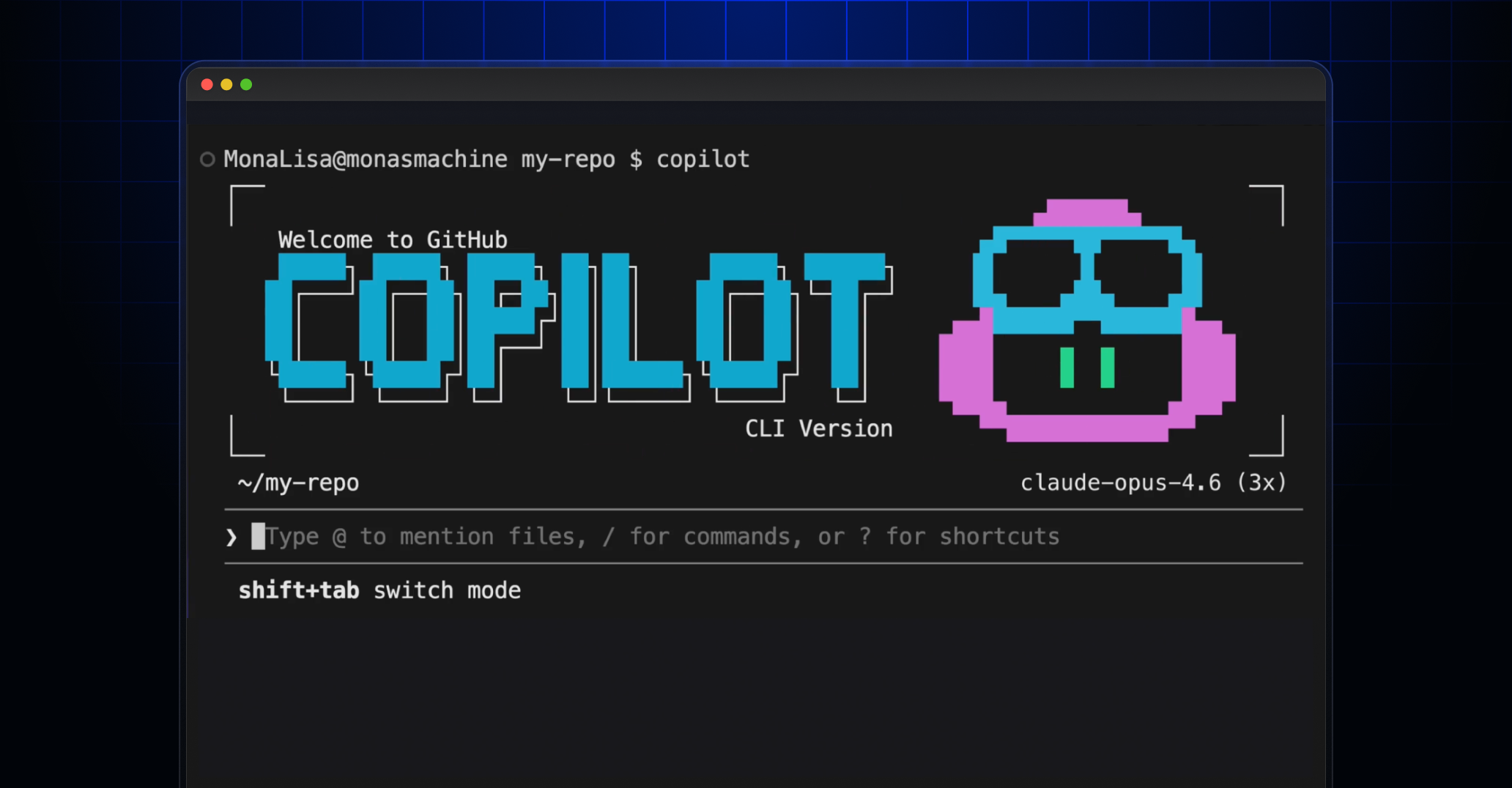
GitHub Copilot CLI—the terminal-native coding agent that brings the power of GitHub Copilot directly to your command line—is now **generally available** for all Copilot subscribers. *Editor’s note (February 27, 2026): Updated the text to accurately indicate that Copilot CLI is available to all Copilot subscribers.*
Since launching in [public preview in September 2025](https://github.blog/changelog/2025-09-25-github-copilot-cli-is-now-in-public-preview/), we’ve shipped hundreds of improvements shaped by your feedback. Copilot CLI has grown from a terminal assistant into a full agentic development environment—one that plans, builds, reviews, and remembers across sessions, all without leaving the terminal.
Here are some highlights from our fast-paced updates that make Copilot CLI ready for general availability.
## [Agentic development in your terminal](https://github.blog/changelog/2026-02-25-github-copilot-cli-is-now-generally-available/#agentic-development-in-your-terminal)
Copilot CLI is more than a chat interface. It’s an autonomous coding agent that can plan complex tasks, execute multistep workflows, edit files, run tests, and iterate until the job is done. You choose how much control to keep, from approving every action to letting Copilot run fully autonomously.
- **Plan mode:** Press `Shift`\+`Tab` to switch to plan mode. Copilot analyzes your request, asks clarifying questions, and builds a structured implementation plan before writing any code. Review and approve the plan, then watch Copilot execute it.
- **Autopilot mode:** For tasks you trust Copilot to handle end-to-end, autopilot mode lets Copilot work autonomously—executing tools, running commands, and iterating without stopping for approval.
- **Built-in specialized agents:** Copilot automatically delegates to specialized agents when appropriate (e.g., **Explore** for fast codebase analysis, **Task** for running builds and tests, **Code Review** for high-signal change review, and **Plan** for implementation planning). Multiple agents can run in parallel.
- **Background delegation:** Prefix any prompt with `&` to delegate work to the Copilot coding agent in the cloud, freeing your terminal for other tasks. Use `/resume` to switch between local and remote coding agent sessions seamlessly.
To learn more about working effectively with Copilot CLI, head to our [best practices guide](https://docs.github.com/copilot/how-tos/copilot-cli/cli-best-practices).
## [Your models, your choice](https://github.blog/changelog/2026-02-25-github-copilot-cli-is-now-generally-available/#your-models-your-choice)
Choose from the latest models from Anthropic, OpenAI, and Google, including Claude Opus 4.6, Claude Sonnet 4.6, GPT-5.3-Codex, and Gemini 3 Pro. Faster models like Claude Haiku 4.5 are available for quick tasks. Switch models in the middle of a session with `/model`, configure reasoning effort for extended thinking models, and toggle reasoning visibility with `Ctrl`\+`T`.
GPT-5 mini and GPT-4.1 are included with your Copilot subscription at no additional premium request cost.
## [Extensible with MCP, plugins, and skills](https://github.blog/changelog/2026-02-25-github-copilot-cli-is-now-generally-available/#extensible-with-mcp-plugins-and-skills)
Copilot CLI ships with GitHub’s MCP server built in and supports custom MCP servers for connecting to any tool or service.
- **Plugins:** Install community and custom plugins directly from GitHub repositories with `/plugin install owner/repo`. Plugins can bundle MCP servers, agents, skills, and hooks. To learn more about plugins, head to our [documentation about installing plugins](https://docs.github.com/copilot/how-tos/copilot-cli/customize-copilot/plugins-finding-installing).
- **Agent Skills:** Teach Copilot specialized workflows with markdown-based skill files. Skills load automatically when relevant, work across Copilot coding agent, Copilot CLI, and VS Code. To learn more about customizing Copilot CLI with skills, check out our [documentation on agent skills](https://docs.github.com/copilot/how-tos/copilot-cli/customize-copilot/create-skills).
- **Custom agents:** Create specialized agents through an interactive wizard or by writing `.agent.md` files. Agents can specify their own tools, MCP servers, and instructions. To learn more about leveraging custom agents, see our [documentation on custom CLI agents](https://docs.github.com/copilot/how-tos/copilot-cli/customize-copilot/create-custom-agents-for-cli).
- **Hooks:** Extend behavior at key lifecycle points. `preToolUse` hooks can deny or modify tool calls, and `postToolUse` hooks enable custom post-processing. Learn more in [our documentation about how to implement hooks](https://docs.github.com/copilot/how-tos/copilot-cli/customize-copilot/use-hooks).
## [Review, diff, and undo](https://github.blog/changelog/2026-02-25-github-copilot-cli-is-now-generally-available/#review-diff-and-undo)
- **`/diff`:** Review all changes made during your session with syntax-highlighted, inline diffs. Add line-specific comments and submit them as structured feedback. Toggle between session changes and branch diffs.
- **`/review`:** Analyze staged or unstaged code changes directly in the CLI for a quick sanity check before committing.
- **Undo/rewind:** Press `Esc`–`Esc` to rewind file changes to any previous snapshot in the session.
## [Infinite sessions and repository memory](https://github.blog/changelog/2026-02-25-github-copilot-cli-is-now-generally-available/#infinite-sessions-and-repository-memory)
- **Auto-compaction:** When your conversation approaches 95% of the context window, Copilot automatically compresses history in the background. Sessions can run as long as you need.
- **Repository memory:** Copilot remembers conventions, patterns, and preferences it learns about your codebase across sessions, making future work more productive.
- **Cross-session memory:** Ask about past work, files, and pull requests across sessions. Learn more in [our documentation about agentic memory](https://docs.github.com/copilot/concepts/agents/copilot-memory).
## [Install everywhere](https://github.blog/changelog/2026-02-25-github-copilot-cli-is-now-generally-available/#install-everywhere)
Copilot CLI runs on macOS, Linux, and Windows, and is available through npm, Homebrew, WinGet, a shell install script, and standalone executables. Homebrew, WinGet, and install script installations **automatically update**. Copilot CLI is also included in the default GitHub Codespaces image and available as a [Dev Container Feature](https://github.com/devcontainers/features).
For detailed installation instructions, head to our [getting started guide](https://docs.github.com/copilot/how-tos/copilot-cli/cli-getting-started).
## [Polished terminal experience](https://github.blog/changelog/2026-02-25-github-copilot-cli-is-now-generally-available/#polished-terminal-experience)
Since public preview, we’ve invested heavily in making the terminal experience feel native and refined:
- **Alt-screen mode:** A full-screen terminal UI with mouse text selection, **Page Up/Page Down** scrolling, and a dedicated footer status bar. This is currently available as an `/experimental` feature.
- **Theme picker:** Use `/theme` to choose from built-in themes including GitHub Dark, GitHub Light, and colorblind variants.
- **Shell integration:** Copilot respects your `$SHELL` environment variable and supports the `!` prefix for direct shell execution.
- **Keyboard-first navigation:** Full UNIX keybinding support (`Ctrl`\+`A/E/W/U/K`, `Alt`\+`arrows`), suspend/resume with `Ctrl`\+`Z`, and a quick help overlay with `?`.
- **`Ctrl`\+`X`, `Ctrl`\+`E`:** Open your preferred terminal editor for composing longer prompts.
- **Accessibility:** Screen reader mode, configurable reasoning visibility, and responsive layout for narrow terminals.
## [Enterprise ready](https://github.blog/changelog/2026-02-25-github-copilot-cli-is-now-generally-available/#enterprise-ready)
- **Organization policies:** Administrators can control model availability through Copilot policy settings.
- **Network access management:** Per-subscription API endpoints in accordance with GitHub’s network access management guidelines.
- **Proxy support:** HTTPS proxy support.
- **Authentication:** OAuth device flow, GitHub CLI token reuse, and CI/CD-friendly `GITHUB_ASKPASS` support.
- **Hooks for policy enforcement:** Use `preToolUse` hooks to enforce file access policies, argument sanitization, and custom approval workflows.
## [Getting started](https://github.blog/changelog/2026-02-25-github-copilot-cli-is-now-generally-available/#getting-started)
1. [Install Copilot CLI](https://docs.github.com/copilot/how-tos/copilot-cli/cli-getting-started) using your preferred method.
2. Run `copilot` and authenticate with your GitHub account.
3. Run `/init` to generate Copilot instructions tailored to your project.
4. Start building.
Copilot CLI is available with Copilot Pro, Pro+, Business, and Enterprise plans. For Copilot Business and Enterprise subscribers, an administrator must enable Copilot CLI from the Policies page.
For tips on getting the most out of Copilot CLI, check out our [best practices guide](https://docs.github.com/copilot/how-tos/copilot-cli/cli-best-practices).
## [Looking for more information?](https://github.blog/changelog/2026-02-25-github-copilot-cli-is-now-generally-available/#looking-for-more-information)
- [Read the documentation](https://docs.github.com/copilot/how-tos/use-copilot-agents/use-copilot-cli)
- [Learn more about Copilot CLI](https://docs.github.com/copilot/concepts/agents/about-copilot-cli)
- [Check out our product page](https://github.com/features/copilot/cli)
- [Join the discussion in our public repository](https://github.com/github/copilot-cli)
## Table of Contents
- [Agentic development in your terminal](https://github.blog/changelog/2026-02-25-github-copilot-cli-is-now-generally-available/#agentic-development-in-your-terminal)
- [Your models, your choice](https://github.blog/changelog/2026-02-25-github-copilot-cli-is-now-generally-available/#your-models-your-choice)
- [Extensible with MCP, plugins, and skills](https://github.blog/changelog/2026-02-25-github-copilot-cli-is-now-generally-available/#extensible-with-mcp-plugins-and-skills)
- [Review, diff, and undo](https://github.blog/changelog/2026-02-25-github-copilot-cli-is-now-generally-available/#review-diff-and-undo)
- [Infinite sessions and repository memory](https://github.blog/changelog/2026-02-25-github-copilot-cli-is-now-generally-available/#infinite-sessions-and-repository-memory)
- [Install everywhere](https://github.blog/changelog/2026-02-25-github-copilot-cli-is-now-generally-available/#install-everywhere)
- [Polished terminal experience](https://github.blog/changelog/2026-02-25-github-copilot-cli-is-now-generally-available/#polished-terminal-experience)
- [Enterprise ready](https://github.blog/changelog/2026-02-25-github-copilot-cli-is-now-generally-available/#enterprise-ready)
- [Getting started](https://github.blog/changelog/2026-02-25-github-copilot-cli-is-now-generally-available/#getting-started)
- [Looking for more information?](https://github.blog/changelog/2026-02-25-github-copilot-cli-is-now-generally-available/#looking-for-more-information)
Menu. Currently selected: Agentic development in your terminal
- [Agentic development in your terminal](https://github.blog/changelog/2026-02-25-github-copilot-cli-is-now-generally-available/#agentic-development-in-your-terminal)
- [Your models, your choice](https://github.blog/changelog/2026-02-25-github-copilot-cli-is-now-generally-available/#your-models-your-choice)
- [Extensible with MCP, plugins, and skills](https://github.blog/changelog/2026-02-25-github-copilot-cli-is-now-generally-available/#extensible-with-mcp-plugins-and-skills)
- [Review, diff, and undo](https://github.blog/changelog/2026-02-25-github-copilot-cli-is-now-generally-available/#review-diff-and-undo)
- [Infinite sessions and repository memory](https://github.blog/changelog/2026-02-25-github-copilot-cli-is-now-generally-available/#infinite-sessions-and-repository-memory)
- [Install everywhere](https://github.blog/changelog/2026-02-25-github-copilot-cli-is-now-generally-available/#install-everywhere)
- [Polished terminal experience](https://github.blog/changelog/2026-02-25-github-copilot-cli-is-now-generally-available/#polished-terminal-experience)
- [Enterprise ready](https://github.blog/changelog/2026-02-25-github-copilot-cli-is-now-generally-available/#enterprise-ready)
- [Getting started](https://github.blog/changelog/2026-02-25-github-copilot-cli-is-now-generally-available/#getting-started)
- [Looking for more information?](https://github.blog/changelog/2026-02-25-github-copilot-cli-is-now-generally-available/#looking-for-more-information)
[client apps](https://github.blog/changelog/2026/?label=client-apps) [copilot](https://github.blog/changelog/2026/?label=copilot)
Share Copied Shared
[Back to changelog](https://github.blog/changelog/)
## Related Posts
### Apr.23 Improvement
[Copilot Chat improvements for pull requests](https://github.blog/changelog/2026-04-23-copilot-chat-improvements-for-pull-requests)
[copilot](https://github.blog/changelog/2026/?label=copilot)
### Apr.23 Release
[Copilot cloud agent fields added to usage metrics](https://github.blog/changelog/2026-04-23-copilot-cloud-agent-fields-added-to-usage-metrics)
[account management](https://github.blog/changelog/2026/?label=account-management) [copilot](https://github.blog/changelog/2026/?label=copilot) [enterprise management tools](https://github.blog/changelog/2026/?label=enterprise-management-tools)
... +2
### Apr.23 Improvement
[Better debugging with GitHub Copilot on the web](https://github.blog/changelog/2026-04-23-better-debugging-with-github-copilot-on-the-web)
[copilot](https://github.blog/changelog/2026/?label=copilot)
### Apr.23 Release
[View and manage agent sessions from issues and projects](https://github.blog/changelog/2026-04-23-view-and-manage-agent-sessions-from-issues-and-projects)
[copilot](https://github.blog/changelog/2026/?label=copilot) [projects & issues](https://github.blog/changelog/2026/?label=projects-and-issues)
... +1
### Apr.22 Retired
[Pausing new self-serve signups for GitHub Copilot Business](https://github.blog/changelog/2026-04-22-pausing-new-self-serve-signups-for-github-copilot-business)
[copilot](https://github.blog/changelog/2026/?label=copilot)
### Apr.22 Improvement
[GitHub Copilot for Jira: Our latest enhancements](https://github.blog/changelog/2026-04-22-github-copilot-for-jira-our-latest-enhancements)
[collaboration tools](https://github.blog/changelog/2026/?label=collaboration-tools) [copilot](https://github.blog/changelog/2026/?label=copilot)
... +1
### Apr.22 Improvement
[Upcoming change to Copilot usage metrics report download URLs](https://github.blog/changelog/2026-04-22-upcoming-change-to-copilot-usage-metrics-report-download-urls)
[account management](https://github.blog/changelog/2026/?label=account-management) [copilot](https://github.blog/changelog/2026/?label=copilot)
... +1
### Apr.22 Improvement
[Copilot code review user counts now aggregate in usage metrics API](https://github.blog/changelog/2026-04-22-copilot-code-review-user-counts-now-aggregate-in-usage-metrics-api)
[account management](https://github.blog/changelog/2026/?label=account-management) [copilot](https://github.blog/changelog/2026/?label=copilot) [enterprise management tools](https://github.blog/changelog/2026/?label=enterprise-management-tools)
... +2
### Apr.22 Release
[GitHub CLI: Opt-out usage telemetry](https://github.blog/changelog/2026-04-22-github-cli-opt-out-usage-telemetry)
[client apps](https://github.blog/changelog/2026/?label=client-apps)
## Subscribe to our developer newsletter
Discover tips, technical guides, and best practices in our biweekly newsletter just for devs.
[Back to top](https://github.blog/changelog/2026-02-25-github-copilot-cli-is-now-generally-available/#start-of-content)
## Site-wide Links
### Product
- [Features](https://github.com/features)
- [Security](https://github.com/security)
- [Enterprise](https://github.com/enterprise)
- [Customer Stories](https://github.com/customer-stories?type=enterprise)
- [Pricing](https://github.com/pricing)
- [Resources](https://resources.github.com/)
### Platform
- [Developer API](https://developer.github.com/)
- [Partners](https://partner.github.com/)
- [Atom](https://atom.io/)
- [Electron](https://www.electronjs.org/)
- [GitHub Desktop](https://desktop.github.com/)
### Support
- [Docs](https://docs.github.com/)
- [Community Forum](https://github.community/)
- [Training](https://services.github.com/)
- [Status](https://www.githubstatus.com/)
- [Contact](https://support.github.com/)
### Company
- [About](https://github.com/about)
- [Blog](https://github.blog/)
- [Careers](https://github.com/about/careers)
- [Press](https://github.com/about/press)
- [Shop](https://shop.github.com/)
- © 2026 GitHub, Inc.
- [Terms](https://docs.github.com/en/github/site-policy/github-terms-of-service)
- [Privacy](https://docs.github.com/en/github/site-policy/github-privacy-statement)
- Manage Cookies
- Do not share my personal information
- [GitHub on LinkedIn](https://www.linkedin.com/company/github)
- [GitHub on Instagram](https://www.instagram.com/github/)
- [GitHub on YouTube](https://www.youtube.com/github)
- [GitHub on X](https://twitter.com/github)
- [GitHub on TikTok](https://www.tiktok.com/@github)
- [GitHub on Twitch](https://www.twitch.tv/github)
- [GitHub’s organization on GitHub](https://github.com/github) | ||||||||||||||||||
| Readable Markdown | GitHub Copilot CLI—the terminal-native coding agent that brings the power of GitHub Copilot directly to your command line—is now **generally available** for all Copilot subscribers. *Editor’s note (February 27, 2026): Updated the text to accurately indicate that Copilot CLI is available to all Copilot subscribers.*
Since launching in [public preview in September 2025](https://github.blog/changelog/2025-09-25-github-copilot-cli-is-now-in-public-preview/), we’ve shipped hundreds of improvements shaped by your feedback. Copilot CLI has grown from a terminal assistant into a full agentic development environment—one that plans, builds, reviews, and remembers across sessions, all without leaving the terminal.
Here are some highlights from our fast-paced updates that make Copilot CLI ready for general availability.
## [Agentic development in your terminal](https://github.blog/changelog/2026-02-25-github-copilot-cli-is-now-generally-available/#agentic-development-in-your-terminal)
Copilot CLI is more than a chat interface. It’s an autonomous coding agent that can plan complex tasks, execute multistep workflows, edit files, run tests, and iterate until the job is done. You choose how much control to keep, from approving every action to letting Copilot run fully autonomously.
- **Plan mode:** Press `Shift`\+`Tab` to switch to plan mode. Copilot analyzes your request, asks clarifying questions, and builds a structured implementation plan before writing any code. Review and approve the plan, then watch Copilot execute it.
- **Autopilot mode:** For tasks you trust Copilot to handle end-to-end, autopilot mode lets Copilot work autonomously—executing tools, running commands, and iterating without stopping for approval.
- **Built-in specialized agents:** Copilot automatically delegates to specialized agents when appropriate (e.g., **Explore** for fast codebase analysis, **Task** for running builds and tests, **Code Review** for high-signal change review, and **Plan** for implementation planning). Multiple agents can run in parallel.
- **Background delegation:** Prefix any prompt with `&` to delegate work to the Copilot coding agent in the cloud, freeing your terminal for other tasks. Use `/resume` to switch between local and remote coding agent sessions seamlessly.
To learn more about working effectively with Copilot CLI, head to our [best practices guide](https://docs.github.com/copilot/how-tos/copilot-cli/cli-best-practices).
## [Your models, your choice](https://github.blog/changelog/2026-02-25-github-copilot-cli-is-now-generally-available/#your-models-your-choice)
Choose from the latest models from Anthropic, OpenAI, and Google, including Claude Opus 4.6, Claude Sonnet 4.6, GPT-5.3-Codex, and Gemini 3 Pro. Faster models like Claude Haiku 4.5 are available for quick tasks. Switch models in the middle of a session with `/model`, configure reasoning effort for extended thinking models, and toggle reasoning visibility with `Ctrl`\+`T`.
GPT-5 mini and GPT-4.1 are included with your Copilot subscription at no additional premium request cost.
## [Extensible with MCP, plugins, and skills](https://github.blog/changelog/2026-02-25-github-copilot-cli-is-now-generally-available/#extensible-with-mcp-plugins-and-skills)
Copilot CLI ships with GitHub’s MCP server built in and supports custom MCP servers for connecting to any tool or service.
- **Plugins:** Install community and custom plugins directly from GitHub repositories with `/plugin install owner/repo`. Plugins can bundle MCP servers, agents, skills, and hooks. To learn more about plugins, head to our [documentation about installing plugins](https://docs.github.com/copilot/how-tos/copilot-cli/customize-copilot/plugins-finding-installing).
- **Agent Skills:** Teach Copilot specialized workflows with markdown-based skill files. Skills load automatically when relevant, work across Copilot coding agent, Copilot CLI, and VS Code. To learn more about customizing Copilot CLI with skills, check out our [documentation on agent skills](https://docs.github.com/copilot/how-tos/copilot-cli/customize-copilot/create-skills).
- **Custom agents:** Create specialized agents through an interactive wizard or by writing `.agent.md` files. Agents can specify their own tools, MCP servers, and instructions. To learn more about leveraging custom agents, see our [documentation on custom CLI agents](https://docs.github.com/copilot/how-tos/copilot-cli/customize-copilot/create-custom-agents-for-cli).
- **Hooks:** Extend behavior at key lifecycle points. `preToolUse` hooks can deny or modify tool calls, and `postToolUse` hooks enable custom post-processing. Learn more in [our documentation about how to implement hooks](https://docs.github.com/copilot/how-tos/copilot-cli/customize-copilot/use-hooks).
## [Review, diff, and undo](https://github.blog/changelog/2026-02-25-github-copilot-cli-is-now-generally-available/#review-diff-and-undo)
- **`/diff`:** Review all changes made during your session with syntax-highlighted, inline diffs. Add line-specific comments and submit them as structured feedback. Toggle between session changes and branch diffs.
- **`/review`:** Analyze staged or unstaged code changes directly in the CLI for a quick sanity check before committing.
- **Undo/rewind:** Press `Esc`–`Esc` to rewind file changes to any previous snapshot in the session.
## [Infinite sessions and repository memory](https://github.blog/changelog/2026-02-25-github-copilot-cli-is-now-generally-available/#infinite-sessions-and-repository-memory)
- **Auto-compaction:** When your conversation approaches 95% of the context window, Copilot automatically compresses history in the background. Sessions can run as long as you need.
- **Repository memory:** Copilot remembers conventions, patterns, and preferences it learns about your codebase across sessions, making future work more productive.
- **Cross-session memory:** Ask about past work, files, and pull requests across sessions. Learn more in [our documentation about agentic memory](https://docs.github.com/copilot/concepts/agents/copilot-memory).
## [Install everywhere](https://github.blog/changelog/2026-02-25-github-copilot-cli-is-now-generally-available/#install-everywhere)
Copilot CLI runs on macOS, Linux, and Windows, and is available through npm, Homebrew, WinGet, a shell install script, and standalone executables. Homebrew, WinGet, and install script installations **automatically update**. Copilot CLI is also included in the default GitHub Codespaces image and available as a [Dev Container Feature](https://github.com/devcontainers/features).
For detailed installation instructions, head to our [getting started guide](https://docs.github.com/copilot/how-tos/copilot-cli/cli-getting-started).
## [Polished terminal experience](https://github.blog/changelog/2026-02-25-github-copilot-cli-is-now-generally-available/#polished-terminal-experience)
Since public preview, we’ve invested heavily in making the terminal experience feel native and refined:
- **Alt-screen mode:** A full-screen terminal UI with mouse text selection, **Page Up/Page Down** scrolling, and a dedicated footer status bar. This is currently available as an `/experimental` feature.
- **Theme picker:** Use `/theme` to choose from built-in themes including GitHub Dark, GitHub Light, and colorblind variants.
- **Shell integration:** Copilot respects your `$SHELL` environment variable and supports the `!` prefix for direct shell execution.
- **Keyboard-first navigation:** Full UNIX keybinding support (`Ctrl`\+`A/E/W/U/K`, `Alt`\+`arrows`), suspend/resume with `Ctrl`\+`Z`, and a quick help overlay with `?`.
- **`Ctrl`\+`X`, `Ctrl`\+`E`:** Open your preferred terminal editor for composing longer prompts.
- **Accessibility:** Screen reader mode, configurable reasoning visibility, and responsive layout for narrow terminals.
## [Enterprise ready](https://github.blog/changelog/2026-02-25-github-copilot-cli-is-now-generally-available/#enterprise-ready)
- **Organization policies:** Administrators can control model availability through Copilot policy settings.
- **Network access management:** Per-subscription API endpoints in accordance with GitHub’s network access management guidelines.
- **Proxy support:** HTTPS proxy support.
- **Authentication:** OAuth device flow, GitHub CLI token reuse, and CI/CD-friendly `GITHUB_ASKPASS` support.
- **Hooks for policy enforcement:** Use `preToolUse` hooks to enforce file access policies, argument sanitization, and custom approval workflows.
## [Getting started](https://github.blog/changelog/2026-02-25-github-copilot-cli-is-now-generally-available/#getting-started)
1. [Install Copilot CLI](https://docs.github.com/copilot/how-tos/copilot-cli/cli-getting-started) using your preferred method.
2. Run `copilot` and authenticate with your GitHub account.
3. Run `/init` to generate Copilot instructions tailored to your project.
4. Start building.
Copilot CLI is available with Copilot Pro, Pro+, Business, and Enterprise plans. For Copilot Business and Enterprise subscribers, an administrator must enable Copilot CLI from the Policies page.
For tips on getting the most out of Copilot CLI, check out our [best practices guide](https://docs.github.com/copilot/how-tos/copilot-cli/cli-best-practices).
## [Looking for more information?](https://github.blog/changelog/2026-02-25-github-copilot-cli-is-now-generally-available/#looking-for-more-information)
- [Read the documentation](https://docs.github.com/copilot/how-tos/use-copilot-agents/use-copilot-cli)
- [Learn more about Copilot CLI](https://docs.github.com/copilot/concepts/agents/about-copilot-cli)
- [Check out our product page](https://github.com/features/copilot/cli)
- [Join the discussion in our public repository](https://github.com/github/copilot-cli) | ||||||||||||||||||
| ML Classification | |||||||||||||||||||
| ML Categories |
Raw JSON{
"/Computers_and_Electronics": 977,
"/Computers_and_Electronics/Software": 880,
"/Computers_and_Electronics/Software/Open_Source": 356,
"/Internet_and_Telecom": 188,
"/Internet_and_Telecom/Web_Services": 178,
"/Internet_and_Telecom/Web_Services/Web_Design_and_Development": 172
} | ||||||||||||||||||
| ML Page Types |
Raw JSON{
"/Article": 938,
"/Article/News_Update": 894
} | ||||||||||||||||||
| ML Intent Types |
Raw JSON{
"Informational": 988
} | ||||||||||||||||||
| Content Metadata | |||||||||||||||||||
| Language | en-us | ||||||||||||||||||
| Author | null | ||||||||||||||||||
| Publish Time | 2026-02-27 17:02:37 (1 month ago) | ||||||||||||||||||
| Original Publish Time | 2026-02-25 18:50:47 (1 month ago) | ||||||||||||||||||
| Republished | No | ||||||||||||||||||
| Word Count (Total) | 1,574 | ||||||||||||||||||
| Word Count (Content) | 1,073 | ||||||||||||||||||
| Links | |||||||||||||||||||
| External Links | 70 | ||||||||||||||||||
| Internal Links | 23 | ||||||||||||||||||
| Technical SEO | |||||||||||||||||||
| Meta Nofollow | No | ||||||||||||||||||
| Meta Noarchive | No | ||||||||||||||||||
| JS Rendered | No | ||||||||||||||||||
| Redirect Target | null | ||||||||||||||||||
| Performance | |||||||||||||||||||
| Download Time (ms) | 9 | ||||||||||||||||||
| TTFB (ms) | 7 | ||||||||||||||||||
| Download Size (bytes) | 24,832 | ||||||||||||||||||
| Shard | 129 (laksa) | ||||||||||||||||||
| Root Hash | 7620767358965441529 | ||||||||||||||||||
| Unparsed URL | blog,github!/changelog/2026-02-25-github-copilot-cli-is-now-generally-available/ s443 | ||||||||||||||||||