ℹ️ Skipped - page is already crawled
| Filter | Status | Condition | Details |
|---|---|---|---|
| HTTP status | PASS | download_http_code = 200 | HTTP 200 |
| Age cutoff | PASS | download_stamp > now() - 6 MONTH | 0 months ago |
| History drop | PASS | isNull(history_drop_reason) | No drop reason |
| Spam/ban | PASS | fh_dont_index != 1 AND ml_spam_score = 0 | ml_spam_score=0 |
| Canonical | PASS | meta_canonical IS NULL OR = '' OR = src_unparsed | Not set |
| Property | Value |
|---|---|
| URL | https://github.blog/ai-and-ml/github-copilot/whats-new-with-github-copilot-coding-agent/ |
| Last Crawled | 2026-04-17 06:28:53 (1 hour ago) |
| First Indexed | 2026-02-26 22:32:52 (1 month ago) |
| HTTP Status Code | 200 |
| Meta Title | What's new with GitHub Copilot coding agent - The GitHub Blog |
| Meta Description | GitHub Copilot coding agent now includes a model picker, self-review, built-in security scanning, custom agents, and CLI handoff. |
| Meta Canonical | null |
| Boilerpipe Text | You open an issue before lunch. By the time you’re back, there’s a pull request waiting.
That’s what
GitHub Copilot coding agent
is built for. It works in the background, fixing bugs, adding tests, cleaning up debt, and comes back with a pull request when it’s done. While you’re writing code in your editor with Copilot in real time, the coding agent is handling the work you’ve delegated.
A few recent updates make that handoff more useful. Here’s what shipped and how to start using it.
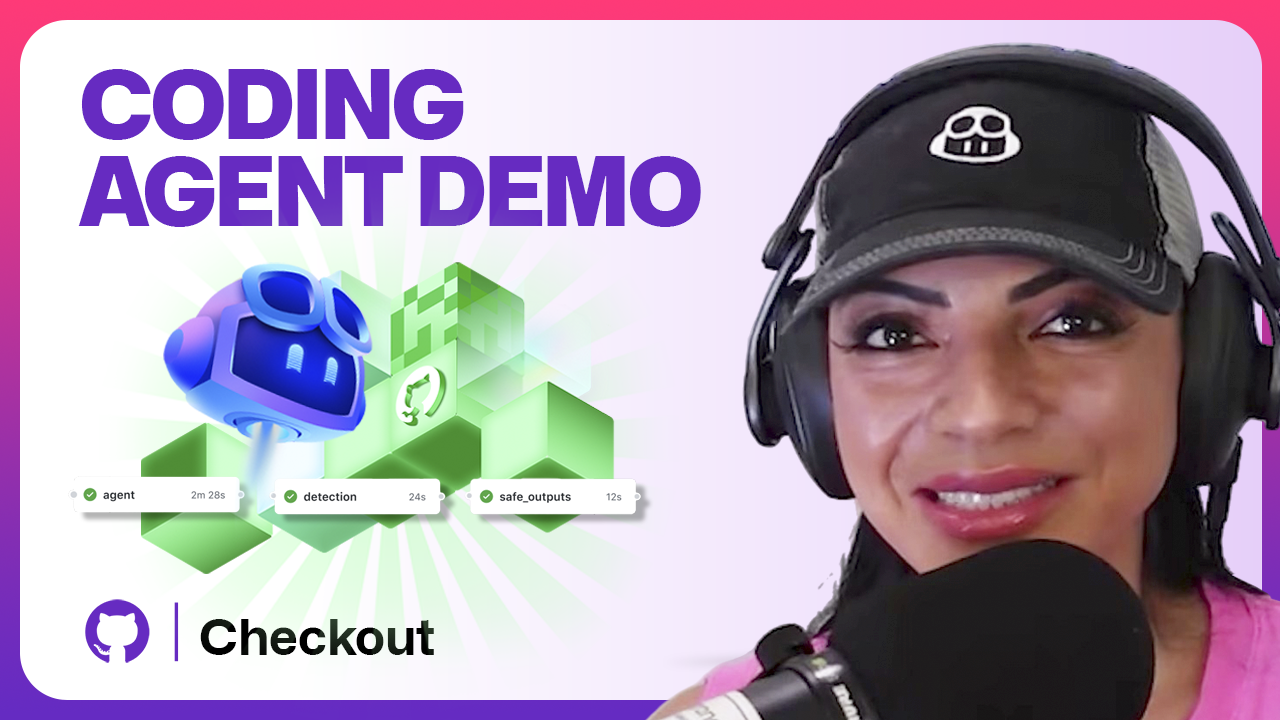
Visual learner? Watch the video above! ☝️
Choose the right model for each task
The Agents panel now includes a model picker.
Before, every background task ran on a single default model. You couldn’t pay for a more robust model to complete harder work or prioritize speed on routine tasks.
Now you can. Use a faster model for straightforward work like adding unit tests. Upgrade your model for a gnarly refactor or integration tests with real edge cases. If you’d rather not think about it, leave it on auto.
To get started:
Open the Agents panel (top-right in GitHub), select your repo, and pick a model.
Write a clear prompt and kick off the task.
Leave the model on auto if you’d rather let GitHub choose.
Model selection is available for Copilot Pro and Pro+ users now, with support for Business and Enterprise coming soon.
Learn more about model selection with Copilot coding agent. 👉
Pull requests that arrive in better shape
The painful part of reviewing agent output has always been the cleanup. You open the diff and there it is: logic that technically works, but nobody would write it that way.
Copilot coding agent now reviews its own changes using Copilot code review before it opens the pull request. It gets feedback, iterates, and improves the patch. By the time you’re tagged for review, someone already went through it.
In one session
, the agent caught that its own string concatenation was overly complex and fixed it before the pull request landed. That kind of thing used to be your problem.
To get started:
Assign an issue to Copilot or create a task from the Agents panel.
Click into the task to view the logs.
See the moments where the agent ran Copilot code review and applied feedback.
Review the pull request when prompted. Copilot requests your review only after it has iterated.
Learn more about Copilot code review + Copilot coding agent. 👉
Security checks that run while the agent works
Just like with human-generated code, AI-generated code can introduce real risks: vulnerable patterns, secrets accidentally committed, dependencies with known CVEs. The difference is it does it faster. And you really don’t want to find that in review.
Copilot coding agent now runs code scanning, secret scanning, and dependency vulnerability checks directly inside its workflow. If a dependency has a known issue, or something looks like a committed API key, it gets flagged before the pull request opens.
Code scanning is normally part of GitHub Advanced Security. With Copilot coding agent, you get it for free.
To get started:
Run any task through the Agents panel.
Check the session logs as it runs. You’ll see scanning entries as the agent works.
Review the pull request. It’s already been through the security filter.
Learn more about security scanning in Copilot coding agent. 👉
Custom agents that follow your team’s process
A short prompt leaves a lot to judgment. And that judgment isn’t always consistent with how your team actually works.
Custom agents let you codify it. Create a file under
.github/agents/
and define a specific approach. A performance optimizer agent, for example, can be wired to benchmark first, make the change, then measure the difference before opening a pull request.
In a
recent GitHub Checkout demo
, that’s exactly what happened. The agent benchmarked a lookup, made a targeted fix, and came back with a 99% improvement on that one function. Small scope, real data, no guessing.
You can share custom agents across your org or enterprise too, so the same process applies everywhere teams are using the coding agent.
To get started:
Create an agent file under
.github/agents/
in your repo.
Open the Agents panel and start a new task.
Select your custom agent from the options.
Write a prompt scoped to what that agent does.
Learn more about creating custom agents. 👉
Move between cloud and local without losing context
Sometimes you start something in the cloud and want to finish it locally. Sometimes you’re deep in your terminal and want to hand something off without losing your flow. Either way, switching contexts used to mean starting the conversation over.
Now it doesn’t. Pull a cloud session into your terminal and you get the branch, the logs, and the full context. Or press
&
in the CLI to push work back to the cloud and keep going on your end.
To get started:
Start a task with Copilot coding agent and wait for the session to appear.
Click “Continue in Copilot CLI” and copy the command.
Paste it in your terminal to load the session locally with branch, logs, and context intact.
Press the ampersand symbol (
&
) in the CLI to delegate work back to the cloud and keep going locally.
Learn more about Copilot coding agent + CLI handoff. 👉
What this adds up to
Copilot coding agent has come a long way. Model selection, self-review, security scanning, custom agents, CLI handoff—and that’s just what shipped recently. The team is actively working on private mode, planning before coding, and using the agent for things that don’t even need a pull request, like summarizing issues or generating reports. There’s a lot more coming. Stay tuned.
Share feedback on what ships next in
GitHub Community discussions
.
Tags:
GitHub Checkout
GitHub Copilot
GitHub Copilot coding agent
Written by
Andrea is a Senior Developer Advocate at GitHub with over a decade of experience in developer tools. She combines technical depth with a mission to make advanced technologies more accessible. After transitioning from Army service and construction management to software development, she brings a unique perspective to bridging complex engineering concepts with practical implementation. She lives in Florida with her Welsh partner, two sons, and two dogs, where she continues to drive innovation and support open source through GitHub's global initiatives. Find her online @acolombiadev.
Related posts
Explore more from GitHub
Docs
Everything you need to master GitHub, all in one place.
Go to Docs
GitHub
Build what’s next on GitHub, the place for anyone from anywhere to build anything.
Start building
Customer stories
Meet the companies and engineering teams that build with GitHub.
Learn more
The GitHub Podcast
Catch up on the GitHub podcast, a show dedicated to the topics, trends, stories and culture in and around the open source developer community on GitHub.
Listen now |
| Markdown | [Skip to content](https://github.blog/ai-and-ml/github-copilot/whats-new-with-github-copilot-coding-agent/#start-of-content) [Skip to sidebar](https://github.blog/ai-and-ml/github-copilot/whats-new-with-github-copilot-coding-agent/#sidebar)
/ [Blog](https://github.blog/)
- [Changelog](https://github.blog/changelog/)
- [Docs](https://docs.github.com/)
- [Customer stories](https://github.com/customer-stories)
[Try GitHub Copilot](https://github.com/features/copilot?utm_source=blog-tap-nav&utm_medium=blog&utm_campaign=universe25) [See what's new](https://github.com/events/universe/recap?utm_source=k2k-blog-tap-nav&utm_medium=blog&utm_campaign=universe25)
- [AI & ML](https://github.blog/ai-and-ml/)
- [AI & ML](https://github.blog/ai-and-ml/)
Learn about artificial intelligence and machine learning across the GitHub ecosystem and the wider industry.
- [Generative AI](https://github.blog/ai-and-ml/generative-ai/)
Learn how to build with generative AI.
- [GitHub Copilot](https://github.blog/ai-and-ml/github-copilot/)
Change how you work with GitHub Copilot.
- [LLMs](https://github.blog/ai-and-ml/llms/)
Everything developers need to know about LLMs.
- [Machine learning](https://github.blog/ai-and-ml/machine-learning/)
Machine learning tips, tricks, and best practices.
- 
[How AI code generation works](https://github.blog/ai-and-ml/generative-ai/how-ai-code-generation-works/)
Explore the capabilities and benefits of AI code generation and how it can improve your developer experience.
Learn more
- [Developer skills](https://github.blog/developer-skills/)
- [Developer skills](https://github.blog/developer-skills/)
Resources for developers to grow in their skills and careers.
- [Application development](https://github.blog/developer-skills/application-development/)
Insights and best practices for building apps.
- [Career growth](https://github.blog/developer-skills/career-growth/)
Tips & tricks to grow as a professional developer.
- [GitHub](https://github.blog/developer-skills/github/)
Improve how you use GitHub at work.
- [GitHub Education](https://github.blog/developer-skills/github-education/)
Learn how to move into your first professional role.
- [Programming languages & frameworks](https://github.blog/developer-skills/programming-languages-and-frameworks/)
Stay current on what’s new (or new again).
- 
[Get started with GitHub documentation](https://docs.github.com/en/get-started)
Learn how to start building, shipping, and maintaining software with GitHub.
Learn more
- [Engineering](https://github.blog/engineering/)
- [Engineering](https://github.blog/engineering/)
Get an inside look at how we’re building the home for all developers.
- [Architecture & optimization](https://github.blog/engineering/architecture-optimization/)
Discover how we deliver a performant and highly available experience across the GitHub platform.
- [Engineering principles](https://github.blog/engineering/engineering-principles/)
Explore best practices for building software at scale with a majority remote team.
- [Infrastructure](https://github.blog/engineering/infrastructure/)
Get a glimpse at the technology underlying the world’s leading AI-powered developer platform.
- [Platform security](https://github.blog/engineering/platform-security/)
Learn how we build security into everything we do across the developer lifecycle.
- [User experience](https://github.blog/engineering/user-experience/)
Find out what goes into making GitHub the home for all developers.
- 
[How we use GitHub to be more productive, collaborative, and secure](https://github.blog/engineering/how-we-use-github-to-be-more-productive-collaborative-and-secure/)
Our engineering and security teams do some incredible work. Let’s take a look at how we use GitHub to be more productive, build collaboratively, and shift security left.
Learn more
- [Enterprise software](https://github.blog/enterprise-software/)
- [Enterprise software](https://github.blog/enterprise-software/)
Explore how to write, build, and deploy enterprise software at scale.
- [Automation](https://github.blog/enterprise-software/automation/)
Automating your way to faster and more secure ships.
- [CI/CD](https://github.blog/enterprise-software/ci-cd/)
Guides on continuous integration and delivery.
- [Collaboration](https://github.blog/enterprise-software/collaboration/)
Tips, tools, and tricks to improve developer collaboration.
- [DevOps](https://github.blog/enterprise-software/devops/)
DevOps resources for enterprise engineering teams.
- [DevSecOps](https://github.blog/enterprise-software/devsecops/)
How to integrate security into the SDLC.
- [Governance & compliance](https://github.blog/enterprise-software/governance-and-compliance/)
Ensuring your builds stay clean.
- 
[GitHub recognized as a Leader in the Gartner® Magic Quadrant™ for AI Code Assistants](https://github.com/resources/whitepapers/gartner-magic-quadrant-and-critical-capabilities-for-ai-code-assistants)
Learn why Gartner positioned GitHub as a Leader for the second year in a row.
Learn more
- [News & insights](https://github.blog/news-insights/)
- [News & insights](https://github.blog/news-insights/)
Keep up with what’s new and notable from inside GitHub.
- [Company news](https://github.blog/news-insights/company-news/)
An inside look at news and product updates from GitHub.
- [Product](https://github.blog/news-insights/product-news/)
The latest on GitHub’s platform, products, and tools.
- [Octoverse](https://github.blog/news-insights/octoverse/)
Insights into the state of open source on GitHub.
- [Policy](https://github.blog/news-insights/policy-news-and-insights/)
The latest policy and regulatory changes in software.
- [Research](https://github.blog/news-insights/research/)
Data-driven insights around the developer ecosystem.
- [The library](https://github.blog/news-insights/the-library/)
Older news and updates from GitHub.
- 
[Unlocking the power of unstructured data with RAG](https://github.blog/ai-and-ml/llms/unlocking-the-power-of-unstructured-data-with-rag/)
Learn how to use retrieval-augmented generation (RAG) to capture more insights.
Learn more
- [Open Source](https://github.blog/open-source/)
- [Open Source](https://github.blog/open-source/)
Everything open source on GitHub.
- [Git](https://github.blog/open-source/git/)
The latest Git updates.
- [Maintainers](https://github.blog/open-source/maintainers/)
Spotlighting open source maintainers.
- [Social impact](https://github.blog/open-source/social-impact/)
How open source is driving positive change.
- [Gaming](https://github.blog/open-source/gaming/)
Explore open source games on GitHub.
- 
[An introduction to innersource](https://resources.github.com/software-development/innersource/)
Organizations worldwide are incorporating open source methodologies into the way they build and ship their own software.
Learn more
- [Security](https://github.blog/security/)
- [Security](https://github.blog/security/)
Stay up to date on everything security.
- [Application security](https://github.blog/security/application-security/)
Application security, explained.
- [Supply chain security](https://github.blog/security/supply-chain-security/)
Demystifying supply chain security.
- [Vulnerability research](https://github.blog/security/vulnerability-research/)
Updates from the GitHub Security Lab.
- [Web application security](https://github.blog/security/web-application-security/)
Helpful tips on securing web applications.
- 
[The enterprise guide to AI-powered DevSecOps](https://resources.github.com/security/the-enterprise-guide-to-ai-powered-devsecops/)
Learn about core challenges in DevSecOps, and how you can start addressing them with AI and automation.
Learn more
## Categories
- [AI & ML](https://github.blog/ai-and-ml/)
- Back
[AI & ML](https://github.blog/ai-and-ml/)
Learn about artificial intelligence and machine learning across the GitHub ecosystem and the wider industry.
- [Generative AI](https://github.blog/ai-and-ml/generative-ai/)
Learn how to build with generative AI.
- [GitHub Copilot](https://github.blog/ai-and-ml/github-copilot/)
Change how you work with GitHub Copilot.
- [LLMs](https://github.blog/ai-and-ml/llms/)
Everything developers need to know about LLMs.
- [Machine learning](https://github.blog/ai-and-ml/machine-learning/)
Machine learning tips, tricks, and best practices.
- [How AI code generation works](https://github.blog/ai-and-ml/generative-ai/how-ai-code-generation-works/)
Explore the capabilities and benefits of AI code generation and how it can improve your developer experience.
[Learn more](https://github.blog/ai-and-ml/generative-ai/how-ai-code-generation-works/)
- [Developer skills](https://github.blog/developer-skills/)
- Back
[Developer skills](https://github.blog/developer-skills/)
Resources for developers to grow in their skills and careers.
- [Application development](https://github.blog/developer-skills/application-development/)
Insights and best practices for building apps.
- [Career growth](https://github.blog/developer-skills/career-growth/)
Tips & tricks to grow as a professional developer.
- [GitHub](https://github.blog/developer-skills/github/)
Improve how you use GitHub at work.
- [GitHub Education](https://github.blog/developer-skills/github-education/)
Learn how to move into your first professional role.
- [Programming languages & frameworks](https://github.blog/developer-skills/programming-languages-and-frameworks/)
Stay current on what’s new (or new again).
- [Get started with GitHub documentation](https://docs.github.com/en/get-started)
Learn how to start building, shipping, and maintaining software with GitHub.
[Learn more](https://docs.github.com/en/get-started)
- [Engineering](https://github.blog/engineering/)
- Back
[Engineering](https://github.blog/engineering/)
Get an inside look at how we’re building the home for all developers.
- [Architecture & optimization](https://github.blog/engineering/architecture-optimization/)
Discover how we deliver a performant and highly available experience across the GitHub platform.
- [Engineering principles](https://github.blog/engineering/engineering-principles/)
Explore best practices for building software at scale with a majority remote team.
- [Infrastructure](https://github.blog/engineering/infrastructure/)
Get a glimpse at the technology underlying the world’s leading AI-powered developer platform.
- [Platform security](https://github.blog/engineering/platform-security/)
Learn how we build security into everything we do across the developer lifecycle.
- [User experience](https://github.blog/engineering/user-experience/)
Find out what goes into making GitHub the home for all developers.
- [How we use GitHub to be more productive, collaborative, and secure](https://github.blog/engineering/how-we-use-github-to-be-more-productive-collaborative-and-secure/)
Our engineering and security teams do some incredible work. Let’s take a look at how we use GitHub to be more productive, build collaboratively, and shift security left.
[Learn more](https://github.blog/engineering/how-we-use-github-to-be-more-productive-collaborative-and-secure/)
- [Enterprise software](https://github.blog/enterprise-software/)
- Back
[Enterprise software](https://github.blog/enterprise-software/)
Explore how to write, build, and deploy enterprise software at scale.
- [Automation](https://github.blog/enterprise-software/automation/)
Automating your way to faster and more secure ships.
- [CI/CD](https://github.blog/enterprise-software/ci-cd/)
Guides on continuous integration and delivery.
- [Collaboration](https://github.blog/enterprise-software/collaboration/)
Tips, tools, and tricks to improve developer collaboration.
- [DevOps](https://github.blog/enterprise-software/devops/)
DevOps resources for enterprise engineering teams.
- [DevSecOps](https://github.blog/enterprise-software/devsecops/)
How to integrate security into the SDLC.
- [Governance & compliance](https://github.blog/enterprise-software/governance-and-compliance/)
Ensuring your builds stay clean.
- [GitHub recognized as a Leader in the Gartner® Magic Quadrant™ for AI Code Assistants](https://github.com/resources/whitepapers/gartner-magic-quadrant-and-critical-capabilities-for-ai-code-assistants)
Learn why Gartner positioned GitHub as a Leader for the second year in a row.
[Learn more](https://github.com/resources/whitepapers/gartner-magic-quadrant-and-critical-capabilities-for-ai-code-assistants)
- [News & insights](https://github.blog/news-insights/)
- Back
[News & insights](https://github.blog/news-insights/)
Keep up with what’s new and notable from inside GitHub.
- [Company news](https://github.blog/news-insights/company-news/)
An inside look at news and product updates from GitHub.
- [Product](https://github.blog/news-insights/product-news/)
The latest on GitHub’s platform, products, and tools.
- [Octoverse](https://github.blog/news-insights/octoverse/)
Insights into the state of open source on GitHub.
- [Policy](https://github.blog/news-insights/policy-news-and-insights/)
The latest policy and regulatory changes in software.
- [Research](https://github.blog/news-insights/research/)
Data-driven insights around the developer ecosystem.
- [The library](https://github.blog/news-insights/the-library/)
Older news and updates from GitHub.
- [Unlocking the power of unstructured data with RAG](https://github.blog/ai-and-ml/llms/unlocking-the-power-of-unstructured-data-with-rag/)
Learn how to use retrieval-augmented generation (RAG) to capture more insights.
[Learn more](https://github.blog/ai-and-ml/llms/unlocking-the-power-of-unstructured-data-with-rag/)
- [Open Source](https://github.blog/open-source/)
- Back
[Open Source](https://github.blog/open-source/)
Everything open source on GitHub.
- [Git](https://github.blog/open-source/git/)
The latest Git updates.
- [Maintainers](https://github.blog/open-source/maintainers/)
Spotlighting open source maintainers.
- [Social impact](https://github.blog/open-source/social-impact/)
How open source is driving positive change.
- [Gaming](https://github.blog/open-source/gaming/)
Explore open source games on GitHub.
- [An introduction to innersource](https://resources.github.com/software-development/innersource/)
Organizations worldwide are incorporating open source methodologies into the way they build and ship their own software.
[Learn more](https://resources.github.com/software-development/innersource/)
- [Security](https://github.blog/security/)
- Back
[Security](https://github.blog/security/)
Stay up to date on everything security.
- [Application security](https://github.blog/security/application-security/)
Application security, explained.
- [Supply chain security](https://github.blog/security/supply-chain-security/)
Demystifying supply chain security.
- [Vulnerability research](https://github.blog/security/vulnerability-research/)
Updates from the GitHub Security Lab.
- [Web application security](https://github.blog/security/web-application-security/)
Helpful tips on securing web applications.
- [The enterprise guide to AI-powered DevSecOps](https://resources.github.com/security/the-enterprise-guide-to-ai-powered-devsecops/)
Learn about core challenges in DevSecOps, and how you can start addressing them with AI and automation.
[Learn more](https://resources.github.com/security/the-enterprise-guide-to-ai-powered-devsecops/)
- [Changelog](https://github.blog/changelog/)
- [Docs](https://docs.github.com/)
- [Customer stories](https://github.com/customer-stories)
[See what's new](https://github.com/events/universe/recap?utm_source=k2k-blog-tap-nav&utm_medium=blog&utm_campaign=universe25) [Try GitHub Copilot](https://github.com/features/copilot?utm_source=blog-tap-nav&utm_medium=blog&utm_campaign=universe25)
[Home](https://github.blog/) / [AI & ML](https://github.blog/ai-and-ml/) / [GitHub Copilot](https://github.blog/ai-and-ml/github-copilot/)
# What’s new with GitHub Copilot coding agent
GitHub Copilot coding agent now includes a model picker, self-review, built-in security scanning, custom agents, and CLI handoff. Here’s what’s new and how to use it.
[Andrea Griffiths](https://github.blog/author/andreagriffiths11/ "Posts by Andrea Griffiths")·[@AndreaGriffiths11](https://github.com/AndreaGriffiths11)
February 26, 2026
\|
5 minutes
- Share:
You open an issue before lunch. By the time you’re back, there’s a pull request waiting.
That’s what [GitHub Copilot coding agent](https://docs.github.com/en/copilot/concepts/agents/coding-agent/about-coding-agent) is built for. It works in the background, fixing bugs, adding tests, cleaning up debt, and comes back with a pull request when it’s done. While you’re writing code in your editor with Copilot in real time, the coding agent is handling the work you’ve delegated.
A few recent updates make that handoff more useful. Here’s what shipped and how to start using it.
*Visual learner? Watch the video above! ☝️*
## Choose the right model for each task
The Agents panel now includes a model picker.
Before, every background task ran on a single default model. You couldn’t pay for a more robust model to complete harder work or prioritize speed on routine tasks.
Now you can. Use a faster model for straightforward work like adding unit tests. Upgrade your model for a gnarly refactor or integration tests with real edge cases. If you’d rather not think about it, leave it on auto.
**To get started:**
- Open the Agents panel (top-right in GitHub), select your repo, and pick a model.
- Write a clear prompt and kick off the task.
- Leave the model on auto if you’d rather let GitHub choose.
Model selection is available for Copilot Pro and Pro+ users now, with support for Business and Enterprise coming soon.
[Learn more about model selection with Copilot coding agent. 👉](https://docs.github.com/copilot/how-tos/use-copilot-agents/coding-agent/changing-the-ai-model)
## Pull requests that arrive in better shape
The painful part of reviewing agent output has always been the cleanup. You open the diff and there it is: logic that technically works, but nobody would write it that way.
Copilot coding agent now reviews its own changes using Copilot code review before it opens the pull request. It gets feedback, iterates, and improves the patch. By the time you’re tagged for review, someone already went through it.
[In one session](https://youtu.be/S1ch_6fjp5M?t=212&si=wVXe0uClUTohv1qW), the agent caught that its own string concatenation was overly complex and fixed it before the pull request landed. That kind of thing used to be your problem.
**To get started:**
- Assign an issue to Copilot or create a task from the Agents panel.
- Click into the task to view the logs.
- See the moments where the agent ran Copilot code review and applied feedback.
Review the pull request when prompted. Copilot requests your review only after it has iterated.
[Learn more about Copilot code review + Copilot coding agent. 👉](https://docs.github.com/en/copilot/how-tos/use-copilot-agents/request-a-code-review/use-code-review)
## Security checks that run while the agent works
Just like with human-generated code, AI-generated code can introduce real risks: vulnerable patterns, secrets accidentally committed, dependencies with known CVEs. The difference is it does it faster. And you really don’t want to find that in review.
Copilot coding agent now runs code scanning, secret scanning, and dependency vulnerability checks directly inside its workflow. If a dependency has a known issue, or something looks like a committed API key, it gets flagged before the pull request opens.
Code scanning is normally part of GitHub Advanced Security. With Copilot coding agent, you get it for free.
**To get started:**
- Run any task through the Agents panel.
- Check the session logs as it runs. You’ll see scanning entries as the agent works.
- Review the pull request. It’s already been through the security filter.
[Learn more about security scanning in Copilot coding agent. 👉](https://github.blog/changelog/2025-10-28-copilot-coding-agent-now-automatically-validates-code-security-and-quality/)
## Custom agents that follow your team’s process
A short prompt leaves a lot to judgment. And that judgment isn’t always consistent with how your team actually works.
Custom agents let you codify it. Create a file under `.github/agents/` and define a specific approach. A performance optimizer agent, for example, can be wired to benchmark first, make the change, then measure the difference before opening a pull request.
In a [recent GitHub Checkout demo](https://youtu.be/S1ch_6fjp5M?t=400&si=xvLSQSMWzdapU5Hf), that’s exactly what happened. The agent benchmarked a lookup, made a targeted fix, and came back with a 99% improvement on that one function. Small scope, real data, no guessing.
You can share custom agents across your org or enterprise too, so the same process applies everywhere teams are using the coding agent.
**To get started:**
- Create an agent file under `.github/agents/` in your repo.
- Open the Agents panel and start a new task.
- Select your custom agent from the options.
- Write a prompt scoped to what that agent does.
[Learn more about creating custom agents. 👉](https://docs.github.com/en/copilot/how-tos/use-copilot-agents/coding-agent/create-custom-agents?utm_source=chatgpt.com)
## Move between cloud and local without losing context
Sometimes you start something in the cloud and want to finish it locally. Sometimes you’re deep in your terminal and want to hand something off without losing your flow. Either way, switching contexts used to mean starting the conversation over.
Now it doesn’t. Pull a cloud session into your terminal and you get the branch, the logs, and the full context. Or press `&` in the CLI to push work back to the cloud and keep going on your end.
**To get started:**
- Start a task with Copilot coding agent and wait for the session to appear.
- Click “Continue in Copilot CLI” and copy the command.
- Paste it in your terminal to load the session locally with branch, logs, and context intact.
- Press the ampersand symbol (`&`) in the CLI to delegate work back to the cloud and keep going locally.
[Learn more about Copilot coding agent + CLI handoff. 👉](https://docs.github.com/en/copilot/how-tos/use-copilot-agents/manage-agents)
## What this adds up to
Copilot coding agent has come a long way. Model selection, self-review, security scanning, custom agents, CLI handoff—and that’s just what shipped recently. The team is actively working on private mode, planning before coding, and using the agent for things that don’t even need a pull request, like summarizing issues or generating reports. There’s a lot more coming. Stay tuned.
Share feedback on what ships next in [GitHub Community discussions](https://github.com/orgs/community/discussions/categories/copilot-conversations).
Get started with [GitHub Copilot coding agent \>](https://docs.github.com/en/copilot/concepts/agents/coding-agent/about-coding-agent)
***
## Tags:
- [GitHub Checkout](https://github.blog/tag/github-checkout/)
- [GitHub Copilot](https://github.blog/tag/github-copilot/)
- [GitHub Copilot coding agent](https://github.blog/tag/github-copilot-coding-agent/)
## Written by

### [Andrea Griffiths](https://github.blog/author/andreagriffiths11/)
[@AndreaGriffiths11](https://github.com/andreagriffiths11)
Andrea is a Senior Developer Advocate at GitHub with over a decade of experience in developer tools. She combines technical depth with a mission to make advanced technologies more accessible. After transitioning from Army service and construction management to software development, she brings a unique perspective to bridging complex engineering concepts with practical implementation. She lives in Florida with her Welsh partner, two sons, and two dogs, where she continues to drive innovation and support open source through GitHub's global initiatives. Find her online @acolombiadev.
- [GitHub Checkout](https://github.blog/tag/github-checkout/)
- [GitHub Copilot](https://github.blog/tag/github-copilot/)
- [GitHub Copilot coding agent](https://github.blog/tag/github-copilot-coding-agent/)
## Table of Contents
- [Choose the right model for each task](https://github.blog/ai-and-ml/github-copilot/whats-new-with-github-copilot-coding-agent/#h-choose-the-right-model-for-each-task)
- [Pull requests that arrive in better shape](https://github.blog/ai-and-ml/github-copilot/whats-new-with-github-copilot-coding-agent/#h-pull-requests-that-arrive-in-better-shape)
- [Security checks that run while the agent works](https://github.blog/ai-and-ml/github-copilot/whats-new-with-github-copilot-coding-agent/#h-security-checks-that-run-while-the-agent-works)
- [Custom agents that follow your team's process](https://github.blog/ai-and-ml/github-copilot/whats-new-with-github-copilot-coding-agent/#h-custom-agents-that-follow-your-team-s-process)
- [Move between cloud and local without losing context](https://github.blog/ai-and-ml/github-copilot/whats-new-with-github-copilot-coding-agent/#h-move-between-cloud-and-local-without-losing-context)
- [What this adds up to](https://github.blog/ai-and-ml/github-copilot/whats-new-with-github-copilot-coding-agent/#h-what-this-adds-up-to)
## More on [GitHub Checkout](https://github.blog/tag/github-checkout/)
### [How to use GitHub Copilot Spaces to debug issues faster](https://github.blog/ai-and-ml/github-copilot/how-to-use-github-copilot-spaces-to-debug-issues-faster/)
Follow this step-by-step guide to learn how to debug your issues using GitHub Copilot Spaces and Copilot coding agent.
[Andrea Griffiths](https://github.blog/author/andreagriffiths11/ "Posts by Andrea Griffiths")
### [How to use GitHub Copilot on github.com: A power user’s guide](https://github.blog/ai-and-ml/github-copilot/how-to-use-github-copilot-on-github-com-a-power-users-guide/)
Explore how to use GitHub Copilot on github.com to automate tasks, assign agents, prototype ideas, and streamline your entire workflow — all without an IDE.
[Andrea Griffiths](https://github.blog/author/andreagriffiths11/ "Posts by Andrea Griffiths")
## Related posts
[AI & ML](https://github.blog/ai-and-ml/)
### [Build a personal organization command center with GitHub Copilot CLI](https://github.blog/ai-and-ml/github-copilot/build-a-personal-organization-command-center-with-github-copilot-cli/)
Learn about the productivity tool one GitHub engineer built, and how AI supported the development process.
[Cassidy Williams](https://github.blog/author/cassidoo/ "Posts by Cassidy Williams") & [Jacklyn Carroll](https://github.blog/author/jacklynlee31/ "Posts by Jacklyn Carroll")

[AI & ML](https://github.blog/ai-and-ml/)
### [Hack the AI agent: Build agentic AI security skills with the GitHub Secure Code Game](https://github.blog/security/hack-the-ai-agent-build-agentic-ai-security-skills-with-the-github-secure-code-game/)
Learn to find and exploit real-world agentic AI vulnerabilities through five progressive challenges in this free, open source game that over 10,000 developers have already used to sharpen their security skills.
[Joseph Katsioloudes](https://github.blog/author/jkcso/ "Posts by Joseph Katsioloudes")
[AI & ML](https://github.blog/ai-and-ml/)
### [GitHub Copilot CLI for Beginners: Getting started with GitHub Copilot CLI](https://github.blog/ai-and-ml/github-copilot/github-copilot-cli-for-beginners-getting-started-with-github-copilot-cli/)
GitHub for Beginners: Getting started with the GitHub Copilot CLI, a step-by-step tutorial.
[Christopher Harrison](https://github.blog/author/geektrainer/ "Posts by Christopher Harrison")
## Explore more from GitHub

### Docs
Everything you need to master GitHub, all in one place.
[Go to Docs](https://docs.github.com/)

### GitHub
Build what’s next on GitHub, the place for anyone from anywhere to build anything.
[Start building](https://github.com/)

### Customer stories
Meet the companies and engineering teams that build with GitHub.
[Learn more](https://github.com/customer-stories)

### The GitHub Podcast
Catch up on the GitHub podcast, a show dedicated to the topics, trends, stories and culture in and around the open source developer community on GitHub.
[Listen now](https://the-github-podcast.simplecast.com/)
## We do newsletters, too
Discover tips, technical guides, and best practices in our biweekly newsletter just for devs.
Your email address
## Site-wide Links
### Product
- [Features](https://github.com/features)
- [Security](https://github.com/security)
- [Enterprise](https://github.com/enterprise)
- [Customer Stories](https://github.com/customer-stories?type=enterprise)
- [Pricing](https://github.com/pricing)
- [Resources](https://resources.github.com/)
### Platform
- [Developer API](https://developer.github.com/)
- [Partners](https://partner.github.com/)
- [Atom](https://atom.io/)
- [Electron](https://www.electronjs.org/)
- [GitHub Desktop](https://desktop.github.com/)
### Support
- [Docs](https://docs.github.com/)
- [Community Forum](https://github.community/)
- [Training](https://services.github.com/)
- [Status](https://www.githubstatus.com/)
- [Contact](https://support.github.com/)
### Company
- [About](https://github.com/about)
- [Blog](https://github.blog/)
- [Careers](https://github.com/about/careers)
- [Press](https://github.com/about/press)
- [Shop](https://shop.github.com/)
- © 2026 GitHub, Inc.
- [Terms](https://docs.github.com/en/github/site-policy/github-terms-of-service)
- [Privacy](https://docs.github.com/en/github/site-policy/github-privacy-statement)
- Manage Cookies
- Do not share my personal information
- [GitHub on LinkedIn](https://www.linkedin.com/company/github)
- [GitHub on Instagram](https://www.instagram.com/github/)
- [GitHub on YouTube](https://www.youtube.com/github)
- [GitHub on X](https://twitter.com/github)
- [GitHub on TikTok](https://www.tiktok.com/@github)
- [GitHub on Twitch](https://www.twitch.tv/github)
- [GitHub’s organization on GitHub](https://github.com/github) |
| Readable Markdown | You open an issue before lunch. By the time you’re back, there’s a pull request waiting.
That’s what [GitHub Copilot coding agent](https://docs.github.com/en/copilot/concepts/agents/coding-agent/about-coding-agent) is built for. It works in the background, fixing bugs, adding tests, cleaning up debt, and comes back with a pull request when it’s done. While you’re writing code in your editor with Copilot in real time, the coding agent is handling the work you’ve delegated.
A few recent updates make that handoff more useful. Here’s what shipped and how to start using it.
*Visual learner? Watch the video above! ☝️*
## Choose the right model for each task
The Agents panel now includes a model picker.
Before, every background task ran on a single default model. You couldn’t pay for a more robust model to complete harder work or prioritize speed on routine tasks.
Now you can. Use a faster model for straightforward work like adding unit tests. Upgrade your model for a gnarly refactor or integration tests with real edge cases. If you’d rather not think about it, leave it on auto.
**To get started:**
- Open the Agents panel (top-right in GitHub), select your repo, and pick a model.
- Write a clear prompt and kick off the task.
- Leave the model on auto if you’d rather let GitHub choose.
Model selection is available for Copilot Pro and Pro+ users now, with support for Business and Enterprise coming soon.
[Learn more about model selection with Copilot coding agent. 👉](https://docs.github.com/copilot/how-tos/use-copilot-agents/coding-agent/changing-the-ai-model)
## Pull requests that arrive in better shape
The painful part of reviewing agent output has always been the cleanup. You open the diff and there it is: logic that technically works, but nobody would write it that way.
Copilot coding agent now reviews its own changes using Copilot code review before it opens the pull request. It gets feedback, iterates, and improves the patch. By the time you’re tagged for review, someone already went through it.
[In one session](https://youtu.be/S1ch_6fjp5M?t=212&si=wVXe0uClUTohv1qW), the agent caught that its own string concatenation was overly complex and fixed it before the pull request landed. That kind of thing used to be your problem.
**To get started:**
- Assign an issue to Copilot or create a task from the Agents panel.
- Click into the task to view the logs.
- See the moments where the agent ran Copilot code review and applied feedback.
Review the pull request when prompted. Copilot requests your review only after it has iterated.
[Learn more about Copilot code review + Copilot coding agent. 👉](https://docs.github.com/en/copilot/how-tos/use-copilot-agents/request-a-code-review/use-code-review)
## Security checks that run while the agent works
Just like with human-generated code, AI-generated code can introduce real risks: vulnerable patterns, secrets accidentally committed, dependencies with known CVEs. The difference is it does it faster. And you really don’t want to find that in review.
Copilot coding agent now runs code scanning, secret scanning, and dependency vulnerability checks directly inside its workflow. If a dependency has a known issue, or something looks like a committed API key, it gets flagged before the pull request opens.
Code scanning is normally part of GitHub Advanced Security. With Copilot coding agent, you get it for free.
**To get started:**
- Run any task through the Agents panel.
- Check the session logs as it runs. You’ll see scanning entries as the agent works.
- Review the pull request. It’s already been through the security filter.
[Learn more about security scanning in Copilot coding agent. 👉](https://github.blog/changelog/2025-10-28-copilot-coding-agent-now-automatically-validates-code-security-and-quality/)
## Custom agents that follow your team’s process
A short prompt leaves a lot to judgment. And that judgment isn’t always consistent with how your team actually works.
Custom agents let you codify it. Create a file under `.github/agents/` and define a specific approach. A performance optimizer agent, for example, can be wired to benchmark first, make the change, then measure the difference before opening a pull request.
In a [recent GitHub Checkout demo](https://youtu.be/S1ch_6fjp5M?t=400&si=xvLSQSMWzdapU5Hf), that’s exactly what happened. The agent benchmarked a lookup, made a targeted fix, and came back with a 99% improvement on that one function. Small scope, real data, no guessing.
You can share custom agents across your org or enterprise too, so the same process applies everywhere teams are using the coding agent.
**To get started:**
- Create an agent file under `.github/agents/` in your repo.
- Open the Agents panel and start a new task.
- Select your custom agent from the options.
- Write a prompt scoped to what that agent does.
[Learn more about creating custom agents. 👉](https://docs.github.com/en/copilot/how-tos/use-copilot-agents/coding-agent/create-custom-agents?utm_source=chatgpt.com)
## Move between cloud and local without losing context
Sometimes you start something in the cloud and want to finish it locally. Sometimes you’re deep in your terminal and want to hand something off without losing your flow. Either way, switching contexts used to mean starting the conversation over.
Now it doesn’t. Pull a cloud session into your terminal and you get the branch, the logs, and the full context. Or press `&` in the CLI to push work back to the cloud and keep going on your end.
**To get started:**
- Start a task with Copilot coding agent and wait for the session to appear.
- Click “Continue in Copilot CLI” and copy the command.
- Paste it in your terminal to load the session locally with branch, logs, and context intact.
- Press the ampersand symbol (`&`) in the CLI to delegate work back to the cloud and keep going locally.
[Learn more about Copilot coding agent + CLI handoff. 👉](https://docs.github.com/en/copilot/how-tos/use-copilot-agents/manage-agents)
## What this adds up to
Copilot coding agent has come a long way. Model selection, self-review, security scanning, custom agents, CLI handoff—and that’s just what shipped recently. The team is actively working on private mode, planning before coding, and using the agent for things that don’t even need a pull request, like summarizing issues or generating reports. There’s a lot more coming. Stay tuned.
Share feedback on what ships next in [GitHub Community discussions](https://github.com/orgs/community/discussions/categories/copilot-conversations).
***
## Tags:
- [GitHub Checkout](https://github.blog/tag/github-checkout/)
- [GitHub Copilot](https://github.blog/tag/github-copilot/)
- [GitHub Copilot coding agent](https://github.blog/tag/github-copilot-coding-agent/)
## Written by

Andrea is a Senior Developer Advocate at GitHub with over a decade of experience in developer tools. She combines technical depth with a mission to make advanced technologies more accessible. After transitioning from Army service and construction management to software development, she brings a unique perspective to bridging complex engineering concepts with practical implementation. She lives in Florida with her Welsh partner, two sons, and two dogs, where she continues to drive innovation and support open source through GitHub's global initiatives. Find her online @acolombiadev.
## Related posts
## Explore more from GitHub

### Docs
Everything you need to master GitHub, all in one place.
[Go to Docs](https://docs.github.com/)

### GitHub
Build what’s next on GitHub, the place for anyone from anywhere to build anything.
[Start building](https://github.com/)

### Customer stories
Meet the companies and engineering teams that build with GitHub.
[Learn more](https://github.com/customer-stories)

### The GitHub Podcast
Catch up on the GitHub podcast, a show dedicated to the topics, trends, stories and culture in and around the open source developer community on GitHub.
[Listen now](https://the-github-podcast.simplecast.com/) |
| Shard | 129 (laksa) |
| Root Hash | 7620767358965441529 |
| Unparsed URL | blog,github!/ai-and-ml/github-copilot/whats-new-with-github-copilot-coding-agent/ s443 |