ℹ️ Skipped - page is already crawled
| Filter | Status | Condition | Details |
|---|---|---|---|
| HTTP status | PASS | download_http_code = 200 | HTTP 200 |
| Age cutoff | PASS | download_stamp > now() - 6 MONTH | 0 months ago |
| History drop | PASS | isNull(history_drop_reason) | No drop reason |
| Spam/ban | PASS | fh_dont_index != 1 AND ml_spam_score = 0 | ml_spam_score=0 |
| Canonical | PASS | meta_canonical IS NULL OR = '' OR = src_unparsed | Not set |
| Property | Value |
|---|---|
| URL | https://flixier.com/tools/meme-generator |
| Last Crawled | 2026-04-16 01:11:58 (8 hours ago) |
| First Indexed | 2023-04-10 18:37:19 (3 years ago) |
| HTTP Status Code | 200 |
| Meta Title | Meme Generator | Create Memes Online - Flixier |
| Meta Description | Make your own custom memes from your videos, GIFs, and images. Our online meme generator can caption memes in any language with AI. |
| Meta Canonical | null |
| Boilerpipe Text | How it works
For Business
Tools
AI
Resources
Pricing
Create funny memes online using your videos, GIFs, or images.
No account required
Make memes online
Generate memes directly in your browser and caption them in any language with the help of Flixier's meme generator. Whether you're into celebrity, gaming, or sports you can turn your witty ideas into viral content. Our AI script generator can help you come up with hilarious, serious, sassy, or clever captions for your memes. Craft shareable content in seconds with our easy-to-use dashboard. Simply upload your video, image, or GIF image, or choose from our vast collection of popular meme templates, then customize it with filters, effects, and stickers. Craft reaction images with our AI, then share it straight to Instagram, TikTok, Facebook, and more, thanks to smart social media integrations.
Create and share custom memes
Flixier's meme generator allows you to customize viral memes to make them your own or kickstart your meme creation from scratch using your own video, images, or GIFs. Easily add text and images, resize memes, apply filters, effects, and more. Once you are done, share it online across all your social media accounts straight from Flixier. Turn any media into funny memes
Turn any media into funny memes
Upload your own video, reaction images, or animated GIFs from your device. No need to worry about file formats or video conversion. Flixier can handle MP4, AVI, Webm, MKV, and other popular video formats. Plus, you can even bring files from cloud storage services or simply paste a link to your video.
Caption memes in seconds
Give your funny meme a catchy tagline, or attractive one-liner. Add text to memes with just a few clicks. Browse over 1000 font styles, and easily change text's color, add backgrounds, reposition, or shake it with animations using keyframes. Then, publish it to social media or use it in your online conversations.
Edit memes with ease
Creating memes just got a whole lot easier with Flixier. Cut, trim, extract frames, and customize with ease. Add text, resize,
change the aspect ratio
, and even animate stickers to create memes that will have your audience rolling with laughter. Give your favorite meme a hilarious tagline, and you're ready to conquer the internet.
How to
create memes:
1
Upload your files
Tap the
Start Editing
button above to open Flixier’s meme maker in your browser. You can upload files from your computer, laptop or mobile device, Google Drive, One Drive, or Dropbox. Additionally, you can paste a link, and Flixier will automatically upload it to your library.
2
Create meme
Drag and drop your media onto the timeline. Cut, trim, and rearrange media files as needed. Adjust video speed, aspect ratio, and angle to your preference. Easily add captions and customize them with text effects. Use your own image or use AI to instantly create images or funny meme text.
3
Save or publish
Once you are done, simply head over to
Export
, choose to save your new meme as a
Video
or
GIF
format from the drop-down list, and tap on the
Export and Download
button. Additionally, thanks to Flixier's smart social media integrations, you can publish to Instagram, TikTok, YouTube, Facebook, and more.
Why use Flixier as a
meme generator:
Add memes on top of your video
Have you ever found yourself completely captivated by a video, especially when a hilarious dog meme pops up? Now, imagine creating your own. Choose from your laugh-worthy videos, and bring them to Flixier’s meme maker. Mix and match as you like, or browse our extensive library to uncover the next viral meme to add to your video.
Generate meme text with AI
Searching for the ultimate punchline to make the entire internet burst into laughter when you share your new meme? Feeling stuck in a creative rut? No worries! Flixier's
AI script generator
is here to help you craft hilarious meme text from prompts that will have the entire internet hitting that share button in no time.
Everything you need in one place
Make video memes and GIF meme images that spin, glitch, zoom, or shake. Add some cool sound effects and transitions, and play with video speed, all while creating meme videos that are sure to impress. Need media files? Just dive into our huge collection of stock videos and images within Flixier’s
video editing software
and jazz them up with unique beats and royalty-free music.
Publish perfectly optimized memes
Is your meme ready to break the internet? Perfect text and style, but will it look flawless on every platform? Flixier's will make sure with its social media safe zone features. No more interface elements covering your meme details. Perfectly fit your meme for Instagram, TikTok, YouTube, or LinkedIn .
Need more than
a meme generator
?
You`re in
good hands
Over 1 million creators use Flixier every month including brands like:
I like Flixier because I can use it anywhere I go and I don`t need a lot of computer requirements but great internet connection. I like how fast it is when it comes to rendering videos and still have the opportunity to continue or start another project while waiting. I appreciate the continuous updates and adjustments because it is necessary for a video editing tool.
Maria Conception Z.
YouTube Strategist | Content Creator | Author of "How to Start Your Virtual Assistant Business" Book
4.5 / 5 Rating
My main criteria for an editor was that the interface is familiar and most importantly that the renders were in the cloud and super fast. Flixier more than delivered in both. I've now been using it daily to edit Facebook videos for my 1M follower page.
Evgeni Kogan
4.2 / 5 Rating
I found the user interface to be intuitive. I really love that you can work on other projects while a large project is exporting. The sound enhancements were very helpful to get rid of background noises and increase the quality. I would recommend this program to anyone, it just works. No crashes or buggy. For being a browser based program it really processes videos surprisingly fast.
Rotten Mango
Trustpilot
4.3 / 5 Rating
What I like most about Flixier is the flexibility to edit the captions, both in terms of the text and the time where it starts and finish showing it. It gives you full control.
Franz P.
Trustpilot
4.8 / 5 Rating
This online free program was extremely easy to use, implement, and integrate into my 9-12th grade tech classes. The projects turned out great and were easy to export. I liked having multiple ways to upload pictures. The software was also easy to understand.
Monika L.
Teacher
Frequently
Asked
Questions
What do you need to make a meme?
Making a meme with Flixier's online free meme maker is super easy and fun, too! Just bring your creative ideas and the image or video you want to use, and let your creativity shine. Add text, sound effects, transitions, filters, emojis, meme templates and more to make it come alive.
How do you make a meme go viral?
First off, make sure your meme speaks to lots of people. Then, keep your finger on the pulse of what's hot and happening. Get those creative juices flowing, and don't forget to add a dash of humor as a punchline. Make it super easy to share your meme on social media with features like Flixier's social media safe zones. Lastly, spread the word on different platforms and chat with your fans. Hey, nothing's for certain, but these tips can give your meme a boost! Plus using Flixier’s meme generator can definitely make things easier.
Is it hard to make a meme?
Creating a meme is super easy when you have the right tools. With the Flixier online meme maker, you can make hilarious new memes directly in your web browser for free. Choose from fully customizable memes or build from the ground up popular meme image, GIF memes, or video memes. Change font color, add speech bubbles, text effect then download your creation as video, GIF or extract the perfect frame straight from Flixier. |
| Markdown | [Flixier logo - Home](https://flixier.com/)
How it works
How it works
Who it's for
What you can do
[Marketers](https://flixier.com/solutions/marketers)[Online Educators](https://flixier.com/solutions/online-educators)[Social Media Creators](https://flixier.com/solutions/social-media-creators)[Business Owners](https://flixier.com/solutions/business-owners)[Add and Translate Subtitles](https://flixier.com/tools/auto-subtitle-generator)[Collaborate on Video Projects](https://flixier.com/tools/video-collaboration)[Create Videos for Social](https://flixier.com/create/video-for-tiktok-reels)[Create Product Demos](https://flixier.com/create/create-demo-video)[Make Training Videos](https://flixier.com/create/make-training-videos)[Repurpose Long-Form Videos](https://flixier.com/tools/repurpose-videos)
For Business
For Business
Use Cases
Industries
Use Cases
[Employee Onboarding](https://flixier.com/b2b/employee-onboarding)[Compliance Training](https://flixier.com/b2b/compliance-training)[Sales Enablement](https://flixier.com/b2b/sales-enablement)[Customer Education](https://flixier.com/b2b/customer-education)[IT/Product Training](https://flixier.com/b2b/it-product-training)[Frontline Workforce Training](https://flixier.com/b2b/frontline-workforce-training)
Industries
[SaaS](https://flixier.com/b2b/saas)[Manufacturing](https://flixier.com/b2b/manufacturing)[Healthcare](https://flixier.com/b2b/healthcare)[Education](https://flixier.com/b2b/education)[Financial Services](https://flixier.com/b2b/financial-services)[Agencies](https://flixier.com/b2b/agencies)
[Tools](https://flixier.com/tools)
Tools
Tools
Video Editor
Recording Tools
Subtitles / Language
Converters & Transcription
Social Media Video Creation
Events
[NEWGenerate videos in the timeline](https://flixier.com/ai/generate)
[Crop Video](https://flixier.com/tools/crop-video)[Cut Video](https://flixier.com/tools/cut-videos)[Flip Video Online – Free Video Flipper](https://flixier.com/tools/flip-video)[Blur or Pixelate Videos](https://flixier.com/tools/blur-or-pixelate-video)[Video Splitter](https://flixier.com/tools/video-splitter)[GIF Editor — Edit, Animate & Loop GIFs Online](https://flixier.com/tools/gif-editor)[Glitching Effect](https://flixier.com/tools/video-effects-editor/video-glitch-effect)[Rotate Video](https://flixier.com/tools/rotate-video)[Zoom Recordings](https://flixier.com/create/edit-zoom-recording)[Add Image To Video](https://flixier.com/tools/add-image-to-video)[Add Audio To Video](https://flixier.com/create/add-audio-to-video)[Add Text To Video](https://flixier.com/tools/add-text-to-video)[Add Music to Video Online](https://flixier.com/tools/add-music-to-video)[Enhance Videos](https://flixier.com/tools/video-enhancer)[Collaborate on Video Projects](https://flixier.com/tools/video-collaboration)[Green Screen Videos](https://flixier.com/tools/make-green-screen-video)[Speed Up/Down Videos](https://flixier.com/tools/speed-up-slow-down-video)[Screen Recorder](https://flixier.com/tools/online-screen-recorder)[Record Your Webcam, Edit and Share in Seconds](https://flixier.com/tools/online-webcam-recorder)[PowerPoint recorder](https://flixier.com/tools/powerpoint-recorder)[Online Voice Recorder](https://flixier.com/tools/voice-recorder-online)[Zoom Recordings](https://flixier.com/create/edit-zoom-recording)[Add Captions to Reels](https://flixier.com/tools/auto-subtitle-generator/add-captions-to-reels)[Add Subtitles to Videos](https://flixier.com/tools/add-subtitle-to-video)[AI audio translator](https://flixier.com/tools/audio-translator)[Add and Translate Subtitles](https://flixier.com/tools/auto-subtitle-generator)[Online Subtitle Translator](https://flixier.com/tools/subtitle-translator)[AI Video Translator](https://flixier.com/tools/translate-your-video-online)[AVI to GIF Converter](https://flixier.com/tools/video-to-gif/avi-to-gif)[Convert Any Audio Files Free - MP3, WAV, & More](https://flixier.com/tools/audio-converter)[Convert Audio to Text with AI](https://flixier.com/tools/convert-audio-to-text)[Convert PPT to Video Online Free](https://flixier.com/tools/convert-ppt-to-video)[Convert Videos to Any Format Online](https://flixier.com/tools/convert-videos-online)[Subtitle Converter](https://flixier.com/tools/subtitle-converter)[Flixier Podcast Transcript Generator](https://flixier.com/tools/podcast-transcripts)[Generate Meeting Transcript](https://flixier.com/tools/generate-meeting-transcript)[Facebook Online Video Editor - Create Facebook Videos](https://flixier.com/tools/facebook-video-editor)[Instagram Reel Maker](https://flixier.com/tools/instagram-reel-maker)[Instagram Story Video Maker](https://flixier.com/tools/instagram-story-video-maker)[Twitch Videos](https://flixier.com/tools/edit-twitch-videos-online)[TikTok Video Editor](https://flixier.com/create/tiktok-video-editor)[Add Text to YouTube Videos](https://flixier.com/tools/add-text-to-video/add-text-to-youtube-videos)[Create Intros for YouTube](https://flixier.com/create/intros-for-youtube)[Podcast Video Editor](https://flixier.com/tools/video-editor/podcast-video-editor)[Vlog Video Editor](https://flixier.com/tools/video-editor/vlog-video-editor)[How to make Instagram ad videos](https://flixier.com/tools/how-to-make-instagram-ad-videos)[Facebook Videos](https://flixier.com/create/facebook-ad-creator)[Birthday Video Maker](https://flixier.com/create/birthday-video-maker)[Wedding Invitation Video Maker](https://flixier.com/create/wedding-invitation-video-maker)[Memorial Video Maker](https://flixier.com/create/memorial-video-maker)[Wedding Video Maker](https://flixier.com/create/wedding-video-maker)
[View all tools](https://flixier.com/tools)
[AI](https://flixier.com/ai)
AI
AI
AI Video Creation
AI Audio Tools
AI Subtitles & Translation
AI Visual Tools
[NEWGenerate videos in the timeline](https://flixier.com/ai/generate)
[Image to Video AI Generator](https://flixier.com/ai/ai-image-to-video)[AI Video Generator](https://flixier.com/ai/ai-video-generator)[AI Video Editor](https://flixier.com/ai/ai-video-editor)[AI Voiceover](https://flixier.com/ai/ai-voice-over)[AI Speech Generator](https://flixier.com/ai/ai-speech-generator)[AI Sound Generator](https://flixier.com/ai/ai-sound-generator)[AI Audio Enhancer — Studio Quality Sound in Minutes](https://flixier.com/ai/ai-audio-enhancer)[AI Caption Generator](https://flixier.com/tools/auto-subtitle-generator/captions-maker)[AI Subtitle Generator](https://flixier.com/ai/ai-subtitle-generator)[AI Video Translator](https://flixier.com/tools/translate-your-video-online)[AI Image Background Removal](https://flixier.com/ai/remove-image-background)
[View all AI tools](https://flixier.com/ai)
Resources
Resources
[Templates](https://flixier.com/templates)
[Product Announcements](https://flixier.com/announcements)
[Creator Program](https://flixier.com/content-creator-program)
[Affiliate Program](https://flixier.com/affiliate-program)
[Flixier Blog](https://flixier.com/blog)
[Help Center](https://flixier.com/help)
Social Channels
Social Channels
[YouTube](https://youtube.com/@flixier)[Instagram](https://www.instagram.com/flixier_pro/)[TikTok](https://tiktok.com/@flixier)[LinkedIn](https://linkedin.com/company/flixier)
[Pricing](https://flixier.com/pricing)
[Home](https://flixier.com/)
[Tools](https://flixier.com/tools)
Meme Generator
# Meme Generator
Create funny memes online using your videos, GIFs, or images.
[Generate Memes](https://editor.flixier.com/projects/create?name=New+Project&width=1920&height=1080&fx_source=search&lang=en&fx_campaign=meme-generator&fx_medium=tools)
Learn More
No account required


## Make memes online
Generate memes directly in your browser and caption them in any language with the help of Flixier's meme generator. Whether you're into celebrity, gaming, or sports you can turn your witty ideas into viral content. Our AI script generator can help you come up with hilarious, serious, sassy, or clever captions for your memes. Craft shareable content in seconds with our easy-to-use dashboard. Simply upload your video, image, or GIF image, or choose from our vast collection of popular meme templates, then customize it with filters, effects, and stickers. Craft reaction images with our AI, then share it straight to Instagram, TikTok, Facebook, and more, thanks to smart social media integrations.
### Create and share custom memes
Flixier's meme generator allows you to customize viral memes to make them your own or kickstart your meme creation from scratch using your own video, images, or GIFs. Easily add text and images, resize memes, apply filters, effects, and more. Once you are done, share it online across all your social media accounts straight from Flixier. Turn any media into funny memes
### Turn any media into funny memes
Upload your own video, reaction images, or animated GIFs from your device. No need to worry about file formats or video conversion. Flixier can handle MP4, AVI, Webm, MKV, and other popular video formats. Plus, you can even bring files from cloud storage services or simply paste a link to your video.
### Caption memes in seconds
Give your funny meme a catchy tagline, or attractive one-liner. Add text to memes with just a few clicks. Browse over 1000 font styles, and easily change text's color, add backgrounds, reposition, or shake it with animations using keyframes. Then, publish it to social media or use it in your online conversations.
### Edit memes with ease
Creating memes just got a whole lot easier with Flixier. Cut, trim, extract frames, and customize with ease. Add text, resize, [change the aspect ratio](https://flixier.com/tools/video-ratio-changer), and even animate stickers to create memes that will have your audience rolling with laughter. Give your favorite meme a hilarious tagline, and you're ready to conquer the internet.
## How to create memes:
1
### Upload your files
Tap the *Start Editing* button above to open Flixier’s meme maker in your browser. You can upload files from your computer, laptop or mobile device, Google Drive, One Drive, or Dropbox. Additionally, you can paste a link, and Flixier will automatically upload it to your library.
2
### Create meme
Drag and drop your media onto the timeline. Cut, trim, and rearrange media files as needed. Adjust video speed, aspect ratio, and angle to your preference. Easily add captions and customize them with text effects. Use your own image or use AI to instantly create images or funny meme text.
3
### Save or publish
Once you are done, simply head over to *Export*, choose to save your new meme as a *Video* or *GIF* format from the drop-down list, and tap on the *Export and Download* button. Additionally, thanks to Flixier's smart social media integrations, you can publish to Instagram, TikTok, YouTube, Facebook, and more.
## Why use Flixier as a meme generator:

### Add memes on top of your video
Have you ever found yourself completely captivated by a video, especially when a hilarious dog meme pops up? Now, imagine creating your own. Choose from your laugh-worthy videos, and bring them to Flixier’s meme maker. Mix and match as you like, or browse our extensive library to uncover the next viral meme to add to your video.

### Generate meme text with AI
Searching for the ultimate punchline to make the entire internet burst into laughter when you share your new meme? Feeling stuck in a creative rut? No worries! Flixier's [AI script generator](https://flixier.com/ai/ai-video-script-generator)is here to help you craft hilarious meme text from prompts that will have the entire internet hitting that share button in no time.

### Everything you need in one place
Make video memes and GIF meme images that spin, glitch, zoom, or shake. Add some cool sound effects and transitions, and play with video speed, all while creating meme videos that are sure to impress. Need media files? Just dive into our huge collection of stock videos and images within Flixier’s[video editing software](https://flixier.com/tools/video-editor) and jazz them up with unique beats and royalty-free music.

### Publish perfectly optimized memes
Is your meme ready to break the internet? Perfect text and style, but will it look flawless on every platform? Flixier's will make sure with its social media safe zone features. No more interface elements covering your meme details. Perfectly fit your meme for Instagram, TikTok, YouTube, or LinkedIn .
## Need more than a meme generator?
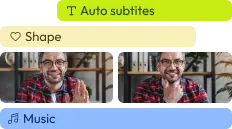
### Edit easily
With Flixier you can trim videos or add text, music, motion graphics, images and so much more.
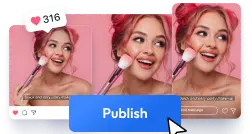
### Publish in minutes
Flixier is powered by the cloud so you can edit and publish your videos at blazing speed on any device.

### Collaborate in real-time
Easily collaborate on your projects with Flixier, we offer real-time feedback and sharing of projects.

[Generate Memes](https://editor.flixier.com/projects/create?name=New+Project&width=1920&height=1080&fx_source=search&lang=en&fx_campaign=meme-generator&fx_medium=tools)
## You\`re ingood hands
Over 1 million creators use Flixier every month including brands like:

I like Flixier because I can use it anywhere I go and I don\`t need a lot of computer requirements but great internet connection. I like how fast it is when it comes to rendering videos and still have the opportunity to continue or start another project while waiting. I appreciate the continuous updates and adjustments because it is necessary for a video editing tool.

Maria Conception Z.
YouTube Strategist \| Content Creator \| Author of "How to Start Your Virtual Assistant Business" Book

4\.5 / 5 Rating
My main criteria for an editor was that the interface is familiar and most importantly that the renders were in the cloud and super fast. Flixier more than delivered in both. I've now been using it daily to edit Facebook videos for my 1M follower page.

Evgeni Kogan

4\.2 / 5 Rating
I found the user interface to be intuitive. I really love that you can work on other projects while a large project is exporting. The sound enhancements were very helpful to get rid of background noises and increase the quality. I would recommend this program to anyone, it just works. No crashes or buggy. For being a browser based program it really processes videos surprisingly fast.

Rotten Mango
Trustpilot

4\.3 / 5 Rating
Loading...
What I like most about Flixier is the flexibility to edit the captions, both in terms of the text and the time where it starts and finish showing it. It gives you full control.

Franz P.
Trustpilot

4\.8 / 5 Rating
This online free program was extremely easy to use, implement, and integrate into my 9-12th grade tech classes. The projects turned out great and were easy to export. I liked having multiple ways to upload pictures. The software was also easy to understand.

Monika L.
Teacher
Loading...
## Frequently Asked Questions
### What do you need to make a meme?
Making a meme with Flixier's online free meme maker is super easy and fun, too! Just bring your creative ideas and the image or video you want to use, and let your creativity shine. Add text, sound effects, transitions, filters, emojis, meme templates and more to make it come alive.
### How do you make a meme go viral?
First off, make sure your meme speaks to lots of people. Then, keep your finger on the pulse of what's hot and happening. Get those creative juices flowing, and don't forget to add a dash of humor as a punchline. Make it super easy to share your meme on social media with features like Flixier's social media safe zones. Lastly, spread the word on different platforms and chat with your fans. Hey, nothing's for certain, but these tips can give your meme a boost! Plus using Flixier’s meme generator can definitely make things easier.
### Is it hard to make a meme?
Creating a meme is super easy when you have the right tools. With the Flixier online meme maker, you can make hilarious new memes directly in your web browser for free. Choose from fully customizable memes or build from the ground up popular meme image, GIF memes, or video memes. Change font color, add speech bubbles, text effect then download your creation as video, GIF or extract the perfect frame straight from Flixier.
Other videoediting tools
Articles, tools and tips

[Create a Top Text Bottom Text Meme](https://flixier.com/tools/meme-generator/top-text-bottom-text-meme)
[Add effects to GIF Online](https://flixier.com/tools/video-effects-editor/add-effects-to-gif)
[Add Image to GIF](https://flixier.com/tools/gif-editor/add-image-to-gif)
[Add text to GIF online](https://flixier.com/tools/gif-editor/add-text-to-gif)
[AVI to GIF Converter](https://flixier.com/tools/video-to-gif/avi-to-gif)
[Caption GIF](https://flixier.com/tools/add-caption-to-gif)
[Cut GIFs online](https://flixier.com/tools/gif-editor/gif-cutter)
[GIF Editor — Edit, Animate & Loop GIFs Online](https://flixier.com/tools/gif-editor)
[GIF Converter](https://flixier.com/tools/gif-converter)
[GIF Meme Maker](https://flixier.com/tools/gif-meme-maker)
Turn ideas into
finished videos

- [Español](https://flixier.com/es/tools/generador-de-memes)
- [Italiano](https://flixier.com/it/tools/creatore-di-meme)
- [Română](https://flixier.com/ro/tools/generator-meme)
English
- Español
- Italiano
- Română
[AI](https://flixier.com/ai)
[AI Audio Enhancer — Studio Quality Sound in Minutes](https://flixier.com/ai/ai-audio-enhancer)[AI Caption Generator](https://flixier.com/tools/auto-subtitle-generator/captions-maker)[AI Speech Generator](https://flixier.com/ai/ai-speech-generator)[AI Video Editor](https://flixier.com/ai/ai-video-editor)[AI Video Generator](https://flixier.com/ai/ai-video-generator)[AI Video Translator](https://flixier.com/tools/translate-your-video-online)[AI Voiceover](https://flixier.com/ai/ai-voice-over)
[Tools](https://flixier.com/tools)
[Add Audio To Video](https://flixier.com/create/add-audio-to-video)[Add Image To Video](https://flixier.com/tools/add-image-to-video)[Add Subtitles to Videos](https://flixier.com/tools/add-subtitle-to-video)[Add Text To Video](https://flixier.com/tools/add-text-to-video)[Text to Speech Videos](https://flixier.com/tools/text-to-speech-videos)[Blur or Pixelate Videos](https://flixier.com/tools/blur-or-pixelate-video)[Chromebook Screen Recorder](https://flixier.com/tools/chromebook-screen-recorder)[Zoom Recordings](https://flixier.com/create/edit-zoom-recording)[Enhance Videos](https://flixier.com/tools/video-enhancer)[Green Screen Videos](https://flixier.com/tools/make-green-screen-video)[Video Trimmer](https://flixier.com/tools/video-trimmer)[Speed Up/Down Videos](https://flixier.com/tools/speed-up-slow-down-video)[Convert Audio to Text with AI](https://flixier.com/tools/convert-audio-to-text)[Extract Text From Video](https://flixier.com/tools/video-to-text)
[Alternatives](https://flixier.com/alternatives)
[Flixier vs Adobe Express](https://flixier.com/alternatives/flixier-vs-adobe-express)[Flixier vs Camtasia](https://flixier.com/alternatives/flixier-vs-camtasia)[Flixier vs Canva](https://flixier.com/alternatives/flixier-vs-canva)[Flixier vs CapCut](https://flixier.com/alternatives/flixier-vs-capcut)[Flixier vs Descript](https://flixier.com/alternatives/flixier-vs-descript)[Flixier vs Filmora](https://flixier.com/alternatives/flixier-vs-filmora)[Flixier vs Synthesia](https://flixier.com/alternatives/flixier-vs-synthesia)[Flixier vs Veed](https://flixier.com/alternatives/flixier-vs-veed)[Flixier vs Clideo](https://flixier.com/alternatives/flixier-vs-clideo)[Flixier vs Invideo](https://flixier.com/alternatives/flixier-vs-invideo)[Flixier vs Riverside](https://flixier.com/alternatives/flixier-vs-riverside)[Flixier vs OpenArt AI](https://flixier.com/alternatives/flixier-vs-openart-ai)[Flixier vs Pictory](https://flixier.com/alternatives/flixier-vs-pictory)[Flixier vs Artlist](https://flixier.com/alternatives/flixier-vs-artlist)[Flixier vs Kapwing](https://flixier.com/alternatives/flixier-vs-kapwing)[Flixier vs Movavi](https://flixier.com/alternatives/flixier-vs-movavi)[Flixier vs WeVideo](https://flixier.com/alternatives/flixier-vs-wevideo)
[Create](https://flixier.com/create)
[Short Videos for Social](https://flixier.com/create/video-for-tiktok-reels)[Training Videos](https://flixier.com/create/make-training-videos)[Product Demo Videos](https://flixier.com/create/create-demo-video)[Online Courses](https://flixier.com/tools/make-online-courses)[Add & Translate Subtitles](https://flixier.com/tools/auto-subtitle-generator)[Repurpose Long Videos](https://flixier.com/tools/repurpose-videos)[Employee Onboarding Videos](https://flixier.com/b2b/employee-onboarding)[Customer Education Videos](https://flixier.com/b2b/customer-education)[Compliance Training Videos](https://flixier.com/b2b/compliance-training)[Sales Enablement Videos](https://flixier.com/b2b/sales-enablement)[Frontline Workforce Videos](https://flixier.com/b2b/frontline-workforce-training)[IT/Product Training Videos](https://flixier.com/b2b/it-product-training)
Company
[Pricing](https://flixier.com/pricing)[Announcements](https://flixier.com/announcements)[Help Center](https://flixier.com/help)[Blog](https://flixier.com/blog)[Templates](https://flixier.com/templates)[Jobs](https://wellfound.com/company/flixier/jobs)[Affiliate Program](https://flixier.com/affiliate-program)[Creator Program](https://flixier.com/content-creator-program)[Privacy Policy](https://flixier.com/privacy)[Terms and Conditions](https://flixier.com/terms)
Online video editor \| © 2026 Flixier
[](https://www.youtube.com/channel/UC1aMx1L3zLn9rnOMQwCeqDA)[](https://www.instagram.com/flixier_pro/)[](https://www.tiktok.com/@flixier) |
| Readable Markdown | How it works
For Business
Tools
AI
Resources
[Pricing](https://flixier.com/pricing)
Create funny memes online using your videos, GIFs, or images.
No account required


## Make memes online
Generate memes directly in your browser and caption them in any language with the help of Flixier's meme generator. Whether you're into celebrity, gaming, or sports you can turn your witty ideas into viral content. Our AI script generator can help you come up with hilarious, serious, sassy, or clever captions for your memes. Craft shareable content in seconds with our easy-to-use dashboard. Simply upload your video, image, or GIF image, or choose from our vast collection of popular meme templates, then customize it with filters, effects, and stickers. Craft reaction images with our AI, then share it straight to Instagram, TikTok, Facebook, and more, thanks to smart social media integrations.
### Create and share custom memes
Flixier's meme generator allows you to customize viral memes to make them your own or kickstart your meme creation from scratch using your own video, images, or GIFs. Easily add text and images, resize memes, apply filters, effects, and more. Once you are done, share it online across all your social media accounts straight from Flixier. Turn any media into funny memes
### Turn any media into funny memes
Upload your own video, reaction images, or animated GIFs from your device. No need to worry about file formats or video conversion. Flixier can handle MP4, AVI, Webm, MKV, and other popular video formats. Plus, you can even bring files from cloud storage services or simply paste a link to your video.
### Caption memes in seconds
Give your funny meme a catchy tagline, or attractive one-liner. Add text to memes with just a few clicks. Browse over 1000 font styles, and easily change text's color, add backgrounds, reposition, or shake it with animations using keyframes. Then, publish it to social media or use it in your online conversations.
### Edit memes with ease
Creating memes just got a whole lot easier with Flixier. Cut, trim, extract frames, and customize with ease. Add text, resize, [change the aspect ratio](https://flixier.com/tools/video-ratio-changer), and even animate stickers to create memes that will have your audience rolling with laughter. Give your favorite meme a hilarious tagline, and you're ready to conquer the internet.
## How to create memes:
1
### Upload your files
Tap the *Start Editing* button above to open Flixier’s meme maker in your browser. You can upload files from your computer, laptop or mobile device, Google Drive, One Drive, or Dropbox. Additionally, you can paste a link, and Flixier will automatically upload it to your library.
2
### Create meme
Drag and drop your media onto the timeline. Cut, trim, and rearrange media files as needed. Adjust video speed, aspect ratio, and angle to your preference. Easily add captions and customize them with text effects. Use your own image or use AI to instantly create images or funny meme text.
3
### Save or publish
Once you are done, simply head over to *Export*, choose to save your new meme as a *Video* or *GIF* format from the drop-down list, and tap on the *Export and Download* button. Additionally, thanks to Flixier's smart social media integrations, you can publish to Instagram, TikTok, YouTube, Facebook, and more.
## Why use Flixier as a meme generator:

### Add memes on top of your video
Have you ever found yourself completely captivated by a video, especially when a hilarious dog meme pops up? Now, imagine creating your own. Choose from your laugh-worthy videos, and bring them to Flixier’s meme maker. Mix and match as you like, or browse our extensive library to uncover the next viral meme to add to your video.

### Generate meme text with AI
Searching for the ultimate punchline to make the entire internet burst into laughter when you share your new meme? Feeling stuck in a creative rut? No worries! Flixier's [AI script generator](https://flixier.com/ai/ai-video-script-generator)is here to help you craft hilarious meme text from prompts that will have the entire internet hitting that share button in no time.

### Everything you need in one place
Make video memes and GIF meme images that spin, glitch, zoom, or shake. Add some cool sound effects and transitions, and play with video speed, all while creating meme videos that are sure to impress. Need media files? Just dive into our huge collection of stock videos and images within Flixier’s[video editing software](https://flixier.com/tools/video-editor) and jazz them up with unique beats and royalty-free music.

### Publish perfectly optimized memes
Is your meme ready to break the internet? Perfect text and style, but will it look flawless on every platform? Flixier's will make sure with its social media safe zone features. No more interface elements covering your meme details. Perfectly fit your meme for Instagram, TikTok, YouTube, or LinkedIn .
## Need more than a meme generator?
## You\`re ingood hands
Over 1 million creators use Flixier every month including brands like:
I like Flixier because I can use it anywhere I go and I don\`t need a lot of computer requirements but great internet connection. I like how fast it is when it comes to rendering videos and still have the opportunity to continue or start another project while waiting. I appreciate the continuous updates and adjustments because it is necessary for a video editing tool.

Maria Conception Z.
YouTube Strategist \| Content Creator \| Author of "How to Start Your Virtual Assistant Business" Book

4\.5 / 5 Rating
My main criteria for an editor was that the interface is familiar and most importantly that the renders were in the cloud and super fast. Flixier more than delivered in both. I've now been using it daily to edit Facebook videos for my 1M follower page.

Evgeni Kogan

4\.2 / 5 Rating
I found the user interface to be intuitive. I really love that you can work on other projects while a large project is exporting. The sound enhancements were very helpful to get rid of background noises and increase the quality. I would recommend this program to anyone, it just works. No crashes or buggy. For being a browser based program it really processes videos surprisingly fast.

Rotten Mango
Trustpilot

4\.3 / 5 Rating
What I like most about Flixier is the flexibility to edit the captions, both in terms of the text and the time where it starts and finish showing it. It gives you full control.

Franz P.
Trustpilot

4\.8 / 5 Rating
This online free program was extremely easy to use, implement, and integrate into my 9-12th grade tech classes. The projects turned out great and were easy to export. I liked having multiple ways to upload pictures. The software was also easy to understand.

Monika L.
Teacher
## Frequently Asked Questions
### What do you need to make a meme?
Making a meme with Flixier's online free meme maker is super easy and fun, too! Just bring your creative ideas and the image or video you want to use, and let your creativity shine. Add text, sound effects, transitions, filters, emojis, meme templates and more to make it come alive.
### How do you make a meme go viral?
First off, make sure your meme speaks to lots of people. Then, keep your finger on the pulse of what's hot and happening. Get those creative juices flowing, and don't forget to add a dash of humor as a punchline. Make it super easy to share your meme on social media with features like Flixier's social media safe zones. Lastly, spread the word on different platforms and chat with your fans. Hey, nothing's for certain, but these tips can give your meme a boost! Plus using Flixier’s meme generator can definitely make things easier.
### Is it hard to make a meme?
Creating a meme is super easy when you have the right tools. With the Flixier online meme maker, you can make hilarious new memes directly in your web browser for free. Choose from fully customizable memes or build from the ground up popular meme image, GIF memes, or video memes. Change font color, add speech bubbles, text effect then download your creation as video, GIF or extract the perfect frame straight from Flixier. |
| Shard | 135 (laksa) |
| Root Hash | 16483011904566082935 |
| Unparsed URL | com,flixier!/tools/meme-generator s443 |