ℹ️ Skipped - page is already crawled
| Filter | Status | Condition | Details |
|---|---|---|---|
| HTTP status | PASS | download_http_code = 200 | HTTP 200 |
| Age cutoff | PASS | download_stamp > now() - 6 MONTH | 0 months ago |
| History drop | PASS | isNull(history_drop_reason) | No drop reason |
| Spam/ban | PASS | fh_dont_index != 1 AND ml_spam_score = 0 | ml_spam_score=0 |
| Canonical | PASS | meta_canonical IS NULL OR = '' OR = src_unparsed | Not set |
| Property | Value |
|---|---|
| URL | https://flameshot.org/ |
| Last Crawled | 2026-04-10 04:53:02 (16 hours ago) |
| First Indexed | 2020-09-14 11:29:54 (5 years ago) |
| HTTP Status Code | 200 |
| Meta Title | Flameshot | Open Source Screenshot Software |
| Meta Description | Flameshot is a free and open-source, cross-platform tool to take screenshots with many built-in features to save you time. |
| Meta Canonical | null |
| Boilerpipe Text | Get the latest Flameshot
Linux Downloads
64-bit only, install via Appimage, your package manager, Snapcraft or Flathub
Looking for older releases?
Install via Package Manager
Arch
pacman -S flameshot
Ubuntu 18.04+ and Debian 10+
apt install flameshot
openSUSE
zypper install flameshot
Void Linux
xbps-install flameshot
Solus
eopkg it flameshot
Fedora
dnf install flameshot
NixOs
nix-env -iA nixos.flameshot
Guix
guix install flameshot
ALT
apt-get install flameshot |
| Markdown | [ Flameshot](https://flameshot.org/)
- [Features](https://flameshot.org/#features)
- [Download](https://flameshot.org/#download)
- [Contribute](https://flameshot.org/#contribute)
- [Donate](https://flameshot.org/donate)
- [Docs](https://flameshot.org/docs)
# Powerful, yet simple to use open-source screenshot software.
[Download](https://flameshot.org/#download)
 

## Free & open source screenshot software
Flameshot is a free and open-source, cross-platform tool to take screenshots with many built-in features to save you time.
 
#### Flameshot Features
***
##### Highly customizable
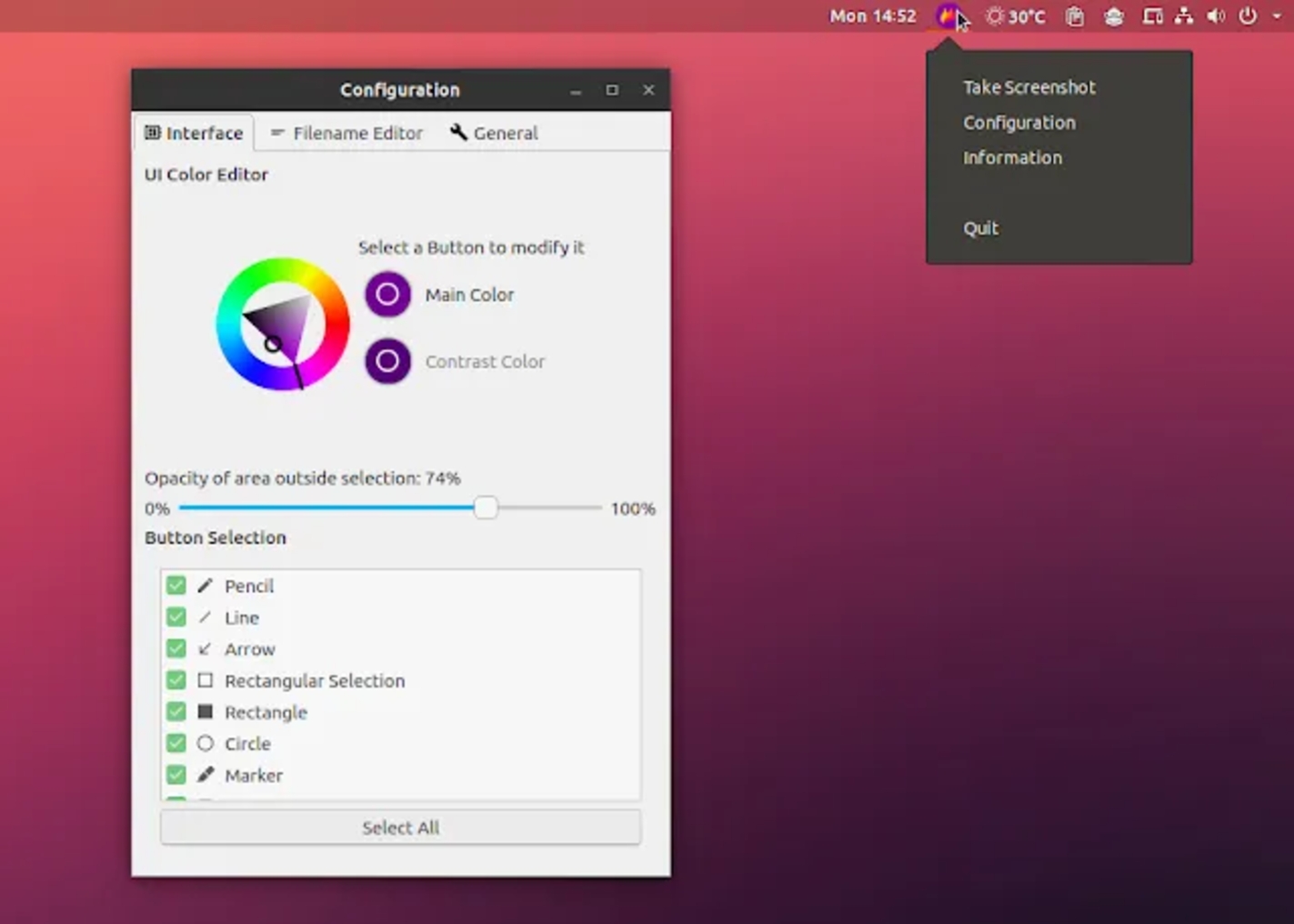
Customize the interface color, button selection, keyboard shortcuts, how images are saved, and more with Flameshot's accessible configuration dialog.
##### In-app screenshot editing
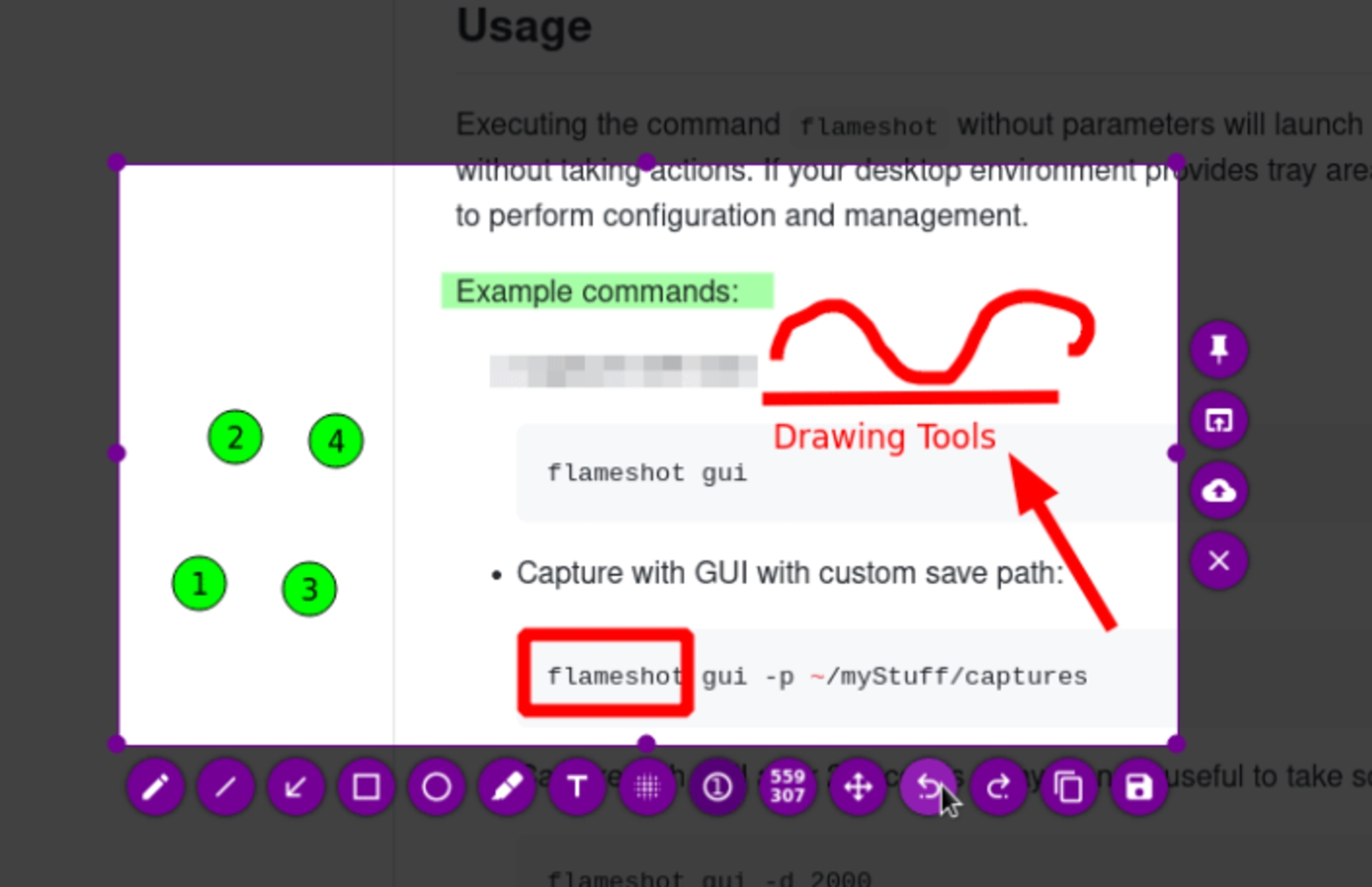
You can choose to add an arrow mark, highlight text, blur a section (blur or pixelate an area), add a text, draw something, add a rectangular/circular shaped border, add an incrementing counter number, and add a solid color box with Flameshot's built-in editing tools.
##### Simple & intuitive
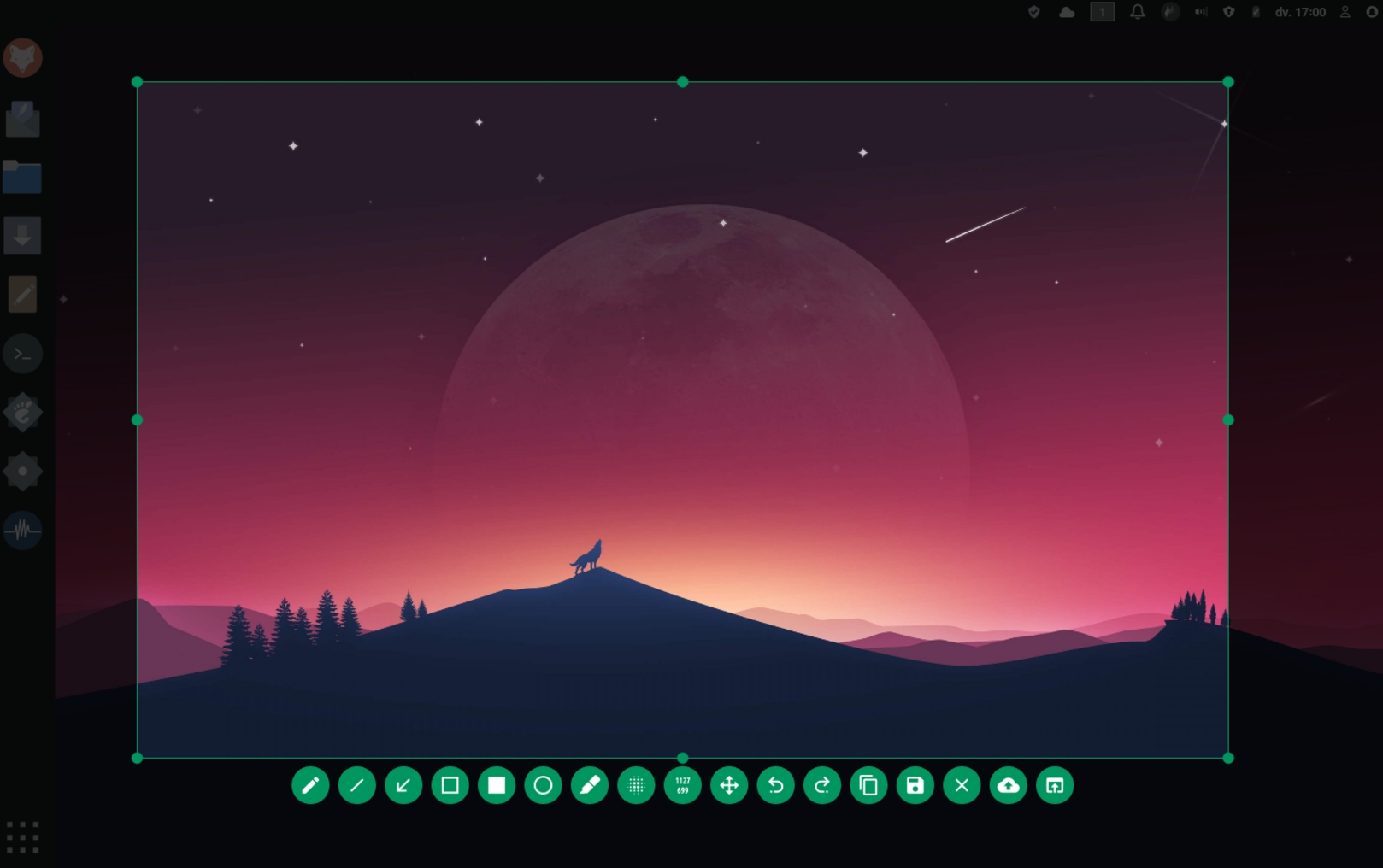
Using Flameshot is as simple as launching, dragging the selection box to cover the area you want to capture, making annotations as needed in on-screen and saving the shot to your computer, all with a very simple and straightforward interface.
##### Upload to online platforms
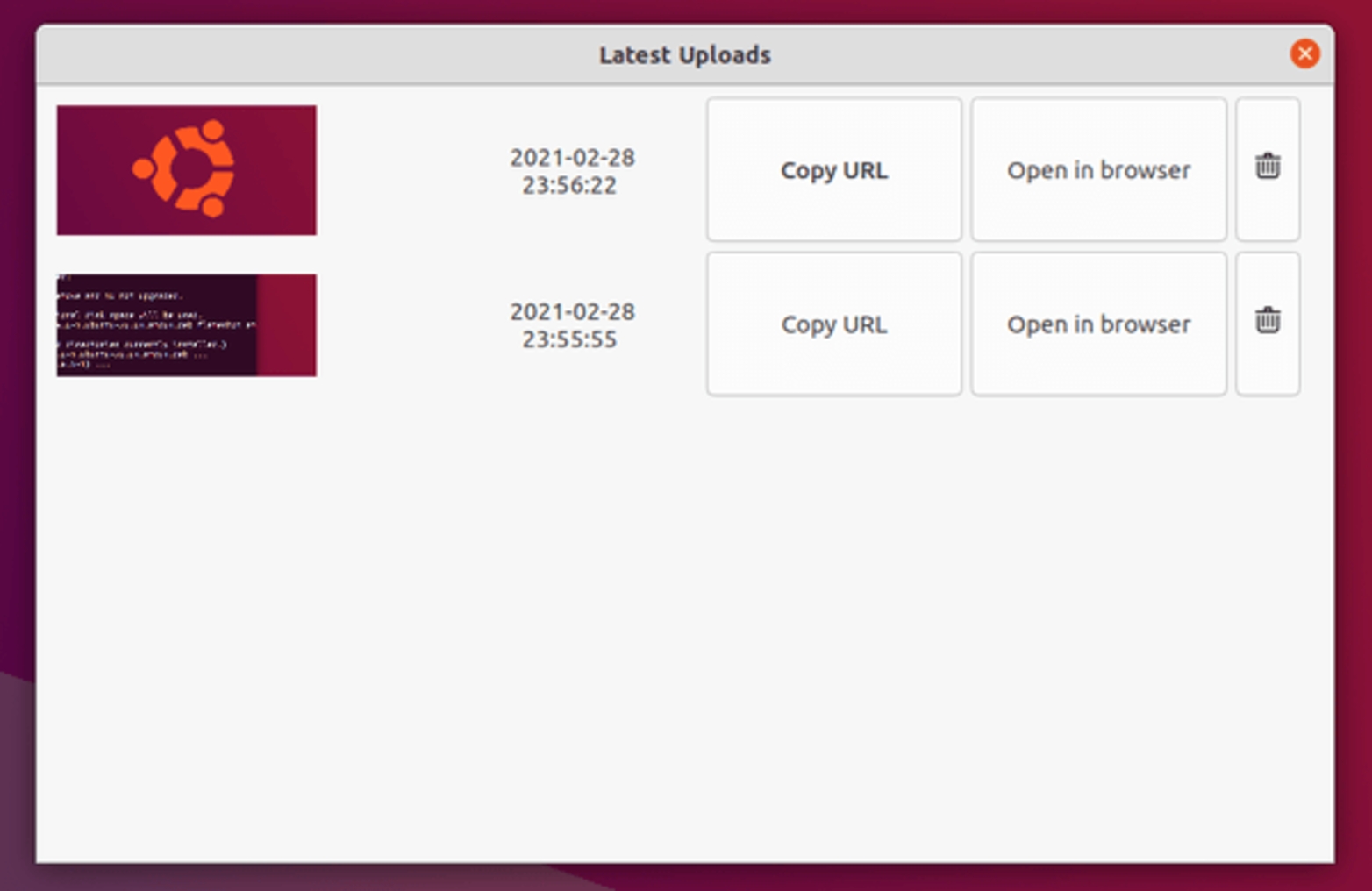
Flameshot allows users to simply upload their screenshots directly to the cloud in order to easily share it with others. You can upload your image directly to [Imgur](https://imgur.com/) with a single click and share the URL with others.
##### Command-line interface (CLI)
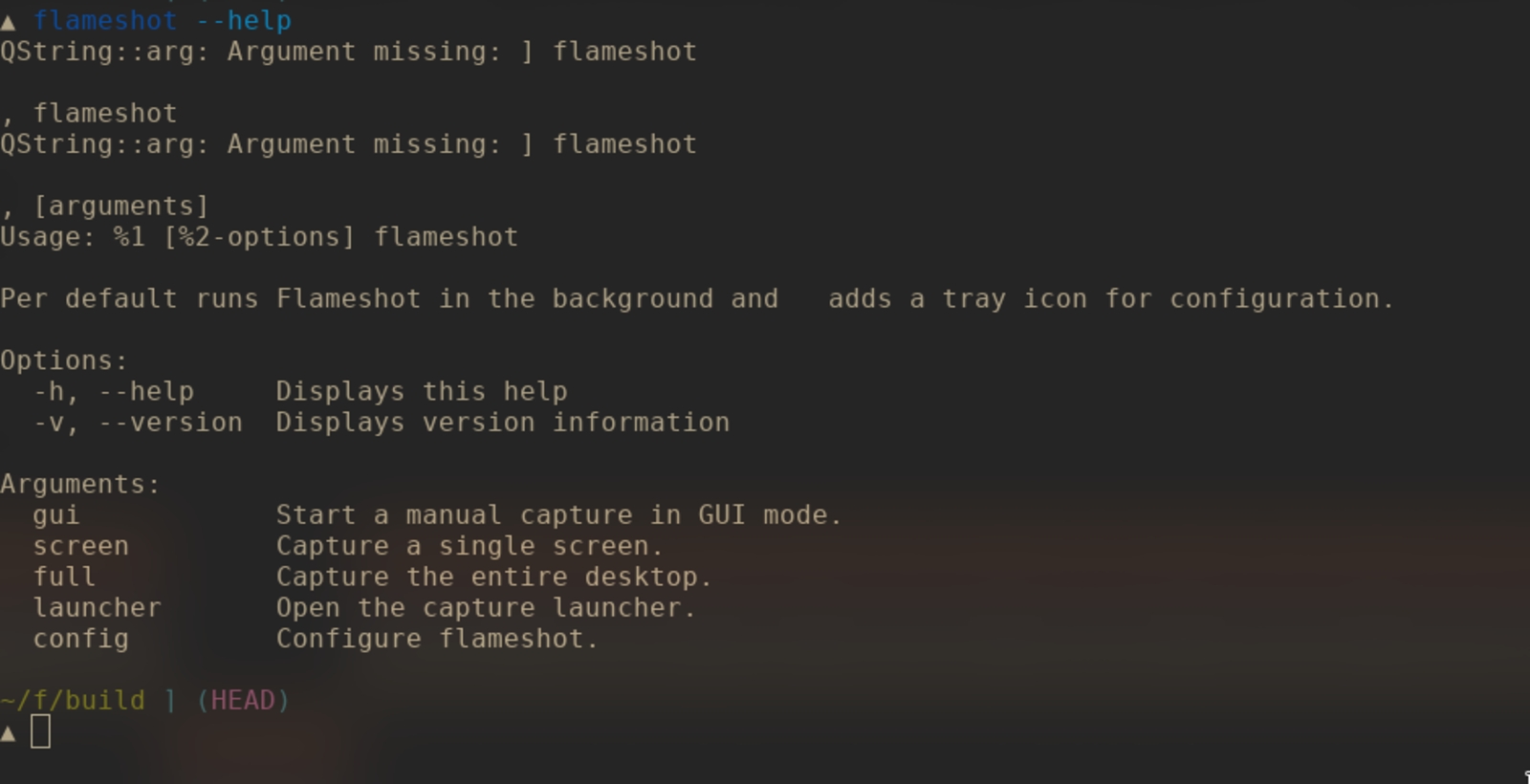
Flameshot has several commands you can use in the terminal without launching the GUI via a command line interface. The command line interface lets you script Flameshot and use it as the subject of key binds.
#### Download Flameshot
***
- Windows
- macOS
- Linux
#### Get the latest Flameshot
##### **Windows Downloads**
64-bit only, either installer or portable version available
[Download Installer](https://github.com/flameshot-org/flameshot/releases/latest) [Download Portable](https://github.com/flameshot-org/flameshot/releases/latest)
[Looking for older releases?](https://github.com/flameshot-org/flameshot/releases)
#### Get the latest Flameshot
##### **macOS Downloads**
64-bit only, install via Homebrew or download the dmg file
[Install via Homebrew](https://formulae.brew.sh/cask/flameshot) [Download .dmg](https://github.com/flameshot-org/flameshot/releases/latest)
[Looking for older releases?](https://github.com/flameshot-org/flameshot/releases)
#### Get the latest Flameshot
##### **Linux Downloads**
64-bit only, install via Appimage, your package manager, Snapcraft or Flathub
[Download AppImage](https://github.com/flameshot-org/flameshot/releases/latest) [Download Nightly-builds Binaries](https://flameshot.org/docs/installation/development-build)
[](https://snapcraft.io/flameshot) [](https://flathub.org/apps/details/org.flameshot.Flameshot)
[Looking for older releases?](https://github.com/flameshot-org/flameshot/releases)
###### Install via Package Manager
Arch
`pacman -S flameshot`
Ubuntu 18.04+ and Debian 10+
`apt install flameshot`
openSUSE
`zypper install flameshot`
Void Linux
`xbps-install flameshot`
Solus
`eopkg it flameshot`
Fedora
`dnf install flameshot`
NixOs
`nix-env -iA nixos.flameshot`
Guix
`guix install flameshot`
ALT
`apt-get install flameshot`

##### Contribute to Flameshot on GitHub
[Contribute](https://github.com/flameshot-org/flameshot)
#### Sponsors
***
[](https://www.namecheap.com/) [](https://www.jetbrains.com/) [](https://signpath.io/?utm_source=foundation&utm_medium=website&utm_campaign=flameshot) [](https://addy.io/)
[ Flameshot](https://flameshot.org/)
- [Features](https://flameshot.org/#features)
- [Download](https://flameshot.org/#download)
- [Contribute](https://flameshot.org/#contribute)
- [Donate](https://flameshot.org/donate/)
- [Docs](https://flameshot.org/docs/)
[](https://github.com/flameshot-org) [](https://fosstodon.org/@flameshot) [](https://matrix.to/#/#flameshot-org:matrix.org)
Copyright © 2017-2026 Flameshot contributors � Site design by [Correct Syntax](https://github.com/Correct-Syntax) |
| Readable Markdown | #### Get the latest Flameshot
##### **Linux Downloads**
64-bit only, install via Appimage, your package manager, Snapcraft or Flathub
[](https://snapcraft.io/flameshot) [](https://flathub.org/apps/details/org.flameshot.Flameshot)
[Looking for older releases?](https://github.com/flameshot-org/flameshot/releases)
Install via Package Manager
Arch
`pacman -S flameshot`
Ubuntu 18.04+ and Debian 10+
`apt install flameshot`
openSUSE
`zypper install flameshot`
Void Linux
`xbps-install flameshot`
Solus
`eopkg it flameshot`
Fedora
`dnf install flameshot`
NixOs
`nix-env -iA nixos.flameshot`
Guix
`guix install flameshot`
ALT
`apt-get install flameshot` |
| Shard | 40 (laksa) |
| Root Hash | 1910841633336594040 |
| Unparsed URL | org,flameshot!/ s443 |