ℹ️ Skipped - page is already crawled
| Filter | Status | Condition | Details |
|---|---|---|---|
| HTTP status | PASS | download_http_code = 200 | HTTP 200 |
| Age cutoff | PASS | download_stamp > now() - 6 MONTH | 0 months ago |
| History drop | PASS | isNull(history_drop_reason) | No drop reason |
| Spam/ban | PASS | fh_dont_index != 1 AND ml_spam_score = 0 | ml_spam_score=0 |
| Canonical | PASS | meta_canonical IS NULL OR = '' OR = src_unparsed | Not set |
| Property | Value | ||||||||||||||||||
|---|---|---|---|---|---|---|---|---|---|---|---|---|---|---|---|---|---|---|---|
| URL | https://developer.chrome.com/docs/devtools | ||||||||||||||||||
| Last Crawled | 2026-04-22 14:11:37 (2 hours ago) | ||||||||||||||||||
| First Indexed | 2021-03-23 16:10:17 (5 years ago) | ||||||||||||||||||
| HTTP Status Code | 200 | ||||||||||||||||||
| Content | |||||||||||||||||||
| Meta Title | Chrome DevTools | Chrome for Developers | ||||||||||||||||||
| Meta Description | Debug and optimize your web applications with Chrome DevTools. | ||||||||||||||||||
| Meta Canonical | null | ||||||||||||||||||
| Boilerpipe Text | Skip to main content
DevTools
Chrome DevTools is a set of web developer tools built directly into the Google Chrome browser. DevTools lets you edit pages on-the-fly and diagnose problems quickly, which helps you build better websites, faster.
Debug with AI
Explore how
AI innovations
in DevTools let you do more, faster. Use the
Chrome DevTools MCP
to connect the power of DevTools to your favorite coding agents.
AI innovations
Let Gemini help you analyze and improve your website's styling, network, sources, and performance. Get help with console errors, and code suggestions in the Console and Sources panels.
DevTools MCP
Give your coding agents the same trusted tools you use to inspect network activity, record traces, and troubleshoot web applications, within your AI workflow.
Connect the
Chrome DevTools MCP
(Model Context Protocol) server to your tool of choice: Gemini CLI, Claude Code, Cline, Copilot, and more.
Understand performance
Get a comprehensive and actionable view of your page's performance.
Inspect resources
Learn how to inspect resources loaded by your page and edit them from your browser.
Analyze network
Analyze and overwrite network requests and responses on the fly.
Developer Tooling Tips
Explore our monthly video series taking you through common debugging scenarios in DevTools in a playful way.
Performance optimization Pitstop
Get a tour through the updated Performance panel, showing you how to measure Core Web Vitals (LCP, CLS, INP) and how to get tailored advice from Gemini.
Pixel Pirate
Set sail with DevTools and become a debugging pirate! Discover techniques for emulating focus styles, testing forms with autofill, and resolving backend errors with network overrides.
AI innovations
Explore the power of Al-assisted debugging with Chrome DevTools! Discover how Console Insights, Al assistance for styling, performance, network, and sources can supercharge your workflow.
Advanced Network Analysis with Chrome DevTools
Explore advanced Network panel techniques, including how to find performance bottlenecks, debug popups, configure network conditions, use shortcuts to determine network request initiators and more.
Get performance insights
A wide range of tools to help you measure and optimize different aspects of your runtime performance: the Performance panel, Lighthouse, and more.
Performance tool overview
Learn about all the features in the Performance panel: how to record a performance trace, how to view and analyze the trace, and more.
Learn about the new performance insights, the power of Lighthouse directly in the DevTools Performance panel.
News & updates
Inspect and edit resources
Feature reference
Learn about all the features in the Sources panel: how to view and edit files, debug JavaScript, and set up a workspace.
Set up a workspace
Workspace lets you to save changes that you make within DevTools to source code that's stored on your computer. Learn how to set up a workspace in your own projects.
Analyze network activity
Network panel
Learn about all the features in the Network panel: inspect response and request bodies, overwrite headers, and more.
More tools
Discover all the other features and capabilities in DevTools.
[[["Easy to understand","easyToUnderstand","thumb-up"],["Solved my problem","solvedMyProblem","thumb-up"],["Other","otherUp","thumb-up"]],[["Missing the information I need","missingTheInformationINeed","thumb-down"],["Too complicated / too many steps","tooComplicatedTooManySteps","thumb-down"],["Out of date","outOfDate","thumb-down"],["Samples / code issue","samplesCodeIssue","thumb-down"],["Other","otherDown","thumb-down"]],[],[],[]] | ||||||||||||||||||
| Markdown | [Skip to main content](https://developer.chrome.com/docs/devtools#main-content)
[](https://developer.chrome.com/)
[Docs](https://developer.chrome.com/docs)
- Build with Chrome
- Learn how Chrome works, participate in origin trials, and build with Chrome everywhere.
- [Web Platform](https://developer.chrome.com/docs/web-platform)
- [Capabilities](https://developer.chrome.com/docs/capabilities)
- [ChromeDriver](https://developer.chrome.com/docs/chromedriver)
- [Extensions](https://developer.chrome.com/docs/extensions)
- [Chrome Web Store](https://developer.chrome.com/docs/webstore)
- [Chromium](https://developer.chrome.com/docs/chromium)
- [Web on Android](https://developer.chrome.com/docs/android)
- [Origin trials](https://developer.chrome.com/origintrials/)
- [Release notes](https://developer.chrome.com/release-notes)
- Productivity
- Create the best experience for your users with the web's best tools.
- [DevTools](https://developer.chrome.com/docs/devtools)
- [Lighthouse](https://developer.chrome.com/docs/lighthouse)
- [Chrome UX Report](https://developer.chrome.com/docs/crux)
- [Accessibility](https://developer.chrome.com/docs/accessibility)
- Get things done quicker and neater, with our ready-made libraries.
- [Workbox](https://developer.chrome.com/docs/workbox)
- [Puppeteer](https://developer.chrome.com/docs/puppeteer)
- Experience
- Design a beautiful and performant web with Chrome.
- [AI](https://developer.chrome.com/docs/ai)
- [Performance](https://developer.chrome.com/docs/performance)
- [CSS and UI](https://developer.chrome.com/docs/css-ui)
- [Identity](https://developer.chrome.com/docs/identity)
- [Payments](https://developer.chrome.com/docs/payments)
- [Privacy and security](https://developer.chrome.com/docs/privacy-security)
- Resources
- More from Chrome and Google.
- [All documentation](https://developer.chrome.com/docs)
- [Baseline](https://web.dev/baseline)
- [web.dev](https://web.dev/)
- [PageSpeed Insights audit](https://pagespeed.web.dev/)
- [The Privacy Sandbox](https://developers.google.com/privacy-sandbox)
- [Isolated Web Apps (IWA)](https://developer.chrome.com/docs/iwa)
More
[Case studies](https://developer.chrome.com/case-studies)
[Blog](https://developer.chrome.com/blog)
[New in Chrome](https://developer.chrome.com/new)
- [English](https://developer.chrome.com/docs/devtools)
- [Deutsch](https://developer.chrome.com/docs/devtools?hl=de)
- [Español – América Latina](https://developer.chrome.com/docs/devtools?hl=es-419)
- [Français](https://developer.chrome.com/docs/devtools?hl=fr)
- [Indonesia](https://developer.chrome.com/docs/devtools?hl=id)
- [Italiano](https://developer.chrome.com/docs/devtools?hl=it)
- [Nederlands](https://developer.chrome.com/docs/devtools?hl=nl)
- [Polski](https://developer.chrome.com/docs/devtools?hl=pl)
- [Português – Brasil](https://developer.chrome.com/docs/devtools?hl=pt-br)
- [Tiếng Việt](https://developer.chrome.com/docs/devtools?hl=vi)
- [Türkçe](https://developer.chrome.com/docs/devtools?hl=tr)
- [Русский](https://developer.chrome.com/docs/devtools?hl=ru)
- [עברית](https://developer.chrome.com/docs/devtools?hl=he)
- [العربيّة](https://developer.chrome.com/docs/devtools?hl=ar)
- [فارسی](https://developer.chrome.com/docs/devtools?hl=fa)
- [हिंदी](https://developer.chrome.com/docs/devtools?hl=hi)
- [বাংলা](https://developer.chrome.com/docs/devtools?hl=bn)
- [ภาษาไทย](https://developer.chrome.com/docs/devtools?hl=th)
- [中文 – 简体](https://developer.chrome.com/docs/devtools?hl=zh-cn)
- [中文 – 繁體](https://developer.chrome.com/docs/devtools?hl=zh-tw)
- [日本語](https://developer.chrome.com/docs/devtools?hl=ja)
- [한국어](https://developer.chrome.com/docs/devtools?hl=ko)
[Sign in](https://developer.chrome.com/_d/signin?continue=https%3A%2F%2Fdeveloper.chrome.com%2Fdocs%2Fdevtools&prompt=select_account)
- [Docs](https://developer.chrome.com/docs)
- [Chrome DevTools](https://developer.chrome.com/docs/devtools)
[DevTools](https://developer.chrome.com/docs/devtools)
[Get started](https://developer.chrome.com/docs/devtools/overview)
[AI assistance](https://developer.chrome.com/docs/devtools/ai-assistance)
- [Overview](https://developer.chrome.com/docs/devtools/ai-assistance)
- [Get started](https://developer.chrome.com/docs/devtools/ai-assistance/get-started)
- [Chat with AI assistance](https://developer.chrome.com/docs/devtools/ai-assistance/chat)
- [Data usage](https://developer.chrome.com/docs/devtools/ai-assistance/data-usage-and-enterprise-controls)
[Panels](https://developer.chrome.com/docs/devtools/dom)
- Popular
- [Elements](https://developer.chrome.com/docs/devtools/elements)
- [Console](https://developer.chrome.com/docs/devtools/console)
- [Lighthouse](https://developer.chrome.com/docs/devtools/lighthouse)
- [Memory](https://developer.chrome.com/docs/devtools/memory)
- [Network](https://developer.chrome.com/docs/devtools/network/overview)
- [Performance](https://developer.chrome.com/docs/devtools/performance/overview)
- [Recorder](https://developer.chrome.com/docs/devtools/recorder/overview)
- [Rendering](https://developer.chrome.com/docs/devtools/rendering)
- [Security](https://developer.chrome.com/docs/devtools/security)
- [Sources](https://developer.chrome.com/docs/devtools/sources)
- All
- [Autofill](https://developer.chrome.com/docs/devtools/autofill)
- [Animations](https://developer.chrome.com/docs/devtools/css/animations)
- [Application](https://developer.chrome.com/docs/devtools/application)
- [Changes](https://developer.chrome.com/docs/devtools/changes)
- [Coverage](https://developer.chrome.com/docs/devtools/coverage)
- [CSS overview](https://developer.chrome.com/docs/devtools/css-overview)
- [Developer resources](https://developer.chrome.com/docs/devtools/developer-resources)
- [Issues](https://developer.chrome.com/docs/devtools/issues)
- [Layers](https://developer.chrome.com/docs/devtools/layers)
- [Lighthouse](https://developer.chrome.com/docs/devtools/lighthouse)
- [Media](https://developer.chrome.com/docs/devtools/media-panel)
- [Memory Inspector](https://developer.chrome.com/docs/devtools/memory-inspector)
- [Network conditions](https://developer.chrome.com/docs/devtools/device-mode/override-user-agent)
- [Request conditions](https://developer.chrome.com/docs/devtools/request-conditions)
- [Performance monitor](https://developer.chrome.com/docs/devtools/performance-monitor)
- [Protocol monitor](https://developer.chrome.com/docs/devtools/protocol-monitor)
- [Quick source](https://developer.chrome.com/docs/devtools/quick-source)
- [Sensors](https://developer.chrome.com/docs/devtools/sensors)
- [WebAudio](https://developer.chrome.com/docs/devtools/webaudio)
- [WebAuthn](https://developer.chrome.com/docs/devtools/webauthn)
- [What's new](https://developer.chrome.com/docs/devtools/whats-new)
[Settings](https://developer.chrome.com/docs/devtools/settings)
[Accessibility](https://developer.chrome.com/docs/devtools/accessibility/reference)
More
[](https://developer.chrome.com/)
- [Docs](https://developer.chrome.com/docs)
- More
- [DevTools](https://developer.chrome.com/docs/devtools)
- [Get started](https://developer.chrome.com/docs/devtools/overview)
- [AI assistance](https://developer.chrome.com/docs/devtools/ai-assistance)
- More
- [Panels](https://developer.chrome.com/docs/devtools/dom)
- More
- [Settings](https://developer.chrome.com/docs/devtools/settings)
- [Accessibility](https://developer.chrome.com/docs/devtools/accessibility/reference)
- [Case studies](https://developer.chrome.com/case-studies)
- [Blog](https://developer.chrome.com/blog)
- [New in Chrome](https://developer.chrome.com/new)
- Build with Chrome
- [Web Platform](https://developer.chrome.com/docs/web-platform)
- [Capabilities](https://developer.chrome.com/docs/capabilities)
- [ChromeDriver](https://developer.chrome.com/docs/chromedriver)
- [Extensions](https://developer.chrome.com/docs/extensions)
- [Chrome Web Store](https://developer.chrome.com/docs/webstore)
- [Chromium](https://developer.chrome.com/docs/chromium)
- [Web on Android](https://developer.chrome.com/docs/android)
- [Origin trials](https://developer.chrome.com/origintrials/)
- [Release notes](https://developer.chrome.com/release-notes)
- Productivity
- [DevTools](https://developer.chrome.com/docs/devtools)
- [Lighthouse](https://developer.chrome.com/docs/lighthouse)
- [Chrome UX Report](https://developer.chrome.com/docs/crux)
- [Accessibility](https://developer.chrome.com/docs/accessibility)
- [Workbox](https://developer.chrome.com/docs/workbox)
- [Puppeteer](https://developer.chrome.com/docs/puppeteer)
- Experience
- [AI](https://developer.chrome.com/docs/ai)
- [Performance](https://developer.chrome.com/docs/performance)
- [CSS and UI](https://developer.chrome.com/docs/css-ui)
- [Identity](https://developer.chrome.com/docs/identity)
- [Payments](https://developer.chrome.com/docs/payments)
- [Privacy and security](https://developer.chrome.com/docs/privacy-security)
- Resources
- [All documentation](https://developer.chrome.com/docs)
- [Baseline](https://web.dev/baseline)
- [web.dev](https://web.dev/)
- [PageSpeed Insights audit](https://pagespeed.web.dev/)
- [The Privacy Sandbox](https://developers.google.com/privacy-sandbox)
- [Isolated Web Apps (IWA)](https://developer.chrome.com/docs/iwa)
- [Overview](https://developer.chrome.com/docs/devtools/ai-assistance)
- [Get started](https://developer.chrome.com/docs/devtools/ai-assistance/get-started)
- [Chat with AI assistance](https://developer.chrome.com/docs/devtools/ai-assistance/chat)
- [Data usage](https://developer.chrome.com/docs/devtools/ai-assistance/data-usage-and-enterprise-controls)
- Popular
- [Elements](https://developer.chrome.com/docs/devtools/elements)
- [Console](https://developer.chrome.com/docs/devtools/console)
- [Lighthouse](https://developer.chrome.com/docs/devtools/lighthouse)
- [Memory](https://developer.chrome.com/docs/devtools/memory)
- [Network](https://developer.chrome.com/docs/devtools/network/overview)
- [Performance](https://developer.chrome.com/docs/devtools/performance/overview)
- [Recorder](https://developer.chrome.com/docs/devtools/recorder/overview)
- [Rendering](https://developer.chrome.com/docs/devtools/rendering)
- [Security](https://developer.chrome.com/docs/devtools/security)
- [Sources](https://developer.chrome.com/docs/devtools/sources)
- All
- [Autofill](https://developer.chrome.com/docs/devtools/autofill)
- [Animations](https://developer.chrome.com/docs/devtools/css/animations)
- [Application](https://developer.chrome.com/docs/devtools/application)
- [Changes](https://developer.chrome.com/docs/devtools/changes)
- [Coverage](https://developer.chrome.com/docs/devtools/coverage)
- [CSS overview](https://developer.chrome.com/docs/devtools/css-overview)
- [Developer resources](https://developer.chrome.com/docs/devtools/developer-resources)
- [Issues](https://developer.chrome.com/docs/devtools/issues)
- [Layers](https://developer.chrome.com/docs/devtools/layers)
- [Lighthouse](https://developer.chrome.com/docs/devtools/lighthouse)
- [Media](https://developer.chrome.com/docs/devtools/media-panel)
- [Memory Inspector](https://developer.chrome.com/docs/devtools/memory-inspector)
- [Network conditions](https://developer.chrome.com/docs/devtools/device-mode/override-user-agent)
- [Request conditions](https://developer.chrome.com/docs/devtools/request-conditions)
- [Performance monitor](https://developer.chrome.com/docs/devtools/performance-monitor)
- [Protocol monitor](https://developer.chrome.com/docs/devtools/protocol-monitor)
- [Quick source](https://developer.chrome.com/docs/devtools/quick-source)
- [Sensors](https://developer.chrome.com/docs/devtools/sensors)
- [WebAudio](https://developer.chrome.com/docs/devtools/webaudio)
- [WebAuthn](https://developer.chrome.com/docs/devtools/webauthn)
- [What's new](https://developer.chrome.com/docs/devtools/whats-new)
- [Home](https://developer.chrome.com/)
- [Docs](https://developer.chrome.com/docs)
- [Chrome DevTools](https://developer.chrome.com/docs/devtools)
### DevTools
Chrome DevTools is a set of web developer tools built directly into the Google Chrome browser. DevTools lets you edit pages on-the-fly and diagnose problems quickly, which helps you build better websites, faster.
[Get started](https://developer.chrome.com/docs/devtools/overview) [Release notes](https://developer.chrome.com/docs/devtools/release-notes)
## Debug with AI
Explore how [AI innovations](https://developer.chrome.com/docs/devtools/settings/ai-innovations) in DevTools let you do more, faster. Use the [Chrome DevTools MCP](https://github.com/ChromeDevTools/chrome-devtools-mcp) to connect the power of DevTools to your favorite coding agents.
### [AI innovations](https://developer.chrome.com/docs/devtools/ai-assistance)
Let Gemini help you analyze and improve your website's styling, network, sources, and performance. Get help with console errors, and code suggestions in the Console and Sources panels.
[Explore AI innovations](https://developer.chrome.com/docs/devtools/ai-assistance)
### [DevTools MCP](https://github.com/ChromeDevTools/chrome-devtools-mcp)
Give your coding agents the same trusted tools you use to inspect network activity, record traces, and troubleshoot web applications, within your AI workflow.
Connect the **Chrome DevTools MCP** (Model Context Protocol) server to your tool of choice: Gemini CLI, Claude Code, Cline, Copilot, and more.
[Learn more on GitHub](https://github.com/ChromeDevTools/chrome-devtools-mcp)
[](https://developer.chrome.com/docs/devtools#performance)
### [Understand performance](https://developer.chrome.com/docs/devtools#performance)
Get a comprehensive and actionable view of your page's performance.
[](https://developer.chrome.com/docs/devtools#sources)
### [Inspect resources](https://developer.chrome.com/docs/devtools#sources)
Learn how to inspect resources loaded by your page and edit them from your browser.
[](https://developer.chrome.com/docs/devtools#network)
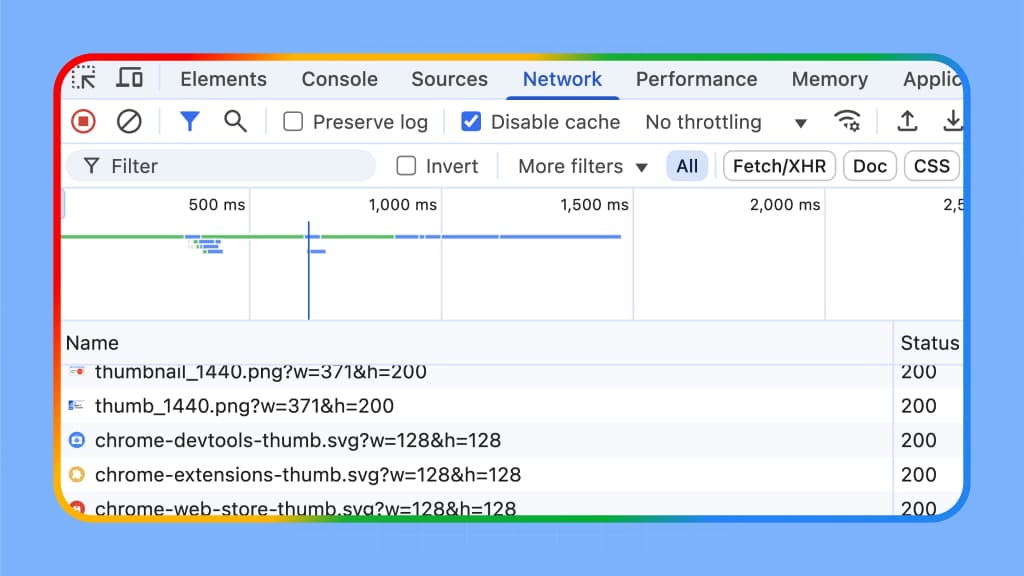
### [Analyze network](https://developer.chrome.com/docs/devtools#network)
Analyze and overwrite network requests and responses on the fly.
## Developer Tooling Tips
Explore our monthly video series taking you through common debugging scenarios in DevTools in a playful way.
### Performance optimization Pitstop
Get a tour through the updated Performance panel, showing you how to measure Core Web Vitals (LCP, CLS, INP) and how to get tailored advice from Gemini.
### Pixel Pirate
Set sail with DevTools and become a debugging pirate! Discover techniques for emulating focus styles, testing forms with autofill, and resolving backend errors with network overrides.
### AI innovations
Explore the power of Al-assisted debugging with Chrome DevTools! Discover how Console Insights, Al assistance for styling, performance, network, and sources can supercharge your workflow.
### Advanced Network Analysis with Chrome DevTools
Explore advanced Network panel techniques, including how to find performance bottlenecks, debug popups, configure network conditions, use shortcuts to determine network request initiators and more.
## Get performance insights
A wide range of tools to help you measure and optimize different aspects of your runtime performance: the Performance panel, Lighthouse, and more.
[](https://developer.chrome.com/docs/devtools/performance/overview)
### [Performance tool overview](https://developer.chrome.com/docs/devtools/performance/overview)
Learn about all the features in the Performance panel: how to record a performance trace, how to view and analyze the trace, and more.
[](https://developer.chrome.com/blog/devtools-grounded-real-world)
### [Monitor your local and real-user Core Web Vitals performance in DevTools](https://developer.chrome.com/blog/devtools-grounded-real-world)
Learn about new DevTools features like CPU throttling calibration to help you base your performance debugging decisions on data from the real world
[](https://developer.chrome.com/blog/devtools-insights-sidebar)
### [Insights sidebar in the DevTools Performance panel](https://developer.chrome.com/blog/devtools-insights-sidebar)
Learn about the new performance insights, the power of Lighthouse directly in the DevTools Performance panel.
## News & updates
[](https://developer.chrome.com/blog/new-in-devtools-147?hl=en)
[What's new in DevTools (Chrome 147)](https://developer.chrome.com/blog/new-in-devtools-147?hl=en)
Updated April 7, 2026
Automatic context switching for AI assistance, Updates for DevTools for agents, and code completion for Console and Sources panels.
[](https://developer.chrome.com/blog/new-in-devtools-146?hl=en)
[What's new in DevTools (Chrome 146)](https://developer.chrome.com/blog/new-in-devtools-146?hl=en)
Updated March 10, 2026
Adopted Style Sheets, Console history, and DevTools MCP with --slim mode, memory snapshots, and new A11y/LCP skills.
[](https://developer.chrome.com/blog/new-in-devtools-145?hl=en)
[What's new in DevTools (Chrome 145)](https://developer.chrome.com/blog/new-in-devtools-145?hl=en)
Updated February 16, 2026
Auto-connect and emulation for Chrome DevTools MCP, soft navigation traces, precise line-level profiling, and a render-blocking network column
[](https://developer.chrome.com/blog/designing-devtools-efficient-token-usage?hl=en)
[Designing DevTools: Efficient token usage in AI assistance](https://developer.chrome.com/blog/designing-devtools-efficient-token-usage?hl=en)
Updated January 30, 2026
Learn how the Chrome Tooling team optimized token usage for AI assistance, and discover techniques for more efficient data usage with LLMs.
[](https://developer.chrome.com/blog/new-in-devtools-144?hl=en)
[What's new in DevTools, Chrome 144](https://developer.chrome.com/blog/new-in-devtools-144?hl=en)
Updated January 6, 2026
Chrome DevTools MCP server, individual request throttling, adopted stylesheets and 2025 highlights.
[](https://developer.chrome.com/blog/chrome-devtools-mcp-debug-your-browser-session?hl=en)
[Let your Coding Agent debug your browser session with Chrome DevTools MCP](https://developer.chrome.com/blog/chrome-devtools-mcp-debug-your-browser-session?hl=en)
Updated December 16, 2025
We shipped a new feature to the Chrome DevTools MCP server that is going to make it a lot easier for your coding agent to debug your current browser sessions.
[](https://developer.chrome.com/blog/new-in-devtools-143?hl=en)
[What's new in DevTools, Chrome 143](https://developer.chrome.com/blog/new-in-devtools-143?hl=en)
Updated December 5, 2025
Chrome DevTools MCP server v0.11.0, improved trace sharing, @starting-style support, masonry editor, and Lighthouse 13.
[](https://developer.chrome.com/blog/new-in-devtools-142?hl=en)
[What's new in DevTools, Chrome 142](https://developer.chrome.com/blog/new-in-devtools-142?hl=en)
Updated October 28, 2025
Code suggestions in Console and Sources, full performance trace debugging with Gemini, toggle drawer orientation, DevTools MCP server updates, and more.
[](https://developer.chrome.com/blog/devtools-deprecates-live-editing?hl=en)
[Deprecating live editing of JavaScript sources in Chrome DevTools](https://developer.chrome.com/blog/devtools-deprecates-live-editing?hl=en)
Updated October 22, 2025
Chrome DevTools removes live editing in Chrome 145 (Feb 2026) due to low use and modern alternatives like Hot Module Replacement (HMR).
expand\_lessLess
Moreexpand\_more
## Inspect and edit resources
[](https://developer.chrome.com/docs/devtools/sources)
### [Feature reference](https://developer.chrome.com/docs/devtools/sources)
Learn about all the features in the Sources panel: how to view and edit files, debug JavaScript, and set up a workspace.
[Get started](https://developer.chrome.com/docs/devtools/sources)
### [Set up a workspace](https://developer.chrome.com/docs/devtools/workspaces)
Workspace lets you to save changes that you make within DevTools to source code that's stored on your computer. Learn how to set up a workspace in your own projects.
[Read tutorial](https://developer.chrome.com/docs/devtools/workspaces)
## Analyze network activity
[](https://developer.chrome.com/docs/devtools/network/overview)
### [Network panel](https://developer.chrome.com/docs/devtools/network/overview)
Learn about all the features in the Network panel: inspect response and request bodies, overwrite headers, and more.
[Get started](https://developer.chrome.com/docs/devtools/network/overview)
### [Inspect network activity](https://developer.chrome.com/docs/devtools/network)
A hands-on tutorial to guide you through common tasks inside the Network panel.
[Read tutorial](https://developer.chrome.com/docs/devtools/network)
## More tools
Discover all the other features and capabilities in DevTools.
### [Elements](https://developer.chrome.com/docs/devtools/dom)
Learn how to view and change a page's DOM.
### [Styles](https://developer.chrome.com/docs/devtools/css)
Learn how to view and change a page's CSS.
### [Changes](https://developer.chrome.com/docs/devtools/changes)
Track changes to HTML, CSS, and JavaScript.
### [Console](https://developer.chrome.com/docs/devtools/console)
Log messages and run JavaScript.
### [Performance](https://developer.chrome.com/docs/devtools/performance/overview)
Evaluate website performance.
### [Memory](https://developer.chrome.com/docs/devtools/memory)
Find memory issues that affect page performance, including memory leaks, and more.
### [Application](https://developer.chrome.com/docs/devtools/progressive-web-apps)
Inspect, modify, and debug web apps, test cache, view storage, and more.
### [Animations](https://developer.chrome.com/docs/devtools/animations)
Inspect and modify animations.
### [Recorder](https://developer.chrome.com/docs/devtools/recorder/overview)
Record, replay, measure user flows, and edit their steps.
### [Rendering](https://developer.chrome.com/docs/devtools/rendering)
Discover a collection of options that affect web content rendering.
### [Autofill](https://developer.chrome.com/docs/devtools/autofill)
Inspect and debug saved addresses.
### [Issues](https://developer.chrome.com/docs/devtools/issues)
Find and fix problems with your website.
### [Privacy & Security](https://developer.chrome.com/docs/devtools/security)
Make sure that a page is fully protected by HTTPS.
### [Media](https://developer.chrome.com/docs/devtools/media-panel)
View information and debug media players per browser tab.
### [Sensors](https://developer.chrome.com/docs/devtools/sensors)
Emulate device sensors.
### [WebAuthn](https://developer.chrome.com/docs/devtools/webauthn)
Emulate authenticators.
- ### Contribute
- [File a bug](https://issuetracker.google.com/issues/new?component=1400036&template=1897236)
- [See open issues](https://issuetracker.google.com/issues?q=status:open%20componentid:1400036&s=created_time:desc)
- ### Related content
- [Chromium updates](https://blog.chromium.org/)
- [Case studies](https://developer.chrome.com/case-studies)
- [Archive](https://developer.chrome.com/deprecated)
- [Podcasts & shows](https://web.dev/shows)
- ### Follow
- [@ChromiumDev on X](https://twitter.com/ChromiumDev)
- [YouTube](https://www.youtube.com/user/ChromeDevelopers)
- [Chrome for Developers on LinkedIn](https://www.linkedin.com/showcase/chrome-for-developers)
- [RSS](https://developer.chrome.com/static/blog/feed.xml)
- [Terms](https://policies.google.com/terms)
- [Privacy](https://policies.google.com/privacy)
- [Manage cookies](https://developer.chrome.com/docs/devtools)
- [English](https://developer.chrome.com/docs/devtools)
- [Deutsch](https://developer.chrome.com/docs/devtools?hl=de)
- [Español – América Latina](https://developer.chrome.com/docs/devtools?hl=es-419)
- [Français](https://developer.chrome.com/docs/devtools?hl=fr)
- [Indonesia](https://developer.chrome.com/docs/devtools?hl=id)
- [Italiano](https://developer.chrome.com/docs/devtools?hl=it)
- [Nederlands](https://developer.chrome.com/docs/devtools?hl=nl)
- [Polski](https://developer.chrome.com/docs/devtools?hl=pl)
- [Português – Brasil](https://developer.chrome.com/docs/devtools?hl=pt-br)
- [Tiếng Việt](https://developer.chrome.com/docs/devtools?hl=vi)
- [Türkçe](https://developer.chrome.com/docs/devtools?hl=tr)
- [Русский](https://developer.chrome.com/docs/devtools?hl=ru)
- [עברית](https://developer.chrome.com/docs/devtools?hl=he)
- [العربيّة](https://developer.chrome.com/docs/devtools?hl=ar)
- [فارسی](https://developer.chrome.com/docs/devtools?hl=fa)
- [हिंदी](https://developer.chrome.com/docs/devtools?hl=hi)
- [বাংলা](https://developer.chrome.com/docs/devtools?hl=bn)
- [ภาษาไทย](https://developer.chrome.com/docs/devtools?hl=th)
- [中文 – 简体](https://developer.chrome.com/docs/devtools?hl=zh-cn)
- [中文 – 繁體](https://developer.chrome.com/docs/devtools?hl=zh-tw)
- [日本語](https://developer.chrome.com/docs/devtools?hl=ja)
- [한국어](https://developer.chrome.com/docs/devtools?hl=ko) | ||||||||||||||||||
| Readable Markdown | [Skip to main content](https://developer.chrome.com/docs/devtools#main-content)
### DevTools
Chrome DevTools is a set of web developer tools built directly into the Google Chrome browser. DevTools lets you edit pages on-the-fly and diagnose problems quickly, which helps you build better websites, faster.
## Debug with AI
Explore how [AI innovations](https://developer.chrome.com/docs/devtools/settings/ai-innovations) in DevTools let you do more, faster. Use the [Chrome DevTools MCP](https://github.com/ChromeDevTools/chrome-devtools-mcp) to connect the power of DevTools to your favorite coding agents.
### [AI innovations](https://developer.chrome.com/docs/devtools/ai-assistance)
Let Gemini help you analyze and improve your website's styling, network, sources, and performance. Get help with console errors, and code suggestions in the Console and Sources panels.
### [DevTools MCP](https://github.com/ChromeDevTools/chrome-devtools-mcp)
Give your coding agents the same trusted tools you use to inspect network activity, record traces, and troubleshoot web applications, within your AI workflow.
Connect the **Chrome DevTools MCP** (Model Context Protocol) server to your tool of choice: Gemini CLI, Claude Code, Cline, Copilot, and more.
### [Understand performance](https://developer.chrome.com/docs/devtools#performance)
Get a comprehensive and actionable view of your page's performance.
### [Inspect resources](https://developer.chrome.com/docs/devtools#sources)
Learn how to inspect resources loaded by your page and edit them from your browser.
### [Analyze network](https://developer.chrome.com/docs/devtools#network)
Analyze and overwrite network requests and responses on the fly.
## Developer Tooling Tips
Explore our monthly video series taking you through common debugging scenarios in DevTools in a playful way.
### Performance optimization Pitstop
Get a tour through the updated Performance panel, showing you how to measure Core Web Vitals (LCP, CLS, INP) and how to get tailored advice from Gemini.
### Pixel Pirate
Set sail with DevTools and become a debugging pirate! Discover techniques for emulating focus styles, testing forms with autofill, and resolving backend errors with network overrides.
### AI innovations
Explore the power of Al-assisted debugging with Chrome DevTools! Discover how Console Insights, Al assistance for styling, performance, network, and sources can supercharge your workflow.
### Advanced Network Analysis with Chrome DevTools
Explore advanced Network panel techniques, including how to find performance bottlenecks, debug popups, configure network conditions, use shortcuts to determine network request initiators and more.
## Get performance insights
A wide range of tools to help you measure and optimize different aspects of your runtime performance: the Performance panel, Lighthouse, and more.
### [Performance tool overview](https://developer.chrome.com/docs/devtools/performance/overview)
Learn about all the features in the Performance panel: how to record a performance trace, how to view and analyze the trace, and more.
Learn about the new performance insights, the power of Lighthouse directly in the DevTools Performance panel.
News & updates
Inspect and edit resources
### [Feature reference](https://developer.chrome.com/docs/devtools/sources)
Learn about all the features in the Sources panel: how to view and edit files, debug JavaScript, and set up a workspace.
### [Set up a workspace](https://developer.chrome.com/docs/devtools/workspaces)
Workspace lets you to save changes that you make within DevTools to source code that's stored on your computer. Learn how to set up a workspace in your own projects.
Analyze network activity
### [Network panel](https://developer.chrome.com/docs/devtools/network/overview)
Learn about all the features in the Network panel: inspect response and request bodies, overwrite headers, and more.
## More tools
Discover all the other features and capabilities in DevTools. | ||||||||||||||||||
| ML Classification | |||||||||||||||||||
| ML Categories |
Raw JSON{
"/Computers_and_Electronics": 917,
"/Computers_and_Electronics/Software": 877,
"/Computers_and_Electronics/Software/Software_Utilities": 735,
"/Internet_and_Telecom": 448,
"/Internet_and_Telecom/Web_Services": 446,
"/Internet_and_Telecom/Web_Services/Web_Design_and_Development": 436
} | ||||||||||||||||||
| ML Page Types |
Raw JSON{
"/Core_Page": 646,
"/Core_Page/Services_Page": 615
} | ||||||||||||||||||
| ML Intent Types |
Raw JSON{
"Informational": 984,
"Commercial": 147
} | ||||||||||||||||||
| Content Metadata | |||||||||||||||||||
| Language | en | ||||||||||||||||||
| Author | null | ||||||||||||||||||
| Publish Time | not set | ||||||||||||||||||
| Original Publish Time | 2021-03-23 16:10:17 (5 years ago) | ||||||||||||||||||
| Republished | No | ||||||||||||||||||
| Word Count (Total) | 1,406 | ||||||||||||||||||
| Word Count (Content) | 510 | ||||||||||||||||||
| Links | |||||||||||||||||||
| External Links | 26 | ||||||||||||||||||
| Internal Links | 118 | ||||||||||||||||||
| Technical SEO | |||||||||||||||||||
| Meta Nofollow | No | ||||||||||||||||||
| Meta Noarchive | No | ||||||||||||||||||
| JS Rendered | Yes | ||||||||||||||||||
| Redirect Target | null | ||||||||||||||||||
| Performance | |||||||||||||||||||
| Download Time (ms) | 643 | ||||||||||||||||||
| TTFB (ms) | 629 | ||||||||||||||||||
| Download Size (bytes) | 25,553 | ||||||||||||||||||
| Shard | 183 (laksa) | ||||||||||||||||||
| Root Hash | 2030795384926181183 | ||||||||||||||||||
| Unparsed URL | com,chrome!developer,/docs/devtools s443 | ||||||||||||||||||