ℹ️ Skipped - page is already crawled
| Filter | Status | Condition | Details |
|---|---|---|---|
| HTTP status | PASS | download_http_code = 200 | HTTP 200 |
| Age cutoff | PASS | download_stamp > now() - 6 MONTH | 0 months ago |
| History drop | PASS | isNull(history_drop_reason) | No drop reason |
| Spam/ban | PASS | fh_dont_index != 1 AND ml_spam_score = 0 | ml_spam_score=0 |
| Canonical | PASS | meta_canonical IS NULL OR = '' OR = src_unparsed | Not set |
| Property | Value |
|---|---|
| URL | https://cyberduck.io/ |
| Last Crawled | 2026-04-12 21:45:09 (1 hour ago) |
| First Indexed | 2013-12-15 03:20:44 (12 years ago) |
| HTTP Status Code | 200 |
| Meta Title | Cyberduck | Libre server and cloud storage browser for Mac and Windows with support for FTP, SFTP, WebDAV, Amazon S3, OpenStack Swift, Backblaze B2, Microsoft Azure & OneDrive, Google Drive and Dropbox |
| Meta Description | null |
| Meta Canonical | null |
| Boilerpipe Text | Edit any file with your preferred editor.
To edit files, a seamless integration with any external editor application makes it easy to change content quickly. Edit any text or binary file on the server in your preferred application.
Share files.
Web URL
Quickly copy or open the corresponding HTTP URLs of a selected file in your web browser. Includes CDN and pre-signed URLs for S3.
Distribute your content in the cloud.
Both
Amazon CloudFront
and
Akamai
content delivery networks (
CDN
) can be easily configured to distribute your files worldwide from edge locations. Connect to any server using FTP, SFTP or WebDAV and configure it as the origin of a new
Amazon CloudFront
CDN distribution.
Amazon CloudFront
Manage custom origin, basic and streaming
CloudFront
distributions. Toggle deployment, define CNAMEs, distribution access logging and set the default index file.
First class bookmarking.
Organize your bookmarks with drag and drop and quickly search using the filter field.
Files
Drag and drop bookmarks to the Finder.app and drop files onto bookmarks to upload.
Spotlight
Spotlight
Importer for bookmark files.
History
History of visited servers with timestamp of last access.
Browse with ease.
Browse and move your files quickly in the browser with caching enabled for the best performance. Works with any character encoding for the correct display of Umlaute, Japanese and Chinese.
Quick Look
Quickly preview files with Quick Look. Press the space key to preview files like in Finder.app without explicitly downloading.
Accessible
The outline view of the browser allows to browse large folder structures efficiently. Cut & paste or drag & drop files to organize.
Transfer anything.
Limit the number of concurrent transfers and filter files using a regular expression. Resume both interrupted download and uploads. Recursively transfer directories.
Download and Upload
Drag and drop to and from the browser to download and upload.
Copy
Copy files directly between servers.
Synchronization
Synchronize local with remote directories (and vice versa) and get a preview of affected files before any action is taken.
Integration with system technologies.
A native citizen of Mac OS X and Windows. Notification center, Gatekeeper and Retina resolution.
Keychain
All passwords are stored in the system Keychain as Internet passwords available also to third party applications. Certificates are validated using the trust settings in the Keychain.
Bonjour
Auto discovery of FTP & WebDAV services on the local network.
Finder
Use Cyberduck as default system wide protocol handler for FTP and SFTP. Open
.inetloc
files and
.duck
bookmark files from the Finder.
Notifications
Notifications in system tray (Windows) and the Notification Center (Mac).
Windows
Reads your proxy configuration from network settings. Encrypts passwords limiting access to your account.
We are open.
Licensed under the
GPL
.
Come in. You can follow the daily development activity, have a look at the roadmap and grab the source code on
GitHub
. We contribute to other open source projects including
OpenStack Swift Client Java Bindings
,
Rococoa Objective-C Wrapper
and
SSHJ
.
International.
Speaks your language.
English, čeština, Nederlands, Suomi, Français, Deutsch, Italiano, 日本語, 한국어, Norsk, Slovenčina, Español, Português (do Brasil), Português (Europeu), 中文 (简体), 正體中文 (繁體), Русский, Svenska, Dansk, Język Polski, Magyar, Bahasa Indonesia, Català, Cymraeg, ภาษาไทย, Türkçe, Ivrit, Latviešu Valoda, Ελληνικά, Cрпски, ქართული ენა, Slovenščina, Українська, Română, Hrvatski & Български език. |
| Markdown | ×
[](https://mountainduck.io/)
Download **Mountain Duck** available from **[mountainduck.io](https://mountainduck.io/)** to mount any remote server storage as a local disk in the Finder.app on **Mac** and the File Explorer on **Windows**.
Toggle navigation
- [Changelog](https://cyberduck.io/changelog)
- [Cryptomator](https://cyberduck.io/cryptomator)
- [Help](https://cyberduck.io/help)
- [Connection Profiles](https://cyberduck.io/profiles)
- [Blog](https://blog.cyberduck.io/)
- Protocols
- [FTP](https://cyberduck.io/ftp)
- [SFTP](https://cyberduck.io/sftp)
- [WebDAV](https://cyberduck.io/webdav)
- [SMB](https://cyberduck.io/smb)
- [Nextcloud & ownCloud](https://cyberduck.io/nextcloud)
- [Amazon S3](https://cyberduck.io/s3)
- [Google Storage](https://cyberduck.io/googlestorage)
- [OpenStack Swift](https://cyberduck.io/openstack)
- [Microsoft Azure](https://cyberduck.io/azure)
- [Microsoft OneDrive](https://cyberduck.io/onedrive)
- [Microsoft SharePoint](https://cyberduck.io/onedrive)
- [Dropbox](https://cyberduck.io/dropbox)
- [Google Drive](https://cyberduck.io/googledrive)
- [Box](https://cyberduck.io/box)
- [Wasabi](https://cyberduck.io/wasabi)
- [Backblaze B2](https://cyberduck.io/backblaze)
- [DRACOON](https://cyberduck.io/dracoon)
- [Files.com](https://cyberduck.io/files.com)
- [Spectra BlackPearl](https://cyberduck.io/spectra)
- [iRODS](https://cyberduck.io/irods)
- [Local Filesystem](https://cyberduck.io/local)
- [Download](https://cyberduck.io/download)
- [Donate](https://cyberduck.io/donate)

[**Download** for macOS or Windows](https://cyberduck.io/download "Download")
[](https://cyberduck.io/windowsstore)
[](https://cyberduck.io/appstore)
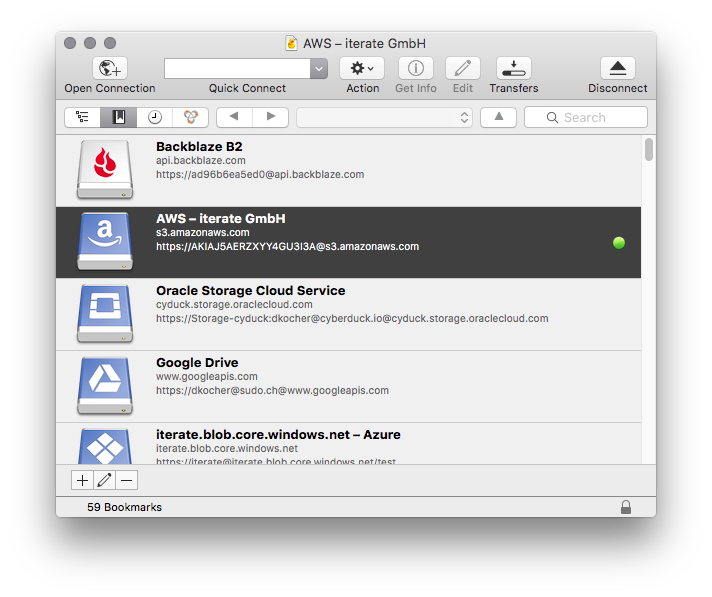
## Cyberduck is a libre server and cloud storage browser for Mac and Windows with support for **FTP**, **SFTP**, **WebDAV**, **Amazon S3**, **OpenStack Swift**, **Backblaze B2**, **Microsoft Azure & OneDrive**, **Google Drive** and **Dropbox**.
Up
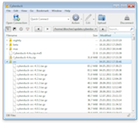
Down
[ Cyberduck](https://cyberduck.io/ "Browse with Cyberduck on macOS and Windows") [ Mountain Duck](https://mountainduck.io/ "Mount to your desktop with Mountain Duck") [ CLI](https://duck.sh/ "Access using the command line interface on Linux, macOS and Windows with Cyberduck CLI")
## Connecting to every server. With an easy-to-use interface, connect to servers, enterprise file sharing and cloud storage. You can find [connection profiles](https://cyberduck.io/profiles) for popular hosting service providers.
[ **FTP** A widely tested FTP (File Transfer Protocol) implementation for the best interoperability with support for FTP over secured SSL/TLS connections.](https://cyberduck.io/ftp)
[**SFTP** With support for strong ciphers, public key and two factor authentication. Read settings from your existing OpenSSH configuration.](https://cyberduck.io/sftp)
[**WebDAV** With interoperability for ownCloud, box.com, Sharepoint and BigCommerce and many other WebDAV servers. TLS mutual (two-way) authentication with client certificate.](https://cyberduck.io/webdav)
[**SMB** Access Windows File Shares or a Samba Linux Server.](https://cyberduck.io/smb)
[ **OpenStack Swift** Connect to Rackspace Cloudfiles or any other OpenStack Swift cloud storage providers.](https://cyberduck.io/openstack)
[ **Google Cloud Storage** Connect to buckets in Google Cloud Storage and configure as a website endpoint.](https://cyberduck.io/googlestorage)
[ **S3** Connect to any Amazon S3 storage region with support for large file uploads.](https://cyberduck.io/s3)
[ **Azure** Access Microsoft Azure Cloud storage on your desktop.](https://cyberduck.io/azure)
[ **Backblaze B2** Mount the low cost cloud storage on your desktop.](https://cyberduck.io/backblaze)
[ **DRACOON** Version 6 Enterprise cloud service made in Germany.](https://cyberduck.io/dracoon)
[ **Box** Version 8.2 Leading organizations secure their data with Box.](https://cyberduck.io/box)
[ **Nextcloud** Version 7 Connect to your own on-premise Nextcloud installation with ease. Create share links and view and revert previous versions.](https://cyberduck.io/nextcloud)
[ **Google Drive** Access Google Drive without synchronising documents to your local disk. With URL reference files on mounted volume to open Google Docs documents in the web browser.](https://cyberduck.io/googledrive)
[ **Dropbox** Access Dropbox without synchronising documents to your local disk.](https://cyberduck.io/dropbox)
[ **OneDrive** Version 6 Connect OneDrive Personal, OneDrive Business and Sharepoint Online.](https://cyberduck.io/onedrive)
[ **Files.com** Version 7 Fast, affordable, and available in 7 worldwide regions.](https://cyberduck.io/files.com)
[ **ownCloud** Version 7 Support for ownCloud Infinite Scale with authentication using OpenID Connect. Create share links and view and revert previous versions.](https://cyberduck.io/owncloud)
## Cryptomator. Client side encryption with [Cryptomator](https://cyberduck.io/cryptomator) interoperable vaults to secure your data on any server or cloud storage. Version 6
**Filename Encryption**
File and directory names are encrypted, directory structures are obfuscated.
**File Content Encryption**
Every file gets encrypted individually.
**Secure and Trustworthy with Open Source**
No backdoors. No registration or account required.

##  Edit any file with your preferred editor. To edit files, a seamless integration with any external editor application makes it easy to change content quickly. Edit any text or binary file on the server in your preferred application.
## Share files.
**Web URL**
Quickly copy or open the corresponding HTTP URLs of a selected file in your web browser. Includes CDN and pre-signed URLs for S3.
## Distribute your content in the cloud. Both [Amazon CloudFront](https://trac.cyberduck.io/wiki/help/en/howto/cloudfront) and [Akamai](https://trac.cyberduck.io/wiki/help/en/howto/akamai) content delivery networks ([CDN](https://trac.cyberduck.io/wiki/help/en/howto/cdn)) can be easily configured to distribute your files worldwide from edge locations. Connect to any server using FTP, SFTP or WebDAV and configure it as the origin of a new [Amazon CloudFront](https://trac.cyberduck.io/wiki/help/en/howto/cloudfront) CDN distribution.
**Amazon CloudFront**
Manage custom origin, basic and streaming [CloudFront](https://trac.cyberduck.io/wiki/help/en/howto/cloudfront) distributions. Toggle deployment, define CNAMEs, distribution access logging and set the default index file.
## First class bookmarking. Organize your bookmarks with drag and drop and quickly search using the filter field.
**Files**
Drag and drop bookmarks to the Finder.app and drop files onto bookmarks to upload.
**Spotlight**
[Spotlight](https://trac.cyberduck.io/wiki/help/en/howto/spotlight) Importer for bookmark files.
**History**
History of visited servers with timestamp of last access.
**Import**
[Import Bookmarks](https://trac.cyberduck.io/wiki/help/en/howto/bookmarks#Fromthird-partyapplications) from third-party applications.
## Browse with ease. Browse and move your files quickly in the browser with caching enabled for the best performance. Works with any character encoding for the correct display of Umlaute, Japanese and Chinese.
**Quick Look**
Quickly preview files with Quick Look. Press the space key to preview files like in Finder.app without explicitly downloading.
**Accessible**
The outline view of the browser allows to browse large folder structures efficiently. Cut & paste or drag & drop files to organize.
## Transfer anything. Limit the number of concurrent transfers and filter files using a regular expression. Resume both interrupted download and uploads. Recursively transfer directories.
**Download and Upload**
Drag and drop to and from the browser to download and upload.
**Copy**
Copy files directly between servers.
**Synchronization**
Synchronize local with remote directories (and vice versa) and get a preview of affected files before any action is taken.
## Integration with system technologies. A native citizen of Mac OS X and Windows. Notification center, Gatekeeper and Retina resolution.
**Keychain**
All passwords are stored in the system Keychain as Internet passwords available also to third party applications. Certificates are validated using the trust settings in the Keychain.
**Bonjour**
Auto discovery of FTP & WebDAV services on the local network.
**Finder**
Use Cyberduck as default system wide protocol handler for FTP and SFTP. Open `.inetloc` files and `.duck` bookmark files from the Finder.
**Notifications**
Notifications in system tray (Windows) and the Notification Center (Mac).
**Windows**
Reads your proxy configuration from network settings. Encrypts passwords limiting access to your account.
## We are open. Licensed under the [GPL](http://www.gnu.org/licenses/gpl.html).
Come in. You can follow the daily development activity, have a look at the roadmap and grab the source code on [GitHub](https://github.com/iterate-ch/cyberduck). We contribute to other open source projects including [OpenStack Swift Client Java Bindings](https://github.com/iterate-ch/java-openstack-swift), [Rococoa Objective-C Wrapper](https://github.com/iterate-ch/rococoa) and [SSHJ](https://github.com/iterate-ch/sshj).
## International. Speaks your language.
English, čeština, Nederlands, Suomi, Français, Deutsch, Italiano, 日本語, 한국어, Norsk, Slovenčina, Español, Português (do Brasil), Português (Europeu), 中文 (简体), 正體中文 (繁體), Русский, Svenska, Dansk, Język Polski, Magyar, Bahasa Indonesia, Català, Cymraeg, ภาษาไทย, Türkçe, Ivrit, Latviešu Valoda, Ελληνικά, Cрпски, ქართული ენა, Slovenščina, Українська, Română, Hrvatski & Български език.
## Follow Us\!
### Newsletter
You can subscribe to the [Cyberduck-news](https://lists.cyberduck.io/mailman/listinfo/cyberduck-news) mailing list to get a notification when a new version is released.
### Community Help
[Discuss](https://forum.cyberduck.io/) features and issues you are having with the community.
### Toots in 🦣 Fediverse
1. [3/13/2026, 5:23:18 PM](https://fosstodon.org/@cyberduck/116223023447731903)
[ Cyberduck 🐣 @cyberduck](https://fosstodon.org/@cyberduck)
[@inlovewithpda](https://chaos.social/@inlovewithpda) We are working on a fix. <https://github.com/iterate-ch/cyberduck/issues/17935>
2. [3/11/2026, 2:24:50 PM](https://mastodon.social/@tuomas_h/116210997010618932)
[ Cyberduck 🐣 @cyberduck](https://fosstodon.org/@cyberduck) [ Tuomas Hämäläinen 🇺🇦 @tuomas\_h](https://mastodon.social/@tuomas_h)
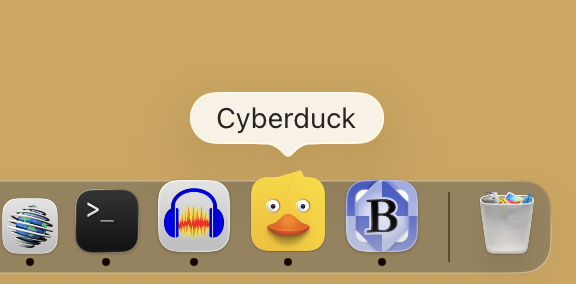
I love how Cyberduck is just quietly, casually resisting the Squircle Jail in my Dock, a fate almost all other apps have succumbed to.
[](https://cdn.fosstodon.org/cache/media_attachments/files/116/210/997/036/812/632/original/1a1045af54c01f48.png)
3. [3/13/2026, 10:25:06 AM](https://fosstodon.org/@cyberduck/116221378991532074)
[ Cyberduck 🐣 @cyberduck](https://fosstodon.org/@cyberduck)
[@danlockton](https://mastodon.social/@danlockton) They do not seem to provide an official API for developers.
4. [2/19/2026, 5:09:27 PM](https://fosstodon.org/@cyberduck/116098398098953892)
[ Cyberduck 🐣 @cyberduck](https://fosstodon.org/@cyberduck)
[@jucos](https://mastodon.social/@jucos) Subscribe to the update feed at <https://version.cyberduck.io/changelog.rss>
 [GitHub](https://github.com/iterate-ch/cyberduck) \| [License](https://cyberduck.io/license) \| [Acknowledgements](https://cyberduck.io/acknowledgements) \| Copyright 2026 [iterate GmbH](https://iterate.ch/) \| [Privacy Policy](https://cyberduck.io/privacy) |
| Readable Markdown | ##  Edit any file with your preferred editor. To edit files, a seamless integration with any external editor application makes it easy to change content quickly. Edit any text or binary file on the server in your preferred application.
## Share files.
**Web URL**
Quickly copy or open the corresponding HTTP URLs of a selected file in your web browser. Includes CDN and pre-signed URLs for S3.
## Distribute your content in the cloud. Both [Amazon CloudFront](https://trac.cyberduck.io/wiki/help/en/howto/cloudfront) and [Akamai](https://trac.cyberduck.io/wiki/help/en/howto/akamai) content delivery networks ([CDN](https://trac.cyberduck.io/wiki/help/en/howto/cdn)) can be easily configured to distribute your files worldwide from edge locations. Connect to any server using FTP, SFTP or WebDAV and configure it as the origin of a new [Amazon CloudFront](https://trac.cyberduck.io/wiki/help/en/howto/cloudfront) CDN distribution.
**Amazon CloudFront**
Manage custom origin, basic and streaming [CloudFront](https://trac.cyberduck.io/wiki/help/en/howto/cloudfront) distributions. Toggle deployment, define CNAMEs, distribution access logging and set the default index file.
## First class bookmarking. Organize your bookmarks with drag and drop and quickly search using the filter field.
**Files**
Drag and drop bookmarks to the Finder.app and drop files onto bookmarks to upload.
**Spotlight**
[Spotlight](https://trac.cyberduck.io/wiki/help/en/howto/spotlight) Importer for bookmark files.
**History**
History of visited servers with timestamp of last access.
## Browse with ease. Browse and move your files quickly in the browser with caching enabled for the best performance. Works with any character encoding for the correct display of Umlaute, Japanese and Chinese.
**Quick Look**
Quickly preview files with Quick Look. Press the space key to preview files like in Finder.app without explicitly downloading.
**Accessible**
The outline view of the browser allows to browse large folder structures efficiently. Cut & paste or drag & drop files to organize.
## Transfer anything. Limit the number of concurrent transfers and filter files using a regular expression. Resume both interrupted download and uploads. Recursively transfer directories.
**Download and Upload**
Drag and drop to and from the browser to download and upload.
**Copy**
Copy files directly between servers.
**Synchronization**
Synchronize local with remote directories (and vice versa) and get a preview of affected files before any action is taken.
## Integration with system technologies. A native citizen of Mac OS X and Windows. Notification center, Gatekeeper and Retina resolution.
**Keychain**
All passwords are stored in the system Keychain as Internet passwords available also to third party applications. Certificates are validated using the trust settings in the Keychain.
**Bonjour**
Auto discovery of FTP & WebDAV services on the local network.
**Finder**
Use Cyberduck as default system wide protocol handler for FTP and SFTP. Open `.inetloc` files and `.duck` bookmark files from the Finder.
**Notifications**
Notifications in system tray (Windows) and the Notification Center (Mac).
**Windows**
Reads your proxy configuration from network settings. Encrypts passwords limiting access to your account.
## We are open. Licensed under the [GPL](http://www.gnu.org/licenses/gpl.html).
Come in. You can follow the daily development activity, have a look at the roadmap and grab the source code on [GitHub](https://github.com/iterate-ch/cyberduck). We contribute to other open source projects including [OpenStack Swift Client Java Bindings](https://github.com/iterate-ch/java-openstack-swift), [Rococoa Objective-C Wrapper](https://github.com/iterate-ch/rococoa) and [SSHJ](https://github.com/iterate-ch/sshj).
## International. Speaks your language.
English, čeština, Nederlands, Suomi, Français, Deutsch, Italiano, 日本語, 한국어, Norsk, Slovenčina, Español, Português (do Brasil), Português (Europeu), 中文 (简体), 正體中文 (繁體), Русский, Svenska, Dansk, Język Polski, Magyar, Bahasa Indonesia, Català, Cymraeg, ภาษาไทย, Türkçe, Ivrit, Latviešu Valoda, Ελληνικά, Cрпски, ქართული ენა, Slovenščina, Українська, Română, Hrvatski & Български език. |
| Shard | 116 (laksa) |
| Root Hash | 12963706535015780316 |
| Unparsed URL | io,cyberduck!/ s443 |