ℹ️ Skipped - page is already crawled
| Filter | Status | Condition | Details |
|---|---|---|---|
| HTTP status | PASS | download_http_code = 200 | HTTP 200 |
| Age cutoff | PASS | download_stamp > now() - 6 MONTH | 0 months ago |
| History drop | PASS | isNull(history_drop_reason) | No drop reason |
| Spam/ban | PASS | fh_dont_index != 1 AND ml_spam_score = 0 | ml_spam_score=0 |
| Canonical | PASS | meta_canonical IS NULL OR = '' OR = src_unparsed | Not set |
| Property | Value |
|---|---|
| URL | https://anonymous.4open.science/ |
| Last Crawled | 2026-04-14 06:14:22 (4 hours ago) |
| First Indexed | 2018-09-05 16:00:04 (7 years ago) |
| HTTP Status Code | 200 |
| Meta Title | Anonymous GitHub |
| Meta Description | null |
| Meta Canonical | null |
| Boilerpipe Text | Double-anonymous
Anonymize your repositories.
Anonymous Github allows you to simply anonymize your Github
repository. Several anonymization options are available to ensure
that you do not break the double-anonymize such as removing links,
images or specific terms. You still keep control of your repository,
define an expiration date to make your repository unavailable after
the review.
Explorer
Navigate the content.
The reviewers can explore your repository with ease, the source code
is highlighted, PDFs, images, Notebook are rendered. The goal is to
make is as easy as possible for the reviewer to explore and review
the repository.
GitHub Pages
is also supported, but not static site generators, such as Jekyll.
Manage
Keep an eyes on your repositories.
Keep a view in your anonymized repositories. Edit your anonymization
configuration, remove your repository and update the content of your
repository. You can also monitor the access and the number of views
of your repository.
Metrics |
| Markdown | [Anonymous GitHub](https://anonymous.4open.science/)
- [Home](https://anonymous.4open.science/)
- [FAQ](https://anonymous.4open.science/faq)
- [Report an issue](https://github.com/tdurieux/anonymous_github/issues/new)
- [Dark Mode](https://anonymous.4open.science/)
- [Login](https://anonymous.4open.science/github/login)
## Usage
1. [Login](https://anonymous.4open.science/github/login) with Github access your dashboard and anonymize your repositories.
2. Complete the list of terms that will be anonymized.
3. Anonymize and share your link in your double-anonymized paper.
Example of an anonymized repository: <https://anonymous.4open.science/r/840c8c57-3c32-451e-bf12-0e20be300389/>.
***
## Double-anonymous Anonymize your repositories.
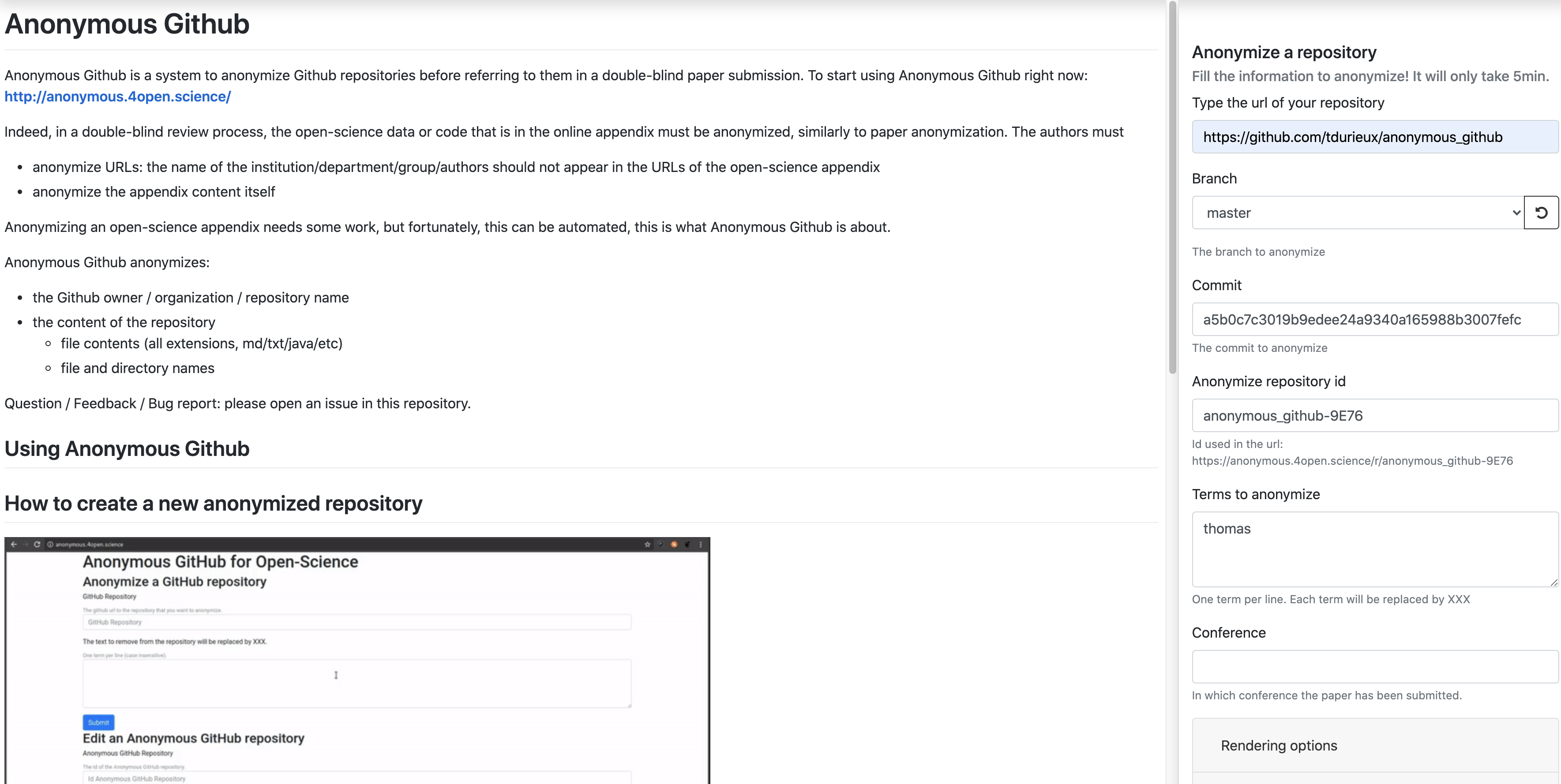
Anonymous Github allows you to simply anonymize your Github repository. Several anonymization options are available to ensure that you do not break the double-anonymize such as removing links, images or specific terms. You still keep control of your repository, define an expiration date to make your repository unavailable after the review.
***
## Explorer Navigate the content.
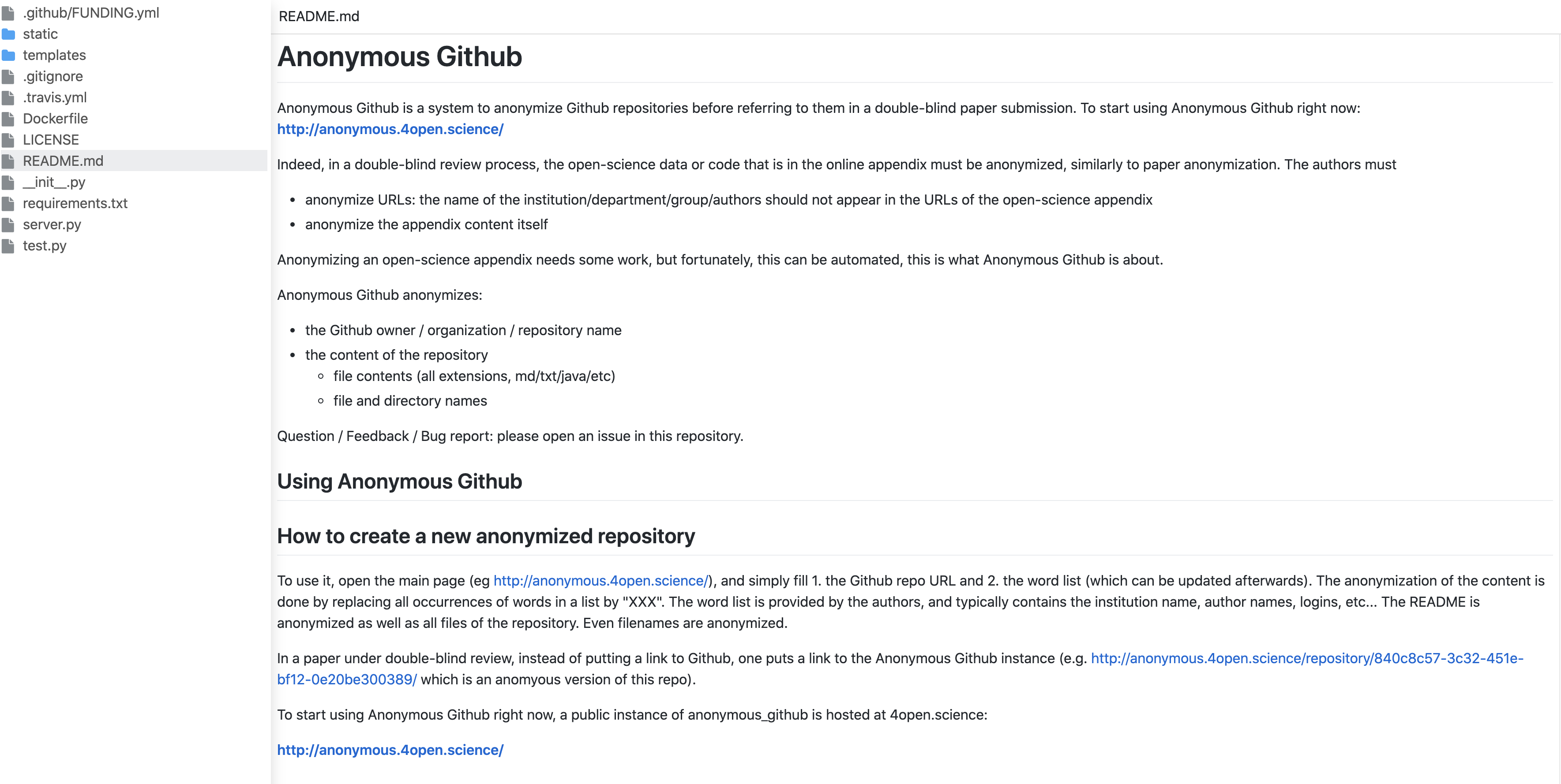
The reviewers can explore your repository with ease, the source code is highlighted, PDFs, images, Notebook are rendered. The goal is to make is as easy as possible for the reviewer to explore and review the repository. [GitHub Pages](https://pages.github.com/) is also supported, but not static site generators, such as Jekyll.
***
## Manage Keep an eyes on your repositories.
Keep a view in your anonymized repositories. Edit your anonymization configuration, remove your repository and update the content of your repository. You can also monitor the access and the number of views of your repository.

***
## Metrics
### 73,578 Users
### 200,065 Repositories
### 8,999,856 Page views
[ko-fi.com/tdurieux](https://ko-fi.com/tdurieux)
[ko-fi.com/tdurieux](https://ko-fi.com/tdurieux) |
| Readable Markdown | ***
## Double-anonymous Anonymize your repositories.
Anonymous Github allows you to simply anonymize your Github repository. Several anonymization options are available to ensure that you do not break the double-anonymize such as removing links, images or specific terms. You still keep control of your repository, define an expiration date to make your repository unavailable after the review.

***
## Explorer Navigate the content.
The reviewers can explore your repository with ease, the source code is highlighted, PDFs, images, Notebook are rendered. The goal is to make is as easy as possible for the reviewer to explore and review the repository. [GitHub Pages](https://pages.github.com/) is also supported, but not static site generators, such as Jekyll.

***
## Manage Keep an eyes on your repositories.
Keep a view in your anonymized repositories. Edit your anonymization configuration, remove your repository and update the content of your repository. You can also monitor the access and the number of views of your repository.

***
## Metrics |
| Shard | 108 (laksa) |
| Root Hash | 15291157651673761108 |
| Unparsed URL | science,4open!anonymous,/ s443 |